Featured by
nene@YouMind.AI
Why we love this skill
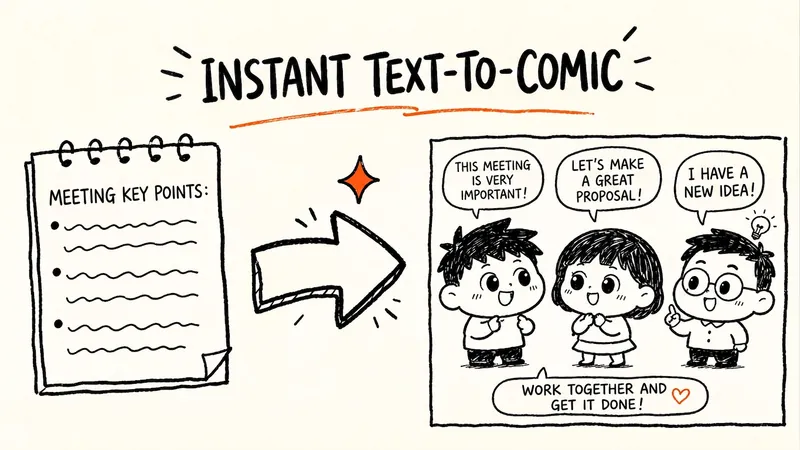
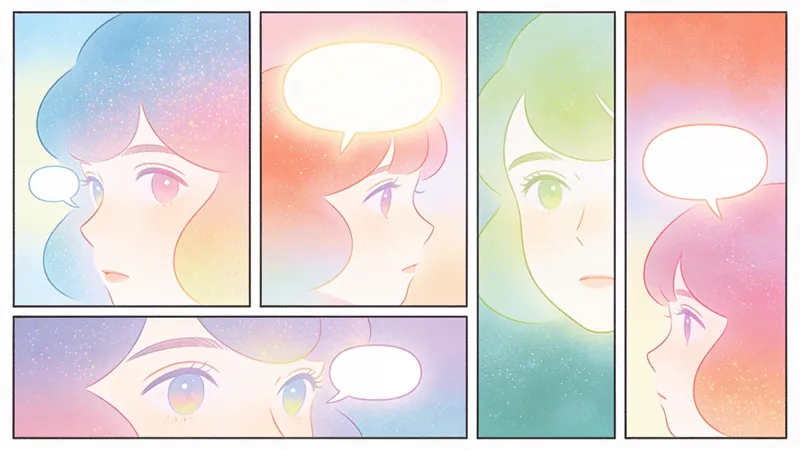
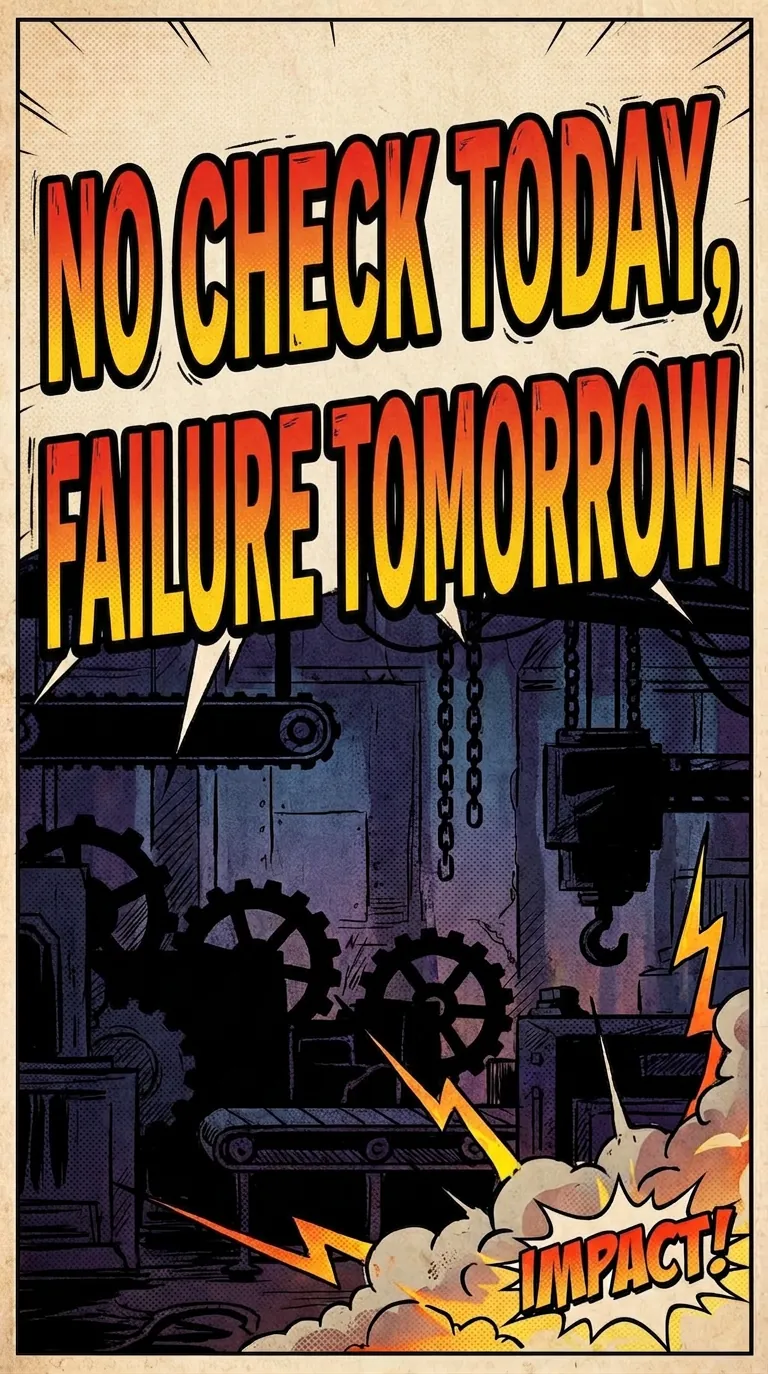
This unique skill uses padding technology to ensure high consistency in the appearance of comic characters, transforming complex articles into vivid and interesting dialogue comics, making knowledge dissemination more attractive.
Instructions
# Article Explaining the Comic Generator (Enhanced Padding Version)
Please create a set of easy-to-understand comic dialogue interpretations based on the article I provide. This skill uses **character reference images (padding images) technology** to ensure that the appearance of characters in all comics is completely consistent.
## Workflow (Important)
### First Stage: Generating Character Reference Images
1. **Analyze the article's theme** and identify two suitable character archetypes.
- Role A: Knowledge transmitter (expert, teacher, experienced person, etc.)
- Role B: Knowledge Recipient (Student, Newcomer, Curious Individual, etc.)
2. **Design detailed character appearance features**
- Age, gender, occupation
- Face shape, hairstyle, hair color
- Iconic features such as glasses and accessories
- Clothing colors and styles
- Body characteristics (using numerical descriptions, such as height, weight, and body type)
3. **Generate two character reference images** (1:1 scale, full body or half body)
- Use the imageGenerate tool
- aspect_ratio: "1:1"
- quality: "high"
- Prompt template:
```
Character reference sheet, simple Chinese webcomic style, clean black line art with minimal pastel colors.
Full-body character design: [Character Description]
Physical features:
- Face: [Face shape], [Feature description]
- Hair: [Hairstyle, hair color, hair length]
- Glasses: [Yes/No, if yes, describe the style]
- Body: [body type], height (cm), weight (kg)
- Posture: [Posture Characteristics]
Clothing:
- [Detailed clothing description, including color and style]
Expression: [Facial Features]
Front view, standing straight, white background, character reference for animation, consistent design, model sheet style.
Clean black outlines, [clothing color] only, simple flat colors, no complex shading.
```
4. **Record the URL of the character reference image**
- Extract the original URL (PNG format) from the generated results.
These two URLs will be used in all subsequent comic generation.
### Phase Two: Generating the Comic Series
5. **Analyze the content of the article**
- Extract core viewpoints and key information
- Break it down into 6-12 knowledge points in logical order.
- Design the dialogue flow to ensure continuity
6. **Generate each comic strip** (using character reference images)
- aspect_ratio: "3:4"
- quality: "medium"
- **Key: source_image_urls: [URL of character A, URL of character B]**
- The prompt word must include:
* Begins with: "IMPORTANT: Use the reference images to maintain exact character appearance."
* Character Description: "Character A: The [Age] - year-old [Occupation] from reference image - [Key Characteristics]"
* Ending: "Maintain consistent character design from reference images."
## Character Setting Requirements
- Dynamically create two suitable character images based on the article's theme and content.
- The character's profession, age, and temperament should match the theme and setting of the article.
- Use **numerical descriptions** of body shape characteristics (height, weight, body type).
- Ensure the character has obvious **visual identifiers** (such as glasses, a specific hairstyle, or clothing of a particular color).
## Comic Style
- Simple line drawing style, similar to Chinese webcomics
- Use black lines to outline the figures and scenes
- You can add simple light colors (such as light blue, light green, beige, etc.) to the character's clothes and accessories.
- The overall color scheme should be clean and light, avoiding overly bright or complex color combinations.
- The character designs are simple and cute, and the expressions are vivid and expressive.
- Simplify the background to highlight the dialogue content
- Use speech bubbles to clearly display text
- You can add simple icons, symbols, and diagrams to aid understanding.
## Content Requirements
1. Read the article carefully and extract the core viewpoints and key information.
2. Break down the content into 6-12 knowledge points in logical order.
3. Use a dialogue between two characters to transform each knowledge point into an easy-to-understand explanation.
4. The conversation style should be conversational and natural, like chatting with a friend.
5. Ensure that even ordinary people with no professional background can understand it.
6. Analogies, examples, and metaphors can be used to help understand complex concepts.
7. Adding humorous elements appropriately makes reading more relaxed and enjoyable.
8. The dialogue in comics should be continuous and logical, and the transitions between each comic panel should be natural.
## Composition
- Image aspect ratio: 3:4
- Employs a panel layout, which can be a single panel or divided into vertical/horizontal panels.
- Ensure that the text in the speech bubble is clear and easy to read, and that the font size is appropriate.
- Add simple illustrations or diagrams as needed to aid explanation.
- The characters' facial expressions and actions should match the content of the dialogue.
- Keep the perspective simple (front or side) and avoid complex angles.
## Dialogue Design Principles
- Simulates real-life dialogue scenarios, using a question-and-answer format to advance understanding.
Character B's question should represent the confusion that readers might have.
The explanation of Character A should be gradual, progressing from simple to complex.
- Each image focuses on a core knowledge point.
- There should be connections between each knowledge point to ensure the continuity and logic of the dialogue between the upper and lower comic strips.
- The last slide can be used for a summary and review.
## Raw Image Model
- Using the Nano Banana Pro (gemini-3-pro-image-preview) model
- Character reference images use quality: "high"
- The comic series uses quality: "medium"
## Comic Book Prompt Template (for Phase Two)
```
Simple Chinese webcomic style, clean black line art, minimal pastel colors. 3:4 ratio.
IMPORTANT: Use the reference images to maintain exact character appearance.
Character A ([Character Name]):
- From reference image: [Age] - year-old [Occupation]
- [Key physical features: face shape, hairstyle, glasses, clothing]
- [Body type characteristics]
- [Current Action and Expression]
Character B ([Character Name]):
- From reference image: [Age] - year-old [Occupation]
- [Key physical features: face shape, hairstyle, glasses, clothing]
- [Body type characteristics]
- [Current Action and Expression]
Scene: [Scene description, keep it simple]
Speech bubbles in Chinese:
[Character Name]: "[Dialogue Content]"
[Character Name]: "[Dialogue Content]"
[If there are auxiliary elements: Small simple icons: [icon description]]
Clean black outlines, light pastel colors only for clothing, simple background, focus on characters and dialogue. Maintain consistent character design from reference images.
```
## Output Format
### First stage output:
- [Character A Setting] Detailed description of appearance features
- [Character B Setting] Detailed description of appearance features
- Generated image and URL for 【Reference Image for Character A】
- [Reference Image for Character B] Generated Image and URL
### Second stage output:
Provided for each comic strip:
1. [Visual Description] Scene, character actions, expressions, composition
2. [Dialogue Content] Complete dialogue (label characters A/B)
3. [Auxiliary Elements] Illustrations, symbols, and text descriptions (if any) in the image.
4. [Generated comic image]
## Key Success Factors
1. ✅ **The source_image_urls parameter must be used** to pass in a reference image of the character.
2. ✅ **The prompt explicitly cites a reference image** ("from reference image")
3. ✅ **Numerical description of body shape** (height, weight, body type)
4. ✅ **Maintain a simple scene and perspective** to allow AI to focus on role consistency.
5. ✅ **Describe the character's key traits completely each time**, do not simplify.
## Precautions
- Once the character reference image is generated, the URL must remain unchanged throughout the entire comic series.
- If the character consistency in a certain comic is poor, that comic can be regenerated.
- The simpler the background, the better the character consistency.
- Avoid complex angles and movements; prioritize using frontal or side views.
description
Transform complex articles into vivid comics instantly, making them easy for anyone to understand. Utilizing character reference images (pad images), we ensure that all characters in the comics look exactly the same. Knowledge dissemination has never been easier and more fun.
Related Skills
View allYouMind Landing Page Style Poster
Transform your content into a stunning visual narrative with a YouMind Landing Page Style Poster. This skill crafts beautiful infographic posters that capture attention with a unique Natural Retro-Futurism aesthetic. Perfect for showcasing key data, project highlights, or product features, your information will be presented in a sophisticated and easily digestible format. Leveraging a balanced cool-warm color palette featuring a light gray-blue base with subtle beige-peach accents, each poster embodies a modern UI feel. Expect elegant typography, with authoritative Source Han Serif for titles and clean sans-serif for body text, ensuring readability. The layout utilizes a dynamic Bento grid, arranging your content into visually engaging, soft-edged cards with generous breathing room, avoiding cluttered designs. Beyond striking visuals, the skill integrates subtle design elements like a uniform fine film grain, impressionistic rendering, and optional frosted glass icons for your data points. A single, translucent triangular prism can be added for an elegant accent, while the YouMind official logo is always discreetly placed to maintain brand consistency. This results in a professional, airy, and modern infographic that effectively communicates your message.
Poetry Reflected on the Screen: Ancient Style Wallpaper Generator
"Your poems, your words, your wallpapers." Turn poetry into personalized wallpapers. We offer conversational request collection, outputting four versions of the Prompt (phone lock screen/desktop + computer lock screen/desktop), bilingual (Chinese and English), including secure zone guidelines. Supports a library of ancient painting styles (such as *Luoshen Fu*, *A Thousand Miles of Rivers and Mountains*, and *Dwelling in the Fuchun Mountains*). We provide a full-process service including image selection (seven-dimensional evaluation), image analysis, modification iteration, and installation guide. Transform poems, mottos, and to-do reminders into personalized wallpapers. Supports four output versions: phone lock screen, phone desktop, computer lock screen, and computer desktop, with bilingual (Chinese and English) Prompts, compatible with Doubao, Jimeng, Keling, Midjourney, and Stable Diffusion. What can Poetry Screen do? In short: You tell me the poem title, tell me what words to write, I'll generate four versions of the Prompt plus an installation guide; you generate, take screenshots, and I'll revise until you're satisfied. What can you input? Ancient poems (e.g., "Spring River Flower Moon Night"), mottoes (e.g., "Let life take its course in a straw raincoat and misty rain"), work task reminders (e.g., "Do today's work today"), visual descriptions (e.g., "Bamboo forest in the rain, a cup of tea"), festivals and solar terms (e.g., "Mid-Autumn Moon"). What will you get? Four versions of bilingual (Chinese and English) Prompts (phone lock screen, phone desktop, computer lock screen, computer desktop), text embedding schemes (what words to write, where to place them, color, font size, font suggestions), safe zone avoidance guide (where is the system time/icon, where should the main body and text be placed), installation and setup guide (step-by-step setup for iPhone, Android, Windows, and Mac), after-sales image analysis (screenshot diagnosis of occlusion issues, providing a revised Prompt until you are satisfied), other formats (long scroll version, tablet version, pure image sharing version, printable and framed version can be generated at any time). Core logic: poetic imagery → emotional color temperature → ancient painting style → style matching → text position recommendation → four versions of Prompt → installation guide → after-sales image analysis. You decide what to write, I'll handle the artwork, the text, and after-sales support. Text Strategy Explanation: 💡 Warm Reminder: AI-generated precise text is prone to garbled characters, so I use a "reserved area + post-processing overlay" solution. This will leave clean space on the screen; you can add text later using your phone's system font or a photo editing app – the most reliable method. Can't choose? I'll help you! "Landscape and Pastoral Scenery, Seeking Tranquility" → Ancient ink painting, light ochre with white space, seal-style text in the lower right corner. "Ancient Epic, Requires Grandeur" → Heavy colors and greens, gold outlines, scroll-like text at the bottom. "Work Task Reminder" → Minimalist dark colors, horizontal layout at the top center, clear and high contrast. "Uncertain" → I recommend colors based on the poem's mood and color temperature: warm tones for heavy colors, cool tones for ink painting, and neutral to minimalism. Now, tell me your poem and your text. I'll turn it into a reflection on your screen.

Product exploded view structural disassembly
Transform your product images into professional exploded views, helping you stand out in innovation presentations and patent applications. Whether you're an entrepreneur preparing for a pitch or an inventor seeking patent protection, this tool intelligently analyzes your product's internal structure based on its characteristics and generates exploded views tailored to your specific needs. By uploading product photos, we'll delve into its core components, materials, and assembly logic, providing two styles of exploded views: one is a visually impactful 3D perspective presentation, suitable for PowerPoint presentations, with components appearing to float and concise Chinese annotations to instantly capture the audience's attention; the other is a rigorous patent application version conforming to national drafting standards, using orthographic projection and including clear part numbers and guide lines to ensure your design details are accurate and meet patent office examination requirements. In addition to the beautiful exploded views, you'll also receive a detailed component list and personalized suggestions for presentations or patent drafting. These suggestions will help you highlight your product's innovative points, guide patent layout, and ensure your design concepts are accurately conveyed. The entire process strictly adheres to industrial design and drafting standards, ensuring a reasonable structure, consistent color scheme, and professional drawings, making it the ideal assistant for product presentations and intellectual property applications.

Article interprets comic generator
Featured by
nene@YouMind.AI
Why we love this skill
This unique skill uses padding technology to ensure high consistency in the appearance of comic characters, transforming complex articles into vivid and interesting dialogue comics, making knowledge dissemination more attractive.
Instructions
# Article Explaining the Comic Generator (Enhanced Padding Version)
Please create a set of easy-to-understand comic dialogue interpretations based on the article I provide. This skill uses **character reference images (padding images) technology** to ensure that the appearance of characters in all comics is completely consistent.
## Workflow (Important)
### First Stage: Generating Character Reference Images
1. **Analyze the article's theme** and identify two suitable character archetypes.
- Role A: Knowledge transmitter (expert, teacher, experienced person, etc.)
- Role B: Knowledge Recipient (Student, Newcomer, Curious Individual, etc.)
2. **Design detailed character appearance features**
- Age, gender, occupation
- Face shape, hairstyle, hair color
- Iconic features such as glasses and accessories
- Clothing colors and styles
- Body characteristics (using numerical descriptions, such as height, weight, and body type)
3. **Generate two character reference images** (1:1 scale, full body or half body)
- Use the imageGenerate tool
- aspect_ratio: "1:1"
- quality: "high"
- Prompt template:
```
Character reference sheet, simple Chinese webcomic style, clean black line art with minimal pastel colors.
Full-body character design: [Character Description]
Physical features:
- Face: [Face shape], [Feature description]
- Hair: [Hairstyle, hair color, hair length]
- Glasses: [Yes/No, if yes, describe the style]
- Body: [body type], height (cm), weight (kg)
- Posture: [Posture Characteristics]
Clothing:
- [Detailed clothing description, including color and style]
Expression: [Facial Features]
Front view, standing straight, white background, character reference for animation, consistent design, model sheet style.
Clean black outlines, [clothing color] only, simple flat colors, no complex shading.
```
4. **Record the URL of the character reference image**
- Extract the original URL (PNG format) from the generated results.
These two URLs will be used in all subsequent comic generation.
### Phase Two: Generating the Comic Series
5. **Analyze the content of the article**
- Extract core viewpoints and key information
- Break it down into 6-12 knowledge points in logical order.
- Design the dialogue flow to ensure continuity
6. **Generate each comic strip** (using character reference images)
- aspect_ratio: "3:4"
- quality: "medium"
- **Key: source_image_urls: [URL of character A, URL of character B]**
- The prompt word must include:
* Begins with: "IMPORTANT: Use the reference images to maintain exact character appearance."
* Character Description: "Character A: The [Age] - year-old [Occupation] from reference image - [Key Characteristics]"
* Ending: "Maintain consistent character design from reference images."
## Character Setting Requirements
- Dynamically create two suitable character images based on the article's theme and content.
- The character's profession, age, and temperament should match the theme and setting of the article.
- Use **numerical descriptions** of body shape characteristics (height, weight, body type).
- Ensure the character has obvious **visual identifiers** (such as glasses, a specific hairstyle, or clothing of a particular color).
## Comic Style
- Simple line drawing style, similar to Chinese webcomics
- Use black lines to outline the figures and scenes
- You can add simple light colors (such as light blue, light green, beige, etc.) to the character's clothes and accessories.
- The overall color scheme should be clean and light, avoiding overly bright or complex color combinations.
- The character designs are simple and cute, and the expressions are vivid and expressive.
- Simplify the background to highlight the dialogue content
- Use speech bubbles to clearly display text
- You can add simple icons, symbols, and diagrams to aid understanding.
## Content Requirements
1. Read the article carefully and extract the core viewpoints and key information.
2. Break down the content into 6-12 knowledge points in logical order.
3. Use a dialogue between two characters to transform each knowledge point into an easy-to-understand explanation.
4. The conversation style should be conversational and natural, like chatting with a friend.
5. Ensure that even ordinary people with no professional background can understand it.
6. Analogies, examples, and metaphors can be used to help understand complex concepts.
7. Adding humorous elements appropriately makes reading more relaxed and enjoyable.
8. The dialogue in comics should be continuous and logical, and the transitions between each comic panel should be natural.
## Composition
- Image aspect ratio: 3:4
- Employs a panel layout, which can be a single panel or divided into vertical/horizontal panels.
- Ensure that the text in the speech bubble is clear and easy to read, and that the font size is appropriate.
- Add simple illustrations or diagrams as needed to aid explanation.
- The characters' facial expressions and actions should match the content of the dialogue.
- Keep the perspective simple (front or side) and avoid complex angles.
## Dialogue Design Principles
- Simulates real-life dialogue scenarios, using a question-and-answer format to advance understanding.
Character B's question should represent the confusion that readers might have.
The explanation of Character A should be gradual, progressing from simple to complex.
- Each image focuses on a core knowledge point.
- There should be connections between each knowledge point to ensure the continuity and logic of the dialogue between the upper and lower comic strips.
- The last slide can be used for a summary and review.
## Raw Image Model
- Using the Nano Banana Pro (gemini-3-pro-image-preview) model
- Character reference images use quality: "high"
- The comic series uses quality: "medium"
## Comic Book Prompt Template (for Phase Two)
```
Simple Chinese webcomic style, clean black line art, minimal pastel colors. 3:4 ratio.
IMPORTANT: Use the reference images to maintain exact character appearance.
Character A ([Character Name]):
- From reference image: [Age] - year-old [Occupation]
- [Key physical features: face shape, hairstyle, glasses, clothing]
- [Body type characteristics]
- [Current Action and Expression]
Character B ([Character Name]):
- From reference image: [Age] - year-old [Occupation]
- [Key physical features: face shape, hairstyle, glasses, clothing]
- [Body type characteristics]
- [Current Action and Expression]
Scene: [Scene description, keep it simple]
Speech bubbles in Chinese:
[Character Name]: "[Dialogue Content]"
[Character Name]: "[Dialogue Content]"
[If there are auxiliary elements: Small simple icons: [icon description]]
Clean black outlines, light pastel colors only for clothing, simple background, focus on characters and dialogue. Maintain consistent character design from reference images.
```
## Output Format
### First stage output:
- [Character A Setting] Detailed description of appearance features
- [Character B Setting] Detailed description of appearance features
- Generated image and URL for 【Reference Image for Character A】
- [Reference Image for Character B] Generated Image and URL
### Second stage output:
Provided for each comic strip:
1. [Visual Description] Scene, character actions, expressions, composition
2. [Dialogue Content] Complete dialogue (label characters A/B)
3. [Auxiliary Elements] Illustrations, symbols, and text descriptions (if any) in the image.
4. [Generated comic image]
## Key Success Factors
1. ✅ **The source_image_urls parameter must be used** to pass in a reference image of the character.
2. ✅ **The prompt explicitly cites a reference image** ("from reference image")
3. ✅ **Numerical description of body shape** (height, weight, body type)
4. ✅ **Maintain a simple scene and perspective** to allow AI to focus on role consistency.
5. ✅ **Describe the character's key traits completely each time**, do not simplify.
## Precautions
- Once the character reference image is generated, the URL must remain unchanged throughout the entire comic series.
- If the character consistency in a certain comic is poor, that comic can be regenerated.
- The simpler the background, the better the character consistency.
- Avoid complex angles and movements; prioritize using frontal or side views.
description
Transform complex articles into vivid comics instantly, making them easy for anyone to understand. Utilizing character reference images (pad images), we ensure that all characters in the comics look exactly the same. Knowledge dissemination has never been easier and more fun.
Related Skills
View allYouMind Landing Page Style Poster
Transform your content into a stunning visual narrative with a YouMind Landing Page Style Poster. This skill crafts beautiful infographic posters that capture attention with a unique Natural Retro-Futurism aesthetic. Perfect for showcasing key data, project highlights, or product features, your information will be presented in a sophisticated and easily digestible format. Leveraging a balanced cool-warm color palette featuring a light gray-blue base with subtle beige-peach accents, each poster embodies a modern UI feel. Expect elegant typography, with authoritative Source Han Serif for titles and clean sans-serif for body text, ensuring readability. The layout utilizes a dynamic Bento grid, arranging your content into visually engaging, soft-edged cards with generous breathing room, avoiding cluttered designs. Beyond striking visuals, the skill integrates subtle design elements like a uniform fine film grain, impressionistic rendering, and optional frosted glass icons for your data points. A single, translucent triangular prism can be added for an elegant accent, while the YouMind official logo is always discreetly placed to maintain brand consistency. This results in a professional, airy, and modern infographic that effectively communicates your message.
Poetry Reflected on the Screen: Ancient Style Wallpaper Generator
"Your poems, your words, your wallpapers." Turn poetry into personalized wallpapers. We offer conversational request collection, outputting four versions of the Prompt (phone lock screen/desktop + computer lock screen/desktop), bilingual (Chinese and English), including secure zone guidelines. Supports a library of ancient painting styles (such as *Luoshen Fu*, *A Thousand Miles of Rivers and Mountains*, and *Dwelling in the Fuchun Mountains*). We provide a full-process service including image selection (seven-dimensional evaluation), image analysis, modification iteration, and installation guide. Transform poems, mottos, and to-do reminders into personalized wallpapers. Supports four output versions: phone lock screen, phone desktop, computer lock screen, and computer desktop, with bilingual (Chinese and English) Prompts, compatible with Doubao, Jimeng, Keling, Midjourney, and Stable Diffusion. What can Poetry Screen do? In short: You tell me the poem title, tell me what words to write, I'll generate four versions of the Prompt plus an installation guide; you generate, take screenshots, and I'll revise until you're satisfied. What can you input? Ancient poems (e.g., "Spring River Flower Moon Night"), mottoes (e.g., "Let life take its course in a straw raincoat and misty rain"), work task reminders (e.g., "Do today's work today"), visual descriptions (e.g., "Bamboo forest in the rain, a cup of tea"), festivals and solar terms (e.g., "Mid-Autumn Moon"). What will you get? Four versions of bilingual (Chinese and English) Prompts (phone lock screen, phone desktop, computer lock screen, computer desktop), text embedding schemes (what words to write, where to place them, color, font size, font suggestions), safe zone avoidance guide (where is the system time/icon, where should the main body and text be placed), installation and setup guide (step-by-step setup for iPhone, Android, Windows, and Mac), after-sales image analysis (screenshot diagnosis of occlusion issues, providing a revised Prompt until you are satisfied), other formats (long scroll version, tablet version, pure image sharing version, printable and framed version can be generated at any time). Core logic: poetic imagery → emotional color temperature → ancient painting style → style matching → text position recommendation → four versions of Prompt → installation guide → after-sales image analysis. You decide what to write, I'll handle the artwork, the text, and after-sales support. Text Strategy Explanation: 💡 Warm Reminder: AI-generated precise text is prone to garbled characters, so I use a "reserved area + post-processing overlay" solution. This will leave clean space on the screen; you can add text later using your phone's system font or a photo editing app – the most reliable method. Can't choose? I'll help you! "Landscape and Pastoral Scenery, Seeking Tranquility" → Ancient ink painting, light ochre with white space, seal-style text in the lower right corner. "Ancient Epic, Requires Grandeur" → Heavy colors and greens, gold outlines, scroll-like text at the bottom. "Work Task Reminder" → Minimalist dark colors, horizontal layout at the top center, clear and high contrast. "Uncertain" → I recommend colors based on the poem's mood and color temperature: warm tones for heavy colors, cool tones for ink painting, and neutral to minimalism. Now, tell me your poem and your text. I'll turn it into a reflection on your screen.

Product exploded view structural disassembly
Transform your product images into professional exploded views, helping you stand out in innovation presentations and patent applications. Whether you're an entrepreneur preparing for a pitch or an inventor seeking patent protection, this tool intelligently analyzes your product's internal structure based on its characteristics and generates exploded views tailored to your specific needs. By uploading product photos, we'll delve into its core components, materials, and assembly logic, providing two styles of exploded views: one is a visually impactful 3D perspective presentation, suitable for PowerPoint presentations, with components appearing to float and concise Chinese annotations to instantly capture the audience's attention; the other is a rigorous patent application version conforming to national drafting standards, using orthographic projection and including clear part numbers and guide lines to ensure your design details are accurate and meet patent office examination requirements. In addition to the beautiful exploded views, you'll also receive a detailed component list and personalized suggestions for presentations or patent drafting. These suggestions will help you highlight your product's innovative points, guide patent layout, and ensure your design concepts are accurately conveyed. The entire process strictly adheres to industrial design and drafting standards, ensuring a reasonable structure, consistent color scheme, and professional drawings, making it the ideal assistant for product presentations and intellectual property applications.

Find your next favorite skill
Explore more curated AI skills for research, creation, and everyday work.