

YouMind Skills Gallery
Skills is your best partner for learning and creating in YouMind, assisting you in reading and thinking.



Turn your skill into rewards
Publish your skill, set your price, and earn rewards on every install. Redeem for credits or rewards.
View detailEditor's pick
See all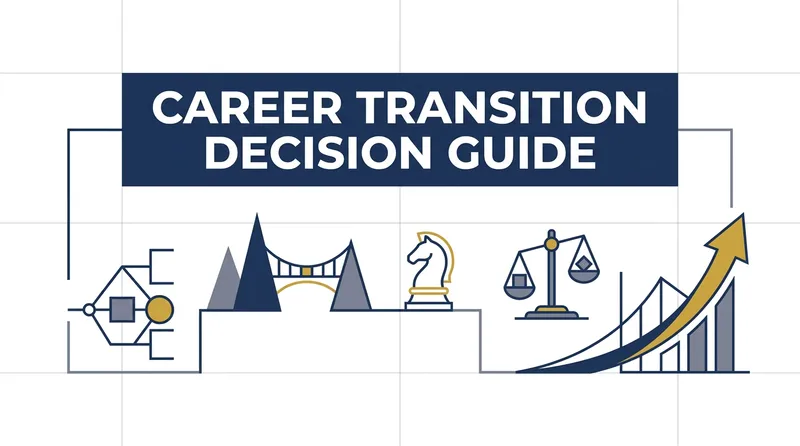 Research
Career Transition Advisor
Helps experienced professionals considering a career change, a voluntary job switch, or an involuntary job search turn complex career choices into well-supported action plans. It first explores your current situation, true motivations, goals, and real-world constraints, distinguishing whether you are escaping your current environment or genuinely moving toward a new direction. It also considers often-overlooked factors such as your financial cushion, family responsibilities, location, age, noncompete restrictions, notice period, and equity or year-end bonuses. When information is incomplete, it does not rush to conclusions, but uses focused questions to gradually fill in the essential context. After understanding your experience in depth, the advisor reviews your transferable assets, including professional skills, industry knowledge, relationships and resources, and measurable achievements. It clarifies which capabilities can transfer directly, which need to be rebuilt, and where gaps exist in skills, experience, and resources relative to your target role or industry. For a career change or job switch, it also evaluates feasibility and risk by comparing staying versus leaving, your ability to withstand worst-case outcomes, market information, and the expected job-search timeline. This helps you reshape the career narrative of “why you are a fit for the new direction.” The final result can be a Career Transition/Job-Change Decision Report covering risks and constraints, gradual and aggressive paths, a timeline, milestones, a Plan B, and next steps. Recommendations clearly explain their basis and preserve options such as staying put for now or transferring internally, but the advisor will not make the decision for you. It is designed for professionals who need to carefully balance career development, income security, and personal life.
 Research
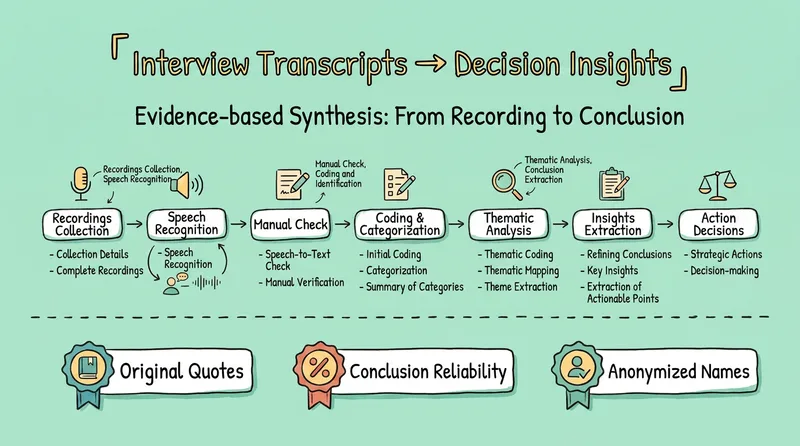
Interview-to-Insights V3
Turn interview, user research, or focus-group transcripts into an evidence-based research synthesis where every conclusion is traceable to a supporting quote. From one transcript to twenty, get coded themes, a tension map, an opportunity backlog, and direct answers to your decision questions—no more hours of recordings with zero findings. For businesses and product teams: save days of analyst time spent organizing and coding. Every claim is anchored to participants’ exact words and timestamps, making it auditable and traceable while reducing the risk of AI-fabricated insights. Opportunities are presented as “when [situation], [who] wants [outcome] because [reason]”, ready to connect with product roadmaps and market decisions. For researchers and academics: follow rigorous qualitative research practice rather than simple summarization—quote-first open coding, Behaviour/Belief/Wish evidence categories, falsifiable themes, and deliberate searches for disconfirming evidence. The method is rigorous enough for a research paper. Sample discipline is strict: percentages are not reported with fewer than 12 participants, n=1 is identified as a hypothesis rather than a finding, and conclusion strength is based on participant counts. Ideal for product managers, UX and market researchers, journalists, consultants, founders, and anyone with hours of recordings but no research findings yet. English: Turn interview, user research, or focus-group transcripts into an evidence-led research synthesis where every conclusion is traceable to a verbatim quote. Feed it one transcript or twenty, and get coded themes, a tension map, an opportunity backlog, and a direct answer to your decision question—no more hours of recordings with zero findings. For businesses & product teams: skip days of manual coding; every claim is anchored to participant quotes with timestamps, auditable and traceable, eliminating the risk of AI-fabricated insights; opportunities are framed as "when [situation], [who] wants [outcome] because [reason]", ready to feed product roadmaps and market decisions. For researchers & academics: real qualitative practice, not summarisation—quote-first open coding, Behaviour/Belief/Wish evidence tagging, falsifiable themes, deliberate disconfirming-evidence hunting, rigorous enough for a methods section; strict sample discipline: no percentages under 12 participants, n=1 flagged as hypothesis rather than finding, theme strength counted in participants. For product managers, UX & market researchers, journalists, consultants, founders doing customer discovery—and anyone sitting on hours of recordings with no findings.
 Image
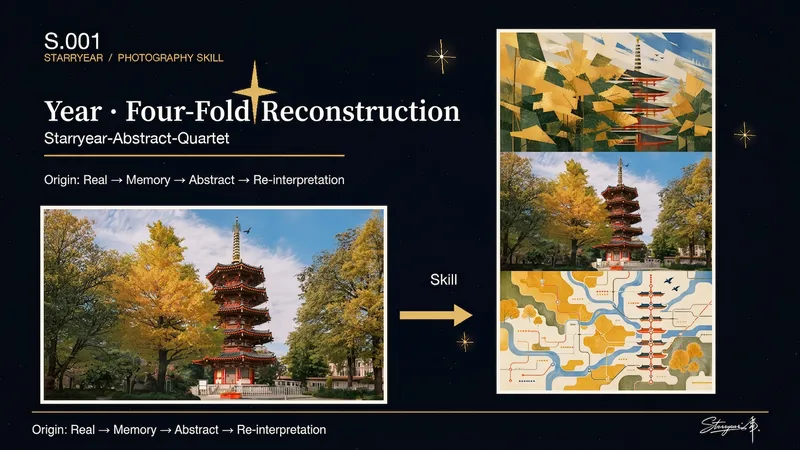
ImageTriple Memory · Starryear
Turn a single user-uploaded photo into a triptych with continuous visual logic: the top panel draws the subject or core space inward, distilling it into an abstract form that is stable, concentrated, and still retains its identity; the middle panel preserves the real original photo as irreplaceable photographic evidence; the bottom panel releases the photo’s colors, contours, textures, and spatial relationships outward, creating a dispersed, transformed, and more surreal new setting. The final image reveals the difference between convergent and diffuse abstraction while allowing viewers to trace their connection to the original photo. This Skill works with single photos of people, animals, objects, architecture, interiors, or natural scenes. The abstract results develop from the photo’s own subject relationships, compositional direction, color relationships, and visual rhythm rather than applying fixed patterns, generic filters, or unrelated decorative styles. It pays particular attention to the number, identity, orientation, and proportions of subjects, as well as important spatial relationships, ensuring that the middle panel remains the original photo without replacement. You’ll receive a finished source-driven triptych, along with a brief summary of the key visual DNA used for the two abstract panels above and below, making it easier to understand which clues the convergent and diffuse treatments extracted from the original image.
 Webpage
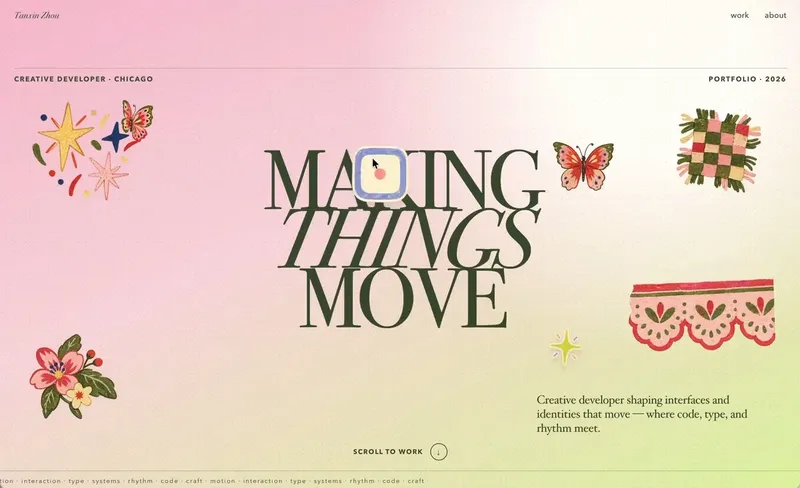
Little Gravity Portfolio
Build an intimate one-page portfolio where real work leads, airy Riso fragments decorate the margins, and small objects fall gently into motion. Use for a creative professional's personal portfolio or selected-work page; keep factual claims user-supplied and generated imagery decorative.
Weekly top
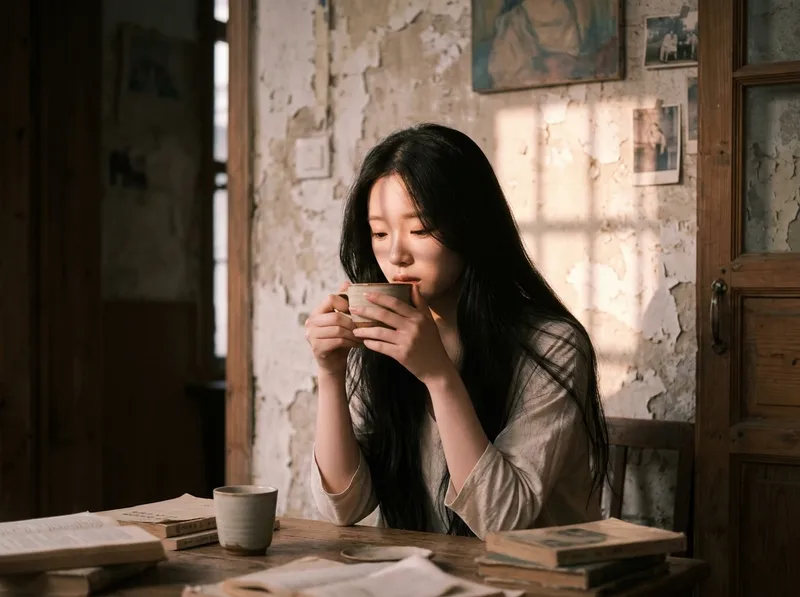
Cinematic Sunset Portraits
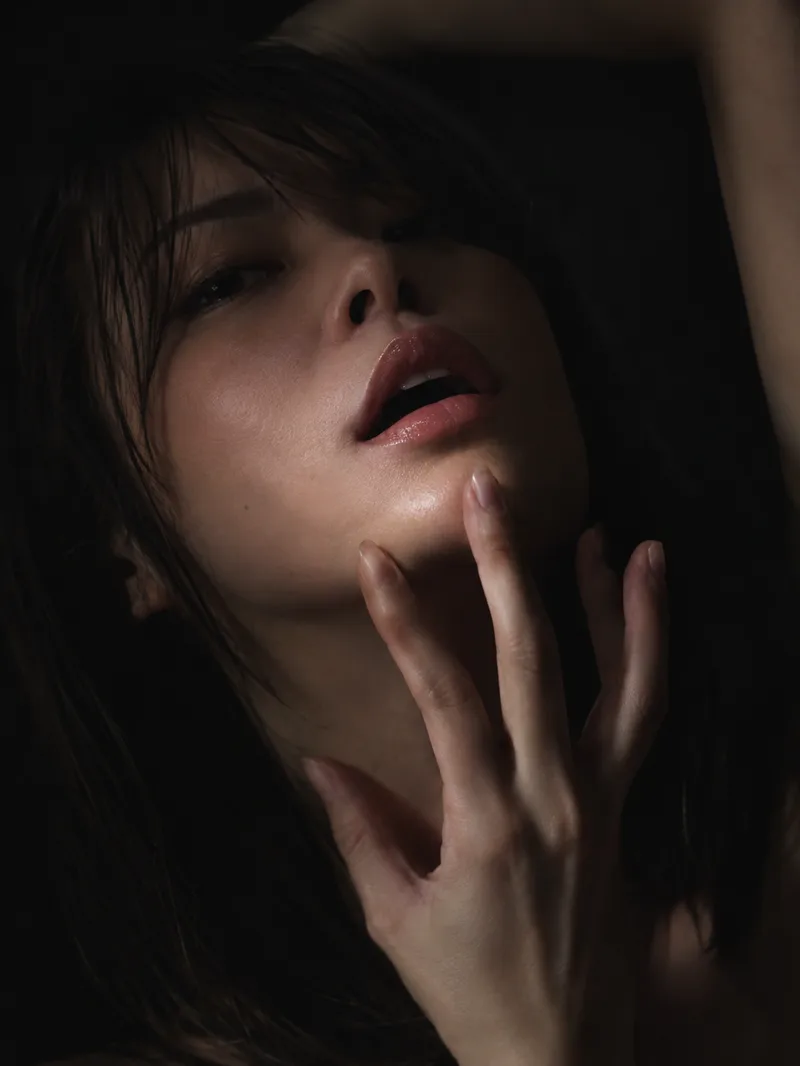
Upload a portrait to generate a hyper-realistic cinematic sunset portrait that closely preserves the subject’s facial features, hairstyle, and overall presence. Choose from multiple poses and color tones, or let them rotate automatically. The result is a vertical atmospheric portrait image, with the aspect ratio customizable.
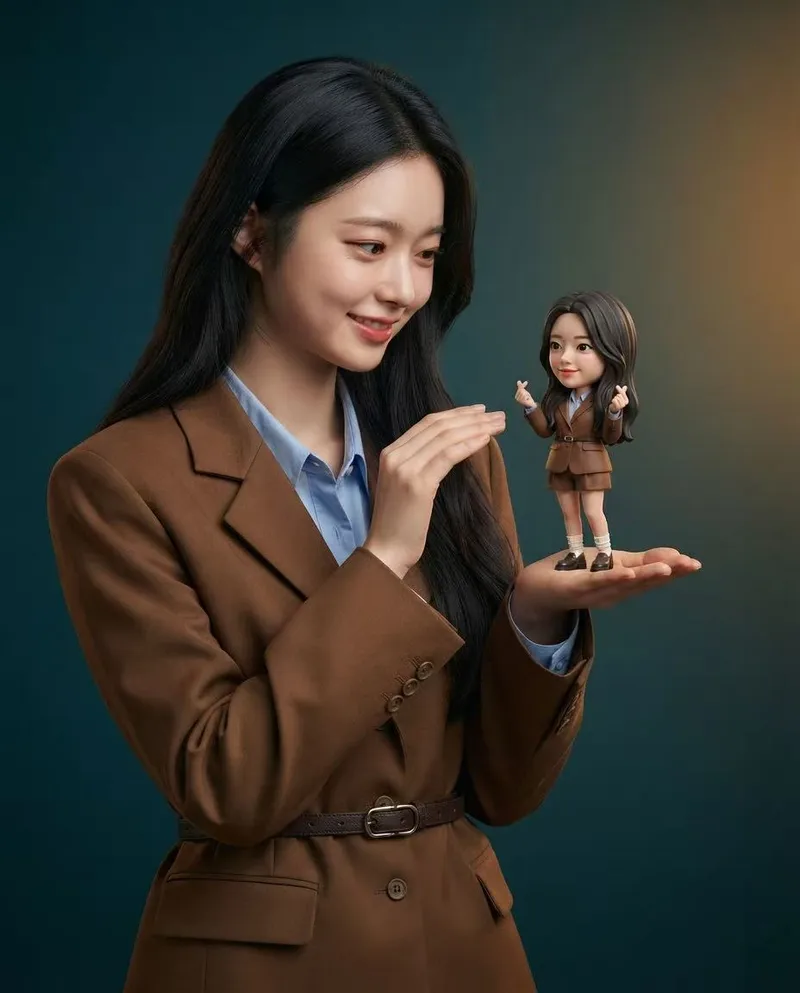
Mini Chibi Alter-Ego Poster
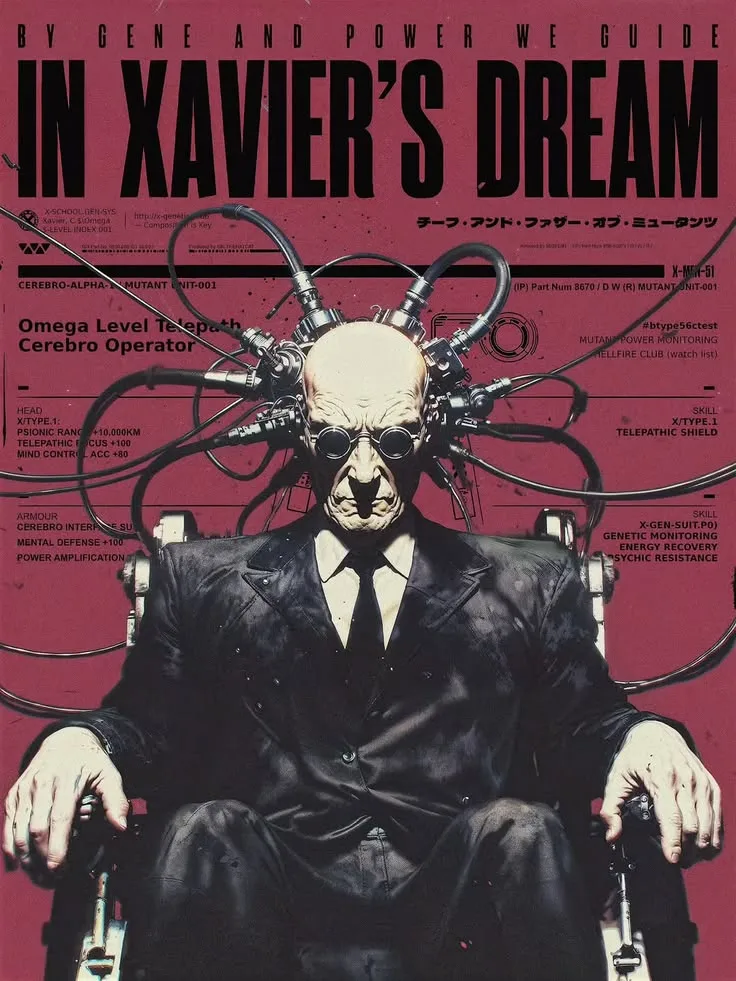
Upload a portrait photo to generate a hyper-realistic, cinematic commercial poster: the person interacts with a mini chibi 3D “alter ego” on their palm, while closely preserving their identity, hairstyle, accessories, and clothing. The skill automatically selects a varied combination from six poses and eight background color schemes, prioritizing contrast between the background and clothing. The result is a single vertical poster, defaulting to a 3:4 aspect ratio.
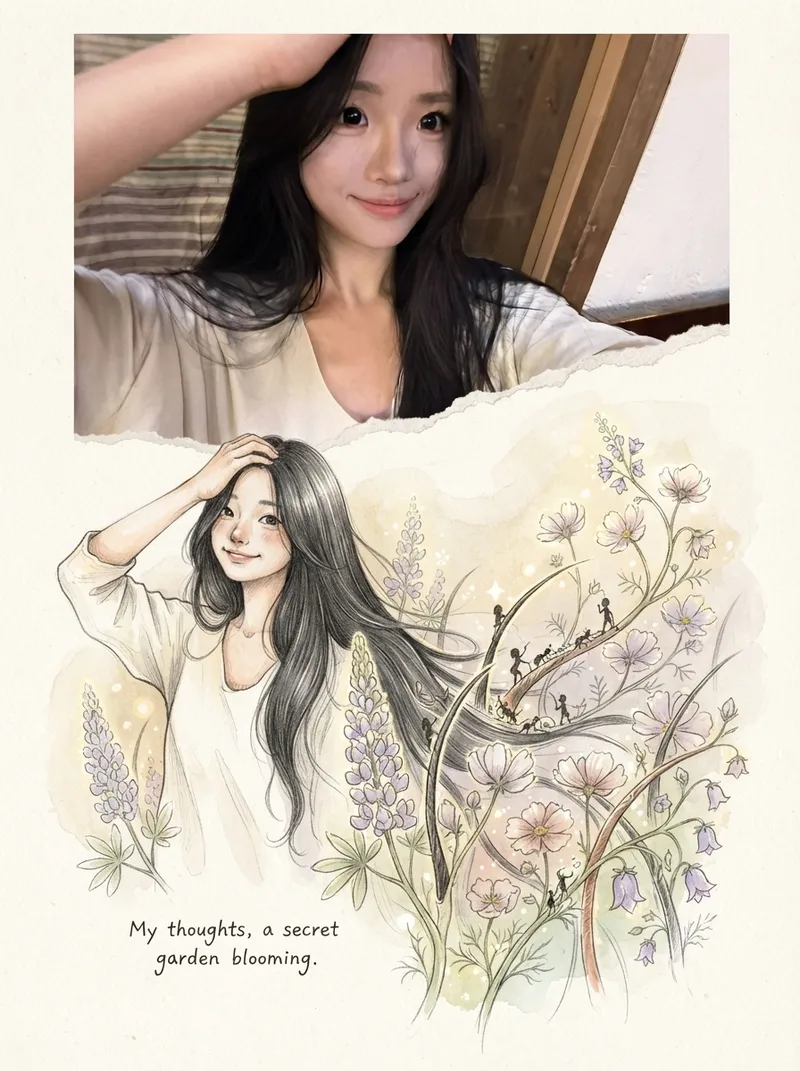
Photos into Storybooks
Using the uploaded photo as the sole reference, create a portrait-format (default 3:4) composite image with an editorial feel, combining the photo with a hand-drawn illustration: preserve the original photo in the upper half, naturally extend it into a hand-drawn storybook illustration in the lower half, and add a short handwritten-style caption in the blank space.

Elite UI Design Studio
An elite UI design specialist for web, mobile, and desktop. It reviews and improves existing interfaces, builds executable UI code, produces compact design systems and specs, and generates visual concept mockups, all at a high level of craft, usability, and accessibility. Every output is designed to be distinctive rather than generic, with strong hierarchy, a coherent visual system, responsive layouts, and full state coverage. It enforces a strict token-economy discipline: it delivers the artifact directly with no preamble, no restating, and no filler. Output language follows the user's language.
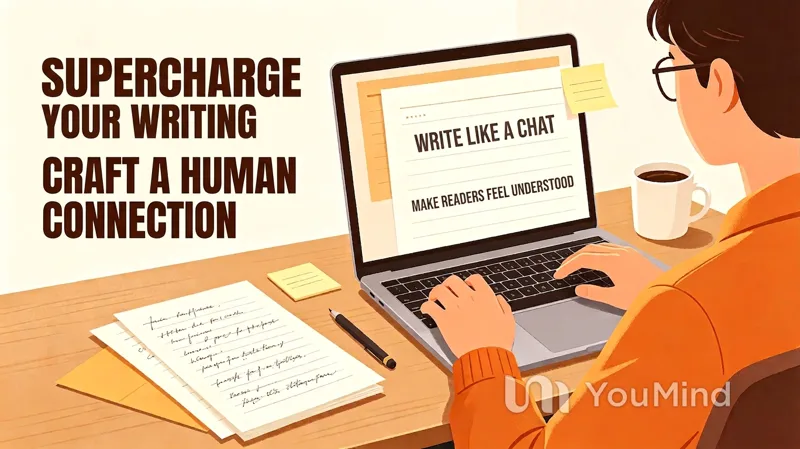
Human-Sounding WeChat Writing
Make WeChat Official Account articles, posts, and spoken scripts sound more like a real person talking: grounded in specific situations, shaped by personal judgment, and carried by natural emotion and conversational rhythm. Readers will find the writing relaxed and fluid rather than stiff or formal, with a clear sense of the author and their point of view. Whether you are writing from scratch, rewriting an existing draft, polishing copy, or reviewing it for a more human feel, less AI-like wording, or a more authentic voice, this Skill helps reduce clichés, excessive parallel phrasing, and overly structured expression while preserving facts, brand tone, and key information. The writing will better match WeChat reading habits, with a natural opening, a clear point of view in the middle, and an ending that avoids empty slogans. When needed, everyday details, actions, dialogue, or small conflicts can make the content more specific and vivid. You will get a publication-ready WeChat article, along with multiple title options, optional quotable lines, image suggestions, and feedback from a human-voice review. It will not invent experiences, data, or quotes to create a more human feel, nor overuse internet slang, rely on excessive sentimentality, or compromise the brand’s character. It works well for personal accounts, brand content, and spoken scripts that need a natural voice.

AFP Policy Decode + CSSCI V2
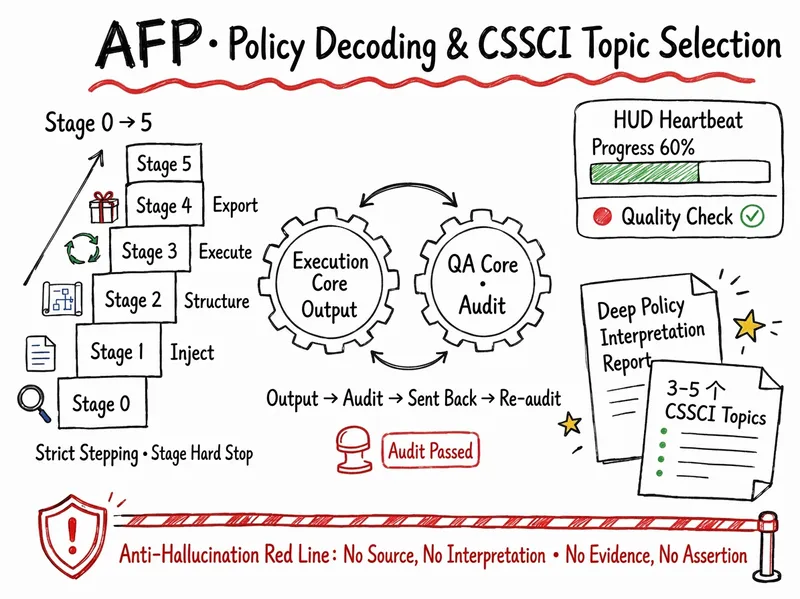
AFP prompt system—deep policy analysis (three-level source tracing, hot-topic context, and academic mapping) and CSSCI topic generation (3–5 topics, including policy basis, theoretical foundation, theoretical and practical significance, and publication potential assessment). Supports three entry points: A1 panoramic analysis, A2 targeted analysis, and B reverse matching from an idea. Auto-Flow operation: strict step-by-step progression, silent background self-checks, a heartbeat HUD, and hard stops at each stage.
Slideshow Narration Video
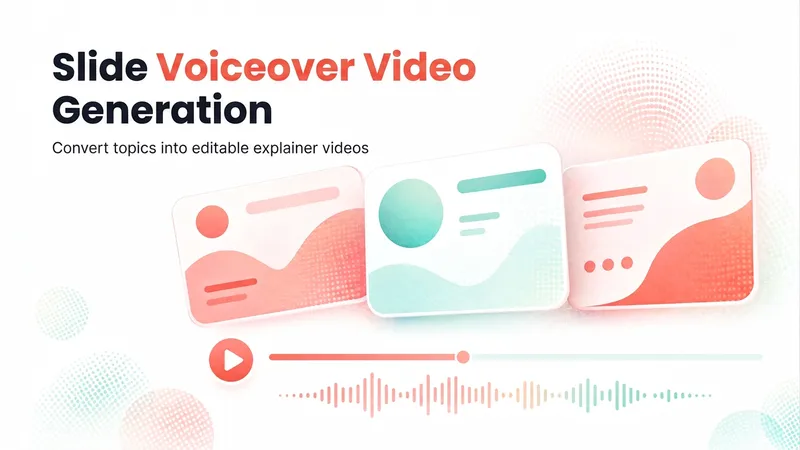
Turn a presentation topic—or your existing script, materials, or Slides—into an editable 16:9 video with Chinese narration for each slide. The Skill first plans the main narrative and asks you to confirm the outline and preview, then generates the slide visuals, writes and synthesizes Chinese narration for each slide, and assembles an editable video with one slide visual and one narration segment per page. Subtitles are enabled by default. The visual style, voice, slide count, and tone adapt to the topic, audience, and platform.
Scene Vocabulary
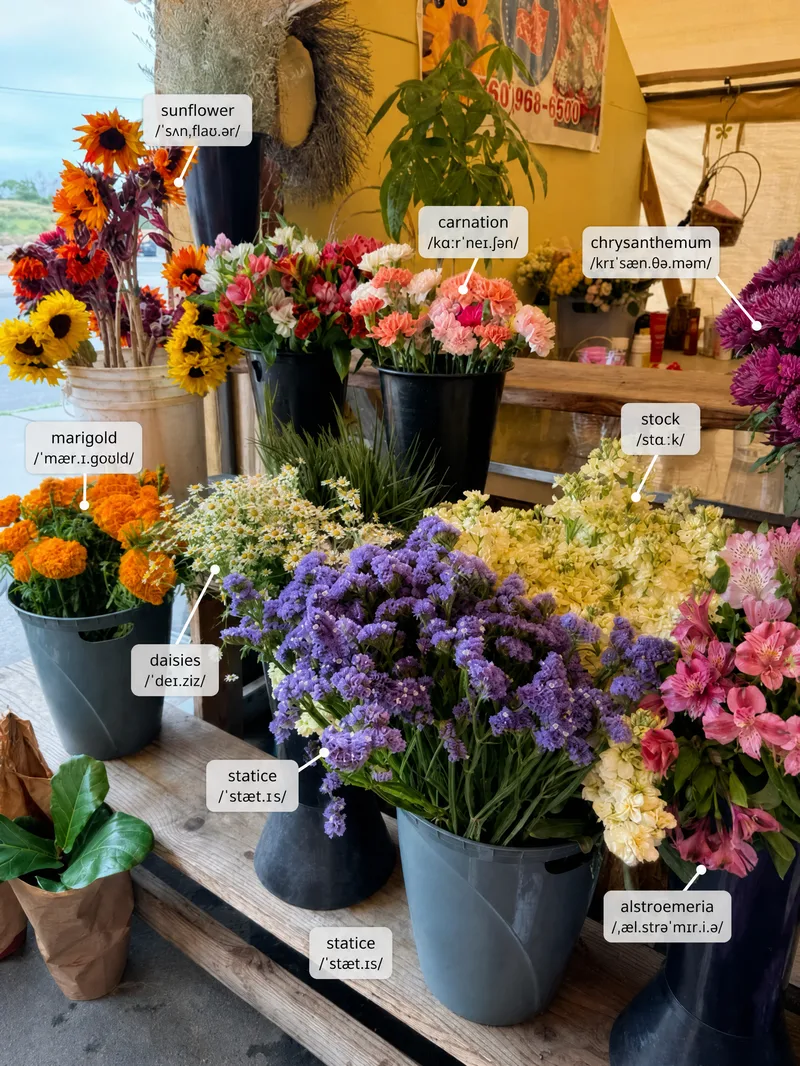
Learn useful words from the world around you. Upload a photo of a room, street, shop, meal, workspace, trip, or everyday situation, and the Skill labels a small set of high-value items directly on the original image. It then gives pronunciation, meaning, natural phrases, scene-based example sentences, and one short practice prompt. English is the default target language, but the user can choose another language or level.
Podcast Content Studio
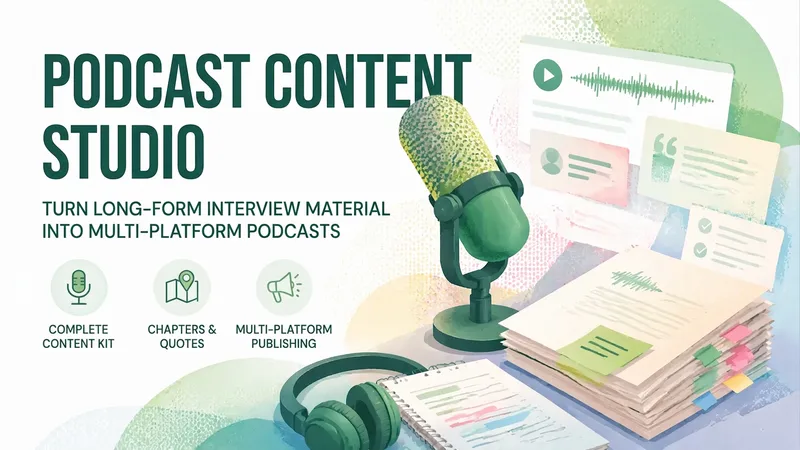
Turn raw audio, transcripts, written notes, slides, or episode materials into a complete podcast content package ready for production, editing, publishing, and distribution. It is especially suited to long-form interviews and narrative shows, and can carefully handle sensitive topics such as psychology, forensic psychology, personality disorders, trauma, and true crime while preserving context and balancing accuracy, empathy, and publication risks. From organizing source materials, revising transcripts, and mapping content to chapter markers, opening hooks, guest bios, memorable quotes, episode summaries, resource links, and social accounts, it helps you build content assets that are easy to use in production. It also adapts copy for different publishing channels, producing descriptions, promotional posts, and short-form video or social content suggestions for podcast platforms, websites, YouTube, SoundCloud, newsletters, and X, so one long-form episode can become multiple publishable versions. When information, timestamps, links, or account details are missing or unconfirmed, the content clearly marks items for completion or verification rather than inventing facts. It also flags sponsor segments, sensitive wording, anonymization needs, source citations, legal risks, and content that may need review before publication. Whether you need a complete episode package or want to build a trackable podcast content structure from existing materials, you get Traditional Chinese output that is clear, easy to scan, engaging, and ethically considered.
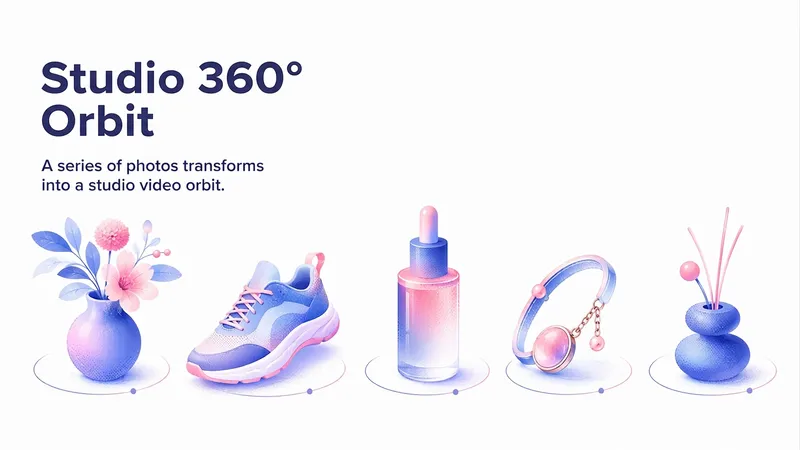
360° Object Orbit
This Skill turns a series of photos of one object taken from different angles (ideally 8–10 frames covering a full circle) into a polished studio video that orbits the object 360°. It first checks whether the frames are suitable and provides brief recommendations, but does not refuse the task—it adapts to the material provided. The result is continuous camera movement without cuts, set against a neutral seamless background with soft studio lighting and a stationary object. The format, duration, and looping are adapted to the user’s request. Suitable for presentations, portfolios, and social media; it works with any type of object, including products, decor, shoes, cosmetics, and jewelry.
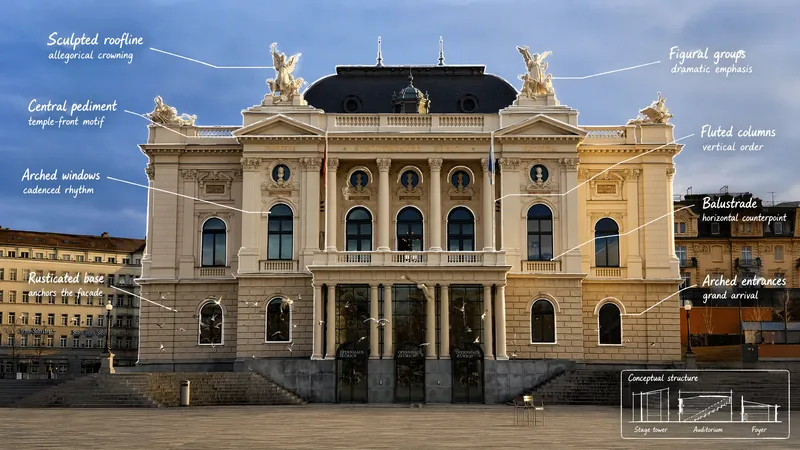
Visual Scene Annotator
Turn a photo into a visual explanation of why its details matter. The Skill traces meaningful angles, shapes, joints, layers, and components on the original image, then explains their function, visual meaning, relevant background, and possible design influences. When useful, it adds a clearly labeled conceptual cutaway or exploded view beside the photo to show how the subject may be structured inside. Observed facts, verified context, and visual inference remain clearly separated.

vox stayl animation
Arabic documentary paper-collage animation engine. Always asks for the Engine Source Material PDF first, then runs 10 gated states: niche, ten ideas, duration, Arabic script, ElevenLabs voiceover, beats, per-beat English image prompts with Arabic labels, universal video prompt, thumbnails.
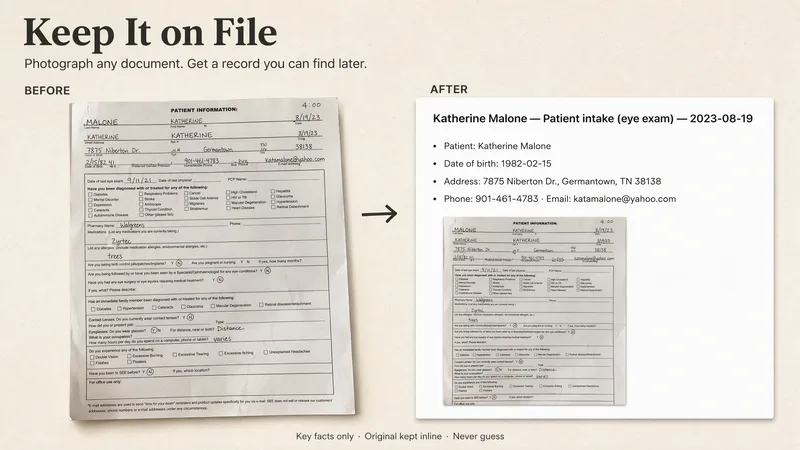
Keep It on File
Upload a photo, snap a shot, send a screenshot, or drop in a file — that's all it takes. YouMind pulls out the key details and turns scattered pieces of paper into a structured record that stays easy to search and find later. It also helps you set reminders for deadlines, renewals, and follow-ups, so nothing important slips through. Let YouMind remember your important documents.
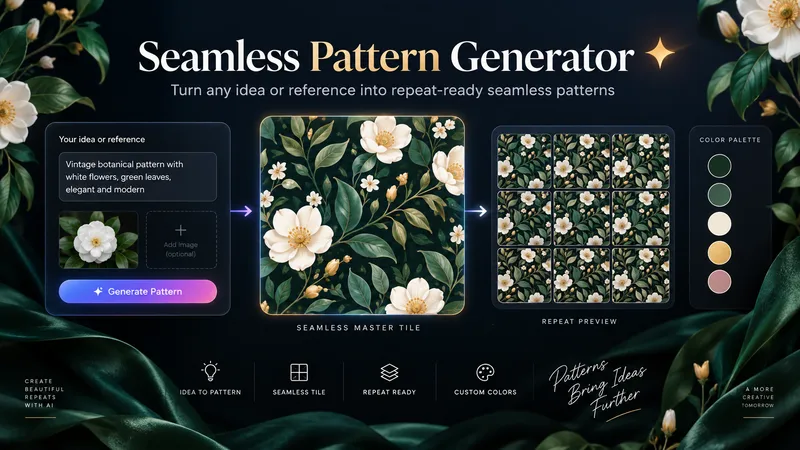
Seamless Pattern Generator
Turn any idea, motif, or reference image into a polished, repeat-ready seamless pattern. Seamless Pattern Generator works like an AI surface pattern designer. It transforms creative direction into visually balanced patterns for fabric, wallpaper, wrapping paper, packaging, stationery, home decor, digital paper, print-on-demand products, and more. No technical pattern-design knowledge is required. Describe what you want or upload a visual reference. The Skill plans motif hierarchy, scale, density, spacing, palette, orientation, repeat structure, visual rhythm, negative space, and edge-aware motif placement. It creates the master pattern tile and checks how the design behaves as a repeating surface, looking for visible seams, awkward edge cuts, empty channels, motif collisions, obvious grid effects, and repetitive clusters. When problems appear, it focuses on correcting the affected structure while preserving the creative direction. Start with a text idea, color palette, motifs, visual style, reference image, existing artwork, or intended application. The final result can include a clean master tile, repeat preview, and concise pattern specification. You can also create new colorways, change motif scale or density, adjust the background, or develop alternative versions while preserving the same visual identity. Example prompts: • “Create a dark botanical pattern with burgundy roses, antique-gold leaves, and a deep emerald background for premium wrapping paper.” • “Use this image as inspiration and create an original seamless pattern that preserves its color mood and botanical character.” • “Create a playful non-directional fabric pattern with foxes, mushrooms, leaves, and tiny stars.” • “Keep the same motifs, make the pattern less dense, enlarge the main flowers, and change the background to burgundy.” From creative idea to repeat-ready surface design — without the technical complexity.
AI Core Coaching Supervision
Using *Directly to the Core: A Revolutionary Approach to the Path of Coaching Excellence* as the sole evaluation standard, this Skill reviews a coaching session recording, transcript, or notes and turns it into structured supervision notes. The notes include an overall assessment, a phase-by-phase review (beginning, middle, and end), identification of 22 themes, the top three improvement suggestions, a case follow-up plan, and overall improvement areas. The output language follows the input language (English session → English review; Chinese session → Chinese review). The result is saved as a YouMind document.
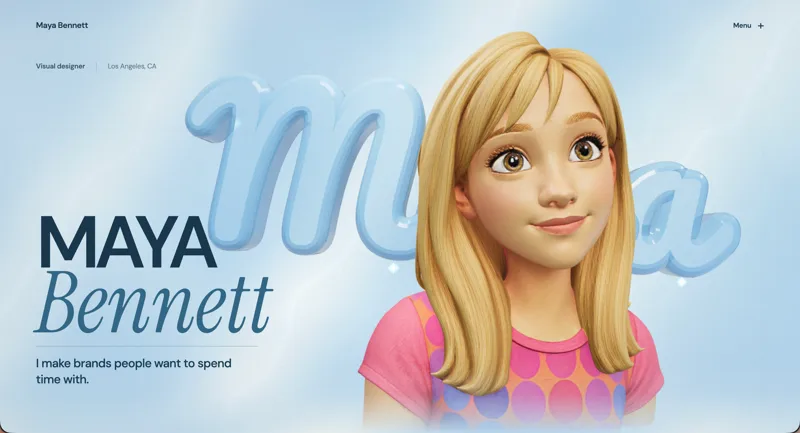
Figure and Field Portfolio
Create a personal 3D résumé website with an expressive stylized human character, a scroll-scrubbed camera, résumé stop points, a pinned horizontal project gallery, and contact links.

SwiftUI Expert Companion
An elite engineering companion for SwiftUI developers. It covers the full range of day-to-day SwiftUI work: analyzing and debugging issues, making architectural decisions, designing view composition and state management, building new features, reviewing and optimizing existing code, and applying modern SwiftUI best practices (Swift 6 concurrency, the Observation framework, NavigationStack), performance, accessibility, and Apple Human Interface Guidelines. It adapts its depth to the task: a concise fix for small problems, and a full engineering report (diagnosis, architectural rationale, code, trade-offs, self-check) for complex ones. It always aims to return compiling, up-to-date, production-ready SwiftUI code, and responds in the user's language.

YouMind Riso Brand Art
YouMind brand-style illustrations for single UI illustrations or UI icons.
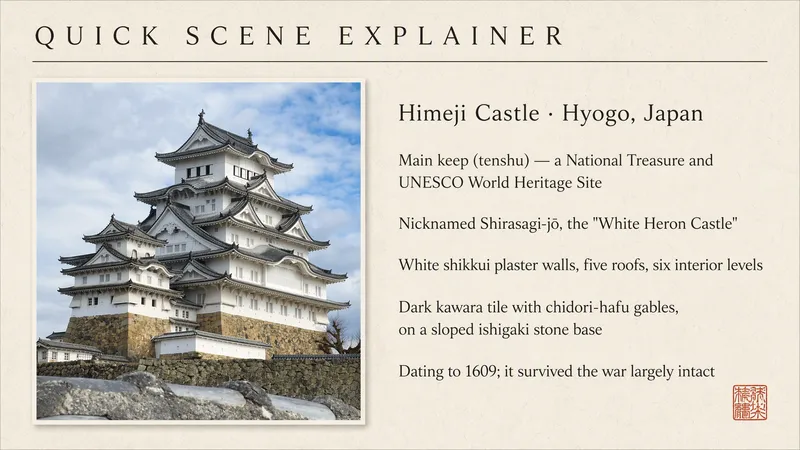
Quick Scene Explainer
Get a concise, text-only explanation of a photo or screenshot without waiting for image generation. It identifies the relevant object, interface, sign, diagram, or visible structure; refers to parts by their position in the image; answers the user's immediate question; and clearly marks anything it cannot confirm. Designed for quick mobile use, weak connections, and situations where the user needs an answer now rather than a redesigned image.
Monthly top
 Video
VideoCreate Pet Beat-Sync Video
Upload one pet photo to create an approximately 8-second silent short with the same beat-synced camera movements as the reference video. Your pet’s appearance is preserved. Uses Seedance 2.5; after you confirm the cost, the video is generated directly. Note: To reduce generation costs and ensure quality, this skill creates silent videos without background music. You’ll need to add the music yourself. Original creator: @fatiihh.shn
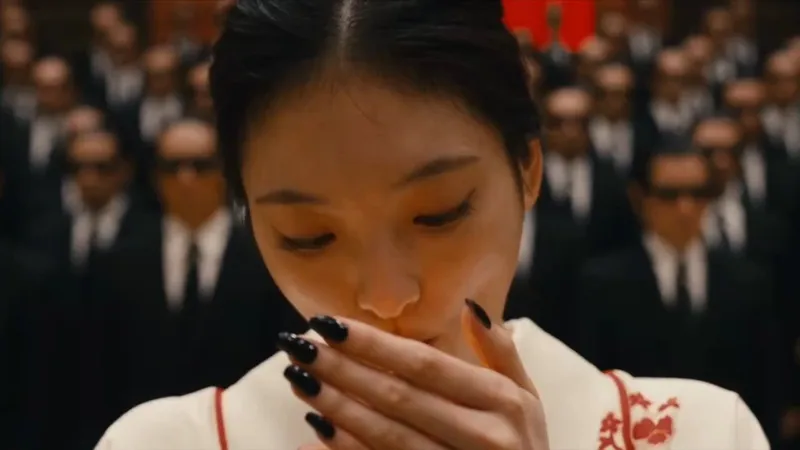 Video
Video<Storm> Staircase Dance Film
A 30-second stepped-crowd character-swap dancing short film: generate a silent 16:9 clip with Seedance 2.5 from a fixed seconds-level script, then composite the fixed MP3 in YouMind Cast. Derivative of @ GENER8ION - STORM https://www.youtube.com/watch?v=Xoi7reIF2r8
 Image
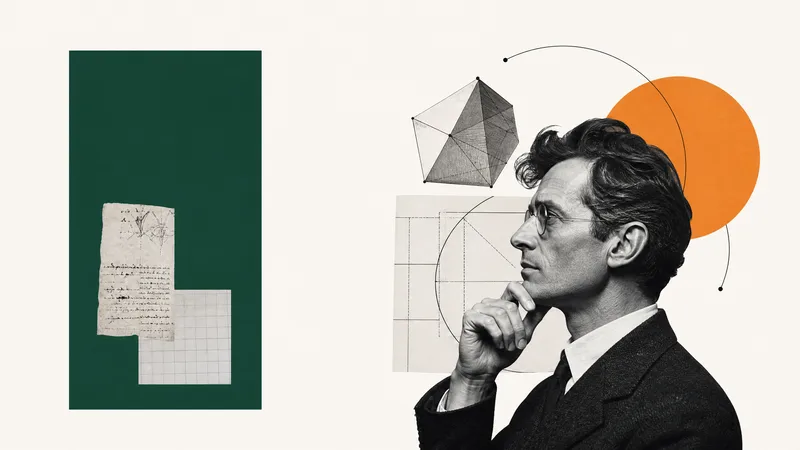
ImagePaper Collage Cover
Generate a 16:9 magazine-style cover from any article. The design blends editorial typography, layered imagery, and a dynamic layout that reflects the piece’s tone and key themes. Output is ready for print or digital use.
 Image
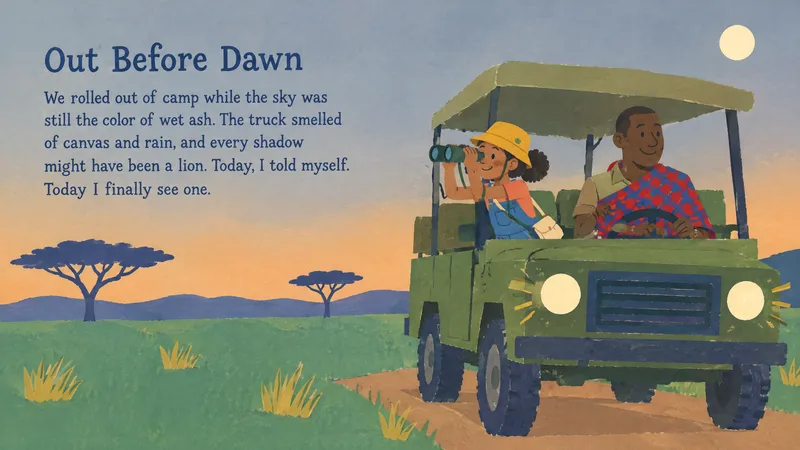
ImagePlayful Picture Book
You decide the theme and content; create picture books that are educational, thoughtful, and rewarding for children in a whimsical, fantastical hand-drawn collage style.
 Video
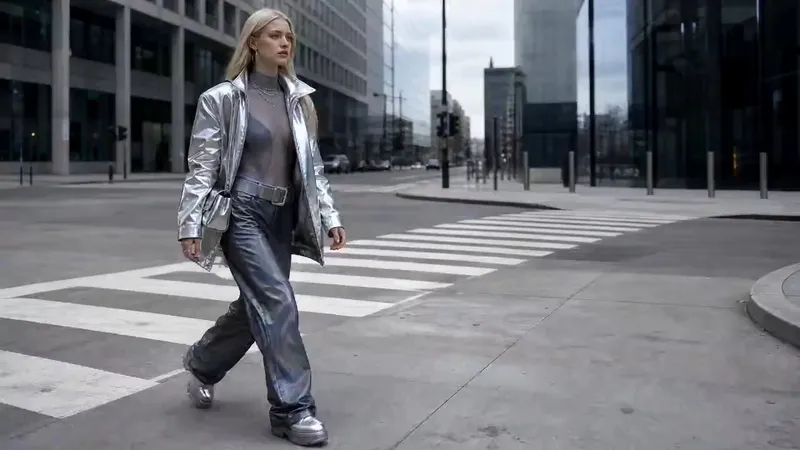
VideoFolding World Effect
Turns one character idea into a finished short film. It starts by building a cinematic environmental portrait of your character in a real-looking city, then animates that frame into a single continuous shot where the surrounding streets and buildings fold, flip and rotate over the character's head while the camera makes a full 360° orbit around them.
 Webpage
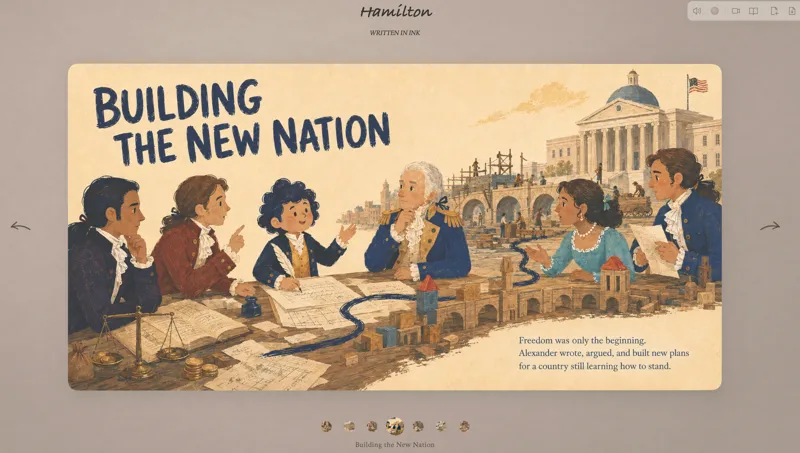
Turn Ideas into a Picture Book
Turn a topic into a complete illustrated book, shaping the manuscript, scenes, and images step by step, then publishing it in a 3D page-turning webpage. Uses a playful picture-book style by default. No prompting or coding experience needed.
 Video
VideoSpatial Scan Effect
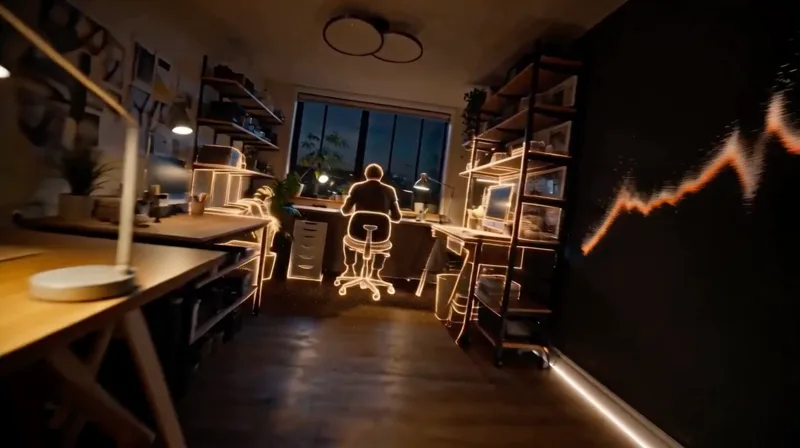
Create cinematic LiDAR reveal videos for a selected environment, with true void-to-particle-to-material construction, continuous first-person movement, synchronized audio, and optional character endings.
 Image
ImageThe Me in My Bag
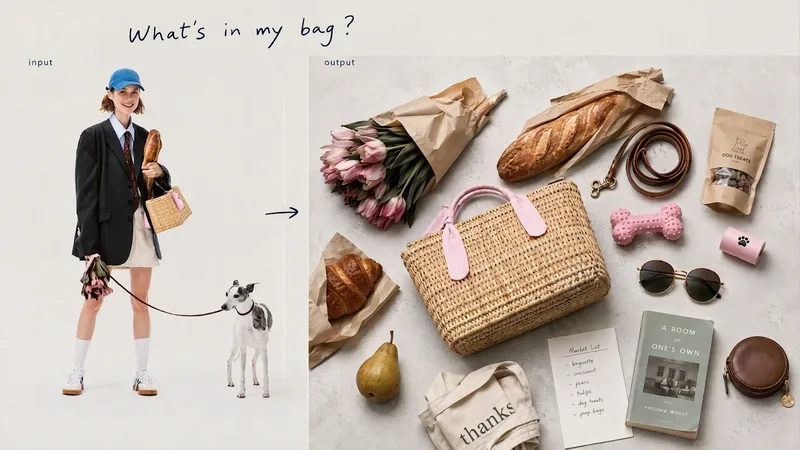
Open a bag, and you can glimpse its owner’s lifestyle and personal obsessions. From describing a scene such as “a library on a rainy day” or “the walk home after a movie,” to making inferences from a portrait or defining a specific character’s personality—we unravel the owner’s everyday life through three entry points, then turn everything from essentials to beloved accessories into a single editorial image viewed from directly overhead.
 Image
ImageRetro Surreal Illustration
Use fine, deep clean lines, rich blocks of local color, tiny figures, and an elegant relationship that defies reality to turn the theme into an alien journey—sparse yet vivid, like a geographic atlas from a dream.
 Webpage
Punch Hole Photo Studio
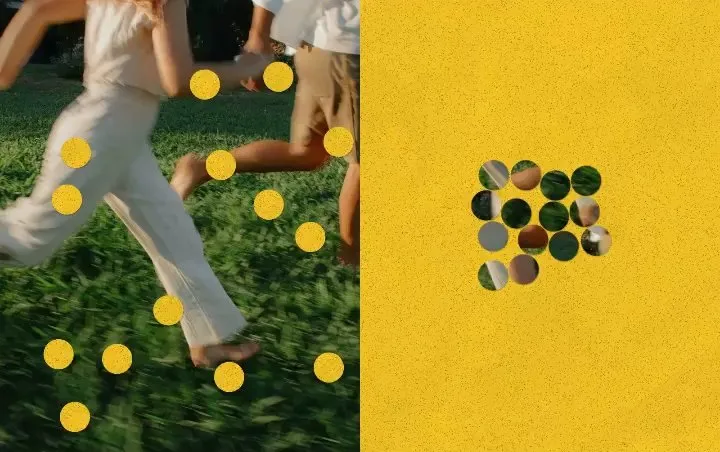
A photo punch studio to swap cutouts between your photo and paper, then export images or animations.
 Image
ImageWes Anderson–Style Poster
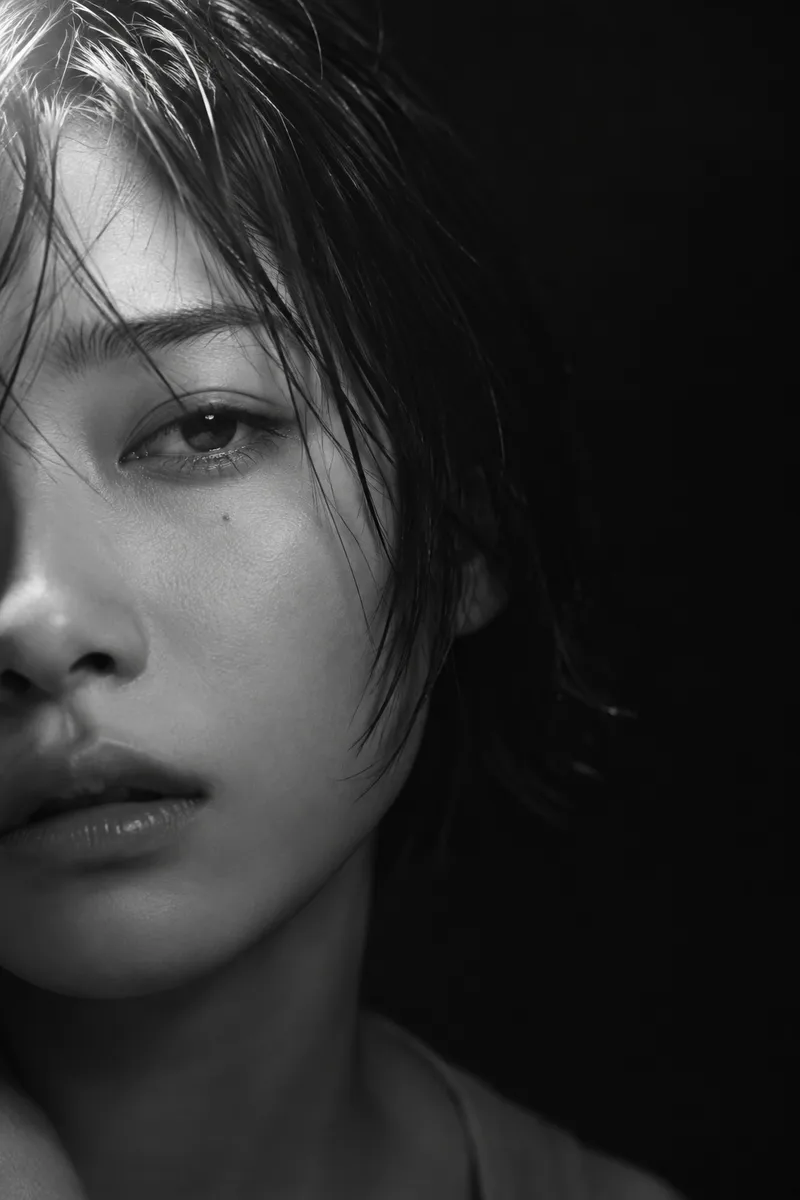
Turn a one-sentence theme or reference photo into a movie poster or scene with Wes Anderson–style order and theatrical atmosphere. People, animals, buildings, and props are arranged into clear little worlds through frontal or symmetrical framing, retro production design, carefully designed spatial relationships, and a restrained sense of anticipation, humor, or detachment. The style is expressed through the structure of the image—not just layered filters and retro adjectives. Posters default to a 2:3 portrait format with an English main title and subtitle. When you need a text-free film still or movie scene, the canvas can be adjusted to a suitable aspect ratio. Titles are treated as part of the overall composition, with attention to typography, reading flow, scale, rhythm, and negative space. The palette, film tones, lighting, and material textures work together in service of the theme while preserving important content from the photo, including people’s identities, key structures, the number of people, poses, and recognizable markings. You will receive the finished image and the actual image prompt used. If you only need a prompt, photo-editing suggestions, or a visual review, you can specify that directly. Suitable for creating retro movie posters, character scene portraits, architectural and prop displays, nature-themed images, and stylized work based on source images.
 Research
Бренд от спроса до лукбука
Полный цикл вывода бренда: исследование спроса по живым отзывам покупателей, аудит источников и цифр, концепция бренда с манифестом, линейкой и текстами сайта, затем презентация и озвученный ролик. Без выдуманных цифр и свойств.
WebpageLittle Gravity Portfolio
Build an intimate one-page portfolio where real work leads, airy Riso fragments decorate the margins, and small objects fall gently into motion. Use for a creative professional's personal portfolio or selected-work page; keep factual claims user-supplied and generated imagery decorative.
 Image
ImageChinese Dreamcore Filter
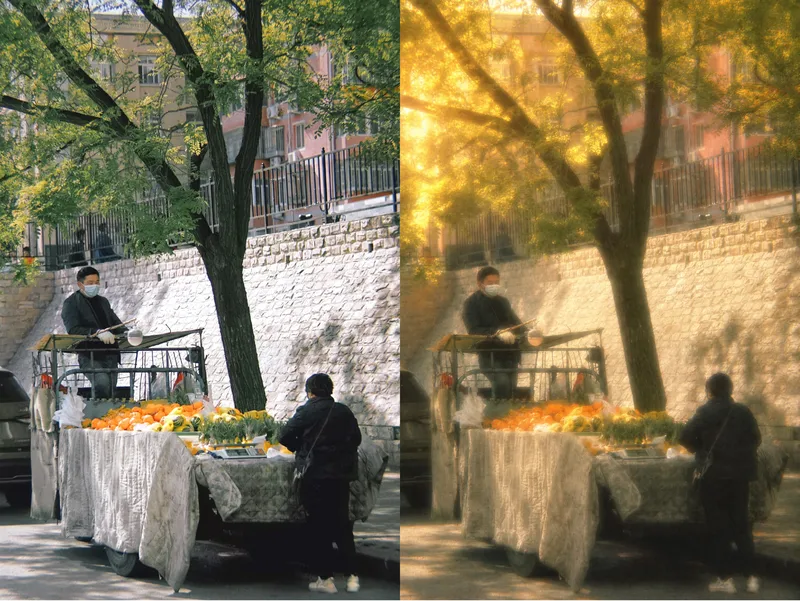
Turn any photo into a Chinese dreamcore-style image while preserving the original subject and composition. The skill automatically analyzes the photo and matches it with a fitting dreamcore atmosphere, adding muted, sepia-toned colors, hazy light, and a surreal sense of emptiness. Era-inspired elements can be added as needed to produce a polished final image.
Cinematic Sunset Portraits
Upload a portrait to generate a hyper-realistic cinematic sunset portrait that closely preserves the subject’s facial features, hairstyle, and overall presence. Choose from multiple poses and color tones, or let them rotate automatically. The result is a vertical atmospheric portrait image, with the aspect ratio customizable.

Mini Chibi Alter-Ego Poster
Upload a portrait photo to generate a hyper-realistic, cinematic commercial poster: the person interacts with a mini chibi 3D “alter ego” on their palm, while closely preserving their identity, hairstyle, accessories, and clothing. The skill automatically selects a varied combination from six poses and eight background color schemes, prioritizing contrast between the background and clothing. The result is a single vertical poster, defaulting to a 3:4 aspect ratio.
Illustrated Place Map
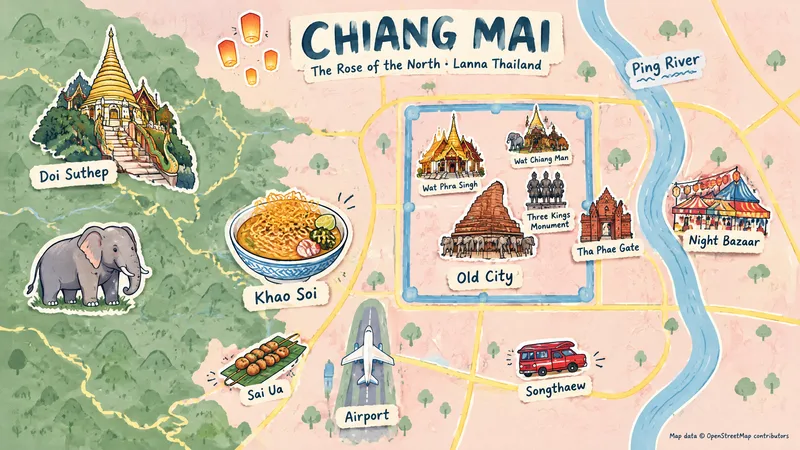
Users provide only a place and a display category; via a login-free map webpage and Browser Use, the skill automatically captures screenshots, searches for representative elements and their regions, and generates hand-drawn themed illustrated maps of places worldwide.
Rising stars
Eu quero que você faça um vídeo explicando a batalha da Zias: para onde que vai a economia se a IA é uma bolha? Vamos fazer teoria da conspiração e ser um conspiracionista.
Tenho o que preciso para o roteiro. Juntei os fatos principais sobre o "dinheiro circular" da IA. Segue o piloto para você aprovar. --- 🕵️ A Batalha das IAs: e se tudo for uma bolha? Série: *Arquivo Oculto*, economia e poder contados como conspiração, mas só com fatos reais Duração: cerca de 2 min · 12 cenas · 290 palavras Estilo: bonecos de palito feitos à mão, com traço preto grosso e cabeça redonda branca. Fundo escuro de "mural de conspiração", com barbante vermelho, alfinetes e detalhes em verde neon. Datas e valores aparecem escritos à mão. Voz: masculina, grave e sussurrada | Cena | Narração | Imagem | |---|---|---| | 01 | "Hoje, você abre um aplicativo... digita uma pergunta... e uma inteligência artificial responde em segundos. De graça. Mas... já parou para pensar em quem está pagando essa conta?" | Boneco no sofá, com o rosto iluminado pelo celular. Na sombra atrás dele, uma silhueta enorme segura uma calculadora. | | 02 | "Porque existe uma guerra acontecendo. Silenciosa. A batalha das IAs. E o prêmio... é a economia inteira." | Robôs de palito se enfrentando num tabuleiro de xadrez gigante, com o mapa-múndi embaixo. Texto: "A BATALHA DAS IAs" | | 03 | "Setembro de dois mil e vinte e cinco. A Nvidia, que fabrica os chips da IA, anuncia que vai investir até cem bilhões de dólares na OpenAI." | Boneco de terno com um chip no peito entregando uma mala de dinheiro. Texto: "SET 2025 · US$ 100 bi" | | 04 | "E o que a OpenAI faz com esse dinheiro? Compra... chips da Nvidia." | O mesmo dinheiro voltando pelo mesmo caminho, e uma seta vermelha fechando um círculo. | | 05 | "Microsoft investe na OpenAI, e a OpenAI promete comprar nuvem da Microsoft. Amazon e Google investem na Anthropic... e a Anthropic usa as nuvens deles. A imprensa financeira tem um nome para isso: financiamento circular." | Mural de conspiração: fotos das empresas ligadas por barbante vermelho formando um círculo. Texto: "CIRCULAR?" | | 06 | "Em agosto de dois mil e vinte e seis, segundo a imprensa, a Nvidia passou a garantir crédito para um campus de data centers da OpenAI de cento e cinco bilhões de dólares. O vendedor... virou fiador do próprio cliente." | Boneco-vendedor assinando um contrato com uma pena, e o cliente sorrindo com os dedos cruzados nas costas. Texto: "AGO 2026 · US$ 105 bi" | | 07 | "A OpenAI fala em um vírgula quatro trilhão de dólares em compromissos de infraestrutura. Mas, no fim de dois mil e vinte e cinco, a receita anual dela era de uns vinte bilhões." | Balança: de um lado, uma montanha de moedas, e do outro, uma moedinha solitária. Texto: "US$ 1,4 tri vs US$ 20 bi" | | 08 | "E o resultado prático? Um estudo do NBER, de fevereiro de dois mil e vinte e seis, ouviu empresas... e cerca de noventa por cento disseram que a IA ainda não mudou sua produtividade." | Escritório de bonecos entediados diante de computadores com robôs dormindo. Texto: "90%" | | 09 | "Já vimos esse filme. No ano dois mil, a Cisco também emprestava dinheiro para os clientes comprarem seus equipamentos. Quando a bolha da internet estourou... a Nasdaq caiu quase oitenta por cento." | Gráfico despencando de um penhasco, com um boneco em cima de um roteador caindo junto. Texto: "2000" | | 10 | "O FMI e o Banco da Inglaterra já avisaram: as avaliações estão esticadas, e a correção pode vir de repente. Parte dessa dívida está fora dos balanços... em fundos, seguradoras, bancos. Soa familiar? Dois mil e oito também soava impossível." | Bolha de sabão gigante presa por correntes a prédios de bancos, com uma agulha se aproximando. | | 11 | "Então... para onde vai a economia? Se der certo, meia dúzia de empresas controla a inteligência do planeta. Se der errado... a conta não fica com elas. Fica com o seu fundo, o seu emprego, a sua aposentadoria." | Estrada que se divide: à esquerda, um castelo com logotipos, e à direita, um boneco comum carregando uma pedra enorme escrita "CONTA". | | 12 | "Talvez não seja conspiração. Talvez seja só matemáti
Pode gerar ilustração.
Gerei 11 das 12 ilustrações, e o estilo ficou igual em todas: bonecos de palito, fundo escuro e detalhes em vermelho e verde neon. A cena 12 ficou para o próximo passo, porque cheguei ao limite de imagens que posso gerar por mensagem. A cena 12 é a do boneco sozinho segurando o balão vermelho, com o texto "CONTINUA...". Pontos para você revisar: - Cena 05: o boneco detetive ficou sem boca, só com um olho visível. Dá mistério, mas destoa um pouco dos outros. - Cena 08: a IA escreveu sozinha uma plaquinha no canto de baixo, "Mais resultados, menos desculpas". Posso tirar, se incomodar. - Cena 10: a agulha é segurada por uma mão grande de sombra, em vez de só flutuar. Acho que isso reforça o clima de conspiração. Duração: a narração tem cerca de 290 palavras, o que dá mais ou menos 2 minutos, entre 8 e 14 segundos por cena. Nenhuma cena passa de 25 segundos numa única imagem, então não é preciso dividir nenhuma. Posso seguir com a cena 12 e depois gerar as 12 narrações, com voz masculina grave e sussurrada? Se preferir, antes eu corrijo alguma dessas imagens.
Pode gerar o vídeo.
Dark Channel - LABS
Creates complete episodes for dark YouTube channels in Brazilian Portuguese: analyzes a reference video, defines the series, writes a scene-by-scene script with sources, generates images in the same style, creates voiceovers for each scene, and assembles the final video with captions and a soundtrack.
vox stayl animation
Arabic documentary paper-collage animation engine. Always asks for the Engine Source Material PDF first, then runs 10 gated states: niche, ten ideas, duration, Arabic script, ElevenLabs voiceover, beats, per-beat English image prompts with Arabic labels, universal video prompt, thumbnails.
AI Core Coaching Supervision
Using *Directly to the Core: A Revolutionary Approach to the Path of Coaching Excellence* as the sole evaluation standard, this Skill reviews a coaching session recording, transcript, or notes and turns it into structured supervision notes. The notes include an overall assessment, a phase-by-phase review (beginning, middle, and end), identification of 22 themes, the top three improvement suggestions, a case follow-up plan, and overall improvement areas. The output language follows the input language (English session → English review; Chinese session → Chinese review). The result is saved as a YouMind document.
Slideshow Narration Video
Turn a presentation topic—or your existing script, materials, or Slides—into an editable 16:9 video with Chinese narration for each slide. The Skill first plans the main narrative and asks you to confirm the outline and preview, then generates the slide visuals, writes and synthesizes Chinese narration for each slide, and assembles an editable video with one slide visual and one narration segment per page. Subtitles are enabled by default. The visual style, voice, slide count, and tone adapt to the topic, audience, and platform.
SwiftUI Expert Companion
An elite engineering companion for SwiftUI developers. It covers the full range of day-to-day SwiftUI work: analyzing and debugging issues, making architectural decisions, designing view composition and state management, building new features, reviewing and optimizing existing code, and applying modern SwiftUI best practices (Swift 6 concurrency, the Observation framework, NavigationStack), performance, accessibility, and Apple Human Interface Guidelines. It adapts its depth to the task: a concise fix for small problems, and a full engineering report (diagnosis, architectural rationale, code, trade-offs, self-check) for complex ones. It always aims to return compiling, up-to-date, production-ready SwiftUI code, and responds in the user's language.
Elite UI Design Studio
An elite UI design specialist for web, mobile, and desktop. It reviews and improves existing interfaces, builds executable UI code, produces compact design systems and specs, and generates visual concept mockups, all at a high level of craft, usability, and accessibility. Every output is designed to be distinctive rather than generic, with strong hierarchy, a coherent visual system, responsive layouts, and full state coverage. It enforces a strict token-economy discipline: it delivers the artifact directly with no preamble, no restating, and no filler. Output language follows the user's language.
Image Watermark Remover
After you upload or reference an image, this Skill automatically identifies watermarks in the image, including text, URLs, logos, semitransparent overlays, and repeated tiled marks. It seamlessly fills them with a background that matches the surrounding area while keeping everything else unchanged—the subject, composition, color tone, and aspect ratio. It is suitable for situations where source images contain platform watermarks, copyright marks, or semitransparent overlays and you need a clean version. Supports single or multiple images.
Podcast Content Studio
Turn raw audio, transcripts, written notes, slides, or episode materials into a complete podcast content package ready for production, editing, publishing, and distribution. It is especially suited to long-form interviews and narrative shows, and can carefully handle sensitive topics such as psychology, forensic psychology, personality disorders, trauma, and true crime while preserving context and balancing accuracy, empathy, and publication risks. From organizing source materials, revising transcripts, and mapping content to chapter markers, opening hooks, guest bios, memorable quotes, episode summaries, resource links, and social accounts, it helps you build content assets that are easy to use in production. It also adapts copy for different publishing channels, producing descriptions, promotional posts, and short-form video or social content suggestions for podcast platforms, websites, YouTube, SoundCloud, newsletters, and X, so one long-form episode can become multiple publishable versions. When information, timestamps, links, or account details are missing or unconfirmed, the content clearly marks items for completion or verification rather than inventing facts. It also flags sponsor segments, sensitive wording, anonymization needs, source citations, legal risks, and content that may need review before publication. Whether you need a complete episode package or want to build a trackable podcast content structure from existing materials, you get Traditional Chinese output that is clear, easy to scan, engaging, and ethically considered.
Human-Sounding WeChat Writing
Make WeChat Official Account articles, posts, and spoken scripts sound more like a real person talking: grounded in specific situations, shaped by personal judgment, and carried by natural emotion and conversational rhythm. Readers will find the writing relaxed and fluid rather than stiff or formal, with a clear sense of the author and their point of view. Whether you are writing from scratch, rewriting an existing draft, polishing copy, or reviewing it for a more human feel, less AI-like wording, or a more authentic voice, this Skill helps reduce clichés, excessive parallel phrasing, and overly structured expression while preserving facts, brand tone, and key information. The writing will better match WeChat reading habits, with a natural opening, a clear point of view in the middle, and an ending that avoids empty slogans. When needed, everyday details, actions, dialogue, or small conflicts can make the content more specific and vivid. You will get a publication-ready WeChat article, along with multiple title options, optional quotable lines, image suggestions, and feedback from a human-voice review. It will not invent experiences, data, or quotes to create a more human feel, nor overuse internet slang, rely on excessive sentimentality, or compromise the brand’s character. It works well for personal accounts, brand content, and spoken scripts that need a natural voice.
Featured packs
For better writing
Fun for life
Design studio
Hand-drawn masterpiece
Pinned for you
Explore skills
AFP Policy Decode + CSSCI V2
AFP prompt system—deep policy analysis (three-level source tracing, hot-topic context, and academic mapping) and CSSCI topic generation (3–5 topics, including policy basis, theoretical foundation, theoretical and practical significance, and publication potential assessment). Supports three entry points: A1 panoramic analysis, A2 targeted analysis, and B reverse matching from an idea. Auto-Flow operation: strict step-by-step progression, silent background self-checks, a heartbeat HUD, and hard stops at each stage.
Eu quero que você faça um vídeo explicando a batalha da Zias: para onde que vai a economia se a IA é uma bolha? Vamos fazer teoria da conspiração e ser um conspiracionista.
Tenho o que preciso para o roteiro. Juntei os fatos principais sobre o "dinheiro circular" da IA. Segue o piloto para você aprovar. --- 🕵️ A Batalha das IAs: e se tudo for uma bolha? Série: *Arquivo Oculto*, economia e poder contados como conspiração, mas só com fatos reais Duração: cerca de 2 min · 12 cenas · 290 palavras Estilo: bonecos de palito feitos à mão, com traço preto grosso e cabeça redonda branca. Fundo escuro de "mural de conspiração", com barbante vermelho, alfinetes e detalhes em verde neon. Datas e valores aparecem escritos à mão. Voz: masculina, grave e sussurrada | Cena | Narração | Imagem | |---|---|---| | 01 | "Hoje, você abre um aplicativo... digita uma pergunta... e uma inteligência artificial responde em segundos. De graça. Mas... já parou para pensar em quem está pagando essa conta?" | Boneco no sofá, com o rosto iluminado pelo celular. Na sombra atrás dele, uma silhueta enorme segura uma calculadora. | | 02 | "Porque existe uma guerra acontecendo. Silenciosa. A batalha das IAs. E o prêmio... é a economia inteira." | Robôs de palito se enfrentando num tabuleiro de xadrez gigante, com o mapa-múndi embaixo. Texto: "A BATALHA DAS IAs" | | 03 | "Setembro de dois mil e vinte e cinco. A Nvidia, que fabrica os chips da IA, anuncia que vai investir até cem bilhões de dólares na OpenAI." | Boneco de terno com um chip no peito entregando uma mala de dinheiro. Texto: "SET 2025 · US$ 100 bi" | | 04 | "E o que a OpenAI faz com esse dinheiro? Compra... chips da Nvidia." | O mesmo dinheiro voltando pelo mesmo caminho, e uma seta vermelha fechando um círculo. | | 05 | "Microsoft investe na OpenAI, e a OpenAI promete comprar nuvem da Microsoft. Amazon e Google investem na Anthropic... e a Anthropic usa as nuvens deles. A imprensa financeira tem um nome para isso: financiamento circular." | Mural de conspiração: fotos das empresas ligadas por barbante vermelho formando um círculo. Texto: "CIRCULAR?" | | 06 | "Em agosto de dois mil e vinte e seis, segundo a imprensa, a Nvidia passou a garantir crédito para um campus de data centers da OpenAI de cento e cinco bilhões de dólares. O vendedor... virou fiador do próprio cliente." | Boneco-vendedor assinando um contrato com uma pena, e o cliente sorrindo com os dedos cruzados nas costas. Texto: "AGO 2026 · US$ 105 bi" | | 07 | "A OpenAI fala em um vírgula quatro trilhão de dólares em compromissos de infraestrutura. Mas, no fim de dois mil e vinte e cinco, a receita anual dela era de uns vinte bilhões." | Balança: de um lado, uma montanha de moedas, e do outro, uma moedinha solitária. Texto: "US$ 1,4 tri vs US$ 20 bi" | | 08 | "E o resultado prático? Um estudo do NBER, de fevereiro de dois mil e vinte e seis, ouviu empresas... e cerca de noventa por cento disseram que a IA ainda não mudou sua produtividade." | Escritório de bonecos entediados diante de computadores com robôs dormindo. Texto: "90%" | | 09 | "Já vimos esse filme. No ano dois mil, a Cisco também emprestava dinheiro para os clientes comprarem seus equipamentos. Quando a bolha da internet estourou... a Nasdaq caiu quase oitenta por cento." | Gráfico despencando de um penhasco, com um boneco em cima de um roteador caindo junto. Texto: "2000" | | 10 | "O FMI e o Banco da Inglaterra já avisaram: as avaliações estão esticadas, e a correção pode vir de repente. Parte dessa dívida está fora dos balanços... em fundos, seguradoras, bancos. Soa familiar? Dois mil e oito também soava impossível." | Bolha de sabão gigante presa por correntes a prédios de bancos, com uma agulha se aproximando. | | 11 | "Então... para onde vai a economia? Se der certo, meia dúzia de empresas controla a inteligência do planeta. Se der errado... a conta não fica com elas. Fica com o seu fundo, o seu emprego, a sua aposentadoria." | Estrada que se divide: à esquerda, um castelo com logotipos, e à direita, um boneco comum carregando uma pedra enorme escrita "CONTA". | | 12 | "Talvez não seja conspiração. Talvez seja só matemáti
Pode gerar ilustração.
Gerei 11 das 12 ilustrações, e o estilo ficou igual em todas: bonecos de palito, fundo escuro e detalhes em vermelho e verde neon. A cena 12 ficou para o próximo passo, porque cheguei ao limite de imagens que posso gerar por mensagem. A cena 12 é a do boneco sozinho segurando o balão vermelho, com o texto "CONTINUA...". Pontos para você revisar: - Cena 05: o boneco detetive ficou sem boca, só com um olho visível. Dá mistério, mas destoa um pouco dos outros. - Cena 08: a IA escreveu sozinha uma plaquinha no canto de baixo, "Mais resultados, menos desculpas". Posso tirar, se incomodar. - Cena 10: a agulha é segurada por uma mão grande de sombra, em vez de só flutuar. Acho que isso reforça o clima de conspiração. Duração: a narração tem cerca de 290 palavras, o que dá mais ou menos 2 minutos, entre 8 e 14 segundos por cena. Nenhuma cena passa de 25 segundos numa única imagem, então não é preciso dividir nenhuma. Posso seguir com a cena 12 e depois gerar as 12 narrações, com voz masculina grave e sussurrada? Se preferir, antes eu corrijo alguma dessas imagens.
Pode gerar o vídeo.
Dark Channel - LABS
Creates complete episodes for dark YouTube channels in Brazilian Portuguese: analyzes a reference video, defines the series, writes a scene-by-scene script with sources, generates images in the same style, creates voiceovers for each scene, and assembles the final video with captions and a soundtrack.
 Image
ImageAI Product Photo Studio
Turn your product photos into premium, advertising-ready visual concepts with professional creative direction. Upload a product image alone or combine it with people, environments, mood references, composition examples, or your own creative idea. The skill analyzes each reference by role, protects the product’s identity, branding, labels, visible text, colors, proportions, and packaging details, then guides you through a short adaptive creative brief. Choose from photorealistic, premium studio, lifestyle, editorial, still life, minimal, luxury, surreal, UGC-style, cinematic, and other visual directions — with or without people. You receive 5 genuinely different creative concepts and 5 detailed English production prompts designed for high-end image generation. Every concept prioritizes natural product integration, realistic lighting, coherent shadows and reflections, accurate materials, believable scale and perspective, and strong commercial composition. Human scenes are directed toward natural anatomy, realistic hands, authentic interaction, and detailed skin texture without artificial plastic or waxy results. Optional image generation, variations, revisions, and quality-control workflows help you refine selected concepts into polished product visuals for social media, e-commerce, marketplaces, websites, campaigns, and brand content.
 Image
ImageGrokbot Cute Robot Avatar
Redesign a real-person photo as a flat illustrated avatar with a cream-colored round face and black capsule eyes, perfect for use as a social media profile picture.
 Image
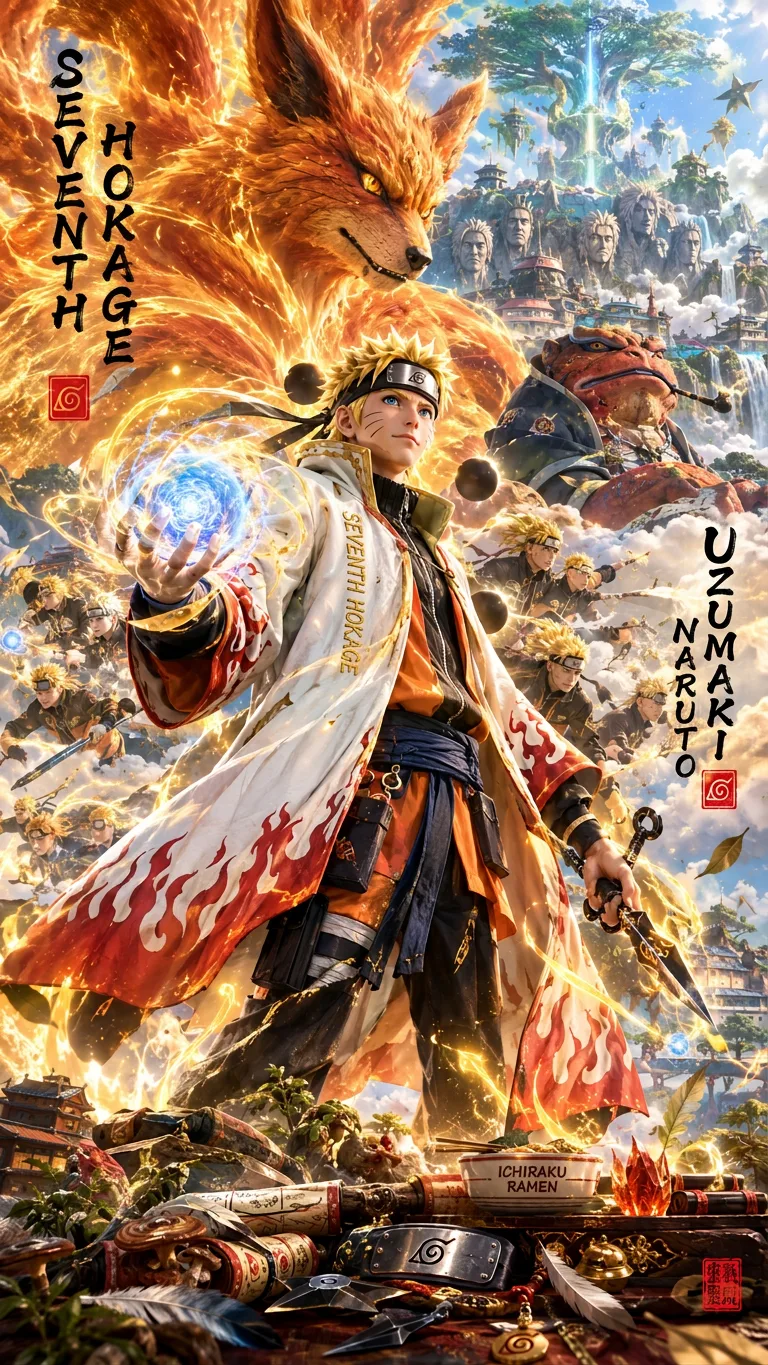
ImageStunning Character Wallpapers
Enter the name of a well-known character from any era or culture to get highly atmospheric character image prompts. They can be used as wallpapers, WeChat official account image posts, Xiaohongshu content, and Douyin image posts, where they often attract significant traffic. WeChat and Douyin image posts mainly feature characters from myths and legends, whose images naturally draw viewers in and encourage interaction. GPT is the recommended image-generation model.
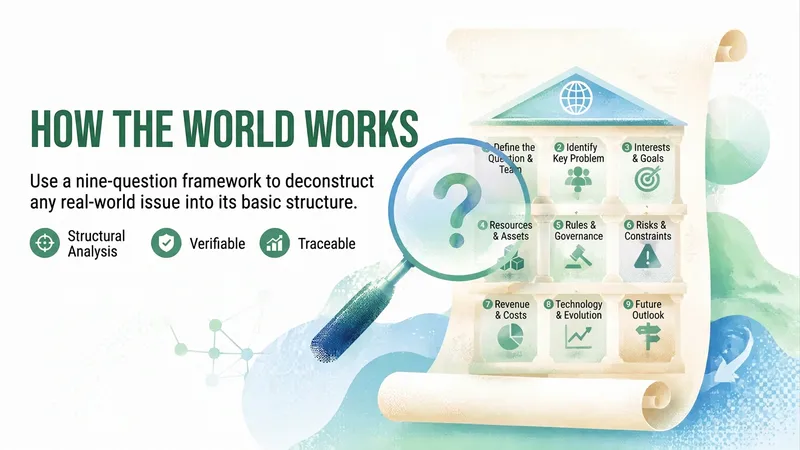
How the World Works
Breaks complex real-world issues down into verifiable underlying structures, helping you see the relationships among participants, interests, resource allocation, rules, risks, returns, and technological change. Whether you are examining cross-border payment costs, the platform economy, stablecoins and monetary sovereignty, or capital cycles in computing power and electricity, you can start with a specific question, an abstract concept, or the current landscape and establish clear analytical boundaries. The skill selects a diagnostic, teaching, or observation path based on your needs, while defining the timeframe, geographic or market scope, key actors, and required data. Throughout the analysis, it distinguishes verified facts, evidence-based inferences, and participant narratives, and records dates, sources, and uncertainty. When sources conflict, it preserves the disagreement rather than replacing facts with promotional messaging. The result is a traceable structural analysis document. It examines the key mechanisms behind an issue layer by layer—from scarcity and choice, property rights, and rules to organizations, finance, the macro environment, and changes in technology costs—and brings each core question to a clear conclusion. It is suited to researching business models, institutional arrangements, financial infrastructure, technology industry cycles, and other real-world issues that require looking beneath the surface.
 Image
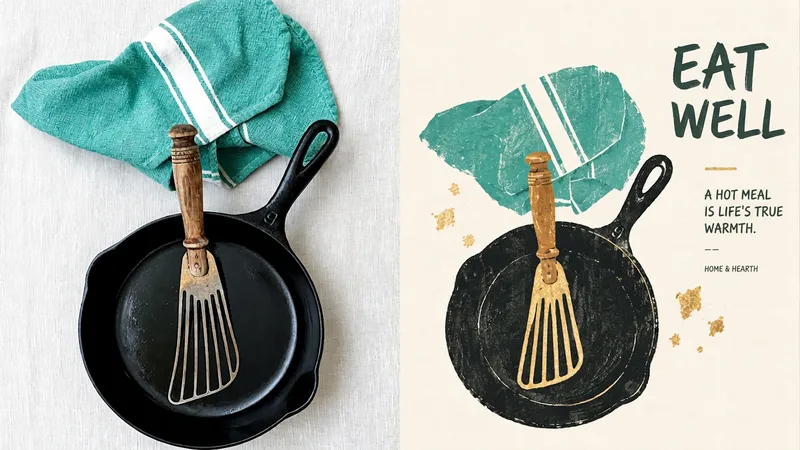
ImageP256 Folk Art | xiaoxiaodong
Ideal for transforming an ordinary photo into a page of artist illustration for an independent publication. The upper half is the original image; the lower half retains only one subject, one emotion, and one metaphor. Keep the subject near the center, with rounded forms and naive, childlike lines. Preserve irregular edges, paint coverage, paper texture, and hand-drawn imperfections. Avoid complex backgrounds, multiple narrative elements, and digital perfection.
 Image
ImageArchitectural Story Art
Transforms real photos or natural-language descriptions into architectural illustrations that combine the precision of architectural drawings with a narrative atmosphere. Suitable for interior spaces, building exteriors, landscapes, still lifes, and people scenes. Whether it’s a living room, study, gallery, or urban building, it can preserve the original composition and relationships between key objects, or reorganize them from text into clear spatial layers and visual focal points. Fine linework, crosshatching, and halftone textures define structure and materials, combined with strongly directional sunlight, hard-edged geometric shadows, and distinct projected beams of light. The image uses flat color blocks and a printmaking feel, with an overall palette of cream white, warm beige, ochre, terracotta, and warm wood tones. Small accents of highly saturated deep red, royal blue, emerald green, or indigo add focal points, avoiding photorealism and soft gradients. Rich elements such as plants, patterned rugs, art walls, books, staircases, arches, and large windows can be naturally integrated according to the scene, adding a sense of life and cultural atmosphere while maintaining visual order. Each generation produces one image along with a reusable English prompt, making it easy to continue refining the style, colors, and spatial expression.