Suddenly, your common sense will crumble today. Honestly, 99% of people are still using Markdown with Claude Code. What an insider from Anthropic's Claude Code team said was, "Stop that." He said, "It's overwhelmingly better to output in HTML instead of Markdown."

Because as Claude Code's output becomes more advanced, Markdown is hard to read, fails to convey, and isn't shared.
On the other hand, with HTML:
- You can illustrate
- You can color-code
- You can organize with tabs
- You can even create sliders and buttons
- You can share directly in the browser
In other words, to bring out the true value of Claude Code, not just "what you output" but "what format you output in" becomes incredibly important.
I assert this.
The optimal solution in the Claude Code era is not just Markdown, but HTML-first.
In fact, even before this article came out, ClaudeCodeStudio has been utilizing this method, ensuring that slide materials come out with this quality in one shot 👇
If you read this article to the end, I think you'll understand why that's possible, so please do!
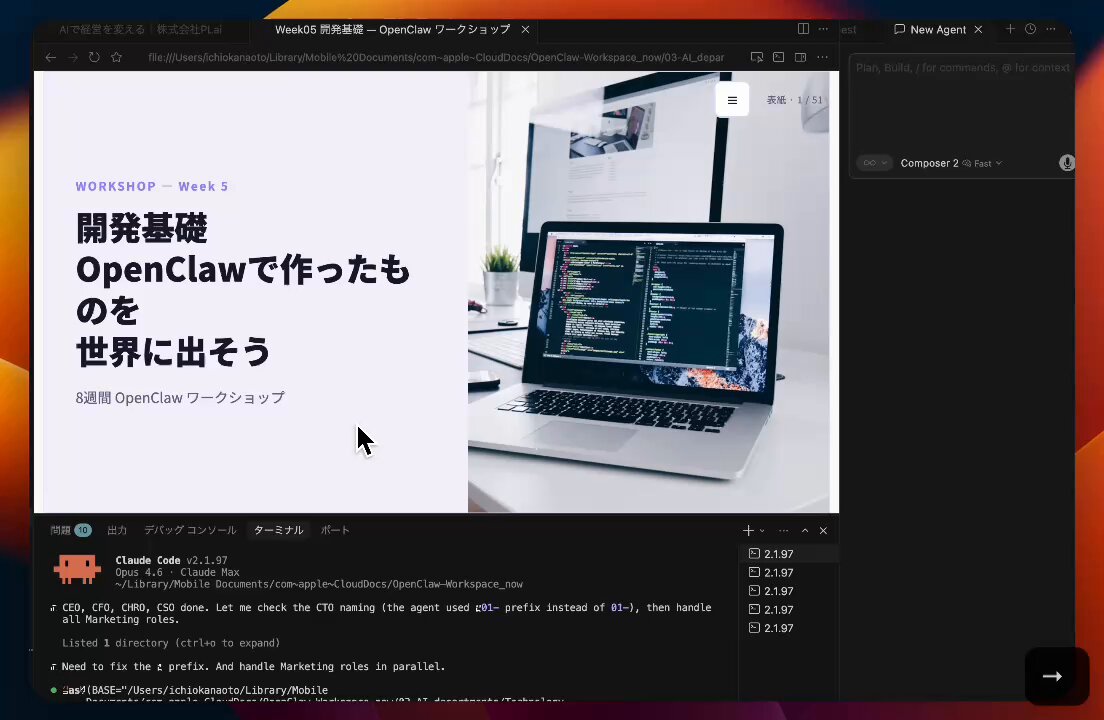
By the way, have you ever had an experience like this?

- You had Claude Code write a plan, but lost interest after it exceeded 100 lines.
- You shared a Markdown specification with the team, but no one read it to the end.
- You looked at an ASCII art diagram and thought, "...What is this?"
- You wanted to organize information with colors or layouts, but couldn't express it in Markdown.
- You pasted a plan into Slack, but it got buried as an attachment.
All of this was a "problem of output format."
An article titled "Using Claude Code: The Unreasonable Effectiveness of HTML" written by Thariq (@trq212), a member of the Claude Code development team, is currently going viral on X with over 11 million views 😳

Thariq is a member of the Claude Code team at Anthropic and an engineer from YC W20. In other words, it's an article where someone using Claude Code on the front lines every day declared, "I stopped using Markdown."
This time, I will explain the content in an easy-to-understand way, including specific prompt examples 👇
Original post here: https://x.com/trq212/status/2052809885763747935
■ What is the problem with Markdown?

Markdown has been used for years as a means of communication between AI agents and humans. It's simple, can be used anywhere, and can write rich text to some extent. Claude Code, of course, outputs in Markdown by default.
But honestly, doesn't this sound familiar?
As Claude Code becomes capable of handling more complex tasks, the plans and specifications it outputs get longer. Do you really read a Markdown file that exceeds 100 lines to the end?
Thariq writes in the article:
"I find it difficult to read a markdown file of more than a hundred lines."
Moreover, these days, we are even editing files ourselves less often. We use them as references for specifications or as output for brainstorming. Even when editing, we ask Claude to "fix this." In other words, the biggest advantage of Markdown—that it's "easy for humans to edit by hand"—is no longer meaningful.
This brilliantly verbalizes a problem that many Claude Code users have been unconsciously feeling.
■ Why the HTML option is "unreasonably effective"

What Thariq proposes is changing Claude Code's output format from Markdown to HTML.
You might think, "Isn't HTML for making web pages?" But the expressive power of HTML is incomparable to Markdown.
Let's look at what can specifically be expressed with HTML:
- Structured data using tables
- Design and coloring using CSS
- Illustrations and diagrams using SVG
- Code snippets using script tags
- Interaction using JavaScript and CSS
- Workflow diagrams combining SVG and HTML
- Spatial data using absolute positioning or canvas
- Image embedding using image tags
Thariq asserts:
"I would go so far as to say that there is almost no set of information that Claude can read that you cannot fairly efficiently represent with HTML."
Anyone who has tried to have Claude draw an ASCII diagram or express colors with Unicode characters will understand the weight of these words. You'll be freed from that inefficiency, like "driving a Ferrari to a convenience store."
■ Information density is overwhelmingly different

HTML's greatest strength is "information density."
When the same content is written in Markdown and HTML, HTML can convey much more information much more readably. You can switch with tabs, color-code, or embed diagrams.
Even if you don't feel like reading 100 lines of Markdown, the same amount of information organized with tabs and colors in HTML will sink right into your head.
This isn't just a "matter of appearance." A specification that isn't read is the same as one that doesn't exist. Outputting in a format that gets read directly links to the quality of work itself.
■ Ease of sharing

When you try to share a Markdown file with someone, it usually goes like this:
- Attach as a file to Slack → No one opens it
- Attach to an email → No one opens it
- Put it on GitHub → Non-engineers can't access it
With HTML, you just upload it to S3 and send a link. Anyone with a browser can read it. You can even make it responsive so it can be read on mobile.
Thariq's original text:
"The chance of someone actually reading your spec, report or PR writeup is much much higher if it's in HTML."
This is a subtle but critically important point in practice.
■ The revolution of two-way interaction

This is where HTML truly shines.
HTML is not just something to "read." It can be operated.
For example, fine-tuning a design. If you ask Claude Code to "make an HTML file with a slider," it will output a file where you can adjust animation speed, easing, and colors in real-time. Once you find parameters you like, you just press a "copy" button and paste them back into Claude Code.
This two-way interaction enables adjustments with a level of precision that text prompts alone could never reach.
You're freed from the stress of conveying "a little more to the right," "a little faster," or "not this color" in words. You just move the slider.
■ Specific use cases (with prompt examples)
In the article, Thariq introduces HTML utilization patterns with specific prompt examples. These are so practical that I'll introduce them as they are.
𝟭. Design, Planning, and Exploration

When working on complex tasks in Claude Code, instead of one Markdown plan, use multiple HTML files to cast a "net of exploration."
Prompt example:
"I can't decide which direction to go with the onboarding screen. Generate 6 completely different approaches, varying the layout, tone, and density, and arrange them in a grid in one HTML file so I can compare them. Write the trade-offs for each on labels."
"Create a detailed implementation plan in an HTML file. Include mockups, data flows, and important code snippets to review. Make it readable and easy to digest."
𝟮. Code Review and Understanding

You can create code reviews that are easier to read than GitHub's diff screen.
Prompt example:
"Create an HTML artifact to review this PR. I'm not familiar with the streaming/backpressure logic, so focus on that. Render the actual diff with inline margin annotations, color-coded by importance."
Thariq writes, "Now, I attach an HTML-format code explanation to every PR."
𝟯. Design and Prototyping

Just as the foundation of Claude Design is HTML, HTML is extremely good at design expression. Even if the final implementation is React or Swift, a workflow of sketching in HTML first and then rewriting is effective.
Prompt example:
"I want to make a prototype for a new checkout button. It should animate and turn purple when clicked. Create an HTML file where I can try each animation parameter with sliders and options. Include a button to copy the parameters that worked well."
𝟰. Reports, Research, and Learning

Claude Code is good at synthesizing information across multiple data sources and summarizing it into a readable report. You can have it search Slack, the codebase, git history, and the internet to create leadership reports or incident reports.
Prompt example:
"I don't understand how the rate limiter works. Read the relevant code and create one HTML explanation page. Include a token bucket flow diagram, 3-4 important code snippets with annotations, and finally a 'pitfalls' section. Optimize it so I can understand it in one reading."
𝟱. Custom Editing Interfaces

This was the most shocking use case for me personally. Realizing operations that are hard to convey in a text box with a disposable HTML editor.
Prompt example:
"I want to reorganize the priority of 30 Linear tickets. Create an HTML file where each ticket is a draggable card and place them in four columns: Now / Next / Later / Cut. Arrange them based on your guess initially. Include a 'Copy as Markdown' button to export the final order with one line of reasoning for each bucket."
"I'm adjusting this system prompt. Create a side-by-side editor. On the left, an editable prompt (highlighting variable slots), and on the right, three sample inputs so the template reflects in real-time. Include a character/token counter and a copy button."
Isn't this idea amazing? Generating the necessary UI on the spot, just for that task. It doesn't have to be reused. It doesn't have to be perfect. But it's 100 times more efficient than doing it with text alone.
■ Answers to common questions

In the article, Thariq also answers common questions about HTML.
"Isn't it token-inefficient?"
→ It's true that it uses more tokens than Markdown. But considering the expressive power and the "probability of actually being read," it's efficient in total. With Opus 4.7's 1-million-token context, the increase is at a level that doesn't matter.
"Doesn't it take time to generate?"
→ It takes 2-4 times longer than Markdown. But Thariq himself feels the result is worth that much.
"What about version control?"
→ This is honestly a disadvantage. HTML diffs have more noise than Markdown and are harder to review. Currently, this is one of HTML's biggest weaknesses.
"The design ends up looking tacky?"
→ It improves if you use Claude Code's frontend design plugin. Furthermore, if you have Claude Code read your company's codebase to create a "design system HTML file" and use that as a reference thereafter, you can unify it with your company's style.
■ Why HTML "now"?

The reason this article resonates is the timing.
Now that Claude Code can handle complex tasks, outputs are long and dense. Continuing to receive that in Markdown, a format that's just "text with a bit of flair," is now a bottleneck.
Thariq's conclusion is this:
"I feel much more in the loop than ever before when using HTML."
Instead of leaving everything to Claude Code, by making the output HTML, a cycle of "human understanding, judgment, and feedback" turns. This is the essence of collaboration with AI.
■ Summary of practice points

- No difficult skills or settings required. Just tell Claude Code to "make an HTML file."
- Don't try to make a skill file from the start. First, try with raw prompts.
- Start with "things you want people to read," such as plans, reviews, reports, and prototypes.
- The effect doubles when you are conscious of "interactivity," such as sliders and copy buttons.
- Open the generated HTML in a browser or upload it to S3 to share.
Markdown isn't bad. But now that Claude Code's output has become this advanced, the time has come to upgrade the receiver's format as well.
Next time you have Claude Code create a plan, try adding one line: "Make it in HTML." You'll be surprised at the difference.
To those who found this article even slightly helpful:

𝗖𝗹𝗮𝘂𝗱𝗲 𝗖𝗼𝗱𝗲 𝗦𝘁𝘂𝗱𝗶𝗼 @ 𝗝𝗮𝗽𝗮𝗻 (@ClaudeCode_love) is
an account run by three Claude Code enthusiasts.
We post daily about practical CLI utilization and automation.
We are currently co-developing an AI agent with a listed company.
Our usual posts 👇
- Real product development cases using Claude Code and Claude
- Organizing Claude Code utilization / Vibe Coding / development trends
- Latest information on Claude Code from overseas
From development philosophy to design, implementation, and improvement,
we summarize overseas and primary information to the point of putting a working product out into the world, not just "finishing the build."
If you're interested, please follow and check us out 👀 I think it'll be beneficial!


