Here's the exact prompt library system I built, and the 10 Claude prompts to never forget anything.
I've sent Claude the same instruction 47 times this year.
I know this because I finally counted.
That's not a productivity problem. That's a memory problem. And the embarrassing part? The AI didn't forget. I did.
By the end of this issue, you'll get the AI Prompt Library Starter Kit, 10 seed prompts, pre-categorized and ready to drop into Obsidian or Notion today.
Three months ago, I was writing a cold outreach sequence with Claude.
Took me 25 minutes to craft the prompt. Got great output. Closed the tab.
Two weeks later, I needed the same sequence for a different client. I opened Claude. Stared at a blank input. Started from zero. Again.
That's when I got angry enough to fix it.
The old way:
Open Claude. Stare at the blank input.
Try to remember what worked last time. Write a mediocre prompt.
Get a mediocre result. Repeat every single time.
The new way:
Open your prompt library. Find the category. Copy. Paste.
Customize 3 words. Get the same great output you got the first time, in 90 seconds.
That's the difference between an AI user and an AI operator.
If this is useful, share it with one person who needs it. It takes 10 seconds and costs nothing.
Sharing is Caring, and you are ahead of the crowd because you are reading the world's best AI systems and workflow
Here is the step-by-step guide:
Step 1: Audit What You Already Have
Most people skip this and build from scratch. Don't.
Your best prompts already exist. You just haven't catalogued them.
Go back through your last 30 Claude conversations. Identify every prompt that produced output you actually used in real life.
That's your raw material.
Here are the steps:
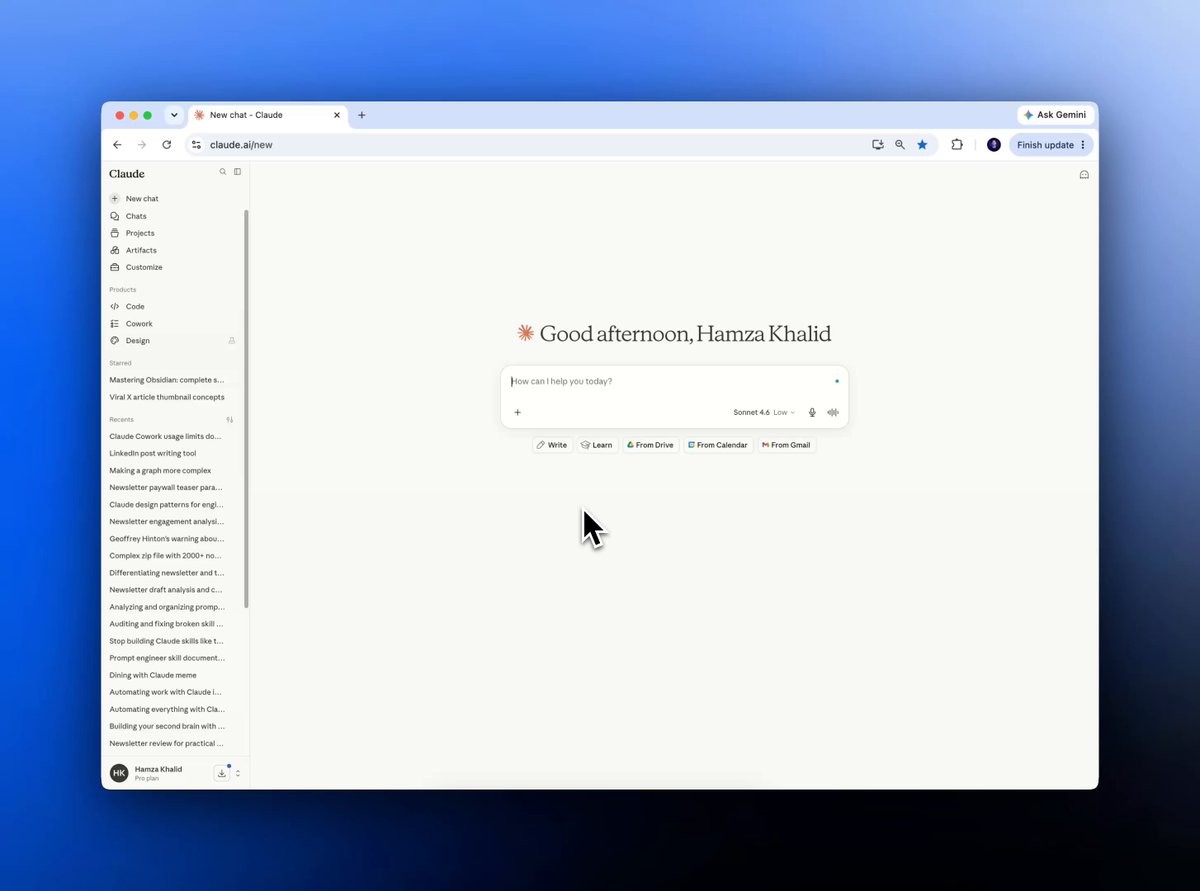
Step 1: Go to Claude.ai and open the chat history.
Step 2: Check your previous 30-day conversations.
Step 3: Screenshot or export the 5–10 prompts with the best outputs.
Step 4: Drop them into a single doc called "Prompt Audit."
That doc is the foundation of everything.
Step 2: Build Your Vault Structure
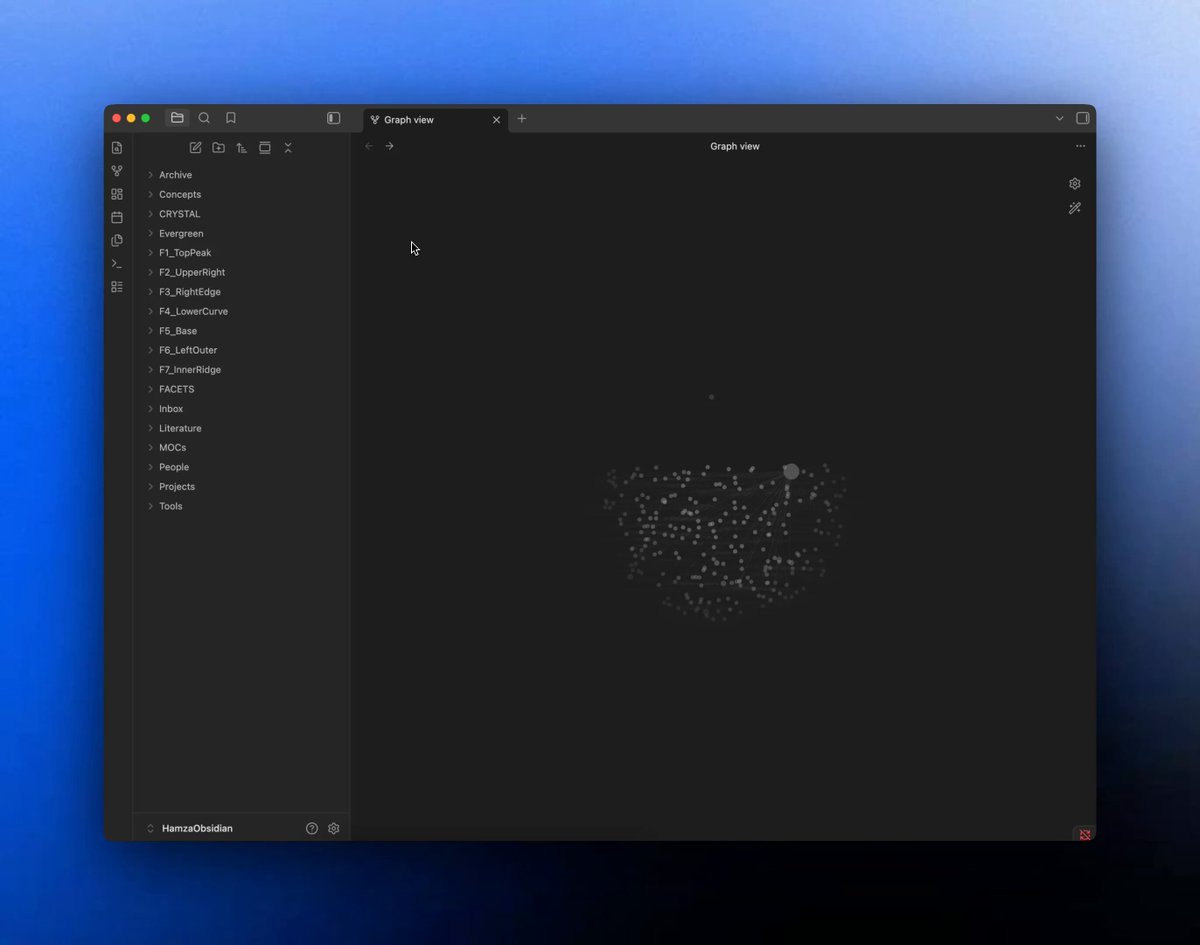
Create a folder in Obsidian or Notion called "Prompt Library."
Inside it, five subfolders:
📁 Writing & Content
📁 Research & Analysis
📁 Systems & Workflows
📁 Communication (emails, outreach, pitches)
📁 Thinking (brainstorming, decisions, frameworks)
Don't over-engineer this. Five categories covers 95% of knowledge work.
Step 3: Write Your First Prompt Note
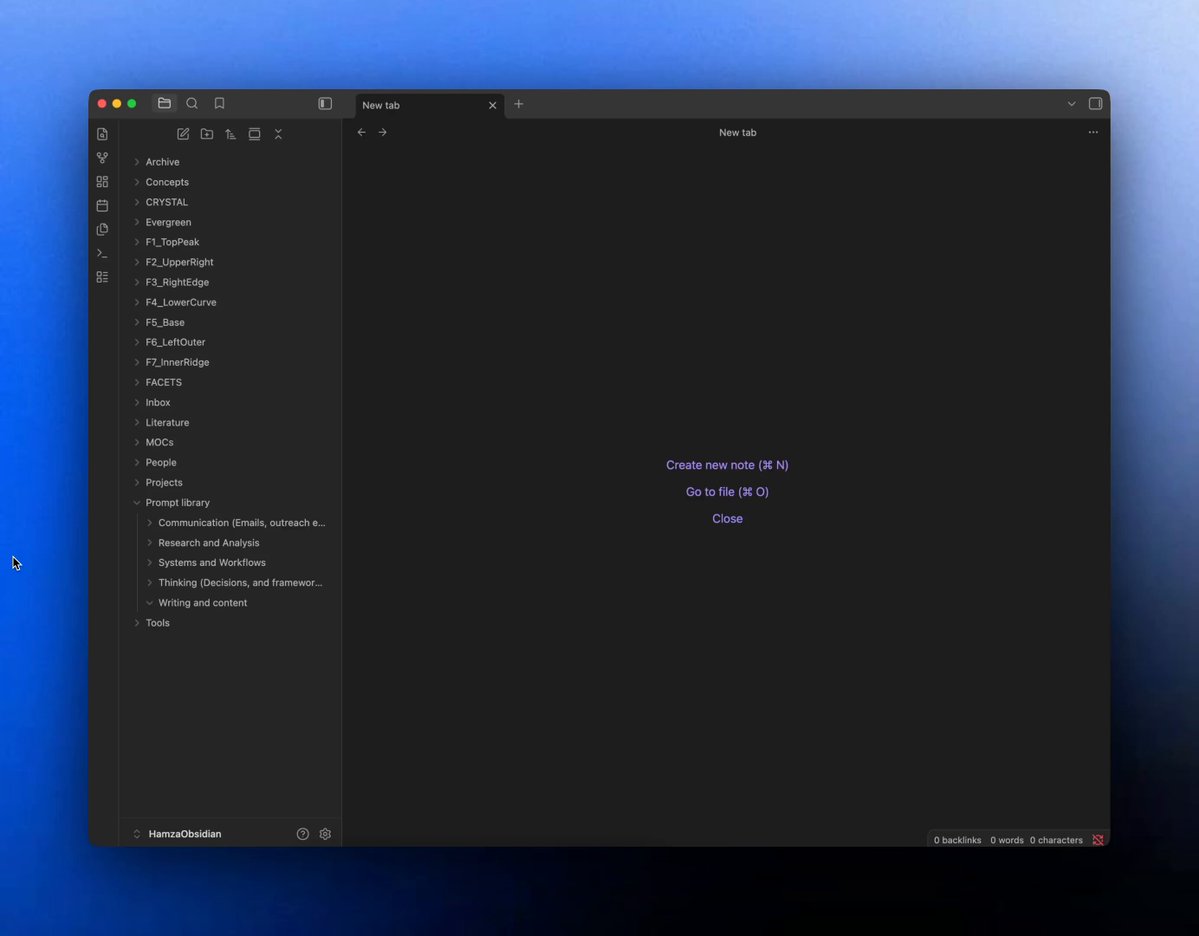
Every prompt gets its own note. Use this template, no exceptions:
Title / Use case / The prompt / Example output (2–3 lines) / Tags: #category #model-behaviour
The example output is the part most people skip. Don't. When you return to this prompt in three months, you need to remember what good looks like, not just what the prompt says.
A prompt with no example output is a recipe you can't taste-test.
Step 4: Tag for Model Behaviour, Not Just Topic
This is the insight that changes how the library compounds.
Most people tag by topic. That's the wrong layer. Tag by what Claude does in the prompt:
- #role-play → prompts that give Claude a persona
- #chain-of-thought → prompts that ask Claude to reason before answering
- #structured-output → prompts that produce tables, lists, or Markdown
- #rewrite → prompts that transform existing text
- #extract → prompts that pull specific data from raw input
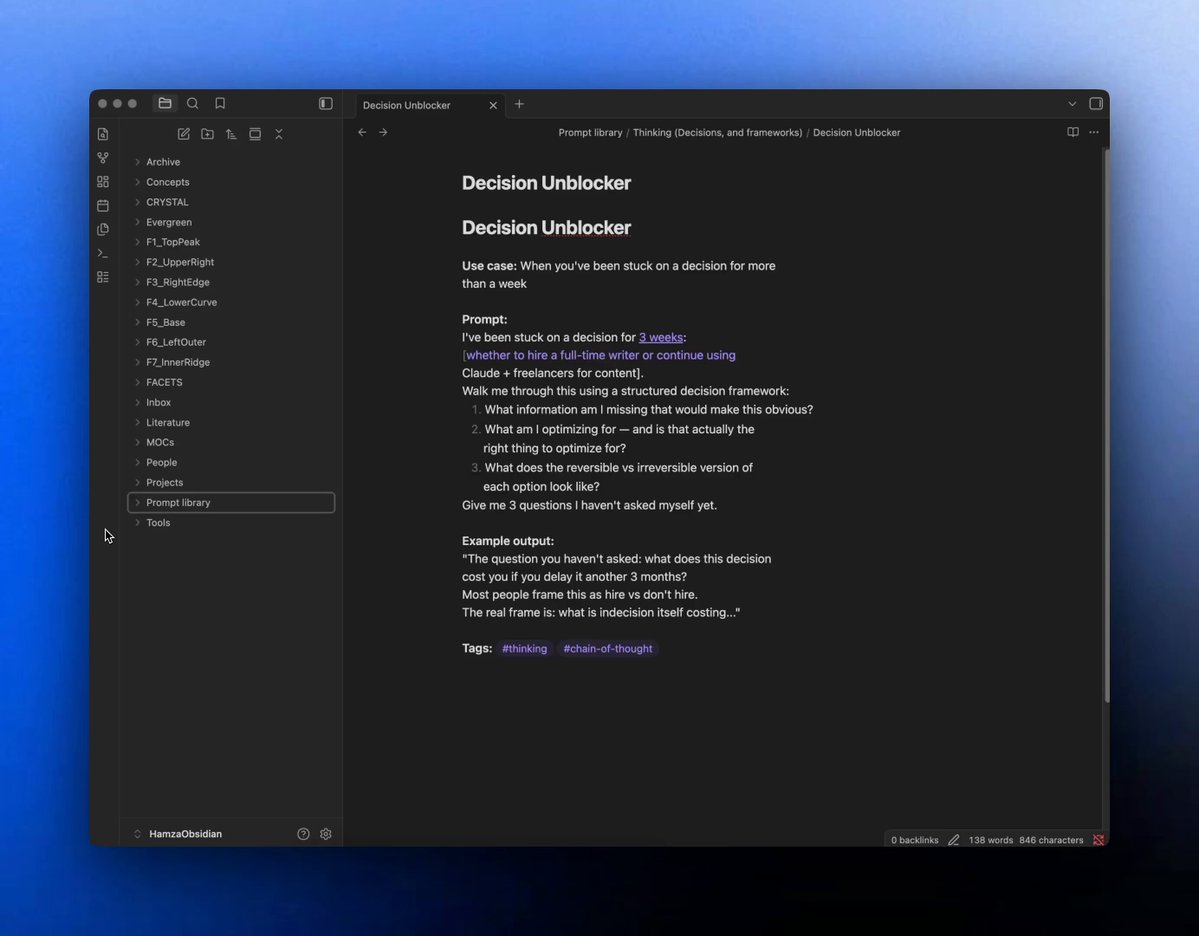
A #rewrite Prompt works across 20 different topics, not just the one you wrote it for. When you tag by behaviour, one great prompt becomes five dozen use cases.
0:15
Before you scroll to the prompts, stop here for a second.
The system I just showed you isn't complicated.
That's on purpose. The people who build prompt libraries that die after two weeks always over-engineer Step 2.
They spend four hours perfecting the folder structure before they've saved a single prompt.
A messy library you actually use beats a perfect one that stays empty. Every time.
Step 5: Seed the Library With Your First 10 Prompts
Your library starts empty.
That's the problem that stops most people before they begin.
Drop the 10 prompts from the kit below into the right category folders.
Your library is live in 15 minutes. You don't need to write a single prompt from scratch today.

Step 6: Add One Prompt Every Time You Get a Great Result
The compounding happens here. Not in the setup. Here.
After every Claude session that produces output you use in real life, spend 3 minutes saving the prompt.
Title it. Tag it. Add 2 lines of example output. Drop it in the right folder.
That's the whole system. Three minutes once.
Twenty minutes saved every time you come back.
The 10 Seed Prompts
Two prompts per category, copy-paste ready. Drop these into your library today.
Writing: Newsletter intro hook
1Use this when you have a rough topic and need 3 hook options fast.2You are a newsletter editor for an AI and productivity audience.3I have a rough topic: [building a prompt library in Obsidian].4Write 3 opening hook options using these formats:51. A specific painful story (2–3 lines, first person)62. A pattern interrupt stat or number ("I sent the same prompt 47 times...")73. A before/after contrast using the arrow format89No filler openers. No "In today's issue..." starts.10Each hook should be under 60 words. Copy-paste ready for Substack.11"The three formats force three different emotional angles. Never let Claude write just one and pick it."
Writing: LinkedIn post from raw idea
1Use this when you have a rough thought but no structure.2You are a LinkedIn ghostwriter for a senior professional in the AI space.3Here is my raw idea: [AI tools don't make you faster — they make the gap between good and great workers wider].4Turn this into a LinkedIn post with: a 1-line hook, 3–4 short punchy paragraphs, and a question at the end to drive comments.5Max 200 words. First-person voice. No jargon. No buzzwords.6"The character limit and 'no jargon' constraint are the two lines doing all the work here."
Research: Rapid topic breakdown
1Use this before writing any long-form piece.2You are a research analyst. I need to understand [prompt engineering for non-technical professionals] quickly.3Give me:4- The 5 most important concepts a beginner needs to know5- 3 common misconceptions6- 2 things most beginner resources get wrong7Keep each point to 2–3 sentences. No fluff. No definitions I can Google.8"The 'things most resources get wrong' prompt is where Claude always surprises me. That's your contrarian angle."
Research: Contrarian angle finder
1Use this when your draft feels too obvious.2I'm writing about [why most people's AI prompts fail].3Give me 5 contrarian angles that challenge the common advice on this topic.4For each angle: state the contrarian claim in one sentence, then give me the 2-sentence argument for why it's true.5I want angles that would make someone stop scrolling. Not just "hot takes" — real counter-arguments.6"'Make someone stop scrolling' tells Claude the standard it's writing to. That changes the output immediately."
Systems: SOP from messy notes
1Use this after any meeting, brainstorm, or working session.2I have messy working notes from a process I completed today. Turn them into a clean SOP.3Notes: [paste raw notes here]4Format: numbered steps, action verb at the start of each step, max 2 sentences per step.5Flag any gaps where I haven't explained what to do next. Put [MISSING STEP] in brackets.6The SOP should be usable by someone who wasn't in the room.7"The [MISSING STEP] instruction is the one line that makes this prompt worth saving. Without it, you get polished notes, not a usable system."
Systems: Weekly review loop
1Use this every Friday for 10 minutes.2I'm doing my weekly review. Help me process the following:3Wins this week: [list 3–5 things]4Frustrations: [list 2–3 things]5Open loops: [list anything unfinished or unresolved]67For each section: reflect back what the data actually tells me, flag the 1 pattern I should address next week, and suggest one concrete action I can take in under 30 minutes.8No motivational language. Just clear analysis.9"'No motivational language' saves you from the AI coach voice. You want a thinking partner, not a cheerleader."
Communication: Cold outreach sequence
1Use this when starting any new outreach campaign.2You are a B2B copywriter. I need a 3-email cold outreach sequence.3Target: [senior marketing managers at mid-size SaaS companies]4Offer: [AI content workflow audit — 45 minutes, free, async]5Sequence: Email 1 = problem awareness. Email 2 = social proof + urgency. Email 3 = last chance + easy CTA.6Each email: max 90 words, subject line included, first-person voice, no buzzwords.7"The word limits force Claude to write like a human, not a campaign manager."
Communication: Negotiation reframe
1Use this before any high-stakes conversation.2I'm preparing for a negotiation about [salary increase from £60K to £72K].3My position: [I've led 3 major projects in 12 months, brought in 2 new clients, taken on a team lead role without the title]4The other party's likely concern: [budget constraints in Q1, concern about setting a precedent]56Give me: 3 reframe lines that shift the conversation from "cost" to "investment", 2 objection responses, and the single strongest opening line I should use.7"'Shift from cost to investment' is the brief. That framing guides every output Claude produces."
Thinking: Decision unblocker
1Use this when you're stuck on any choice that's been sitting too long.2I've been stuck on a decision for [3 weeks]: [whether to hire a full-time writer or continue using Claude + freelancers for content].3Walk me through this using a structured decision framework:41. What information am I missing that would make this obvious?52. What am I optimizing for — and is that actually the right thing to optimize for?63. What does the reversible vs irreversible version of each option look like?7Give me 3 questions I haven't asked myself yet.8"Question 3 — the questions you haven't asked yourself — is where the real value lives in this prompt."
Thinking: Second-order consequence map
1Use this before committing to any major change.2I'm about to make this decision: [move my entire content workflow to Claude Projects].3Map the second and third-order consequences of this decision.4For each consequence: state it plainly, rate it as positive/negative/uncertain, and tell me what early signal would tell me it's happening.5Don't tell me what I want to hear. Tell me what I need to know.6"'Don't tell me what I want to hear' is the line that unlocks honest analysis from Claude every single time."7This newsletter grows from your shares. If you got value from this, pass it on.
In 60 seconds:
- Audit your last 30 Claude conversations
- Build a 5-folder vault in Obsidian or Notion
- Write every prompt as: title + prompt + example output + behaviour tag
- Tag by model behaviour (#rewrite, #extract, #role-play), not topic
- Seed the library with the 10 prompts above — start using it today
- Add one prompt every time Claude gives you output you actually use
Save this. Screenshot it. Come back to it.
Your gift — as promised:
The AI Prompt Library Starter Kit, all 10 prompts above, pre-formatted in Obsidian Markdown, organized across the 5 category folders, ready to drop into your vault in 15 minutes.
→ Click here to download the complete file.
We tested it in public. Now go use it in private.
If this helped you, forward it. Most people will find this in three months. You found it today, pass it on while it's still early.
That is how this list grows. Readers like you are sending it to people like them.
Make sure to subscribe (It's free). I write my exclusive content in my newsletter.
And for shorter takes between issues, follow me on X @humzaakhalid
Hamza 💙


