Pink retro podcaster site
For profile, small brands, and event landing page.
Инструкции
**Step 1 · 收集 brief(一次问完,宁多勿少)**
用 askUserQuestion 一次性确认这些字段,不要分多轮慢慢挤:
1. 网站主题/用途(播客 / 个人主页 / 小品牌 / 活动页 / 其他——用户描述即可)
2. 品牌名(会作为巨型手写体出现,建议 ≤12 字符英文或 ≤6 字中文)
3. 招牌台词 / slogan(会出现在椭圆手写气泡里,可中可英可西语,越个性越好;用户没想法就根据主题代写一句)
4. 导航 + 区块(默认:About / Latest Drops / Contact / Subscribe,用户可加可减)
5. 各区块文案(用户没准备就自动按主题填占位文案,语气要俏皮、第一人称、带点自嘲)
6. 图片来源:用户上传 vs. skill 自动生成(默认自动生成)
7. 邮箱、社媒 handle 等联系信息(缺就用占位 hola@example.com / @example)
用户回复后,把所有字段整理进一个内部 brief 备用,下面所有步骤都从这个 brief 取数,不要再回头追问。
**Step 2 · 套用规范的 7 段式骨架**
这个风格的页面结构是固定的,不要发明新结构。把 brief 里的内容硬塞进下面 7 段:
1. **Top Nav**:左侧品牌名(小字 all-caps)+ 右侧 3–4 个导航链接(all-caps,下划虚线)。背景延续顶部玫粉色。
2. **Hero(核心叠化效果,最关键的一段,不能做成上下堆叠)**:椭圆裁切的人物/主体大图 + 巨型手写体品牌名横跨整宽。**这两者必须在垂直方向上真正重叠**——品牌名的顶部 1/3 到 1/2 被人像的下半部分遮挡,呈现「字从人像背后钻出来」的报刊封面感。判断标准:在最终截图上,品牌名顶端的字母(如 L、l 的圆头、k 的上划)应该被人像 alpha 通道盖住,看不到完整字形。如果能完整看到品牌名所有字母,就是失败的堆叠,必须重做。→ 右上角浮一颗椭圆手写台词气泡 + 一个半色调红色复古小物(喇叭/麦克风/耳机三选一)。背景:玫粉。
3. **About**:左侧大写小标题 "ABOUT ME"(红色)+ 右侧大段副标题(红色 all-caps,2 行换行)→ 下方左侧椭圆图 + 椭圆手写气泡(再叠一个半色调红色装饰,比如嘴唇)→ 右侧 3 列等宽小字正文。背景:米杏。
4. **Latest Drops / Featured**:标题 "THE LATEST DROPS"(或对应主题词)+ 两张高瘦矩形卡片,卡片标题用 all-caps 黑色压在图片下半部。卡片上方各有 "SEASON X EPISODE Y" 形式的小字说明(横虚线分隔)。左侧再来一颗椭圆手写气泡 + 半色调红色耳机插画。背景:米杏。
5. **Why / Mission**:顶部左右并排两张椭圆图(用 Why 区生成的两张人物近景照片,不要用 icon 替代)→ 大写小标题 "WHY SHOULD YOU TUNE IN?" → 4 列等宽小字正文(每列一段,问句结尾)→ 右侧椭圆手写气泡 "Join my mailing list" 形式 + 半色调红色复古插画(比如长颈鹿或猫)。背景:米杏。**禁止用通用 icon(emoji / SVG icon / Material Icons)替代真实照片**。
6. **Contact**:左侧 "CONTACT" + 右侧 "HIT ME UP!" 标题 → 下方左侧 3–4 行小字 + 邮箱 + 社媒 → 中间一张矩形或椭圆图 → 右侧再来一颗椭圆手写气泡 + 半色调红色复古电脑/电话插画。背景:米杏。
7. **Footer Hero**:再次让巨型手写体品牌名横跨全宽出现一遍(同 Hero 叠化逻辑:底部插画/装饰元素遮挡品牌名顶部)→ 右上一颗椭圆手写气泡 → 底部小字 "Terms & Support · Privacy Policy · Designed with [品牌]"。背景:玫粉。
如果用户砍掉了某个区块就跳过,不要硬塞;但顺序不能乱。
**Step 3 · 准备图片资产(用户没传就自己生)**
这个风格强依赖图片,没图就崩了。检查 brief:
- 用户**已上传**图片:直接用,但提醒用户照片需要满足「暖色调、复古胶片感、人物穿砖红/酒红色、有麦克风/绿幕/红绒布等录制场景元素」之一才不会跳戏。不满足就在下一步靠装饰图救场。
- 用户**未上传**:调用 generateImage 生成下面这 6 张(每张独立调用,prompt 必须按下面写法精确控制风格,否则出图不对味):
**A. 主体肖像图(Hero 用,椭圆裁切)**
```
Vintage 1970s editorial portrait photograph, woman wearing terracotta-red blazer, holding a retro chrome microphone, deep navy or red velvet curtain background, warm tungsten lighting, soft film grain, pearl necklace, red lipstick, looking down or sideways, magazine-cover composition, muted warm color palette, shot on 35mm film, vertical 3:4
```
**B. About 区椭圆图(桌面录制场景)**
```
Vintage podcast recording desk, retro chrome microphone, eyeglasses on script papers, glass of water, green velvet curtain in background, warm wood surface, 1970s editorial style, soft warm lighting, film grain, terracotta and forest-green color palette, 3:4
```
**C / D. Latest Drops 两张卡片图(与 brief 主题相关)**
根据用户的两个 "latest drop" 标题分别生成。例如标题是 "retro video games" → 一只手拿着粉色任天堂 3DS 在窗帘前的复古照片。要求:复古胶片质感、暖色调、构图竖向 3:4。
**E. Why 区椭圆图 ×2(不同视角的人物近景)**
```
Close-up vintage editorial photograph of woman in red blazer, holding retro orange rotary phone to ear, green velvet curtain background, warm 70s lighting, film grain, 3:4
```
+
```
Close-up of woman's hands in red sleeves typing on vintage typewriter, warm wood desk, film grain, 70s editorial mood, 3:4
```
**F. 4–5 个半色调复古装饰元素(必须透明背景!)**
这一组是风格灵魂,每个独立生成,**必须用 gemini-3.1-flash-image-preview 模型**(GPT Image 处理透明 alpha 不可靠),prompt 模板:
```
Halftone duotone illustration of [object], rendered in brick-red dots only, vintage 1970s magazine print style, visible halftone dot pattern, the subject is isolated on a fully transparent background with alpha channel, no background fill at all, PNG cutout style, simple flat composition, only red dots visible, everything else transparent
```
[object] 依次替换为:megaphone(喇叭)/ headphones(耳机)/ red lips(嘴唇)/ giraffe head(长颈鹿头)/ retro tube TV or 1980s desktop computer(老电视或老式电脑)。
**保险措施**:即使用了正确的 prompt,模型可能仍然给出米白底而非真透明。所以在 Step 4 的 CSS 里**必须给所有半色调装饰图加 `mix-blend-mode: darken;`**,让米白底自动融入页面背景,只保留红点图案。这是兜底规则,不能省略。
生成完所有图后把 URL 收集到一个清单里,标注每张图归属哪个区块。
**Step 4 · 调用 generateWebpage 一次性出页(视觉 DNA 必须完整传过去)**
调 generateWebpage,prompt 里**完整粘贴**下面这份 Style DNA,再附上 Step 1 的 brief 内容和 Step 3 的图片清单。as_artifact: true。
---
**【Style DNA · 必须严格遵守】**
**色板(CSS 变量级精度)**:
- `--rose`: #F4A8A0(顶部玫粉,Hero 与 Footer 背景)
- `--cream`: #E5DCC2(中段米杏,About / Latest / Why / Contact 背景)
- `--brick`: #B8472D(标题/导航文字/装饰描边)
- `--ink`: #2C1810(正文小字)
- `--cream-light`: #F2EBD8(气泡内部填充)
顶部玫粉到米杏之间用 8–16px 的渐变过渡带,不要硬切。Hero 顶部到画布顶上沿带一点紫灰晕染(rgba(150,140,180,0.25) 径向渐变到 rose),呼应原稿。
**字体配对(必须用 Google Fonts CDN 加载)**:
- 显示字体(品牌名、所有椭圆气泡里的手写台词):`"Sail"` 或 `"Pacifico"` 或 `"Hello Headline"`,三选一,要丰满有圈、复古糖果感。品牌名字号要爆炸大,desktop 至少 18vw,溢出感强。
- 标题/导航/正文小字:`"Oswald"` 或 `"Bebas Neue"`,全部 `text-transform: uppercase`,字距 `letter-spacing: 0.06em`。正文小字 12–13px,行高 1.4。
- 不要再引入第三种字体。
**Hero 叠化的精确实现(不能省略,不能改)**:
- Hero section 高度设为 `100vh` 或 `95vh`,使用 `position: relative` + `overflow: hidden`。
- 椭圆人像图:`position: absolute`,水平居中(`left: 50%; transform: translateX(-50%)`),垂直方向 `top: 5vh`,高度约 `70vh`,宽度按 3:4 比例计算(约 `52vh`),`z-index: 2`,`border-radius: 50% / 60%`,`object-fit: cover`。
- 巨型品牌名:`position: absolute`,水平居中,垂直方向 `top: 50vh`(**关键**:这个数值要让文字的顶部边线落在人像的纵向中部偏下区域,而不是人像下方)。`font-size: 28vw`,`line-height: 0.85`,`color: var(--cream-light)`,`z-index: 1`(**比人像低**),`white-space: nowrap`。
- 检查标准:渲染后人像的 alpha 通道(人像椭圆边缘)必须能切掉品牌名上半截字形。如果品牌名整行都看得到完整字母,调小 `top` 值(让字往上挪)或增加人像高度。
- 椭圆台词气泡:`position: absolute; right: 6%; top: 25%; z-index: 3`,气泡和它指向的方位之间一条竖直虚线。
- 半色调装饰图(喇叭等):`position: absolute; right: 3%; top: 10%`,宽 140px,**必须配 `mix-blend-mode: darken`**。
- 整个 Hero 区不要用 flex/grid 把元素排成行列——元素之间是绝对定位的叠加关系。
**布局法则(其他区块)**:
- 内容容器最大宽 1280px,居中。
- 区块之间用 `border-top: 1px dashed var(--brick)` 横线分隔。
- 椭圆图:`border-radius: 50% / 60%`(横向稍扁的鸭蛋形),不要正圆。
- 椭圆手写气泡:`border-radius: 50% / 70%`,背景 `var(--cream-light)`,描边 `1px dashed var(--brick)`,内边距充足,气泡里的字用显示字体 + brick 色 + 斜体。
- 气泡和它指向的元素之间画一条**虚线连接线**(CSS:`border-left: 1px dashed var(--brick)` 配 `position: absolute`,长度 60–120px),末端点一个小红圆点。这是这个风格的标志符号,每个区块至少出现一处。
- 半色调装饰图固定出现在区块的角落(左下、右上交替),尺寸 120–180px,**全部加 `mix-blend-mode: darken`**。
**Why 区的硬性规则**:
- 必须用 Step 3 生成的两张 Why 真实人物椭圆照片,左右并排放在区块顶部。
- **禁止**用 emoji、Material Icon、Font Awesome 等任何通用 icon 替代照片或填充 "feature 卡片"。这个风格不存在 "feature 卡片" 概念。
- 4 列正文是横向多列文字流,不是 4 个图标卡片。
**正文写法**:
- 所有 nav、section label、card title、headline 全部 ALL CAPS。
- 正文小字段落用多列(CSS `column-count: 3` 或 `column-count: 4`)实现窄栏报刊感,不要单列大段。
- 标题色一律 `var(--brick)`,正文色 `var(--ink)`。
**页脚**:保留 "Terms & Support · Privacy Policy · Designed with [品牌名]" 三行小字,左下角对齐,米杏色。
**响应式**:移动端品牌字号降到 28vw(保持),多列正文降到单列,椭圆图缩到 70% 宽度居中,装饰图缩到 80px 并保留位置。Hero 叠化在移动端依然成立——人像高度可以缩到 50vh,品牌字 top 跟着调到 35vh 维持遮挡关系。
---
把 brief 里 7 段文案、图片 URL 清单(标注每张归属)一起塞进 generateWebpage 的 prompt,让它一次出页。
**Step 5 · 交付 + 微调入口**
生成完后,把 webpage 链接给用户,然后用一句话主动给出 3 个最高频的微调方向,让用户直接点:
1. 换主体肖像图(重新跑 Step 3 的 A 图,换一种姿态/服装)
2. 调色板偏移(比如把玫粉换成蜜桃、米杏换成淡薄荷——保持双色块结构,只换色值)
3. 加 / 删 / 重排区块(按 Step 2 的 7 段骨架调整)
用户选了哪一项就只重跑对应步骤,不要全量重生。
Описание
This skill crafts a distinctive, retro-inspired single-page website, perfect for podcasters, personal brands, or small businesses seeking a unique online presence. It captures the aesthetic of vintage magazine layouts and 1970s editorial design. Users can provide their brand name, a catchy slogan, and content for various sections like "About," "Latest Drops," and "Contact." The skill then intelligently generates a complete, visually rich webpage. Key capabilities include the creation of a striking "Hero" section with overlapping text and imagery, dynamic content blocks, and custom navigation. It also offers AI image generation for a consistent vintage look, including halftone decorative elements and period-appropriate photography, if the user doesn't supply their own. The process involves gathering your website preferences and content, then assembling a full-page design that adheres to a specific visual language. The final output is a live webpage, complete with a unique URL, ready to share. Users also receive options for quick adjustments, such as swapping out main images, tweaking the color palette, or reordering sections, ensuring the final site perfectly matches their vision.
Почему нам нравится этот скилл
This skill crafts a vibrant, retro-themed website with a unique layered hero section, perfect for podcasters and small brands. Its distinctive vintage aesthetic and meticulous design details make it truly stand out.
Похожие скиллы
Посмотреть все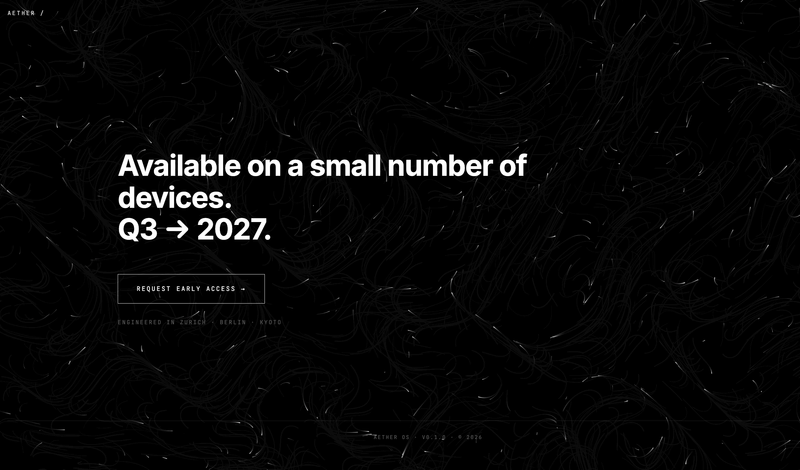
Particle-animation presentation (HTML)
This skill generates a sleek, single-page website with a striking black and white, futuristic aesthetic, ideal for showcasing a new product, an artist's portfolio, or a digital business card. It's designed for individuals or businesses who need a visually impactful online presence without the complexity of traditional website development. The skill produces a self-contained HTML file featuring 4-5 smoothly scrolling sections, each designed to capture attention with minimalist typography and high-contrast elements. The background comes alive with a custom-coded, monochrome animation—such as flowing particles or subtle noise gradients—that creates a dynamic, high-tech atmosphere without relying on external media. Upon loading, the page greets visitors with an engaging hero animation: an eyebrow text types out, followed by a dramatic "scramble" effect for the main title, and a smooth fade-in for the subtitle. Content in subsequent sections then gracefully appears as the user scrolls, ensuring a fluid and immersive experience. All images provided by the user are automatically converted to grayscale to maintain the consistent visual theme. The final output is a responsive, accessible, and performant webpage, delivered as a single, ready-to-deploy HTML file.
 Изображение
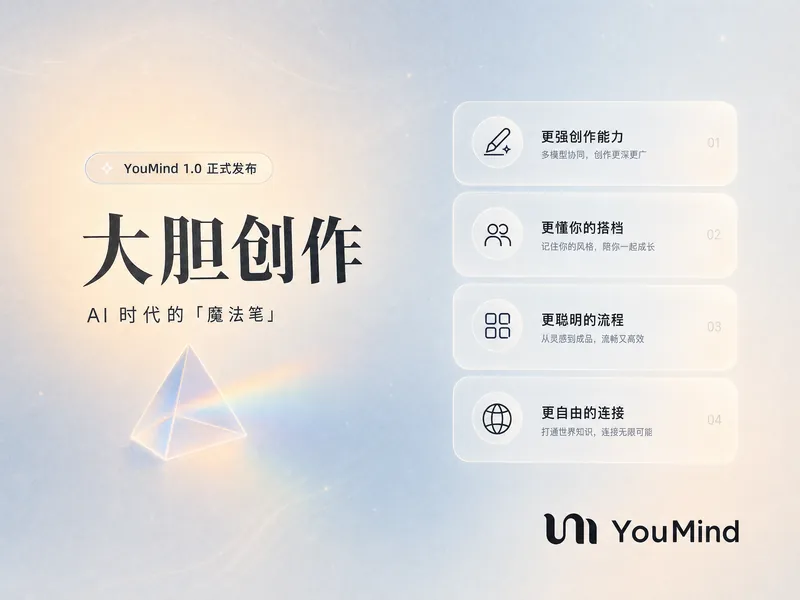
Постер YouMind Landing Page
Превратите ваш контент в потрясающее визуальное повествование с помощью постера в стиле YouMind Landing Page. Этот навык создает красивые инфографические постеры, которые привлекают внимание уникальной эстетикой Natural Retro-Futurism. Идеально подходит для демонстрации ключевых данных, основных моментов проектов или характеристик продуктов — ваша информация будет представлена в изысканном и легко усваиваемом формате. Используя сбалансированную холодно-теплую цветовую палитру с основой светло-серо-голубого цвета и тонкими бежево-персиковыми акцентами, каждый постер воплощает современное ощущение пользовательского интерфейса. Ожидайте элегантную типографику: для заголовков используется авторитетный шрифт Source Han Serif, а для основного текста — чистый sans-serif, что обеспечивает читаемость. Макет использует динамическую сетку Bento, организуя ваш контент в визуально привлекательные карточки с мягкими краями и щедрым пространством, избегая загроможденного дизайна. Помимо яркой визуализации, навык включает тонкие элементы дизайна: равномерную мелкую зернистость пленки, импрессионистический рендеринг и опциональные иконки из матового стекла для ваших данных. Для элегантного акцента можно добавить одну полупрозрачную треугольную призму, а официальный логотип YouMind всегда ненавязчиво размещается для поддержания согласованности бренда. В результате получается профессиональная, воздушная и современная инфографика, которая эффективно доносит ваше сообщение.
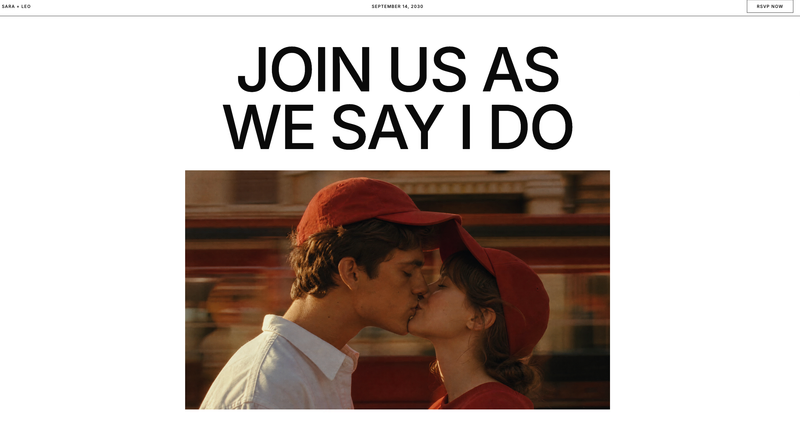
Wedding RSVP
This skill generates a stylish, editorial-themed single-page wedding or event website, perfect for couples looking for a modern and sophisticated online invitation. It’s designed for anyone who wants a distinctive digital presence for their special day, moving beyond traditional templates. The skill captures a unique aesthetic inspired by high-end editorial design, featuring a clean white background, oversized sans-serif typography, and warm red accents. It can either integrate your provided images or generate two cinematic, Wes Anderson-style images—a hero banner and a story image—featuring a couple with a signature red baseball cap, set against urban or garden backdrops with warm, golden hour lighting. Users simply provide key details like names, event date, and location. The skill then crafts a complete, responsive webpage, including a sticky navigation bar, a prominent hero section, an RSVP form, a dedicated "Our Story" section, event details, and contact information. The final output is a ready-to-use HTML webpage, delivered as an artifact, which can be further customized if needed.
Pink retro podcaster site
For profile, small brands, and event landing page.
Инструкции
**Step 1 · 收集 brief(一次问完,宁多勿少)**
用 askUserQuestion 一次性确认这些字段,不要分多轮慢慢挤:
1. 网站主题/用途(播客 / 个人主页 / 小品牌 / 活动页 / 其他——用户描述即可)
2. 品牌名(会作为巨型手写体出现,建议 ≤12 字符英文或 ≤6 字中文)
3. 招牌台词 / slogan(会出现在椭圆手写气泡里,可中可英可西语,越个性越好;用户没想法就根据主题代写一句)
4. 导航 + 区块(默认:About / Latest Drops / Contact / Subscribe,用户可加可减)
5. 各区块文案(用户没准备就自动按主题填占位文案,语气要俏皮、第一人称、带点自嘲)
6. 图片来源:用户上传 vs. skill 自动生成(默认自动生成)
7. 邮箱、社媒 handle 等联系信息(缺就用占位 hola@example.com / @example)
用户回复后,把所有字段整理进一个内部 brief 备用,下面所有步骤都从这个 brief 取数,不要再回头追问。
**Step 2 · 套用规范的 7 段式骨架**
这个风格的页面结构是固定的,不要发明新结构。把 brief 里的内容硬塞进下面 7 段:
1. **Top Nav**:左侧品牌名(小字 all-caps)+ 右侧 3–4 个导航链接(all-caps,下划虚线)。背景延续顶部玫粉色。
2. **Hero(核心叠化效果,最关键的一段,不能做成上下堆叠)**:椭圆裁切的人物/主体大图 + 巨型手写体品牌名横跨整宽。**这两者必须在垂直方向上真正重叠**——品牌名的顶部 1/3 到 1/2 被人像的下半部分遮挡,呈现「字从人像背后钻出来」的报刊封面感。判断标准:在最终截图上,品牌名顶端的字母(如 L、l 的圆头、k 的上划)应该被人像 alpha 通道盖住,看不到完整字形。如果能完整看到品牌名所有字母,就是失败的堆叠,必须重做。→ 右上角浮一颗椭圆手写台词气泡 + 一个半色调红色复古小物(喇叭/麦克风/耳机三选一)。背景:玫粉。
3. **About**:左侧大写小标题 "ABOUT ME"(红色)+ 右侧大段副标题(红色 all-caps,2 行换行)→ 下方左侧椭圆图 + 椭圆手写气泡(再叠一个半色调红色装饰,比如嘴唇)→ 右侧 3 列等宽小字正文。背景:米杏。
4. **Latest Drops / Featured**:标题 "THE LATEST DROPS"(或对应主题词)+ 两张高瘦矩形卡片,卡片标题用 all-caps 黑色压在图片下半部。卡片上方各有 "SEASON X EPISODE Y" 形式的小字说明(横虚线分隔)。左侧再来一颗椭圆手写气泡 + 半色调红色耳机插画。背景:米杏。
5. **Why / Mission**:顶部左右并排两张椭圆图(用 Why 区生成的两张人物近景照片,不要用 icon 替代)→ 大写小标题 "WHY SHOULD YOU TUNE IN?" → 4 列等宽小字正文(每列一段,问句结尾)→ 右侧椭圆手写气泡 "Join my mailing list" 形式 + 半色调红色复古插画(比如长颈鹿或猫)。背景:米杏。**禁止用通用 icon(emoji / SVG icon / Material Icons)替代真实照片**。
6. **Contact**:左侧 "CONTACT" + 右侧 "HIT ME UP!" 标题 → 下方左侧 3–4 行小字 + 邮箱 + 社媒 → 中间一张矩形或椭圆图 → 右侧再来一颗椭圆手写气泡 + 半色调红色复古电脑/电话插画。背景:米杏。
7. **Footer Hero**:再次让巨型手写体品牌名横跨全宽出现一遍(同 Hero 叠化逻辑:底部插画/装饰元素遮挡品牌名顶部)→ 右上一颗椭圆手写气泡 → 底部小字 "Terms & Support · Privacy Policy · Designed with [品牌]"。背景:玫粉。
如果用户砍掉了某个区块就跳过,不要硬塞;但顺序不能乱。
**Step 3 · 准备图片资产(用户没传就自己生)**
这个风格强依赖图片,没图就崩了。检查 brief:
- 用户**已上传**图片:直接用,但提醒用户照片需要满足「暖色调、复古胶片感、人物穿砖红/酒红色、有麦克风/绿幕/红绒布等录制场景元素」之一才不会跳戏。不满足就在下一步靠装饰图救场。
- 用户**未上传**:调用 generateImage 生成下面这 6 张(每张独立调用,prompt 必须按下面写法精确控制风格,否则出图不对味):
**A. 主体肖像图(Hero 用,椭圆裁切)**
```
Vintage 1970s editorial portrait photograph, woman wearing terracotta-red blazer, holding a retro chrome microphone, deep navy or red velvet curtain background, warm tungsten lighting, soft film grain, pearl necklace, red lipstick, looking down or sideways, magazine-cover composition, muted warm color palette, shot on 35mm film, vertical 3:4
```
**B. About 区椭圆图(桌面录制场景)**
```
Vintage podcast recording desk, retro chrome microphone, eyeglasses on script papers, glass of water, green velvet curtain in background, warm wood surface, 1970s editorial style, soft warm lighting, film grain, terracotta and forest-green color palette, 3:4
```
**C / D. Latest Drops 两张卡片图(与 brief 主题相关)**
根据用户的两个 "latest drop" 标题分别生成。例如标题是 "retro video games" → 一只手拿着粉色任天堂 3DS 在窗帘前的复古照片。要求:复古胶片质感、暖色调、构图竖向 3:4。
**E. Why 区椭圆图 ×2(不同视角的人物近景)**
```
Close-up vintage editorial photograph of woman in red blazer, holding retro orange rotary phone to ear, green velvet curtain background, warm 70s lighting, film grain, 3:4
```
+
```
Close-up of woman's hands in red sleeves typing on vintage typewriter, warm wood desk, film grain, 70s editorial mood, 3:4
```
**F. 4–5 个半色调复古装饰元素(必须透明背景!)**
这一组是风格灵魂,每个独立生成,**必须用 gemini-3.1-flash-image-preview 模型**(GPT Image 处理透明 alpha 不可靠),prompt 模板:
```
Halftone duotone illustration of [object], rendered in brick-red dots only, vintage 1970s magazine print style, visible halftone dot pattern, the subject is isolated on a fully transparent background with alpha channel, no background fill at all, PNG cutout style, simple flat composition, only red dots visible, everything else transparent
```
[object] 依次替换为:megaphone(喇叭)/ headphones(耳机)/ red lips(嘴唇)/ giraffe head(长颈鹿头)/ retro tube TV or 1980s desktop computer(老电视或老式电脑)。
**保险措施**:即使用了正确的 prompt,模型可能仍然给出米白底而非真透明。所以在 Step 4 的 CSS 里**必须给所有半色调装饰图加 `mix-blend-mode: darken;`**,让米白底自动融入页面背景,只保留红点图案。这是兜底规则,不能省略。
生成完所有图后把 URL 收集到一个清单里,标注每张图归属哪个区块。
**Step 4 · 调用 generateWebpage 一次性出页(视觉 DNA 必须完整传过去)**
调 generateWebpage,prompt 里**完整粘贴**下面这份 Style DNA,再附上 Step 1 的 brief 内容和 Step 3 的图片清单。as_artifact: true。
---
**【Style DNA · 必须严格遵守】**
**色板(CSS 变量级精度)**:
- `--rose`: #F4A8A0(顶部玫粉,Hero 与 Footer 背景)
- `--cream`: #E5DCC2(中段米杏,About / Latest / Why / Contact 背景)
- `--brick`: #B8472D(标题/导航文字/装饰描边)
- `--ink`: #2C1810(正文小字)
- `--cream-light`: #F2EBD8(气泡内部填充)
顶部玫粉到米杏之间用 8–16px 的渐变过渡带,不要硬切。Hero 顶部到画布顶上沿带一点紫灰晕染(rgba(150,140,180,0.25) 径向渐变到 rose),呼应原稿。
**字体配对(必须用 Google Fonts CDN 加载)**:
- 显示字体(品牌名、所有椭圆气泡里的手写台词):`"Sail"` 或 `"Pacifico"` 或 `"Hello Headline"`,三选一,要丰满有圈、复古糖果感。品牌名字号要爆炸大,desktop 至少 18vw,溢出感强。
- 标题/导航/正文小字:`"Oswald"` 或 `"Bebas Neue"`,全部 `text-transform: uppercase`,字距 `letter-spacing: 0.06em`。正文小字 12–13px,行高 1.4。
- 不要再引入第三种字体。
**Hero 叠化的精确实现(不能省略,不能改)**:
- Hero section 高度设为 `100vh` 或 `95vh`,使用 `position: relative` + `overflow: hidden`。
- 椭圆人像图:`position: absolute`,水平居中(`left: 50%; transform: translateX(-50%)`),垂直方向 `top: 5vh`,高度约 `70vh`,宽度按 3:4 比例计算(约 `52vh`),`z-index: 2`,`border-radius: 50% / 60%`,`object-fit: cover`。
- 巨型品牌名:`position: absolute`,水平居中,垂直方向 `top: 50vh`(**关键**:这个数值要让文字的顶部边线落在人像的纵向中部偏下区域,而不是人像下方)。`font-size: 28vw`,`line-height: 0.85`,`color: var(--cream-light)`,`z-index: 1`(**比人像低**),`white-space: nowrap`。
- 检查标准:渲染后人像的 alpha 通道(人像椭圆边缘)必须能切掉品牌名上半截字形。如果品牌名整行都看得到完整字母,调小 `top` 值(让字往上挪)或增加人像高度。
- 椭圆台词气泡:`position: absolute; right: 6%; top: 25%; z-index: 3`,气泡和它指向的方位之间一条竖直虚线。
- 半色调装饰图(喇叭等):`position: absolute; right: 3%; top: 10%`,宽 140px,**必须配 `mix-blend-mode: darken`**。
- 整个 Hero 区不要用 flex/grid 把元素排成行列——元素之间是绝对定位的叠加关系。
**布局法则(其他区块)**:
- 内容容器最大宽 1280px,居中。
- 区块之间用 `border-top: 1px dashed var(--brick)` 横线分隔。
- 椭圆图:`border-radius: 50% / 60%`(横向稍扁的鸭蛋形),不要正圆。
- 椭圆手写气泡:`border-radius: 50% / 70%`,背景 `var(--cream-light)`,描边 `1px dashed var(--brick)`,内边距充足,气泡里的字用显示字体 + brick 色 + 斜体。
- 气泡和它指向的元素之间画一条**虚线连接线**(CSS:`border-left: 1px dashed var(--brick)` 配 `position: absolute`,长度 60–120px),末端点一个小红圆点。这是这个风格的标志符号,每个区块至少出现一处。
- 半色调装饰图固定出现在区块的角落(左下、右上交替),尺寸 120–180px,**全部加 `mix-blend-mode: darken`**。
**Why 区的硬性规则**:
- 必须用 Step 3 生成的两张 Why 真实人物椭圆照片,左右并排放在区块顶部。
- **禁止**用 emoji、Material Icon、Font Awesome 等任何通用 icon 替代照片或填充 "feature 卡片"。这个风格不存在 "feature 卡片" 概念。
- 4 列正文是横向多列文字流,不是 4 个图标卡片。
**正文写法**:
- 所有 nav、section label、card title、headline 全部 ALL CAPS。
- 正文小字段落用多列(CSS `column-count: 3` 或 `column-count: 4`)实现窄栏报刊感,不要单列大段。
- 标题色一律 `var(--brick)`,正文色 `var(--ink)`。
**页脚**:保留 "Terms & Support · Privacy Policy · Designed with [品牌名]" 三行小字,左下角对齐,米杏色。
**响应式**:移动端品牌字号降到 28vw(保持),多列正文降到单列,椭圆图缩到 70% 宽度居中,装饰图缩到 80px 并保留位置。Hero 叠化在移动端依然成立——人像高度可以缩到 50vh,品牌字 top 跟着调到 35vh 维持遮挡关系。
---
把 brief 里 7 段文案、图片 URL 清单(标注每张归属)一起塞进 generateWebpage 的 prompt,让它一次出页。
**Step 5 · 交付 + 微调入口**
生成完后,把 webpage 链接给用户,然后用一句话主动给出 3 个最高频的微调方向,让用户直接点:
1. 换主体肖像图(重新跑 Step 3 的 A 图,换一种姿态/服装)
2. 调色板偏移(比如把玫粉换成蜜桃、米杏换成淡薄荷——保持双色块结构,只换色值)
3. 加 / 删 / 重排区块(按 Step 2 的 7 段骨架调整)
用户选了哪一项就只重跑对应步骤,不要全量重生。
Описание
This skill crafts a distinctive, retro-inspired single-page website, perfect for podcasters, personal brands, or small businesses seeking a unique online presence. It captures the aesthetic of vintage magazine layouts and 1970s editorial design. Users can provide their brand name, a catchy slogan, and content for various sections like "About," "Latest Drops," and "Contact." The skill then intelligently generates a complete, visually rich webpage. Key capabilities include the creation of a striking "Hero" section with overlapping text and imagery, dynamic content blocks, and custom navigation. It also offers AI image generation for a consistent vintage look, including halftone decorative elements and period-appropriate photography, if the user doesn't supply their own. The process involves gathering your website preferences and content, then assembling a full-page design that adheres to a specific visual language. The final output is a live webpage, complete with a unique URL, ready to share. Users also receive options for quick adjustments, such as swapping out main images, tweaking the color palette, or reordering sections, ensuring the final site perfectly matches their vision.
Почему нам нравится этот скилл
This skill crafts a vibrant, retro-themed website with a unique layered hero section, perfect for podcasters and small brands. Its distinctive vintage aesthetic and meticulous design details make it truly stand out.
Похожие скиллы
Посмотреть всеParticle-animation presentation (HTML)
This skill generates a sleek, single-page website with a striking black and white, futuristic aesthetic, ideal for showcasing a new product, an artist's portfolio, or a digital business card. It's designed for individuals or businesses who need a visually impactful online presence without the complexity of traditional website development. The skill produces a self-contained HTML file featuring 4-5 smoothly scrolling sections, each designed to capture attention with minimalist typography and high-contrast elements. The background comes alive with a custom-coded, monochrome animation—such as flowing particles or subtle noise gradients—that creates a dynamic, high-tech atmosphere without relying on external media. Upon loading, the page greets visitors with an engaging hero animation: an eyebrow text types out, followed by a dramatic "scramble" effect for the main title, and a smooth fade-in for the subtitle. Content in subsequent sections then gracefully appears as the user scrolls, ensuring a fluid and immersive experience. All images provided by the user are automatically converted to grayscale to maintain the consistent visual theme. The final output is a responsive, accessible, and performant webpage, delivered as a single, ready-to-deploy HTML file.
ИзображениеПостер YouMind Landing Page
Превратите ваш контент в потрясающее визуальное повествование с помощью постера в стиле YouMind Landing Page. Этот навык создает красивые инфографические постеры, которые привлекают внимание уникальной эстетикой Natural Retro-Futurism. Идеально подходит для демонстрации ключевых данных, основных моментов проектов или характеристик продуктов — ваша информация будет представлена в изысканном и легко усваиваемом формате. Используя сбалансированную холодно-теплую цветовую палитру с основой светло-серо-голубого цвета и тонкими бежево-персиковыми акцентами, каждый постер воплощает современное ощущение пользовательского интерфейса. Ожидайте элегантную типографику: для заголовков используется авторитетный шрифт Source Han Serif, а для основного текста — чистый sans-serif, что обеспечивает читаемость. Макет использует динамическую сетку Bento, организуя ваш контент в визуально привлекательные карточки с мягкими краями и щедрым пространством, избегая загроможденного дизайна. Помимо яркой визуализации, навык включает тонкие элементы дизайна: равномерную мелкую зернистость пленки, импрессионистический рендеринг и опциональные иконки из матового стекла для ваших данных. Для элегантного акцента можно добавить одну полупрозрачную треугольную призму, а официальный логотип YouMind всегда ненавязчиво размещается для поддержания согласованности бренда. В результате получается профессиональная, воздушная и современная инфографика, которая эффективно доносит ваше сообщение.
Wedding RSVP
This skill generates a stylish, editorial-themed single-page wedding or event website, perfect for couples looking for a modern and sophisticated online invitation. It’s designed for anyone who wants a distinctive digital presence for their special day, moving beyond traditional templates. The skill captures a unique aesthetic inspired by high-end editorial design, featuring a clean white background, oversized sans-serif typography, and warm red accents. It can either integrate your provided images or generate two cinematic, Wes Anderson-style images—a hero banner and a story image—featuring a couple with a signature red baseball cap, set against urban or garden backdrops with warm, golden hour lighting. Users simply provide key details like names, event date, and location. The skill then crafts a complete, responsive webpage, including a sticky navigation bar, a prominent hero section, an RSVP form, a dedicated "Our Story" section, event details, and contact information. The final output is a ready-to-use HTML webpage, delivered as an artifact, which can be further customized if needed.
Найди свой следующий любимый скилл
Изучи больше отобранных AI-скиллов для исследований, творчества и повседневной работы.