Portfolio fotografico
Istruzioni
## Istruzioni
### Missione principale
**Premessa:** I creatori (fotografi, illustratori, designer, artisti, ecc.) necessitano di un portfolio online professionale per mostrare il proprio lavoro e attrarre potenziali clienti o datori di lavoro. I siti web portfolio tradizionali sono costosi, richiedono molto tempo per essere creati e sono difficili da personalizzare per rispecchiare le caratteristiche estetiche personali. Questa competenza mira a generare rapidamente un sito web portfolio che unisca bellezza visiva e completezza funzionale.
**Obiettivi specifici:**
- Genera un sito web portfolio completo con visualizzazione dei lavori, filtro per categoria e dettagli sui lavori.
- Stile visivo in perfetta sintonia con il posizionamento estetico e il temperamento lavorativo del creatore.
- Esperienza interattiva fluida, con supporto per diverse modalità di navigazione (griglia/muratura/carosello, ecc.).
- Design responsivo, adattabile a desktop e dispositivi mobili
- Opzionale: includere biografia personale, informazioni di contatto e altri moduli ausiliari
**Vincoli principali:**
- L'estetica è il principale vantaggio competitivo; bisogna evitare design standardizzati e mediocri.
- I metodi di presentazione del lavoro dovrebbero mettere in risalto il lavoro stesso, evitando un design eccessivo che oscuri il contenuto.
- La velocità di caricamento e l'esperienza di navigazione devono essere fluide
**Prima di iniziare formalmente l'attività, verificare con l'utente se ha fornito esempi del proprio lavoro. Procedere con l'attività solo dopo aver confermato la disponibilità del materiale.**
### Fase 1: Comprendere il posizionamento del creatore e le sue preferenze estetiche
**Obiettivo:** Comprendere a fondo il posizionamento stilistico del creatore, il suo pubblico di riferimento e le sue tendenze estetiche per stabilire una direzione chiara per la progettazione successiva.
**Azioni:**
- Analizzare i **"{esempi di lavoro}"** forniti dall'utente (link o file di immagini/video), identificando le caratteristiche dello stile visivo (tonalità del colore, composizione, atmosfera, soggetto, ecc.).
- Leggere attentamente la **"{descrizione delle preferenze estetiche}"** fornita dall'utente, estraendo le parole chiave:
- Atmosfera generale (ad esempio, minimalista, vintage, d'avanguardia, accogliente, fredda, artistica, commerciale, ecc.)
- Stili di riferimento (ad esempio, stile giapponese fresco, moda europea/americana, Bauhaus, Fauvismo, cyberpunk, ecc.)
- Tendenze cromatiche (ad esempio, bianco/nero/grigio, colori Morandi, alta saturazione, sfumature, ecc.)
- Preferenze di impaginazione (ad esempio, ampio spazio bianco, collage denso, simmetrico, irregolare, ecc.)
- Se l'utente fornisce **"{link al sito web di riferimento}"**, visitali e analizza il loro linguaggio di progettazione, i metodi di interazione e le caratteristiche del layout.
- Valutare in modo esaustivo la tipologia di pubblico di riferimento (potenziali clienti, istituzioni artistiche, appassionati in generale, ecc.), individuando il punto di equilibrio tra professionalità e accessibilità.
**Output:** Definire internamente un "profilo estetico" chiaro, contenente da 3 a 5 parole chiave di design principali e descrizioni specifiche della direzione visiva.
**Dopo aver completato l'output, verificare con l'utente se il risultato è soddisfacente. In caso contrario, apportare le modifiche necessarie in base al feedback dell'utente fino a quando non sarà soddisfatto.**
### Fase 2: Pianificare la struttura del portafoglio e i metodi di interazione
**Obiettivo:** Progettare l'architettura delle informazioni e l'esperienza di navigazione più appropriate in base alla quantità e alla tipologia di lavoro, nonché alle esigenze degli utenti.
**Azioni:**
- Conta il numero di opere e pianifica il sistema di classificazione in base alle **"{categorie di opere}"** (ad esempio, ritratto/paesaggio/natura morta, oppure per progetto/serie/anno, ecc.).
- Determinare il metodo di impaginazione della homepage:
- **Disposizione a griglia:** Adatta a lavori di dimensioni uniformi che richiedono ordine e precisione.
- **Stile Muratura (Cascata):** Adatto a diverse dimensioni di lavoro, con particolare attenzione alla ricchezza visiva.
- **Carosello a schermo intero:** Adatto a un numero limitato di opere, ognuna delle quali richiede una visualizzazione immersiva
- **Layout ibrido:** Combinazione di più metodi, come l'immagine principale + la griglia sottostante
- Interazione di filtraggio della categoria di progettazione:
- Navigazione in alto/laterale per cambiare categoria
- Filtro dei clic sulla nuvola di tag
- Selezione dal menu a tendina
- Metodo di visualizzazione della pagina dei dettagli del piano di lavoro:
- Visualizzazione **sovrapposizione modale** senza navigazione tra le pagine
- **Pagina di dettaglio separata** con supporto per la navigazione a sinistra/destra
- Includere le seguenti informazioni: titolo dell'opera, descrizione della creazione, parametri tecnici (facoltativo), suggerimenti per opere correlate (facoltativo)
- Determinare i moduli ausiliari:
- **Pagina Informazioni:** Foto del creatore, dichiarazione personale, esperienza
- **Modulo di contatto:** Email, link ai social media, modulo di richiesta di collaborazione (facoltativo)
**Output:** Diagramma chiaro della struttura del sito web (incluso elenco di pagine/moduli) e descrizione del flusso di interazione
### Fase 3: Progettazione del sistema visivo (Fase fondamentale)
**Obiettivo:** Sulla base del profilo estetico, progettare un sistema di linguaggio visivo completo che garantisca che ogni elemento del sito web contribuisca all'estetica generale.
**Azioni:**
**Design del sistema di colori:**
- In base alle **"{preferenze estetiche}"** e alle tonalità di colore di lavoro, determina il colore primario, il colore di accento, il colore di sfondo e il colore del testo.
- Se l'opera stessa è colorata, lo sfondo dovrebbe utilizzare colori neutri (bianco/grigio/nero) per mettere in risalto l'opera.
- Se l'opera è in bianco e nero o dai toni freddi, considera l'utilizzo di colori di sfondo caldi o colori d'accento per aggiungere profondità.
- Fornire codici colore specifici (esadecimali) e descrizioni degli scenari di utilizzo
**Progettazione del sistema tipografico:**
- Scegli combinazioni di caratteri che si adattino allo stile:
- **Carattere dell'intestazione:** Può essere più distintivo, riflettendo il tono dello stile (ad esempio, un carattere serif trasmette eleganza, un carattere sans-serif trasmette modernità, un carattere scritto a mano trasmette calore)
- **Carattere del corpo:** Dai priorità alla leggibilità, di solito scegli un carattere sans-serif pulito
- Specificare i nomi esatti dei caratteri (ad esempio, Playfair Display, Helvetica Neue, Noto Serif SC, ecc.)
- Definire la gerarchia delle dimensioni dei caratteri (ad esempio, titoli 32-48px, sottotitoli 18-24px, corpo del testo 14-16px)
**Principi di impaginazione e gestione degli spazi bianchi:**
- Determinare il rapporto tra spazio bianco e spazio bianco in base alle preferenze estetiche:
- **Stile minimalista:** Abbondanza di spazi bianchi, meno opere per schermata (2-4)
- **Stile ricco:** Disposizione compatta, più opere per schermo (6-12)
- Definisci valori specifici per margini e spaziatura (ad esempio, margine pagina 80px, spaziatura di lavoro 24px)
- Determinare il metodo di allineamento (centrato, allineato a sinistra, offset irregolare, ecc.)
**Progettazione dei dettagli visivi:**
- Stile della scheda di lavoro: angoli arrotondati/appuntiti, ombra/nessuna ombra, bordo/nessun bordo
- Effetti al passaggio del mouse: zoom, sovrapposizione, visualizzazione di informazioni, cambio di colore, ecc.
- Animazioni di transizione: dissolvenza in entrata/uscita, scorrimento, scala della velocità e curve di attenuazione
- Stile della barra di navigazione: fissa/nascosta, trasparente/solida, sottolineata/evidenziata a blocchi
**Creazione dell'atmosfera generale:**
- **Se stile artistico:** Aggiungi texture delicate, elementi irregolari, tipografia creativa
- **Se in stile commerciale:** Mantenere moderazione e professionalità, ponendo l'accento sulla qualità del lavoro e sulla chiarezza delle informazioni.
- **Se hai uno stile personale:** Aggiungi elementi disegnati a mano, icone uniche, easter egg interattivi distintivi
**Standard di qualità:**
- Abbinamento cromatico armonioso, non più di 4 colori principali
- Combinazioni di caratteri non superiori a 2-3 tipi, gerarchia chiara
- Elementi visivi unificati nello stile, evitando un effetto frammentario.
- Il design complessivo dovrebbe avere "punti memorabili" ma senza rubare eccessivamente la scena.
**Output:** Un "Documento di specifica per la progettazione visiva" dettagliato, contenente parametri specifici e istruzioni d'uso per colori, caratteri, layout e dettagli.
### Passaggio 4: Organizzare il contenuto e i metadati del lavoro
**Obiettivo:** Organizzare i campioni di lavoro forniti dagli utenti in dati strutturati, preparando i contenuti per la generazione del sito web.
**Azioni:**
- Estrarre/organizzare le seguenti informazioni per ciascuna opera:
- **File di lavoro:** URL dell'immagine o link del video (da **"{esempi di lavoro}"**)
- **Titolo dell'opera:** Utilizzare **"{elenco titoli delle opere}"** se fornito, altrimenti generare titoli descrittivi concisi.
- **Categoria di lavoro:** Etichetta secondo **"{categorie di lavoro}"** (supporta più tag)
- **Descrizione del lavoro (facoltativa):** Utilizzare **"{descrizione del lavoro}"** se fornita, altrimenti lasciare vuoto o generare una breve descrizione
- **Informazioni su data di creazione/progetto (facoltativo):** Aggiungere se l'utente fornisce
- Disporre le opere per categoria o in ordine cronologico, determinando la priorità di visualizzazione (utile per evidenziarle nella homepage).
- Se il numero di lavori è elevato (>20 pezzi), si consiglia la paginazione o il caricamento differito (lazy loading) per evitare un caricamento iniziale lento.
- Prepara la tua biografia personale:
- Nome del creatore/nome d'arte (da **"{informazioni personali}"**)
- Dichiarazione personale/filosofia creativa (da **"{biografia personale}"**, si consiglia di aggiungere un supplemento se non fornito)
- Informazioni di contatto (email, Instagram, Behance, ecc., da **"{contact information}"**)
**Output:** Elenco strutturato dei dati di lavoro (in formato JSON o tabella) contenente tutti i campi obbligatori.
---
###
### Passaggio 5: Genera il sito web del portfolio
**Obiettivo:** Trasformare il design visivo e i dati dei contenuti in un sito web interattivo.
**Azioni:**
- Scrivere istruzioni dettagliate per la creazione del sito web, incluse:
- **Struttura generale:** Layout della pagina (pagina iniziale, Chi siamo, Contatti, ecc.) e metodo di navigazione
- **Sistema visivo:** Fare pieno riferimento al passaggio 3 per quanto riguarda colore, carattere, layout e parametri di dettaglio
- **Logica di interazione:**
- Implementazione del filtro per categoria (clicca sui tag per filtrare funziona)
- Modalità di visualizzazione dei dettagli dell'opera dopo aver fatto clic (modale o di navigazione)
- Dettagli sugli effetti al passaggio del mouse e sulle animazioni
- Regole di adattamento responsivo (come il dispositivo mobile adatta il layout)
- **Popolazione dei contenuti:** Fare riferimento al passaggio 4 dati di lavoro organizzati e informazioni personali
- **Ottimizzazione delle prestazioni:** caricamento differito delle immagini, scorrimento fluido, animazioni di caricamento, ecc.
- Specificare chiaramente i requisiti estetici nelle istruzioni, ad esempio:
- "L'atmosfera generale dovrebbe rispecchiare le {parole chiave estetiche}, evitando un design standardizzato."
- "Gli effetti al passaggio del mouse sulle schede di lavoro dovrebbero essere sottili e raffinati, non eccessivamente esagerati."
- "Le transizioni di colore devono essere naturali, le animazioni fluide (si consiglia un easing di 300-500 ms)"
- Chiamare lo strumento generateWebpage, passando:
- **Istruzioni:** Istruzioni dettagliate sopra riportate
- **riferimenti:** Se sono presenti ID di artigianato/materiali di riferimento, trasmetterli per fornire contesto
**Standard di qualità:**
- Il sito web si carica e interagisce normalmente
- La presentazione visiva è conforme alle specifiche di progettazione, senza evidenti errori di stile.
- Visualizzazione del lavoro completata, le funzioni di filtro per categoria funzionano normalmente
- Buona adattabilità al mobile
**Output:** Sito web del portfolio generato (visualizzato automaticamente nella conversazione).
---
## Specifiche di output
**Risultati attesi:**
1. **Sito web portfolio personale (Risultato principale):**
- Include la visualizzazione dei lavori nella homepage, il filtraggio per categoria, i dettagli dei lavori, la biografia personale, le informazioni di contatto e altri moduli.
- Stile visivo in perfetta sintonia con le preferenze estetiche dell'utente
- Interazione fluida, design reattivo
- Link alla pagina web condivisibile direttamente
2. **Spiegazione del progetto visivo (ausiliario):**
- Breve spiegazione del design thinking: perché sono stati scelti questi colori, caratteri e layout.
- Elenca i parametri di progettazione principali (codici colore, nomi dei caratteri, dimensioni chiave)
- Aiuta gli utenti a comprendere la logica di progettazione o ad apportare modifiche future
**Requisiti di formato:**
- Il sito web è una pagina HTML interattiva, visualizzata automaticamente nella conversazione
- Spiegazione del progetto presentata in formato testuale conciso, può includere un elenco dei parametri chiave
**Standard di qualità:**
- **Livello estetico:** Il sito web presenta effetti visivi professionali, raffinati e memorabili, evitando un aspetto standardizzato e mediocre.
- **Completezza funzionale:** Le funzioni principali come la visualizzazione del lavoro, il filtraggio per categoria e la visualizzazione dei dettagli funzionano normalmente
- **Esperienza utente:** Caricamento fluido, interazione naturale, buon adattamento ai dispositivi mobili
- **Accuratezza dei contenuti:** Tutte le opere e le informazioni testuali sono accurate, senza omissioni o errori.
---
## Stile e presentazione (Sezione principale)
### Filosofia estetica
La progettazione di un sito web portfolio deve seguire il principio "il lavoro è sovrano, il design è ausiliario". Tutti gli elementi di design (colore, carattere, layout, animazione) devono essere al servizio della presentazione del lavoro, non oscurarlo. Allo stesso tempo, il design stesso deve possedere gusto e cura dei dettagli sufficienti a rispecchiare gli standard professionali del creatore.
### Punti di progettazione visiva
**Applicazione del colore:**
- I colori di sfondo in genere utilizzano colori neutri (bianco/grigio chiaro/grigio scuro/nero), rendendo i colori di lavoro i protagonisti
- I colori di accento (pulsanti, link, evidenziazioni) devono essere usati con moderazione, in armonia con le tonalità di colore del lavoro.
- Evita combinazioni di colori troppo vivaci o contrastanti
- Può regolare dinamicamente i colori dell'interfaccia in base ai colori primari dell'ambiente di lavoro (tecnica avanzata)
**Selezione del carattere:**
- Dai priorità ai caratteri con un buon senso del design ma non eccessivamente appariscenti
- **Consigli sui caratteri inglesi:** Playfair Display (elegante), Montserrat (moderno), Lora (classico), Raleway (pulito)
- **Consigli sui caratteri cinesi:** Source Han Serif (elegante), Source Han Sans (moderno), LXGW WenKai (caldo), Zcool QingKe HuangYou (potente)
- Le combinazioni di caratteri devono presentare contrasto (serif + sans-serif, oppure grassetto + sottile), ma non più di 3 tipi.
**Estetica del layout:**
- **Stile minimalista:** Ampio spazio bianco, 2-4 opere per schermata, centrate, con particolare attenzione allo spazio di respiro.
- **Stile rivista:** Impaginazione a griglia, formati di lavoro uniformi, pulito e ordinato, che enfatizza la professionalità.
- **Stile artistico:** Impaginazione irregolare, dimensioni delle opere variabili, possibilità di rompere la griglia, enfasi sulla creatività
- **Stile immersivo:** Carosello a schermo intero, visualizzazione di un'opera alla volta, enfatizzando l'impatto
- Indipendentemente dallo stile, mantenere equilibrio e ritmo visivo.
**Dettagli dell'interazione:**
- **Gli effetti al passaggio del mouse devono essere sottili e raffinati:**
- Leggero zoom dell'immagine (scala: 1,05) + sovrapposizione semitrasparente + dissolvenza in entrata del titolo
- Oppure: modifica della saturazione/luminosità + evidenziazione del bordo
- Evitare animazioni eccessivamente esagerate (rotazione, ribaltamento, lampeggiamento)
- Durata consigliata dell'animazione di transizione: 300-500 ms, utilizzando la tecnica ease-in-out.
- Lo scorrimento dovrebbe essere fluido, è possibile aggiungere effetti di parallasse per dare profondità
- Le animazioni di caricamento dovrebbero essere semplici ed eleganti, evitando icone di caricamento appariscenti.
**Design responsivo:**
- **Desktop:** Sfrutta appieno i vantaggi dello schermo panoramico, la griglia a più colonne o la visualizzazione di immagini di grandi dimensioni.
- **Tablet:** Regolare su 2-3 colonne, mantenendo l'equilibrio visivo
- **Mobile:** Colonna singola o doppia, aumento delle aree di interazione, semplificazione della navigazione
- Le informazioni principali (titolo, navigazione, contatti) devono essere chiaramente visibili su tutti i dispositivi
### Riferimenti di stile comuni
- **Minimalismo:** Ampio spazio bianco, colori primari nero/bianco/grigio, caratteri sans-serif, icone semplici, rimozione di ogni decorazione
- **Stile fresco giapponese:** Toni tenui (bianco sporco, legno chiaro, blu sfumato), caratteri tipografici scritti a mano, dettagli caldi e delicati
- **Editoriale di moda:** Contrasto elevato, caratteri in grassetto, layout asimmetrico, stile fotografico in bianco e nero
- **Vintage:** Texture invecchiate, tonalità di giallo caldo, caratteri serif, grana, qualità della pellicola
- **Tecnologico/Futuristico:** Sfondi scuri, colori d'accento fluorescenti, forme geometriche, effetti dinamici, elementi cyberpunk
- **Galleria d'arte:** Sfondo bianco puro, ampi spazi bianchi, esposizione delle opere centrata, navigazione minimale, simulazione dell'esperienza di una galleria fisica.
### Errori di progettazione da evitare
- ❌ Uso eccessivo di sfumature, ombre, effetti, aspetto economico
- ❌ Troppi caratteri o caratteri eccessivamente elaborati, che compromettono la leggibilità
- ❌ Conflitti di colore o saturazione eccessiva, affaticamento visivo
- ❌ Disposizione affollata, mancanza di spazio tra le opere
- ❌ Animazioni troppo complesse o lente, che compromettono l'esperienza
- ❌ Scarsa adattabilità ai dispositivi mobili, testo troppo piccolo o pulsanti difficili da toccare
- ❌ Progettazione eccessiva, lasciare che il design rubi la scena al lavoro
Descrizione
Consigliato da
nene@YouMind
Perché consigliamo questa abilità
Questa skill crea siti portfolio personalizzati e sorprendenti che mettono in risalto il tuo lavoro. Progetta meticolosamente ogni dettaglio visivo, garantendo che la tua estetica unica risplenda senza compromessi.
Crea un portfolio online per la tua fotografia. Mostra la tua arte con un design personalizzato, layout perfetti e interazioni fluide, assicurando che il tuo lavoro risplenda con eleganza.
Abilità correlate
Vedi tutto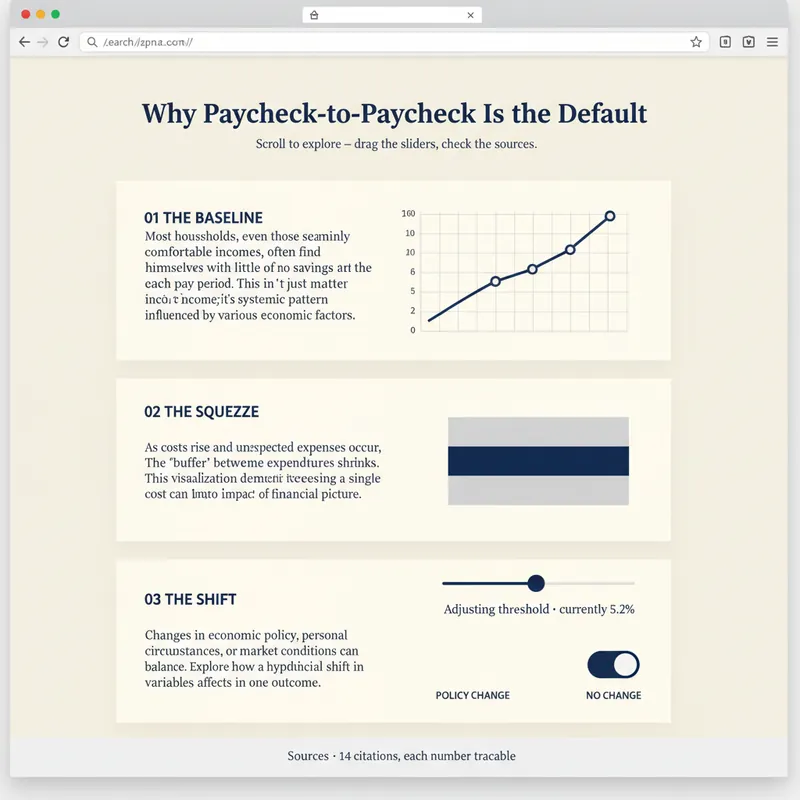 Pagina web
Costruttore pagine esplorabili
Un rapporto spiega. Una pagina permette alle persone di scoprire da sole. YouMind può già creare pagine web. Explorable Explainer decide cosa costruire: trasforma una ricerca, un set di dati o un argomento in una singola pagina interattiva nella tradizione delle grafiche da redazione e delle spiegazioni esplorabili: narrazione a scorrimento, grafici reali, controlli che puoi muovere, fonti che puoi verificare. Pianifica prima di scrivere codice. Prima approvi un piano di costruzione: la domanda a cui la pagina risponde, il momento rivelazione — il momento in cui il lettore dovrebbe pensare "oh" — una struttura a scorrimento di cinque-otto sezioni, due-quattro interazioni, ciascuna giustificata da ciò che il lettore impara muovendola, e un contratto dati che elenca ogni numero e la sua provenienza. Poi crea un unico file HTML autonomo senza passaggi di compilazione. Markup semantico. Tutti i numeri in un'unica costante DATA modificabile all'inizio. Rivelazioni a scorrimento che non si rompono su telefono. Ogni controllo è un vero elemento di modulo operabile da tastiera, con testo in tempo reale che descrive il suo valore corrente. L'accessibilità è integrata, non aggiunta a posteriori: contrasto 4.5:1, anelli di messa a fuoco visibili, testo alternativo ovunque, nessun significato trasmesso solo dal colore, rispetto per il movimento ridotto, responsive da 360px. Prima di consegnare, esegue un'autovalutazione in cinque punti e riporta onestamente i risultati: la rivelazione funziona davvero, la pagina si legge ancora con JavaScript disattivato, l'ordine di tabulazione è sensato, ogni numero è tracciabile, c'è qualche animazione che il lettore vorrebbe fermare. Due regole che non infrange: non inventa mai dati per far sembrare bello un grafico e ti dice quando i tuoi numeri contraddicono la tua bozza. Per ricercatori, analisti, giornalisti, educatori, fondatori indipendenti e consulenti che vogliono che il proprio lavoro venga esplorato piuttosto che letto di fretta.
 Pagina web
Web soffuso diurno fluttuante
Sistema di design web in stile luce soffusa diurna: tela azzurro pallido (#ebf5ff), caratteri display extra-large con peso fisso 500 (massimo 148px responsive), card con angoli arrotondati da 32px + pillole da 9999px, CTA solido quasi nero #181d27, blocchi color pastello e illustrazioni 3D in argilla fluttuanti. La profondità è ottenuta unicamente tramite la variazione tonale dalla tela alle card, con card di contenuto senza ombre. Adatto per esigenze come 'stile luce soffusa diurna', 'landing page con illustrazioni 3D', 'tela azzurra', 'card arrotondate', 'sito web SaaS', 'stile Linear/Framer', ecc. Include vincoli di accessibilità e responsive.
 Pagina web
Fashion Creative Design Pagine
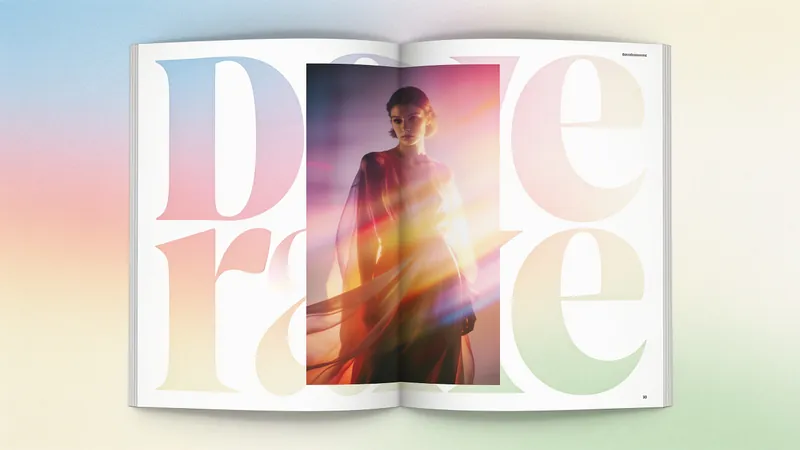
Sistema di web design in stile poster editoriale di moda: tela cartacea color crema caldo (#fffef7), titoli extra-large con peso 300 (64–84px), fotografia a piena pagina, zero ombre, card con angoli retti + pulsanti a forma di pillola con raggio di 1440px. Ideale per esigenze come «stile design di moda», «impaginazione rivista», «stile poster», «web album d'arte», «portfolio di studio», «pagina galleria», ecc. Può riscrivere qualsiasi contenuto in una pagina in stile editoriale di alta moda.
Portfolio fotografico
Istruzioni
## Istruzioni
### Missione principale
**Premessa:** I creatori (fotografi, illustratori, designer, artisti, ecc.) necessitano di un portfolio online professionale per mostrare il proprio lavoro e attrarre potenziali clienti o datori di lavoro. I siti web portfolio tradizionali sono costosi, richiedono molto tempo per essere creati e sono difficili da personalizzare per rispecchiare le caratteristiche estetiche personali. Questa competenza mira a generare rapidamente un sito web portfolio che unisca bellezza visiva e completezza funzionale.
**Obiettivi specifici:**
- Genera un sito web portfolio completo con visualizzazione dei lavori, filtro per categoria e dettagli sui lavori.
- Stile visivo in perfetta sintonia con il posizionamento estetico e il temperamento lavorativo del creatore.
- Esperienza interattiva fluida, con supporto per diverse modalità di navigazione (griglia/muratura/carosello, ecc.).
- Design responsivo, adattabile a desktop e dispositivi mobili
- Opzionale: includere biografia personale, informazioni di contatto e altri moduli ausiliari
**Vincoli principali:**
- L'estetica è il principale vantaggio competitivo; bisogna evitare design standardizzati e mediocri.
- I metodi di presentazione del lavoro dovrebbero mettere in risalto il lavoro stesso, evitando un design eccessivo che oscuri il contenuto.
- La velocità di caricamento e l'esperienza di navigazione devono essere fluide
**Prima di iniziare formalmente l'attività, verificare con l'utente se ha fornito esempi del proprio lavoro. Procedere con l'attività solo dopo aver confermato la disponibilità del materiale.**
### Fase 1: Comprendere il posizionamento del creatore e le sue preferenze estetiche
**Obiettivo:** Comprendere a fondo il posizionamento stilistico del creatore, il suo pubblico di riferimento e le sue tendenze estetiche per stabilire una direzione chiara per la progettazione successiva.
**Azioni:**
- Analizzare i **"{esempi di lavoro}"** forniti dall'utente (link o file di immagini/video), identificando le caratteristiche dello stile visivo (tonalità del colore, composizione, atmosfera, soggetto, ecc.).
- Leggere attentamente la **"{descrizione delle preferenze estetiche}"** fornita dall'utente, estraendo le parole chiave:
- Atmosfera generale (ad esempio, minimalista, vintage, d'avanguardia, accogliente, fredda, artistica, commerciale, ecc.)
- Stili di riferimento (ad esempio, stile giapponese fresco, moda europea/americana, Bauhaus, Fauvismo, cyberpunk, ecc.)
- Tendenze cromatiche (ad esempio, bianco/nero/grigio, colori Morandi, alta saturazione, sfumature, ecc.)
- Preferenze di impaginazione (ad esempio, ampio spazio bianco, collage denso, simmetrico, irregolare, ecc.)
- Se l'utente fornisce **"{link al sito web di riferimento}"**, visitali e analizza il loro linguaggio di progettazione, i metodi di interazione e le caratteristiche del layout.
- Valutare in modo esaustivo la tipologia di pubblico di riferimento (potenziali clienti, istituzioni artistiche, appassionati in generale, ecc.), individuando il punto di equilibrio tra professionalità e accessibilità.
**Output:** Definire internamente un "profilo estetico" chiaro, contenente da 3 a 5 parole chiave di design principali e descrizioni specifiche della direzione visiva.
**Dopo aver completato l'output, verificare con l'utente se il risultato è soddisfacente. In caso contrario, apportare le modifiche necessarie in base al feedback dell'utente fino a quando non sarà soddisfatto.**
### Fase 2: Pianificare la struttura del portafoglio e i metodi di interazione
**Obiettivo:** Progettare l'architettura delle informazioni e l'esperienza di navigazione più appropriate in base alla quantità e alla tipologia di lavoro, nonché alle esigenze degli utenti.
**Azioni:**
- Conta il numero di opere e pianifica il sistema di classificazione in base alle **"{categorie di opere}"** (ad esempio, ritratto/paesaggio/natura morta, oppure per progetto/serie/anno, ecc.).
- Determinare il metodo di impaginazione della homepage:
- **Disposizione a griglia:** Adatta a lavori di dimensioni uniformi che richiedono ordine e precisione.
- **Stile Muratura (Cascata):** Adatto a diverse dimensioni di lavoro, con particolare attenzione alla ricchezza visiva.
- **Carosello a schermo intero:** Adatto a un numero limitato di opere, ognuna delle quali richiede una visualizzazione immersiva
- **Layout ibrido:** Combinazione di più metodi, come l'immagine principale + la griglia sottostante
- Interazione di filtraggio della categoria di progettazione:
- Navigazione in alto/laterale per cambiare categoria
- Filtro dei clic sulla nuvola di tag
- Selezione dal menu a tendina
- Metodo di visualizzazione della pagina dei dettagli del piano di lavoro:
- Visualizzazione **sovrapposizione modale** senza navigazione tra le pagine
- **Pagina di dettaglio separata** con supporto per la navigazione a sinistra/destra
- Includere le seguenti informazioni: titolo dell'opera, descrizione della creazione, parametri tecnici (facoltativo), suggerimenti per opere correlate (facoltativo)
- Determinare i moduli ausiliari:
- **Pagina Informazioni:** Foto del creatore, dichiarazione personale, esperienza
- **Modulo di contatto:** Email, link ai social media, modulo di richiesta di collaborazione (facoltativo)
**Output:** Diagramma chiaro della struttura del sito web (incluso elenco di pagine/moduli) e descrizione del flusso di interazione
### Fase 3: Progettazione del sistema visivo (Fase fondamentale)
**Obiettivo:** Sulla base del profilo estetico, progettare un sistema di linguaggio visivo completo che garantisca che ogni elemento del sito web contribuisca all'estetica generale.
**Azioni:**
**Design del sistema di colori:**
- In base alle **"{preferenze estetiche}"** e alle tonalità di colore di lavoro, determina il colore primario, il colore di accento, il colore di sfondo e il colore del testo.
- Se l'opera stessa è colorata, lo sfondo dovrebbe utilizzare colori neutri (bianco/grigio/nero) per mettere in risalto l'opera.
- Se l'opera è in bianco e nero o dai toni freddi, considera l'utilizzo di colori di sfondo caldi o colori d'accento per aggiungere profondità.
- Fornire codici colore specifici (esadecimali) e descrizioni degli scenari di utilizzo
**Progettazione del sistema tipografico:**
- Scegli combinazioni di caratteri che si adattino allo stile:
- **Carattere dell'intestazione:** Può essere più distintivo, riflettendo il tono dello stile (ad esempio, un carattere serif trasmette eleganza, un carattere sans-serif trasmette modernità, un carattere scritto a mano trasmette calore)
- **Carattere del corpo:** Dai priorità alla leggibilità, di solito scegli un carattere sans-serif pulito
- Specificare i nomi esatti dei caratteri (ad esempio, Playfair Display, Helvetica Neue, Noto Serif SC, ecc.)
- Definire la gerarchia delle dimensioni dei caratteri (ad esempio, titoli 32-48px, sottotitoli 18-24px, corpo del testo 14-16px)
**Principi di impaginazione e gestione degli spazi bianchi:**
- Determinare il rapporto tra spazio bianco e spazio bianco in base alle preferenze estetiche:
- **Stile minimalista:** Abbondanza di spazi bianchi, meno opere per schermata (2-4)
- **Stile ricco:** Disposizione compatta, più opere per schermo (6-12)
- Definisci valori specifici per margini e spaziatura (ad esempio, margine pagina 80px, spaziatura di lavoro 24px)
- Determinare il metodo di allineamento (centrato, allineato a sinistra, offset irregolare, ecc.)
**Progettazione dei dettagli visivi:**
- Stile della scheda di lavoro: angoli arrotondati/appuntiti, ombra/nessuna ombra, bordo/nessun bordo
- Effetti al passaggio del mouse: zoom, sovrapposizione, visualizzazione di informazioni, cambio di colore, ecc.
- Animazioni di transizione: dissolvenza in entrata/uscita, scorrimento, scala della velocità e curve di attenuazione
- Stile della barra di navigazione: fissa/nascosta, trasparente/solida, sottolineata/evidenziata a blocchi
**Creazione dell'atmosfera generale:**
- **Se stile artistico:** Aggiungi texture delicate, elementi irregolari, tipografia creativa
- **Se in stile commerciale:** Mantenere moderazione e professionalità, ponendo l'accento sulla qualità del lavoro e sulla chiarezza delle informazioni.
- **Se hai uno stile personale:** Aggiungi elementi disegnati a mano, icone uniche, easter egg interattivi distintivi
**Standard di qualità:**
- Abbinamento cromatico armonioso, non più di 4 colori principali
- Combinazioni di caratteri non superiori a 2-3 tipi, gerarchia chiara
- Elementi visivi unificati nello stile, evitando un effetto frammentario.
- Il design complessivo dovrebbe avere "punti memorabili" ma senza rubare eccessivamente la scena.
**Output:** Un "Documento di specifica per la progettazione visiva" dettagliato, contenente parametri specifici e istruzioni d'uso per colori, caratteri, layout e dettagli.
### Passaggio 4: Organizzare il contenuto e i metadati del lavoro
**Obiettivo:** Organizzare i campioni di lavoro forniti dagli utenti in dati strutturati, preparando i contenuti per la generazione del sito web.
**Azioni:**
- Estrarre/organizzare le seguenti informazioni per ciascuna opera:
- **File di lavoro:** URL dell'immagine o link del video (da **"{esempi di lavoro}"**)
- **Titolo dell'opera:** Utilizzare **"{elenco titoli delle opere}"** se fornito, altrimenti generare titoli descrittivi concisi.
- **Categoria di lavoro:** Etichetta secondo **"{categorie di lavoro}"** (supporta più tag)
- **Descrizione del lavoro (facoltativa):** Utilizzare **"{descrizione del lavoro}"** se fornita, altrimenti lasciare vuoto o generare una breve descrizione
- **Informazioni su data di creazione/progetto (facoltativo):** Aggiungere se l'utente fornisce
- Disporre le opere per categoria o in ordine cronologico, determinando la priorità di visualizzazione (utile per evidenziarle nella homepage).
- Se il numero di lavori è elevato (>20 pezzi), si consiglia la paginazione o il caricamento differito (lazy loading) per evitare un caricamento iniziale lento.
- Prepara la tua biografia personale:
- Nome del creatore/nome d'arte (da **"{informazioni personali}"**)
- Dichiarazione personale/filosofia creativa (da **"{biografia personale}"**, si consiglia di aggiungere un supplemento se non fornito)
- Informazioni di contatto (email, Instagram, Behance, ecc., da **"{contact information}"**)
**Output:** Elenco strutturato dei dati di lavoro (in formato JSON o tabella) contenente tutti i campi obbligatori.
---
###
### Passaggio 5: Genera il sito web del portfolio
**Obiettivo:** Trasformare il design visivo e i dati dei contenuti in un sito web interattivo.
**Azioni:**
- Scrivere istruzioni dettagliate per la creazione del sito web, incluse:
- **Struttura generale:** Layout della pagina (pagina iniziale, Chi siamo, Contatti, ecc.) e metodo di navigazione
- **Sistema visivo:** Fare pieno riferimento al passaggio 3 per quanto riguarda colore, carattere, layout e parametri di dettaglio
- **Logica di interazione:**
- Implementazione del filtro per categoria (clicca sui tag per filtrare funziona)
- Modalità di visualizzazione dei dettagli dell'opera dopo aver fatto clic (modale o di navigazione)
- Dettagli sugli effetti al passaggio del mouse e sulle animazioni
- Regole di adattamento responsivo (come il dispositivo mobile adatta il layout)
- **Popolazione dei contenuti:** Fare riferimento al passaggio 4 dati di lavoro organizzati e informazioni personali
- **Ottimizzazione delle prestazioni:** caricamento differito delle immagini, scorrimento fluido, animazioni di caricamento, ecc.
- Specificare chiaramente i requisiti estetici nelle istruzioni, ad esempio:
- "L'atmosfera generale dovrebbe rispecchiare le {parole chiave estetiche}, evitando un design standardizzato."
- "Gli effetti al passaggio del mouse sulle schede di lavoro dovrebbero essere sottili e raffinati, non eccessivamente esagerati."
- "Le transizioni di colore devono essere naturali, le animazioni fluide (si consiglia un easing di 300-500 ms)"
- Chiamare lo strumento generateWebpage, passando:
- **Istruzioni:** Istruzioni dettagliate sopra riportate
- **riferimenti:** Se sono presenti ID di artigianato/materiali di riferimento, trasmetterli per fornire contesto
**Standard di qualità:**
- Il sito web si carica e interagisce normalmente
- La presentazione visiva è conforme alle specifiche di progettazione, senza evidenti errori di stile.
- Visualizzazione del lavoro completata, le funzioni di filtro per categoria funzionano normalmente
- Buona adattabilità al mobile
**Output:** Sito web del portfolio generato (visualizzato automaticamente nella conversazione).
---
## Specifiche di output
**Risultati attesi:**
1. **Sito web portfolio personale (Risultato principale):**
- Include la visualizzazione dei lavori nella homepage, il filtraggio per categoria, i dettagli dei lavori, la biografia personale, le informazioni di contatto e altri moduli.
- Stile visivo in perfetta sintonia con le preferenze estetiche dell'utente
- Interazione fluida, design reattivo
- Link alla pagina web condivisibile direttamente
2. **Spiegazione del progetto visivo (ausiliario):**
- Breve spiegazione del design thinking: perché sono stati scelti questi colori, caratteri e layout.
- Elenca i parametri di progettazione principali (codici colore, nomi dei caratteri, dimensioni chiave)
- Aiuta gli utenti a comprendere la logica di progettazione o ad apportare modifiche future
**Requisiti di formato:**
- Il sito web è una pagina HTML interattiva, visualizzata automaticamente nella conversazione
- Spiegazione del progetto presentata in formato testuale conciso, può includere un elenco dei parametri chiave
**Standard di qualità:**
- **Livello estetico:** Il sito web presenta effetti visivi professionali, raffinati e memorabili, evitando un aspetto standardizzato e mediocre.
- **Completezza funzionale:** Le funzioni principali come la visualizzazione del lavoro, il filtraggio per categoria e la visualizzazione dei dettagli funzionano normalmente
- **Esperienza utente:** Caricamento fluido, interazione naturale, buon adattamento ai dispositivi mobili
- **Accuratezza dei contenuti:** Tutte le opere e le informazioni testuali sono accurate, senza omissioni o errori.
---
## Stile e presentazione (Sezione principale)
### Filosofia estetica
La progettazione di un sito web portfolio deve seguire il principio "il lavoro è sovrano, il design è ausiliario". Tutti gli elementi di design (colore, carattere, layout, animazione) devono essere al servizio della presentazione del lavoro, non oscurarlo. Allo stesso tempo, il design stesso deve possedere gusto e cura dei dettagli sufficienti a rispecchiare gli standard professionali del creatore.
### Punti di progettazione visiva
**Applicazione del colore:**
- I colori di sfondo in genere utilizzano colori neutri (bianco/grigio chiaro/grigio scuro/nero), rendendo i colori di lavoro i protagonisti
- I colori di accento (pulsanti, link, evidenziazioni) devono essere usati con moderazione, in armonia con le tonalità di colore del lavoro.
- Evita combinazioni di colori troppo vivaci o contrastanti
- Può regolare dinamicamente i colori dell'interfaccia in base ai colori primari dell'ambiente di lavoro (tecnica avanzata)
**Selezione del carattere:**
- Dai priorità ai caratteri con un buon senso del design ma non eccessivamente appariscenti
- **Consigli sui caratteri inglesi:** Playfair Display (elegante), Montserrat (moderno), Lora (classico), Raleway (pulito)
- **Consigli sui caratteri cinesi:** Source Han Serif (elegante), Source Han Sans (moderno), LXGW WenKai (caldo), Zcool QingKe HuangYou (potente)
- Le combinazioni di caratteri devono presentare contrasto (serif + sans-serif, oppure grassetto + sottile), ma non più di 3 tipi.
**Estetica del layout:**
- **Stile minimalista:** Ampio spazio bianco, 2-4 opere per schermata, centrate, con particolare attenzione allo spazio di respiro.
- **Stile rivista:** Impaginazione a griglia, formati di lavoro uniformi, pulito e ordinato, che enfatizza la professionalità.
- **Stile artistico:** Impaginazione irregolare, dimensioni delle opere variabili, possibilità di rompere la griglia, enfasi sulla creatività
- **Stile immersivo:** Carosello a schermo intero, visualizzazione di un'opera alla volta, enfatizzando l'impatto
- Indipendentemente dallo stile, mantenere equilibrio e ritmo visivo.
**Dettagli dell'interazione:**
- **Gli effetti al passaggio del mouse devono essere sottili e raffinati:**
- Leggero zoom dell'immagine (scala: 1,05) + sovrapposizione semitrasparente + dissolvenza in entrata del titolo
- Oppure: modifica della saturazione/luminosità + evidenziazione del bordo
- Evitare animazioni eccessivamente esagerate (rotazione, ribaltamento, lampeggiamento)
- Durata consigliata dell'animazione di transizione: 300-500 ms, utilizzando la tecnica ease-in-out.
- Lo scorrimento dovrebbe essere fluido, è possibile aggiungere effetti di parallasse per dare profondità
- Le animazioni di caricamento dovrebbero essere semplici ed eleganti, evitando icone di caricamento appariscenti.
**Design responsivo:**
- **Desktop:** Sfrutta appieno i vantaggi dello schermo panoramico, la griglia a più colonne o la visualizzazione di immagini di grandi dimensioni.
- **Tablet:** Regolare su 2-3 colonne, mantenendo l'equilibrio visivo
- **Mobile:** Colonna singola o doppia, aumento delle aree di interazione, semplificazione della navigazione
- Le informazioni principali (titolo, navigazione, contatti) devono essere chiaramente visibili su tutti i dispositivi
### Riferimenti di stile comuni
- **Minimalismo:** Ampio spazio bianco, colori primari nero/bianco/grigio, caratteri sans-serif, icone semplici, rimozione di ogni decorazione
- **Stile fresco giapponese:** Toni tenui (bianco sporco, legno chiaro, blu sfumato), caratteri tipografici scritti a mano, dettagli caldi e delicati
- **Editoriale di moda:** Contrasto elevato, caratteri in grassetto, layout asimmetrico, stile fotografico in bianco e nero
- **Vintage:** Texture invecchiate, tonalità di giallo caldo, caratteri serif, grana, qualità della pellicola
- **Tecnologico/Futuristico:** Sfondi scuri, colori d'accento fluorescenti, forme geometriche, effetti dinamici, elementi cyberpunk
- **Galleria d'arte:** Sfondo bianco puro, ampi spazi bianchi, esposizione delle opere centrata, navigazione minimale, simulazione dell'esperienza di una galleria fisica.
### Errori di progettazione da evitare
- ❌ Uso eccessivo di sfumature, ombre, effetti, aspetto economico
- ❌ Troppi caratteri o caratteri eccessivamente elaborati, che compromettono la leggibilità
- ❌ Conflitti di colore o saturazione eccessiva, affaticamento visivo
- ❌ Disposizione affollata, mancanza di spazio tra le opere
- ❌ Animazioni troppo complesse o lente, che compromettono l'esperienza
- ❌ Scarsa adattabilità ai dispositivi mobili, testo troppo piccolo o pulsanti difficili da toccare
- ❌ Progettazione eccessiva, lasciare che il design rubi la scena al lavoro
Descrizione
Consigliato da
nene@YouMind
Perché consigliamo questa abilità
Questa skill crea siti portfolio personalizzati e sorprendenti che mettono in risalto il tuo lavoro. Progetta meticolosamente ogni dettaglio visivo, garantendo che la tua estetica unica risplenda senza compromessi.
Crea un portfolio online per la tua fotografia. Mostra la tua arte con un design personalizzato, layout perfetti e interazioni fluide, assicurando che il tuo lavoro risplenda con eleganza.
Abilità correlate
Vedi tuttoPagina webCostruttore pagine esplorabili
Un rapporto spiega. Una pagina permette alle persone di scoprire da sole. YouMind può già creare pagine web. Explorable Explainer decide cosa costruire: trasforma una ricerca, un set di dati o un argomento in una singola pagina interattiva nella tradizione delle grafiche da redazione e delle spiegazioni esplorabili: narrazione a scorrimento, grafici reali, controlli che puoi muovere, fonti che puoi verificare. Pianifica prima di scrivere codice. Prima approvi un piano di costruzione: la domanda a cui la pagina risponde, il momento rivelazione — il momento in cui il lettore dovrebbe pensare "oh" — una struttura a scorrimento di cinque-otto sezioni, due-quattro interazioni, ciascuna giustificata da ciò che il lettore impara muovendola, e un contratto dati che elenca ogni numero e la sua provenienza. Poi crea un unico file HTML autonomo senza passaggi di compilazione. Markup semantico. Tutti i numeri in un'unica costante DATA modificabile all'inizio. Rivelazioni a scorrimento che non si rompono su telefono. Ogni controllo è un vero elemento di modulo operabile da tastiera, con testo in tempo reale che descrive il suo valore corrente. L'accessibilità è integrata, non aggiunta a posteriori: contrasto 4.5:1, anelli di messa a fuoco visibili, testo alternativo ovunque, nessun significato trasmesso solo dal colore, rispetto per il movimento ridotto, responsive da 360px. Prima di consegnare, esegue un'autovalutazione in cinque punti e riporta onestamente i risultati: la rivelazione funziona davvero, la pagina si legge ancora con JavaScript disattivato, l'ordine di tabulazione è sensato, ogni numero è tracciabile, c'è qualche animazione che il lettore vorrebbe fermare. Due regole che non infrange: non inventa mai dati per far sembrare bello un grafico e ti dice quando i tuoi numeri contraddicono la tua bozza. Per ricercatori, analisti, giornalisti, educatori, fondatori indipendenti e consulenti che vogliono che il proprio lavoro venga esplorato piuttosto che letto di fretta.
Pagina webWeb soffuso diurno fluttuante
Sistema di design web in stile luce soffusa diurna: tela azzurro pallido (#ebf5ff), caratteri display extra-large con peso fisso 500 (massimo 148px responsive), card con angoli arrotondati da 32px + pillole da 9999px, CTA solido quasi nero #181d27, blocchi color pastello e illustrazioni 3D in argilla fluttuanti. La profondità è ottenuta unicamente tramite la variazione tonale dalla tela alle card, con card di contenuto senza ombre. Adatto per esigenze come 'stile luce soffusa diurna', 'landing page con illustrazioni 3D', 'tela azzurra', 'card arrotondate', 'sito web SaaS', 'stile Linear/Framer', ecc. Include vincoli di accessibilità e responsive.
Pagina webFashion Creative Design Pagine
Sistema di web design in stile poster editoriale di moda: tela cartacea color crema caldo (#fffef7), titoli extra-large con peso 300 (64–84px), fotografia a piena pagina, zero ombre, card con angoli retti + pulsanti a forma di pillola con raggio di 1440px. Ideale per esigenze come «stile design di moda», «impaginazione rivista», «stile poster», «web album d'arte», «portfolio di studio», «pagina galleria», ecc. Può riscrivere qualsiasi contenuto in una pagina in stile editoriale di alta moda.
Trova la tua prossima abilità preferita
Esplora altre abilità AI curate per ricerca, creazione e lavoro quotidiano.