Crea note a fumetti curativi
Descrizione
Per i creatori di contenuti social, genera automaticamente contenuti visivi e testuali in stile curativo per Xiaohongshu. Inserisci un argomento e ottieni in un clic un'immagine 3:4 con fumetti e nuvolette, insieme al testo abbinato. ## Passo 1: Analisi dell'argomento e definizione dello stile Analizza l'argomento inserito, estrae parole chiave e tono emotivo, determina la tipologia di scena (vita quotidiana/paesaggio naturale/animali domestici/cibo/momenti di solitudine, ecc.), definisce la temperatura visiva (toni caldi: arancio/giallo caldo vs toni freschi: blu/verde chiaro) e la profondità emotiva (leggero relax/empatia profonda). **Cose da evitare**: Non analizzare contenuti commerciali o orientati alle vendite; evitare toni horror, thriller, negativi o eccessivamente tristi. ## Passo 2: Progettazione dell'immagine e generazione Usa lo strumento imageGenerate per creare un'immagine a fumetti curativa in formato 3:4. Il prompt deve includere: stile fumetto curativo, tonalità morbide, composizione semplice, spazio vuoto adeguato, nuvoletta di fumetto (testo breve e caldo di 2-10 caratteri all'interno). Imposta la qualità su high. **Requisiti chiave**: L'immagine deve essere in formato 3:4, stile fumetto, tonalità morbide, con nuvoletta. ## Passo 3: Creazione del testo Scrivi il contenuto per Xiaohongshu, includendo: titolo (con emoji, 15-20 caratteri), corpo testo (in base alla profondità emotiva: argomenti leggeri fino a 50 caratteri, argomenti narrativi 100-200 caratteri), e 5 hashtag pertinenti (formato #hashtag). **Requisiti del testo**: Prima persona, tono caldo e morbido, evitare linguaggio commerciale o didattico, alla fine può includere un leggero invito all'interazione. **Formato di output**: [Titolo] [Corpo testo] #[Tag1] #[Tag2] #[Tag3] #[Tag4] #[Tag5] ## Passo 4: Output integrato Combina l'immagine generata e il testo per presentare un piano completo di contenuti per Xiaohongshu. --- **Configurazione strumenti**: imageGenerate (genera immagini a fumetti in formato 3:4) **Suggerimenti d'uso**: 1. Più specifico è l'argomento, più preciso sarà l'output. 2. Puoi aggiungere preferenze di stile, ad esempio 'voglio toni caldi'. 3. Lo stesso argomento può essere usato più volte per ottenere contenuti da diverse angolazioni. **Suggerimenti per i test**: - Scenario standard: inserisci 'Momenti di relax nel weekend' → genera fumetto caldo/fresco + testo curativo + 5 tag. - Caso limite: inserisci un argomento negativo → viene automaticamente convertito in una direzione positiva e curativa.
Abilità correlate
Vedi tutto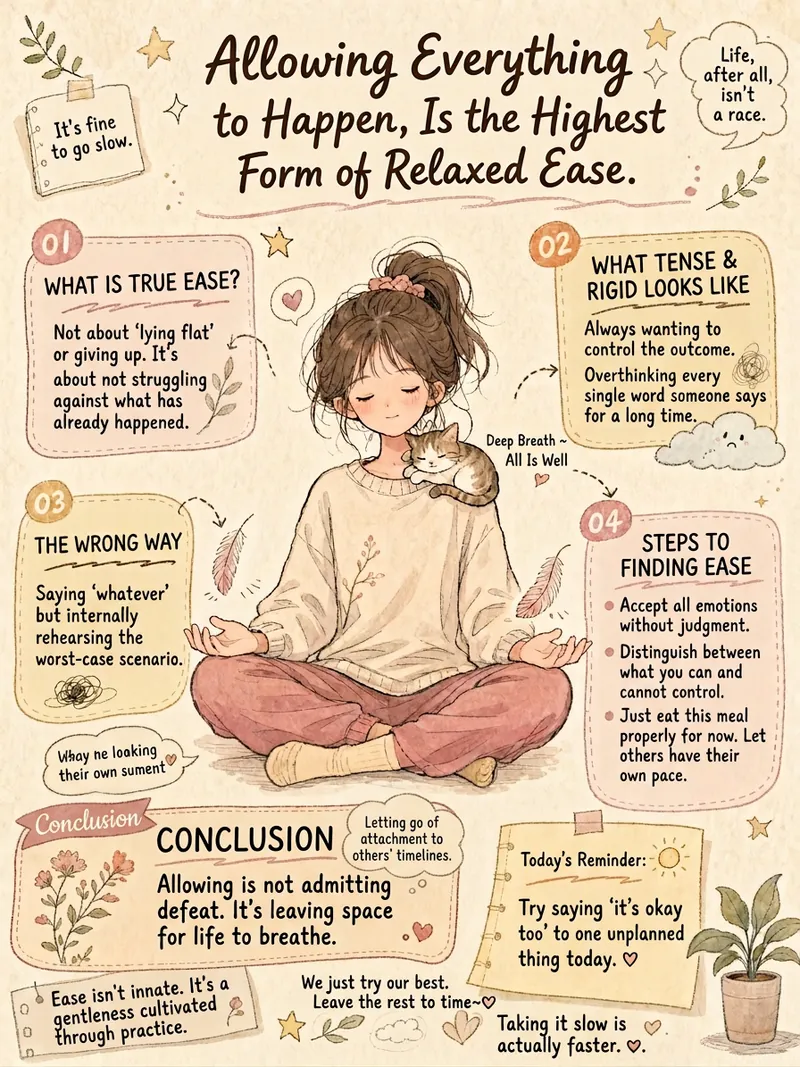
Generatore di infografiche cura
Vuoi trasformare i tuoi contenuti testuali in infografiche calde e artistiche? Questo generatore di infografiche curative trasforma automaticamente vari tipi di testo – come frasi motivazionali, annunci di gruppo, divulgazione scientifica o riflessioni personali – in bellissime infografiche disegnate a mano. Adatta intelligentemente il layout in base al tuo contenuto, sia esso riflessivo, informativo, divulgativo o narrativo, per garantire il miglior risultato visivo. Ci concentriamo sulla creazione di un'esperienza visiva unica per te. Ogni infografica utilizza texture di carta vintage, una tavolozza di colori Morandi a bassa saturazione, e fonde lo stile morbido dei fumetti giapponesi con il disegno a mano cinese. Le immagini includono personaggi vivaci e metafore visive pertinenti al tema, con una formattazione a più colonne simile a un diario personale, per presentare chiaramente le informazioni chiave. Un mix di caratteri scritti a mano e stampati crea un'atmosfera calda e artistica. Basta inserire il tuo testo e il generatore estrae automaticamente i concetti principali, progetta metafore visive personalizzate e sceglie la combinazione di colori più armoniosa in base al tono emotivo. Alla fine, otterrai un'infografica disegnata a mano dal design elegante, dai colori morbidi e dalla comunicazione chiara, che trasmetterà il tuo messaggio nel modo più bello.
 Immagine
Infografica di gatti carini
Trasforma un articolo o un testo esistente in una serie di infografiche verticali a tema gatti carini, adatte alla lettura su smartphone. La skill estrae prima l'argomento centrale e i punti chiave, suddivide le pagine secondo logiche come progressione, parallelismo, passi o linea temporale, e pianifica per ogni pagina titoli accattivanti, scene specifiche e citazioni incisive, rendendo il contenuto complesso chiaro, comprensibile e facile da consultare. Per impostazione predefinita genera circa 6 pagine, ma adatta la lunghezza in base al contenuto e alle esigenze. Tutte le immagini utilizzano una composizione verticale uniforme 9:16, con carta vecchia color crema, colori retrò a bassa saturazione, acquerello, matite colorate e linee a inchiostro disegnate a mano per creare un effetto di collage da journal. Tre gatti antropomorfi, vestiti con abiti avventurosi in stile nuova Cina, attraversano l'intera opera, interpretando il tema dell'articolo attraverso azioni, espressioni e oggetti di scena, accompagnati da decorazioni come note adesive, nastro adesivo decorativo, graffette e frecce disegnate a mano, mantenendo coerenza di personaggi, colori e layout tra le pagine. Ogni pagina cura lo spazio bianco, la gerarchia testuale e la leggibilità su mobile. Il risultato finale è un'infografica verticale continua e completa, organizzata in un documento di riepilogo per una facile consultazione, con tutte le pagine, i titoli e le citazioni chiave. Adatto per trasformare condivisione di conoscenze, stile di vita, guarigione emotiva, esperienze di crescita, punti di vista scientifici o testi di marca in infografiche narrative e facilmente condivisibili.
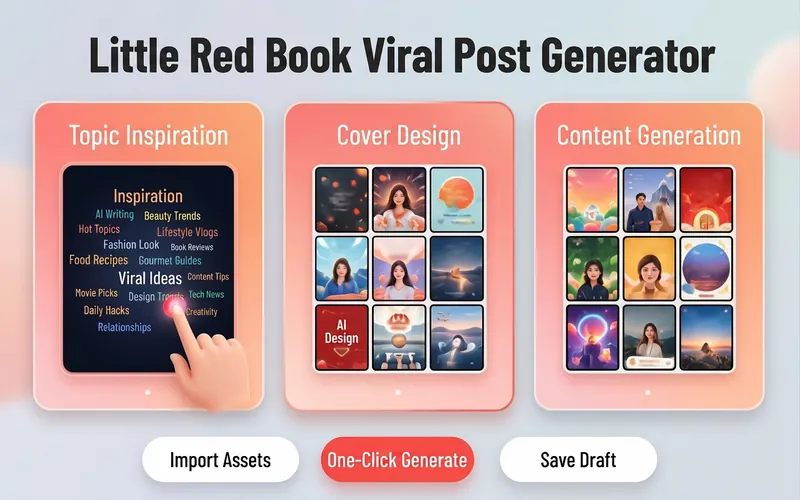
Generatore virale Xiaohongshu
Vuoi ottenere più traffico e interazioni su Xiaohongshu? Questo strumento offre ai creatori di contenuti una soluzione completa per pianificare post virali con immagini e testo, migliorando la qualità delle tue note: dai titoli accattivanti alla scrittura di testi strutturati. Ti basta inserire il tuo tema creativo o le informazioni sul prodotto e riceverai contenuti personalizzati di alto valore in linea con lo stile della piattaforma. Sul piano visivo, progetta testi di copertina sintetici ed efficaci e suggerisce diversi stili visivi, come testi in grande formato, presenza di persone, primi piani del prodotto e uno stile minimalista e fresco. Inoltre, abbina automaticamente più formule di titoli virali in base al tipo di contenuto, che si tratti di elenchi numerici o di contenuti emozionali, per raggiungere con precisione il pubblico di riferimento. Per la creazione dei testi, supporta diversi modelli professionali: condivisione di contenuti utili, recensioni di prodotti, guide e tutorial, esperienze di visita ai locali. Grazie a una formattazione strutturata in paragrafi, all'uso appropriato di emoji e a una strategia di hashtag mirata per ogni settore, i tuoi contenuti saranno sia utili che piacevoli da leggere. Che si tratti di bellezza e moda, cibo e locali o crescita professionale, potrai facilmente creare note di qualità con molti like e salvataggi.
Crea note a fumetti curativi
Descrizione
Per i creatori di contenuti social, genera automaticamente contenuti visivi e testuali in stile curativo per Xiaohongshu. Inserisci un argomento e ottieni in un clic un'immagine 3:4 con fumetti e nuvolette, insieme al testo abbinato. ## Passo 1: Analisi dell'argomento e definizione dello stile Analizza l'argomento inserito, estrae parole chiave e tono emotivo, determina la tipologia di scena (vita quotidiana/paesaggio naturale/animali domestici/cibo/momenti di solitudine, ecc.), definisce la temperatura visiva (toni caldi: arancio/giallo caldo vs toni freschi: blu/verde chiaro) e la profondità emotiva (leggero relax/empatia profonda). **Cose da evitare**: Non analizzare contenuti commerciali o orientati alle vendite; evitare toni horror, thriller, negativi o eccessivamente tristi. ## Passo 2: Progettazione dell'immagine e generazione Usa lo strumento imageGenerate per creare un'immagine a fumetti curativa in formato 3:4. Il prompt deve includere: stile fumetto curativo, tonalità morbide, composizione semplice, spazio vuoto adeguato, nuvoletta di fumetto (testo breve e caldo di 2-10 caratteri all'interno). Imposta la qualità su high. **Requisiti chiave**: L'immagine deve essere in formato 3:4, stile fumetto, tonalità morbide, con nuvoletta. ## Passo 3: Creazione del testo Scrivi il contenuto per Xiaohongshu, includendo: titolo (con emoji, 15-20 caratteri), corpo testo (in base alla profondità emotiva: argomenti leggeri fino a 50 caratteri, argomenti narrativi 100-200 caratteri), e 5 hashtag pertinenti (formato #hashtag). **Requisiti del testo**: Prima persona, tono caldo e morbido, evitare linguaggio commerciale o didattico, alla fine può includere un leggero invito all'interazione. **Formato di output**: [Titolo] [Corpo testo] #[Tag1] #[Tag2] #[Tag3] #[Tag4] #[Tag5] ## Passo 4: Output integrato Combina l'immagine generata e il testo per presentare un piano completo di contenuti per Xiaohongshu. --- **Configurazione strumenti**: imageGenerate (genera immagini a fumetti in formato 3:4) **Suggerimenti d'uso**: 1. Più specifico è l'argomento, più preciso sarà l'output. 2. Puoi aggiungere preferenze di stile, ad esempio 'voglio toni caldi'. 3. Lo stesso argomento può essere usato più volte per ottenere contenuti da diverse angolazioni. **Suggerimenti per i test**: - Scenario standard: inserisci 'Momenti di relax nel weekend' → genera fumetto caldo/fresco + testo curativo + 5 tag. - Caso limite: inserisci un argomento negativo → viene automaticamente convertito in una direzione positiva e curativa.
Abilità correlate
Vedi tuttoGeneratore di infografiche cura
Vuoi trasformare i tuoi contenuti testuali in infografiche calde e artistiche? Questo generatore di infografiche curative trasforma automaticamente vari tipi di testo – come frasi motivazionali, annunci di gruppo, divulgazione scientifica o riflessioni personali – in bellissime infografiche disegnate a mano. Adatta intelligentemente il layout in base al tuo contenuto, sia esso riflessivo, informativo, divulgativo o narrativo, per garantire il miglior risultato visivo. Ci concentriamo sulla creazione di un'esperienza visiva unica per te. Ogni infografica utilizza texture di carta vintage, una tavolozza di colori Morandi a bassa saturazione, e fonde lo stile morbido dei fumetti giapponesi con il disegno a mano cinese. Le immagini includono personaggi vivaci e metafore visive pertinenti al tema, con una formattazione a più colonne simile a un diario personale, per presentare chiaramente le informazioni chiave. Un mix di caratteri scritti a mano e stampati crea un'atmosfera calda e artistica. Basta inserire il tuo testo e il generatore estrae automaticamente i concetti principali, progetta metafore visive personalizzate e sceglie la combinazione di colori più armoniosa in base al tono emotivo. Alla fine, otterrai un'infografica disegnata a mano dal design elegante, dai colori morbidi e dalla comunicazione chiara, che trasmetterà il tuo messaggio nel modo più bello.
ImmagineInfografica di gatti carini
Trasforma un articolo o un testo esistente in una serie di infografiche verticali a tema gatti carini, adatte alla lettura su smartphone. La skill estrae prima l'argomento centrale e i punti chiave, suddivide le pagine secondo logiche come progressione, parallelismo, passi o linea temporale, e pianifica per ogni pagina titoli accattivanti, scene specifiche e citazioni incisive, rendendo il contenuto complesso chiaro, comprensibile e facile da consultare. Per impostazione predefinita genera circa 6 pagine, ma adatta la lunghezza in base al contenuto e alle esigenze. Tutte le immagini utilizzano una composizione verticale uniforme 9:16, con carta vecchia color crema, colori retrò a bassa saturazione, acquerello, matite colorate e linee a inchiostro disegnate a mano per creare un effetto di collage da journal. Tre gatti antropomorfi, vestiti con abiti avventurosi in stile nuova Cina, attraversano l'intera opera, interpretando il tema dell'articolo attraverso azioni, espressioni e oggetti di scena, accompagnati da decorazioni come note adesive, nastro adesivo decorativo, graffette e frecce disegnate a mano, mantenendo coerenza di personaggi, colori e layout tra le pagine. Ogni pagina cura lo spazio bianco, la gerarchia testuale e la leggibilità su mobile. Il risultato finale è un'infografica verticale continua e completa, organizzata in un documento di riepilogo per una facile consultazione, con tutte le pagine, i titoli e le citazioni chiave. Adatto per trasformare condivisione di conoscenze, stile di vita, guarigione emotiva, esperienze di crescita, punti di vista scientifici o testi di marca in infografiche narrative e facilmente condivisibili.
Generatore virale Xiaohongshu
Vuoi ottenere più traffico e interazioni su Xiaohongshu? Questo strumento offre ai creatori di contenuti una soluzione completa per pianificare post virali con immagini e testo, migliorando la qualità delle tue note: dai titoli accattivanti alla scrittura di testi strutturati. Ti basta inserire il tuo tema creativo o le informazioni sul prodotto e riceverai contenuti personalizzati di alto valore in linea con lo stile della piattaforma. Sul piano visivo, progetta testi di copertina sintetici ed efficaci e suggerisce diversi stili visivi, come testi in grande formato, presenza di persone, primi piani del prodotto e uno stile minimalista e fresco. Inoltre, abbina automaticamente più formule di titoli virali in base al tipo di contenuto, che si tratti di elenchi numerici o di contenuti emozionali, per raggiungere con precisione il pubblico di riferimento. Per la creazione dei testi, supporta diversi modelli professionali: condivisione di contenuti utili, recensioni di prodotti, guide e tutorial, esperienze di visita ai locali. Grazie a una formattazione strutturata in paragrafi, all'uso appropriato di emoji e a una strategia di hashtag mirata per ogni settore, i tuoi contenuti saranno sia utili che piacevoli da leggere. Che si tratti di bellezza e moda, cibo e locali o crescita professionale, potrai facilmente creare note di qualità con molti like e salvataggi.
Trova la tua prossima abilità preferita
Esplora altre abilità AI curate per ricerca, creazione e lavoro quotidiano.