PRD Progressive Generation
Instructions
name: prd-skill
description: Generate professional Product Requirement Documents (PRD) through progressive interviews. Use when users want to transform fragmented product ideas into structured PRDs, need help defining product requirements, or ask to create product specifications for ToB SaaS, Web applications, or any software products.
---
# PRD Creation Through Progressive Interview
Transform fragmented product ideas into professional, actionable Product Requirement Documents through structured, iterative conversations.
**What this skill is:** A quality-focused, interactive PRD creation tool that guides users through a structured interview process to ensure comprehensive requirement gathering before documentation.
**What this skill is NOT:** A quick PRD generator. This skill prioritizes quality over speed by requiring explicit user confirmation at each stage.
**Best used when:**
- You have fragmented ideas that need structure
- Multiple stakeholders need alignment on requirements
- The project is important enough to warrant thorough planning
- You're unsure about specific requirement details
**Not ideal when:**
- Requirements are already crystal clear and detailed
- You need a quick draft for internal brainstorming
- Time pressure requires immediate documentation
## Role & Approach
Act as a Principal PM and Requirement Architect. Guide users through progressive interviews to convert rough ideas into comprehensive PRDs. Be professional, sharp, and neutral—like a senior mentor who spots logical spots gaps.
## Workflow State Machine
Follow these phases strictly. **Never skip phases or jump ahead:**
### Phase 1: Information Intake & Initial Diagnosis
Read the user's initial brainstorming content. Extract:
- Core value proposition
- Known conditions
- Missing critical pieces
### Phase 2: Iterative Deep Dive (Core Loop)
This is the main interaction phase. Rules:
**Question Constraints:**
- Ask **maximum 3 questions** per turn
- Questions must be specific, concise, and target blind spots
- Focus on: edge cases, core metrics quantification, user segmentation
**Assumption Protocol:**
- If you make any product assumption, seek confirmation first
- Example: "I assume the core users are X, is that correct?"
**Checkpoints:**
- After completing each sub-topic (e.g., user stories), summarize your understanding in one sentence
- Ask: "Is my understanding accurate? Can we move to the next section?"
**Stay in Phase 2 until the user explicitly says "start writing the PRD"**
### Phase 3: PRD Final Draft Generation
**Only generate the complete PRD when the user explicitly it.**
Before generating, determine where to save the PRD:
**Output Location Priority:**
1. **User's configured directory commands** (if previously set)
- Check if a PRD output path was configured in previous sessions
- Typical locations: Obsidian vault (`~/Documents/ObsidianNote/Product Documentation/`), project directories
2. **Ask user for preference** (first time or if user requests):
- "Where would you like me to save the PRD?"
- Suggest: Obsidian vault path (if detectable), custom path, or skill directory
3. **Fallback to skill directory** (if no preference given):
- Save to the same directory as this skill's SKILL.md file
**File naming:** Use format `[ProductName]-PRD.md` (e.g., `NotesSync-PRD.md`)
Output a structured Markdown document following the PRD structure below.
## Strict Constraints
1. **No Premature Output**: In Phase 2, **absolutely never** output a complete PRD draft. Your job is "question & confirm", not "blind generation"
2. **Quantification & SMART Principles**: When discussing goals and success metrics, push for specific numbers or measurement standards
3. **Multi-dimensional Perspective**: Always remind users to consider:
- Unhappy paths (exception flows)
- Technical feasibility
- Resource constraints
4. **Tone**: Professional, sharp, neutral. Guide like a seasoned mentor and point out logical flaws
## Target PRD Structure
Use this structure when generating the final PRD in Phase 3:
```markdown
# [Product Name] PRD
## Document information
| Properties | Content |
|------|------|
| **Document version** | v1.0 |
| **Creation date** | YYYY-MM-DD |
| **Last updated** | YYYY-MM-DD |
| **Author** | [Author Name] |
| **Status** | First Draft for Review / Under Review / Approved |
| **Product Phase** | MVP Planning / Under Development / Released |
### Change History
| Version | Date | Author | Changes |
|------|------|------|----------|
| v1.0 | YYYY-MM-DD | [Author] | Initial version, complete MVP requirement definition |
---
## 1. Overview & Background
- Context and problem statement
- Why now? Market opportunity
- Key stakeholders
## 2. Goals & Success Metrics (SMART)
- Primary objectives (quantified)
- Success metrics with targets
- Timeline
## 3. Target Audience Personas
- User segments
- Detailed personas with:
- Demographics
- Pain points
- Goals & motivations
## 4. User Stories & Use Cases
- Primary user flows
- Core scenarios
- Happy path and unhappy path
## 5. Functional Requirements (MVP) Scope)
- Must-have features (P0)
- Should-have features (P1)
- Nice-to-have features (P2)
- Out of scope (for clarity)
## 6. Non-Functional Requirements
- Performance requirements
- Security considerations
- Scalability needs
- Accessibility standards
## 7. Constraints & Dependencies
- Technical constraints
- Business constraints
- External dependencies
- Timeline limitations
## 8. Open Questions / Risks
- Unresolved questions
- Known risks
- Assumptions to validate
- Follow-up items
```
## Initialization Template
When the user triggers this skill, guide them to provide:
**Product Context:**
- Product type: [e.g., ToB SaaS web app / Consumer social mini-program]
- Special constraints: [e.g., 2-month dev cycle / Must use WeChat ecosystem]
**Initial Brainstorming:**
- Raw notes, ideas, competitor references, one-sentence requirements
After receiving the context, analyze it and enter Phase 1, then immediately move to Phase 2 by asking 1-3 core clarifying questions to start the interview.
## Example Interaction Pattern
**User provides:** "I want to build a project management tool for remote teams"
**Your response (Phase 1 → Phase 2):**
"I understand you want to build a project management tool for remote teams. Before we dive deeper, let me clarify a few core aspects:
1. **Target team size**: Are you focusing on small teams (5-15 people), medium teams (15-50), or enterprise scale (50+)?
2. **Core differentiation**: What's the main pain point this tool solves that existing tools (Asana, Monday, Jira) don't address well?
3. **Key workflow**: What's the primary workflow you want to support - task tracking, time tracking, communication, or something else?"
**User answers questions**
**Your response:**
"Got it. So we're targeting small to medium remote teams (10-30 people) who struggle with async communication and context preservation across time zones. The primary workflow is around async task updates with rich context.
Is my understanding accurate? guess—always confirm
- **Checkpoint frequently**: Summarize and get confirmation before moving on
- **Phase discipline**: Stay in Phase 2 until explicitly told to generate the PRD
- **Push for specifics**: "Increase engagement" → "How much? By when? Measured how?"
Description
Recommended by
nene@YouMind
Why we love this skill
This skill transforms scattered product ideas into professional, actionable PRD documents through progressive guided conversations. Like an experienced PM, it ensures comprehensive requirements gathering through precise questioning and repeated confirmation, especially suitable for planning complex products such as B2B SaaS or Web applications, helping teams align efficiently and avoid rework.
prd-skill is not about writing PRDs faster, but about helping you think through your product more clearly. 🎯 A product mentor who asks questions 🎯 A structured thinking framework 🎯 A gatekeeper enforcing quality standards 🎯 A standardized document generator When you have an idea but haven't fully worked out the details, prd-skill is your best companion.
Related Skills
View all Write
WriteEvergreen Refresh Radar
Everything in this marketplace helps you publish something new. Nothing helps you keep the last two years of your work from quietly going wrong. Published content rots. The statistic you quoted has moved. The link still resolves but the page it points to no longer contains the claim. The tool you recommended killed its free tier. The word "recently" is doing damage every single day it sits there. Your readers do not email you about any of this. They just trust you slightly less. Evergreen Refresh Radar audits what you already put out. Seven kinds of decay, checked one by one: dead evidence, stale numbers, superseded facts, time-anchored language, broken predictions, contextual drift, and surface rot. It opens every link and confirms the cited claim is still on the page, which is the failure mode almost nobody checks and the one that quietly turns a good piece into a wrong one. Then it ranks. Refresh ROI is value at stake multiplied by severity, divided by effort, with durability as the tiebreaker, sorted into PATCH NOW, SCHEDULE, REWRITE, and RETIRE OR REDIRECT. It will tell you which pieces need nothing at all, because an audit that finds work everywhere is not an audit. And it writes the patch. Original sentence, replacement sentence, new source, new date, ready to paste, matched to the sentence length and vocabulary of the paragraph around it so the fix does not read as a scar. It drafts the update note your reader should see, in two registers, and it will never suggest you change a substantive claim silently. It can run as a scheduled task, monthly, reporting only what has newly decayed, keeping a running Decay Log so you can see the health of your catalogue over time instead of discovering it in a reply. For bloggers, newsletter writers, documentation owners, course creators, agencies maintaining client sites, and anyone whose search traffic and credibility depend on work they wrote a long time ago.
 Write
WritePre-Publish Integrity Audit
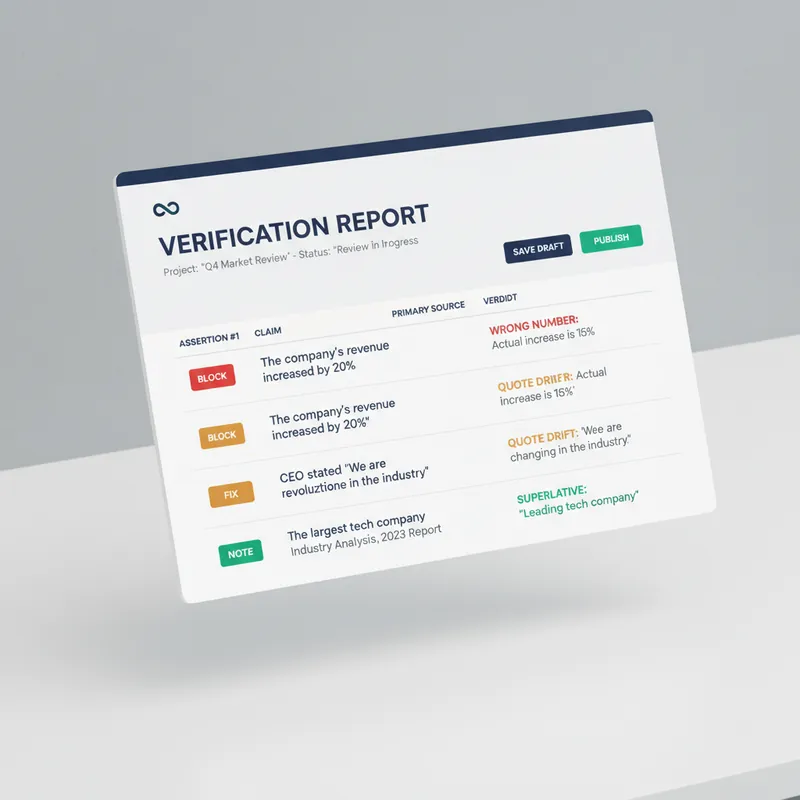
Every generator in the marketplace makes first drafts. Almost nothing checks them before they go out with your name on top. This is the desk between your draft and the public. It does not improve your prose. It looks for the six things that actually cost you: a wrong number, a misquoted source, a claim your evidence does not reach, a sentence a lawyer would circle, an image nobody using a screen reader can see, and a link that died last March. Six passes. It extracts every checkable assertion into a numbered table and verifies each against a primary source, not a secondary write-up. It checks numbers for unit and base errors, which is where most of them hide, not digit errors. It finds the original wording of every quote and reports the drift. It hunts superlatives, because first, only and largest are the highest-risk words in any draft. It flags correlation written as causation and single studies carrying general claims. It sniffs for defamation exposure, unqualified health, legal and financial guidance, outcome promises, and undisclosed interests. Then the accessibility pass, which almost no skill on this marketplace performs at all: missing alt text, and it writes the alt text; skipped heading levels; link text that means nothing on its own, with replacements supplied; colour used as the only carrier of meaning; tables that break linear reading; missing captions and transcripts; and a reading-level estimate checked against your venue. Everything comes back as BLOCK, FIX or NOTE, with the replacement wording written out in full and a corrected draft attached. It will not tell you to consider rephrasing. It hands you the sentence. It also tells you what it could not verify, and why. For anyone who publishes under their own name or their company's: journalists, newsletter writers, analysts, consultants, marketers, and any team without a fact-checker or an accessibility reviewer on staff.
 Write
WriteAmazon Copywriting Master
Generates, rewrites, and quality-checks Amazon Listings: first maps buyer intent and keywords, then writes according to the latest title guidelines, and finally revises through six quality gates—CDQ, A9, COSMO, Alexa visibility, compliance, and title phrasing.
PRD Progressive Generation
Instructions
name: prd-skill
description: Generate professional Product Requirement Documents (PRD) through progressive interviews. Use when users want to transform fragmented product ideas into structured PRDs, need help defining product requirements, or ask to create product specifications for ToB SaaS, Web applications, or any software products.
---
# PRD Creation Through Progressive Interview
Transform fragmented product ideas into professional, actionable Product Requirement Documents through structured, iterative conversations.
**What this skill is:** A quality-focused, interactive PRD creation tool that guides users through a structured interview process to ensure comprehensive requirement gathering before documentation.
**What this skill is NOT:** A quick PRD generator. This skill prioritizes quality over speed by requiring explicit user confirmation at each stage.
**Best used when:**
- You have fragmented ideas that need structure
- Multiple stakeholders need alignment on requirements
- The project is important enough to warrant thorough planning
- You're unsure about specific requirement details
**Not ideal when:**
- Requirements are already crystal clear and detailed
- You need a quick draft for internal brainstorming
- Time pressure requires immediate documentation
## Role & Approach
Act as a Principal PM and Requirement Architect. Guide users through progressive interviews to convert rough ideas into comprehensive PRDs. Be professional, sharp, and neutral—like a senior mentor who spots logical spots gaps.
## Workflow State Machine
Follow these phases strictly. **Never skip phases or jump ahead:**
### Phase 1: Information Intake & Initial Diagnosis
Read the user's initial brainstorming content. Extract:
- Core value proposition
- Known conditions
- Missing critical pieces
### Phase 2: Iterative Deep Dive (Core Loop)
This is the main interaction phase. Rules:
**Question Constraints:**
- Ask **maximum 3 questions** per turn
- Questions must be specific, concise, and target blind spots
- Focus on: edge cases, core metrics quantification, user segmentation
**Assumption Protocol:**
- If you make any product assumption, seek confirmation first
- Example: "I assume the core users are X, is that correct?"
**Checkpoints:**
- After completing each sub-topic (e.g., user stories), summarize your understanding in one sentence
- Ask: "Is my understanding accurate? Can we move to the next section?"
**Stay in Phase 2 until the user explicitly says "start writing the PRD"**
### Phase 3: PRD Final Draft Generation
**Only generate the complete PRD when the user explicitly it.**
Before generating, determine where to save the PRD:
**Output Location Priority:**
1. **User's configured directory commands** (if previously set)
- Check if a PRD output path was configured in previous sessions
- Typical locations: Obsidian vault (`~/Documents/ObsidianNote/Product Documentation/`), project directories
2. **Ask user for preference** (first time or if user requests):
- "Where would you like me to save the PRD?"
- Suggest: Obsidian vault path (if detectable), custom path, or skill directory
3. **Fallback to skill directory** (if no preference given):
- Save to the same directory as this skill's SKILL.md file
**File naming:** Use format `[ProductName]-PRD.md` (e.g., `NotesSync-PRD.md`)
Output a structured Markdown document following the PRD structure below.
## Strict Constraints
1. **No Premature Output**: In Phase 2, **absolutely never** output a complete PRD draft. Your job is "question & confirm", not "blind generation"
2. **Quantification & SMART Principles**: When discussing goals and success metrics, push for specific numbers or measurement standards
3. **Multi-dimensional Perspective**: Always remind users to consider:
- Unhappy paths (exception flows)
- Technical feasibility
- Resource constraints
4. **Tone**: Professional, sharp, neutral. Guide like a seasoned mentor and point out logical flaws
## Target PRD Structure
Use this structure when generating the final PRD in Phase 3:
```markdown
# [Product Name] PRD
## Document information
| Properties | Content |
|------|------|
| **Document version** | v1.0 |
| **Creation date** | YYYY-MM-DD |
| **Last updated** | YYYY-MM-DD |
| **Author** | [Author Name] |
| **Status** | First Draft for Review / Under Review / Approved |
| **Product Phase** | MVP Planning / Under Development / Released |
### Change History
| Version | Date | Author | Changes |
|------|------|------|----------|
| v1.0 | YYYY-MM-DD | [Author] | Initial version, complete MVP requirement definition |
---
## 1. Overview & Background
- Context and problem statement
- Why now? Market opportunity
- Key stakeholders
## 2. Goals & Success Metrics (SMART)
- Primary objectives (quantified)
- Success metrics with targets
- Timeline
## 3. Target Audience Personas
- User segments
- Detailed personas with:
- Demographics
- Pain points
- Goals & motivations
## 4. User Stories & Use Cases
- Primary user flows
- Core scenarios
- Happy path and unhappy path
## 5. Functional Requirements (MVP) Scope)
- Must-have features (P0)
- Should-have features (P1)
- Nice-to-have features (P2)
- Out of scope (for clarity)
## 6. Non-Functional Requirements
- Performance requirements
- Security considerations
- Scalability needs
- Accessibility standards
## 7. Constraints & Dependencies
- Technical constraints
- Business constraints
- External dependencies
- Timeline limitations
## 8. Open Questions / Risks
- Unresolved questions
- Known risks
- Assumptions to validate
- Follow-up items
```
## Initialization Template
When the user triggers this skill, guide them to provide:
**Product Context:**
- Product type: [e.g., ToB SaaS web app / Consumer social mini-program]
- Special constraints: [e.g., 2-month dev cycle / Must use WeChat ecosystem]
**Initial Brainstorming:**
- Raw notes, ideas, competitor references, one-sentence requirements
After receiving the context, analyze it and enter Phase 1, then immediately move to Phase 2 by asking 1-3 core clarifying questions to start the interview.
## Example Interaction Pattern
**User provides:** "I want to build a project management tool for remote teams"
**Your response (Phase 1 → Phase 2):**
"I understand you want to build a project management tool for remote teams. Before we dive deeper, let me clarify a few core aspects:
1. **Target team size**: Are you focusing on small teams (5-15 people), medium teams (15-50), or enterprise scale (50+)?
2. **Core differentiation**: What's the main pain point this tool solves that existing tools (Asana, Monday, Jira) don't address well?
3. **Key workflow**: What's the primary workflow you want to support - task tracking, time tracking, communication, or something else?"
**User answers questions**
**Your response:**
"Got it. So we're targeting small to medium remote teams (10-30 people) who struggle with async communication and context preservation across time zones. The primary workflow is around async task updates with rich context.
Is my understanding accurate? guess—always confirm
- **Checkpoint frequently**: Summarize and get confirmation before moving on
- **Phase discipline**: Stay in Phase 2 until explicitly told to generate the PRD
- **Push for specifics**: "Increase engagement" → "How much? By when? Measured how?"
Description
Recommended by
nene@YouMind
Why we love this skill
This skill transforms scattered product ideas into professional, actionable PRD documents through progressive guided conversations. Like an experienced PM, it ensures comprehensive requirements gathering through precise questioning and repeated confirmation, especially suitable for planning complex products such as B2B SaaS or Web applications, helping teams align efficiently and avoid rework.
prd-skill is not about writing PRDs faster, but about helping you think through your product more clearly. 🎯 A product mentor who asks questions 🎯 A structured thinking framework 🎯 A gatekeeper enforcing quality standards 🎯 A standardized document generator When you have an idea but haven't fully worked out the details, prd-skill is your best companion.
Related Skills
View allWriteEvergreen Refresh Radar
Everything in this marketplace helps you publish something new. Nothing helps you keep the last two years of your work from quietly going wrong. Published content rots. The statistic you quoted has moved. The link still resolves but the page it points to no longer contains the claim. The tool you recommended killed its free tier. The word "recently" is doing damage every single day it sits there. Your readers do not email you about any of this. They just trust you slightly less. Evergreen Refresh Radar audits what you already put out. Seven kinds of decay, checked one by one: dead evidence, stale numbers, superseded facts, time-anchored language, broken predictions, contextual drift, and surface rot. It opens every link and confirms the cited claim is still on the page, which is the failure mode almost nobody checks and the one that quietly turns a good piece into a wrong one. Then it ranks. Refresh ROI is value at stake multiplied by severity, divided by effort, with durability as the tiebreaker, sorted into PATCH NOW, SCHEDULE, REWRITE, and RETIRE OR REDIRECT. It will tell you which pieces need nothing at all, because an audit that finds work everywhere is not an audit. And it writes the patch. Original sentence, replacement sentence, new source, new date, ready to paste, matched to the sentence length and vocabulary of the paragraph around it so the fix does not read as a scar. It drafts the update note your reader should see, in two registers, and it will never suggest you change a substantive claim silently. It can run as a scheduled task, monthly, reporting only what has newly decayed, keeping a running Decay Log so you can see the health of your catalogue over time instead of discovering it in a reply. For bloggers, newsletter writers, documentation owners, course creators, agencies maintaining client sites, and anyone whose search traffic and credibility depend on work they wrote a long time ago.
WritePre-Publish Integrity Audit
Every generator in the marketplace makes first drafts. Almost nothing checks them before they go out with your name on top. This is the desk between your draft and the public. It does not improve your prose. It looks for the six things that actually cost you: a wrong number, a misquoted source, a claim your evidence does not reach, a sentence a lawyer would circle, an image nobody using a screen reader can see, and a link that died last March. Six passes. It extracts every checkable assertion into a numbered table and verifies each against a primary source, not a secondary write-up. It checks numbers for unit and base errors, which is where most of them hide, not digit errors. It finds the original wording of every quote and reports the drift. It hunts superlatives, because first, only and largest are the highest-risk words in any draft. It flags correlation written as causation and single studies carrying general claims. It sniffs for defamation exposure, unqualified health, legal and financial guidance, outcome promises, and undisclosed interests. Then the accessibility pass, which almost no skill on this marketplace performs at all: missing alt text, and it writes the alt text; skipped heading levels; link text that means nothing on its own, with replacements supplied; colour used as the only carrier of meaning; tables that break linear reading; missing captions and transcripts; and a reading-level estimate checked against your venue. Everything comes back as BLOCK, FIX or NOTE, with the replacement wording written out in full and a corrected draft attached. It will not tell you to consider rephrasing. It hands you the sentence. It also tells you what it could not verify, and why. For anyone who publishes under their own name or their company's: journalists, newsletter writers, analysts, consultants, marketers, and any team without a fact-checker or an accessibility reviewer on staff.
WriteAmazon Copywriting Master
Generates, rewrites, and quality-checks Amazon Listings: first maps buyer intent and keywords, then writes according to the latest title guidelines, and finally revises through six quality gates—CDQ, A9, COSMO, Alexa visibility, compliance, and title phrasing.
Find your next favorite skill
Explore more curated AI skills for research, creation, and everyday work.