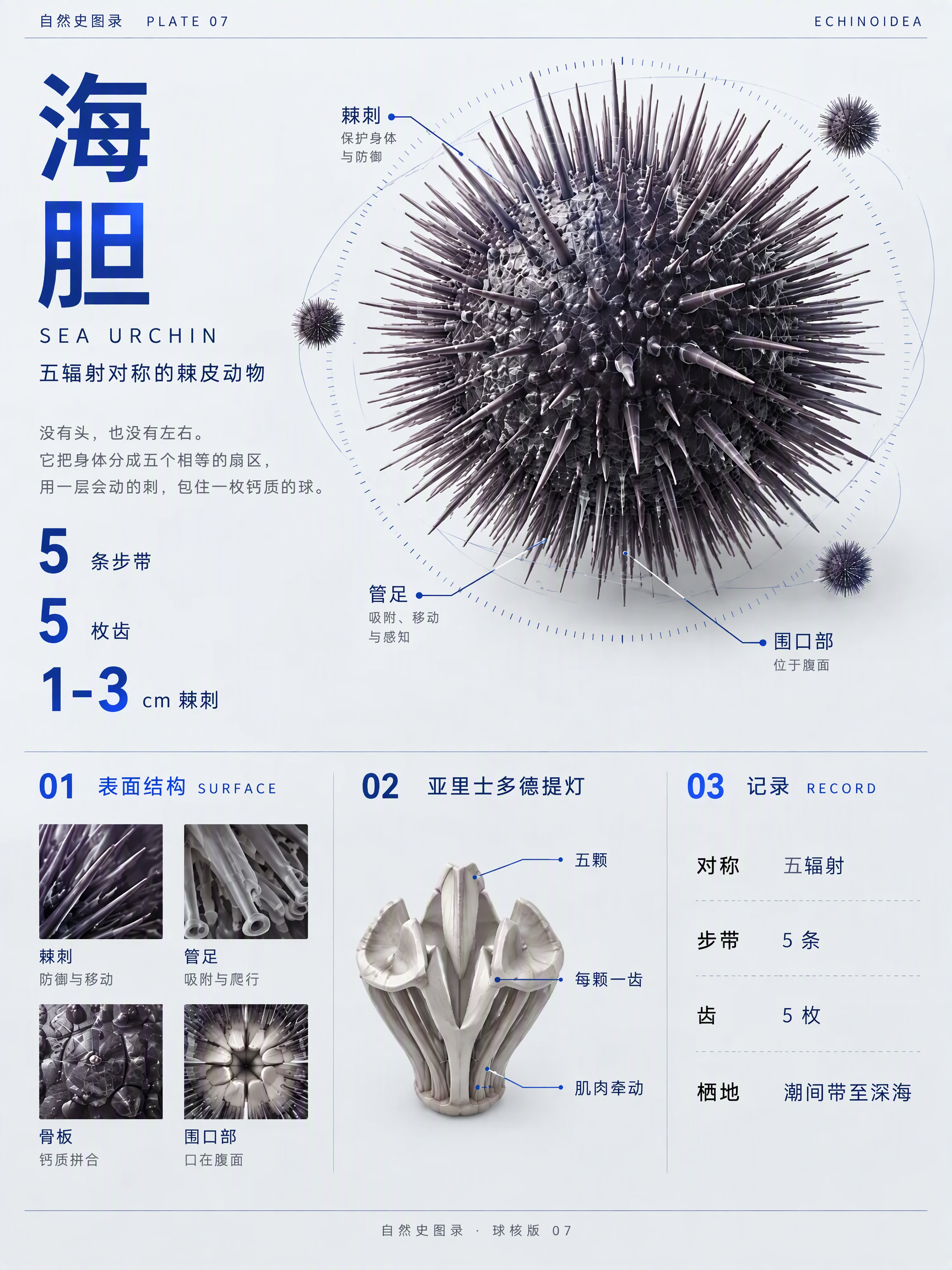
Spherical Core Infographic
Turn any subject into a 3D spherical core infographic
Spherical Core Infographic
Turn any subject into a 3D spherical core infographic
Showcase
Description
Transform any species, material, artifact, product, celestial body, or natural phenomenon into a distinctive and information-dense spherical core 3D infographic. You can provide a subject name, image, text, or link. Even with incomplete material, it extracts a clear subject and chooses sensible cross-sections, aggregates, or cutaways for elongated or flat objects that do not naturally fit a sphere. The final image features an off-center 3D core as the main visual, combined with homotypic protrusions, small-scale reference figures, contour-fitting geometric wireframes, and orbit scales to present surface structures, mechanisms, and data records. A cool grayish-white neutral background paired with a single accent color makes it suitable for science posters, product displays, exhibition visuals, and knowledge illustrations. Chinese titles, English subtitles, numerical info, and detail labels are seamlessly integrated into the graphic while balancing hierarchy, whitespace, and readability. The output includes a vertical infographic, plus a brief explanation of subject selection, accent color, spherical core composition, section layout, text volume, and replaceable themes. It emphasizes verifiable facts and self-consistent data representation while avoiding unfounded exaggerations. Once finished, it verifies subject recognizability, layout proportions, text completeness, and visual consistency.
Recommended by
Dancang
Why we love this skill
Turns any subject into a recognizable, verifiable 3D spherical infographic balancing scientific facts, spatial hierarchy, and typography. It uses homologous protrusions, scale comparisons, and a three-column data structure to unify visual storytelling, backed by post-generation verification and targeted revisions.
Best for
Ideal for content creators, educators, and designers making science posters, knowledge illustrations, product displays, and exhibition visuals.
How to use this Skill
Provide your input
Provide a species, material, artifact, product, celestial body, or natural phenomenon, or upload an image, text, or link.
Run the Skill
The system extracts the main subject, organizes it into an off-center spherical core 3D infographic, and integrates structures, principles, data, and text labels.
Review your result
Receive a vertical infographic along with a brief explanation of the subject selection, color scheme, spherical core composition, section layout, and replaceable themes.
Related Skills
View all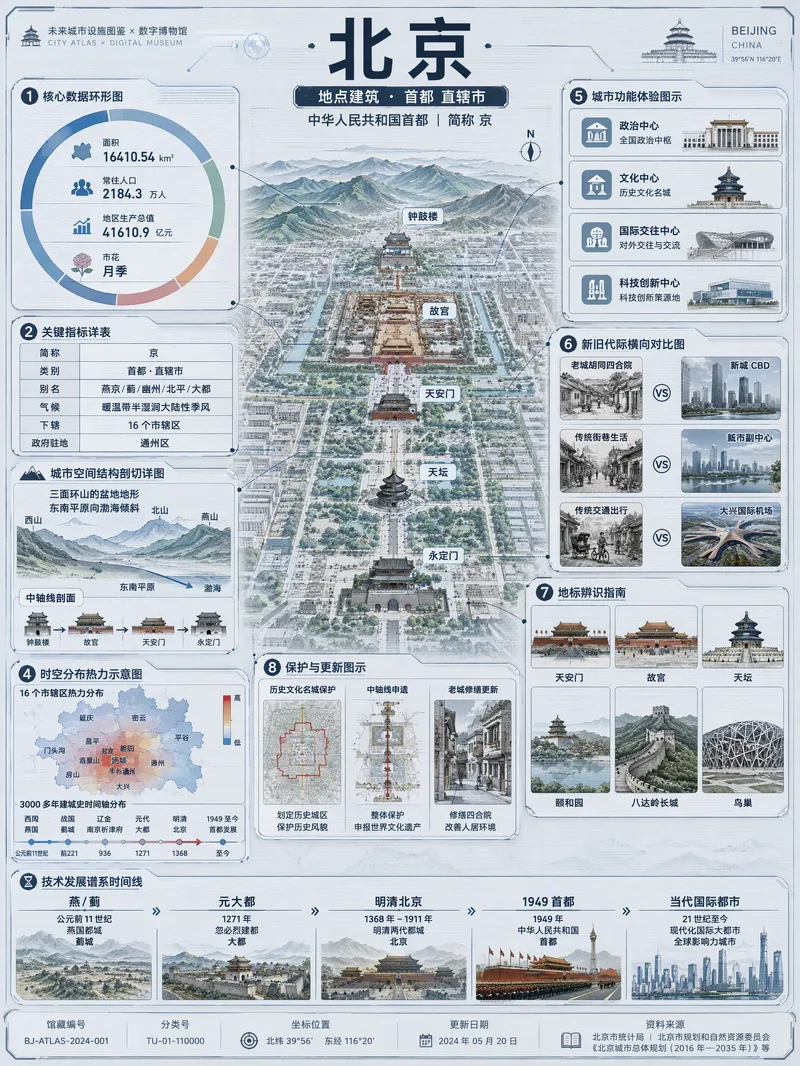 Image
ImageViral Info Atlas Maker
Quickly turn any subject name into a technology-inspired natural history atlas poster that combines rich information with strong visual appeal. Whether it’s a living thing, mineral or material, man-made object, place or building, cultural concept, or historical figure, the Skill organizes content for display and sharing based on your audience, focus, and language requirements. The Skill first uses real-time web research to verify definitions, key data, structure and composition, distribution, applications, evolution, identifying features, and more. It then arranges the content into a 3:4 vertical infographic. The poster centers on a specimen-style subject, surrounded by nine adaptive information modules covering core metrics, structural analysis, spatial and temporal distribution, context and use cases, comparisons, identification points, conservation or maintenance tips, and a development timeline. Module themes and information priorities are adjusted to fit the type of subject. The finished piece uses light gray-blue technical cardstock, precise linework, low-saturation cyan and blue washes, and a semi-transparent scanned texture. The result combines the visual style of a future-city infrastructure atlas with a digital museum display panel, while retaining the subject label at the top and a collection records area at the bottom. For obscure subjects or when information is limited, speculative content is distinguished with visual prompts. It is suitable for science education, exhibition introductions, knowledge sharing, and social media publishing.
 Image
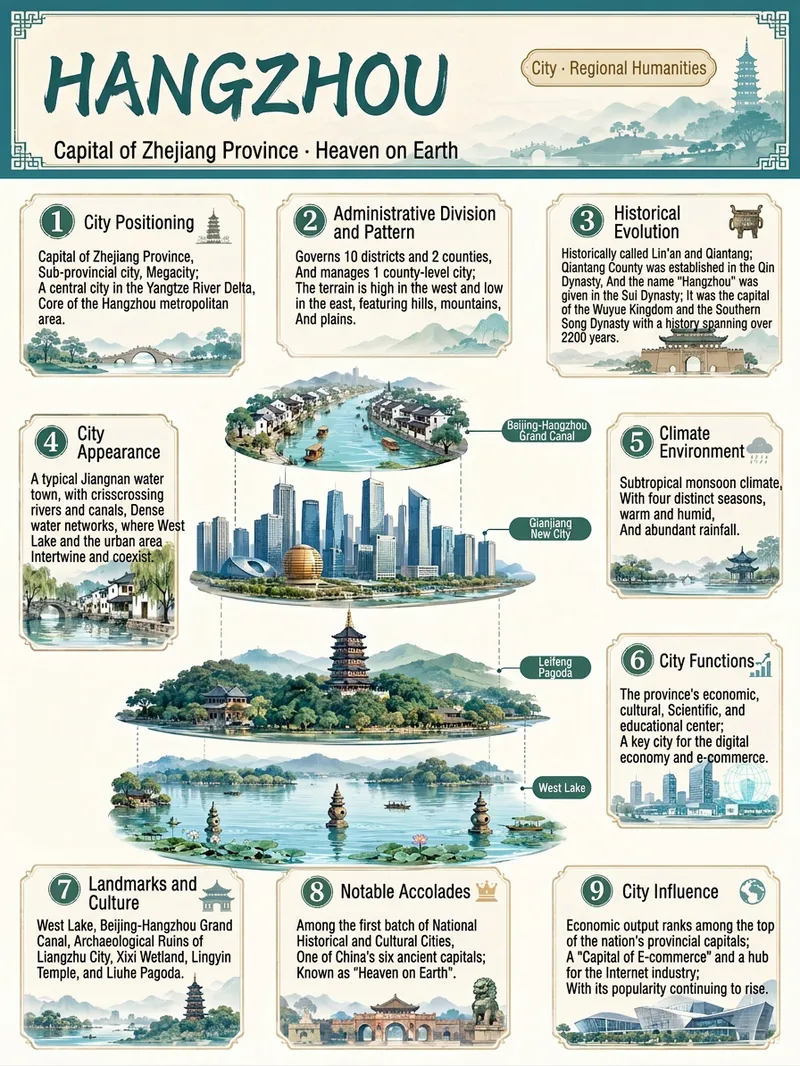
ImageEverything Infographic Maker
Enter an object name to generate a vertical Chinese nine-panel object breakdown infographic for topics including organisms, machinery, plants, celestial bodies, vehicles, buildings, food, and more. Even with only an object name, the skill identifies suitable category labels, visual expression, and information priorities based on the object's features, using a vertical layout and Chinese by default. The design includes a title label at the top, a centered exploded, layered, or cutaway-style subject, and nine information modules arranged around it. These help readers quickly understand the object through its classification, structure, principles, environment, functions, related things, unique features, and relationship to humans. Different categories are matched with corresponding stable themes to maintain a consistent, readable educational layout. Before generation, key facts such as scientific names, numbers, and parameters are checked. The content is condensed into clear Chinese copy, then paired with an illustration or engineering diagram style suited to the object type to create an infographic with legible text and an orderly layout. You can also specify the audience, purpose, visual style, language, or aspect ratio to better fit presentation, teaching, and educational communication scenarios.
 Image
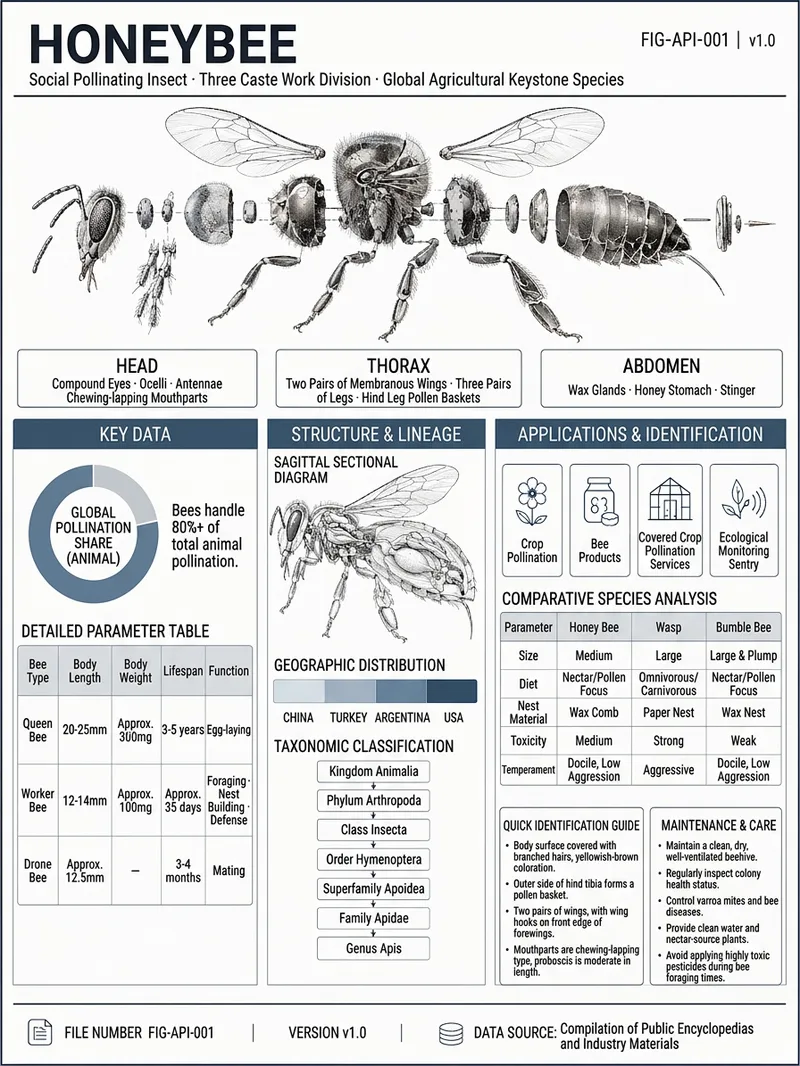
ImageViral Infographic Maker
Enter an object name and any optional requirements to receive a research-verified reference infographic about it. Whether it is machinery, an electronic product, a living organism, a building, a vehicle, or a natural object, the system organizes its English name, field, key parameters, structural components, geographic or industry distribution, development lineage, use cases, comparisons with similar objects, identification points, and maintenance recommendations, while recording traceable data sources. Information that cannot be confirmed is clearly marked “Unverified.” The finished design uses a low-saturation gray-blue industrial drafting style, with an exploded view of the main subject and structural cross-section diagrams. Key data is presented as parameter tables, ring charts, distribution maps, lineage diagrams, and comparison panels to help readers quickly understand the object’s appearance, construction, performance, and applications. For abstract or data-based subjects, suitable geometric diagrams or data visualizations are used instead. The final deliverable is a strictly 3:4 infographic poster suitable for high-resolution viewing and print, along with an editable HTML source file. The layout includes title identification, main subject illustrations, structured information modules, and source notes, with a focus on complete content, clear text, and verifiable data.
Information
- Version
- v2
- Last updated
- Runtime credits
- Usage-based
- Models
- Auto
- Use cases
- Images & designLearning & educationMarketing & growth
- What you get
- ImageBrief
- Visual styles
- Minimalist3D
