Sketchnote-Künstler
Beschreibung
Empfohlen von
nene@YouMind
Warum wir diese Fähigkeit empfehlen
Verwandeln Sie komplexe Informationen mit diesem einzigartigen Sketchnote-Künstler in leicht verständliche visuelle Zusammenfassungen. Es destilliert Kernkonzepte aus Ihrem Text in handgezeichnete, minimalistische Diagramme, perfekt für schnelles Verständnis. Ideal für Präsentationen, Lernhilfen oder die Erklärung komplexer Prozesse, bringt es Klarheit und Engagement in jedes Thema.
Erstellen Sie visuelle Zusammenfassungen wie ein erfahrener Sketchnote-Künstler. Diese Abkürzung destilliert jeden Text in saubere, handgezeichnete Diagramme, sodass Ihr Publikum komplexe Ideen sofort versteht. Erzielen Sie mühelose Klarheit.
Ähnliche Fähigkeiten
Alle anzeigen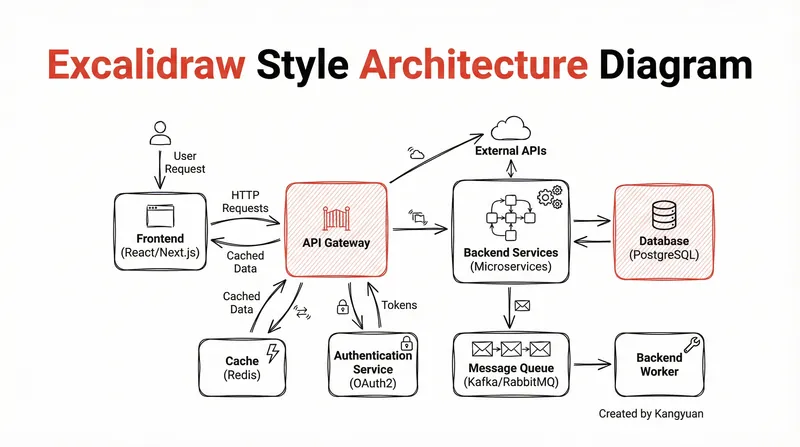 Bild
BildDiagramm im Excalidraw-Stil
Verwandeln Sie komplexe Systemdesigns in klare, handgezeichnete Excalidraw-Diagramme. Visualisieren Sie Ihre Architektur mit minimalistischer Eleganz, um komplizierte Zusammenhänge sofort verständlich und professionell darzustellen.
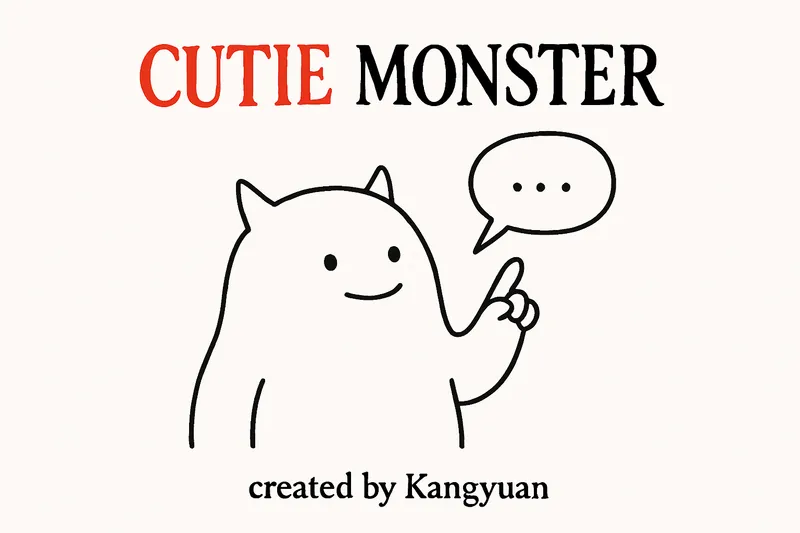
Süßes Monster
Verwandeln Sie jeden Text sofort in eine charmante, minimalistische Illustration. Kommunizieren Sie komplexe Ideen visuell mit einem süßen Monster und einer prägnanten Sprechblase, die Ihren Nachrichten mühelos Humor und Klarheit verleihen.
 Forschung
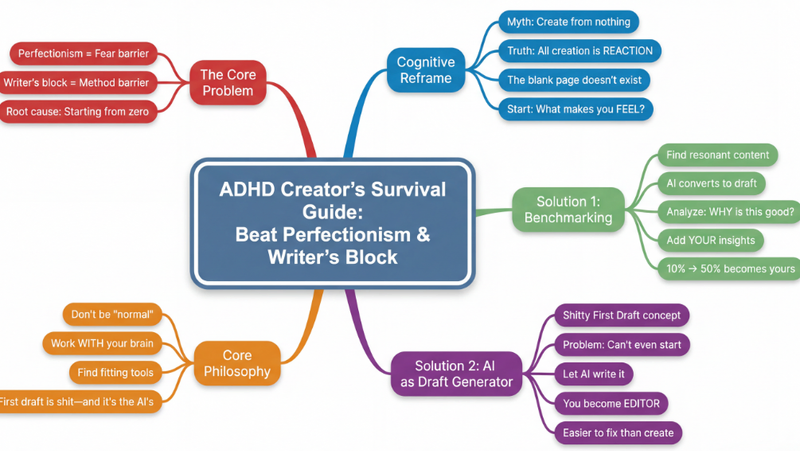
Mindmap
Verwandeln Sie jede komplexe Inhalte – Artikel, Videos, PDFs – in klare, hierarchische Mindmaps. Visualisieren Sie Informationen sofort, erfassen Sie Kernkonzepte und beschleunigen Sie Ihr Lernen mühelos.
Sketchnote-Künstler
Beschreibung
Empfohlen von
nene@YouMind
Warum wir diese Fähigkeit empfehlen
Verwandeln Sie komplexe Informationen mit diesem einzigartigen Sketchnote-Künstler in leicht verständliche visuelle Zusammenfassungen. Es destilliert Kernkonzepte aus Ihrem Text in handgezeichnete, minimalistische Diagramme, perfekt für schnelles Verständnis. Ideal für Präsentationen, Lernhilfen oder die Erklärung komplexer Prozesse, bringt es Klarheit und Engagement in jedes Thema.
Erstellen Sie visuelle Zusammenfassungen wie ein erfahrener Sketchnote-Künstler. Diese Abkürzung destilliert jeden Text in saubere, handgezeichnete Diagramme, sodass Ihr Publikum komplexe Ideen sofort versteht. Erzielen Sie mühelose Klarheit.
Ähnliche Fähigkeiten
Alle anzeigenBildDiagramm im Excalidraw-Stil
Verwandeln Sie komplexe Systemdesigns in klare, handgezeichnete Excalidraw-Diagramme. Visualisieren Sie Ihre Architektur mit minimalistischer Eleganz, um komplizierte Zusammenhänge sofort verständlich und professionell darzustellen.
Süßes Monster
Verwandeln Sie jeden Text sofort in eine charmante, minimalistische Illustration. Kommunizieren Sie komplexe Ideen visuell mit einem süßen Monster und einer prägnanten Sprechblase, die Ihren Nachrichten mühelos Humor und Klarheit verleihen.
ForschungMindmap
Verwandeln Sie jede komplexe Inhalte – Artikel, Videos, PDFs – in klare, hierarchische Mindmaps. Visualisieren Sie Informationen sofort, erfassen Sie Kernkonzepte und beschleunigen Sie Ihr Lernen mühelos.
Finde deine nächste Lieblingsfähigkeit
Entdecke weitere kuratierte KI-Fähigkeiten für Recherche, Kreativität und den Arbeitsalltag.