AI Style Quick Diagnosis V3.0
Photo: hair, makeup, color & jewelry analysis
AI Style Quick Diagnosis V3.0
Photo: hair, makeup, color & jewelry analysis
Showcase
Description
Save hundreds to thousands of dollars in trial and error costs by buying three fewer unsuitable outfits. Upload a photo to quickly identify the top 3 image issues to address first. Can't choose a hairstyle, don't know how to match colors, or worried about buying the wrong jewelry? Upload a photo to quickly generate your AI Style Quick Diagnosis Card Pro. The system will provide clear, intuitive analysis results across four modules: hairstyle, makeup, color, and jewelry, helping you quickly find a personal style that suits you better. No complex tests needed—just one photo for a visual reference, perfect for everyday beauty improvement, self-enhancement, and image management.
Recommended by
Nico@YouMind
Why we love this skill
This skill offers personalized hairstyle, makeup, color, and jewelry recommendations from a professional perspective, eliminating guesswork and precisely enhancing your personal image.
Related Skills
View all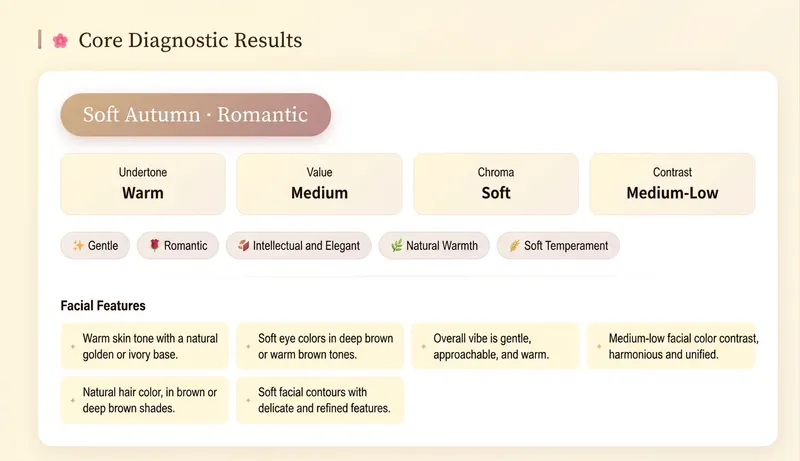 Image
ImageAI Color Stylist V2.0
Avoid pitfalls with lipstick, hair color, and clothing colors—stop buying in confusion. Generate personalized color schemes to build long-term, reusable color rules. 🎨 AI Color Stylist Pro – Professional Color Consultation ✨ Comparable to ¥4,000 in-person consultations, now only 199 Credits! 🎉 Limited-time early bird pricing! Tiered prices: • 11th–100th: 199 Credits✨ (current price) • 101st–200th: 299 Credits • 201st and up: 399 Credits ⏰ Price increases automatically with user count—buy early and enjoy! ━━━━━━━━━━━━━━━━━━━━ 📊 14 Professional Analysis Modules ✅ Precise seasonal color type positioning (Warm Spring/Bright Spring/Soft Spring, Light Summer/Cool Summer/Soft Summer, Warm Autumn/Soft Autumn/Deep Autumn, Cool Winter/Deep Winter/Bright Winter) ✅ Complete color swatch display (20–30 core colors with HEX codes) ✅ Makeup color schemes (foundation, brows, eyeshadow, blush, lipstick with specific brand shades) ✅ Hair style and color advice (dye shades, hairstyles, bangs recommendations) ✅ Outfit coordination (color formulas, item recommendations, neckline test) ✅ Detailed accessory analysis (metallic tones, gemstones, earrings, necklaces, bags, glasses) ✅ Shopping list (specific brands, shades, price ranges) ✅ 3 complete outfit examples ━━━━━━━━━━━━━━━━━━━━ 🌟 Delivery Format Beautiful interactive web report: • Visual display of all colors • Gradients + card layout • Responsive design, perfect on mobile and desktop • Shareable, savable, printable ━━━━━━━━━━━━━━━━━━━━ 👥 Who It's For • You want to enhance your personal image • You don’t know how to choose clothing colors • You want to find your best makeup and hair color • You’re preparing for seasonal shopping and need pro advice • You want to discover your seasonal color type ━━━━━━━━━━━━━━━━━━━━ 💡 How to Use 1. Upload a front-facing photo in natural light (or describe your features in text) 2. Answer a few simple multiple-choice questions 3. AI conducts professional analysis across 14 modules 4. Receive a beautiful web-based diagnostic report 5. Get a complete shopping list and styling recommendations ━━━━━━━━━━━━━━━━━━━━ ⏰ Limited time and quantity—first come, first served!
AI Makeup Try-On
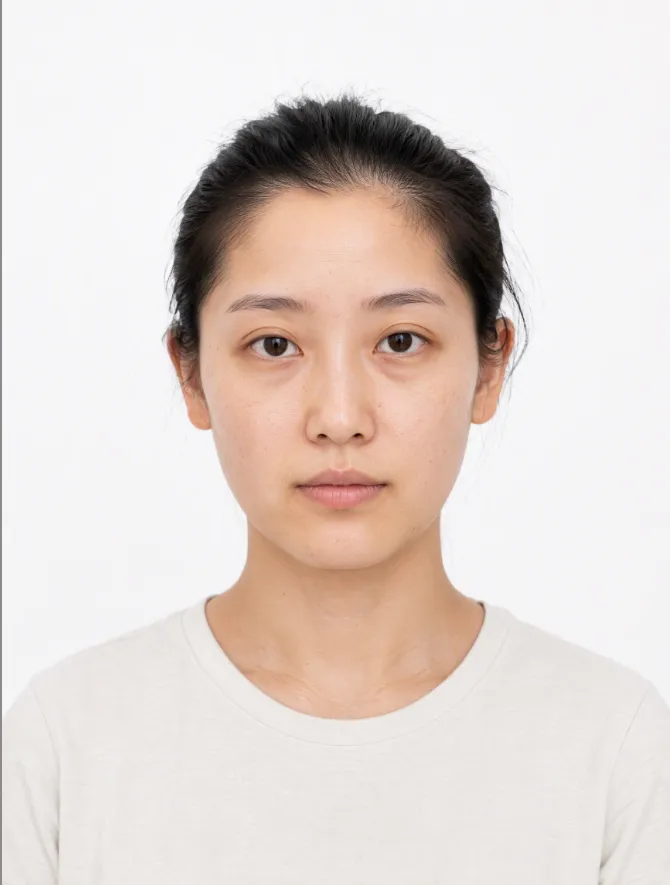
# AI Makeup Try-On | AI Makeup Designer Upload a front-facing photo, and AI will analyze your skin undertone, eye shape, and lip shape. It will select the three most suitable looks from current makeup trends, generate try-on previews, and give you an application card you can follow step by step. ## What you’ll get - **Facial analysis**: Explains what suits you without judging your attractiveness or commenting on your skin - **3 makeup recommendations**: One light, one medium, and one bold look, with an explanation of why each suits you - **Makeup try-on preview**: Changes only the makeup while keeping your facial features, hairstyle, and background unchanged; after generation, it automatically compares the result with the original and redraws it once if there are discrepancies - **Application card**: Clearly explains the base, brows, eyes, blush, contour, and lips, including color, texture, placement, difficulty, time, and a product list ## When to use it Before a date, interview, wedding, or photo shoot, when you want to see which makeup look suits you before deciding how to apply it. ## Usage tips - Clear, front-facing photos with even lighting and no obstructions work best - You can include an occasion or style, such as a date, interview, wedding guest makeup, Korean-inspired, or Western-inspired looks - For adults only. Upload your own photo or one you have permission to use - The preview is an AI-generated visualization; actual results may vary with lighting, skin texture, and application technique - Each try-on uses about 100–200 credits (one generated preview; automatic correction generates one additional preview)
AI Virtual Try-On
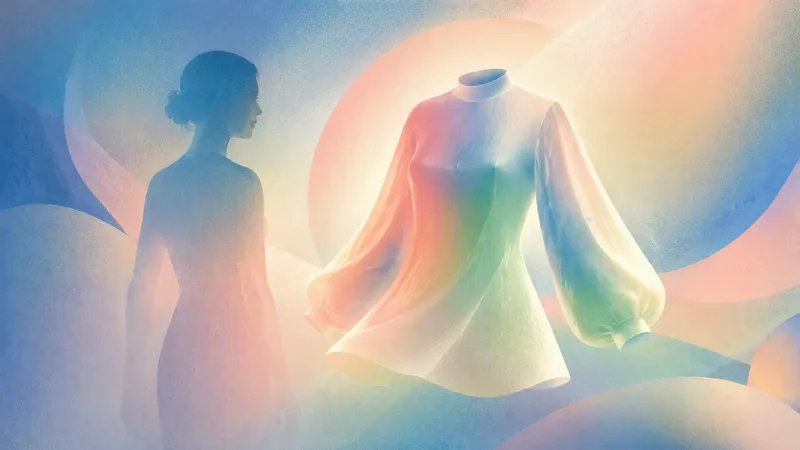
Upload a clear full-body photo and an image of the clothing to realistically preview how the specified garment looks on you, helping you decide whether it is suitable to buy or pair with other items. AI will make every effort to preserve your real body shape, proportions, facial features, hairstyle, skin tone, original background, and lighting. It only replaces the areas covered by the clothing, without slimming, lengthening your legs, smoothing your skin, or applying beautifying filters, so the garment’s tightness, length, drape, and cut look closer to how it would appear when actually worn. Whether you’re trying on a top, bottom, dress, coat, or complete outfit, you can generate a photorealistic virtual try-on image. Based on the garment’s cut and your posture in the photo, AI will objectively explain whether the overall fit is true to size, tight, or loose, whether the length is appropriate, and whether it is better suited to casual or formal occasions. It also checks the pattern, material, shoulder line, hem, and lighting. If it detects obvious compositing distortions, it will point them out honestly and suggest improvements, such as changing the shooting angle or adding more clothing details. You can also keep changing the clothing, adjust the color, switch the background, or try different variations.
Information
- Version
- v9
- Last updated
- Runtime credits
- Usage-based
- Models
- Auto
