American ID Photo - Viral
American ID Photo - Viral
Showcase
Description
Instructions: After installing this Shortcut, return to the chat interface. First, use the plus button or copy and paste an image to add the image you want to convert. Second, do not press send; instead, click this Shortcut to issue the command. This way, the image and Shortcut command will be sent together.
Recommended by
nene@YouMind
Why we love this skill
Want a Xiaohongshu viral American-style headshot? This skill converts your photo to a professional executive headshot, accurately capturing expression, matching clothing by gender, providing refined background and soft lighting, preserving personal features to create a professional and confident image.
Instructions
Using the nano-banana model, the uploaded photos are converted into professional American-style ID photos, also known as headshots (corporate executive photography style). The core requirement is to preserve the original facial features and identity of the person. The specific presentation standards are as follows:
Composition and background: Use a half-body composition with a deep blue background featuring a delicate texture. The background should be slightly blurred to highlight the subject and create a simple and sophisticated visual atmosphere.
Lighting and Image Quality: Simulate professional studio lighting effects. The light should be natural and soft, avoiding strong light and hard shadows. The overall image should meet high-definition and clear standards, ensuring that there is no blurring of details in the subject, that skin tones are restored to a realistic texture, and that there are no signs of excessive retouching.
Character attire:
- If the character is female, she will wear a sleeveless black dress with a simple and elegant design, a modern and professional style, and simple gold accessories.
- If the character is male, he/she will wear a preppy suit, tie, and sweater, in an Ivy League style.
Facial expressions: Adjust the subject's demeanor to be relaxed and confident. Eyes should be bright and focused on the camera, with a natural, toothy smile. Avoid stiff or exaggerated expressions to convey a professional and approachable executive image.
Facial feature preservation: The original facial features of the person should be preserved to greatly improve the consistency of the person. If the person is wearing glasses, the glasses details should be preserved.
Overall effect: The lens is in precise focus, the outline and details of the person are clear and sharp, and the overall style of the picture is consistent with a professional, exquisite and clean visual effect, which meets the needs of the use of corporate executives' headshots in formal occasions.
Related Skills
View all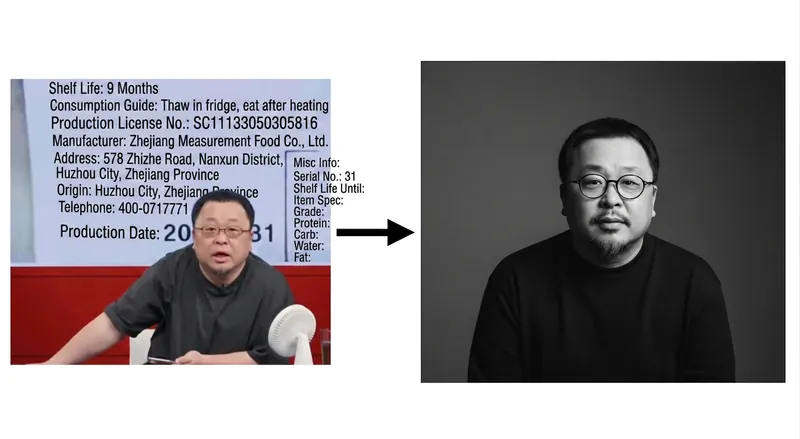 Image
ImageBlack & White Premium Portrait
Instructions: After installing this Shortcut, return to the chat interface. First, use the plus button or copy and paste an image to add the photo you want to convert. Second, do not tap send — instead, tap this Shortcut to issue the command. This way, the image and the Shortcut command will be sent together.
 Image
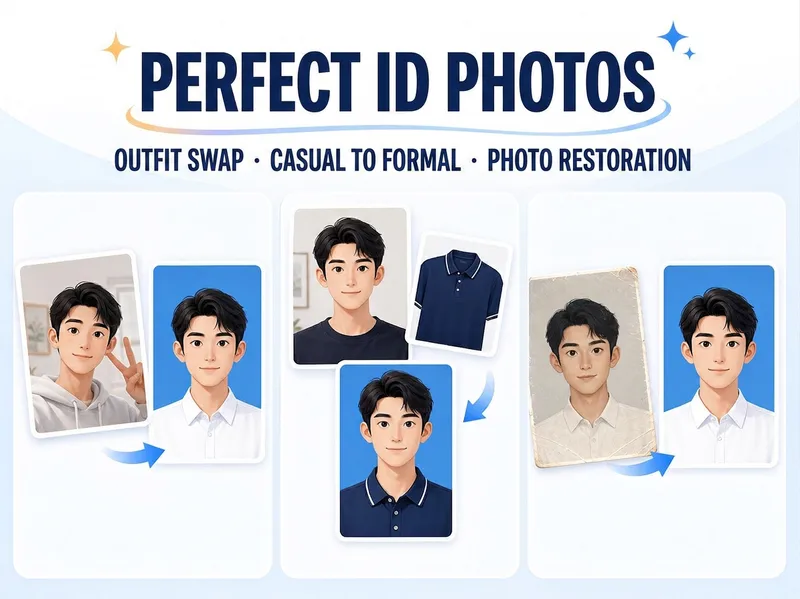
ImagePolished ID Photos
Just upload one clear photo—no need to specify a purpose or parameters first. Selfies and casual snapshots can be turned into formal one-inch photos with a blue background. You can also upload a separate clothing photo as an outfit reference, or adjust the background color, lighting, crop, and dimensions of an existing ID photo. Once you’re satisfied with the first image, create white-background, red-background, two-inch, specified-pixel, or six-inch print layouts as needed, avoiding a pile of images you don’t need.
 Image
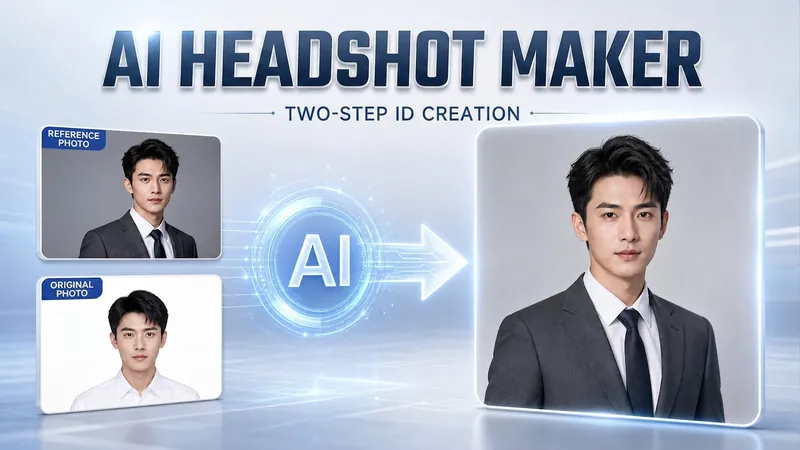
ImagePortrait Freedom-2-Step Prompt
Generate a high-end portrait that is uniquely yours from a single reference image. Many people creating AI portraits upload a selfie and say 'Generate a high-end professional headshot for me,' but often end up with a face that doesn't look like them, a style that is template-like and generic, plastic-looking skin, and makeup and clothing that don't match their personality. The root problem is asking the AI to simultaneously guess 'what you look like' and 'what style to use'—it fails at both. This skill breaks it down into two stable steps: First, you provide a single reference image (professional headshot, magazine portrait, black-and-white film, modern Chinese style, etc.). Instead of immediately generating an image, the AI deconstructs its 'photographic language' like a photographer—analyzing lighting, composition, focal length, background, color palette, mood, and texture—and then writes two complete prompt sets for male and female versions separately. Clothing, makeup, hairstyle, and pose are all written differently by gender, fundamentally avoiding disasters like 'putting a man in a silk camisole.' Second, you choose your set of prompts and pair it with a clear photo of yourself: the reference image handles the style, while your photo handles the identity—preserving your face shape, features, age perception, and expression, then applying the professional photographic quality from the reference. The result is a portrait that is unmistakably you with a cinematic quality. The reference image controls the style, your photo controls the identity—it's that simple. Changing the reference image changes the direction. ID photos, professional headshots, magazine covers, black-and-white film—one workflow handles them all, completely eliminating the homogeneity and plastic feel of AI portraits. Target audience: professionals needing a headshot/ID photo/personal brand portrait, social media influencers, job seekers, and anyone who wants a high-end portrait that is truly their own.
Information
- Version
- v1
- Last updated
- Runtime credits
- Usage-based
- Models
- Nano Banana
