Archive Explainer Video Maker
Turn research into a shoot-ready director kit
Archive Explainer Video Maker
Turn research into a shoot-ready director kit
Showcase
Description
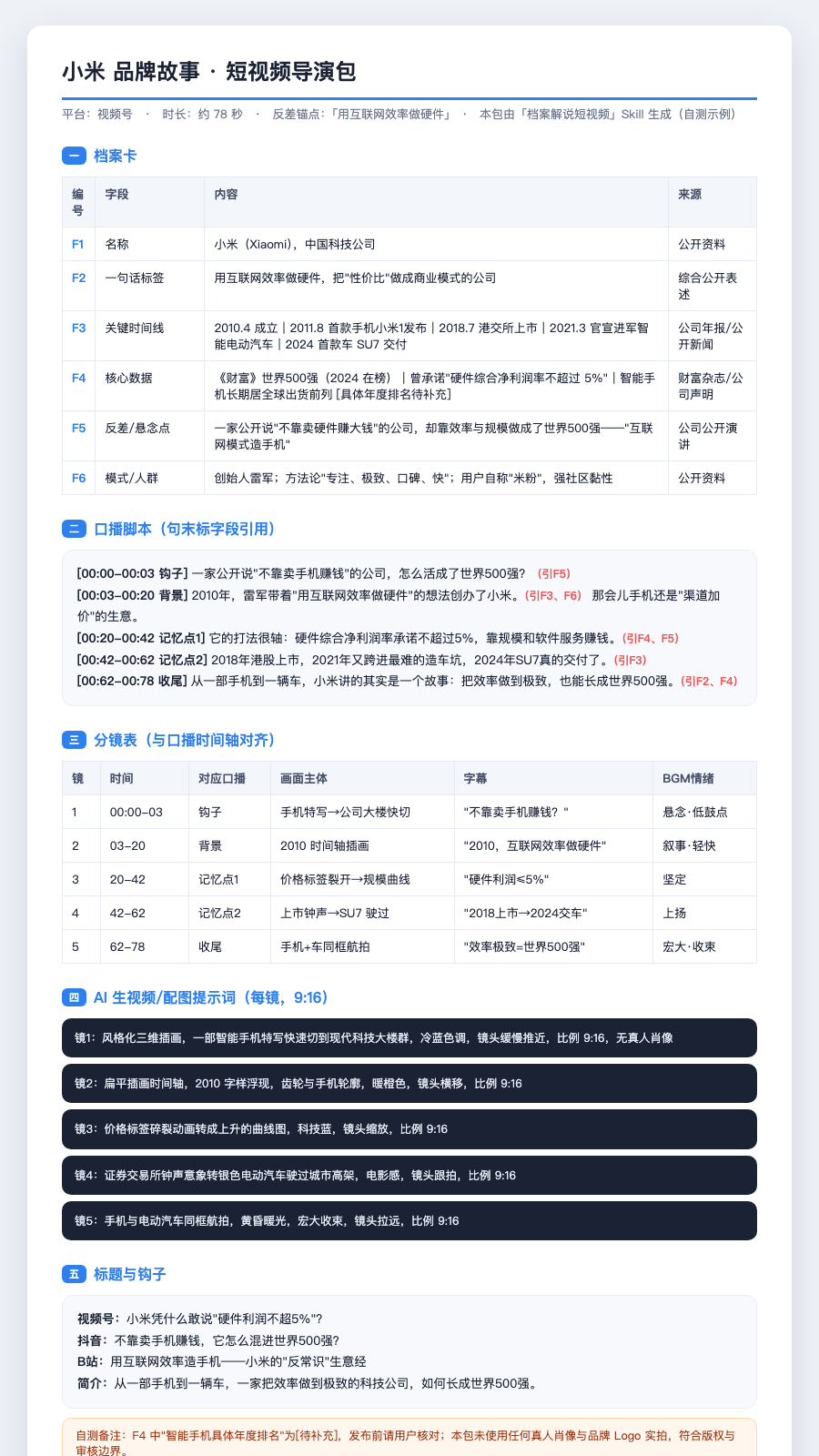
This isn't a document—it's an “archive explainer short-video director” built into your WorkBuddy. It first organizes any person, brand, organization, or city into a **verifiable profile card**, then derives a narration script, storyboard, AI video prompts for each shot, and hooks for multiple platforms—an entire director kit you can shoot directly or feed into 可灵/即梦/Runway. The workflow is: provide a topic → build a profile card (mark missing information as [待补充]) → generate the script, storyboard, prompts, and titles. By the end, you'll have a “research-driven, no-made-up-facts” short-video production tool that helps you avoid the crowded “AI viral scripts / product-seeding copy” space. Includes a supporting director-kit HTML template and a real brand-story example.
Recommended by
Dancang
Why we love this skill
Editor's pick: Build a traceable archive card before writing, then turn source material into a complete, shoot-ready director kit without making things up.
Best for
For creators making research-driven short videos about knowledge, history, business biographies, and cities.
How to use this Skill
Provide your input
Provide a person, brand, organization, city, or concept, optionally with source materials, references, platform preferences, and a key contrast to highlight.
Run the Skill
First organize verifiable profile information, then develop hooks, write the narration, align the storyboard, and generate visual prompts and platform titles.
Review your result
Get a complete written director kit: a profile card, short-video narration script, storyboard, AI video or image prompts, plus titles and descriptions for multiple platforms.
Related Skills
View all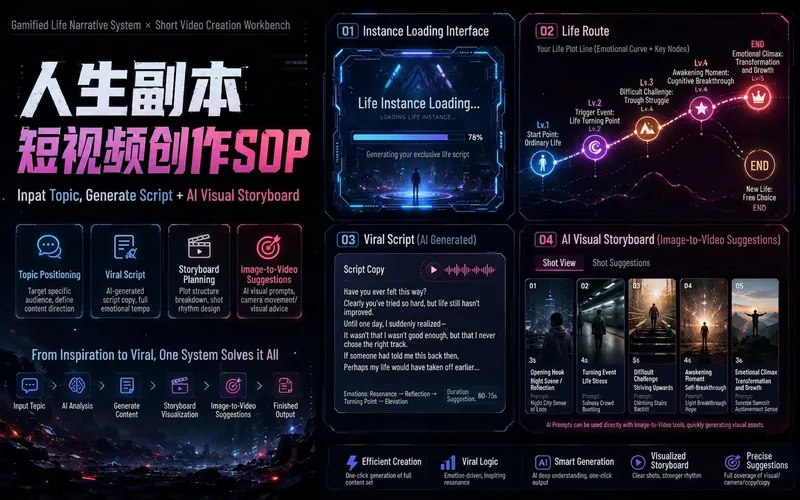
Life Copy Short Video SOP v1.2
Version 1.2 has proven successful on several accounts. But after all, this is a fast-moving trend—time waits for no one. The most important thing is to put it to use and validate it. The author will continuously update and optimize the skill, giving you free ongoing after-sales upgrades. Enter a Life Copy topic, and it will automatically generate a viral Douyin-style oral script and AI visual storyboard plan. This skill is for creating the 'Life Copy Loading...' series of short videos. It can turn topics like 'Life of a County Exam Warrior,' 'Life of an Ordinary Creator Who Turned Things Around with AI,' 'Life of a Delivery Rider Who Made a Comeback' into complete short video production plans: including a 3-second hook, five-part narrative structure, low points and turning points, emotional ending, MiniMax voiceover pure text script, AI-generated image storyboards, image-to-video shot assignment, and material duration planning. 'Life Copy Short Video Pre-Production Workflow': From topic selection → oral script → visual storyboard → AI production planning. That is, it handles the planning and scripting stage before filming or generation, not directly generating images or videos for the user. Suitable for short video creators, Douyin operators, Xiaohongshu content creators, AI video production teams, voice-over accounts, story accounts, film commentary accounts, and personal IP accounts. It helps you quickly complete the entire workflow from topic selection to copywriting, from voice-over to visuals, from AI storyboards to video production. Core features: * Life Copy topic selection and positioning * Viral Douyin oral script generation * 3-second opening hook optimization * Five-part story structure * Voiceover script of 3:40 to 4:40 * MiniMax pure text script * AI visual style planning * 13-16 shot storyboard table * Still image and image-to-video allocation * 6-second/10-second image-to-video specification suggestions * AI short video production SOP Keywords: Life Copy, Douyin Life Copy, short video script, Douyin viral copywriting, oral script, AI storyboard, image-to-video, AI video production, MiniMax voiceover, short video creation SOP, story account copywriting, short video operations.

Xiaohongshu Short Video Scripts
“Xiaohongshu Short Video Script Generator” is designed for Xiaohongshu creators. It transforms a topic, personal experience, professional knowledge, long-form article, product information, or existing script into an authentic, natural, shootable short video plan ready for publishing. The skill first checks whether the topic fits the account’s positioning, then automatically selects a format such as talking-head video, faceless footage, vlog, screen recording, tutorial, educational explainer, product review, or AI creation showcase. It outputs a first-three-second hook, complete shot list, natural voiceover, title, cover text, post copy, hashtags, pinned comment, and filming checklist. It is suited to accounts focused on women’s growth, work and life, food and nutrition, educational content, experience sharing, tool tutorials, product reviews, and AI creation. It emphasizes authenticity, informational value, and practical filming, without fabricating experiences or mechanically copying viral formulas. It also conducts a 9/10 pre-publishing self-review before providing the final version.
Video Script & Storyboard Assistant | From Idea to Final Cut 🎬
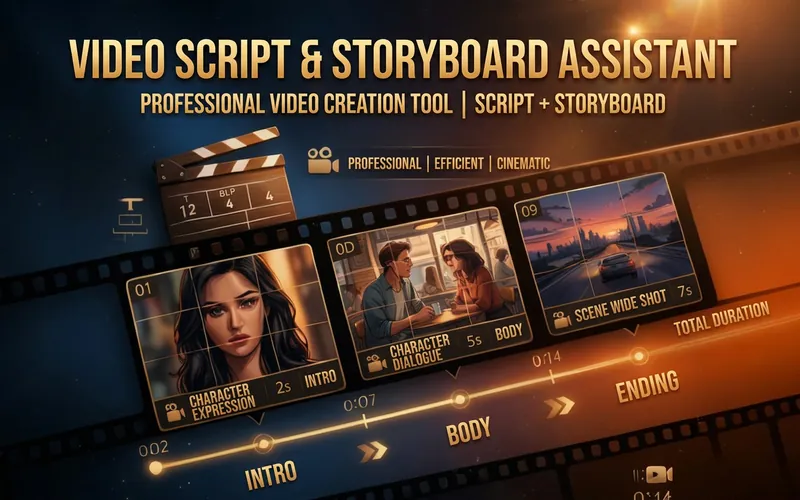
Generate professional video scripts, storyboards, and shooting guides with one click, boosting your video creation efficiency by 10 times! ✨ Core Features: • Generate complete video scripts (intro/body/outro) based on topic • Detailed storyboard design (shot type/shot size/camera movement/duration) • Full script and dialogue word-for-word • Background music and sound effect suggestions • Shooting tips and notes 🎯 Perfect for: Short video creators, YouTubers, Vloggers, brand video production teams 💡 Use Cases: No script inspiration? Use this! Don't know how to storyboard? Use this! Want professional-grade videos? Definitely use this! From zero to one, make every video a masterpiece 🎥
Information
- Version
- v5
- Last updated
- Runtime credits
- Usage-based
- Models
- Auto
- Use cases
- Writing & contentVideo & audio
- What you get
- DocumentScriptPrompt
