Baby Commemorative Portrait
Create tender portraits from photos or 4D ultrasounds
Baby Commemorative Portrait
Create tender portraits from photos or 4D ultrasounds
Showcase
Description
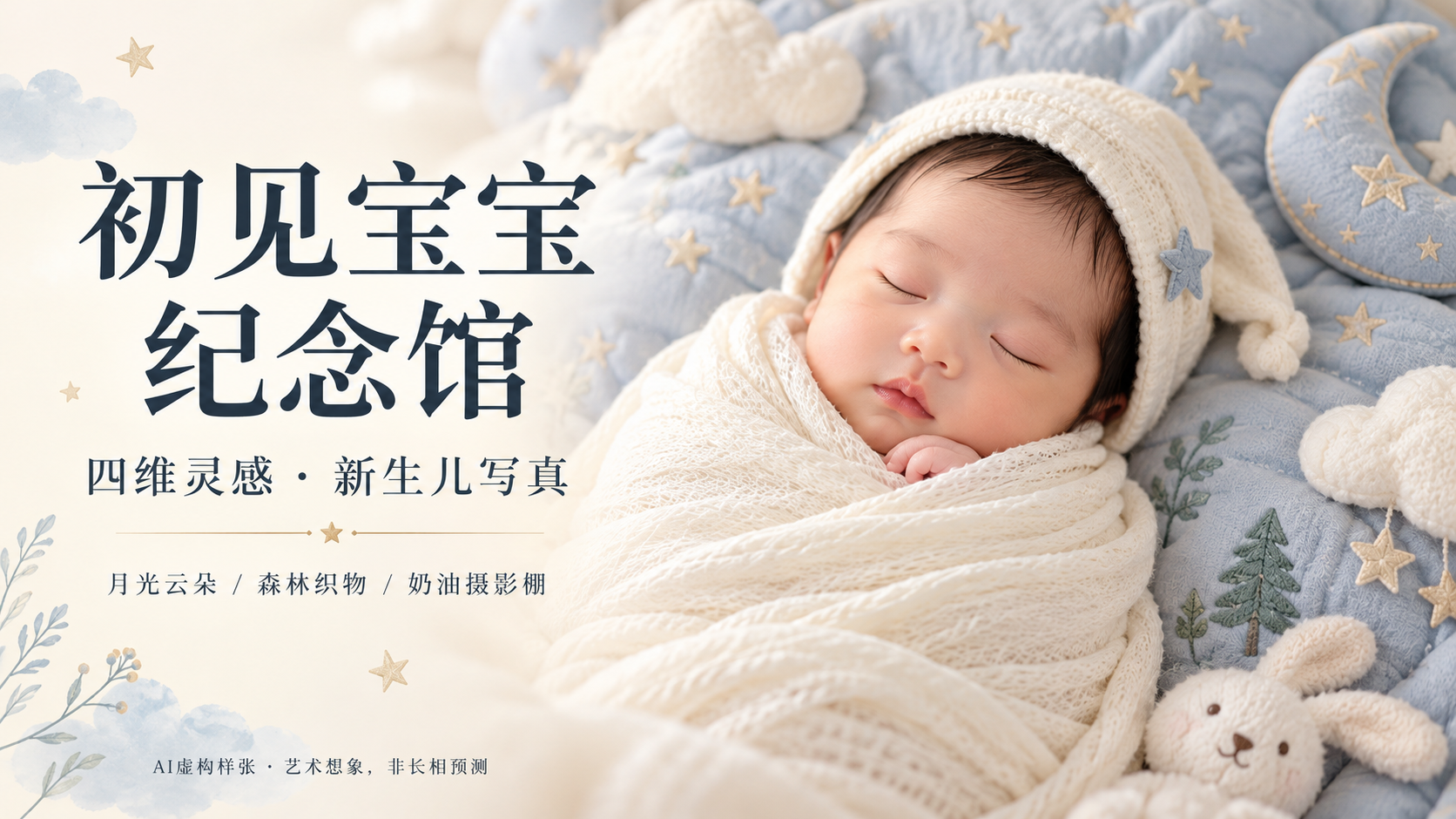
Capture the excitement of meeting your little one with a gentle, custom portrait. Upload a real baby photo or a 4D ultrasound facial image with names, hospital info, and ID numbers removed to create a custom baby commemorative portrait. Supports Chinese, English, or mixed-language requirements, as well as your own prompts. Generate images directly or request Chinese, English, or bilingual prompts. Response language, prompt language, and image text can be specified independently; images feature no text by default. Three original settings: • Moonlight Clouds: Dusty blue, star embroidery, and milky white swaddle. • Forest Textiles: Sage green, linen, and fern embroidery. • Cream Studio: Warm off-white, fine-weave swaddle, and soft window light. Custom colors, backgrounds, aspect ratios, and quantities are also supported. If unspecified, it defaults to Cream Studio, one 2:3 vertical text-free image, with multiple reference images processed individually. Try saying: "Use this baby photo for a Cream Studio commemorative portrait, 2:3 vertical, no text." "Make it Moonlight Clouds style, and give me only English prompts." When an image generation tool is available, the Skill organizes visible outlines and orientation, generates the image, and checks the face, swaddle, lighting, and extra limbs; when unavailable, it clearly states so and provides complete production prompts.
Related Skills
View all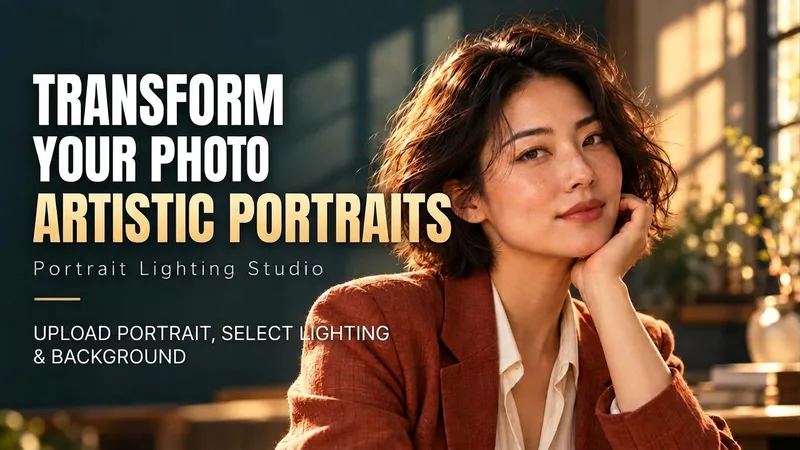 Image
ImagePortrait Light & Shadow Studio
Upload portraits, adjust lighting, poses, and backgrounds to generate window soft-light, night scene, or studio-style portraits. Upload a portrait photo or describe a fictional character to create photographic avatars, personal portraits, and magazine-style portraits. The Skill combines the subject's visible features to arrange poses, lighting, framing, clothing, and environment, ensuring natural hand gestures, grounded body posture, and directional lighting. Three original scenes are ready to use: • Warm Pottery Window: Terracotta and warm wood tones, with a natural medium shot near a studio window. • Rainy Night Set: Warm light in a movie theater porch, cold wet street tones, and expressive gazes. • Coastal Golden Breeze: Sunset rim lighting, sea breeze, and relaxed full-body travel portraits. Professional headshots, solid-color studios, black-and-white portraits, and custom themes are also supported. Uploading a photo preserves primary clothing and accessories by default; to change outfits, backgrounds, or poses, simply specify your request. By default, it generates one 3:4 vertical text-free image per run; you can change the aspect ratio, create a series, or request Chinese, English, or bilingual prompts. Multiple images are generated separately, and after generation, subject recognition, hands, feet, support points, and lighting are verified. You can say: "Use this photo for the rainy night set, keep the hairstyle, and change to a dark jacket." or "Create a mature woman with short curly hair walking naturally in the coastal sunset."
 Image
ImageGiant Baby Portraits
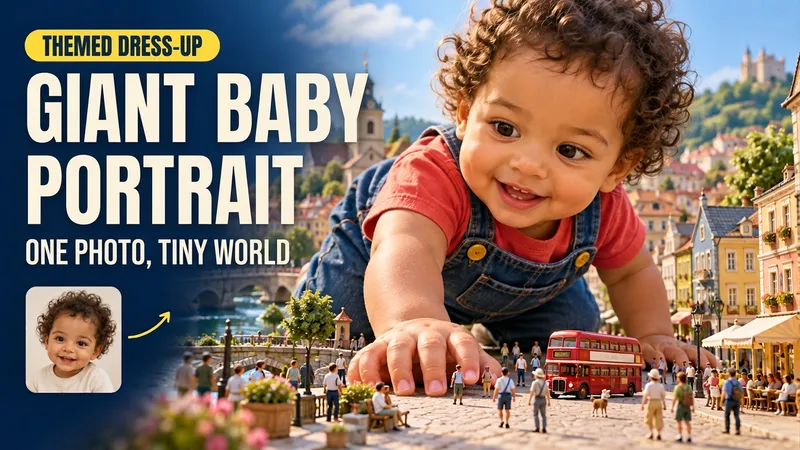
Turn an everyday baby photo into a whimsical portrait of them stepping into a miniature world. Upload a clear photo of your baby and describe a theme to create matching clothing, a natural pose, and a complete miniature world. Houses, vehicles, pedestrians, and amusement rides highlight the baby's giant size towering over the neighborhood, while skin, fabric, lighting, and contact shadows retain a realistic look. You can dress the baby in a yellow elf onesie crawling through a miniature town; have them explore while holding onto a tiny castle in a red hat and blue overalls; or seat them in the center of a residential neighborhood wearing a red top and yellow shorts. Clear themes such as Mario, Pikachu, Minecraft, and Crayon Shin-chan are supported, as are original scenes you describe yourself. You can specify the clothing, pose, setting, aspect ratio, and number of images. By default, one near-3:4 portrait image is generated. You can also request the original clothing, a landscape image, or a series. After generation, the result is checked against the photo for key features, hand and foot structure, weight-bearing points, giant scale, and lighting integration, with corrections made for clearly identified issues. The current environment must support photo-reference image generation. Similarity, poses, and the presentation of specific themes depend on the input photo and the actual model capabilities. Usage is subject to the platform's current rules. The showcase images are generated examples featuring fictional AI babies.
 Image
ImageTorn Paper Dotted Photo Album
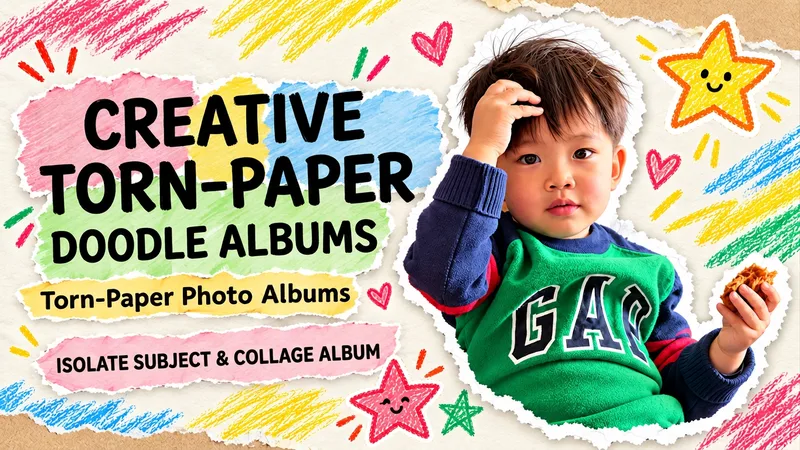
Upload a photo to turn people or pets into scrapbook stars, complete with torn paper edges, handwritten doodles, and vintage paper textures. Upload an original photo, and the subject (whether a person, pet, or main object) is automatically extracted with the original background removed. Group photos retain all individuals by default. Recognizable facial features, hairstyles, clothing, poses, and handheld items are kept, surrounded by natural white torn-paper furry edges, a cream-colored paper background, colored crayon stars, and handwritten short phrases. Generates a 3:4 vertical album image by default. Supports text-free versions, short Chinese phrases, fewer doodles, color adjustments, and landscape or portrait aspect ratios. Text-free means no added album text, though original clothing text is preserved. When parts of the body are obscured in the original photo, an appropriate half-body composition is used without inventing hidden limbs. Full-photo mode is available when explicitly requested. Great for everyday portraits, friend group photos, pet memories, and journal illustrations. Image editing may introduce subtle changes to faces or other details and does not guarantee 100% facial replication. The final image is checked against the original photo. This Skill is free to install. Image generation or editing quota consumption is subject to platform and model terms. Displayed examples show photo editing effects; complete image generation within YouMind has not been fully tested yet.
Information
- Version
- v7
- Last updated
- Runtime credits
- Usage-based
- Models
- Auto
