Faculty-Student Comedy Maker
Faculty-Student Comedy Maker
Showcase
Description
Specializes in creating funny daily videos of professor-student interactions, showcasing classic scenarios such as 'agreeing verbally but slacking off', 'undergraduates snitching', and 'advisors chasing progress'. Supports customizing professor and student avatars and auto-generates multi-scene story videos to perfectly recreate the humorous moments of daily university research life.
Why we love this skill
This skill knows the everyday struggles of university life and turns classic funny moments into lively videos. It precisely captures the humor, bringing your campus anecdotes to life in seconds.
Related Skills
View all Image
ImageMulti-Scene Comedy Generator
Based on user-described character relationships and funny scenarios, it automatically builds complete multi-scene story videos. It supports uploading reference character images, automatically designs plot twists and punchlines, and generates high-quality comedy short videos. Suitable for creating funny scenarios in college, workplace, family, and other settings.
 Video
VideoJapanese Youth Trailer Maker
How can you turn a story idea into a suspenseful Japanese youth trailer? This Skill breaks production into a repeatable workflow: define the style, write the script, choose scenes, establish characters, assemble the storyboard, generate video shot by shot, then organize editing and sound. Provide a story or reference image, and it first locks in the composition, lighting, colors, and details that must remain consistent. It then uses a four-panel empty-scene grid to select visuals and creates facial, half-body, and full-body references for each character, giving the people, clothing, props, and environment a consistent basis across shots. Before batch generation, sample images are used to calibrate light direction, skin tones, highlights, and character states. The default is 30 seconds, 16:9, and 8 shots; duration, aspect ratio, number of characters, and mood can all be adjusted. You can also create only the script, reference images, or storyboard instead of completing the entire film at once. Deliverables • Consistent visual rules and a suspenseful script • Scene, character, prop, and storyboard materials • Separate image and video prompts for each shot • A shot-by-shot timing, in/out point, editing, and sound table • Generated files and review records, based on the capabilities of the available tools When the appropriate media tools are available, the Skill continues with actual generation and review. When tools are unavailable, it delivers complete production materials and explains where the process stops. Image, video, and music generation costs are billed separately and depend on the runtime environment. The featured example, “The Day I Returned the Book,” consists of AI-original still images and storyboards; it is not yet a completed video.
 Image
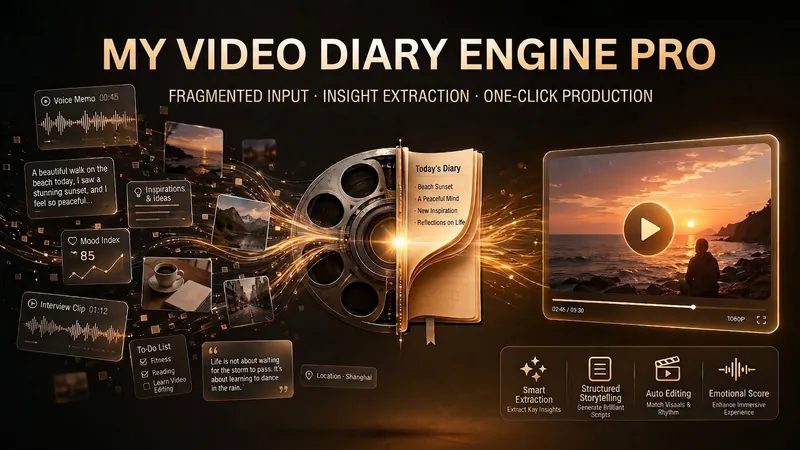
ImageVideo Diary Creator Pro
This skill is designed to help video creators easily produce and manage their video diary content. It is especially suitable for users of Douyin, Xiaohongshu, Bilibili, or WeChat Channels who want to record life through short videos, share insights, and continuously improve content quality. By receiving fragmented material in various forms such as voice, text, or images provided by users, this skill intelligently analyzes and extracts core insights, helping users discover hidden themes and points of resonance in their daily lives. It can automatically generate video scripts that are colloquial and authentic based on the user's personal style preferences and publishing platform, and refine them into catchy quotes suitable for sharing. In addition, this skill has powerful visual content generation capabilities, automatically creating high-click-rate video covers and beautiful quote cards for users' video diaries. These visual assets not only enhance content appeal but also make it easy for users to share directly on social media. For users who want to systematically manage personal content, it can archive daily records and provide weekly and monthly review reports, helping users review their growth trajectory and optimize content strategy.
Information
- Version
- v2
- Last updated
- Runtime credits
- Usage-based
- Models
- Auto
