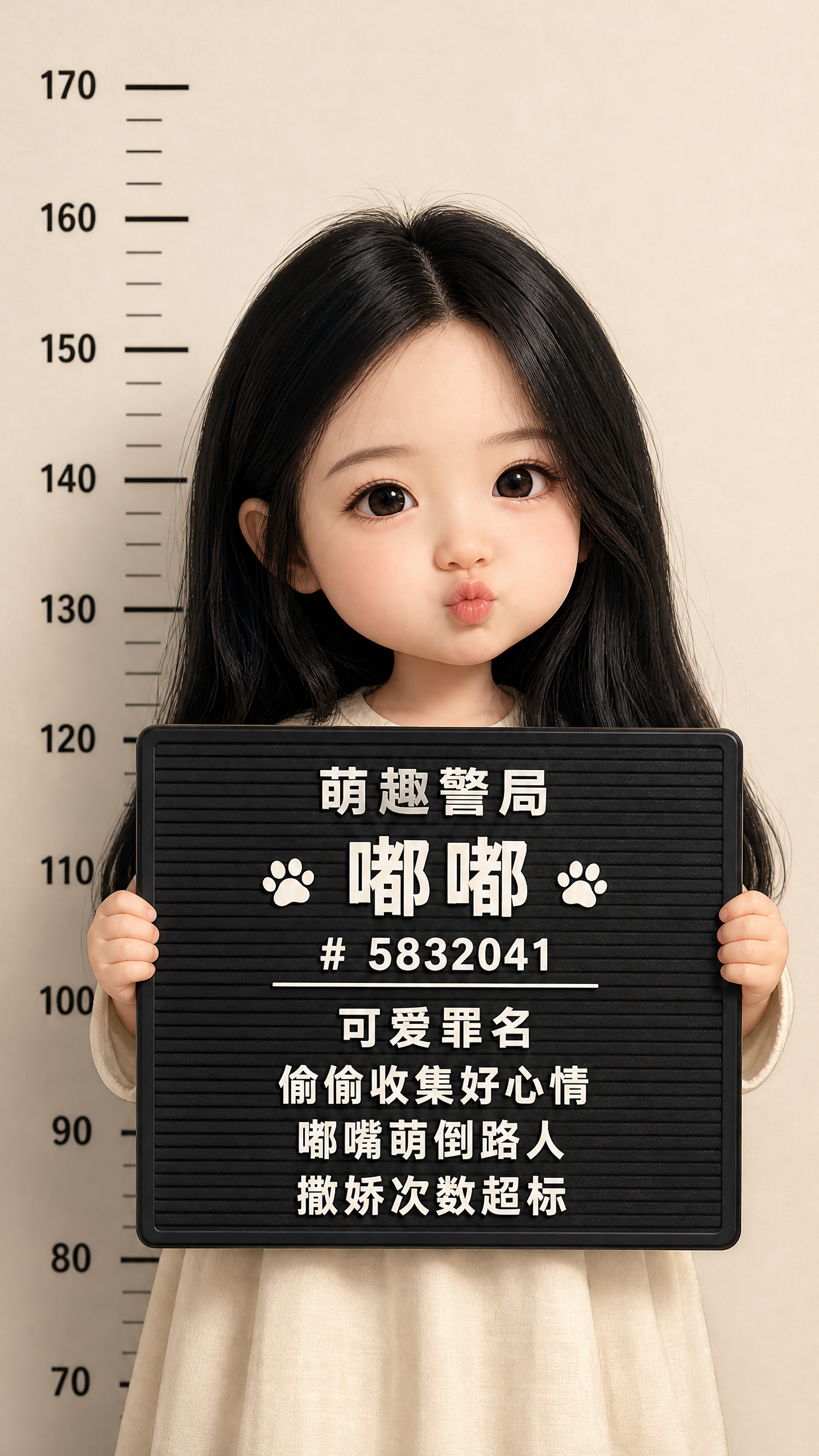
Chibi Police Mugshot
Turn any photo into an adorable chibi mugshot poster
Chibi Police Mugshot
Turn any photo into an adorable chibi mugshot poster
Showcase
Description
What it does: Transform family members, yourself, friends, pets, or plush toys into an adorable and hilarious "caught in the act" poster. The charges aren't real crimes; instead, they feature harmless, playful jokes like "being too cute," "habitual snack thief," or "causing chaos everywhere." Perfect for social media, profile pictures, birthday greetings, and family memories. Core features: - High cuteness factor: Built with 4 levels of cuteness, defaulting to a large head and small body (approx. 1.5–2 heads tall) with big round eyes, soft chubby cheeks, and stubby little hands, while preserving the person's hairstyle, facial features, and signature traits so they are instantly recognizable. - 10 styles to choose from: Realistic Chibi, 3D Blind Box, Exaggerated Funny, Retro Film, Black-and-White Archive, Hand-drawn Watercolor, Clay Stop-Motion, Pixel Game, Cyber Neon, and Korean Fresh. You can also describe your desired style, and the system will render it accordingly and recommend similar options. - 36 sets of funny captions: Covers snack lovers, guilty of being cute, mischievous trouble-making, trying to look cool, sleepy and spoiled, pet-specific scenarios, and holiday themes, with additional adult-only options. If left unspecified, it automatically matches the set that best fits the photo, or you can completely customize it. - Multi-language signs: The entire sign (police department name, "charge" title, and three lines of text) is translated together, supporting Simplified Chinese, Traditional Chinese, English, Japanese, Korean, French, and Spanish. - Flexible aspect ratios: Defaults to 9:16 vertical, and also supports 3:4, 1:1, 4:5, and 16:9. The composition and height chart automatically adapt to the ratio. - Multiple subjects: Handles real people, children, pets, plush toys, and group photos. How to use: 1. Upload a clear front-facing or half-body photo. 2. Optionally fill in the name, caption, aspect ratio, cuteness level, style, and language. 3. Get the complete prompt and copy it into your go-to image generation model to create the image. 4. If unsatisfied, simply say: "Make it cuter," "Change to English," "Change the style," or "Change the caption." Who it's for: - Parents: Capture your child's cute moments to create 1st-birthday, birthday, and growth milestone posters. - Pet owners: Create a "criminal record" for your furry friend. - Content creators: Batch-create fun profile pictures, interactive event graphics, and follower-growth materials. - Friend gatherings, couples, and colleagues: Create playful birthday or holiday greeting images. Tips: - The clearer the photo and the more complete the facial features, the higher the accuracy. Backlit or face-obscuring photos will reduce the effect. - It is recommended to keep each line of the sign caption under 10 characters for more stable text rendering. If there is a typo in the generated text, you can ask the model to inpaint the sign text locally. - If it doesn't look cute enough, turn the cuteness level up to 4; if it doesn't look like the person, lower it by one level.
Recommended by
Dancang
Why we love this skill
Instantly turns people, pets, or plushies into adorable chibi police mugshot posters complete with height charts and funny harmless charges.
Best for
Great for turning photos of yourself, family, friends, pets, or plush toys into fun, memorable posters.
How to use this Skill
Provide your input
Upload a clear front-facing or half-body photo, and optionally provide a name, caption text, aspect ratio, cuteness level, style, and language.
Run the Skill
The system generates a cute police station poster prompt based on your photo and options, featuring a chibi subject, height chart, and funny sign captions.
Review your result
Receive complete prompts ready to copy into your favorite image generation model to create cute and funny posters.
Related Skills
View all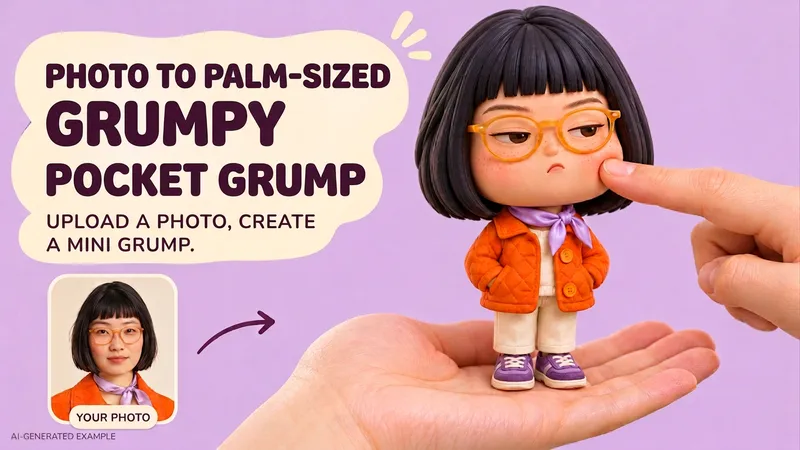 Image
Pocket Grump
Upload a portrait photo to generate a cute chibi doll standing on a realistic palm and being gently poked in the cheek by a finger, keeping the original photo's background scene by default. Retains recognizable face shape, eyebrows, eyes, hairstyle, glasses, smile, and clothing, using rounded soft vinyl or polymer clay styling with a large head, small body, and tiny hands and feet for a cute feel. The default expression stays close to the original photo; you can also specify a pouty, pouting, or other expression. Backgrounds prioritize keeping the environmental elements, color scheme, and lighting from the original image, with moderate blurring and completion of areas blocked by the figure only when needed. If you prefer to change to a simple background that matches the clothing, you can state that directly. Delivers a 3:4 vertical static image by default, supporting Chinese and English input; aspect ratios like 1:1 or 9:16 can be requested. The final image has no text by default, making it ideal for profile pictures, social media posts, and fun commemorative images. Examples: • Turn me into a cute palm-sized cheek-poke doll, keeping the background and smile from the photo. • Make it even cuter, keep my eye shape and hairstyle, and make the body shorter and rounder. • Change to a light background that matches the dark green top, and make it a square image. Showcase images feature original AI-fictional characters, demonstrating optional studio background and expression effects. Installation costs 3,000 credits, and runtime usage is calculated based on platform display. Pocket Grump | Photo to Cute Palm-Sized Cheek-Poke Toy Upload a portrait to create a soft, cute chibi collectible standing on a realistic palm while a fingertip gently dimples one cheek. The original photo's setting is retained by default. Keep recognizable face shape, eyes, brows, hair, glasses, smile and outfit through a rounded, sculpted vinyl/clay toy design with a large head and tiny body. The default expression follows the photo; a grumpy pout or another expression can be requested. Preserve the source scene, recognizable background elements, colors and lighting. Use gentle background blur or limited completion of hidden areas only when the composition needs it. You can also request a fresh background coordinated with the outfit. Get one 3:4 still image by default. Chinese and English requests are supported, with optional square or 9:16 framing. Artwork has no added text by default. Example: “Turn me into an extra-cute palm-sized cheek-poke toy. Keep my smile, glasses and original woodland background.” Showcase artwork uses original AI-generated fictional people and illustrates optional studio backgrounds and expressions. Installation costs 3,000 credits; runtime usage follows the platform pricing shown.
 Image
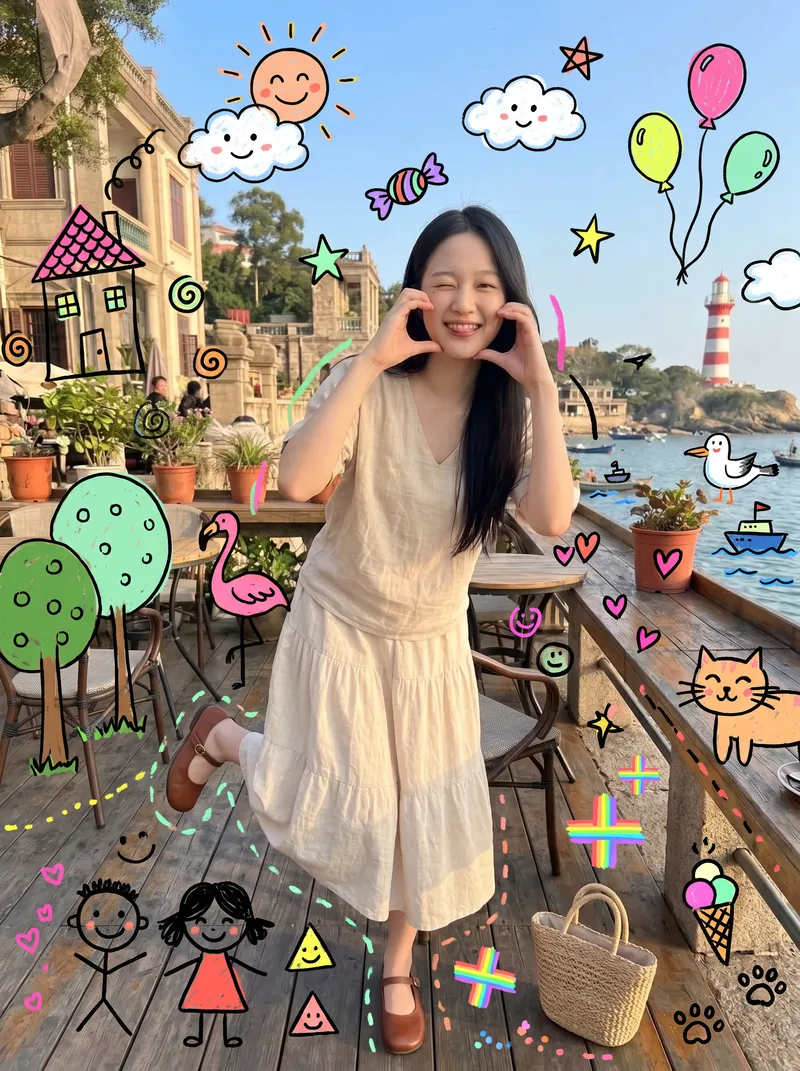
Kids' Doodle Photo Magic
This skill is designed for content creators who want to generate "photo × children's doodles" images. Just upload a photo—family portraits, people, pets, street scenes, food, and landscapes all work. It automatically identifies the subject and areas of open space, then adds crooked suns, clouds, flamingos, cats, candy, wonky houses, little monsters, smiling faces, and more around the subject. The result looks like a child really drew directly on the photo, with authentic hand-drawn strokes. 【Use cases】 - Turn family portraits and photos of children into warm, playful keepsake posters - Turn pet photos into adorable images that look "covered in children's drawings" - Create creative covers and series graphics for Xiaohongshu, Douyin, and WeChat Moments - Give street and travel photos a childlike urban doodle style - Create visual assets for brand marketing, children's products, and parenting content
 Image
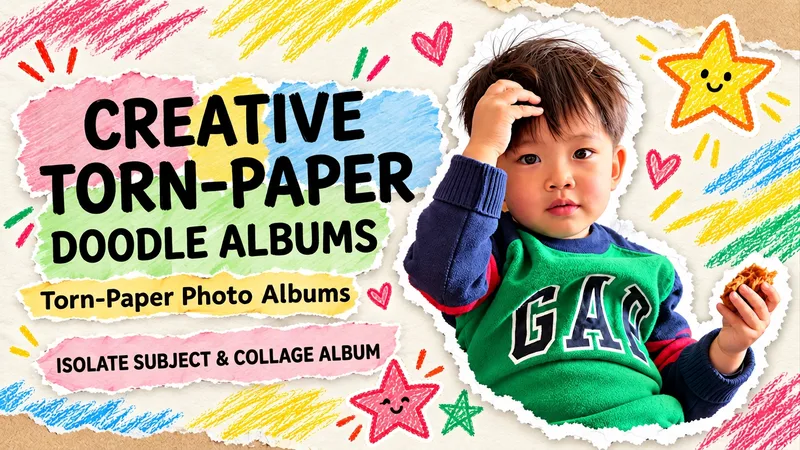
Torn Paper Dotted Photo Album
Upload a photo to turn people or pets into scrapbook stars, complete with torn paper edges, handwritten doodles, and vintage paper textures. Upload an original photo, and the subject (whether a person, pet, or main object) is automatically extracted with the original background removed. Group photos retain all individuals by default. Recognizable facial features, hairstyles, clothing, poses, and handheld items are kept, surrounded by natural white torn-paper furry edges, a cream-colored paper background, colored crayon stars, and handwritten short phrases. Generates a 3:4 vertical album image by default. Supports text-free versions, short Chinese phrases, fewer doodles, color adjustments, and landscape or portrait aspect ratios. Text-free means no added album text, though original clothing text is preserved. When parts of the body are obscured in the original photo, an appropriate half-body composition is used without inventing hidden limbs. Full-photo mode is available when explicitly requested. Great for everyday portraits, friend group photos, pet memories, and journal illustrations. Image editing may introduce subtle changes to faces or other details and does not guarantee 100% facial replication. The final image is checked against the original photo. This Skill is free to install. Image generation or editing quota consumption is subject to platform and model terms. Displayed examples show photo editing effects; complete image generation within YouMind has not been fully tested yet.
Information
- Version
- v3
- Last updated
- Runtime credits
- Usage-based
- Models
- Auto
- Use cases
- Images & designMarketing & growthLifestyle & entertainment
- What you get
- Prompt
