
Dancing Dog Videos
Place a dancing dog in everyday scenes
Dancing Dog Videos
Place a dancing dog in everyday scenes
Showcase
Description
A regular video suddenly gains a little dog busy dancing. A coffee cup rim, windowsill, or steps in a travel shot can all become its tiny dance floor. Provide a video and your own transparent animated stickers, and this Skill helps decide where the dog stands, how large it should be, and when to switch characters—adding a playful contrast of “soulful dancing” to scenes of everyday life. This is Dancing Dog in video form: a 2D cartoon character jumps into a real-world scene, with its feet landing on visible objects. It suits daily-life recordings, travel Vlogs, café visits, pet videos, and everyday fun, and can also use your own characters. • Ground it in the scene: Review the video shot by shot, choose real support points such as tabletops, cup rims, windowsills, pool edges, or steps, and adjust the size based on distance. • Follow the rhythm: By default, keep the character appearing throughout the video. When suitable spots are available, arrange 1–3 characters at once, switch to a new group every four beats, and preserve the original audio. • Add natural accents: Try to avoid faces, hands, subtitles, and key actions. You can also add characters only during amusing pauses. You provide: an MP4/MOV video and transparent GIF, animated WebP, or PNG assets that you have permission to use. The animated dance comes from the GIF or animated WebP itself; PNG is a static sticker that can perform a subtle beat-synced motion. To rotate different characters, provide multiple assets. When the environment supports execution, delivery includes a finished MP4, placement and rhythm notes, and layout materials that can be adjusted further. You do not need to specify coordinates manually. 【Please read before using】 This Skill includes an AI placement workflow and a local compositing script. It requires an environment that can read video, review extracted frames, and run Python 3.11+, FFmpeg, and the relevant dependencies. Full video compositing in YouMind has not yet been verified. If the environment cannot run the script, the Skill will explain the limitation and provide the layout plus instructions for running it externally. AI determines support points by viewing the footage, while motion is interpolated between keyframes for the specified objects. General-purpose automatic tracking, semantic segmentation, and complex foreground-occlusion reconstruction are not included. The finished video should be checked for foot contact, subject avoidance, and shot transitions. This Skill does not include a sticker library or music. The examples include local compositing samples and original effect demonstrations; none are complete YouMind execution screenshots.
Recommended by
Dancang
Why we love this skill
Featured for grounding dancing stickers on real-world objects, coordinating them with camera movement and rhythm, and clearly handling animated versus static assets and environment limitations.
Best for
Content creators making daily-life, travel Vlog, café, and pet-fun videos.
How to use this Skill
Provide your input
Provide a video and transparent PNG, GIF, or animated WebP stickers that you have permission to use. For rotating characters, provide multiple assets.
Run the Skill
Review the video, choose real objects that can support the sticker, then arrange its position, size, and timing based on shot distance and rhythm while avoiding people and subtitles.
Review your result
When the environment supports compositing, receive a finished MP4 with dancing characters plus placement and rhythm notes. If compositing cannot run, receive editable layout materials and run instructions.
Related Skills
View all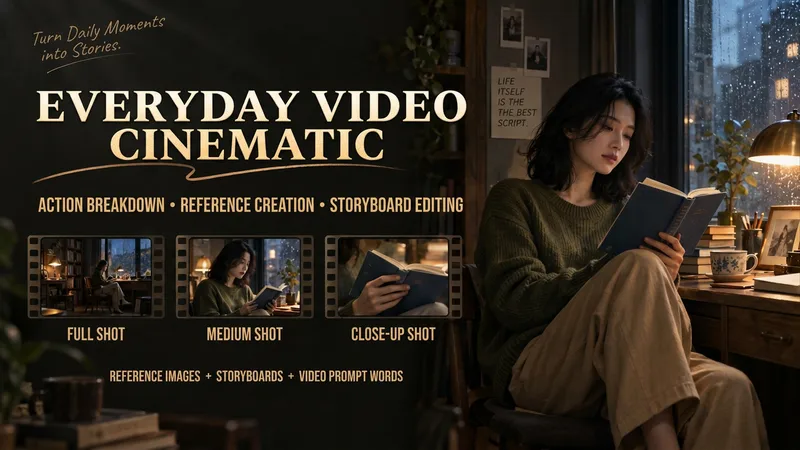
Make Everyday Video Cinematic
Provide everyday footage, ordered keyframes, or action descriptions, and tell it the mood you want. The basic deliverables are an event chain, cinematic storyboard, reference-material mapping, platform-neutral video-generation prompts, and review notes. Reading the original video, creating reference images, and generating the finished video continue according to the tools supported in the current environment. This version has not yet been fully tested with complete tasks in YouMind. The Skill first separates confirmed visual information, user-provided details, and unknown elements. It organizes the people, settings, and key objects, then redesigns the shots, pacing, lighting, and color. When it cannot read the footage, it guides you to provide keyframes and action descriptions. It focuses on checking whether people change appearance, whether extra props appear, whether action cause and effect is altered, and whether positions still connect after a cut. It is suited to everyday creators who want to give life moments, pet stories, and small shop stories a stronger narrative feel. When the environment supports image generation, it directly creates and checks reference images. When it supports a video-generation tool with the relevant reference inputs, it can continue to generate and review a short clip. Without the corresponding tools, it clearly delivers the completed plan and materials for external generation. Actual image and video generation capabilities, available parameters, and resource usage depend on the current environment.
Viral Pet Product Video Maker
Short-video creation assistant built for pet e-commerce, precisely turning product selling points into heartwarming storyboard scripts and video generation prompts. Whether it's cat treats or dog apparel, just provide the product details and pet type, and it will craft a script that follows the viral formula of major short-video platforms—including scene setups, subject descriptions, camera moves, and conversational voiceover copy. This skill is deeply tailored to mainstream video generation models, offering structured storyboard prompts that ensure a warm, bright, everyday feel. It automatically balances shot and voiceover density, adding narration-free transition shots to make the video feel more relaxed and natural. From the hook opening to detail showcases to cute-pet close-ups that spark desire, every shot is carefully arranged to highlight the product's core value. After the script is generated, you can directly access professional prompts for AI video production and, with one click, call a video model to generate high-quality vertical voiceover videos. It also ensures the pet's appearance stays consistent across multiple shots and automatically adds visual constraints to avoid distracting subtitles, helping you efficiently produce pet product content with a premium feel and strong conversion power.
 Video
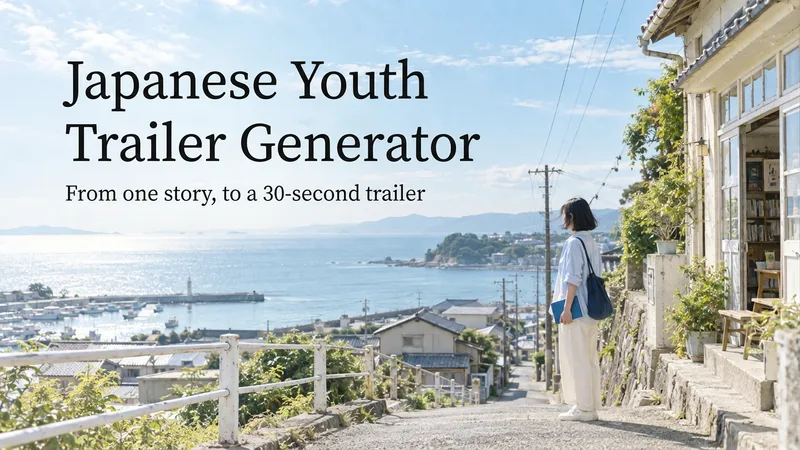
VideoJapanese Youth Trailer Maker
How can you turn a story idea into a suspenseful Japanese youth trailer? This Skill breaks production into a repeatable workflow: define the style, write the script, choose scenes, establish characters, assemble the storyboard, generate video shot by shot, then organize editing and sound. Provide a story or reference image, and it first locks in the composition, lighting, colors, and details that must remain consistent. It then uses a four-panel empty-scene grid to select visuals and creates facial, half-body, and full-body references for each character, giving the people, clothing, props, and environment a consistent basis across shots. Before batch generation, sample images are used to calibrate light direction, skin tones, highlights, and character states. The default is 30 seconds, 16:9, and 8 shots; duration, aspect ratio, number of characters, and mood can all be adjusted. You can also create only the script, reference images, or storyboard instead of completing the entire film at once. Deliverables • Consistent visual rules and a suspenseful script • Scene, character, prop, and storyboard materials • Separate image and video prompts for each shot • A shot-by-shot timing, in/out point, editing, and sound table • Generated files and review records, based on the capabilities of the available tools When the appropriate media tools are available, the Skill continues with actual generation and review. When tools are unavailable, it delivers complete production materials and explains where the process stops. Image, video, and music generation costs are billed separately and depend on the runtime environment. The featured example, “The Day I Returned the Book,” consists of AI-original still images and storyboards; it is not yet a completed video.
Information
- Version
- v5
- Last updated
- Runtime credits
- Usage-based
- Models
- Auto
- Use cases
- Images & designVideo & audioLifestyle & entertainment
- What you get
- ReportVideoData
- Visual styles
- Cartoon
