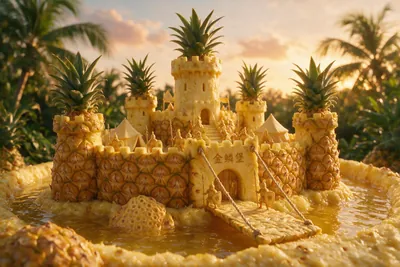
Scene Forging Workshop
Daily Fruit Animation Micro-World Builder
Scene Forging Workshop
Daily Fruit Animation Micro-World Builder
Showcase
Description
Transform the natural material of fruit into architecture, terrain, and civilizations. Generate image prompts for surreal miniature worlds and bring them to life. Freely combine fruit type, season, setting, and world name—the core concept is material transformation: everything in the scene comes from that fruit. For serialized or series scenes, the setting tier is determined by value (premium → palace fortresses, high-quality → towns and manors, standard → cottages and markets, vegetable-grade → mountain landscapes and farmland). Texture defines the material language only; it does not determine the tier.
Related Skills
View all
Script Forge Workshop
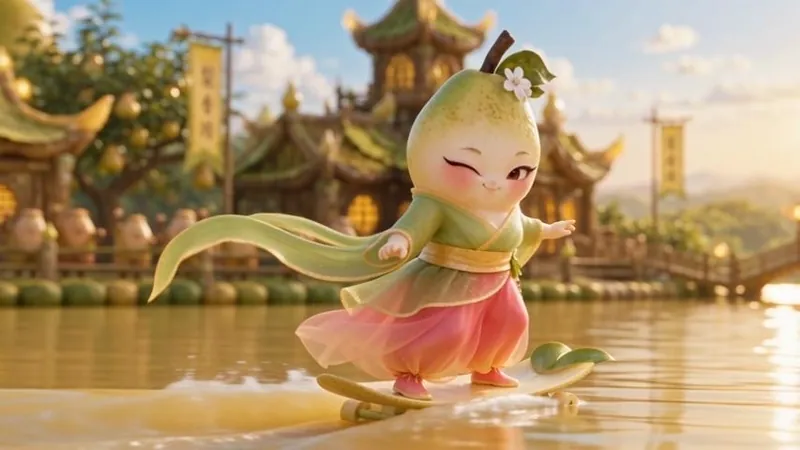
A script skill for producing one fruit animation episode per day: enter a short synopsis set in the Fruit World and receive a 30-second episodic storyboard script ready for video generation, including release copy, AI voice prompts, and BGM recommendations. Each script also ends with a fixed “empty-shot video prompt module” containing text prompts only; it does not generate empty-shot images or videos. Strictly follows the worldbuilding in the “Fruit World · Setting Handbook” while keeping credit usage light. After the script is produced, the companion “Daily Fruit Animation Video Generation Workflow” skill provides reference-image prompts, video-generation parameters, and the finished video.
 Video
VideoDaily Fruit Animation Workflow
An end-to-end production workflow for daily animations in the “Fruit Micro World” series, using a **six-step decoupled process with confirmation at each step**: ① organize the fruit knowledge card → ② story outline → ③ script → ④ production plan → ⑤ asset list and prompts → ⑥ video storyboard script. Each step produces exactly one document for that step, which is submitted for user confirmation before moving on; documents are never generated in bulk, and images or videos are never created ahead of schedule. The workflow strictly follows the material transformation, silhouette, naming, and image-quality standards in the “Fruit World · Style Guide,” with the primary goals of producing one episode a day, keeping it lightweight, saving credits, and creating finished videos quickly.
 Image
ImageHandmade Clay Image Maker
Turn text descriptions, people, animals, objects, or reference images into handmade clay-style artwork that truly looks molded, pressed, and assembled by hand. Rather than simply applying a clay texture, this style gives characters, scenes, props, buildings, and text the soft, dimensional volume of physical clay, with natural finger presses, hand-shaped edges, kneading marks, and subtle asymmetry for a detailed, matte, warm, and tactile handmade feel. Whether you need clay characters, miniature worlds, art illustrations, posters and ads, product visuals, or clay typography and lettering, the style automatically matches the colors, composition, and spatial depth to the subject. When you upload a photo of a person or animal, it aims to preserve recognizable features such as facial structure, hairstyle, body shape, clothing, and distinctive accessories, then reimagine them as a cohesive clay art figure. When text is requested, it is also integrated into the scene as dimensional clay lettering. You can specify the aspect ratio, color direction, subject pose, scene elements, or strength of the handmade effect, or simply describe the theme you want. The result is a complete clay-style image, along with the mode, colors, composition, and key visual settings used for generation, making it easy to continue refining the result toward a macaron, candy, retro, Japanese low-saturation, earth-tone, or warm storybook direction.
