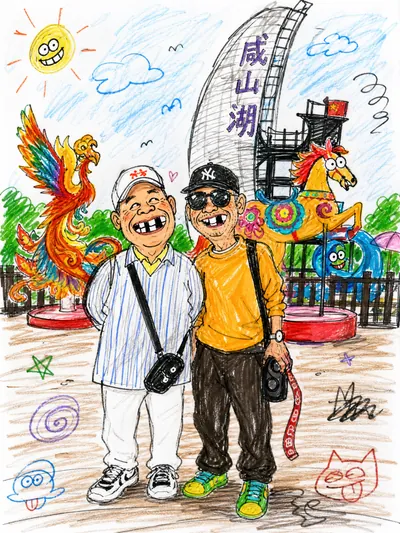
Funny Doodle Style
Hilarious doodles from your photos~
Funny Doodle Style
Hilarious doodles from your photos~
Showcase
Description
Just upload a photo, and we'll turn it into a hilarious, silly doodle~ hahahaha
Recommended by
Nico@YouMind
Why we love this skill
It transforms photos into childlike doodles with a unique 'half-hearted' style, using casual lines and exaggerated details to create laugh-out-loud meme-worthy images.
Related Skills
View all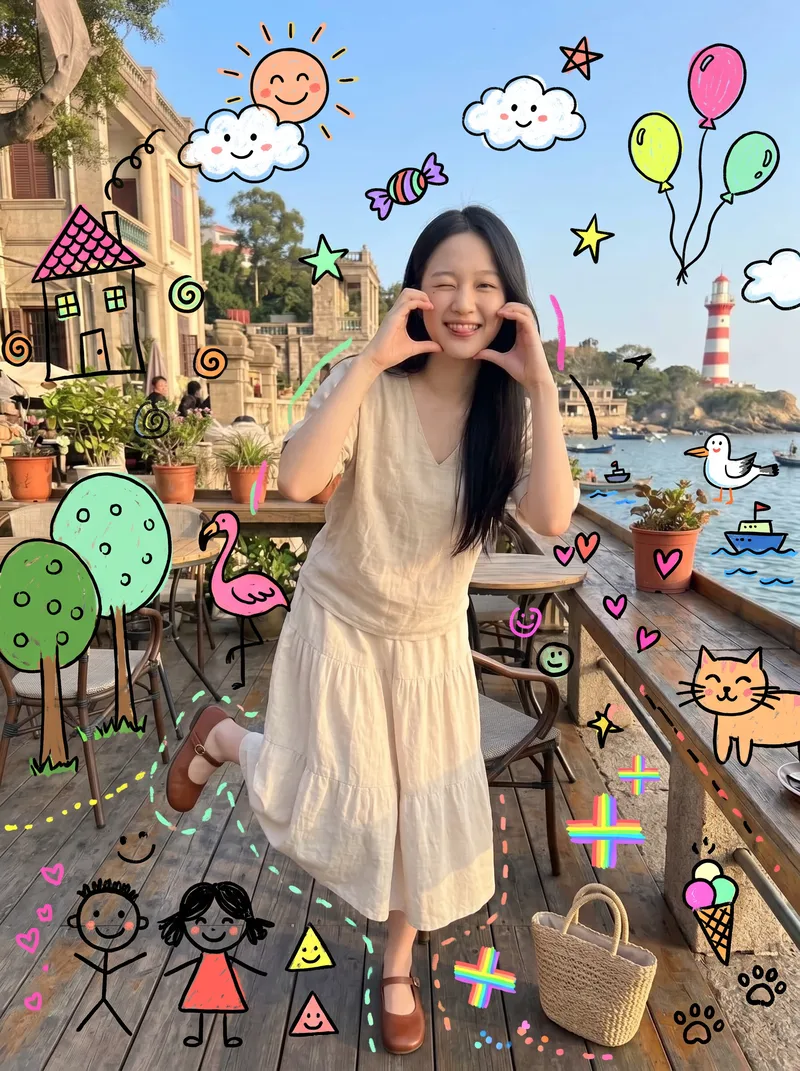 Image
ImageKids' Doodle Photo Magic
This skill is designed for content creators who want to generate "photo × children's doodles" images. Just upload a photo—family portraits, people, pets, street scenes, food, and landscapes all work. It automatically identifies the subject and areas of open space, then adds crooked suns, clouds, flamingos, cats, candy, wonky houses, little monsters, smiling faces, and more around the subject. The result looks like a child really drew directly on the photo, with authentic hand-drawn strokes. 【Use cases】 - Turn family portraits and photos of children into warm, playful keepsake posters - Turn pet photos into adorable images that look "covered in children's drawings" - Create creative covers and series graphics for Xiaohongshu, Douyin, and WeChat Moments - Give street and travel photos a childlike urban doodle style - Create visual assets for brand marketing, children's products, and parenting content
 Image
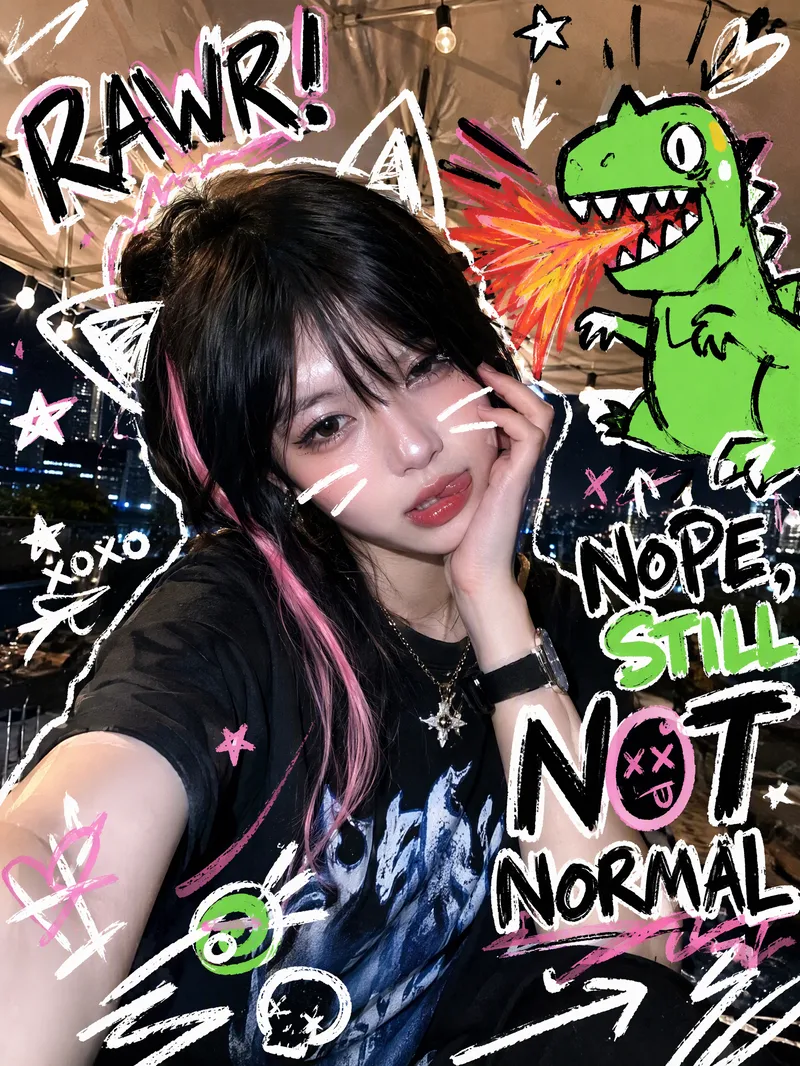
ImageTrending Doodle Photo
Turn your photo into a distinctive Y2K hand-drawn doodle illustration while preserving the subject’s identity, facial features, and original setting. After you upload a photo, sticker-like doodle graphics are layered over the original image, such as stars, arrows, scribbled lines, hearts, lightning bolts, bubbles, or cute cartoon animals. Bold handwritten doodle text surrounds the subject, creating a lively, playful, and spontaneous social media sticker-art style. Each generation randomly creates a new visual combination based on the same compositional relationship. The cartoon figures, doodle objects, short phrases, positions, quantities, angles, and color palettes vary, without mechanically repeating the same template. The text may feature English slang, onomatopoeia, or lighthearted teasing phrases, while maintaining clear, precise sticker-like outlines. Ideal for creating Instagram and WeChat Moments profile photos, photo stickers, and personalized shareable images. The result is a ready-to-use doodle photo, along with a brief description of the graphic and text elements added.
 Image
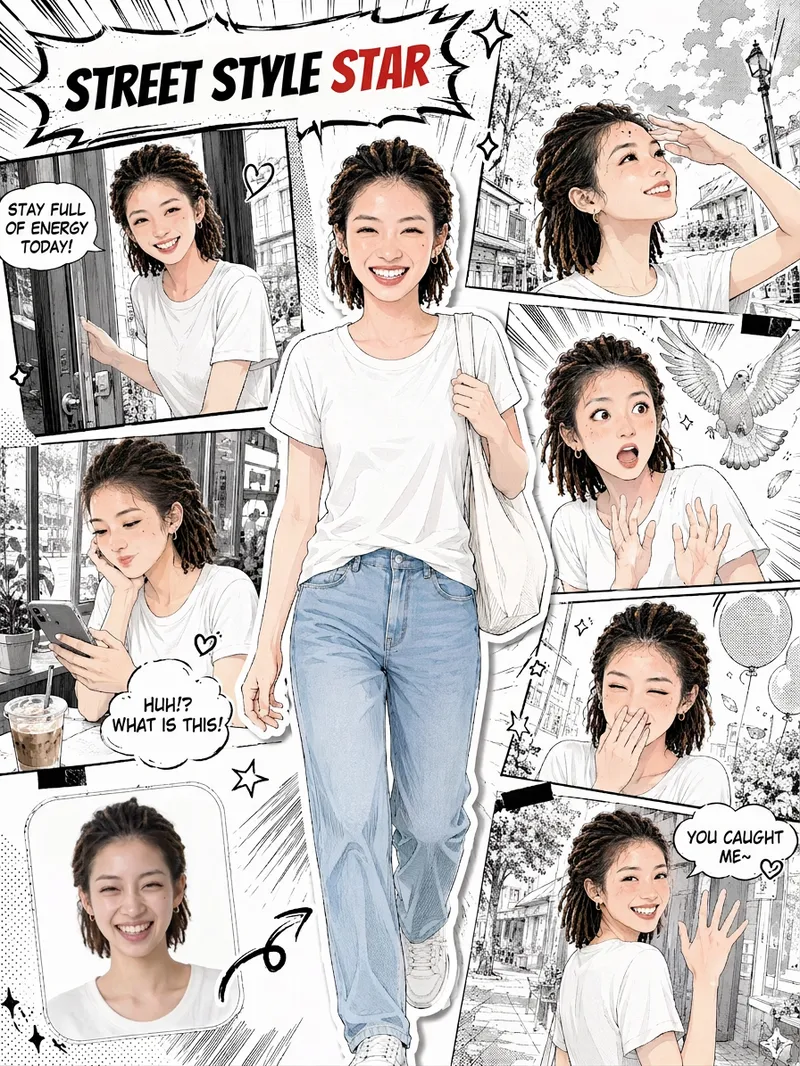
ImageSelfie Comic Hero
Upload a selfie and let it draw “your comic.” This is more than turning a photo into an anime avatar. It recreates your face, hairstyle, and outfit, placing you front and center as the protagonist. Around you is a story-driven sequence of comic panels: winking and flashing a peace sign, smiling sweetly with your chin in your hands, reacting to a surprise, looking back with a secret smile… Together, 5–6 panels of expressions become your own little story. You’ll get: 🎨 Japanese manga line art with a magazine collage style; you’re the only one in color in the black-and-white comic 🧑 Your face, hairstyle, and outfit are faithfully recreated, so every panel clearly looks like you 📖 Storyboards with a clear beginning, development, turn, and conclusion; speech bubbles are generated automatically based on your photo 🔄 Every generation is different, so you can create different stories from the same selfie 🖼️ An optional “selfie vs. comic” comparison thumbnail in the lower-left corner for extra contrast when sharing ✏️ Want to make it your own? Customize the storyboard theme, dialogue, title, and aspect ratio
Information
- Version
- v2
- Last updated
- Runtime credits
- Usage-based
- Models
- Auto
