Global Costume Spin Show
One photo, one film, one portrait to keep
Global Costume Spin Show
One photo, one film, one portrait to keep
Showcase
Description
One photo in, a costume film plus a portrait you can keep: a front-to-back spin video, a downloadable half-body portrait in exactly the same costume, a full-body cover still, and a bilingual SRT subtitle sheet. No requirements on framing, resolution, angle or lighting — selfies, half-body shots and screenshots all work. Multiple looks for the same person are cut into one continuous show.
Best for
Great for turning personal photos into historical costume showcase videos, cover stills, and social media avatars.
How to use this Skill
Provide your input
Upload one or more portraits and specify the desired region, era, identity, or costume preference, or simply provide a photo.
Run the Skill
Transforms the person into a cohesive historical costume visual, generating a cover still, a spin showcase video, a matching half-body portrait, and bilingual subtitles.
Review your result
Receive a vertical costume showcase video, a full-body cover still, a downloadable matching portrait, and an import-ready bilingual SRT subtitle file.
Related Skills
View all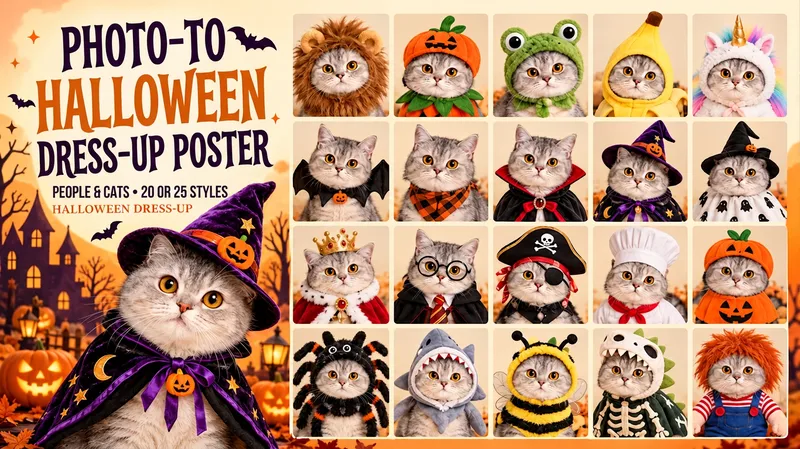 Image
ImageHalloween Dress-Up Poster
Upload a person or cat photo and turn it into one poster with 20 or 25 Halloween looks. Choose Chinese labels, English labels or a text-free layout. One familiar face, a whole page of costumes: lion mane, pumpkin, pirate, witch, royal cape and more. Each look pairs its hat, cape, collar, glasses and clothing as a complete outfit. Choose Classic 20, Playful 20 or the complete 25-look collection. Human portraits stay human; cats keep their coat colors and markings. Customize colors, expressions, backgrounds, titles and framing, or pick a single costume. Default: one 2:3 portrait poster, with numbered cells and short labels. Try: “Use my photo to create the classic 20 Halloween looks in one poster. Keep my face. English labels.”
 Image
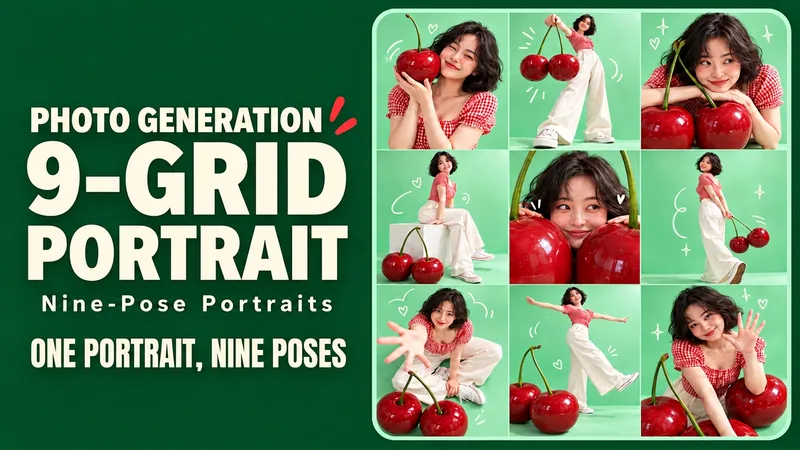
Image9-Grid Portrait Generator
Upload a portrait and generate nine different poses of the same person, complete with colorful backgrounds, playful props, and doodles. Upload a character photo and place yourself into a vibrant creative photoshoot: exaggerated props, different camera angles, natural expressions, and a few witty doodles make up a complete 3x3 grid. Close-ups, full-body shots, high-angle views, and side profiles keep every frame interesting. Start with themes like Mint Cherry, Sunset Skate, or Purple Space, or define your own. By default, it keeps the original hairstyle and clothing to generate a text-free 3:4 vertical 3x3 grid. You can also change outfits, alter colors, or add short titles. Ideal for social sharing, birthday photos, profile pages, and creative outfit lookbooks. Supports both Chinese and English input; supports Chinese titles, English titles, or separate bilingual editions with the same composition. Individual tile export depends on the runtime environment. Try: "Keep my short hair and glasses, use mint green and cherry red, nine poses, no text, generate directly." Turn one favorite photo into nine playful portraits. Step into a colorful mini photo shoot with oversized props, expressive poses and a few hand-drawn accents. Close-ups, full-body frames, overhead views and side profiles give each panel its own moment while one face, outfit and visual theme hold the set together. Explore Mint Cherry, Sunset Skate and Lilac Orbit—or invent your own theme. Keep your original hair and clothes by default, or request a new outfit. Default: one text-free 3:4 portrait contact sheet in an exact 3×3 layout. Optional individual tile export depends on the host tools. Made for social posts, birthdays, profile pages and outfit inspiration. Use English or Chinese, add short titles, or request matching separate language editions. Try: “Keep my short curls and glasses. Create a Sunset Skate nine-shot sheet in coral and teal. Nine distinct poses. No text. Generate it.”
AI Try-On Video Generator
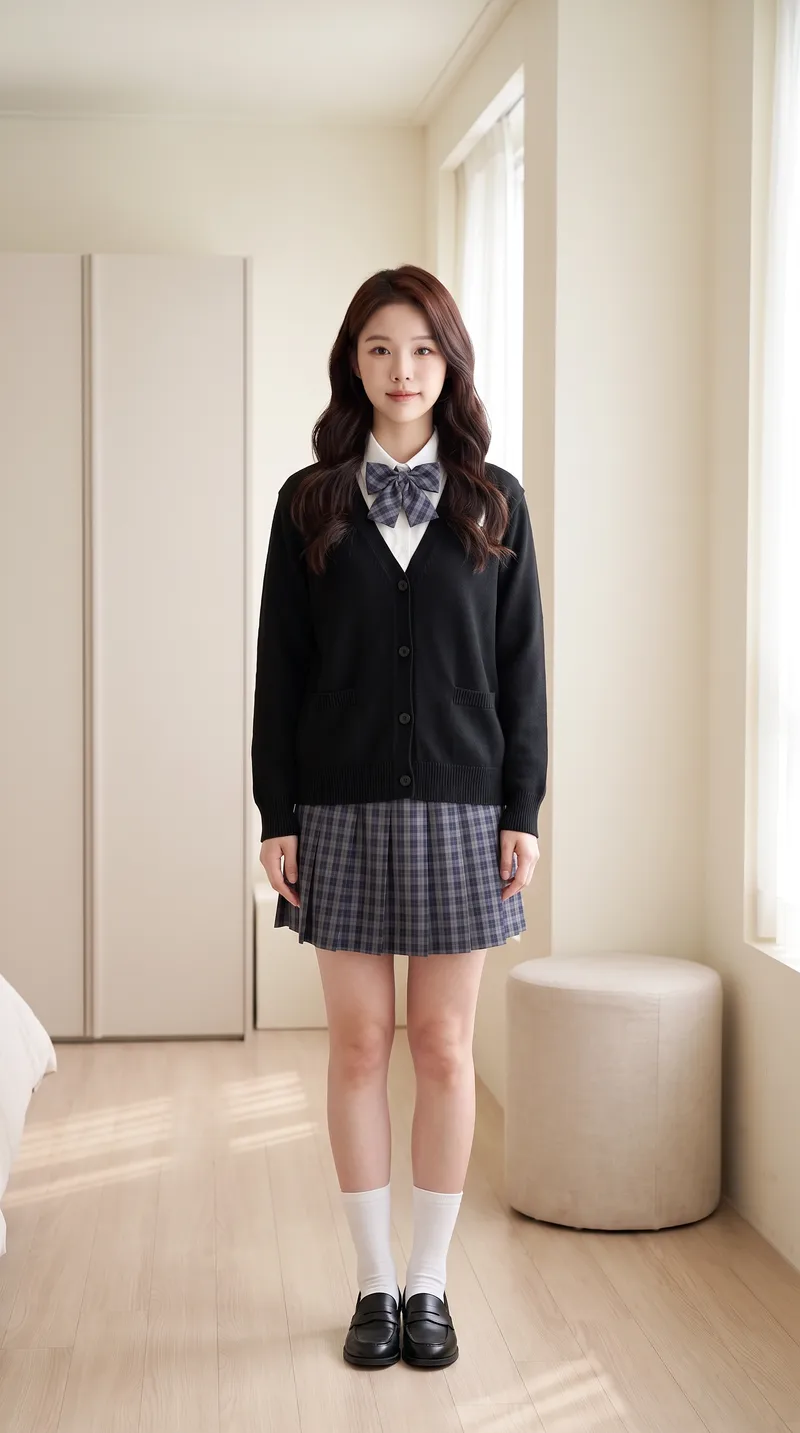
Transform a portrait and clothing images into a first-person interactive vertical short video for virtual try-on. [Input] * Portrait photo (optional): maintains face and person consistency if provided; otherwise automatically generates a matching protagonist based on style * 1-4 clothing images: tops, bottoms, shoes, bags, or accessories, with the upload order matching the dressing sequence * Optional parameters: style, scene, interactive effects, duration, and video count [Output] 9:16 vertical virtual try-on short video. The character remains consistent throughout, the scene is unchanged, clothing strictly matches the uploaded images and is put on one by one by "first-person hands," concluding with a full look freeze-frame. [Core Differences] * Two workflows: storyboard generation followed by video synthesis (controllable, precise clothing order) or direct one-step video generation (fast, suitable for batch production with few garments) * Full automation: automatically generates a matching protagonist without a portrait photo for zero threshold entry * Consistency locking: stable face, hairstyle, scene, and clothing style without drifting across the video * Default compliance: built-in clothing whitelist and negative words with initial styling forced to modest base layers, preventing prohibited content such as underwear, swimwear, stockings, or translucent items for immediate publishing [Who Is It For] * Fashion bloggers and content creators: try three outfits in one video and test styling without wearing them physically * E-commerce and apparel merchants: turn new arrivals into dynamic videos instantly, eliminating model and studio costs for content creation * Xiaohongshu/Douyin/TikTok operators: batch-produce hook videos featuring auto-dressing characters with completion rates higher than static outfit posts * Fashion styling educators, stylists, and buyers: quickly demonstrate multiple outfit options to clients * Independent designers and white-label sellers: create model showcase videos without physical photo shoots [Monetization Opportunities] * E-commerce sales: drive traffic with product links in videos and close sales directly using before-and-after try-on comparisons * Brand commercial deals: batch-produce promotional content for clothing brands with one style per video at a fraction of live-action shoot costs * Account growth: build series columns around try-on videos to grow accounts and monetize through traffic rewards and brand sponsorships * Asset resale: sell generic try-on template packs to peers or use them as training cases for coaching tutorials * Cost reduction for personal use: build an in-house product video asset library, saving time and money on repeated shoots [Applicable Scenarios] Outfit channel content production, e-commerce new arrival showcases, AI short video matrix marketing, outfit styling demos, social media grid posts, and client pitch samples.
Information
- Version
- v15
- Last updated
- Runtime credits
- Usage-based
- Models
- Auto
- Use cases
- Images & designVideo & audioLifestyle & entertainment
- What you get
- DocumentImageVideo
- Visual styles
- Photorealistic
