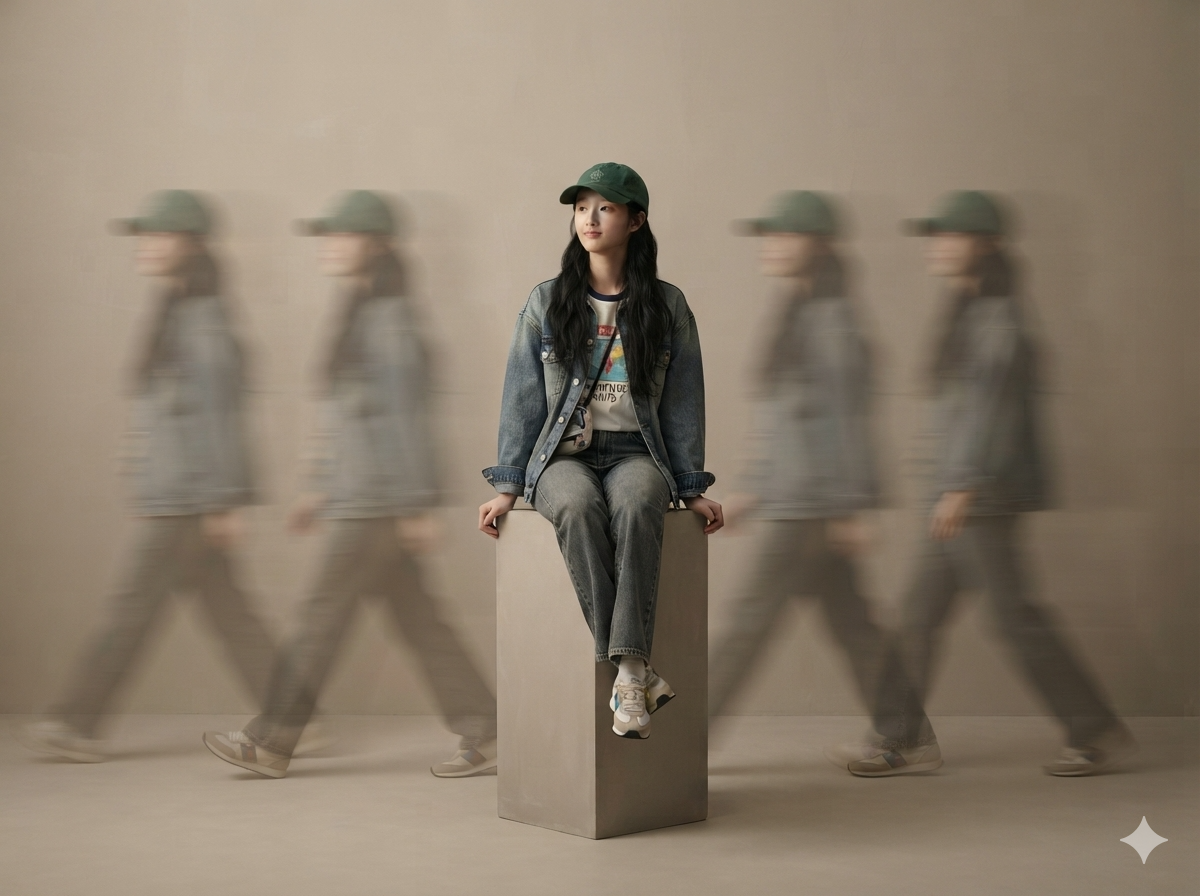
Realistic Studio Portraits
Turn photos into premium studio portraits
Realistic Studio Portraits
Turn photos into premium studio portraits
Showcase
Description
Based on uploaded photos of people or pets, this Skill generates ultra-realistic, minimalist full-body studio portraits. It supports styles such as long-exposure ghosting, clean solo full-body portraits, and cloned mirror images; faithfully recreates the subject’s appearance and directly uses the most suitable image-generation model to create the images.
Recommended by
Dancang
Why we love this skill
Uses the reference photo as an identity anchor to accurately preserve appearance while matching poses, backgrounds, compositions, and studio styles.
Best for
For anyone who wants to turn person or pet photos into premium commercial studio portraits.
How to use this Skill
Provide your input
Upload at least one person or pet photo. You can also specify poses, background tones, aspect ratio, style, quantity, and other requirements.
Run the Skill
The system recreates the subject’s appearance from the photo and generates minimalist studio portraits based on your requests. Choose long-exposure ghosting, clean solo full-body, or cloned mirror styles.
Review your result
Receive ultra-realistic studio portrait images with the subject fully in frame and centered, while preserving clothing, hairstyle, fur color, and other appearance details as consistently as possible.
Related Skills
View all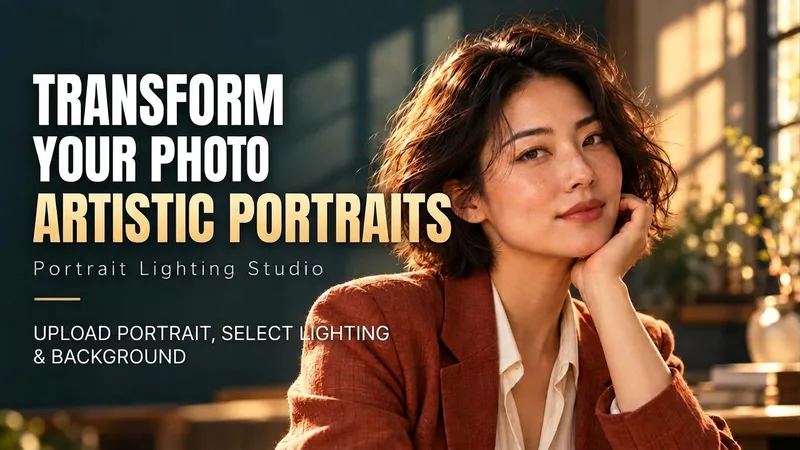 Image
ImagePortrait Light & Shadow Studio
Upload portraits, adjust lighting, poses, and backgrounds to generate window soft-light, night scene, or studio-style portraits. Upload a portrait photo or describe a fictional character to create photographic avatars, personal portraits, and magazine-style portraits. The Skill combines the subject's visible features to arrange poses, lighting, framing, clothing, and environment, ensuring natural hand gestures, grounded body posture, and directional lighting. Three original scenes are ready to use: • Warm Pottery Window: Terracotta and warm wood tones, with a natural medium shot near a studio window. • Rainy Night Set: Warm light in a movie theater porch, cold wet street tones, and expressive gazes. • Coastal Golden Breeze: Sunset rim lighting, sea breeze, and relaxed full-body travel portraits. Professional headshots, solid-color studios, black-and-white portraits, and custom themes are also supported. Uploading a photo preserves primary clothing and accessories by default; to change outfits, backgrounds, or poses, simply specify your request. By default, it generates one 3:4 vertical text-free image per run; you can change the aspect ratio, create a series, or request Chinese, English, or bilingual prompts. Multiple images are generated separately, and after generation, subject recognition, hands, feet, support points, and lighting are verified. You can say: "Use this photo for the rainy night set, keep the hairstyle, and change to a dark jacket." or "Create a mature woman with short curly hair walking naturally in the coastal sunset."
 Image
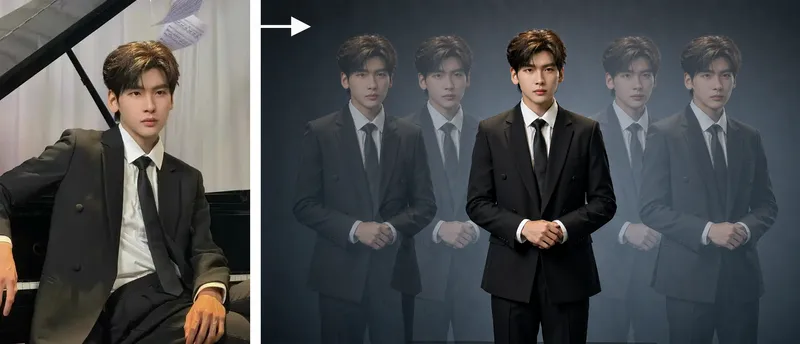
ImageStudio Portraits
Hyper-realistic studio portrait photography: transform uploaded photos of people, pets, or fashion models into polished portraits in a “minimalist studio + long-exposure art photography” style, with four composition options: long-exposure ghosting, a clean full-body portrait, mirrored cloned doubles, and a two-person portrait. Trigger when users say things like “turn my photo into a studio masterpiece,” “generate a studio portrait,” “long-exposure portrait,” “create a cloned-double photo,” “make a pet portrait,” “generate a Xiaohongshu profile picture,” “create a persona portrait,” “make a couple’s portrait,” or “turn an uploaded photo into a masterpiece.” Core rules: put identity preservation first and clearly state that beautification is not allowed; the subject must be the only sharp element in the image; motion trails are used only for atmosphere. Accurately preserve the subject’s visual features. By default, output uses the same aspect ratio as the uploaded image. Directly use the most suitable YouMind image generation model, or customize it with ratios such as 16:9 or 4:3.
 Image
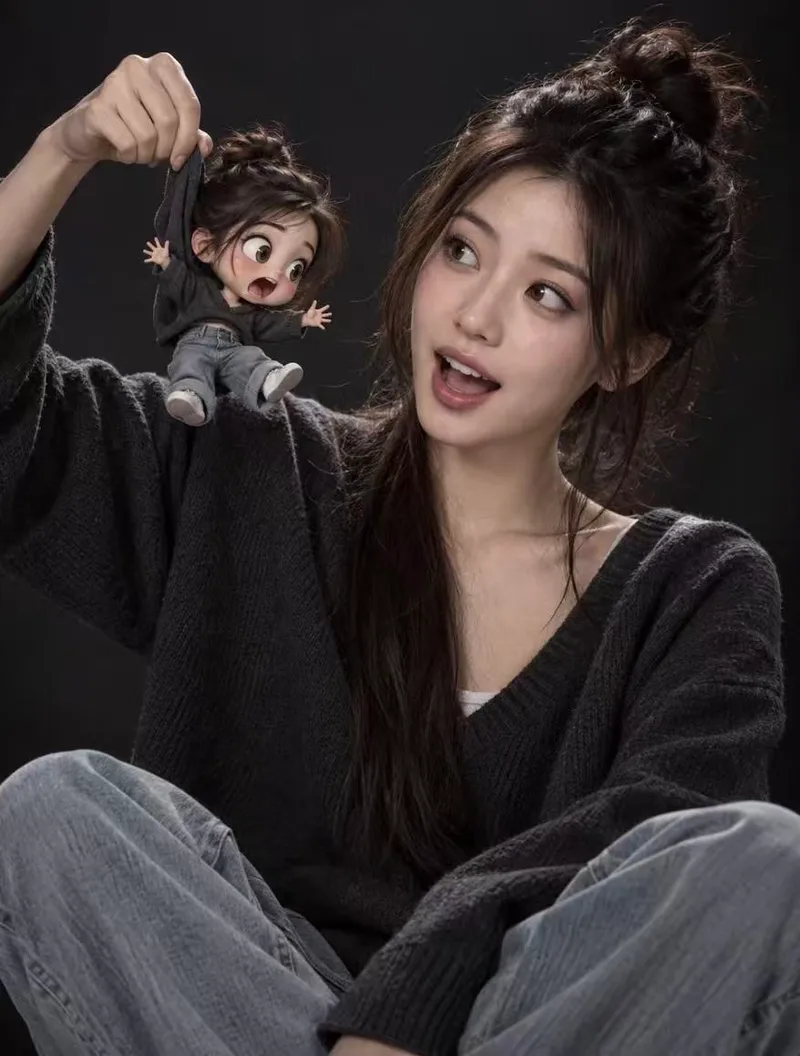
ImageMini Avatar Photo
Using your uploaded real photo as the sole base, the real person's features—face, expression, pose, clothing, background, and lighting—remain completely unchanged. A 3D-rendered chibi mini-me is added with physically plausible interactions, such as fabric deformation, limb swinging, contact shadows, and proper occlusion, creating a striking contrast between real and cartoon textures. By default, the mini avatar is styled with fluffy space buns, a dark gray V-neck sweater, light blue jeans, a 3-4 head-body ratio, large round eyes, a matte plastic figurine finish, Pixar-style rendering, and soft studio lighting. The default interaction shows a hand holding the mini avatar's hoodie collar with its limbs dangling. You can also customize it to rest on your shoulder, stand in your palm, or peek out from a pocket. The skill uses top-tier image generation models with your original photo as a reference, making it perfect for profile pictures, social media posts, pet-style mini avatars, and IP character photo-ops.
Information
- Version
- v5
- Last updated
- Runtime credits
- Usage-based
- Models
- Auto
- Use cases
- Images & design
- What you get
- Image
- Visual styles
- MinimalistPhotorealistic
