Industrial Encaps Img Gen v2.0
Industrial Encaps Img Gen v2.0
Showcase
Description
Encapsulate personal information into vacuum-sealed art installation images 2.0. Supports 4 scenarios (resume encapsulation, Xiaohongshu cover, LinkedIn avatar, business card), 4 styles (classic archive, cyberpunk, minimalism, retro poster), custom accent color. Can batch generate 3 variants or series output of 5 kits. Just provide name, occupation, key highlights, skill icons to one-click generate industrial-style personal brand images with a tactile feel.
Recommended by
Nico@YouMind
Why we love this skill
This skill deconstructs your personal information into industrial art installations, offering multiple scenes and style options to transform everyday elements like resumes and business cards into visual works that are both practical and aesthetic, standing out uniquely.
Related Skills
View all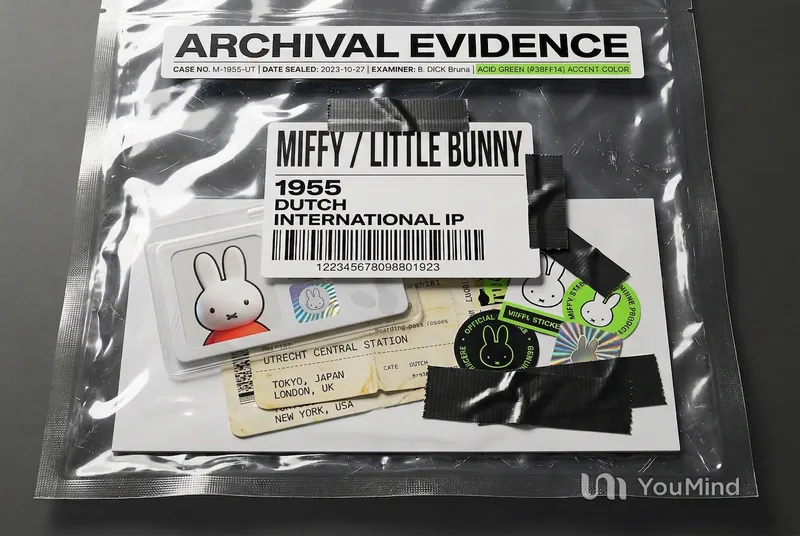 Image
ImageIndustrial Packaging Generator
Industrializes the packaging of personal resumes and skills. Based on the user's name, profession, education, and core skills, it breaks them down into modular elements like barcodes, shipping labels, skill stickers, and ID card windows, then reassembles them in a vacuum plastic seal structure to create an identity device image with a strong tangible feel. Use cases: Personal brand visual packaging, social media image enhancement, creator IP setting images, design portfolio cover pages.
 Image
ImageCandid Cinematic Shots
Your photo isn’t missing beauty—it’s missing "that second." 「Candid Cinematic Shots」first reads the person in your photo—their presence, outfit, setting, and mood—then designs a natural candid moment just for them. It might capture wind-tossed hair as you glance back, the instant bright light makes you squint mid-laugh, or your back as you walk past a street corner with a book in your arms. The image features an authentic handheld feel, film grain, backlight glow, and motion-blurred surroundings, keeping the subject sharp while the world moves around them. Add hand-lettered typography and Chinese-English captions, and one image takes on the polished feel of a magazine cover. Core highlights: 🎬 Truly candid: No posing or forced smiles—the expression and movement are captured in a moment of change 🎯 Made for you: Poses, props, settings, and captions are designed from your photo, so every generation is different ✍️ Artistic captions: A handwritten headline with short Chinese-English copy that fits your image instead of using a template 📐 3:4 portrait by default: Ideal for Xiaohongshu, WeChat Moments, and Douyin covers; the aspect ratio can be customized 🎛️ Adjustable: Choose the level of candidness, motion intensity, copy direction, and Chinese-English pairing Best for: Xiaohongshu, Douyin, and WeChat Channels creators: Make covers and personal-brand visuals Content creators in AI art and AI portrait photography: Create viral before-and-after videos Personal-brand and knowledge creators: Make profile photos and promotional graphics
 Image
ImageBiz Infographic Generator v2.0
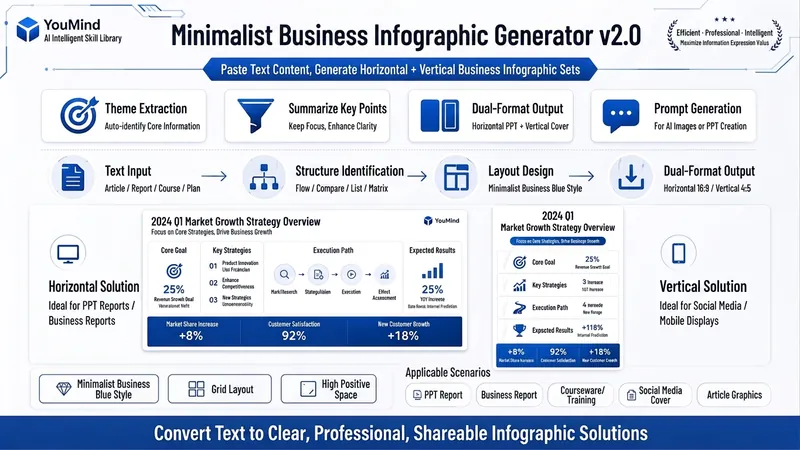
Transforms complex text into clear, professional, presentation-ready business minimalist infographics. It can help you: 1. Automatically extract core information Extract topics, keywords, logical relationships, and key points from user-provided text, materials, course content, meeting minutes, or reports. 2. Automatically design infographic structure Match business expression formats such as flowcharts, comparison charts, hierarchical charts, matrix charts, checklist charts, and path charts based on content type. 3. Automatically generate dual-format solutions Output two sets of infographic designs: landscape and portrait. Landscape is suitable for PPT, presentations, and web display; portrait is suitable for Xiaohongshu, WeChat Moments, public account covers, and vertical screen display. 4. Automatically generate diagram prompts Output complete diagram prompts ready for use with AI drawing tools, designers, or PPT tools. Suitable for: Professionals, knowledge bloggers, trainers, course creators, consultants, operations staff, PPT designers, business report creators. How to use: Directly paste a piece of text, materials, course content, meeting minutes, or report summary. You don't need to organize the structure first; I will automatically extract the core content and generate both landscape and portrait business minimalist infographic solutions.
Information
- Version
- v2
- Last updated
- Runtime credits
- Usage-based
- Models
- Auto
