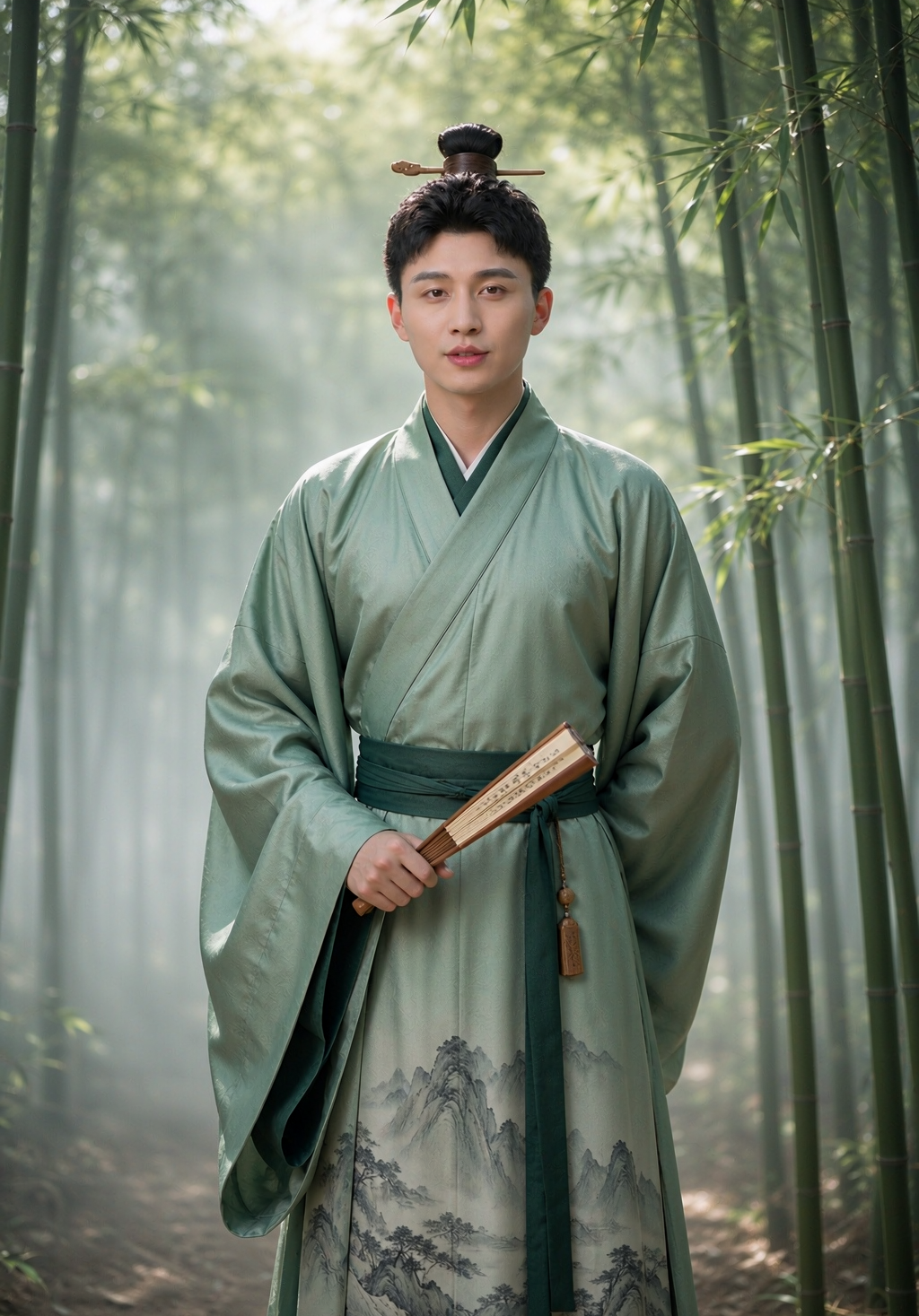
Men's Hanfu Portrait Master
Create striking traditional style portraits
Men's Hanfu Portrait Master
Create striking traditional style portraits
Showcase
Description
Men's Hanfu Portrait Master allows users to upload a personal male photo and instantly transform into traditional or Xianxia style male Hanfu portraits, featuring styles like Black Dragon, Crimson Flame Dragon, Silver Moon Robe, Frost Feather Armor, Mountain Hermit, Baize Dragon Scale, Golden Crow, Azure Dragon, Tai Chi, Star Lord, Vermilion Feather, and Jade Orchid. Outfits, hairstyles, poses, and backgrounds can be fully customized, and multiple sets can be generated at once. The default aspect ratio is 3:4 vertical, which can be customized. Triggered when users mention phrases like "male hanfu", "men's traditional style", "Xianxia portrait", or "handsome guy hanfu". Core constraints: faces remain consistent with the original without influencer-style filtering, clothing is completely replaced without residual elements from original garments, authentic male styles (wide sleeves, cloaks, waist bands) are used instead of female skirt sets, and the upright physique is maintained without altering body build.
Recommended by
Dancang
Why we love this skill
A dedicated ancient-style portrait solution for men that accurately preserves your facial features and body shape, turning casual photos into stunning blockbusters featuring wide-sleeved robes, xianxia armor, and more. Features 12 unique aura presets with customizable hairstyles, poses, scenes, and aspect ratios to change your outfit while keeping your face unchanged.
Related Skills
View all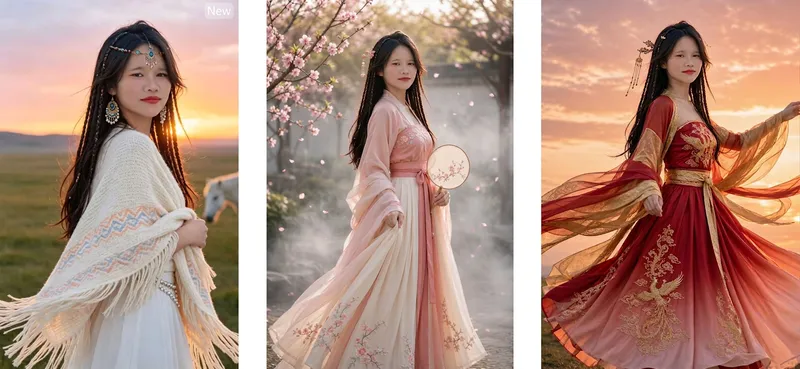 Image
ImageHanfu Dress-Up
Hanfu Photo Expert: Users upload a personal photo to instantly change into Hanfu portraits—options include Peach Blossom Spring Embroidery, Moon-White Flowing Gauze, Green Magnolia Shadow, Golden Peony, Cinnabar Crane, Lotus Root Butterfly Whisper, Clear Water Hibiscus, Amber Autumn Begonia, Banquet Ink Gold, Silver Moon Rainbow Dress, Phoenix Feather Cloud Mist, Jade Dew White Plum, and more. Outfits, hairstyles, poses, and backgrounds can be fully customized, and multiple sets can be generated at once. Default 3:4 vertical format with custom options. Triggered when users say "Hanfu photoshoot," "change into Hanfu," "traditional Chinese photoshoot," "wear Hanfu," "Hanfu photo," "hanfu," etc. Core constraints: facial features remain consistent with the original person without beautification or distortion, only clothing is replaced without retaining the original outfit, hairstyles default to traditional styling with the option to keep the original hair, and the same face is maintained across multiple sets.
 Image
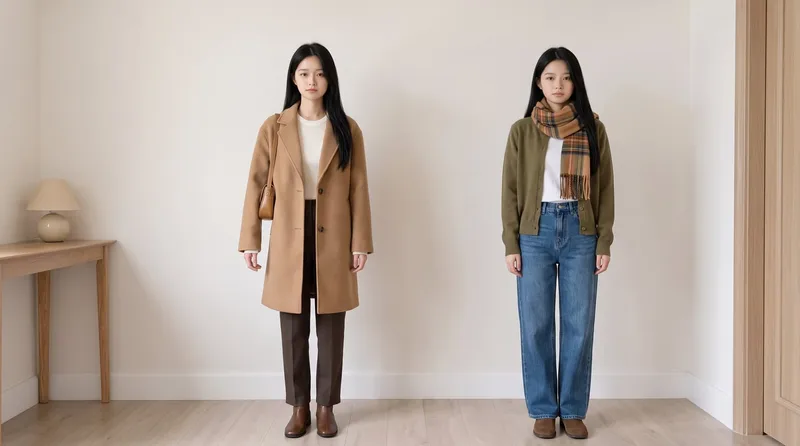
ImageSame Model, New Outfits
AI virtual fitting room: Upload a person photo (+ clothing photo) to generate e-commerce-ready outfit swaps with the same face kept consistent across images and clothing reproduced faithfully. Supports: outfit swaps (one person, one scene, multiple outfits), scene swaps (one person, one outfit, multiple scenes), and full-season batches (a complete set of product detail images in one go); it also supports pet outfit swaps and pure white e-commerce backgrounds. Trigger when users say “change the outfit,” “try on clothes,” “help me change the clothes and generate an image,” “clothing product detail images,” “model photos,” “lookbook,” “styling images,” “wholesale market product images,” “on-model images,” “dress the pet,” or “change the scene while keeping the clothes unchanged.” Core rules: three locks (identity/clothing/scene), change only one thing per image, lock clothing down to the buttons, and keep colors neutral without color casts. The default canvas matches the uploaded image, and the aspect ratio can also be customized.
 Image
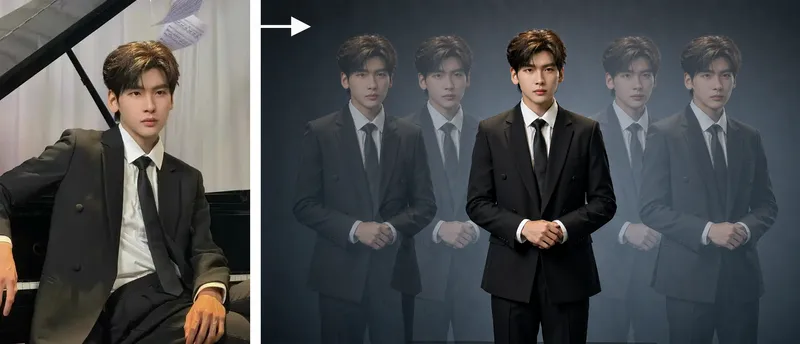
ImageStudio Portraits
Hyper-realistic studio portrait photography: transform uploaded photos of people, pets, or fashion models into polished portraits in a “minimalist studio + long-exposure art photography” style, with four composition options: long-exposure ghosting, a clean full-body portrait, mirrored cloned doubles, and a two-person portrait. Trigger when users say things like “turn my photo into a studio masterpiece,” “generate a studio portrait,” “long-exposure portrait,” “create a cloned-double photo,” “make a pet portrait,” “generate a Xiaohongshu profile picture,” “create a persona portrait,” “make a couple’s portrait,” or “turn an uploaded photo into a masterpiece.” Core rules: put identity preservation first and clearly state that beautification is not allowed; the subject must be the only sharp element in the image; motion trails are used only for atmosphere. Accurately preserve the subject’s visual features. By default, output uses the same aspect ratio as the uploaded image. Directly use the most suitable YouMind image generation model, or customize it with ratios such as 16:9 or 4:3.
Information
- Version
- v2
- Last updated
- Runtime credits
- Usage-based
- Models
- Auto
