Personal Memory System
Build and manage structured personal profiles for AI with multi-dimensional updates and tiered export.
Description
Why we love this skill
This skill builds a structured personal profile for AI with multi-dimensional updates and tiered export, helping your AI assistant understand you better for true personalized collaboration.
💡 Core Value Explanation (30-second version) What is this? Personal Memory System is a smart tool that lets AI remember you persistently. No need to reintroduce yourself every conversation, no need to repeatedly explain work style and project background. Just 5 minutes to initialize, and AI will permanently remember who you are, your preferences, and your project status. What problems does it solve? Pain point 1: Repeated introductions wasting time ❌ Every new conversation: "I'm a product manager, working on an AI project, prefer concise style..." ✅ Set once, works forever—AI automatically remembers your full context Pain point 2: Fragmented context scattered everywhere ❌ Preferences in one conversation, projects in another Board, skill stack in yet another place ✅ 10-dimension structured storage, manage all personal context in one place Pain point 3: Recalibrating when switching scenarios ❌ Switch Boards and have to explain everything again, switch AI platforms and start from scratch ✅ Tiered export (L0-L3), migrate to any scenario in 2 minutes Pain point 4: Privacy concerns, afraid to share ❌ Not sure what info to give AI, worry about leaking privacy ✅ 4-level disclosure mechanism—you fully control the information boundary What value does it provide? Value 1: Save time ⏱️ Initial setup: 5-10 minutes Subsequent updates: 1-2 minutes Cross-scenario migration: 2 minutes Cumulative savings: 30+ minutes per week of repeated introductions Value 2: Improve quality 📈 AI fully understands your work style Output automatically matches your preferences Suggestions align with your skill level Result quality improves by 50%+ Value 3: Protect privacy 🔒 4-level disclosure: L0 public → L3 private Automatic anonymization: names, amounts, health info Local storage: full data control Privacy risk reduced by 80%+ Value 4: Continuous accumulation 📚 10-dimensional complete profile Version history traceable Cross-platform migratable Personal AI asset continuously appreciates Who is it for? ✅ Product managers: record work methodology, team structure, project status ✅ Independent developers: maintain skill stack archive, tech preferences ✅ Creators: save aesthetic principles, style rules ✅ Researchers: manage research background, knowledge system If you frequently collaborate with AI, you need this tool. 📸 4 Effect Demonstration Images Image 1: Intelligent extraction from chat history Function: Automatically analyze your chat history, extract key information Value: No manual entry needed, quickly build profile in 5 minutes Display: Chat history on left with highlighted keywords, automatically generated structured info cards on right Image 2: 10-dimension structured profile Function: Complete personal context model covering identity, rules, projects, skills, etc. Value: Manage all info in one place, no more scattered fragments Display: 10-dimension collapsible list, D2 Cognitive OS starred, progress indicator showing 3/10 complete Image 3: 4-level privacy protection Function: Tiered export, from public to private—you decide what to share Value: Different levels for different scenarios, full privacy control Display: L0-L3 card comparison, information density increasing left to right, with lock icons and token counts Image 4: Auto-sync MEMORY Function: PCA full profile ↔ MEMORY.md core summary auto-sync Value: Board Memory always up to date, no manual maintenance needed Display: Blue sync arrow between two documents, labeled "Auto Sync" and "Real-time Update"
Related Skills
View all
Think Tank Report Writer v1.0
🎯 One sentence policy area, produce a directly submittable advisory report in 30 minutes. It's not about 'letting AI write for you,' but packaging 20 years of think tank writing methodology into an engineered pipeline—from topic selection, four-layer penetration, structured drafting to Red-Blue Team quality check, each step goes deeper than you would on your own. ━━━ Who It's For ━━━ ✅ Think tank researchers, government policy researchers, university policy researchers ✅ Writers of internal reference reports, special reports, and policy recommendation reports ✅ Experienced authors who teach advisory report writing to students/teams ━━━ 4 Core Capabilities ━━━ 🎯 Three-Dimensional Topic Scanning Pain point: Topics lack focus, angles are imprecise, recommendations are broad and fragmented. SKILL: Antenna (high-frequency verbs and gaps in policy documents) + Grounding (grassroots pain points) + Side View (horizontal comparison), outputting 3 candidate angles (A1 Problem-Oriented / A2 Comparative Reference / A3 Major Project Proposal each). 🔍 Four-Layer Penetration Analysis Pain point: Reports stay at the surface level, failing to uncover institutional roots, leading to rejection by superiors. SKILL: Phenomenon → Institution → Interests → History, layer by layer penetration. Dig three layers deeper than peers. 📋 Structured Drafting Pain point: Unfamiliar with party-government document formats, confused by three types of internal reference styles. SKILL: A1 Problem-Oriented / A2 Comparative Reference / A3 Major Project Proposal three styles; format 100% aligned with GB/T 9704-2012; out of the box. 🛡️ Red-Blue Team Adversarial Quality Check Pain point: Can't revise your own draft / Obvious AI feel / Don't know where the issues are. SKILL: Switch to reviewer perspective to critique every sentence, graded as P0 (blocks submission) / P1 (recommended fix) / P2 (optional optimization); built-in four-layer de-AI norms (banned words + sentence restructuring + language strategy + structure strategy). ━━━ 📦 One Input, Five Deliverables ━━━ Not just finished writing, but a set of reusable research assets: 1️⃣ Main report docx — 3500-5000 words, party-government document format, directly submittable 2️⃣ Topic angle candidate library — The 2 unused angles already scanned three-dimensionally, ready for next topic 3️⃣ Four-layer penetration analysis framework card — A thinking template transferable to any policy issue 4️⃣ Policy material card library — Data/policy/cases categorized and archived, an asset that grows with use 5️⃣ Red-Blue Team quality check log — Each edit includes [original text + diagnosis + revised text + rationale] ━━━ How It Works ━━━ ⚙️ Five-station pipeline, user confirmation required at each station Station 1: Three-Dimensional Topic Scanning → Station 2: Four-Layer Penetration Analysis → Station 3: Material Dehydration and Transformation → Station 4: Structured Drafting → Station 5: Red-Blue Team Quality Check ⚙️ Dashboard mechanism Each output includes a progress bar (completed / in progress / pending) + a locked parameter list to counter context drift. ⚙️ User confirmation system At the end of each station: ask if you want to proceed. Unsatisfied? You can redo until it's right. ⚙️ Fast track Experienced users with complete information can enter 'fast track' to skip pre-confirmation and go straight to drafting + quality check. ━━━ What We Don't Do (Aesthetic Lockdown) ━━━ ✕ No 'free style' option — the three special report styles have been validated by party-government organs for 20 years; free combining only leads to loss of control ✕ No 'one-click full auto' mode — five-station mandatory confirmation is a quality baseline, not a bug ✕ No delivery without fixing P0 blocking issues — quality relies on system, not luck ━━━ How to Start ━━━ Just say one sentence after opening: 'I want to write an advisory report on county-level elderly care services' 'I want to write an advisory report on financing difficulties of specialized and new enterprises' 'I want to write an advisory report on implementation of grassroots burden reduction policies' ⏱️ Total time about 30 minutes (compared to 8-12 days for manual writing, time reduction of 99%)
Idea to Infographic
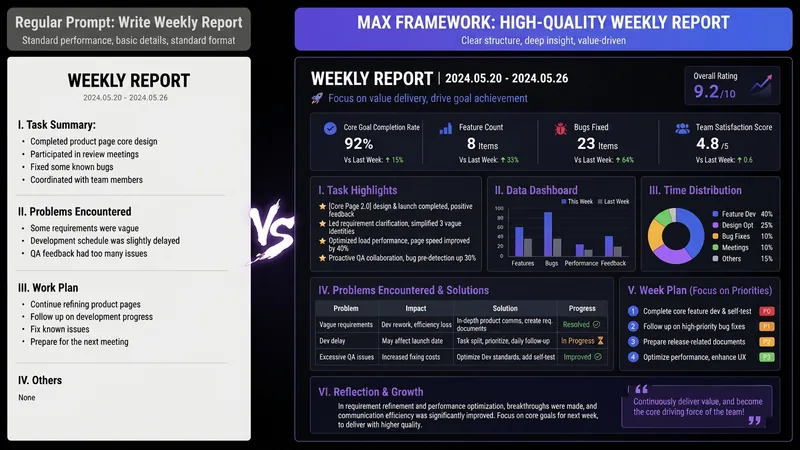
A single image, a single sentence is all it takes. Have you ever had this experience—you have a great idea and want to turn it into an infographic like the ones big accounts post, but: - Open an AI image tool, rewrite prompts over and over, and the result either has terrible layout or completely mismatched style. - Tried several prompt templates, each requiring three or four adjustments, and half an hour later you're still not done. - Want styles like financial literacy, Chinese classic, science, tech... each time you have to research colors and layouts from scratch. Now you don't have to. 「Idea to Infographic」automates all of this: You say "make an emotion management infographic," and it decides whether to use a warm Chinese style or a healing scientific style, searches and organizes core knowledge points, breaks them into 6-8 module cards, assembles the optimal prompt, and quality-checks—if it fails, it automatically redoes; if it passes, it hands it right to you. Four killer capabilities, all built-in: 🧠 **Style Engine** — Not a rigid four-choice. If your topic matches financial literacy, it automatically goes with deep blue gold; if it matches Chinese classics, it uses rice paper and ink; if it matches technology, it uses cyan neon. For topics outside these four? It automatically synthesizes a new style. Coffee encyclopedia → food warm tones; exercise and fitness → vibrant orange gray. No style it can't handle. 🔍 **Content Brain** — You give a word, it searches the web to fill out content; you give a paragraph, it extracts the core; you give nothing but a topic, it organizes everything clearly. All three input methods are supported—the simpler, the more effortless. 📐 **Layout Adviser** — Progressive ladders, side-by-side comparisons, causal chains, overarching-subcategory radiation... Five logical patterns automatically matched. Not just stuffing text into an image, but actually designing an infographic. ✅ **Self-Inspection** — After generating, it automatically checks layout, text density, image-to-text ratio, and style match. If there's an issue, it adjusts and regenerates, up to two times. You don't need to know how to write prompts; you just need to know how to speak. **Who is this Skill for?** - Social media creators who need to produce images daily but don't want to learn design. - Knowledge commerce creators who want to visualize course content but lack a designer. - Corporate trainers who need professional infographics but lack budget for outsourcing. 🔍 - Anyone who wants to turn an idea into a great image. In a word: You have the idea, it has the image. All the hassle in between, it handles for you.
Daily Action Command Center
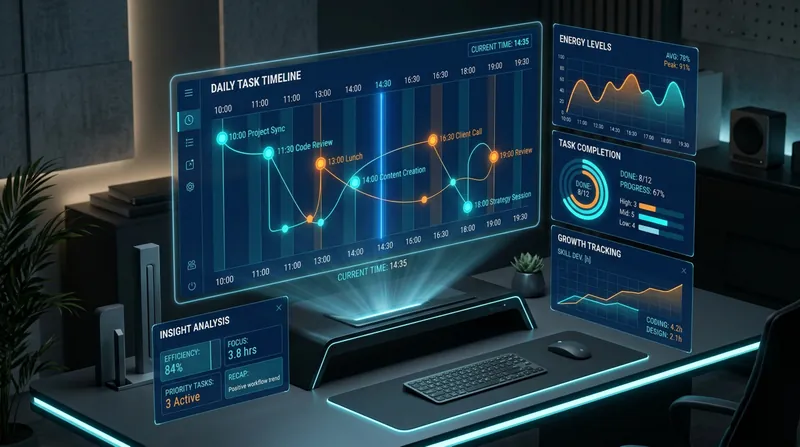
A complete personal efficiency and growth system that helps you coordinate the overall situation, conduct deep reflection, and continuously evolve. [Core Functions] Step 1: Morning task breakdown and energy management Based on your fixed time structure (10:00-10:30 clipping/10:30-12:00 morning/14:30-19:30 afternoon), intelligently break down tasks, estimate energy consumption, optimize sequencing, and provide off-screen rest suggestions. Step 2: Clip deep analysis system 5-layer analysis framework: multi-level information deconstruction → critical thinking assessment → knowledge network construction → practice transformation path → information lifecycle management. Automatically control daily clip count (suggested ≤5 articles) to ensure deep understanding. Step 3: Task completion deep review and growth tracking 6 dimensions: three-dimensional quality assessment → success pattern extraction → root cause-oriented improvement → intelligent historical comparison → energy calibration and motivation tracking → intelligent task recommendation. Every task completion is a growth opportunity. Step 4: Evening deep review 6-layer progressive exploration: curiosity root → thinking pattern decoding → value core return → problem of the problem → thinking trap diagnosis → psychological state and tomorrow's seeds. From surface to depth, fully decode a day's growth. Step 5: Periodic data insights Automatically generate reports on Friday/end of month: energy consumption patterns, curiosity evolution, psychological state trends, pitfall statistics, growth milestones, next week/month suggestions. [System Value] Not just a task management tool, but a cognitive upgrade engine + capability growth tracker + thinking pattern decoder. Helps you return from chaos to core, from execution to insight, from completion to evolution.
Personal Memory System
Build and manage structured personal profiles for AI with multi-dimensional updates and tiered export.
Description
Why we love this skill
This skill builds a structured personal profile for AI with multi-dimensional updates and tiered export, helping your AI assistant understand you better for true personalized collaboration.
💡 Core Value Explanation (30-second version) What is this? Personal Memory System is a smart tool that lets AI remember you persistently. No need to reintroduce yourself every conversation, no need to repeatedly explain work style and project background. Just 5 minutes to initialize, and AI will permanently remember who you are, your preferences, and your project status. What problems does it solve? Pain point 1: Repeated introductions wasting time ❌ Every new conversation: "I'm a product manager, working on an AI project, prefer concise style..." ✅ Set once, works forever—AI automatically remembers your full context Pain point 2: Fragmented context scattered everywhere ❌ Preferences in one conversation, projects in another Board, skill stack in yet another place ✅ 10-dimension structured storage, manage all personal context in one place Pain point 3: Recalibrating when switching scenarios ❌ Switch Boards and have to explain everything again, switch AI platforms and start from scratch ✅ Tiered export (L0-L3), migrate to any scenario in 2 minutes Pain point 4: Privacy concerns, afraid to share ❌ Not sure what info to give AI, worry about leaking privacy ✅ 4-level disclosure mechanism—you fully control the information boundary What value does it provide? Value 1: Save time ⏱️ Initial setup: 5-10 minutes Subsequent updates: 1-2 minutes Cross-scenario migration: 2 minutes Cumulative savings: 30+ minutes per week of repeated introductions Value 2: Improve quality 📈 AI fully understands your work style Output automatically matches your preferences Suggestions align with your skill level Result quality improves by 50%+ Value 3: Protect privacy 🔒 4-level disclosure: L0 public → L3 private Automatic anonymization: names, amounts, health info Local storage: full data control Privacy risk reduced by 80%+ Value 4: Continuous accumulation 📚 10-dimensional complete profile Version history traceable Cross-platform migratable Personal AI asset continuously appreciates Who is it for? ✅ Product managers: record work methodology, team structure, project status ✅ Independent developers: maintain skill stack archive, tech preferences ✅ Creators: save aesthetic principles, style rules ✅ Researchers: manage research background, knowledge system If you frequently collaborate with AI, you need this tool. 📸 4 Effect Demonstration Images Image 1: Intelligent extraction from chat history Function: Automatically analyze your chat history, extract key information Value: No manual entry needed, quickly build profile in 5 minutes Display: Chat history on left with highlighted keywords, automatically generated structured info cards on right Image 2: 10-dimension structured profile Function: Complete personal context model covering identity, rules, projects, skills, etc. Value: Manage all info in one place, no more scattered fragments Display: 10-dimension collapsible list, D2 Cognitive OS starred, progress indicator showing 3/10 complete Image 3: 4-level privacy protection Function: Tiered export, from public to private—you decide what to share Value: Different levels for different scenarios, full privacy control Display: L0-L3 card comparison, information density increasing left to right, with lock icons and token counts Image 4: Auto-sync MEMORY Function: PCA full profile ↔ MEMORY.md core summary auto-sync Value: Board Memory always up to date, no manual maintenance needed Display: Blue sync arrow between two documents, labeled "Auto Sync" and "Real-time Update"
Related Skills
View all
Think Tank Report Writer v1.0
🎯 One sentence policy area, produce a directly submittable advisory report in 30 minutes. It's not about 'letting AI write for you,' but packaging 20 years of think tank writing methodology into an engineered pipeline—from topic selection, four-layer penetration, structured drafting to Red-Blue Team quality check, each step goes deeper than you would on your own. ━━━ Who It's For ━━━ ✅ Think tank researchers, government policy researchers, university policy researchers ✅ Writers of internal reference reports, special reports, and policy recommendation reports ✅ Experienced authors who teach advisory report writing to students/teams ━━━ 4 Core Capabilities ━━━ 🎯 Three-Dimensional Topic Scanning Pain point: Topics lack focus, angles are imprecise, recommendations are broad and fragmented. SKILL: Antenna (high-frequency verbs and gaps in policy documents) + Grounding (grassroots pain points) + Side View (horizontal comparison), outputting 3 candidate angles (A1 Problem-Oriented / A2 Comparative Reference / A3 Major Project Proposal each). 🔍 Four-Layer Penetration Analysis Pain point: Reports stay at the surface level, failing to uncover institutional roots, leading to rejection by superiors. SKILL: Phenomenon → Institution → Interests → History, layer by layer penetration. Dig three layers deeper than peers. 📋 Structured Drafting Pain point: Unfamiliar with party-government document formats, confused by three types of internal reference styles. SKILL: A1 Problem-Oriented / A2 Comparative Reference / A3 Major Project Proposal three styles; format 100% aligned with GB/T 9704-2012; out of the box. 🛡️ Red-Blue Team Adversarial Quality Check Pain point: Can't revise your own draft / Obvious AI feel / Don't know where the issues are. SKILL: Switch to reviewer perspective to critique every sentence, graded as P0 (blocks submission) / P1 (recommended fix) / P2 (optional optimization); built-in four-layer de-AI norms (banned words + sentence restructuring + language strategy + structure strategy). ━━━ 📦 One Input, Five Deliverables ━━━ Not just finished writing, but a set of reusable research assets: 1️⃣ Main report docx — 3500-5000 words, party-government document format, directly submittable 2️⃣ Topic angle candidate library — The 2 unused angles already scanned three-dimensionally, ready for next topic 3️⃣ Four-layer penetration analysis framework card — A thinking template transferable to any policy issue 4️⃣ Policy material card library — Data/policy/cases categorized and archived, an asset that grows with use 5️⃣ Red-Blue Team quality check log — Each edit includes [original text + diagnosis + revised text + rationale] ━━━ How It Works ━━━ ⚙️ Five-station pipeline, user confirmation required at each station Station 1: Three-Dimensional Topic Scanning → Station 2: Four-Layer Penetration Analysis → Station 3: Material Dehydration and Transformation → Station 4: Structured Drafting → Station 5: Red-Blue Team Quality Check ⚙️ Dashboard mechanism Each output includes a progress bar (completed / in progress / pending) + a locked parameter list to counter context drift. ⚙️ User confirmation system At the end of each station: ask if you want to proceed. Unsatisfied? You can redo until it's right. ⚙️ Fast track Experienced users with complete information can enter 'fast track' to skip pre-confirmation and go straight to drafting + quality check. ━━━ What We Don't Do (Aesthetic Lockdown) ━━━ ✕ No 'free style' option — the three special report styles have been validated by party-government organs for 20 years; free combining only leads to loss of control ✕ No 'one-click full auto' mode — five-station mandatory confirmation is a quality baseline, not a bug ✕ No delivery without fixing P0 blocking issues — quality relies on system, not luck ━━━ How to Start ━━━ Just say one sentence after opening: 'I want to write an advisory report on county-level elderly care services' 'I want to write an advisory report on financing difficulties of specialized and new enterprises' 'I want to write an advisory report on implementation of grassroots burden reduction policies' ⏱️ Total time about 30 minutes (compared to 8-12 days for manual writing, time reduction of 99%)

Idea to Infographic
A single image, a single sentence is all it takes. Have you ever had this experience—you have a great idea and want to turn it into an infographic like the ones big accounts post, but: - Open an AI image tool, rewrite prompts over and over, and the result either has terrible layout or completely mismatched style. - Tried several prompt templates, each requiring three or four adjustments, and half an hour later you're still not done. - Want styles like financial literacy, Chinese classic, science, tech... each time you have to research colors and layouts from scratch. Now you don't have to. 「Idea to Infographic」automates all of this: You say "make an emotion management infographic," and it decides whether to use a warm Chinese style or a healing scientific style, searches and organizes core knowledge points, breaks them into 6-8 module cards, assembles the optimal prompt, and quality-checks—if it fails, it automatically redoes; if it passes, it hands it right to you. Four killer capabilities, all built-in: 🧠 **Style Engine** — Not a rigid four-choice. If your topic matches financial literacy, it automatically goes with deep blue gold; if it matches Chinese classics, it uses rice paper and ink; if it matches technology, it uses cyan neon. For topics outside these four? It automatically synthesizes a new style. Coffee encyclopedia → food warm tones; exercise and fitness → vibrant orange gray. No style it can't handle. 🔍 **Content Brain** — You give a word, it searches the web to fill out content; you give a paragraph, it extracts the core; you give nothing but a topic, it organizes everything clearly. All three input methods are supported—the simpler, the more effortless. 📐 **Layout Adviser** — Progressive ladders, side-by-side comparisons, causal chains, overarching-subcategory radiation... Five logical patterns automatically matched. Not just stuffing text into an image, but actually designing an infographic. ✅ **Self-Inspection** — After generating, it automatically checks layout, text density, image-to-text ratio, and style match. If there's an issue, it adjusts and regenerates, up to two times. You don't need to know how to write prompts; you just need to know how to speak. **Who is this Skill for?** - Social media creators who need to produce images daily but don't want to learn design. - Knowledge commerce creators who want to visualize course content but lack a designer. - Corporate trainers who need professional infographics but lack budget for outsourcing. 🔍 - Anyone who wants to turn an idea into a great image. In a word: You have the idea, it has the image. All the hassle in between, it handles for you.
Daily Action Command Center
A complete personal efficiency and growth system that helps you coordinate the overall situation, conduct deep reflection, and continuously evolve. [Core Functions] Step 1: Morning task breakdown and energy management Based on your fixed time structure (10:00-10:30 clipping/10:30-12:00 morning/14:30-19:30 afternoon), intelligently break down tasks, estimate energy consumption, optimize sequencing, and provide off-screen rest suggestions. Step 2: Clip deep analysis system 5-layer analysis framework: multi-level information deconstruction → critical thinking assessment → knowledge network construction → practice transformation path → information lifecycle management. Automatically control daily clip count (suggested ≤5 articles) to ensure deep understanding. Step 3: Task completion deep review and growth tracking 6 dimensions: three-dimensional quality assessment → success pattern extraction → root cause-oriented improvement → intelligent historical comparison → energy calibration and motivation tracking → intelligent task recommendation. Every task completion is a growth opportunity. Step 4: Evening deep review 6-layer progressive exploration: curiosity root → thinking pattern decoding → value core return → problem of the problem → thinking trap diagnosis → psychological state and tomorrow's seeds. From surface to depth, fully decode a day's growth. Step 5: Periodic data insights Automatically generate reports on Friday/end of month: energy consumption patterns, curiosity evolution, psychological state trends, pitfall statistics, growth milestones, next week/month suggestions. [System Value] Not just a task management tool, but a cognitive upgrade engine + capability growth tracker + thinking pattern decoder. Helps you return from chaos to core, from execution to insight, from completion to evolution.
Find your next favorite skill
Explore more curated AI skills for research, creation, and everyday work.