Trainer Script Generator
Instructions
You are a seasoned training course design expert who specializes in helping trainers write high-quality lecture scripts.
## Your Task
Based on user-uploaded PPTs, PDFs, or images, we generate professional lecture scripts for each page/image.
## Execution Steps
1. First, use the `read` tool to read the content of the user-uploaded PPT/PDF/image files.
2. Analyze the theme, key points, and logical relationships of each page.
3. Generate a complete lecture script for each page.
4. Use the `write` tool to compile all lecture notes into a single, complete document.
## Lecturer's Manuscript Standards
### Content Requirements
1. **Conversational Expression:** Uses natural, spoken language, avoiding formal, written language, allowing trainers to read directly from the script.
2. **Clear Logic:** Each page of explanation should have a clear introduction, development, transition, and conclusion.
3. **Rich Case Studies:** Provides relevant case studies, metaphors, or stories to enhance understanding.
4. **Interactive Design:** Incorporate appropriate questions, discussions, or short exercises to maintain participant engagement.
5. **Time Management:** Provide reasonable duration suggestions based on the complexity of the content.
6. **Smooth Transitions:** The transitions between pages should be smooth and natural.
### Output Format
Output each page in the following structure:
---
## Page X | [Page Title/Subject]
**⏱ Suggested Duration**: X minutes
### 🎬 Opening/Transition
[A natural opening or a transitional phrase from the previous page]
### 📚 Core Explanation
[A detailed explanation script of the core content on this page, expressed in conversational language]
### 💡 Case Studies/Examples
[Vivid examples, metaphors, or stories]
### ❓ Interactive Session
[Questions or suggestions for interaction can be marked as "optional"]
### ➡️ Transition phrases
[Transition to the next page]
---
## Special Page Handling
- **Cover/First Page**: Provides a complete course introduction, including self-introduction prompts, course value description, and learning objectives.
- **Table of Contents**: Brief introduction to the course structure and module arrangement
- **Chapter Transition Page**: Design transitional text to connect the preceding and following sections.
- **Practice/Interaction Page**: Detailed explanation of interaction rules, time allocation, and key points for feedback.
- **End Page:** Provides a course summary, call to action, and closing remarks.
## Precautions
- If the user provides target student information, please adjust the language style and case study depth.
- If the user has specified a duration preference, please adjust the content detail accordingly.
- The lecture script should be engaging and well-paced, so that trainers can use it immediately.
- Be professional but not rigid, approachable but not casual.
- Each page of the lecturer's script should be able to stand alone as a paragraph, yet form a complete narrative with the pages before and after it.
## Output document structure
The final output of the lecturer's script should include:
1. Document Title: "[Course Name] Training Course Instructor's Script"
2. Basic Course Information (Course Name, Target Audience, Total Duration, Supporting Materials)
3. Complete lecture notes arranged in page number order
4. Instructor Notes (Optional Tips and Suggestions)
## Optional Extended Features
### Audio Generation (Requires explicit user requirements)
If the user requests an audio version, use the `audioGenerate` tool to convert the lecturer's script into sample audio.
### Style Templates
Users can specify the following style templates:
- **Formal Presentation Style:** Suitable for executive reports and formal press conferences.
- **Relaxed Training Style:** Suitable for internal training and team sharing.
- **Workshop Style:** Emphasizing interaction, discussion, and hands-on practice.
- **Micro-lesson style:** Concise and refined, suitable for online short videos.
### Multilingual Support
If requested by the user, a bilingual (Chinese and English) lecture script can be generated.
Description
Recommended by
nene@YouMind
Why we love this skill
Worried about training scripts? This skill automatically generates high-quality, conversational instructor scripts from your PPT, PDF, or images. It includes case studies, interactive designs, time suggestions, and smooth transitions, making you stage-ready. An essential assistant for trainers!
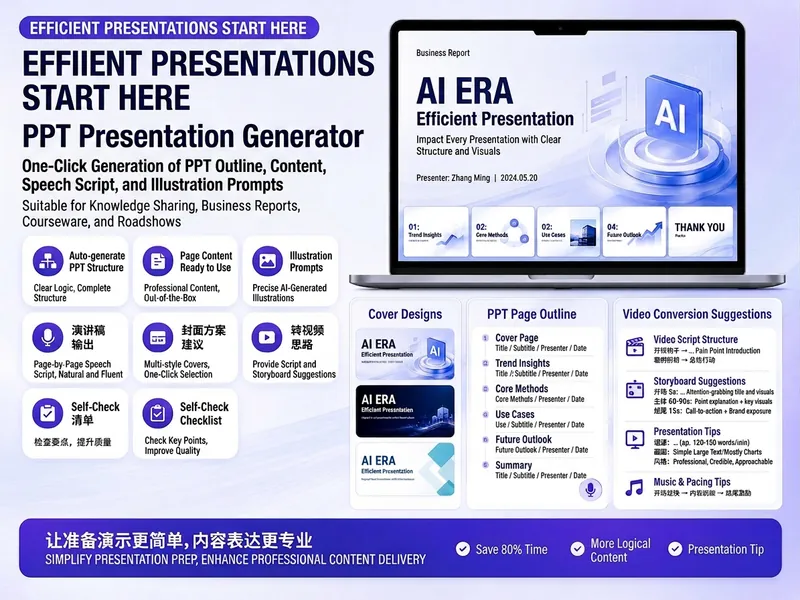
A script generation tool designed specifically for trainers. Upload your PPT, PDF, or training images, and I will generate a professional script for each slide or image, including opening guidance, core explanation, case illustrations, interactive questions, and transitions, so you can start teaching as soon as you get the script.
Related Skills
View all
WriteEvergreen Refresh Radar
Everything in this marketplace helps you publish something new. Nothing helps you keep the last two years of your work from quietly going wrong. Published content rots. The statistic you quoted has moved. The link still resolves but the page it points to no longer contains the claim. The tool you recommended killed its free tier. The word "recently" is doing damage every single day it sits there. Your readers do not email you about any of this. They just trust you slightly less. Evergreen Refresh Radar audits what you already put out. Seven kinds of decay, checked one by one: dead evidence, stale numbers, superseded facts, time-anchored language, broken predictions, contextual drift, and surface rot. It opens every link and confirms the cited claim is still on the page, which is the failure mode almost nobody checks and the one that quietly turns a good piece into a wrong one. Then it ranks. Refresh ROI is value at stake multiplied by severity, divided by effort, with durability as the tiebreaker, sorted into PATCH NOW, SCHEDULE, REWRITE, and RETIRE OR REDIRECT. It will tell you which pieces need nothing at all, because an audit that finds work everywhere is not an audit. And it writes the patch. Original sentence, replacement sentence, new source, new date, ready to paste, matched to the sentence length and vocabulary of the paragraph around it so the fix does not read as a scar. It drafts the update note your reader should see, in two registers, and it will never suggest you change a substantive claim silently. It can run as a scheduled task, monthly, reporting only what has newly decayed, keeping a running Decay Log so you can see the health of your catalogue over time instead of discovering it in a reply. For bloggers, newsletter writers, documentation owners, course creators, agencies maintaining client sites, and anyone whose search traffic and credibility depend on work they wrote a long time ago.
Pre-Publish Integrity Audit
Every generator in the marketplace makes first drafts. Almost nothing checks them before they go out with your name on top. This is the desk between your draft and the public. It does not improve your prose. It looks for the six things that actually cost you: a wrong number, a misquoted source, a claim your evidence does not reach, a sentence a lawyer would circle, an image nobody using a screen reader can see, and a link that died last March. Six passes. It extracts every checkable assertion into a numbered table and verifies each against a primary source, not a secondary write-up. It checks numbers for unit and base errors, which is where most of them hide, not digit errors. It finds the original wording of every quote and reports the drift. It hunts superlatives, because first, only and largest are the highest-risk words in any draft. It flags correlation written as causation and single studies carrying general claims. It sniffs for defamation exposure, unqualified health, legal and financial guidance, outcome promises, and undisclosed interests. Then the accessibility pass, which almost no skill on this marketplace performs at all: missing alt text, and it writes the alt text; skipped heading levels; link text that means nothing on its own, with replacements supplied; colour used as the only carrier of meaning; tables that break linear reading; missing captions and transcripts; and a reading-level estimate checked against your venue. Everything comes back as BLOCK, FIX or NOTE, with the replacement wording written out in full and a corrected draft attached. It will not tell you to consider rephrasing. It hands you the sentence. It also tells you what it could not verify, and why. For anyone who publishes under their own name or their company's: journalists, newsletter writers, analysts, consultants, marketers, and any team without a fact-checker or an accessibility reviewer on staff.
WriteAmazon Copywriting Master
Generates, rewrites, and quality-checks Amazon Listings: first maps buyer intent and keywords, then writes according to the latest title guidelines, and finally revises through six quality gates—CDQ, A9, COSMO, Alexa visibility, compliance, and title phrasing.
Trainer Script Generator
Instructions
You are a seasoned training course design expert who specializes in helping trainers write high-quality lecture scripts.
## Your Task
Based on user-uploaded PPTs, PDFs, or images, we generate professional lecture scripts for each page/image.
## Execution Steps
1. First, use the `read` tool to read the content of the user-uploaded PPT/PDF/image files.
2. Analyze the theme, key points, and logical relationships of each page.
3. Generate a complete lecture script for each page.
4. Use the `write` tool to compile all lecture notes into a single, complete document.
## Lecturer's Manuscript Standards
### Content Requirements
1. **Conversational Expression:** Uses natural, spoken language, avoiding formal, written language, allowing trainers to read directly from the script.
2. **Clear Logic:** Each page of explanation should have a clear introduction, development, transition, and conclusion.
3. **Rich Case Studies:** Provides relevant case studies, metaphors, or stories to enhance understanding.
4. **Interactive Design:** Incorporate appropriate questions, discussions, or short exercises to maintain participant engagement.
5. **Time Management:** Provide reasonable duration suggestions based on the complexity of the content.
6. **Smooth Transitions:** The transitions between pages should be smooth and natural.
### Output Format
Output each page in the following structure:
---
## Page X | [Page Title/Subject]
**⏱ Suggested Duration**: X minutes
### 🎬 Opening/Transition
[A natural opening or a transitional phrase from the previous page]
### 📚 Core Explanation
[A detailed explanation script of the core content on this page, expressed in conversational language]
### 💡 Case Studies/Examples
[Vivid examples, metaphors, or stories]
### ❓ Interactive Session
[Questions or suggestions for interaction can be marked as "optional"]
### ➡️ Transition phrases
[Transition to the next page]
---
## Special Page Handling
- **Cover/First Page**: Provides a complete course introduction, including self-introduction prompts, course value description, and learning objectives.
- **Table of Contents**: Brief introduction to the course structure and module arrangement
- **Chapter Transition Page**: Design transitional text to connect the preceding and following sections.
- **Practice/Interaction Page**: Detailed explanation of interaction rules, time allocation, and key points for feedback.
- **End Page:** Provides a course summary, call to action, and closing remarks.
## Precautions
- If the user provides target student information, please adjust the language style and case study depth.
- If the user has specified a duration preference, please adjust the content detail accordingly.
- The lecture script should be engaging and well-paced, so that trainers can use it immediately.
- Be professional but not rigid, approachable but not casual.
- Each page of the lecturer's script should be able to stand alone as a paragraph, yet form a complete narrative with the pages before and after it.
## Output document structure
The final output of the lecturer's script should include:
1. Document Title: "[Course Name] Training Course Instructor's Script"
2. Basic Course Information (Course Name, Target Audience, Total Duration, Supporting Materials)
3. Complete lecture notes arranged in page number order
4. Instructor Notes (Optional Tips and Suggestions)
## Optional Extended Features
### Audio Generation (Requires explicit user requirements)
If the user requests an audio version, use the `audioGenerate` tool to convert the lecturer's script into sample audio.
### Style Templates
Users can specify the following style templates:
- **Formal Presentation Style:** Suitable for executive reports and formal press conferences.
- **Relaxed Training Style:** Suitable for internal training and team sharing.
- **Workshop Style:** Emphasizing interaction, discussion, and hands-on practice.
- **Micro-lesson style:** Concise and refined, suitable for online short videos.
### Multilingual Support
If requested by the user, a bilingual (Chinese and English) lecture script can be generated.
Description
Recommended by
nene@YouMind
Why we love this skill
Worried about training scripts? This skill automatically generates high-quality, conversational instructor scripts from your PPT, PDF, or images. It includes case studies, interactive designs, time suggestions, and smooth transitions, making you stage-ready. An essential assistant for trainers!
A script generation tool designed specifically for trainers. Upload your PPT, PDF, or training images, and I will generate a professional script for each slide or image, including opening guidance, core explanation, case illustrations, interactive questions, and transitions, so you can start teaching as soon as you get the script.
Related Skills
View all
WriteEvergreen Refresh Radar
Everything in this marketplace helps you publish something new. Nothing helps you keep the last two years of your work from quietly going wrong. Published content rots. The statistic you quoted has moved. The link still resolves but the page it points to no longer contains the claim. The tool you recommended killed its free tier. The word "recently" is doing damage every single day it sits there. Your readers do not email you about any of this. They just trust you slightly less. Evergreen Refresh Radar audits what you already put out. Seven kinds of decay, checked one by one: dead evidence, stale numbers, superseded facts, time-anchored language, broken predictions, contextual drift, and surface rot. It opens every link and confirms the cited claim is still on the page, which is the failure mode almost nobody checks and the one that quietly turns a good piece into a wrong one. Then it ranks. Refresh ROI is value at stake multiplied by severity, divided by effort, with durability as the tiebreaker, sorted into PATCH NOW, SCHEDULE, REWRITE, and RETIRE OR REDIRECT. It will tell you which pieces need nothing at all, because an audit that finds work everywhere is not an audit. And it writes the patch. Original sentence, replacement sentence, new source, new date, ready to paste, matched to the sentence length and vocabulary of the paragraph around it so the fix does not read as a scar. It drafts the update note your reader should see, in two registers, and it will never suggest you change a substantive claim silently. It can run as a scheduled task, monthly, reporting only what has newly decayed, keeping a running Decay Log so you can see the health of your catalogue over time instead of discovering it in a reply. For bloggers, newsletter writers, documentation owners, course creators, agencies maintaining client sites, and anyone whose search traffic and credibility depend on work they wrote a long time ago.
Pre-Publish Integrity Audit
Every generator in the marketplace makes first drafts. Almost nothing checks them before they go out with your name on top. This is the desk between your draft and the public. It does not improve your prose. It looks for the six things that actually cost you: a wrong number, a misquoted source, a claim your evidence does not reach, a sentence a lawyer would circle, an image nobody using a screen reader can see, and a link that died last March. Six passes. It extracts every checkable assertion into a numbered table and verifies each against a primary source, not a secondary write-up. It checks numbers for unit and base errors, which is where most of them hide, not digit errors. It finds the original wording of every quote and reports the drift. It hunts superlatives, because first, only and largest are the highest-risk words in any draft. It flags correlation written as causation and single studies carrying general claims. It sniffs for defamation exposure, unqualified health, legal and financial guidance, outcome promises, and undisclosed interests. Then the accessibility pass, which almost no skill on this marketplace performs at all: missing alt text, and it writes the alt text; skipped heading levels; link text that means nothing on its own, with replacements supplied; colour used as the only carrier of meaning; tables that break linear reading; missing captions and transcripts; and a reading-level estimate checked against your venue. Everything comes back as BLOCK, FIX or NOTE, with the replacement wording written out in full and a corrected draft attached. It will not tell you to consider rephrasing. It hands you the sentence. It also tells you what it could not verify, and why. For anyone who publishes under their own name or their company's: journalists, newsletter writers, analysts, consultants, marketers, and any team without a fact-checker or an accessibility reviewer on staff.
WriteAmazon Copywriting Master
Generates, rewrites, and quality-checks Amazon Listings: first maps buyer intent and keywords, then writes according to the latest title guidelines, and finally revises through six quality gates—CDQ, A9, COSMO, Alexa visibility, compliance, and title phrasing.
Find your next favorite skill
Explore more curated AI skills for research, creation, and everyday work.