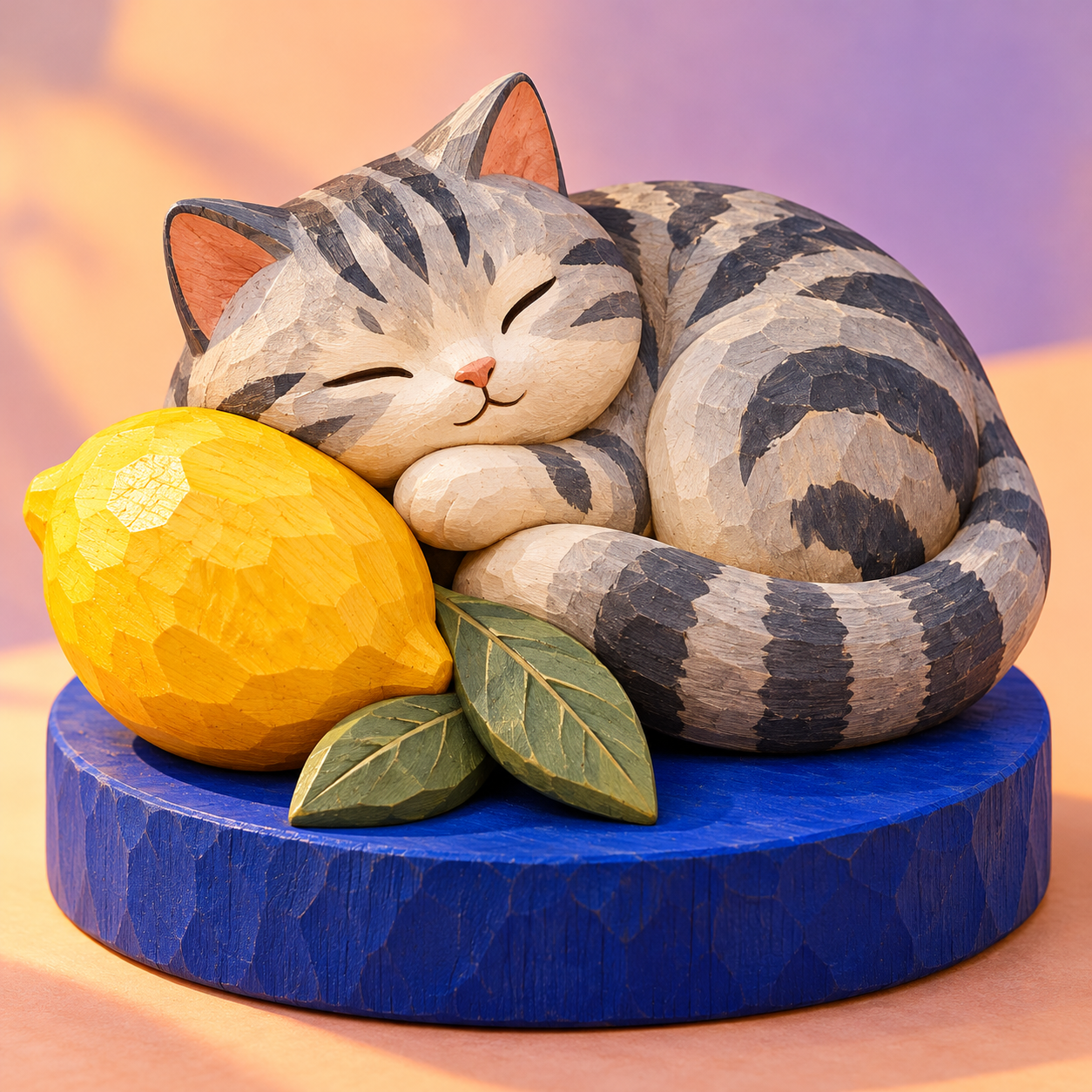
Wooden Miniature Poster Studio
Turn photos into tactile wooden miniature worlds
Wooden Miniature Poster Studio
Turn photos into tactile wooden miniature worlds
Showcase
Description
Upload a photo and turn it into a tactile painted-wood miniature poster. Choose a photo-to-miniature comparison or a standalone scene, with optional Chinese or English titles. Keep the recognizable shapes, pose and colors of your travels, favorite storefronts or pets, then rebuild them with rounded carved forms, matte woodgrain and gentle depth. Each photo gets its own finished image. • One photo creates one finished image; process multiple photos separately • Default 3:4 comparison layout: original photo on top, wooden miniature scene below • Optional standalone miniature, natural wood or bright color palette, and Chinese, English, or text-free visuals To start: upload a photo and say “Make a wooden miniature poster.”
Recommended by
Dancang
Why we love this skill
Reshapes travel, street, and pet photos into handcrafted wooden miniature worlds that preserve key poses, spatial relationships, and color memories.
Best for
Ideal for turning travel scenery, street views, shops, or pet photos into wooden miniature art.
How to use this Skill
Provide your input
Upload a photo and optionally specify a comparison layout, a standalone scene, natural or bright colors, and Chinese or English titles.
Run the Skill
Transforms the subjects, poses, key outlines, and colors of your photo into a rounded, carved wooden miniature world while preserving scene recognition.
Review your result
Receive a finished image: by default, a vertical comparison poster with the original photo on top and the wooden miniature below, or a standalone scene.
Related Skills
View all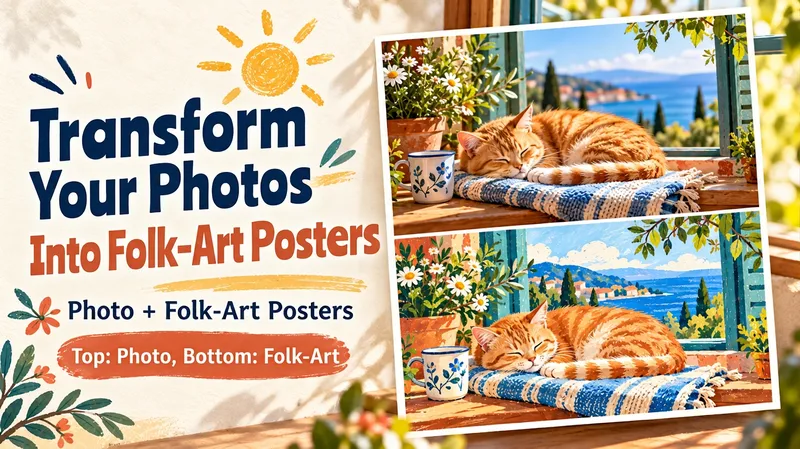 Image
ImagePhoto Hand-Drawn Poster
Redraw your favorite moments. Upload a photo to create a split-view hand-drawn poster: the upper half displays the scene from your photo, while the lower half redraws the exact same moment using warm color blocks, natural hand-drawn lines, and subtle paper textures. Familiar subjects, poses, and small details echo each other across both halves. A cat napping by the window, a street corner discovered on a trip, a weekend cup of coffee, or an ordinary day with family can all become lasting artworks. You can specify details to keep, adjust the color palette and mood, and add a short title in Chinese or English, or keep it text-free. Each photo becomes a complete poster in a default vertical 3:4 layout, with the upper and lower panels taking up equal space. Great for travel logs, pet albums, daily journals, social sharing, and keepsake images. Supports both Chinese and English. Try: "Turn this cat photo into a hand-drawn split poster. Keep its curled-up sleeping posture, the blue blanket, and the cup next to it. Warm yellow sunlight, no text." Pick a photo that catches your eye and give it a gentler, alternative look. One moment. Two ways to keep it. Turn a favorite photo into a matching photo-and-illustration poster. The scene appears in the upper half; below, the same moment is redrawn with warm colors, expressive hand-drawn lines and tactile paper texture. Familiar subjects, poses and little details connect the two halves. A cat napping by the window. A street you discovered on a trip. Your weekend coffee. An ordinary day with the people you love. Choose the details to keep, adjust the palette and mood, and add a short Chinese or English title—or leave the artwork text-free. Each photo gets its own complete poster, with equal upper and lower panels in a vertical 3:4 layout by default. Made for travel journals, pet albums, everyday memories, social posts and keepsake images. Chinese and English supported. Try: “Make a photo-and-folk-art poster from this cat photo. Keep the curled-up pose, blue blanket and cup beside it. Warm yellow sunlight, no text.” Choose a photo you love looking at, and give that moment a new way to be seen.
 Image
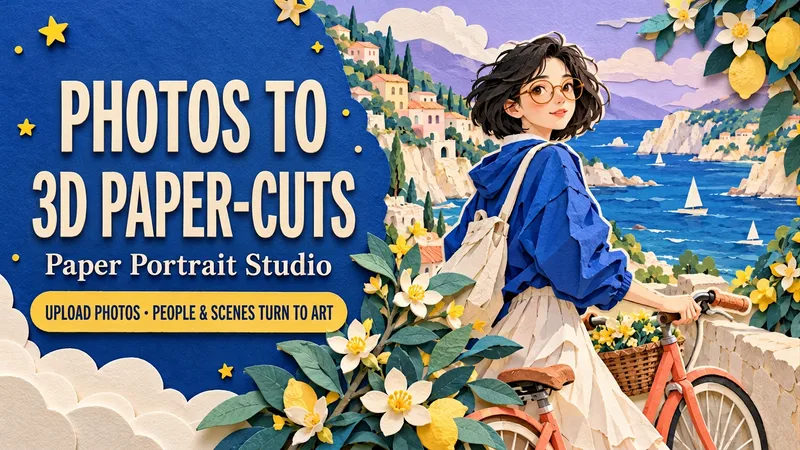
ImagePaper Portrait Studio
Upload a portrait, a couple photo or a pet photo. Transform both the subject and the setting into a dimensional cut-paper scene, with layered hair and clothes, crisp ivory edges, tactile cardstock and soft cast shadows. Choose Coastal Ride, Rainy Bookshop or Greenhouse Companion—or create your own setting. Keep recognizable hair, glasses, outfit colors and pet markings while customizing the action, palette, background and framing. Create solo portraits, shared memories or a paper garden for your pet. One text-free 3:4 portrait by default. Use English or Chinese, add a short title, or request matching separate language editions. Made for profile art, keepsake images, wallpapers and social posts. Try: “Use my photo for a seaside paper scene. Keep my short hair and glasses. Cobalt blue and coral, walking a bicycle. No text. Generate it.”
 Image
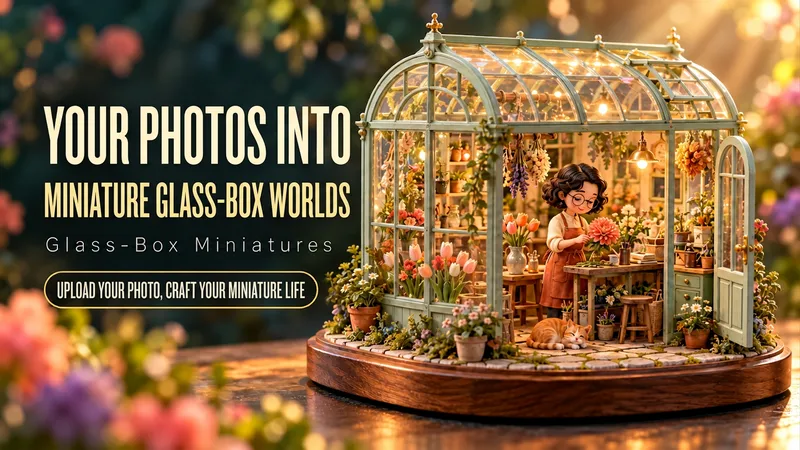
ImageGlass Box Miniature World
Upload a portrait or describe a fictional character. Become the miniature protagonist of a glass-encased world: arranging flowers in a greenhouse, watching the stars, or shaping a clay bowl by the sea. Customize the person, hobby, profession, action, enclosure, colors and aspect ratio. The default is one wordless 3:4 portrait image, with separate images for multiple photos. The workflow considers recognizable features, miniature props, transparent glass, wooden bases, body support and warm lighting. Use English or Chinese. Add a short title in either language, or request matching separate language editions of one scene. Try: “Make a miniature version of me in a coastal pottery studio. Keep my wavy hair and glasses. No text.”
Information
- Version
- v3
- Last updated
- Runtime credits
- Usage-based
- Models
- Auto
- Use cases
- Images & designLifestyle & entertainment
- What you get
- Image
- Visual styles
- 3D
