
Viral Doodle People - RED
Create uniform B&W doodle people from photos
Viral Doodle People - RED
Create uniform B&W doodle people from photos
Showcase
Description
Naturally blend viral black-and-white doodle people into real-scene photos and computer or phone screenshots, making the doodle people interact with objects and key information in the image. It strives to preserve original image content and screenshot text, and handles character proportions, foot placement, and occlusion relationships. When generating multiple images, the doodle people's appearance and style remain consistent, making it easy to create sequential tutorials, product explanations, and social media graphics.
Related Skills
View all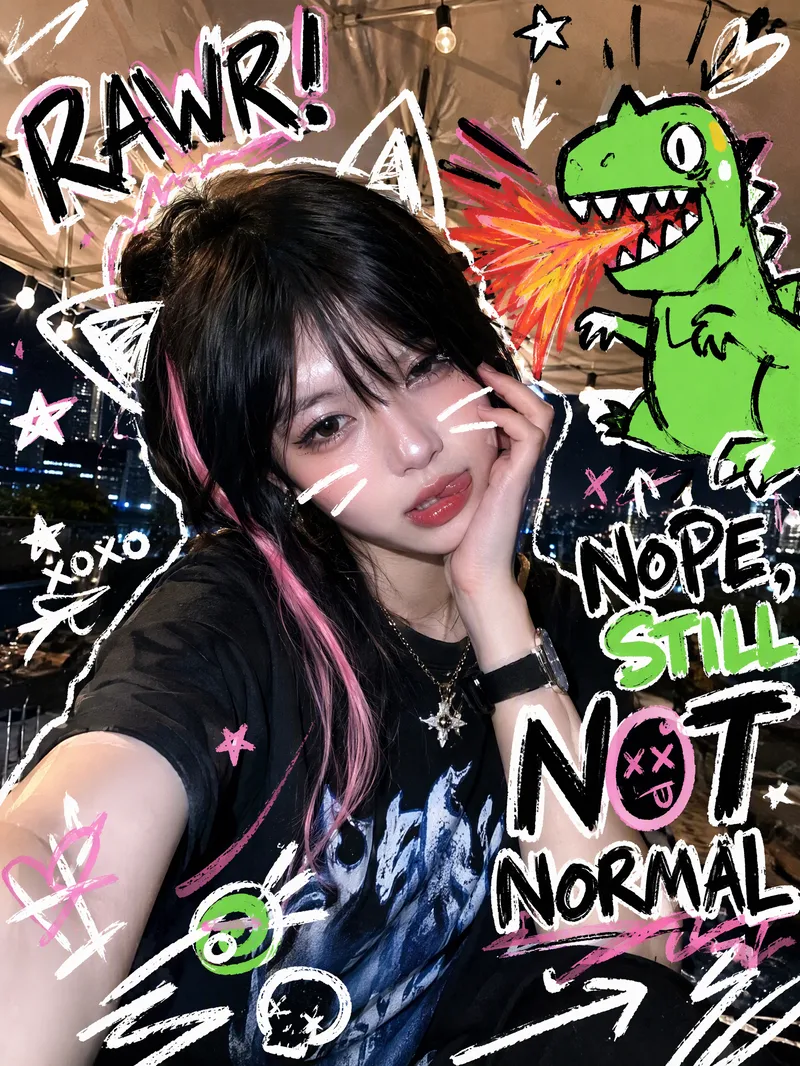 Image
ImageTrending Doodle Photo
Turn your photo into a distinctive Y2K hand-drawn doodle illustration while preserving the subject’s identity, facial features, and original setting. After you upload a photo, sticker-like doodle graphics are layered over the original image, such as stars, arrows, scribbled lines, hearts, lightning bolts, bubbles, or cute cartoon animals. Bold handwritten doodle text surrounds the subject, creating a lively, playful, and spontaneous social media sticker-art style. Each generation randomly creates a new visual combination based on the same compositional relationship. The cartoon figures, doodle objects, short phrases, positions, quantities, angles, and color palettes vary, without mechanically repeating the same template. The text may feature English slang, onomatopoeia, or lighthearted teasing phrases, while maintaining clear, precise sticker-like outlines. Ideal for creating Instagram and WeChat Moments profile photos, photo stickers, and personalized shareable images. The result is a ready-to-use doodle photo, along with a brief description of the graphic and text elements added.
 Image
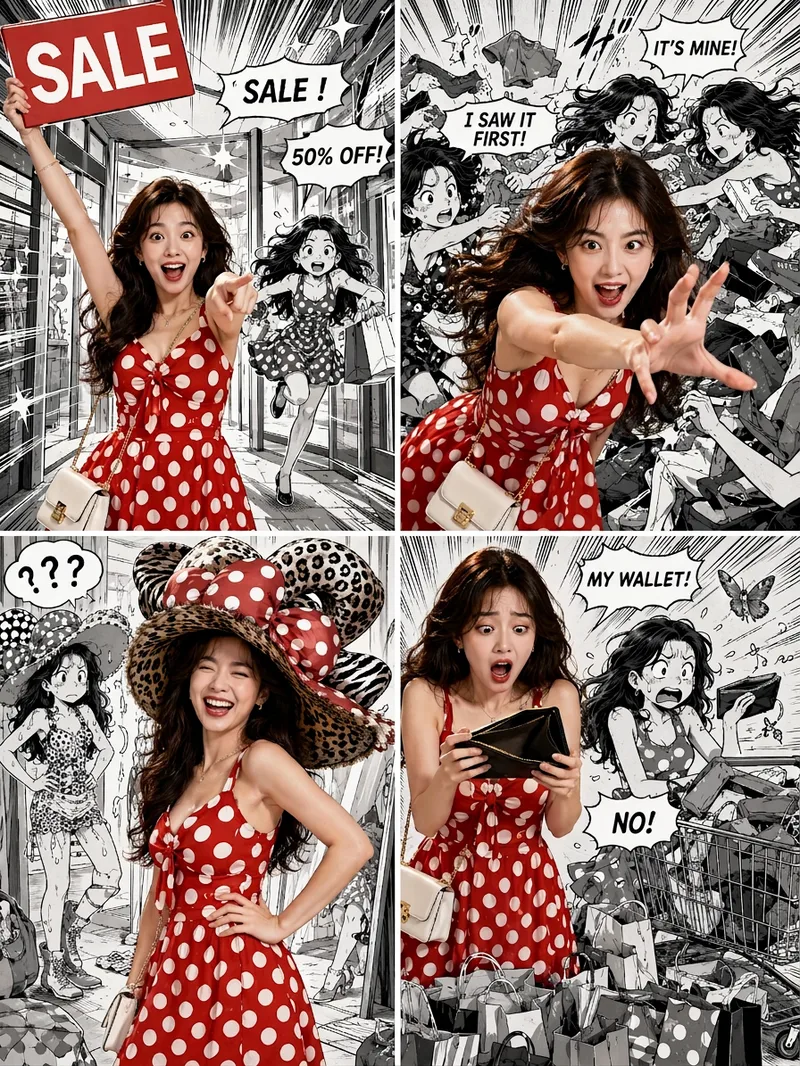
ImageViral Comic Selfie
Turn a photo of a person into a story-driven four-panel pop comic: preserve the character’s facial features, hairstyle, skin tone, body type, and overall presence, with the same protagonist appearing across four connected scenes. The finished image uses a 3:4 portrait 2×2 collage layout, with each panel in a separate 3:4 frame and divided by thin white borders, creating a striking contrast between “realistic, colorful character × black-and-white comic storyboard backgrounds.” You can upload one or more photos and specify a theme, plot, four-panel beats, style, or text for speech bubbles and signs. The Skill organizes connected scenes from opening to climax, turning point, and ending, and aims to render the specified text accurately. If you upload only photos without additional instructions, it creates a fitting four-panel story based on the environment, lighting, occasion, and the person’s presence in the photos. Without a photo, it can also generate a consistent, realistic protagonist. The final deliverable is always one four-panel collage image rather than separate finished images, accompanied by a description of the theme and scene beats. You can continue refining the story theme, four-panel pacing, or text in the image, or recreate an enlarged version of a specific panel while preserving the character’s appearance.
 Image
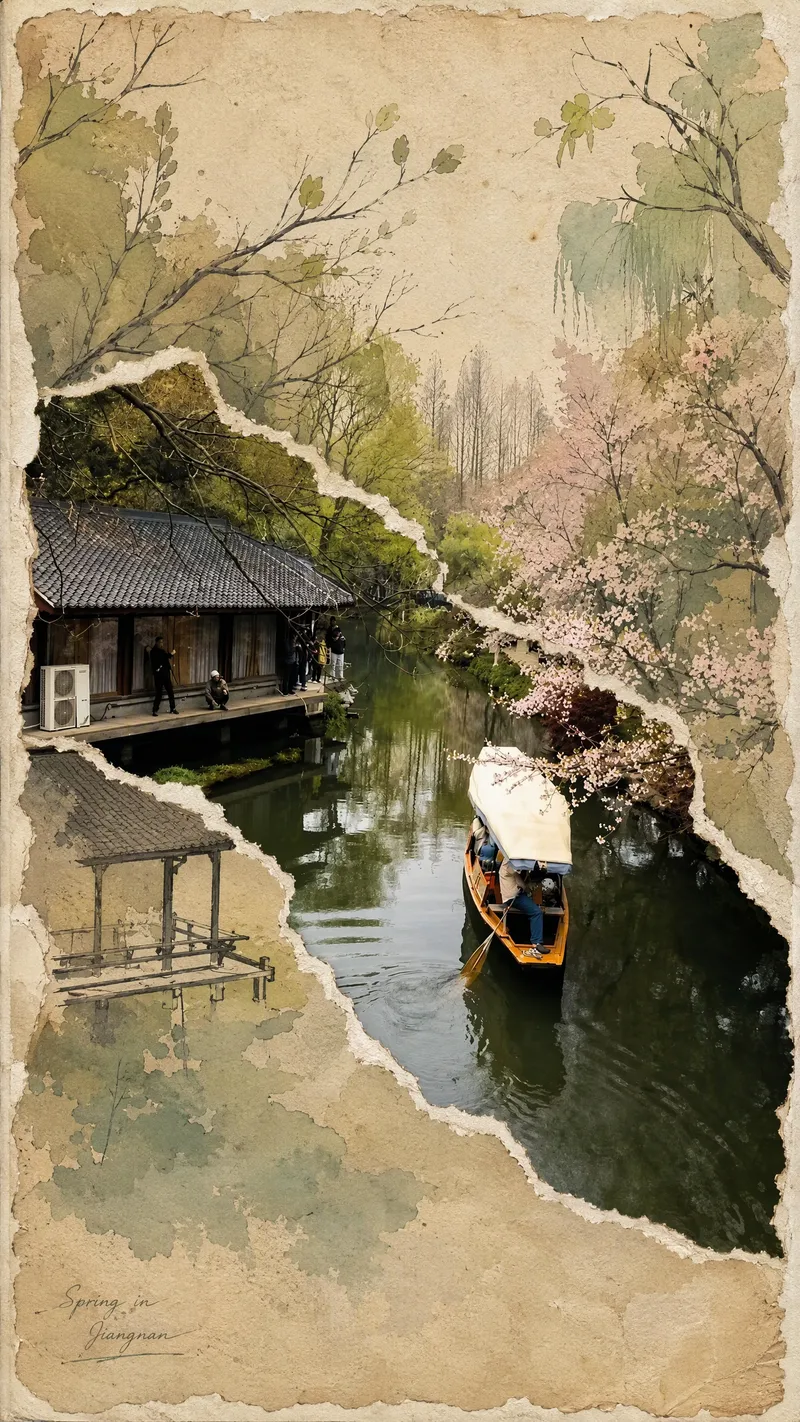
ImageViral Photo Torn-Paper Collage
Turn a real-world photo into a vintage torn-paper collage with the tactile feel of physical paper, while preserving the true colors and recognizability of important subjects. The image follows the original photo's proportions, naturally emerging through torn edges in old beige paper. Around it, minimalist painted elements, hand-drawn outlines, and paper grain create a mixed-media collage where photography overlaps with illustration. The torn edges vary freely with the image content instead of using rigid straight cuts, while keeping the subject's contours, perspective, and horizon as coherent as possible across different layers. The overall look is vintage and low-saturation, but this treatment is not applied to the preserved real-world photo areas. Beige paper extends beyond the photo to enhance the feel of a handmade collage. You can add corner text, keywords, or layout preferences, and the result will prioritize clear requirements. When no preferences are specified, it uses a natural collage composition with a small amount of concise text. Suitable for transforming travel scenes, architecture, street views, and everyday-life photos into artistic images that combine realism with a sense of narrative.
Information
- Version
- v3
- Last updated
- Runtime credits
- Usage-based
- Models
- Auto
