Featured by
YouMind
Why we love this skill
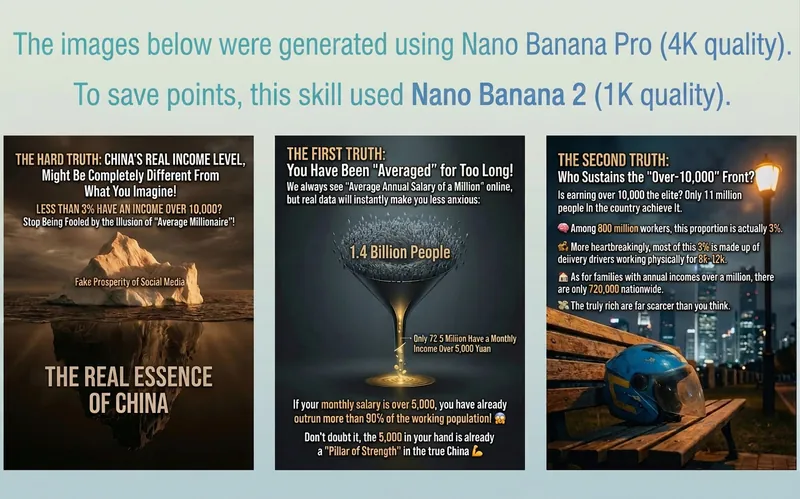
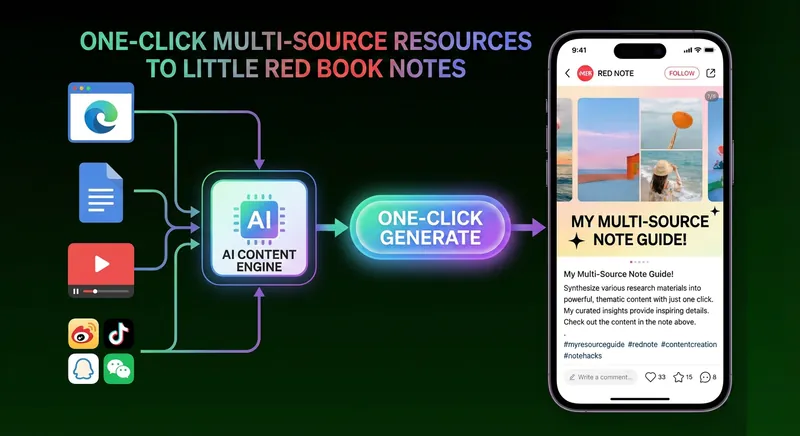
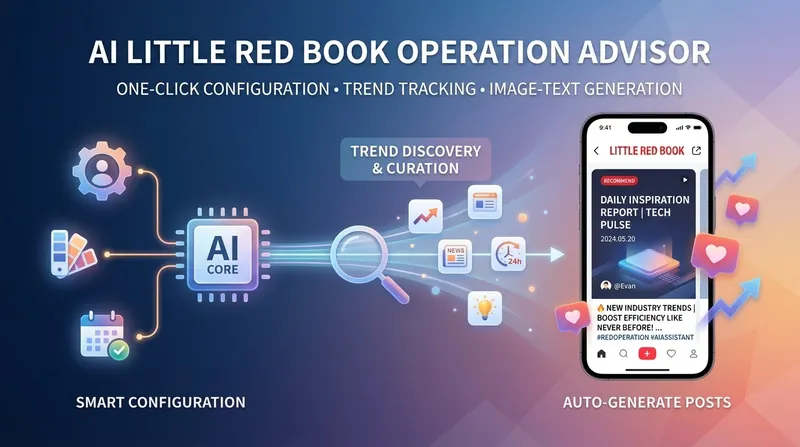
This skill can transform your article content into exquisite Xiaohongshu-style images and text with a single click, combining aesthetics and practicality to make your sharing more eye-catching.
Instructions
The author has set the instructions to private. Below is a brief overview.
description
Generate Xiaohongshu text poster cards from user articles. How to use: Select the article you want to create from in YouMind, and provide your profile picture link and author name.
Related Skills
View all
WeChat Official Account Layout - Indigo Thought Long Article Style
1. The article content is automatically fitted into the theme's WeChat Official Account layout template, generating a preview webpage with a "One-Click Copy Rich Text" button. After copying, it can be directly pasted into the WeChat Official Account editor, and all layout styles are fully preserved. Due to limitations of the WeChat Official Account editor, images need to be added manually. 2. Different models generate varying quality.

Unfold scrolls into screens: create online courseware with a single click
Turn your course materials into a viewable website. Whether you have Markdown notes, a PDF paper, a PPT presentation, or a plain text script, "Scroll to Screen" can automatically transform it into a well-structured and visually appealing online course presentation webpage. You don't need to write a single line of code; just provide the content. Two presentation styles: Course training content → Generates a scrolling long page, allowing you to flip through it like a book. Paper/report content → Generates a PPT-style flip-page website, allowing you to browse page by page like a presentation. Responsive design adapts to mobile phones and computers. What you need to do: Just one step: Provide your course material. Supports the following formats: .md Markdown files, .pdf PDF documents, .pptx PPT presentations, .txt plain text. You can also directly paste course content text into the dialog. Example instructions: "Help me turn this course handout into a webpage." "Turn this PDF paper into a PPT-style website." "This is my course content; generate an online presentation page." What you will get: A directly accessible online course presentation website with an automatically selected presentation mode based on your content. Course outlines, training handouts, and textbooks: Scrolling long pages with seamless module transitions; academic papers and research reports: PPT-style slideshows with each page focusing on a single point; presentations and conference reports: PPT-style page-by-page presentation with keyboard/click navigation. You explicitly request "scrolling" or "PPT," and it will follow your instructions, respecting user intent. Content extraction capabilities: For information-dense papers and long texts, the skill will automatically perform: Structural decomposition — breaking down continuous arguments into independent chapters/slides; Information condensation — condensing 3 paragraphs into 3 key points, each no more than 20 words; Argument first — Each page presents the conclusion first, followed by supporting arguments and a visual framework—models and classification systems are presented in charts, not just plain text data—key figures and indicators are highlighted on separate pages. Subsequent modifications: After the website is generated, you can request adjustments at any time: "Update the content of Module 3," "Change the color scheme to warm colors," "Add a course roadmap," "Change this module to a timeline layout." Modifications only affect the corresponding parts and do not require regenerating the entire website. What it doesn't do: This skill currently focuses on course content display and does not include the following LMS (Online Learning System) functions: user login/registration, learning progress tracking, file downloads, online quizzes/exercises. These functions are separate extensions.

International Industry Briefing Generator
Generate daily dynamic briefings with international media quality for any industry, covering the entire chain from data collection to content generation, brand layout, publication and archiving, and distribution. It supports seven days and seven colors of Morandi color scheme, three-layer content structure (information → analysis → insight), automatic deduplication, and engineered delivery.

Xiaohongshu Image and Text Generator 2.0
Featured by
YouMind
Why we love this skill
This skill can transform your article content into exquisite Xiaohongshu-style images and text with a single click, combining aesthetics and practicality to make your sharing more eye-catching.
Instructions
The author has set the instructions to private. Below is a brief overview.
description
Generate Xiaohongshu text poster cards from user articles. How to use: Select the article you want to create from in YouMind, and provide your profile picture link and author name.
Related Skills
View all
WeChat Official Account Layout - Indigo Thought Long Article Style
1. The article content is automatically fitted into the theme's WeChat Official Account layout template, generating a preview webpage with a "One-Click Copy Rich Text" button. After copying, it can be directly pasted into the WeChat Official Account editor, and all layout styles are fully preserved. Due to limitations of the WeChat Official Account editor, images need to be added manually. 2. Different models generate varying quality.

Unfold scrolls into screens: create online courseware with a single click
Turn your course materials into a viewable website. Whether you have Markdown notes, a PDF paper, a PPT presentation, or a plain text script, "Scroll to Screen" can automatically transform it into a well-structured and visually appealing online course presentation webpage. You don't need to write a single line of code; just provide the content. Two presentation styles: Course training content → Generates a scrolling long page, allowing you to flip through it like a book. Paper/report content → Generates a PPT-style flip-page website, allowing you to browse page by page like a presentation. Responsive design adapts to mobile phones and computers. What you need to do: Just one step: Provide your course material. Supports the following formats: .md Markdown files, .pdf PDF documents, .pptx PPT presentations, .txt plain text. You can also directly paste course content text into the dialog. Example instructions: "Help me turn this course handout into a webpage." "Turn this PDF paper into a PPT-style website." "This is my course content; generate an online presentation page." What you will get: A directly accessible online course presentation website with an automatically selected presentation mode based on your content. Course outlines, training handouts, and textbooks: Scrolling long pages with seamless module transitions; academic papers and research reports: PPT-style slideshows with each page focusing on a single point; presentations and conference reports: PPT-style page-by-page presentation with keyboard/click navigation. You explicitly request "scrolling" or "PPT," and it will follow your instructions, respecting user intent. Content extraction capabilities: For information-dense papers and long texts, the skill will automatically perform: Structural decomposition — breaking down continuous arguments into independent chapters/slides; Information condensation — condensing 3 paragraphs into 3 key points, each no more than 20 words; Argument first — Each page presents the conclusion first, followed by supporting arguments and a visual framework—models and classification systems are presented in charts, not just plain text data—key figures and indicators are highlighted on separate pages. Subsequent modifications: After the website is generated, you can request adjustments at any time: "Update the content of Module 3," "Change the color scheme to warm colors," "Add a course roadmap," "Change this module to a timeline layout." Modifications only affect the corresponding parts and do not require regenerating the entire website. What it doesn't do: This skill currently focuses on course content display and does not include the following LMS (Online Learning System) functions: user login/registration, learning progress tracking, file downloads, online quizzes/exercises. These functions are separate extensions.

International Industry Briefing Generator
Generate daily dynamic briefings with international media quality for any industry, covering the entire chain from data collection to content generation, brand layout, publication and archiving, and distribution. It supports seven days and seven colors of Morandi color scheme, three-layer content structure (information → analysis → insight), automatic deduplication, and engineered delivery.

Find your next favorite skill
Explore more curated AI skills for research, creation, and everyday work.