Brand guide of YouMind
Brand guide of YouMind
Showcase
Description
Turn any presention with YouMind's brand guide. Deliver professional, on-brand slides with consistent typography, color, and layout, effortlessly captivating your audience every time.
Recommended by
nene@YouMind
Why we love this skill
This skill provides a comprehensive brand guide, ensuring consistent visual identity for YouMind presentations. It meticulously details color palettes, typography, layout systems, and unique hand-drawn elements, including character illustrations with specific blue accents. Perfect for maintaining a cohesive and professional brand image across all visual communications.
Instructions
## Color Palette
### Primary Colors
**Background**
- Color: `#f2f2f0`
- Description: Light neutral off-white, clean and minimal
- Usage: All slide backgrounds without exception
**Primary Text & Lines**
- Color: `#2B2B2B` or `#1A1A1A`
- Description: Very dark gray, nearly black
- Usage: All text content, header divider lines, geometric outlines, character outlines
### Accent Colors
**Vibrant Blue**
- Color: `#5B7FFF` (alternative: `#4D6FE8`)
- Description: Medium-bright blue with energy
- Usage: Circular nodes on geometric shapes, character clothing/scarves, button fills, decorative dots
**Muted Gold**
- Color: `#C9B568` (alternative: `#D4C17A`)
- Description: Warm mustard/gold tone
- Usage: Circular nodes on geometric shapes (alternating with blue), decorative accents
### Color Application Rules
- Background is ALWAYS `#E8E6E3`
- Text is ALWAYS `#2B2B2B`
- Blue and gold are ONLY used for circular nodes and character accents
- Never use blue or gold as large blocks or text colors
- Maintain high contrast between text and background
## Typography System
### Font Families
**Primary Display Font: Roca Two (or similar chunky serif)**
- Characteristics: Bold, friendly serif with rounded qualities
- Weight: Bold/Heavy
- Usage: All slide titles, main headlines, section headings
- Keep same font
**Secondary Body Font: Poppins (or Inter)**
- Characteristics: Clean, modern sans-serif with excellent readability
- Weight: Regular (400) for body, Medium (500) for emphasis
- Usage: All body text, subtitles, captions, page numbers, logo text
- keep same font
### Font Sizing Hierarchy
**Extra Large Titles** (Cover slides, major section dividers)
- Font: **Roca Two **
- Size: 72-96pt
- Color: `#2B2B2B`
- Usage: "Main Title", "Thank You", "Agenda"
**Large Headings** (Content slide titles)
- Font: **Roca Two **
- Size: 48-60pt
- Color: `#2B2B2B`
- Usage: "Our Vision", "Brand Positioning", "What Is YouMind About?"
**Body Text** (Paragraphs, descriptions)
- Font: Poppins Regular
- Size: 18-24pt
- Color: `#2B2B2B`
- Line Height: 1.6-1.8
- Usage: All paragraph content, descriptions
**Small Text** (Page numbers, footer, captions)
- Font: Poppins Regular
- Size: 16-18pt
- Color: `#2B2B2B`
- Usage: "Page X", website URLs, email addresses
**Button/Pill Text**
- Font: Poppins Regular or Medium
- Size: 20-24pt
- Color: `#2B2B2B`
- Usage: Text inside rounded pill buttons
### Typography Rules
- Never mix serif fonts - only **Roca Two ** for display
- Never use serif for body text - only Poppins
- Maintain consistent line height (1.6-1.8) for readability
- All text must be `#2B2B2B` - no exceptions
- Generous spacing between paragraphs (24-32pt)
## Layout System
### Global Header Structure
**Cover slide only (Page 1):**
**Left Header Element:**
- Logo
- Size: 32-40pt diameter
- Color: Black outline `#2B2B2B`
- Position: 60-80px from left edge, 60-80px from top
- Spacing: 12-16px between logo and text
**Right Header Element:**
- Font: Poppins Regular, 16-18pt
- Color: `#2B2B2B`
- Position: 60-80px from right edge, 60-80px from top
- Alignment: Right-aligned
**Header Divider:**
- Thin horizontal line
- Weight: 1-2pt
- Color: `#2B2B2B`
- Position: Below header elements, spanning full width with margins
- Margin from edges: 60-80px left and right
**Content slides (Pages 2-4) and closing slide (Page 5):**
- NO YouMind logo
- Only "Page X" text
- Position: Top-right corner, bottom-center, or other subtle placement
- No header divider line
- More vertical space available for content
### Margin System
**Standard Margins:**
- Top: 60-80px (below header divider add 40-60px more)
- Bottom: 60-80px
- Left: 80-100px
- Right: 80-100px
**Content Area:**
- After accounting for header and margins, content area is approximately 1200-1280px wide × 600-680px tall (for 16:9 at 1920×1080)
## Visual Elements
### Hand-Drawn Geometric Shapes
**Core Design:**
- Style: Imperfect, hand-drawn rectangles and squares
- Line weight: 2-3pt
- Color: Black `#2B2B2B`
- Quality: Organic, slightly wobbly lines (not perfectly straight)
- Connection: Lines connecting shapes at various angles
**Circular Nodes:**
- Shape: Perfect circles
- Size: 24-40pt diameter
- Fill: Solid color - either `#5B7FFF` (blue) or `#C9B568` (gold)
- Position: At connection points and corners of geometric shapes
- Pattern: Alternate blue and gold for variety
**Placement Rules:**
- Position in corners of slides (top-left, top-right, bottom-left, bottom-right)
- Never overlap with text content
- Keep 40-60px away from content areas
- Create visual balance - if left side has shapes, right side should too
- Typical arrangement: 2-4 connected rectangles with 3-6 circular nodes
### Rounded Pill Buttons
**Design Specifications:**
- Shape: Rounded rectangle (pill shape)
- Border: 2pt solid black `#2B2B2B`
- Fill: Transparent or `#E8E6E3` (same as background)
- Border radius: Full height radius (perfect pill)
- Padding: 16-24px horizontal, 12-16px vertical
- Text: Poppins Regular, 20-24pt, `#2B2B2B`
**Usage:**
- Navigation elements on Agenda slides
- Call-to-action buttons
- Section labels
- Always outlined, never filled with color
**Hover/Active State (if interactive):**
- Fill: `#5B7FFF` (blue)
- Text: White `#FFFFFF`
- Border: `#5B7FFF`
### Decorative Dot Grids
**Specifications:**
- Dots: Small circles, 3-4pt diameter
- Color: `#2B2B2B`
- Pattern: Regular grid, 12-16px spacing
- Arrangement: 6×6 or 8×8 grid
- Position: Top-right corner, 100-150px from edges
- Usage: Optional accent, adds visual interest without overwhelming
### Icons (Minimal Usage)
**Style:**
- Line art only, no fills
- Weight: 2-3pt
- Color: `#2B2B2B`
- Size: 48-64pt
- Examples: Eye icon (vision), target/crosshair (mission)
- Usage: Sparingly, only when reinforcing specific concepts
## Character Illustration System
### Character Design Specifications
**Basic Structure:**
- A minimalist, hand-drawn doodle illustration of a simple white humanoid character. The character has a rounded, elongated head, two small black dots for eyes, and a prominent pointed nose. It has no defined fingers or toes. It is wearing a thick, long, solid blue scarf [optional: substitute 'mustard gold scarf'] wrapped around its neck with the tail trailing down. The art style uses thick, textured black marker outlines and flat colors with no shading, set against a plain, off-white background. The character is [what fit the context]
**Blue Accent (CRITICAL):**
- Element: Scarf, shirt, or clothing item
- Color: `#5B7FFF` (vibrant blue)
- Style: Hand-drawn, flowing organic shapes
- Coverage: 15-25% of character
- Purpose: Brand identity, visual interest, movement
**Style Consistency:**
- Always hand-drawn quality (organic, imperfect lines)
- Always include blue accent element
- Maintain same line weight across all characters
- Keep proportions consistent across poses
### Minimalist Illustration Guidelines
**Simplicity First:**
- Keep all illustrations extremely simple and minimal
- Character height should NOT exceed 120pt (approximately 10-12% of slide height)
- Geometric elements should be small and confined to corners only
- Total illustration coverage should be less than 15% of slide area
- Avoid complex or detailed drawings
**Space and Breathing Room:**
- Maintain generous white space throughout the slide
- Text should occupy only 50-55% of content area (typically left side)
- Right side should remain mostly empty for visual breathing room
- Large margins on all sides: minimum 100px, preferably 100-120px
- Illustrations confined to bottom-right corner only, at least 100px from edges
**Layout Balance:**
- Center of slide should be clean and empty
- Avoid cluttering or filling all available space
- Use white space strategically to create focus and clarity
- Less is more: remove unnecessary visual elements
- Prioritize readability and spaciousness over decoration
Related Skills
View all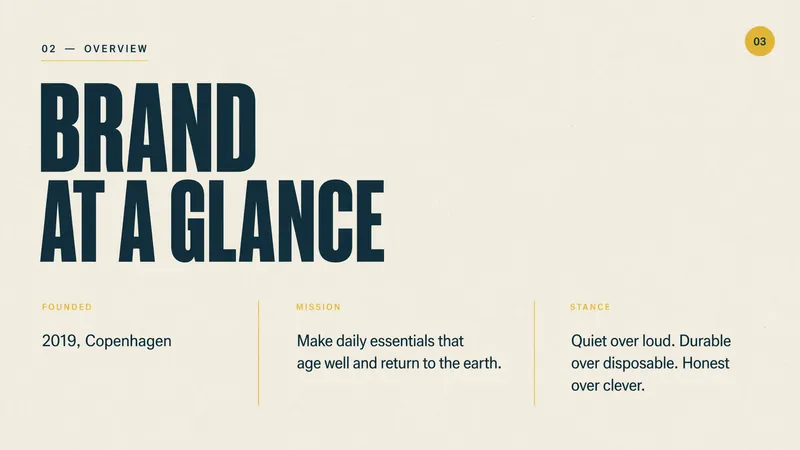 Slides
Editorial brand guideline
A branding slides with premium eco-conscious experience. Deliver clean, warm, and confident slides with an editorial minimalist aesthetic, captivating your audience with stunning visuals and impactful typography.
 Slides
Contemporary art slides
This skill crafts sophisticated, minimalist project proposal presentations, ideal for professionals in creative fields such as art, culture, design, fashion, and exhibition planning. It's designed for anyone needing to present a project with a strong, modern visual identity that stands out. The presentations feature a distinctive editorial aesthetic, characterized by oversized sans-serif typography, striking black-and-white portrait photography, and a strict royal blue and soft gray color palette. Expect clean, asymmetric layouts with generous negative space and unique rounded image masks, giving each slide a magazine-like composition. The skill automatically generates all necessary imagery, ensuring consistency and relevance to your topic, from professional headshots to dynamic action scenes. Users can input their project details and the skill will generate a complete, polished presentation deck. The output is a visually memorable and professional proposal that feels confident and structured, perfect for creative project proposals, brand campaigns, or design studio presentations.
 Image
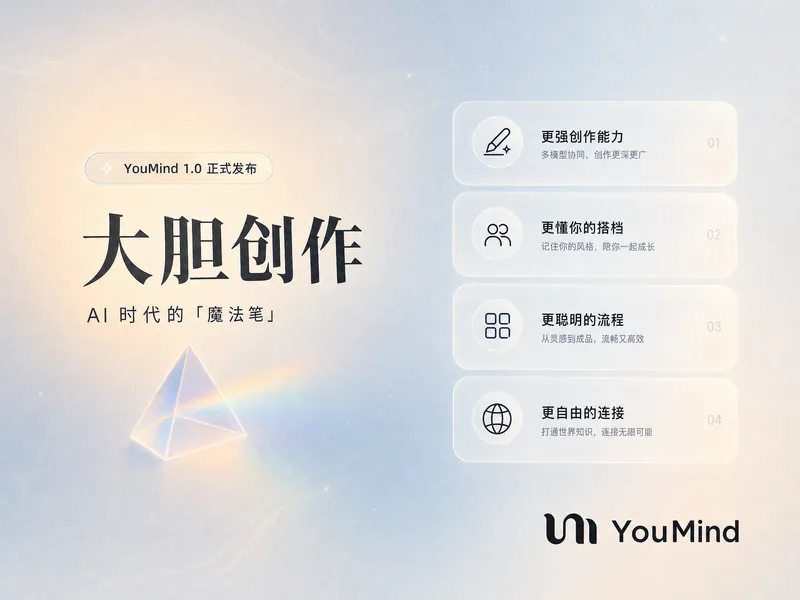
ImageYouMind Landing Page Style Poster
Transform your content into a stunning visual narrative with a YouMind Landing Page Style Poster. This skill crafts beautiful infographic posters that capture attention with a unique Natural Retro-Futurism aesthetic. Perfect for showcasing key data, project highlights, or product features, your information will be presented in a sophisticated and easily digestible format. Leveraging a balanced cool-warm color palette featuring a light gray-blue base with subtle beige-peach accents, each poster embodies a modern UI feel. Expect elegant typography, with authoritative Source Han Serif for titles and clean sans-serif for body text, ensuring readability. The layout utilizes a dynamic Bento grid, arranging your content into visually engaging, soft-edged cards with generous breathing room, avoiding cluttered designs. Beyond striking visuals, the skill integrates subtle design elements like a uniform fine film grain, impressionistic rendering, and optional frosted glass icons for your data points. A single, translucent triangular prism can be added for an elegant accent, while the YouMind official logo is always discreetly placed to maintain brand consistency. This results in a professional, airy, and modern infographic that effectively communicates your message.
Information
- Version
- v1
- Last updated
- Runtime credits
- Usage-based
- Models
- Auto
