
Visual Scene Annotator
Reveal meaning, context, and structure behind the image
Visual Scene Annotator
Reveal meaning, context, and structure behind the image
พรีวิวเนื้อหา
คำอธิบาย
Turn a photo into a visual explanation of why its details matter. The Skill traces meaningful angles, shapes, joints, layers, and components on the original image, then explains their function, visual meaning, relevant background, and possible design influences. When useful, it adds a clearly labeled conceptual cutaway or exploded view beside the photo to show how the subject may be structured inside. Observed facts, verified context, and visual inference remain clearly separated.
ทักษะที่เกี่ยวข้อง
ดูทั้งหมด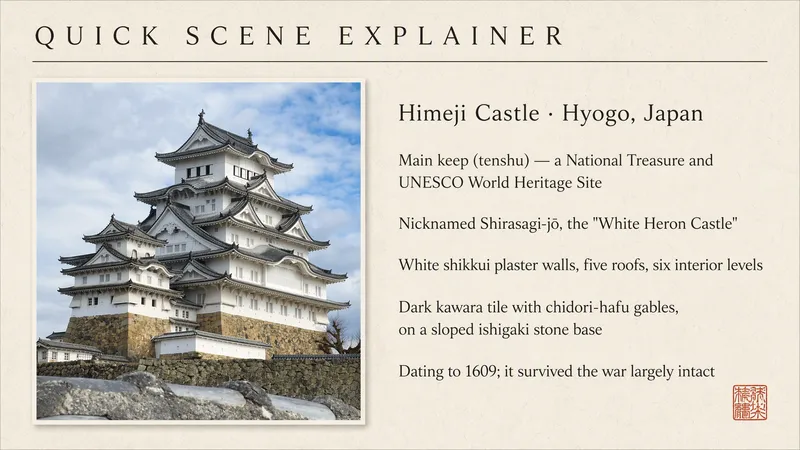
Quick Scene Explainer
Get a concise, text-only explanation of a photo or screenshot without waiting for image generation. It identifies the relevant object, interface, sign, diagram, or visible structure; refers to parts by their position in the image; answers the user's immediate question; and clearly marks anything it cannot confirm. Designed for quick mobile use, weak connections, and situations where the user needs an answer now rather than a redesigned image.
What is it ?
Turn a user's uploaded everyday photo into an immersive language scene with localized controls, object labels, pronunciation, a bilingual passage, typing practice, an overview, and a find-the-object game. Do not use for ordinary image descriptions or static word lists.
 รูปภาพ
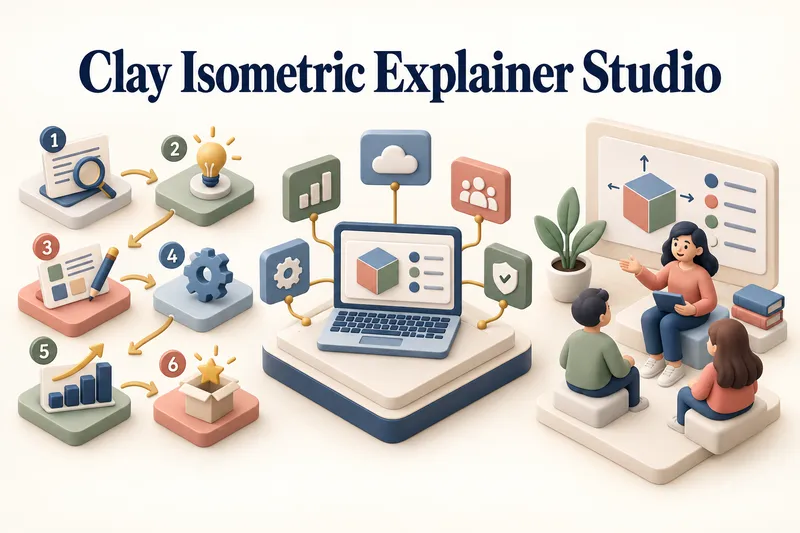
สตูดิโอภาพอธิบายดินปั้น
เปลี่ยนทุกหัวข้อให้เป็นคำอธิบายด้วยภาพที่ชัดเจนและน่าจดจำ สตูดิโอภาพอธิบายดินปั้นเปลี่ยนผลิตภัณฑ์ กระบวนการ บริการ ระบบ และหัวข้อการเรียนรู้ให้เป็นภาพ 3D ดินปั้นผสมไอโซเมตริกที่ดูประณีต เริ่มต้นได้เพียงมีหัวข้อ สตูดิโอจะทำสรุปการค้นคว้าแบบเจาะจง ระบุสารหลัก แนะนำทิศทางภาพที่เข้าใจง่ายที่สุด และแนะนำคุณผ่านกระบวนการสร้างสรรค์ทีละขั้นตอน ระบบจะวางโครงสร้างข้อมูล จับคู่แต่ละแนวคิดกับวัตถุในภาพ กำหนดระบบสไตล์ที่สอดคล้องกัน และเตรียมพรอมต์สำหรับการผลิตที่ครบถ้วน ทั้งชื่อ หัวข้อแต่ละขั้นตอนแบบมีหมายเลข การ์ดข้อมูล ป้ายกำกับ และคำอธิบายสั้น ๆ จะได้รับการวางแผนและใส่ลงในภาพโดยตรงระหว่างการสร้างภาพ เลือกฉากอธิบาย แผนผังกระบวนการ บอร์ดฟีเจอร์ผลิตภัณฑ์ ภาพเพื่อการเรียนรู้ หรือชุดภาพ 3–5 ชิ้นที่มีความสอดคล้องกัน หลังอนุมัติภาพนิ่งแล้ว คุณสามารถเปลี่ยนภาพเป็นแอนิเมชัน image-to-video สั้น ๆ ได้ โดยเลือกเพิ่มการเคลื่อนไหวของวัตถุอย่างนุ่มนวล ท่าทางตัวละครดินปั้นที่เป็นธรรมชาติ หรือการนำสายตาผ่านขั้นตอนที่มีหมายเลข เหมาะสำหรับงานนำเสนอ เว็บไซต์ โพสต์โซเชียล โปสเตอร์ หน้า PDF การสื่อสารผลิตภัณฑ์ การเริ่มต้นใช้งาน และสื่อการเรียนรู้ ไม่เหมาะสำหรับฉาก 3D ตกแต่งที่ไม่มีจุดประสงค์เพื่อการอธิบาย องค์ประกอบภาพแบบสุ่ม ย่อหน้าข้อความหนาแน่นภายในภาพ หรือไฟล์งานออกแบบสุดท้ายที่แก้ไขได้
ข้อมูล
- เวอร์ชัน
- v15
- อัปเดตล่าสุด
- เครดิตในการใช้งาน
- ตามการใช้งานจริง
- โมเดล
- อัตโนมัติ
