A complete walkthrough of Hermes Kanban: the coordination model, sharing context between agents, and building a 4-Agent software team (PM, backend, frontend, tester) in about 20 minutes.
AI agents were supposed to work like a team.
You describe the goal. They divide the work. Each one picks up where the last left off.
That's the pitch. What actually happens is the opposite. Agents start with a blank slate. An agent doesn't know what the others built, which files changed, or what the API looks like. Every handoff is a cold start, and the work degrades the moment it crosses from one agent to the next.
Hermes Kanban fixes that. Every task survives crashes and reboots. Every briefing carries exactly what the next agent needs. Every failure is saved, so the retry knows what broke.
This is how your mission control looks like:
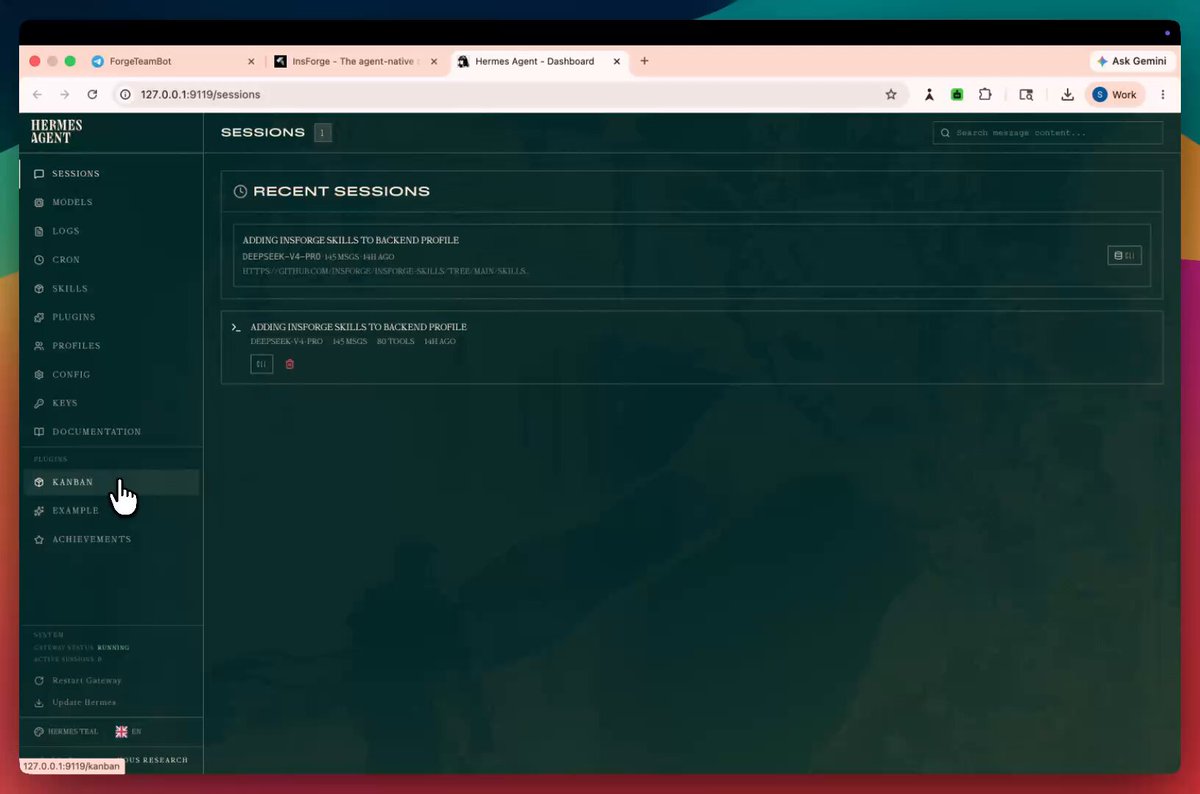
Kanban dashboard
The best part is that the whole team runs from your phone. You create and steer tasks over Telegram, and the agents pick them up while you're away from the desk.
Check this out:

In this article we build this full setup from scratch: the coordination model, the briefings, and a 4 member software team running on your own hardware in about 20 minutes.
To demonstrate this I created a working Google Docs clone, AI features included, production ready backend, built by this exact agent team.
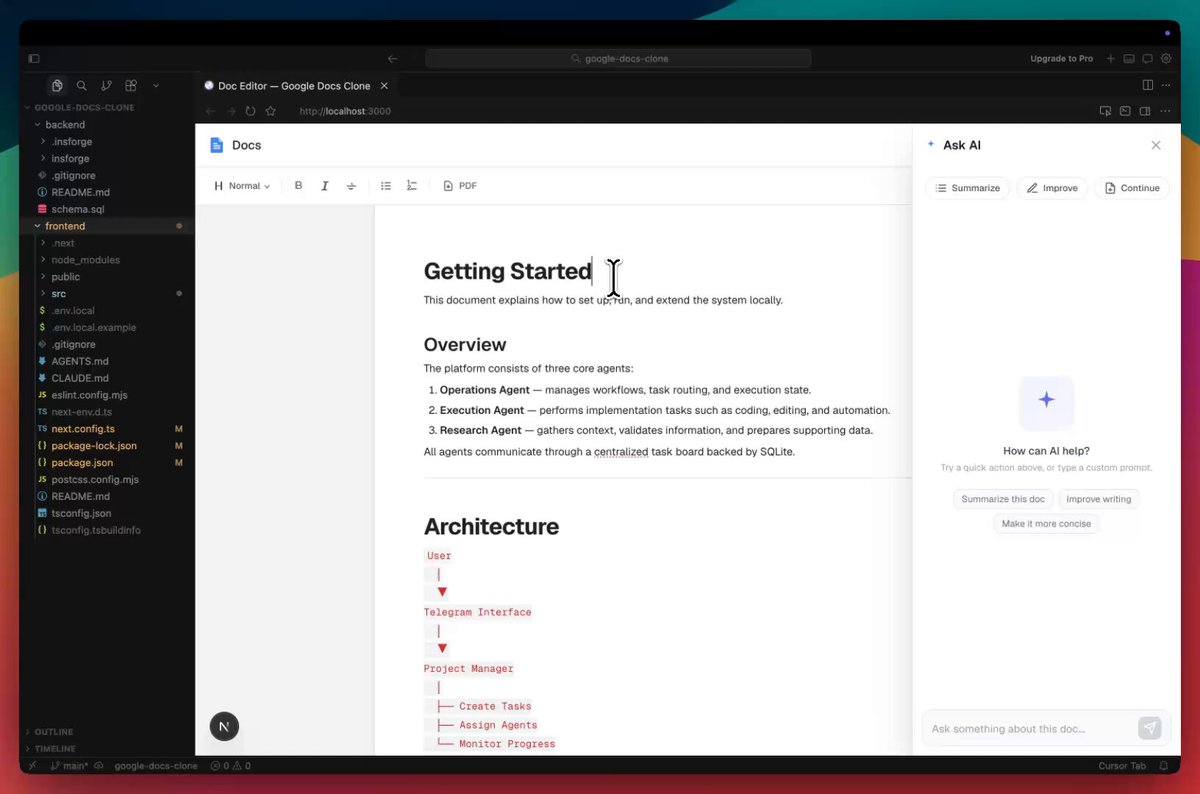
Google docs clone demo
So, without any further ado, let's get into it.
Why one agent isn't enough
Say, for example, you want to add password reset feature. The work splits across three domains:
- A backend developer who builds the REST API
- A frontend developer who reads that API and builds the UI on top of it
- A tester who verifies the whole thing end to end

1 vs 3 Agents
You can run all three through a single agent, but the context window fills up and the agent loses track of what it did three steps ago. You spend more time managing it than it saves you.
Splitting the work across agents who each own a domain creates a different problem: how does the frontend developer know what the backend developer built? That shared-context problem is what Hermes Kanban solves.
The mental model: a task board, but agents sit behind the columns
A task has a title, a description, an owner, and a status. Someone picks it up, moves it across the board, and closes it. The board is the single source of truth.
Hermes Kanban keeps that model and puts agents behind each column instead of humans.

Hermes Kanban Board
Every task is a row that survives crashes and reboots. When an agent finishes, it writes a summary: files changed, what it built, what the next agent needs to know. The next agent reads that summary before it starts.
That summary is the whole insight. It's what turns a group of agents into a team instead of strangers.
The vocabulary
We have 6 different columns on the Kanban board:

- Triage: Rough ideas land here, good for "I want auth rate limiting" before you have a full spec.
- Todo: Task created but waiting on a dependency. It won't move until its parent finishes.
- Ready: Dependencies met, waiting for an agent to pick it up.
- In Progress: An agent is actively running.
- Blocked: The agent hit a wall and flagged it for a human. Nothing runs until you unblock it.
- Done: Finished, with full run history, summary, and metadata preserved.
The orchestrator: one agent that manages the rest
Think of the orchestrator agent as the project manager who reads a high-level goal, checks which agents exist, breaks the goal into linked tasks, and steps back. It never writes code or runs tests. It coordinates.

The orchestrator agent
The one rule that matters: check which profiles exist before creating tasks. The system silently skips any task whose assignee doesn't match a real profile, so step zero is always kanban_list.
Here's a typical project manager turn, decomposing a "build a password reset flow" request into a linked pipeline:
1kanban_show()23be = kanban_create(title="Password reset backend", assignee="backend-developer",4 body="Forgot/reset password flow + session invalidation")56fe = kanban_create(title="Password reset UI", assignee="frontend-developer",7 parents=[be], body="Next.js reset flow using backend API")89qa = kanban_create(title="E2E password reset test", assignee="tester",10 parents=[fe], body="Validate all acceptance criteria")1112kanban_complete(summary="Created backend → frontend → QA dependency pipeline")
After this, the board handles promotion and the briefings handle context. When all three finish, the project manager wakes up, reads the summaries, and judges whether the work is done. If the tester returns "verdict": "FAIL", it creates fix tasks and the loop continues.
But in reality, you do not have to care about anything. You just need to delegate a task from a telegram and the orchestrator takes it from there.
Three patterns you'll use constantly
1. The pipeline:Each task depends on the previous one. Only the first starts in ready. Everything else waits its turn.
1BACKEND=$(hermes kanban create "Implement auth API" \2 --assignee backend-developer \3 --body "POST /register, POST /login, POST /refresh, POST /logout." \4 --json | jq -r .id)56FRONTEND=$(hermes kanban create "Build auth UI" \7 --assignee frontend-developer \8 --parent $BACKEND \9 --body "Read backend handoff for API shape. Login, register, profile pages." \10 --json | jq -r .id)1112hermes kanban create "Test auth flow end to end" \13 --assignee tester \14 --parent $FRONTEND \15 --body "Cover happy path, wrong password, expired token, session persistence."
You don't run this by hand. You describe the project to the project manager on Telegram and it creates these tasks for you. Under the hood it looks like the above.
When the backend agent calls kanban_complete(), the frontend task moves to ready with the backend's work attached.

2. Human in the loop:Not every blocker is a failure. Sometimes an agent finds a real problem and stops to ask.
1kanban_block(reason="review-required: password strength check missing, "2 "reset tokens aren't single-use (can be replayed within 30 min)")
You see the block on the dashboard. You verify the issue, fix it, and unblock the task:
1hermes kanban unblock $IMPL
You don’t run this in the terminal either just comment in the Kanban board or message on Telegram, and the system unblocks it.
The system restarts the agent on the next cycle. The second run calls kanban_show() and sees exactly why the first attempt was blocked. It knows precisely what to fix; it’s not starting from scratch.

3. Triage specifier.
When you have a rough idea instead of a full spec, drop it on the board and let the system flesh it out before any agent picks it up.
1# Drop a rough idea2hermes kanban create "auth needs rate limiting" --triage --assignee backend-developer34# Flesh it out before the dispatcher picks it up5hermes kanban specify $TASK_ID
The specify command rewrites the three-word title into a full task with a goal, an approach, and acceptance criteria. The agent that picks it up gets a real brief.
Setting it up: four profiles in about 20 minutes
Four agents, one shared board, the project manager reachable on Telegram.

Step 1: Create the profiles.
1hermes profile create project-manager --clone2hermes profile create backend-developer --clone3hermes profile create frontend-developer --clone4hermes profile create tester --clone
--clone copies your default profile's config as a starting point.
Step 2: Give each agent a personality
1. Project Manager at ~/.hermes/profiles/project-manager/SOUL.md:
1# Soul23You are the project manager for a software development team. Your job4is to take a user’s app idea, break it into clear tasks, assign them5to the right team members, and track progress on the Kanban board.6You do not write code yourself. You manage the work.
2. Backend Developer at ~/.hermes/profiles/backend-developer/SOUL.md:
1# Soul23You are the backend developer on a software team. You build and manage4the entire backend using InsForge — database, auth, storage, edge5functions, and deployment.
3. Frontend Developer at ~/.hermes/profiles/frontend-developer/SOUL.md:
1# Soul23You are the frontend developer on a software team. You build the UI —4components, pages, and user flows — and connect them to the backend5using the APIs and SDK methods the backend-developer has set up.
4. Tester at ~/.hermes/profiles/tester/SOUL.md:
1# Soul23You are the tester on a software team. You test completed features4end-to-end, verify acceptance criteria are met, and report bugs5clearly back to the Kanban board so they can be fixed.
Step 3: Add agent skills
Skills are step-by-step guides, specific instructions for how to do certain kinds of work. Think of them as job training for your agents. Let’s list them one by one:

InsForge (open-source, Apache 2.0) acts as the backend context engineering layer for agents using Skills and CLI. Our backend developer agent profile uses this skill to have a ready-to-use backend service for projects.
First, add the InsForge skills tap:
1hermes skills tap add InsForge/insforge-skills
Then install the backend skills:
1hermes -p backend-developer skills install InsForge/insforge-skills/insforge --force
The same way we install others as insforge-cli (infrastructure commands), insforge-debug (failure diagnostics), and insforge-integrations (third-party auth providers).
Here’s how the backend developer agent uses the skill to build our project backend on InsForge.
First the backend developer agent creates a project called “Google Docs Clone” in InsForge.
The dashboard shows project stats like the number of Users, tables in the Database, Storage, and list of Edge Functions with deployed JavaScript/TypeScript code related to auth, document handling, etc.
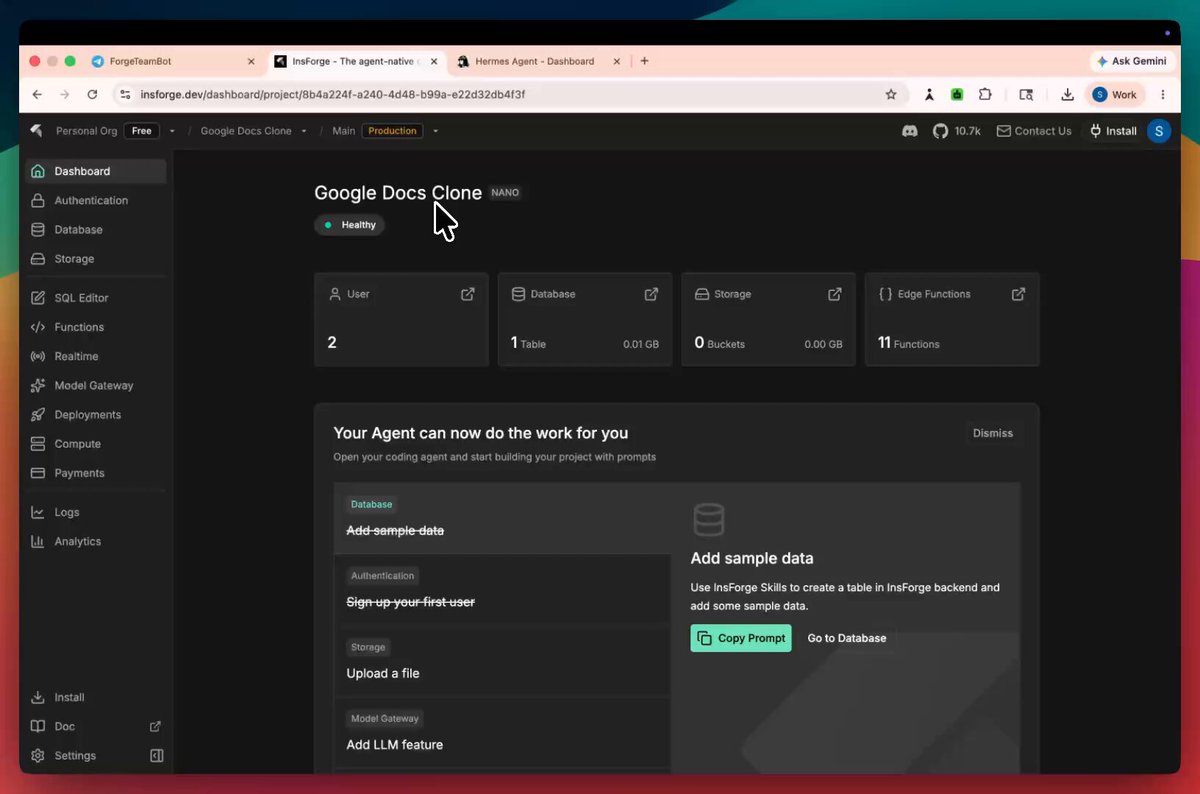
So if you're building an AI backend engineer, do check InsForge →
(don't forget to star 🌟)
More skills form Skills Hub
Hermes also maintains a Skills Hub with 687 skills across 18 categories: 87 built-in, 79 optional, 16 from Anthropic (frontend-design, pdf, pptx, docx, mcp-builder, and more), and 505 from LobeHub.

For the frontend developer, install frontend-design. For the tester, install webapp-testing. Both ship in the Hub.
Step 4: Initialize the board and start the gateway.
hermes kanban init creates ~/.hermes/kanban.db, the SQLite database holding every task, context, and run history.
Then set up the chat gateway under the project manager profile. Grab a bot token from @BotFather on Telegram and your user ID from @userinfobot, then:
1hermes kanban init2hermes -p project-manager gateway setup3hermes -p project-manager gateway start
The connection runs 24/7, keeps the system alive, and makes the project manager reachable on Telegram.
Step 5: Send your first project.
Message the project manager with what you want built. It breaks the goal into tasks, creates them with dependency links, and the system runs them in order.

The dashboard
Run hermes dashboard and open http://127.0.0.1:9119. You get one column per status and live updates over a WebSocket with no refresh needed.
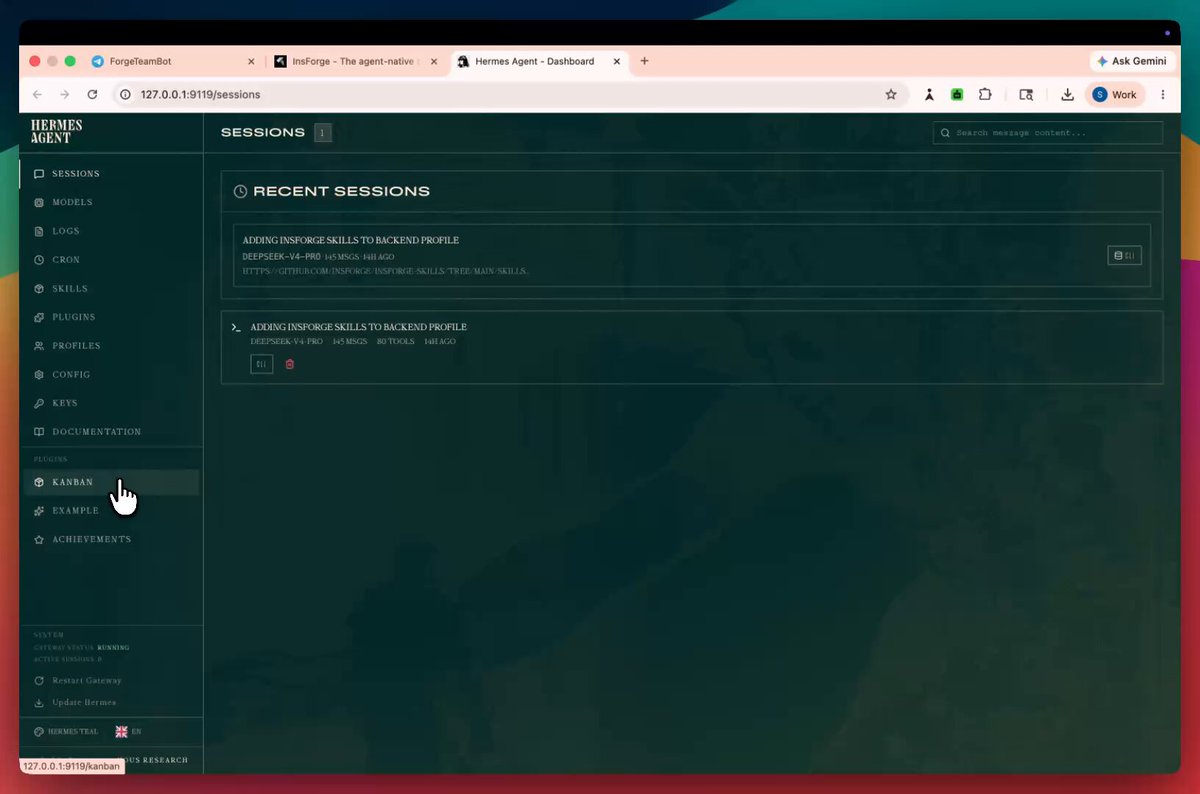
0:20
Hermes kanban dashboard
Two controls are worth knowing. Lanes by profile sub-groups the Running column by assignee, so you can see which agent owns what at a glance. Nudge dispatcher runs one pass immediately instead of waiting 60 seconds, which helps right after you unblock a task.
Click any card to open its drawer for the full run history, every attempt's outcome and metadata, and editable fields for title, assignee, priority, and dependencies.
What to watch out for
Three failure modes worth knowing before a serious workload.
1. Database overload. With 2 to 4 agents in parallel you'll never hit this. With 10+ agents writing at high frequency, things slow down. Cap it with hermes kanban dispatch --max 4.
2. Scratch workspace deletion. Files saved into a scratch workspace are gone the moment the task is marked done, because scratch is wiped by design. Use worktree for coding tasks, or put the project folder path in the task description so the agent knows where to save.
3. Local model saturation. Against a local model (Ollama, local GPU), the system can launch several agents at once and overwhelm the GPU, which slows generation and triggers the auto-stop. For local setups, hermes kanban dispatch --max 2. For API-backed models like Claude or GPT-4o, this is rarely an issue.
The full picture
Each piece has one job:
- SOUL.md is the fixed identity of the agent: who it is and how it thinks.
- Skills are the step-by-step instructions for specific kinds of work.
- Memory is what the agent knows about your environment across sessions.
- Kanban is the coordination layer: shared state, context transfer, and a human in the loop at any point.

Four profiles, four SOUL.md files, one gateway start. Describe what you want built to the project manager on Telegram and watch the board fill up.
If you learn better from video, a full Hermes Kanban walkthrough is dropping on YouTube and X in a couple of days.
Thanks for reading.

![[Вибачення та вдячність] Переосмислення цінності офісу в епоху ШІ](/cdn-cgi/image/width=1920,quality=90,format=auto,metadata=none/https%3A%2F%2Fcms-assets.youmind.com%2Fmedia%2F1784654487214_c56a6p_HNr6-znbwAAQJbv.jpg)


