時裝人像與海報工作室
將任何自修照化為六個驚艷的時尚概念。
時裝人像與海報工作室
將任何自修照化為六個驚艷的時尚概念。
展示內容
描述
相片一張。六種創意方向。無限可能。 無需攝影技巧、設計背景或複雜提示詞,即可將平凡的自拍照或人像轉化為令人驚嘆的高級時裝、電影感人像或設計師級別的海報。 時裝人像與海報工作室是你的專屬 AI 藝術總監。它會分析你的人像、保留個人特徵,並透過時裝攝影、電影敘事、純藝術及實驗性時裝設計,探索六個視覺風格截然不同的創意概念。 ✦ 運作方式 1. 上載你的相片 由自拍或人像照開始。工作室會分析你的面部特徵、髮型、自然色彩與視覺特色。 2. 探索 6 個創意概念 在單一視覺預覽中發掘六種不同的藝術方向。每個方向均採用不同的構圖、燈光、氣氛、造型與視覺故事。 3. 挑選你的最愛 選出最切合你心意的概念。無需輸入複雜的提示詞。 4. 創作你的終極傑作 根據所選概念,結合你喜愛的格式、造型與排版,生成精緻且高品質的人像或海報。 ✦ 你可以創作的內容 奢華時尚社論及雜誌封面 電影感及純藝術人像 簡約排版及畫廊海報 超現實及實驗性社論藝術作品 個人品牌及社交媒體視覺內容 藝術風個人頭像及創意宣傳活動 ✦ 專為你而設 ✓ 保留身份特徵的人像變換 ✓ 六個原創創意方向 ✓ 視覺概念挑選 ✓ 自訂服飾、燈光與環境 ✓ 可選標題及時裝排版 ✓ 多種格式,包括 1:1、3:4、9:16 及 16:9 ✓ 自然皮膚質感與相片級真實細節 你的臉龐。你的身份。六種非凡的展現方式。 上載你的人像,探索你的個人時裝工作室能創造的無限可能。
推薦自
Dancang
為什麼我們推薦這個技能
入選原因:能將一張自拍轉化為真正的編輯級美術指導流程:提供六個截然不同且可視化預覽的概念,隨後產出兼顧保留身份的成品。其突出的優勢在於嚴謹的概念多樣性、物理真實感,以及從選擇到完成圖像的忠實連貫性。
適合對象
適合希望將個人相片轉化為獨特時裝、電影感、美術、品牌形象或海報風格人像的人士。
如何使用此 Skill
提供輸入
提供一張清晰的自拍或人像相片,並可選擇心儀的概念、服裝、字體、氣氛或最終畫面比例。
執行 Skill
工作室會為你度身訂造六個不同的社論概念以供審視。請選擇其中一個概念,或要求直接生成單張相片。
查看結果
根據你選擇的方向獲得一張精修的社論人像或海報,完美保留個人特徵並加入自選文字或造型。
相關技能
查看全部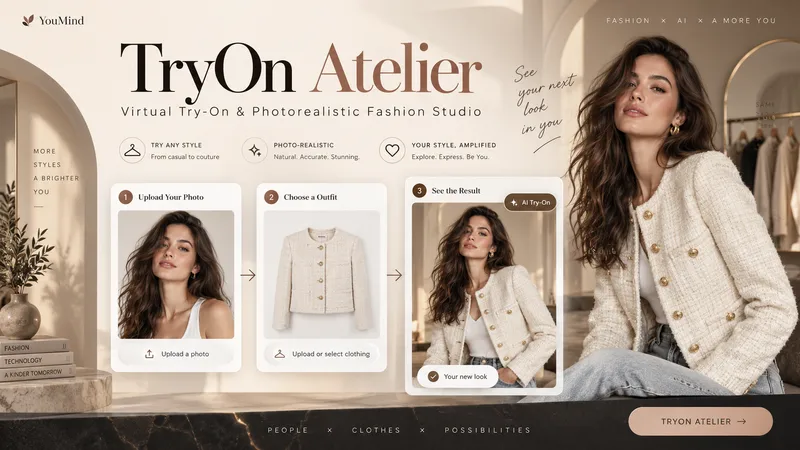
TryOn Atelier
Your Model. Your Outfit. Six Ways to Wear It. Transform a simple person photo and a clothing image into a professional virtual fashion photoshoot with TryOn Atelier — your AI-powered virtual try-on and creative fashion photography studio. No complex prompts. No photography equipment. Just upload, explore, select, and create. ✦ THE EXPERIENCE 1. Upload Two Images Provide a photo of a person and an image of the clothing you want them to wear. TryOn Atelier analyzes both references to preserve recognizable facial features, body proportions, garment colors, textures, and design details. 2. Explore 6 Distinct Poses See the same person wearing the same outfit in six numbered previews: front-facing, three-quarter angle, side profile, walking, seated, and interactive fashion poses. Unlike ordinary background-changing tools, TryOn Atelier focuses on how the outfit looks through different body positions and natural movement. 3. Choose Your Favorites Select one pose, several, or all six. Choose your preferred image aspect ratio and generate individual, high-quality fashion photographs. 4. Discover New Atmospheres Want to explore more? Take a favorite pose into different environments, lighting setups, and cinematic moods — without starting over. ✦ BUILT FOR VISUAL REALISM TryOn Atelier prioritizes natural anatomy, believable fabric draping, realistic lighting, accurate shadows, physical contact, and seamless scene integration. It aims to make every image feel like a genuine fashion photograph rather than an artificial cutout. ✦ PERFECT FOR Fashion creators, clothing boutiques, e-commerce sellers, content creators, AI influencers, and anyone exploring outfits visually. From one person and one outfit to an entire fashion photoshoot. AI-generated previews are visual concepts, not guarantees of real-world garment fit.
 圖片
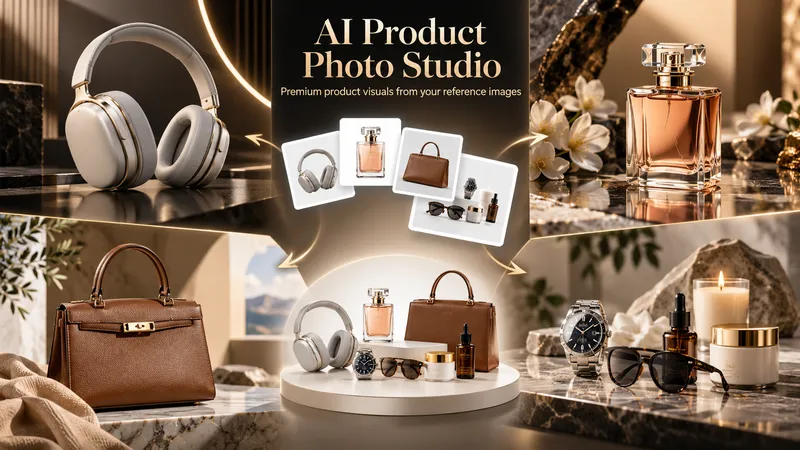
圖片AI Product Photo Studio
Turn your product photos into premium, advertising-ready visual concepts with professional creative direction. Upload a product image alone or combine it with people, environments, mood references, composition examples, or your own creative idea. The skill analyzes each reference by role, protects the product’s identity, branding, labels, visible text, colors, proportions, and packaging details, then guides you through a short adaptive creative brief. Choose from photorealistic, premium studio, lifestyle, editorial, still life, minimal, luxury, surreal, UGC-style, cinematic, and other visual directions — with or without people. You receive 5 genuinely different creative concepts and 5 detailed English production prompts designed for high-end image generation. Every concept prioritizes natural product integration, realistic lighting, coherent shadows and reflections, accurate materials, believable scale and perspective, and strong commercial composition. Human scenes are directed toward natural anatomy, realistic hands, authentic interaction, and detailed skin texture without artificial plastic or waxy results. Optional image generation, variations, revisions, and quality-control workflows help you refine selected concepts into polished product visuals for social media, e-commerce, marketplaces, websites, campaigns, and brand content.
 圖片
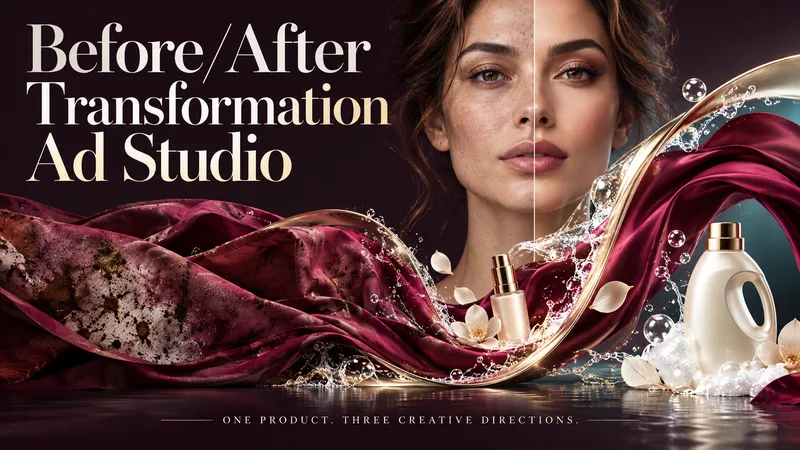
圖片Before/After Transformation Ad Studio
Make the transformation the hero. Turn a single product photo into bold before-and-after advertising visuals with expressive art direction, striking compositions, and a transformation that takes center stage. From cosmetics and personal care to cleaning and fitness, this skill explores your product’s uses and develops creative ways to visualize its relevant benefits. YOUR PRODUCT. YOUR CREATIVE DIRECTION. Start with a photo. The skill researches the product, then helps you choose the scene, materials, visual elements, format, and text style. Prefer a surprise? Let AI take the creative lead. THREE CONCEPTS. THREE DISTINCT VISUAL IDEAS. Explore three tailored concepts with complete image-generation prompts. Think flowing fabric reveals, sculptural environments, dramatic close-ups, glass transitions, or an unexpected world built around your product. Each concept offers a different visual story. BEFORE & AFTER, FRONT AND CENTER. Large, clearly readable transformation scenes lead the composition. Product placement, atmosphere, and typography work together to make the change stand out—even on a phone screen. YOU APPROVE. THEN IT CREATES. Review the prompts, request adjustments, and select one concept or all three. Image generation begins only after your approval, using the capabilities available in your workspace. BUILT AROUND YOUR PREFERENCES. Choose square, portrait, landscape, or custom dimensions. Add a bold headline, keep the copy minimal, or let the visuals speak. The workflow adapts to your language, while production prompts are written in English by default. Upload your product. Shape the scene. Bring the transformation into focus.
資訊
- 版本
- v3
- 更新時間
- 執行點數
- 依實際用量
- 模型
- 自動選擇
- 使用情境
- 圖片與設計市場推廣與成長生活與娛樂
- 你將獲得
- 圖片
- 視覺風格
- 極簡電影感照片寫實
