Can
 Research
Learning Coach
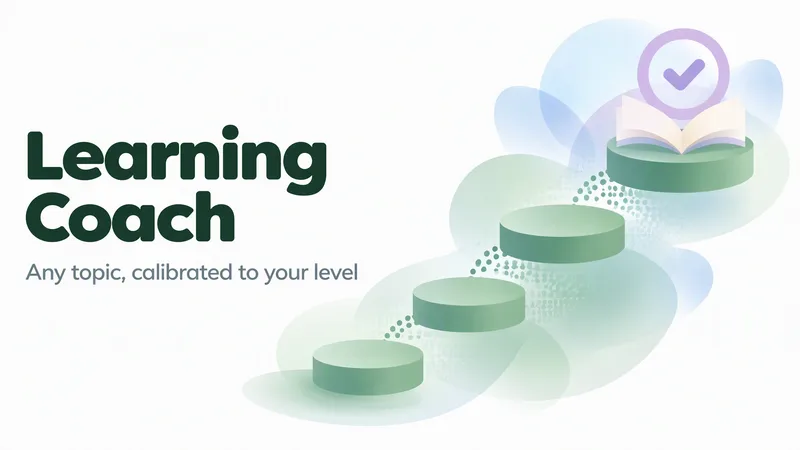
Most learning plans fail before they begin, because they assume a level. Learning Coach starts by finding yours. A four-part diagnostic follows: a self-assessment, two applied questions that test whether the foundation is actually there, a vocabulary check, and one deliberately harder probe. The result is a placement in one of four bands, with the specific gaps that defined it named out loud. No guessing, no flattery — and when the evidence contradicts itself, it says so and lets you decide. From there it builds a roadmap ordered by real dependency rather than a topic list. Every module carries a concrete goal, a practice task that produces something, and a mastery criterion precise enough to test. A beginner gets 8–12 small, finishable steps; an advanced learner gets 4–6 dense ones. The curriculum lands as a YouMind document you keep: a progress-tracked module map, worked examples, the misconception most likely to trip you at each step, check questions with an answer key kept out of sight, diagrams where a concept is genuinely structural, and sources that were actually opened and verified. Then the coaching begins. Each module is tested with a mix of concept, application, transfer, teach-back, and a trap built from a real misconception. Answers are read for the faulty mental model behind them, repaired with a different representation, and advancement happens only at roughly 80% with no critical error. If you are not ready, it tells you — and fixes the sequence instead of pushing you forward. Review, rapid-check, and teach-back modes keep earlier material alive as you go. Its instructions are written in English. Every conversation runs in your language.
 Image
ImageTimewoven History Posters
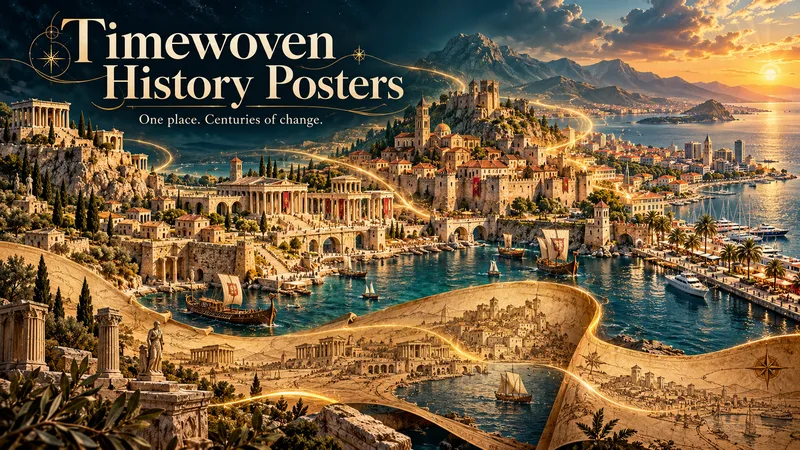
What if centuries could flow through a single work of art? Timewoven History Posters transforms a city, landmark, or region into a dreamlike poster where architecture, memory, and imagination intertwine. Ancient forms emerge, dissolve, and become something new—connected by artistic transitions that tell a story beyond words. ART TAKES THE LEAD Your chosen place becomes the heart of the composition. Expressive scale, atmospheric light, rich textures, and imaginative transformations create an artwork designed to captivate. Each visual metaphor grows from the subject’s own story. HISTORY ADDS DEPTH Research uncovers defining features, turning points, and meaningful details. Small, discreet information cards share selected historical facts while the artwork freely reimagines time and space. These are artistic interpretations inspired by history, not exact reconstructions. THREE DISTINCT CREATIVE VISIONS Explore three original concepts, each with its own emotional atmosphere, composition, and way of connecting the ages. The creative direction adapts to your subject, opening possibilities far beyond a fixed template. REVIEW FIRST. CREATE WHEN READY. Receive a brief research summary, three concept explanations, and three complete image prompts. Refine your favorites, approve selected designs, or generate all three. Image production starts only after your explicit approval, using the tools available in your session. YOUR PLACE. YOUR LANGUAGE. Choose a city you love, a monument that fascinates you, or a region filled with stories. The conversation and poster text follow your preferred language. Let history inspire an artwork you want to keep looking at.
 Image
ImageFuture Archive Storybook
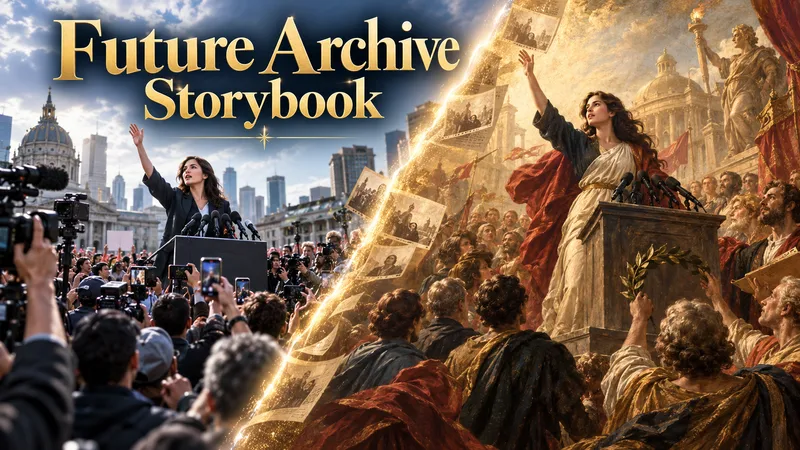
Future Archive Storybook transforms important current or historical events into artistic records for future generations. It researches the topic using reliable sources, identifies iconic moments and visual cues from collective memory, builds them into a connected narrative flow, and explores suitable cultural art traditions to define the visual direction. Before any image generation, all prompts are shown for user approval. Images can be produced inside YouMind or continued in other tools through Production Transfer files. In the final stage, scene artwork, matching narrative text, cover design, closing section, and selected sources can be assembled into an artistic storybook or historical PDF document.
NeedSignal Product Scout
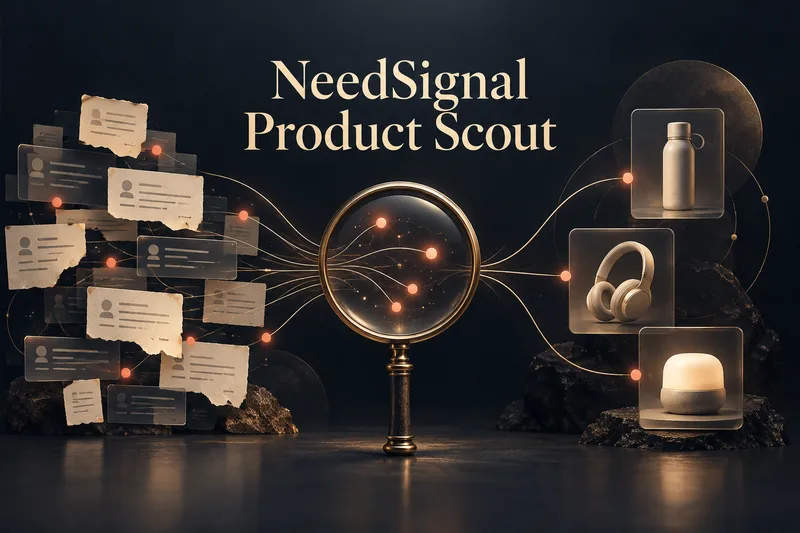
NeedSignal Product Scout turns real user problems, workarounds, unmet requests, product reviews, links, and observations into evidence-backed product opportunities. Instead of producing generic idea lists, it expands each signal across independent sources, identifies the underlying need, checks current solutions and competitors, and separates verified evidence from inference and hypotheses. You receive 3–5 focused opportunity cards with their evidence trail, user, solution gap, differentiation, risks, and next validation step. Choose one to develop into a practical product plan, prototype path, user-test plan, and two professional reports. Optional visualisation begins with complete image prompts first. You decide whether to generate visuals, revise the prompts, or take the prompt package to another image tool.
 Image
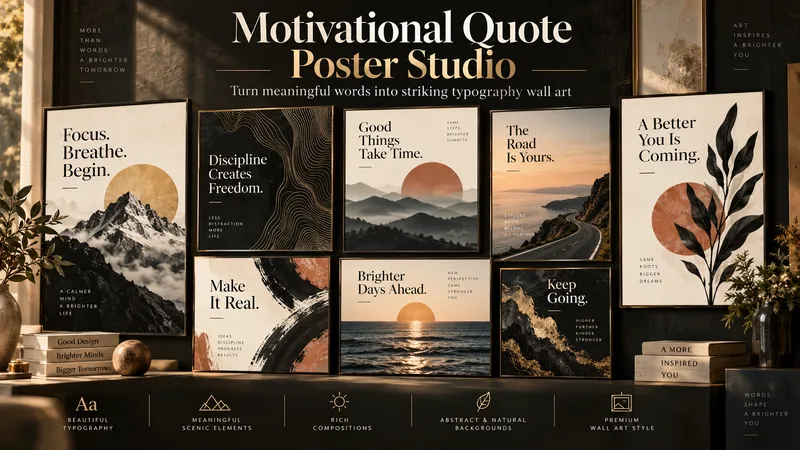
ImageMotivational Quote Poster Studio
Turn a motivational idea, quote, or feeling into visually striking typography wall art designed for real interior spaces. Motivational Quote Poster Studio combines quote discovery, typography, composition, symbolic imagery, and artistic direction to create posters that feel like genuine design-store wall art — not generic social media quote graphics. Start with your own quote or simply describe a theme such as focus, courage, growth, peace, discipline, freedom, or creativity. If you do not have the right words yet, the Skill generates a curated collection of poster-ready quotes and multi-quote combinations for you to choose from. Once the message is selected, the Skill analyzes its meaning and translates key ideas into visual language. A quote about mountains can inspire summit forms or topographic lines. A message about the sea can influence flowing shapes, horizons, or atmospheric imagery. Themes such as light, growth, movement, and freedom can become part of the composition itself. The Skill automatically develops: - Typography hierarchy and text composition - Meaning-driven visual motifs - Color and background direction - Artistic and editorial poster layouts - Abstract, illustrative, scenic, or hybrid backgrounds - Rich visual compositions for decorative wall art - Three distinct final creative directions Final concepts range from refined and premium to rich artistic and bold statement designs. The default output is a flat poster artwork — not a framed room mockup — so the focus stays on the actual design. Whether you want a calm office print, dramatic statement poster, artistic bedroom piece, or commercially appealing wall-art concept, the Skill turns words into a complete visual experience.
 Image
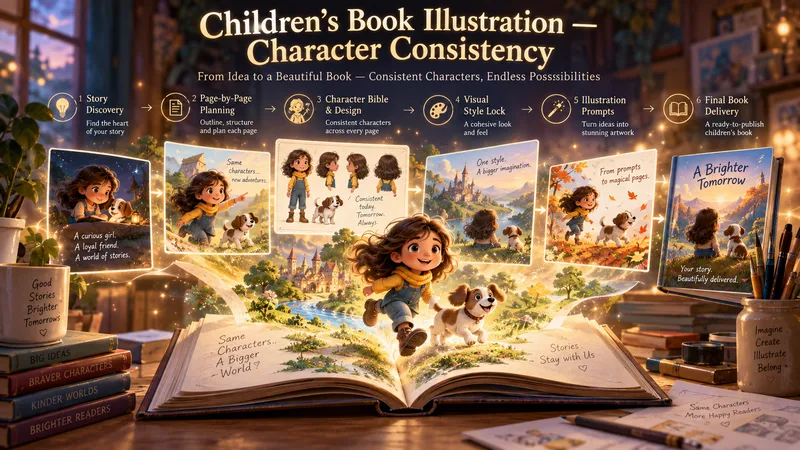
ImageChildren’s Book Illustration
Turn a simple idea into a complete, beautifully illustrated children's book with consistent characters from the first page to the last. This Skill guides you through the entire creation process: story discovery, story writing, page-by-page planning, character design, visual direction, illustration prompting, continuity control, image generation, and final book assembly. Don't have a story idea yet? Start with 10 original children's book concepts and choose the one that inspires you. Then define the target age, story length, tone, visual style, format, and creative direction. Before illustration begins, the Skill builds a complete page-by-page Story Blueprint, Character Bible, Visual Style Lock, and Continuity Ledger. These systems help preserve character identity, outfits, props, locations, proportions, and visual style across every scene. For each page, you receive production-ready illustration prompts designed to maintain character consistency, narrative continuity, and a cohesive visual world. Create: - Character reference sheets - Consistent page-by-page illustrations - A dedicated book cover - An optional final message or end-note page - Reusable Character and Visual Style Locks - A complete production handoff package Want to continue in another AI tool? Generate a structured handoff containing the full story, Character Bible, continuity rules, visual direction, and every illustration prompt needed to continue the project without losing creative consistency. Or complete the entire book directly in the workflow: generate the illustrations, review and repair inconsistent pages, and assemble the finished children's book as a PDF, presentation, or individual page images. From the first idea to the final page, everything is built around one goal: creating a children's book that feels like one story, one world, and the same characters throughout.
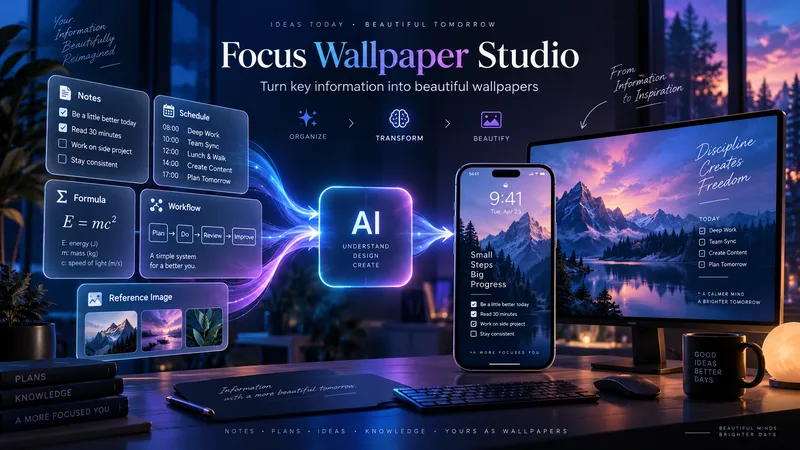
Focus Wallpaper Studio
Focus Wallpaper Studio transforms important information into visually compelling mobile and desktop wallpapers designed for repeated daily viewing. Use it for study notes, formulas, schedules, checklists, workflows, decision frameworks, personal systems, and other information you want to keep constantly visible. The skill can work with text, tables, screenshots, diagrams, and visual references. It analyzes each input separately to understand whether it is a content source, design reference, layout reference, or structured information such as a schedule or table. Before writing prompts, it asks for any missing choices such as visual direction, content density, safe areas, and device preferences. If no design reference is provided, you can choose a visual direction or let the skill create the most suitable artistic concept. It then prepares separate mobile and desktop wallpaper strategies with two prompt options for each device. Prompts are shown first, and image generation only starts after you select which version you want. After generation, the skill checks both information accuracy and wallpaper quality, including text fidelity, missing content, readability, safe areas, visual balance, and overall design impact.
 Research
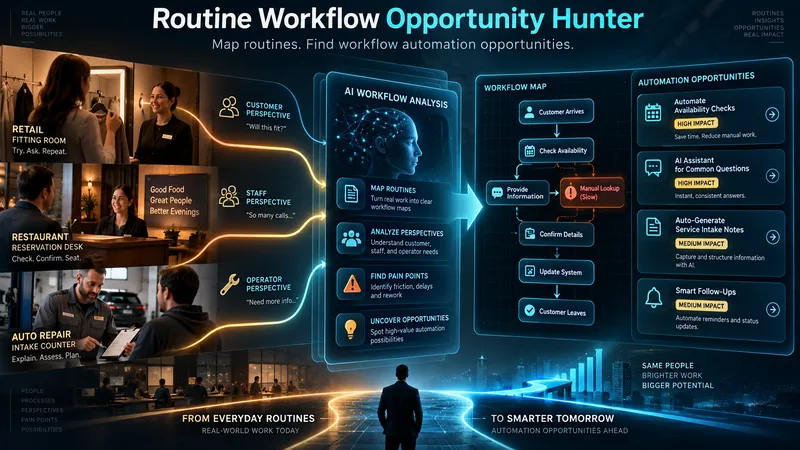
Routine Workflow Opportunity Hunter
Discover automation opportunities hidden inside real-world routines. This skill breaks broad industries into focused workflows, maps each stakeholder’s actions and pain points, and identifies where manual, physical, fragmented, or weak digital processes can be improved. It then matches promising routines with current AI and automation capabilities, while separating what can be built today from near-future opportunities.
 Image
ImageTattoo Flash Studio
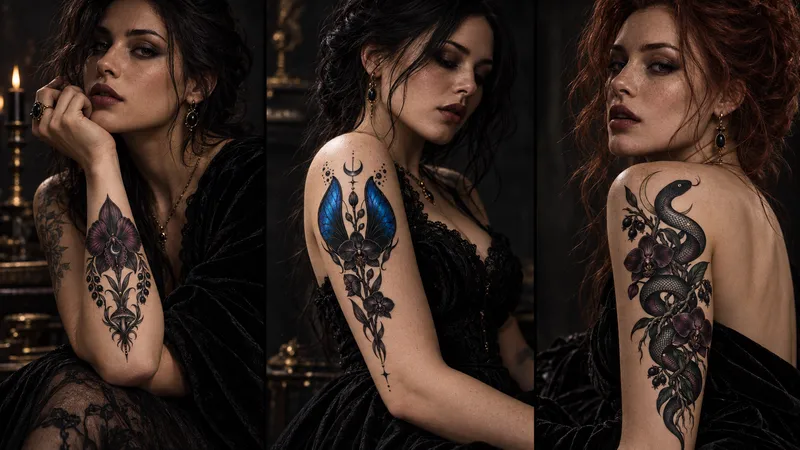
Tattoo Flash Studio helps you shape original, print-ready tattoo concepts through a guided creative process. It explains style and design choices in clear language, so both clients and tattoo artists can use it comfortably. Start with a subject, mood, placement or collection idea. The skill asks focused questions about visual direction, line density, scale, composition, colour, body placement and intended use. When a cultural tradition or established art movement is requested, it first researches the visual context and respectful boundaries before translating it into an original tattoo direction. You receive polished tattoo-flash prompts, optional variations, practical artist handoff notes, printable design guidance and vector-preparation notes. It can also create professional image-to-image mockup prompts that preserve the approved design accurately on skin. Images are never generated automatically. First, review the written design prompt. Then choose whether to create the flat flash design or a realistic placement mockup here or on another image platform.
LessonLens
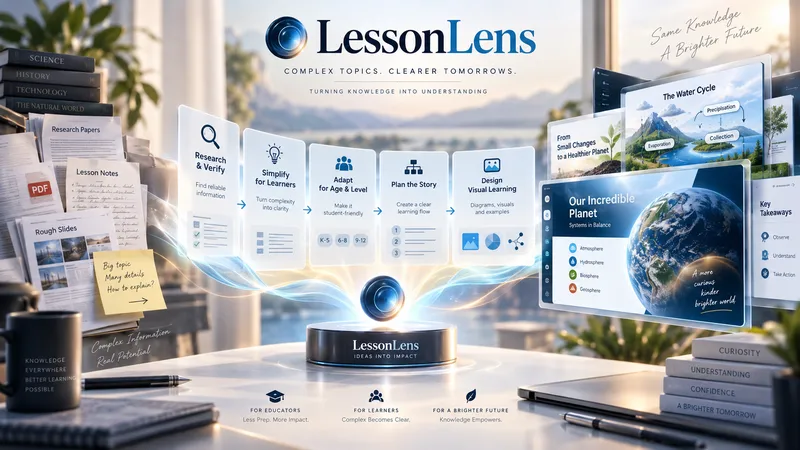
LessonLens turns complex topics, documents, research, and lesson notes into clear, visually engaging educational presentations built for real learners. It does more than convert text into slides. LessonLens can research and verify important facts, adapt the material to the learner’s age and prior knowledge, identify learning goals and likely misconceptions, and choose the most effective way to explain the topic. Depending on the content, it may use direct explanation, step-by-step teaching, comparison, diagrams, timelines, light storytelling, or other learning structures. Storytelling is used only when it improves understanding. The visual system is built around the lesson itself. LessonLens evaluates which visual approaches actually fit the topic, creates a consistent presentation direction, and writes detailed professional image prompts for every required visual. These visuals can include carefully designed learner-facing labels, arrows, short explanations, headings, and annotations so the final slides remain understandable without depending only on teacher notes. The result can include: a researched and age-adapted teaching plan a structured slide-by-slide learning flow professional visual direction detailed image prompts slide-ready educational visuals PowerPoint presentation teacher or presenter notes optional PDF output summaries, quizzes, or supporting learning material when useful LessonLens is designed for teachers, tutors, course creators, and educational content creators who want more than attractive slides — they want presentations that help students actually understand the subject.
 Image
ImageA/B Product Creative Variant Studio
One product. Multiple creative possibilities. Turn your product photo into 3–5 distinctive advertising visuals with A/B Creative Variant Studio. Explore imaginative settings, elegant compositions, and expressive slogan typography—all built around your product. CREATIVE WORLDS, BUILT FOR YOUR PRODUCT Explore 13 style families, from luxury editorial and cinematic lighting to botanical scenes, surreal environments, bold graphics, and futuristic design. Each concept brings together materials, light, depth, and space for a cohesive visual story. SLOGANS THAT BECOME PART OF THE DESIGN Shape your message with striking scale, intentional line breaks, refined lettering, and scene-integrated typography. Choose a slogan-only layout, a complete ad composition, or a text-free visual. TWO WAYS TO EXPLORE • Concept Exploration: discover different combinations of style, composition, and messaging. • Controlled Variants: focus on one selected creative variable while keeping the other agreed elements consistent, where the available tools support it. A GUIDED PROCESS Upload your product → define your goal → choose visual directions → refine slogans → approve the variant plan → generate your images. You review the concepts before production begins. The workflow checks product appearance, text accuracy, readability, and composition, with targeted corrections where needed. WHAT YOU RECEIVE 3–5 separate ad images, clear concept labels, and a concise comparison of what changes across the set. Refine a favorite or use it to explore a new direction. Conversations follow your language. Advertising copy can use a different language of your choice. Image production requires available generation tools. This skill prepares creative candidates; it does not run live A/B tests or guarantee advertising performance.
 Image
ImageImage Remix: Recreate & Personalize
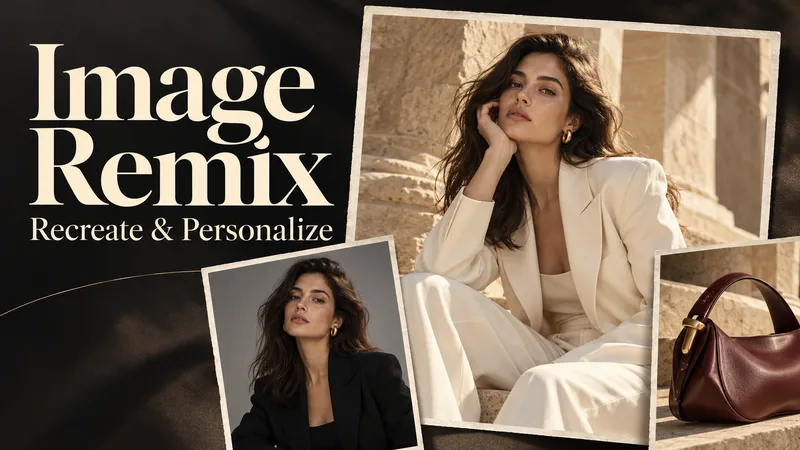
Create personalized visuals from striking reference images—for advertising, fashion concepts, editorial portraits, product scenes, and visual exploration. Image Remix analyzes what makes your reference work, then helps you adapt it to your subject, style, or product. Keep the composition and atmosphere you love while changing selected details through five guided choices. YOUR FIVE CREATIVE CONTROLS • Character / Subject — Preserve the source appearance, describe changes, or supply a reference. • Wardrobe — Keep the outfit, describe a new look, or use a clothing reference. • Environment — Preserve the setting or move the scene somewhere new. • Skin Realism — Choose smooth but realistic skin, natural texture, subtle freckles, or your own description. • Jewelry — Preserve, redesign, replace, remove, or provide a reference. HOW IT WORKS Upload a source image and make your selections. Add person, wardrobe, or product references where needed. The skill gathers any essential missing details, prepares a complete English generation prompt, explains the intended result in your language, and generates one image. CONTROL THE CHANGES. KEEP THE VISUAL IMPACT. Pose, framing, perspective, and atmosphere stay consistent unless you choose to change them. Lighting, shadows, reflections, and materials adapt to help the new elements feel naturally integrated. References have separate roles: a clothing reference guides the outfit, while a product reference guides the product’s design. This helps prevent unrelated faces, backgrounds, or accessories from carrying over. WHAT YOU RECEIVE • One personalized generated image. • A complete, reusable English image prompt. • A clear explanation in your language. Add optional instructions for lighting, framing, aspect ratio, or text. Refine the result through targeted revisions while keeping your accepted choices. Reference-guided recreation; pixel-perfect duplication is not guaranteed.
 Image
ImageWearable Art Studio
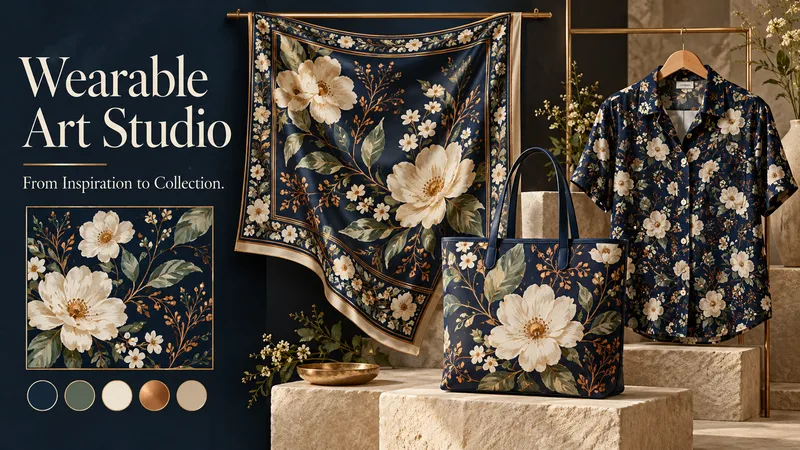
A midnight garden. A geometric rhythm. A watercolor dream. Turn your inspiration into art you can wear. Wearable Art Studio transforms a theme, pattern, or reference image into a coordinated collection for scarves, bags, and garments. ONE VISION. THREE CREATIVE DIRECTIONS. Explore three distinct collection presentations, each featuring artwork, a color palette, and applications on your selected products. Compare different artistic interpretations before developing your favorite. DESIGNED FOR EACH SURFACE A scarf can frame its artwork with expressive borders. A bag can showcase a striking focal motif. A garment can carry flowing patterns or carefully placed accents. Each application responds to the product’s shape while sharing the collection’s visual identity. START WITH WHAT INSPIRES YOU Bring a word, a mood, a palette, or an existing pattern. Explore botanical, geometric, abstract, painterly, or your own creative direction. Choose one product category, combine several, or build a complete collection. DEVELOP THE DESIGN YOU LOVE Select a concept to create separate flat artwork and individual product visuals. The chosen presentation guides the next stage, helping maintain its motifs, palette, and character. EXPLORE NEW COLORS Request additional colorways while keeping the approved artwork and product forms consistent—from quiet neutrals to expressive contrasts. A SIMPLE, GUIDED FLOW Share your inspiration → choose your products → explore three collections → select and develop → optionally add color variations. The conversation follows your language, with room for both clear direction and creative discovery. Created for concept exploration, surface-design inspiration, and collection presentations. Product visuals are mockups; manufacturing files and seamless-repeat verification require separate checks. Give your ideas a collection of their own.
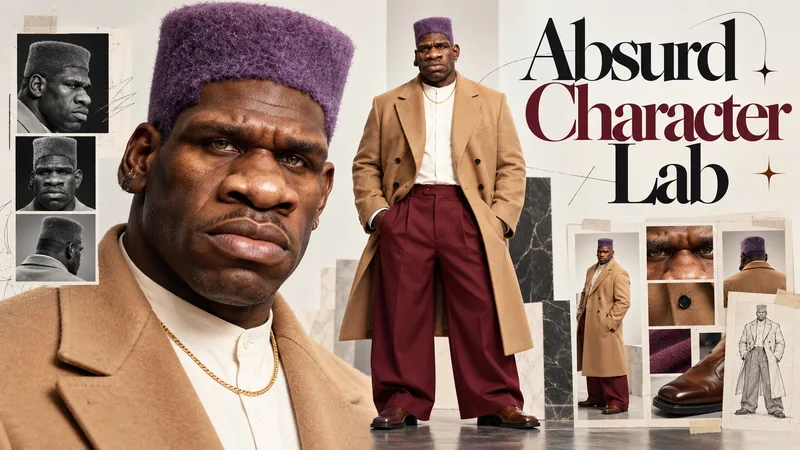
Absurd Character Lab
Ordinary Faces Are Forgotten. Extraordinary Characters Go Viral. Meet Absurd Character Lab — your creative studio for designing unforgettable, photorealistic AI characters that are strange, stylish, expressive, and impossible to ignore. From eccentric fashion icons and intimidating gentle giants to bizarrely elegant personalities, transform your imagination into original characters with distinctive faces, unexpected proportions, and unmistakable visual identities. YOUR CHARACTER. YOUR RULES. Take control of every detail through an intuitive, guided selection experience: Face & Identity: Sculpt unforgettable facial features, unusual proportions, expressive eyes, distinctive noses, and iconic hairstyles. Body & Silhouette: Explore towering figures, elongated limbs, powerful builds, unconventional proportions, and striking physical presence. Fashion & Styling: Combine avant-garde outfits, oversized tailoring, streetwear, retro fashion, unexpected accessories, and bold color palettes. Personality & Absurdity: From subtly eccentric to wonderfully bizarre, define the character's attitude and visual impact. Or simply let AI take the creative lead. THREE CHARACTERS. ENDLESS POSSIBILITIES. Generate 3 distinct character concepts, each presented in its own professional 16:9 character identity board, featuring: ✓ A detailed facial close-up ✓ A matching full-body portrait ✓ Consistent identity across both views ✓ Photorealistic skin, anatomy, fabrics, and lighting ✓ Original, memorable character design Choose your favorite and refine its identity, expression, proportions, or styling. BUILT FOR THE NEXT GENERATION OF AI CONTENT Perfect for AI influencers, viral dance transformations, motion-transfer videos, cinematic characters, comedy, fashion experiments, and original digital personalities. Don't just create another AI face. Create a character nobody forgets.
 Image
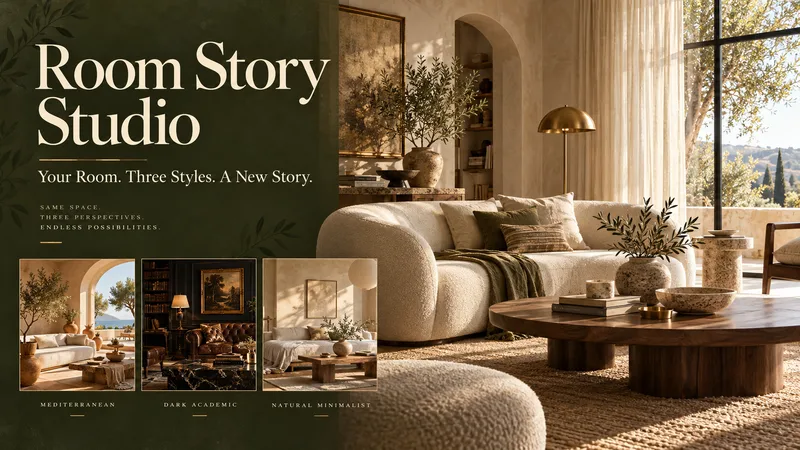
ImageRoom Story Studio
See what your room could become—before changing a thing. Room Story Studio turns a photograph of your space into three distinct interior design concepts. Explore different moods, materials, and furnishings, then develop the direction you love. ONE ROOM. THREE NEW POSSIBILITIES. Discover three thoughtfully styled interpretations of your room. Each offers a different visual story, with your original photo guiding the architecture, proportions, and viewpoint so the designs are easier to compare. CHOOSE HOW MUCH TO CHANGE • Small Touches — Refresh rugs, curtains, cushions, artwork, plants, and accessories while keeping your main furniture. • Redecoration — Explore new furniture, arrangements, colors, and lighting while retaining the room's architecture. • Comprehensive Concept — Reimagine finishes, flooring, wall treatments, and built-in furniture as part of a broader visual concept. KEEP WHAT MATTERS Love your sofa? Need to retain a dining table? Tell the studio which pieces should stay, and make them part of the creative brief. DESIGN BEYOND PRESETS Warm Mediterranean, dark academia, natural minimalism—or something uniquely yours. The directions respond to your room and preferences, rather than forcing every space into the same three styles. REFINE YOUR FAVORITE Choose a design and shape its details. Change the rug, soften the palette, warm the lighting, or try different curtains. Your selected image becomes the reference for further revisions. A SIMPLE, GUIDED EXPERIENCE Upload your room → choose the scope → explore three designs → select and refine. The conversation follows your language. Optional color and material boards help you explore your chosen direction further. Created for visual inspiration and decoration planning. Images are design concepts, not measured plans or construction specifications. Give your room its next chapter.
 Image
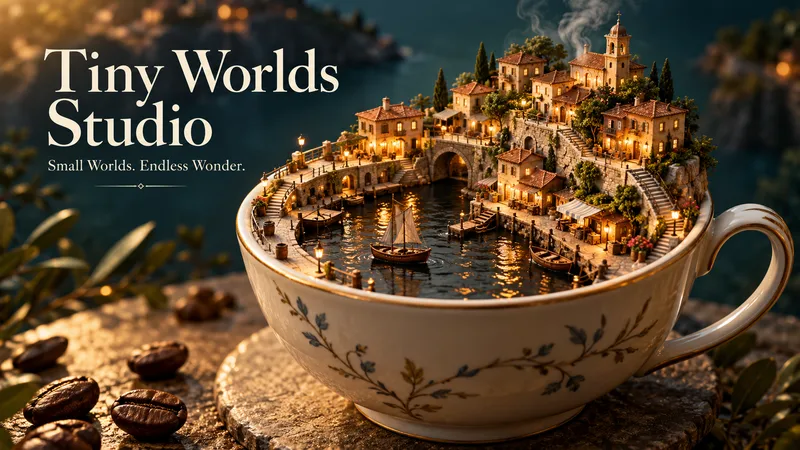
ImageTiny Worlds Studio
A harbor inside a coffee cup. A bookshop beneath a leaf. An entire neighborhood unfolding between the pages of a book. Tiny Worlds Studio turns an ordinary starting point into extraordinary places to explore. ONE IDEA. THREE DIFFERENT WORLDS. Start with an object, food, word, or image and receive three separate miniature-world images. Each explores a distinct concept, composition, and atmosphere—not simply a different color or camera angle. YOUR IDEA BECOMES THE WORLD A lemon peel becomes architecture. Book pages become winding streets. Steam drifts between tiny bridges. The shape, texture, and meaning of your input inspire the world itself, with thoughtful details that reward a closer look. CREATIVE FREEDOM, BEAUTIFULLY DIRECTED Explore realistic handcrafted miniatures, stylized 3D scenes, illustrated storybook worlds, or your own visual direction. No fixed village template. No mandatory collection of tiny houses. Each concept gets a setting and visual language of its own. FIND A WORLD YOU LOVE? STEP INSIDE. Choose any result and continue exploring. Discover a street-level view, peek inside a workshop, examine a tiny garden, or capture a quiet moment of daily life. The selected image guides the expansion, helping preserve its landmarks, materials, and atmosphere. START SIMPLY Share your idea → choose a style and format → receive three worlds → optionally expand your favorite. Give detailed direction or let the studio make the creative choices. The guided conversation follows your language. Made for visual storytelling, creative inspiration, imaginative collections, and anyone who loves discovering something extraordinary in the everyday. What world is hiding inside your next idea?
 Image
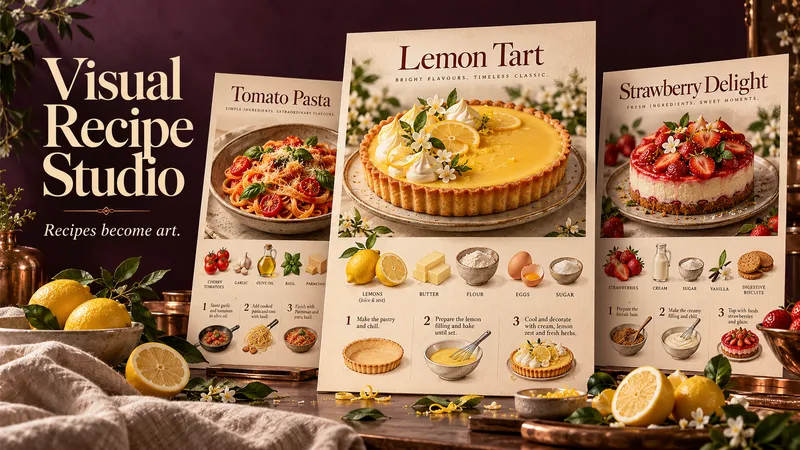
ImageVisual Recipe Studio
A recipe worth making deserves a poster worth displaying. Visual Recipe Studio transforms a dish name or your own recipe into three beautifully different food posters—each a complete visual guide to making the dish. THE DISH TAKES CENTER STAGE Every poster features an appetizing, full view of the finished dish at the top. Below, illustrated ingredients, clear quantities, and step-by-step preparation turn the recipe into a visual story you can follow. ONE RECIPE. THREE CREATIVE INTERPRETATIONS. Receive three separate, complete posters—not three color variations. Each explores a distinct composition, typography, atmosphere, and visual treatment, while preserving the same approved recipe. DESIGNED AROUND YOUR DISH A rustic loaf might inspire a warm, flour-dusted composition. A lemon tart could become a bright culinary editorial. The creative direction grows from the food itself, without forcing every recipe into the same template. START WITH A NAME OR A FULL RECIPE Share a dish name, paste a family recipe, or provide a readable recipe image or document. When research is needed and available, the skill finds a suitable recipe and presents sources. You review and approve the recipe before poster creation begins. A SIMPLE, GUIDED FLOW Share your dish → approve the recipe → choose a poster format → receive three distinct designs. The conversation and poster text follow your language unless you request another. Refine individual posters afterward, from colors and atmosphere to text size and layout. Made for kitchen inspiration, recipe collections, food content, and thoughtful culinary gifts.
 Image
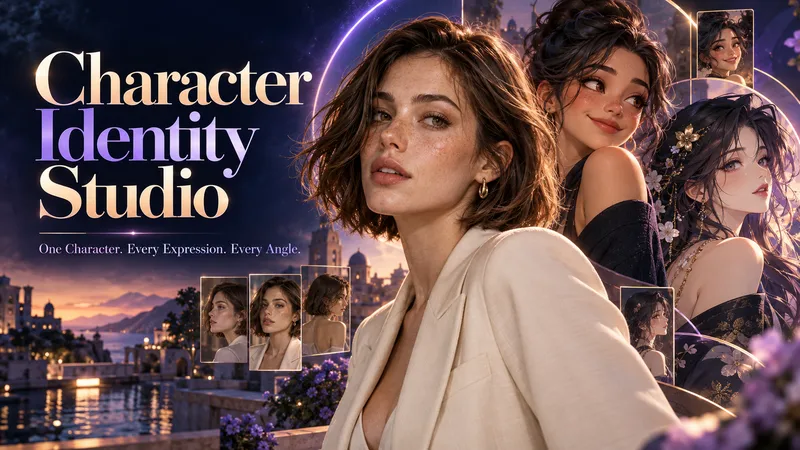
ImageCharacter Identity Studio
Give your character a clear identity—from the first look to every expression and angle. Character Identity Studio guides you through character creation with interactive selections. Explore ultra-realistic photography, realistic 3D, stylized 3D animation, 2D animation, anime, or illustration. Create a human, a fantasy character, or an animal mascot. DESIGN YOUR CHARACTER Choose appearance, facial features, hair, body type, clothing, and distinctive details. Describe exactly what you want or let the studio fill in the creative details. The guided workflow follows your language. APPROVE THE FIRST LOOK Start with one full-body character image. Refine specific features or request a new alternative. Reference production begins only after you approve the character. BUILD YOUR REFERENCE SET Receive three separate images, each arranged as a clean reference sheet: • 6 Facial Expressions: Neutral, gentle smile, laughter, sadness, anger, and surprise. • 6 Head Angles: Front, right profile, left profile, rear, and two 45° views—with neutral expressions wherever the face is visible. • 3 Full-Body Views: Front, side, and rear in a relaxed, neutral stance. Every sheet uses your approved image as its primary visual reference, helping preserve facial identity, hairstyle, outfit, proportions, and visual style. YOUR FINAL COLLECTION One approved character image + three reference sheets containing 15 panels. A practical visual foundation for AI character projects, animation planning, storytelling, and future image or video creation.
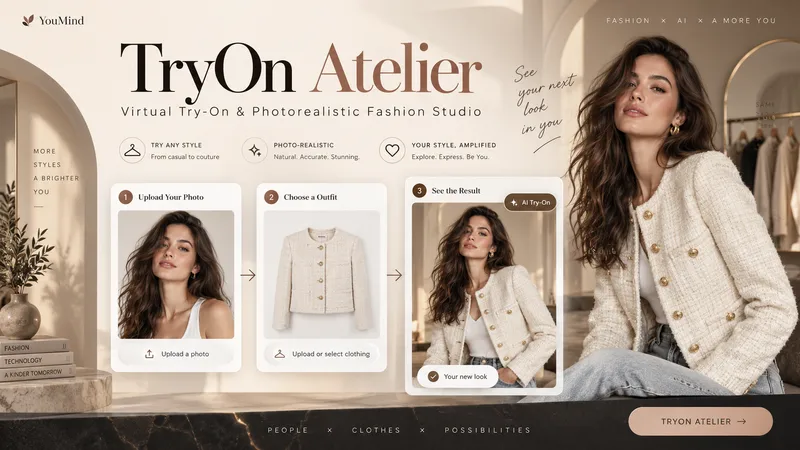
TryOn Atelier
Your Model. Your Outfit. Six Ways to Wear It. Transform a simple person photo and a clothing image into a professional virtual fashion photoshoot with TryOn Atelier — your AI-powered virtual try-on and creative fashion photography studio. No complex prompts. No photography equipment. Just upload, explore, select, and create. ✦ THE EXPERIENCE 1. Upload Two Images Provide a photo of a person and an image of the clothing you want them to wear. TryOn Atelier analyzes both references to preserve recognizable facial features, body proportions, garment colors, textures, and design details. 2. Explore 6 Distinct Poses See the same person wearing the same outfit in six numbered previews: front-facing, three-quarter angle, side profile, walking, seated, and interactive fashion poses. Unlike ordinary background-changing tools, TryOn Atelier focuses on how the outfit looks through different body positions and natural movement. 3. Choose Your Favorites Select one pose, several, or all six. Choose your preferred image aspect ratio and generate individual, high-quality fashion photographs. 4. Discover New Atmospheres Want to explore more? Take a favorite pose into different environments, lighting setups, and cinematic moods — without starting over. ✦ BUILT FOR VISUAL REALISM TryOn Atelier prioritizes natural anatomy, believable fabric draping, realistic lighting, accurate shadows, physical contact, and seamless scene integration. It aims to make every image feel like a genuine fashion photograph rather than an artificial cutout. ✦ PERFECT FOR Fashion creators, clothing boutiques, e-commerce sellers, content creators, AI influencers, and anyone exploring outfits visually. From one person and one outfit to an entire fashion photoshoot. AI-generated previews are visual concepts, not guarantees of real-world garment fit.
 Image
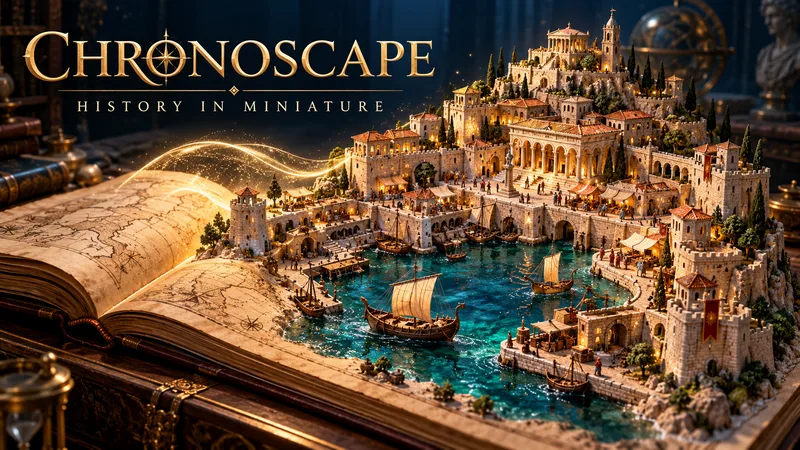
ImageChronoscape: History in Miniature
Step into history. Explore the past in miniature. What if you could hold an entire historical moment in your hands? Chronoscape transforms fascinating historical events, ancient civilizations, and everyday life from the past into breathtaking miniature worlds. From the streets of ancient Rome to medieval cities and defining moments in history, every scene becomes a carefully crafted visual story. DISCOVER THE STORY BEHIND THE SCENE Start with a historical event, location, civilization, or period. Chronoscape researches the setting, architecture, clothing, artifacts, and historical context to build a visually compelling reconstruction. CREATE YOUR MINIATURE WORLD Choose your scene count (3–12), aspect ratio (16:9, 9:16, or 1:1), and visual style: • Stylized 3D miniature dioramas with cinematic lighting and handcrafted textures. • Photorealistic tabletop miniatures featuring painted models, tangible materials, and macro photography. Each scene is designed to form part of a consistent visual narrative. HISTORICAL DETAIL MEETS CREATIVE STORYTELLING Architecture, costumes, objects, and environments are informed by historical research. Verified facts, disputed accounts, and artistic reconstructions are distinguished to preserve historical integrity. FROM MINIATURE IMAGES TO CINEMATIC VIDEOS Receive detailed English image prompts, scene descriptions in your language, and optional image-to-video prompts featuring cinematic camera movement and subtle environmental animation. Review and approve each production stage before generating images or video clips. YOUR COMPLETE HISTORY PROJECT The Chronicle File organizes your research, sources, scene plans, prompts, production progress, and available assets so your project can continue across supported platforms. Perfect for history enthusiasts, educators, documentary creators, and visual storytellers. Image and video generation depend on available tools. Narration is provided as text; final video editing is a separate production step.
 Image
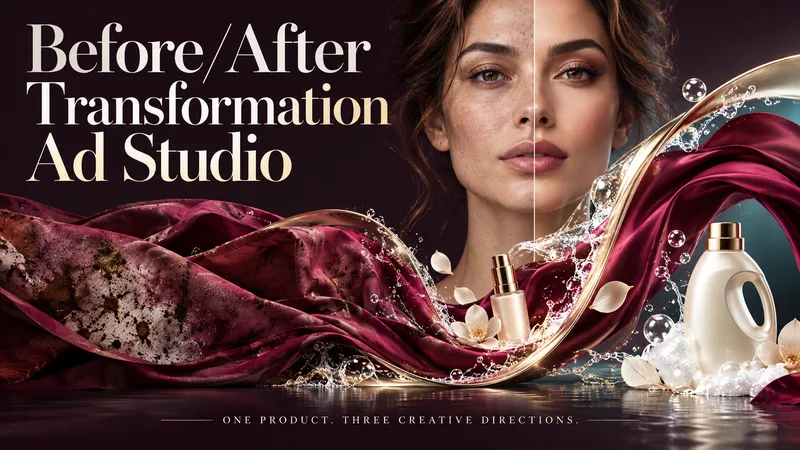
ImageBefore/After Transformation Ad Studio
Make the transformation the hero. Turn a single product photo into bold before-and-after advertising visuals with expressive art direction, striking compositions, and a transformation that takes center stage. From cosmetics and personal care to cleaning and fitness, this skill explores your product’s uses and develops creative ways to visualize its relevant benefits. YOUR PRODUCT. YOUR CREATIVE DIRECTION. Start with a photo. The skill researches the product, then helps you choose the scene, materials, visual elements, format, and text style. Prefer a surprise? Let AI take the creative lead. THREE CONCEPTS. THREE DISTINCT VISUAL IDEAS. Explore three tailored concepts with complete image-generation prompts. Think flowing fabric reveals, sculptural environments, dramatic close-ups, glass transitions, or an unexpected world built around your product. Each concept offers a different visual story. BEFORE & AFTER, FRONT AND CENTER. Large, clearly readable transformation scenes lead the composition. Product placement, atmosphere, and typography work together to make the change stand out—even on a phone screen. YOU APPROVE. THEN IT CREATES. Review the prompts, request adjustments, and select one concept or all three. Image generation begins only after your approval, using the capabilities available in your workspace. BUILT AROUND YOUR PREFERENCES. Choose square, portrait, landscape, or custom dimensions. Add a bold headline, keep the copy minimal, or let the visuals speak. The workflow adapts to your language, while production prompts are written in English by default. Upload your product. Shape the scene. Bring the transformation into focus.
 Image
ImageSport & Exercise Poster Studio
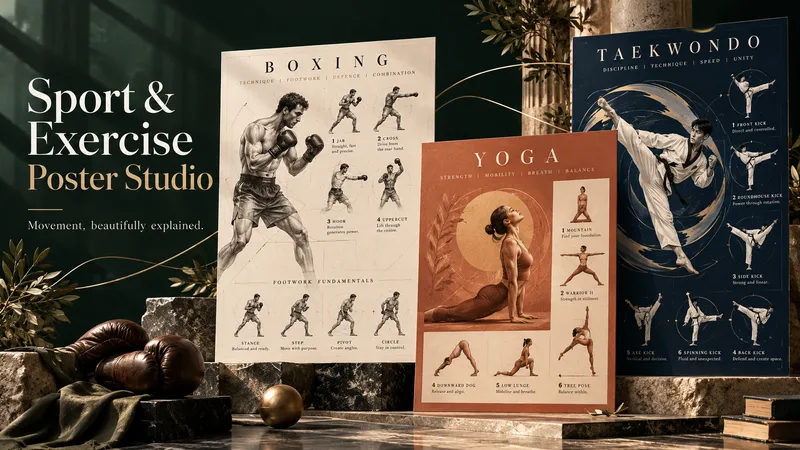
Transform your passion for sport into artwork that inspires movement. Sport & Exercise Poster Studio turns your chosen sport, poses, and techniques into three distinctive poster designs—combining striking visuals, expressive typography, and clear illustrated guidance. Start with a sport you love, then choose what you want to explore: stances, footwork, signature movements, essential techniques, or a focused exercise collection. Not sure where to begin? Discover relevant options through a simple, step-by-step conversation. Shape the visual direction with your own preferences or let AI imagine three creative interpretations. From sculptural movement studies and cinematic sports editorials to elegant illustrations and bold artistic compositions, each design brings a different perspective to the same subject. What you can expect: • Guided choices tailored to your sport and interests. • Selected movements illustrated with concise, useful cues. • Three genuinely different designs—not just color variations. • Creative layouts that balance visual impact with readability. • Conversation and poster text in your preferred language. • Three complete English generation prompts to review before production. You stay in control: refine the prompts, approve your favorites, and then move into image generation. Choose your sport. Shape your vision. Turn movement into art.
 Image
ImageVOWORY Wedding Suite Studio
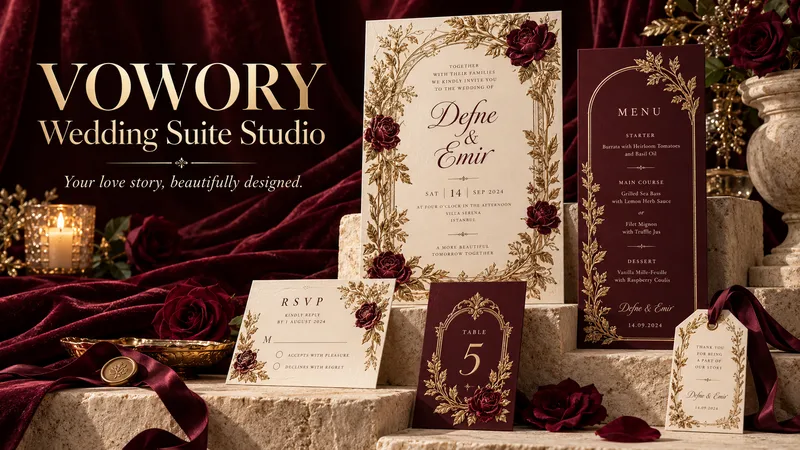
Your wedding deserves more than a beautiful invitation. It deserves a design story that feels entirely yours. VOWORY Wedding Suite Studio turns your ideas into five original invitation concepts, then carries your chosen design across a coordinated, personalized wedding suite. ✦ EXPLORE FIVE DISTINCTIVE DIRECTIONS Start with a vision, a reference image, or a little curiosity. The skill researches luxury stationery and designer collections to develop five individual prototypes—each with its own composition, typography, and decorative character. ✦ DESIGNED FOR YOUR CELEBRATION Explore formats and stationery options informed by your printing country. Choose contemporary elegance, subtle heritage details, a traditional approach, or a thoughtful blend. Cultural elements are guided by your preferences. ✦ PERSONAL DETAILS, BEAUTIFULLY INTEGRATED Approve your names, dates, venue, and wording before artwork begins. Your chosen language—or bilingual layout—becomes part of the design from the start. ✦ ONE DESIGN, A COHESIVE COLLECTION Choose your favorite, refine it, and establish its visual identity. Then select only the pieces you need: invitations, welcome signs, menus, RSVP cards, seating charts, place cards, table numbers, favor tags, and more. ✦ GUIDED FROM FIRST IDEA TO FINAL PIECE Each design is created separately and sequentially, with checks for text accuracy, readability, and visual consistency. The conversation follows your language; the stationery uses the language you choose. Outputs are personalized design images. Editable Canva templates and production-ready print files are not included by default. Research and generation depend on the tools available in your YouMind workspace. Bring your inspiration. Discover your signature wedding suite.
 Webpage
Signature Bio Studio
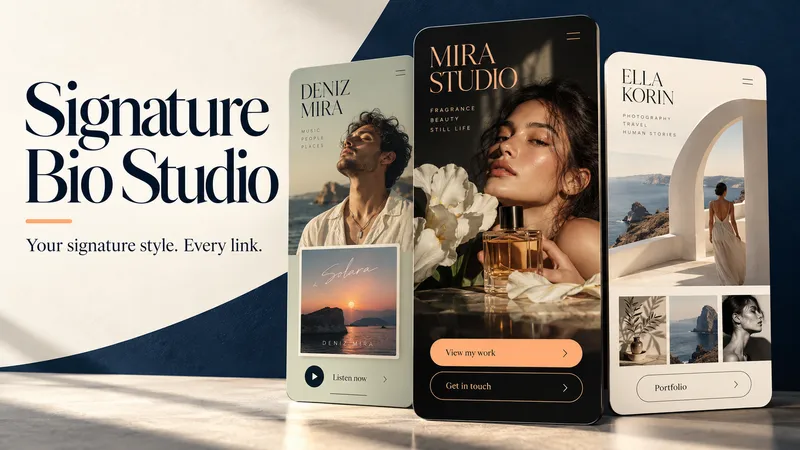
Make your bio link page feel unmistakably yours. Signature Bio Studio turns your identity, content, and links into an elegant, mobile-first webpage tailored to your profession, audience, and style. FOR CREATORS, ARTISTS & BUSINESSES Showcase your work, spotlight a release, introduce your services, feature a collection, or guide visitors toward booking and contact. A GUIDED CREATIVE PROCESS Start with what you know. The skill asks short, relevant questions to help fill the gaps, then proposes three distinct design directions shaped around your goals. Review the layout, copy, and links together before production. DESIGNED AROUND YOUR IDENTITY Explore expressive typography, thoughtful colors, optional visual showcase cards, and a clear main action. No photo yet? A polished typographic identity can carry the design. YOUR FILES. ROOM TO GROW. Receive editable HTML plus a separate handoff report covering content, links, design settings, assets, dependencies, and pending items. Take both to another AI tool or developer to continue editing without the original conversation. Available assets are packaged where supported; external dependencies are clearly documented. WORK IN YOUR LANGUAGE Questions, guidance, and the handoff report follow your language. Choose a different language for the webpage whenever you need. Start with your name, what you do, and the action you want visitors to take. Bring the details you have—we’ll shape the rest together. Missing links stay inactive in drafts. Publishing depends on the available tools and your request.
 Image
ImageColor&Learn - Educational Coloring Book
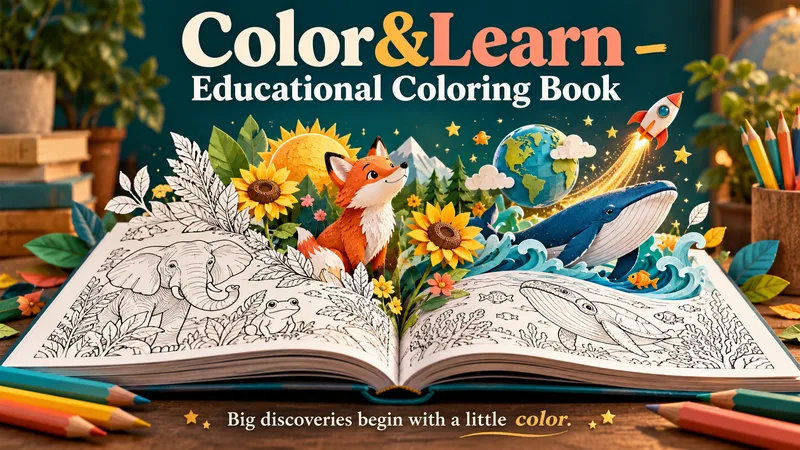
A little curiosity. A box of crayons. A whole book of discoveries. Create a personalized educational coloring book that invites children to explore, imagine, and learn—one page at a time. From ocean creatures and farm animals to space, seasons, numbers, and shapes, turn a favorite topic into an age-appropriate coloring adventure with a custom cover and meaningful learning moments. DESIGNED TOGETHER, BEFORE GENERATION Start with a topic, age range, and page count. Not sure what to choose? Get suggestions to help you begin. Review page-by-page ideas, explore cover directions, and choose what to keep, change, or replace. Your selected preferences are compiled into a clear book plan before any image prompts are written. MORE THAN PICTURES TO COLOR Each page connects an engaging illustration with a learning goal. Short facts, discovery questions, and simple activities add educational value while leaving plenty of room to color. Younger children get bold outlines, spacious shapes, and simple ideas. Older children get richer scenes, deeper explanations, and thoughtful challenges. Content adapts to the selected age and reading needs. YOU APPROVE. THEN CREATION BEGINS. Review the complete prompts before approving image production. Once approved, the skill generates the cover and interior illustrations, checks the results, and assembles your book into one downloadable PDF. WHAT YOU RECEIVE • A custom cover matching your chosen theme. • A coordinated collection of educational coloring pages. • Age-appropriate facts and activities. • A complete PDF ready for home printing. The conversation follows your language, and you can request a different language for the book. Made for parents, teachers, and anyone who wants to turn “Why?” into “Let's discover!”
 Video
VideoUGC Product Video Studio
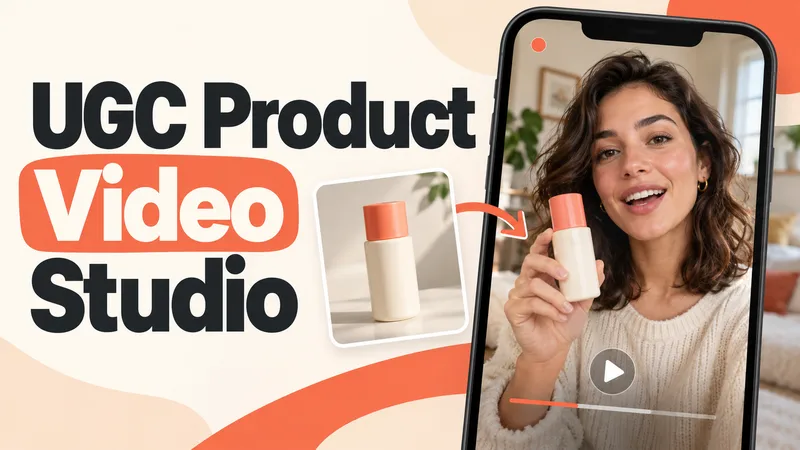
Turn a product photo into a complete UGC video workflow: a lifelike AI creator, a connected sequence of scenes, natural dialogue, and prompts tailored to your chosen video model. Built for product owners, marketers, and creators who want to show their product through a believable everyday story. You guide the creative decisions: • Design your character step by step. Approve the look, refine specific features, or request a different person. • Build a sequence of portrait shots, product details, demonstrations, location changes, and a product-only closing shot. • Explore image variations and approve the final scene set before the script is finalized. • Review the scenario and spoken text, then adjust the hook, tone, pacing, or closing line. Realism goes beyond skin texture. Prompts account for natural facial detail, smartphone framing, lighting, and character consistency. Images are checked for awkward grips, floating caps, nozzle direction, and other physical contradictions. Complex actions can be simplified or split into separate shots before animation. Choose your platform, video model, spoken language, and audio method: • Speech generated directly inside the video. • Separate speech text or audio for lip sync. • Off-screen narration. Prompts adapt to the selected model, with language and audio support checked for that route. After approval, generate the video in YouMind, prepare a prompt package for another platform, or stop with the production report. Receive complete image and video prompts, the approved script, reference mappings, timing, and quality-check notes. Your character. Your scenes. Your approval at every key stage.
 Image
ImageEnchanting Vocabulary Posters
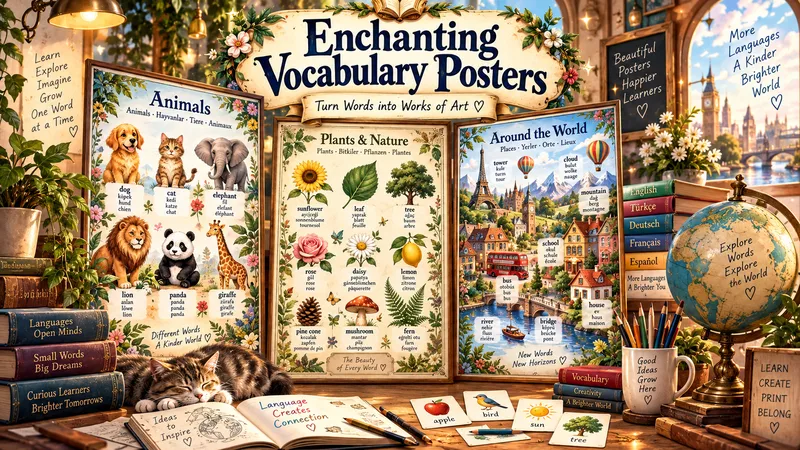
What if learning new words felt like exploring a masterpiece? Transform ordinary vocabulary lists into extraordinary, AI-crafted educational wall posters where art, imagination, and language learning come together. Enchanting Vocabulary Posters** turns words into unforgettable visual experiences through intelligent vocabulary selection, meaningful illustrations, and breathtaking artistic compositions. ✨ THREE WAYS TO CREATE Your Words, Your World: Transform your own vocabulary list into captivating illustrated wall art. - Explore by Theme: Discover words organized around nature, travel, food, emotions, everyday life, and more. - Essential Vocabulary: Explore frequently used words tailored to your language and learning level. 🎨 ART WITHOUT LIMITS Explore magical storybook worlds, intricate illustrated atlases, vintage botanical collections, cinematic miniature cities, and imaginative visual encyclopedias. Every poster brings a fresh artistic vision to life. 🧠 DESIGNED FOR LEARNING Adapt vocabulary, illustration styles, and visual complexity to different ages and proficiency levels. Meaningful imagery strengthens word associations and makes memorization more engaging. 🌍 MULTILINGUAL BY DESIGN Create vocabulary posters for English, Spanish, French, German, Japanese, and many other languages, with translations in your preferred language. HOW IT WORKS 1. Share your languages, age group, topic, or vocabulary list. 2. Receive three unique artistic concepts and detailed poster prompts. 3. Choose your favorite and approve the design. 4. Generate a complete poster with words and illustrations seamlessly integrated. 5. Review and refine any details when needed. More than a vocabulary chart. A world of words worth exploring. Turn your walls into windows of imagination—and make every new word unforgettable.
 Image
ImageEnchanting Learning Posters
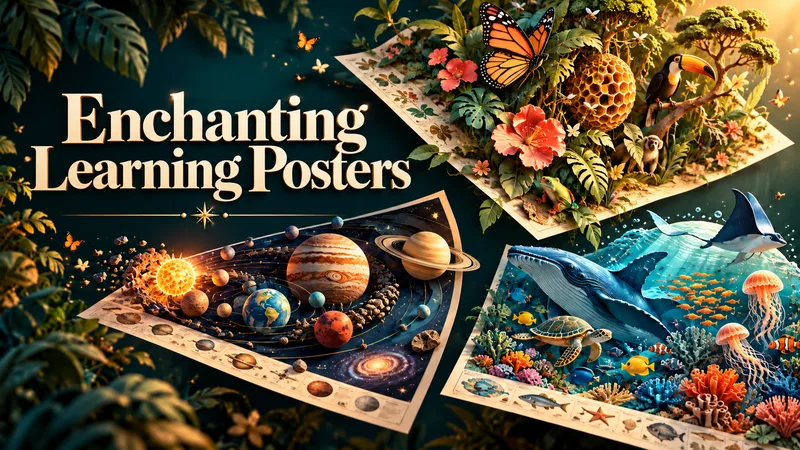
Turn everyday learning into a world of wonder. Enchanting Learning Posters transforms your child’s interests and learning needs into captivating, information-rich poster art. Explore beautifully illustrated worlds where science, nature, mathematics, and imagination come together—tailored to your child’s age, understanding, and curiosity. Go beyond a picture with a few labels. Explore connected ideas through detailed illustrations, magnified views, visual comparisons, and fascinating explanations—all brought together in one cohesive artwork. WHAT CAN YOU CREATE? Explore science, mathematics, nature, language, everyday skills, and more. A topic like “the heart and blood circulation” can unfold into an illustrated world featuring the heart, blood vessels, vessel interiors, and the journey of blood through the body. CHOOSE YOUR VISUAL WORLD From expressive 2D illustration and cinematic 3D to sculptural paper art, clay miniatures, watercolor, retro scientific prints, and imaginative mixed media. Choose your preferred style or discover three different artistic approaches. YOUR CHILD. YOUR FORMAT. YOUR LANGUAGE. Select standard or custom dimensions, portrait, landscape, or square. The conversation follows your language, and poster text uses your chosen language. Every production prompt is written in English and works independently. HOW IT WORKS 1. Share your child’s age, learning needs, and interests. 2. Choose a topic, size, and visual direction—or ask for recommendations. 3. Review three distinct concepts and their complete prompts. 4. Approve production to generate three separate poster designs. You stay in control: image generation begins only after your approval. Prefer another image tool? Take the complete prompts with you. Designed to invite a closer look, spark questions, and make learning part of the room. Image generation and export options depend on available tools. Print suitability is confirmed only when output dimensions can be checked.
 Image
ImageAI Product Photo Studio
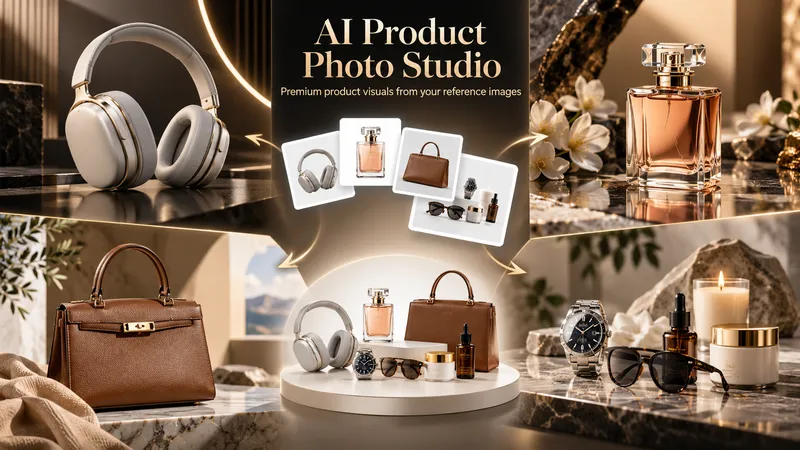
Turn your product photos into premium, advertising-ready visual concepts with professional creative direction. Upload a product image alone or combine it with people, environments, mood references, composition examples, or your own creative idea. The skill analyzes each reference by role, protects the product’s identity, branding, labels, visible text, colors, proportions, and packaging details, then guides you through a short adaptive creative brief. Choose from photorealistic, premium studio, lifestyle, editorial, still life, minimal, luxury, surreal, UGC-style, cinematic, and other visual directions — with or without people. You receive 5 genuinely different creative concepts and 5 detailed English production prompts designed for high-end image generation. Every concept prioritizes natural product integration, realistic lighting, coherent shadows and reflections, accurate materials, believable scale and perspective, and strong commercial composition. Human scenes are directed toward natural anatomy, realistic hands, authentic interaction, and detailed skin texture without artificial plastic or waxy results. Optional image generation, variations, revisions, and quality-control workflows help you refine selected concepts into polished product visuals for social media, e-commerce, marketplaces, websites, campaigns, and brand content.
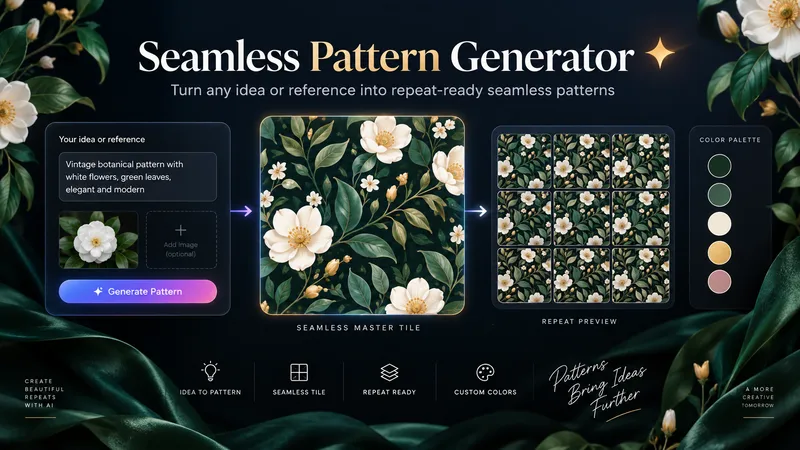
Seamless Pattern Generator
Turn any idea, motif, or reference image into a polished, repeat-ready seamless pattern. Seamless Pattern Generator works like an AI surface pattern designer. It transforms creative direction into visually balanced patterns for fabric, wallpaper, wrapping paper, packaging, stationery, home decor, digital paper, print-on-demand products, and more. No technical pattern-design knowledge is required. Describe what you want or upload a visual reference. The Skill plans motif hierarchy, scale, density, spacing, palette, orientation, repeat structure, visual rhythm, negative space, and edge-aware motif placement. It creates the master pattern tile and checks how the design behaves as a repeating surface, looking for visible seams, awkward edge cuts, empty channels, motif collisions, obvious grid effects, and repetitive clusters. When problems appear, it focuses on correcting the affected structure while preserving the creative direction. Start with a text idea, color palette, motifs, visual style, reference image, existing artwork, or intended application. The final result can include a clean master tile, repeat preview, and concise pattern specification. You can also create new colorways, change motif scale or density, adjust the background, or develop alternative versions while preserving the same visual identity. Example prompts: • “Create a dark botanical pattern with burgundy roses, antique-gold leaves, and a deep emerald background for premium wrapping paper.” • “Use this image as inspiration and create an original seamless pattern that preserves its color mood and botanical character.” • “Create a playful non-directional fabric pattern with foxes, mushrooms, leaves, and tiny stars.” • “Keep the same motifs, make the pattern less dense, enlarge the main flowers, and change the background to burgundy.” From creative idea to repeat-ready surface design — without the technical complexity.
 Image
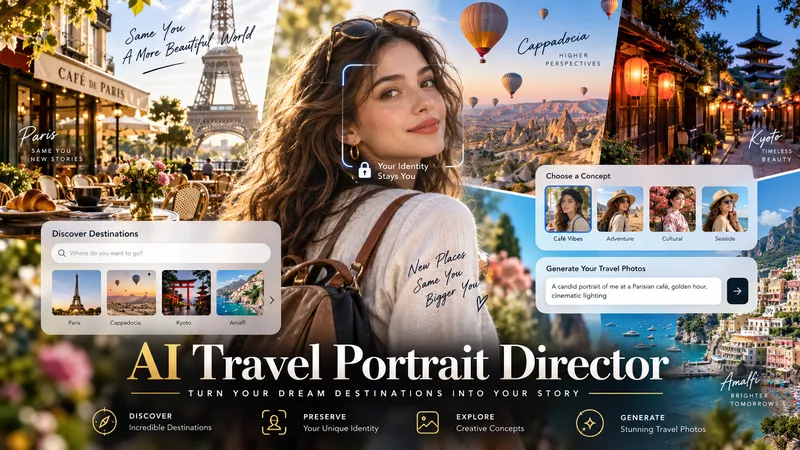
ImageAI Travel Portrait Director
Turn a single character reference into a complete AI travel-photo workflow. AI Travel Portrait Director acts as a virtual travel photographer, destination researcher, and scene director. It preserves the character’s recognizable identity while helping you create believable, destination-specific travel portraits that feel like real photography—not a person pasted onto a tourist background. The skill can: - Analyze a reference image and set identity/style controls - Research current destinations, seasonal hotspots, and photogenic locations - Adapt instantly when you already know the exact destination - Create 10 distinct photo concepts with varied poses, actions, lighting, camera angles, and outfits - Build detailed production-ready image-to-image prompts in English - Preserve facial identity across styling and location changes - Check realism, perspective, lighting, anatomy, scale, and environmental consistency - Generate selected images when supported and explicitly approved You stay in control at each important step: choose the destination, select the concepts you like, review the prompts, and decide whether to generate images. Ideal for personal travel portraits, AI influencers, virtual models, social media creators, and character-based visual projects.
 Image
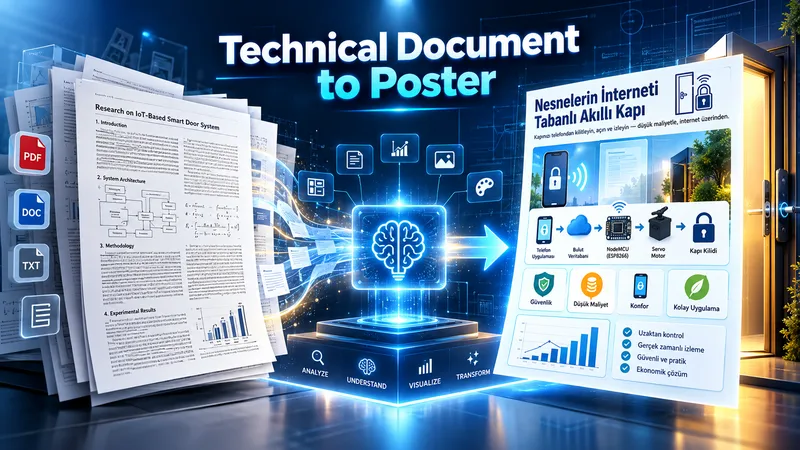
ImageTechnical Document to Poster
Transform technical documents into accurate, visually structured posters. Upload an academic paper, engineering document, technical report, manual, SOP, or other technical source. The skill analyzes the source, identifies the core message, prioritizes essential information, selects the best poster strategy, and determines the most suitable canvas based on the content. Before generation, it creates a poster plan for your approval. After approval, it produces three complete, standalone image-generation prompts: Strict Hierarchical, Creative Aesthetic, and Hybrid. Each prompt contains all required text, labels, technical relationships, diagram instructions, and source details, so it can be copied and used independently. You can choose a prompt yourself or let the AI select the most suitable one. Final image generation only happens after prompt approval. The workflow is designed to preserve technical meaning, avoid unsupported claims, reduce clutter, and turn complex information into clear visual communication.
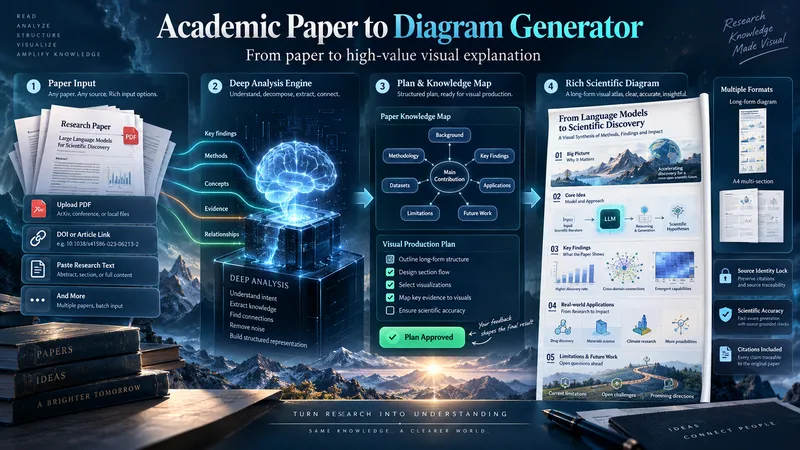 Image
ImageAcademic Paper to Diagram Generator
Transform academic papers into detailed, scientifically faithful visual diagrams. The skill deeply analyzes the paper, identifies its most valuable concepts, mechanisms, methods, findings, and relationships, then builds a visual plan with you before generation. Instead of forcing every paper into a small infographic, it can create long vertical diagrams, wide technical maps, multi-section visual explainers, or A4-ready 2–3 part layouts when needed. The visual style is adapted to the subject, with room for AI-driven creativity, scientific illustration, data integration, annotations, and topic-specific visual storytelling. You can start with a PDF, URL, DOI, pasted text, or a request to find a suitable paper. The diagram language is user-approved, the source identity is locked for accuracy, and the final image is generated only after you review the visual plan and production prompt.
 Image
ImageTimeline Poster Studio
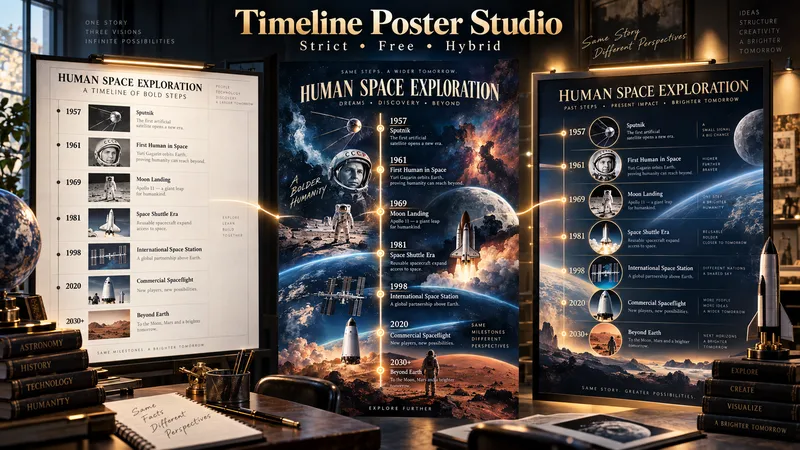
Timeline Poster Studio transforms history, biography, technology, science, art, cultural change, product evolution, and other time-based subjects into informative and visually distinctive timeline posters. The skill first defines the topic, scope, audience, and time range, then performs focused research only to the level needed for the poster. It curates the most meaningful events, identifies turning points and natural eras, distinguishes exact, approximate, and duration-based events, and detects parallel storylines or geographic movement when relevant. It then builds an adaptive poster structure instead of forcing every topic into the same template or fixed aspect ratio. Depending on the content, the poster may use vertical, tall vertical, horizontal, or wide layouts. Visuals are selected according to their role: narrative scenes can blend naturally into the composition, while artworks, products, objects, documents, maps, and other reference visuals remain clearly organized and controlled. The design system protects chronology, readability, and factual structure while giving the visual AI creative freedom in color, typography, panel design, framing, decoration, background treatment, and overall art direction. For the same verified content, the skill produces three complete standalone poster prompts: Strict Hierarchical Design — optimized for educational clarity and structured reading. Free / Expressive Design — gives the visual AI greater freedom to create a bold and distinctive poster identity. Hybrid Design — balances clear information design with creative visual character. The prompts are designed to work across different image-generation tools, allowing the user to review, modify, or choose a design direction before generating the final poster.
 Research
Product Concept Forge
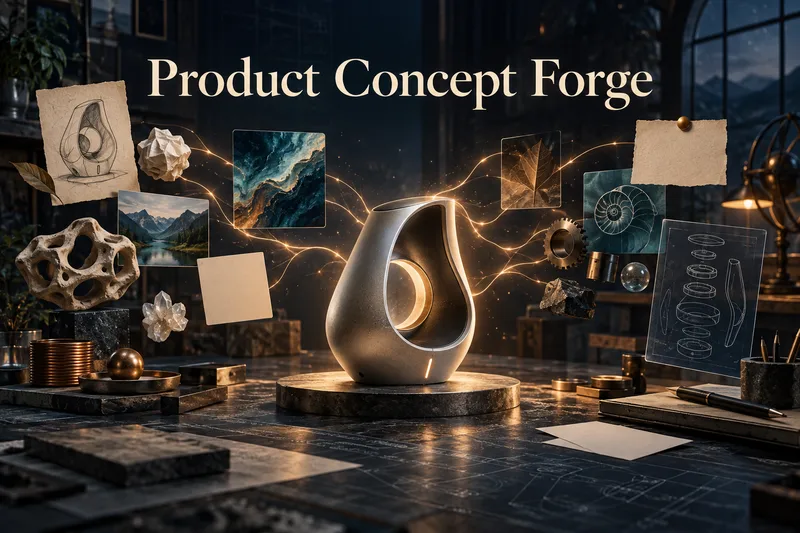
Product Concept Forge turns scattered ideas, observations, visuals, problems, existing products, and unfinished thoughts into original product concepts. You do not need a finished idea. Bring random words, a complaint, a visual spark, an existing product, or even a rough “what if?” thought. The system does not generate generic idea lists. It extracts meanings and mechanisms, combines them into new product behaviours, and develops a small number of meaningful concept branches. You can choose, merge, reject, simplify, revisit, or mutate these branches. You can also add your own unfinished idea at any point. Even a small association can become a valuable mutation, and the system preserves whether each major idea came from you, AI, research, or an earlier branch. Promising concepts are tested for originality, logic, new user behaviour, feasibility, and weak assumptions. Product Concept Forge can explore software, AI tools, printables, templates, physical products, services, workflows, and hybrid concepts without forcing ideas into a predetermined format. When a concept matures, it can produce a Concept Card, Concept DNA, validation path, and—when justified—a coherent product family. The goal is not to generate more products. It is to discover product concepts that do not yet feel obvious.
 Image
ImagePrint Apparel Design Studio
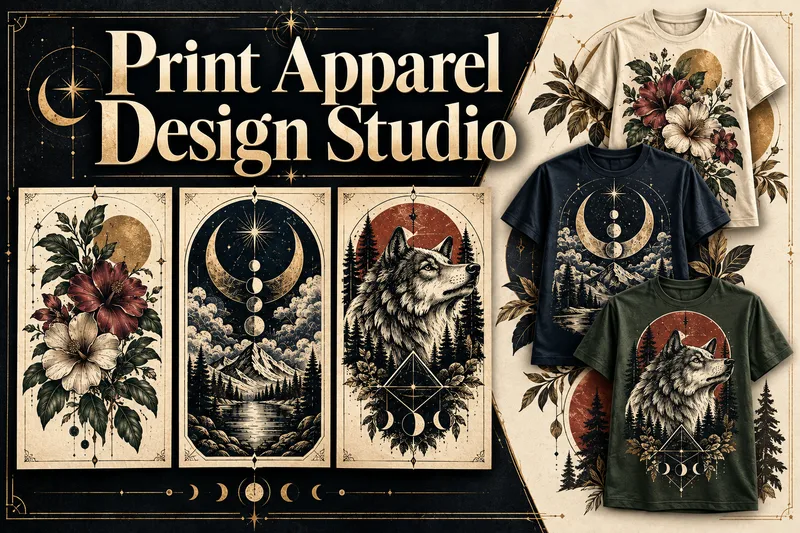
Turn an apparel idea into an original, professionally art-directed product with a clear visual identity. Print Apparel Design Studio helps you develop single T-shirt graphics or coherent 3–5-piece collections through a structured creative process. Explore relevant art movements, historical artists, visual references, colour palettes, composition, typography, and print limitations before production prompts are written. Choose T-shirts, sweatshirts, hoodies, tote bags, and other surfaces. Define the niche, wearing context, graphic language, garment colour, print area, detail level, and production method. Then receive print-aware artwork prompts, platform adaptations, and practical production notes. Generate your artwork in ChatGPT, Midjourney, Ideogram, Firefly, or another platform. Bring the results back for structured review, revision planning, and approval. Create faithful product-validation and marketing mockup prompts—or upload mockups made elsewhere for quality control. Every visual stage follows a prompt-first approval workflow. Completed projects can include a Design Brief, Artist & Movement Reference Board, Visual DNA, approved prompts, print-preparation notes, mockup direction, artwork and mockup QA, plus an Apparel Production & Selling Guide with current sources, platform considerations, and launch steps.
 Image
ImageClay Isometric Explainer Studio
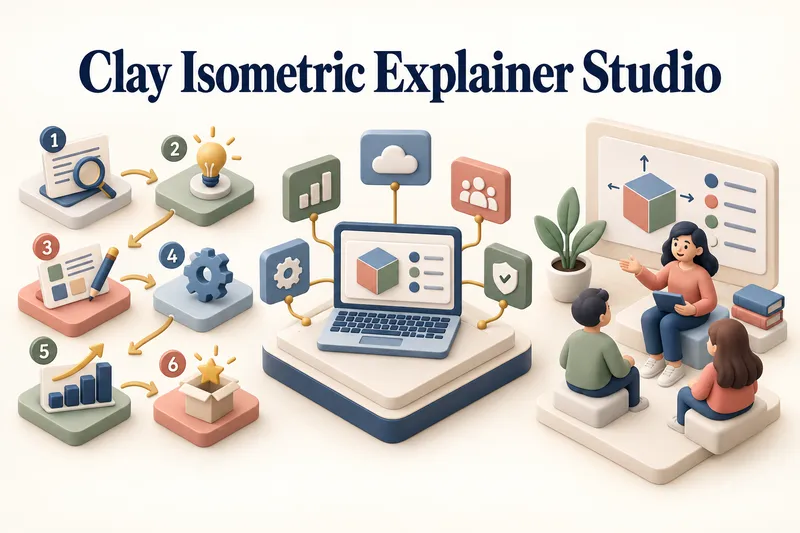
Turn any topic into a clear, memorable visual explanation. Clay Isometric Explainer Studio transforms products, processes, services, systems, and educational subjects into polished hybrid 3D clay and isometric visuals. You can start with only a topic. The Studio performs a focused research snapshot, identifies the core message, recommends the clearest visual direction, and guides you through the creative process step by step. It builds the information architecture, maps each idea to a visual object, defines a consistent style system, and prepares a complete production prompt. Titles, numbered stages, information cards, labels, and short explanations are planned and included directly during image generation. Choose an Explainer Scene, Process Flow, Product Feature Board, Educational Visual, or a coherent 3–5-piece Visual Series. After the still image is approved, optionally turn it into a short image-to-video animation with subtle object motion, natural clay character gestures, or guided focus through numbered stages. Ideal for presentations, websites, social posts, posters, PDF pages, product communication, onboarding, and learning materials. Not intended for decorative 3D scenes without an explanatory purpose, random visual elements, dense paragraphs inside images, or final editable design files.
 Image
ImageCelestial Card Deck Studio
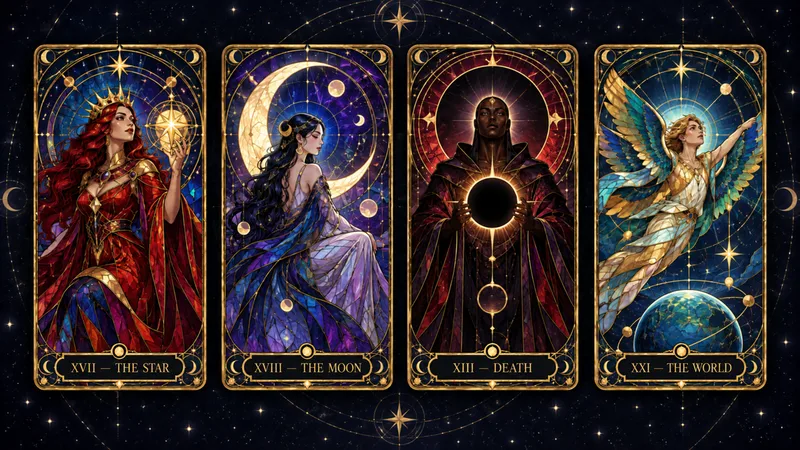
Turn any idea into a coherent, collectible celestial card deck. Celestial Card Deck Studio guides you from a theme to a complete visual system for tarot, oracle, Lenormand, affirmation, and astrology-inspired cards. Every choice is explained in plain language—from deck scope and art direction to palette, figures, symbols, and decorative density. Create a full 78-card tarot deck, a 22-card Major Arcana set, a Minor Arcana suit, or a smaller prototype collection. For traditional or culturally rooted decks, the skill first identifies the correct foundation, researches unfamiliar symbolism when needed, and separates protected card elements from creative interpretation—so historical, cultural, and symbolic details are not invented or overwritten by generic mystical decoration. It then develops a focused Deck Direction Card, tests the visual language with three prototype cards, and builds an approved card map with symbolic compositions and detailed English image-generation prompts. Prompts are delivered first for use in ChatGPT Images, Midjourney, Flux, Leonardo, or another preferred platform; preview generation happens only when explicitly requested. Keep the entire deck visually unified while ensuring each card has its own archetype, pose, composition, and symbolic story. Every finished card prompt includes the exact card title and number inside the artwork. Designed for deck creators and digital-product artists—not for fortune-telling, readings, or supernatural claims.
Automation Opportunity Scout
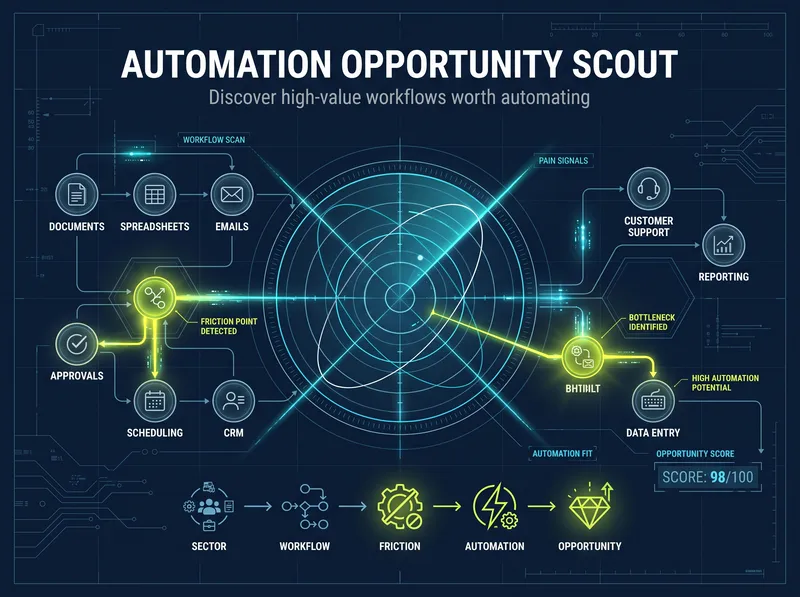
Most automation tools help you build after you already know what to automate. This Skill solves the harder problem first: finding which workflow is genuinely worth automating. Choose a sector through guided discovery or describe a business, niche, or process. The Skill researches current operating patterns, customer and operator pain signals, existing software, physical and digital touchpoints, and hidden workflow gaps. It separates evidence from assumptions, identifies root causes, and ranks opportunities by business value, feasibility, readiness, evidence strength, time to value, cross-channel potential, and risk. You receive a clear first recommendation, an evidence-backed opportunity portfolio, and—when justified—a measurable, low-risk pilot plan. If automation is not the right answer, the Skill may recommend simplifying the process, using an existing product, collecting better evidence, or keeping the decision human-led. Built for automation consultants, developers, agencies, and operations professionals who want to avoid generic AI ideas and invest in opportunities that can be tested in the real world. Evidence depth varies by sector and available data. When reliable evidence is insufficient, the Skill creates a validation plan instead of inventing ROI or forcing an automation project.
 Research
Tech Made Learnable
Technical documents are often hard to learn not because you lack ability, but because the language, terminology, and hidden assumptions make it difficult to build a clear mental model. Tech Made Learnable turns a complex document into a complete beginner-friendly learning path. First, it creates a structured Technical Reference Guide that protects the original meaning, important distinctions, rules, exceptions, and uncertainty. Then it creates a simplified, story-led Learning Guide that explains the topic step by step, using realistic scenarios, concrete examples, and visual thinking where they genuinely help. Next, it prepares copy-ready NotebookLM prompts for an explanatory audio dialogue and a visual learning video. The goal is to help you read, hear, see, and mentally picture how the topic works. Assessment comes last. After you finish learning, simply say you are ready for review. The Skill then creates a final quiz with clear answer explanations and directs you back to the exact concepts that need reinforcement. Best for technical manuals, standards, procedures, complex articles, professional training materials, software documentation, engineering topics, quality systems, and any subject that feels difficult because it was written for experts.