Find useful sources, understand difficult ideas, and turn articles, PDFs, videos, and notes into your own study guide. Start with a topic or bring your materials.
Up to 4 files · 50 MB each · PDF, Word, text, or images
From curiosity to understanding
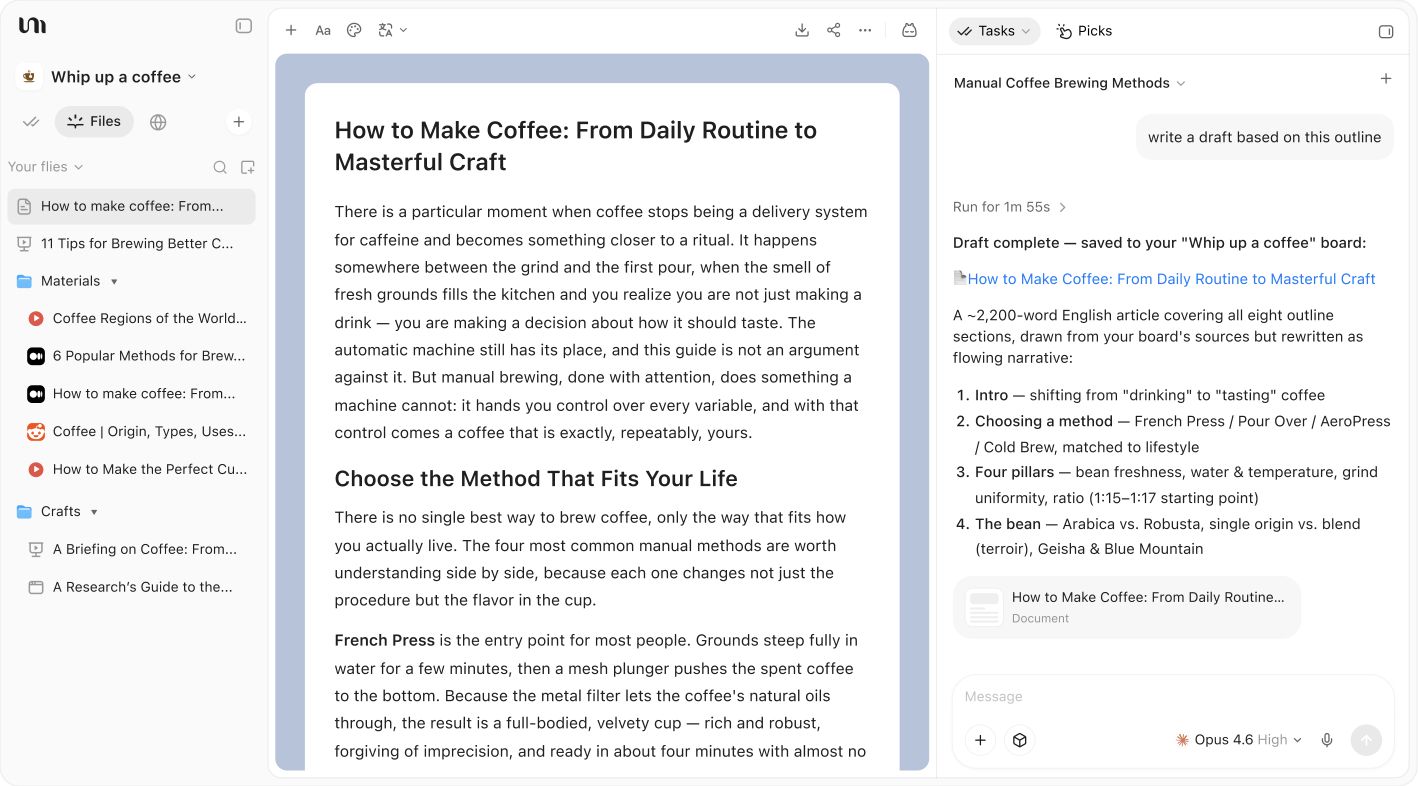
Product interface example with coffee resources, an editable guide, and an AI conversation in one workspace.Open full size image
Find a place to start
Tell the assistant what you want to learn and what you already know. Ask it to find relevant sources, compare explanations, and suggest what to read first.
Help me understand iPhone Duo using Apple’s official information and reliable recent reporting. Compare reading, note-taking, and multitasking with a regular iPhone. Separate announced features from experiences that still need testing, and create a short practical guide.
Your learning outline
Everyday uses for a foldable screen
A comparison with a regular iPhone
What we know and what needs testing
Explain AI agents using a research assistant as an example. Find official sources, compare agents with chatbots and fixed workflows, and explain tools, memory, and feedback. Finish with a beginner learning path.
Your learning outline
Agent and workflow concept map
A research assistant walkthrough
A beginner learning path
I keep rereading my notes but struggle to remember them. Explain active recall and spaced practice using reliable learning resources. Give me a one-week review plan and show how to turn a section of notes into self-test questions.
Your learning outline
Active recall explained simply
A one-week review plan
A reusable self-test template
Build a learning session around you
Try learning this way
Choose a starting point
Describe your goal, paste a public article or video link, or upload your notes. Include your current level to make the request more useful.
Up to 4 files · 50 MB each · PDF, Word, text, or images
Frequently asked questions
How can an AI study assistant help me research a new topic
Describe what you want to learn and what you already know. Ask YouMind to find introductory sources, explain unfamiliar terms, and suggest a reading order. Add your own materials as you explore.
How do I turn a PDF into a study guide
Upload a PDF and specify the chapters or concepts you want to understand. Ask for an outline, key terms, explanations, and review questions. You can add up to four files of 50 MB each and refine the guide through conversation.
Can I turn YouTube lectures into study notes
Paste a public YouTube lecture link and describe your learning goal. Ask for notes organized by topic, key concepts, and questions to explore. If the video cannot be accessed, upload a transcript or your own notes.
Can AI create practice questions from my notes
Add your notes, choose a topic and difficulty, and ask for practice questions with answers in a separate section. Try answering first, then ask the assistant to explain anything you missed using your materials.
How can I create a study plan with AI
Share your goal, current level, deadline, and daily study time. Ask YouMind to divide the material into learning sessions with practice and review. Adjust the plan in conversation as you discover what needs more work.
How do I check AI study notes against the original sources
Ask for source links or supporting passages for key claims, then check them in the original material. Ask the assistant to distinguish source information from its own explanations and point out missing evidence.
Is this AI study assistant free to use
You can prepare your topic and files on this page before signing in. Sign in to continue the learning task. Available usage depends on your account and plan; see the pricing section for current options.
Tools for reading and studying
Summarize reading material, refine your notes, and format source citations with tools for each step of your learning.