Gemini Omni Flash just leveled up in Google Flow, bringing powerful new capabilities alongside meaningful quality enhancements to unlock greater creative control and expand your visual storytelling potential. Here’s what that means for your generations:
- Improved scene consistency: We’ve upgraded baseline fidelity across Text-to-Video, Frame-to-Video, and Reference-to-Video. That means you’ll see fewer jump cuts, better consistency across characters and products, and more natural speech synchronization across all of your generations.
- Increased generation duration: You can now generate scenes up to 15 seconds long to create seamless continuous scenes without needing to stitch together multiple videos—available in both 360p draft mode and 720p output.
- Longer conversational edits: Use your generations or upload your own pre-existing footage anywhere from 3 to 15 seconds long to make any edits as needed. You can easily adjust lighting, tweak camera paths, or fine-tune any details in your videos.
- Continuous scene building: Pick any clip from your timeline and extend up to 10 seconds per prompt. You can even include image references right alongside your text prompt to bring in specific characters, props, or setting changes while staying true to the shot's original style.
Here are 7 examples of how these changes can help your creative workflows today:
1. Single-Take Dialogue
Prompt: A close up shot of a dramatic monologue. The man says, "Look at this skyline. In ten years, every light behind those windows will belong to someone completely different, worrying about entirely different things. We make our problems so massive, but the city just keeps breathing."
Use Case: Ideal for narrative storytelling and character-driven scenes that require sustained lip-sync accuracy and facial expressiveness.
2. Cross-scene Character Consistency
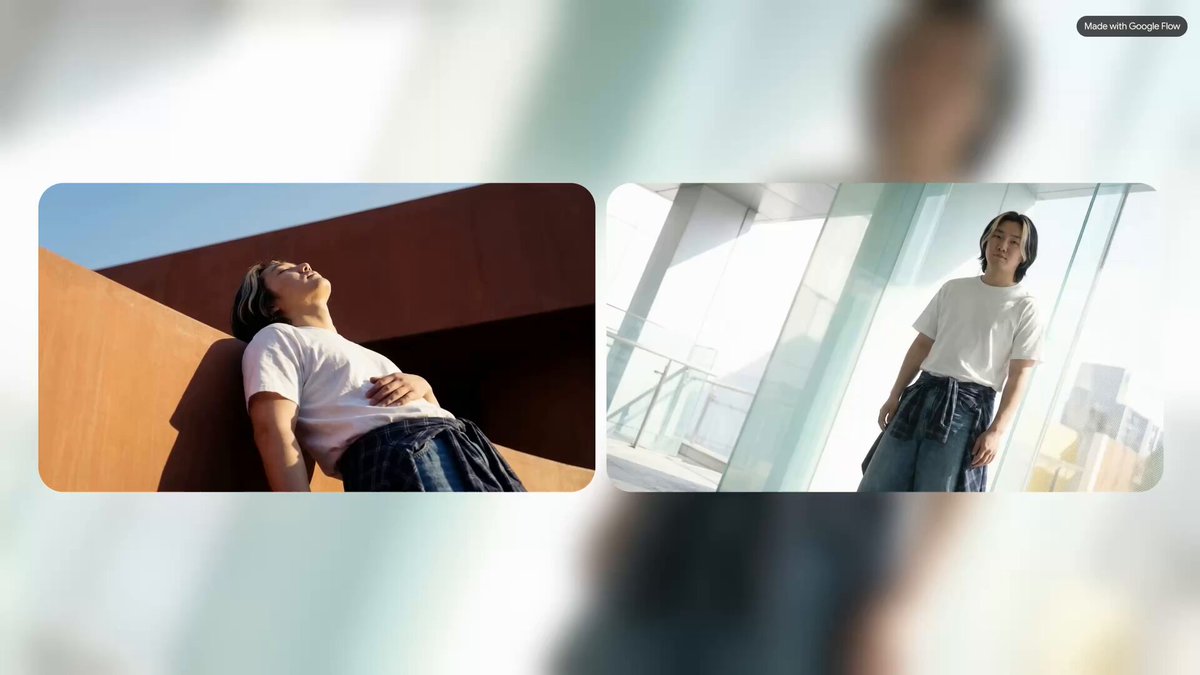
Prompt: Maintain all visual details of the character. Smoothly zoom in continuously with subtle pan/tilt adjustments to tighten the composition off-center. The character moves naturally with a subtle fashion attitude. Camera movement is steady without cuts, music, or added effects—only ambient sound.
Use Case: Essential for commercial brand videos and multi-shot sequences where subject attire, props, and personal features must remain identical across setups.
3. Product Showcase with Reference
Prompt: Macro view through curved perfume glass focused on surrounding static fruits. The camera performs a slow, realistic rotation around the bottle, keeping all objects, scene details, and physical lighting completely locked and unchanged.
Use Case: Useful for high-end product marketing and digital asset rendering where precise physical geometry and surface branding must be preserved under dynamic camera movement.
4. Lighting & Atmosphere Edits
Prompt: Adjust the scene's lighting, grading, and atmosphere to a gloomy blue-hour rainstorm inside the room, while keeping all room details, facial expressions, actions, textures, camera movement, framing, and body language identical to the original.
Use Case: Enables rapid iteration on visual mood, time of day, or weather conditions for established scenes without re-generating core action or character motion.
5. Camera Angle Modification
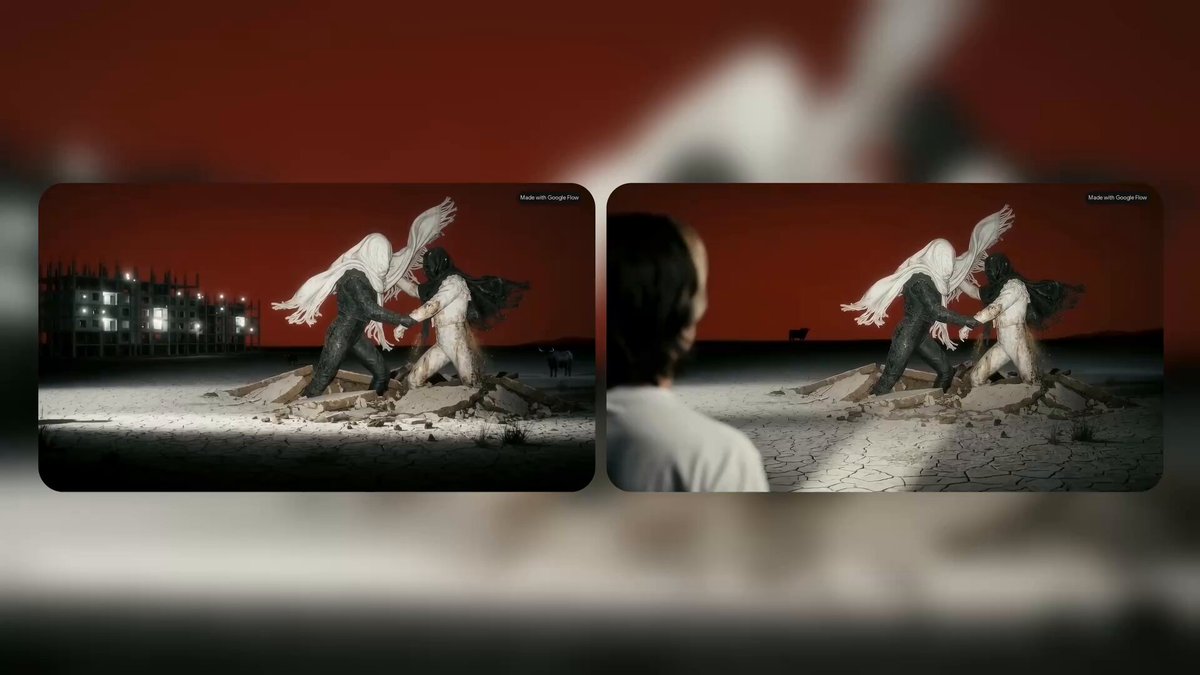
Prompt: Keep everything in the input video identical: change only the camera movement. One continuous drone shot, tilted 10–15° off-level throughout. Over the shoulder (character walking in): the back of the head, the black hair and the white t-shirt shoulder are soft in the foreground.
Use Case: Allows directors to refine perspectives and camera trajectories on existing shots while retaining physical motion continuity in the scene.
6. Setting and Action Extension
Prompt: Extend the final frame of the man in the forest by 10 seconds. He finds a unicorn has appeared nearby him. Maintain the atmosphere and color grading of the base clip.
Use Case: Perfect for expanding existing shots into multi-action sequences or longer narrative beats without interrupting established atmospheric lighting and motion flow.
7. Rapid Concept Prototyping
Prompt: A 15-second wide shot establishing an aquatic habitat base. Glowing marine life drifts across glass structures while small craft navigate pathways between buildings, featuring fluid camera movement and consistent environment geometry.
Use Case: Generate multiple scenes of the same base prompt using 360 pixels to optimize for fast, cost-effective pre-visualization and layout testing before committing resources to full high-resolution rendering.
Ready to get started? Start using Gemini Omni 1.2 Flash yourself today atflow.google.com - and be sure to share your creations with us!


