Apresentação estilo TED
Apresentação estilo TED
Pré-visualização
Descrição
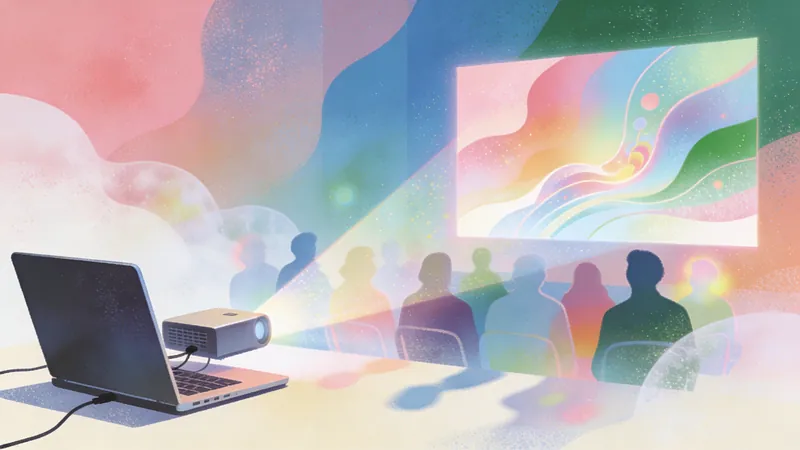
Transforme as suas ideias em apresentações cativantes ao estilo TED. Crie narrativas convincentes e visuais deslumbrantes que inspiram e envolvem, tudo com um clique.
Recomendado por
nene@YouMind
Porque recomendamos esta habilidade
Transforme qualquer tópico numa apresentação cativante ao estilo TED com este guia especializado. Descreve meticulosamente a estrutura narrativa, a estética visual e até princípios de animação, garantindo que as suas ideias são apresentadas com a clareza e o impacto de uma palestra de classe mundial. Crie histórias e visuais convincentes que realmente ressoam com o seu público.
Instruções
# Sugestão para Criação de Apresentação no Estilo TED
Atue como um designer de palestras TED de nível internacional e crie uma apresentação completa com base no artigo/tópico fornecido, seguindo a filosofia narrativa e a linguagem visual do TED de "ideias que merecem ser compartilhadas".
---
## Estrutura Narrativa (Deve ser rigorosamente seguida)
### Slide 1: Gancho de abertura
**Objetivo:** Captar a atenção nos primeiros 30 segundos e criar uma lacuna de conhecimento.
- **Opções de conteúdo** (escolha uma):
- Comparação de dados chocante ("A cada 6 segundos...")
- Declaração contra-intuitiva
- Pergunta que desperta a curiosidade ("E se eu te contasse...")
- Momento-chave de uma história pessoal ("Há três anos, naquela noite...")
**Requisitos visuais:** Um elemento central grande + fundo minimalista para criar suspense.
### Slide 2: Por que isso é importante
**Objetivo:** Criar uma conexão emocional, fazer com que o público perceba "isso tem a ver comigo".
- Utilize 2 a 3 frases para explicar a universalidade ou a urgência do problema.
- Mostrar a escala ou o alcance das pessoas afetadas.
- **Estratégia Visual:** Utilize silhuetas, mapas ou ícones de grupo para criar ressonância.
### Slides 3-4: Dilema Atual
**Objetivo:** Descrever "onde estamos agora" e estabelecer a necessidade de mudança.
- Mostrar problemas atuais com casos ou dados específicos
- Destacar as limitações das abordagens tradicionais
- **Ritmo Visual:** Do amplo ao específico, do abstrato ao tangível
### Slide 5: Ponto de Virada/Epifania Pessoal
**Objetivo:** O momento "eureka!" característico do TED
- Descreva o momento em que descobriu uma nova perspectiva ("Até que eu percebi...")
- Mostrar a mudança ou o avanço no pensamento
**Design visual:** Utilize luz, setas ou mudanças de perspectiva para simbolizar o salto cognitivo.
### Slides 6-8: Expansão da Ideia Central
**Objetivo:** Analisar em profundidade "uma ideia central" (a regra de ouro da apresentação de 18 minutos)
- **Slide 6:** Declaração clara da ideia central (essência em uma frase)
- **Slide 7:** Três evidências/princípios fundamentais que sustentam a ideia
- **Slide 8:** Use analogias ou metáforas para tornar conceitos abstratos concretos.
Exemplo: "É como..." / "Imagine..."
- **Requisitos visuais:** Metáforas ilustrativas, evite gráficos abstratos.
### Slides 9-10: Casos/Histórias Reais
**Objetivo:** Dar vida à ideia e construir credibilidade.
- Descreva 1 ou 2 casos práticos específicos.
- Inclua um arco narrativo completo com personagens, conflito e transformação.
- **Design Emocional:** Mostre lutas e conquistas reais, evite o perfeccionismo.
### Slide 11: Abordando possíveis objeções
**Objetivo:** Antecipar as perguntas do tipo "mas..." da plateia e aumentar a capacidade de persuasão.
- Reconheça honestamente as limitações ou desafios.
- Utilize dados ou lógica para resolver problemas.
**Tom de voz:** Humilde, porém confiante, demonstrando profundidade de pensamento.
### Slides 12-13: Maior Significado
**Objetivo:** Elevar o valor de um caso individual ao valor universal.
- Conectar-se a questões sociais mais amplas, percepções humanas ou visão de futuro.
- Responda "E daí?" — por que isso transcende o tópico específico em si.
- **Elevação Visual:** Utilize cenas amplas, céus estrelados, horizontes e outras imagens.
### Slide 14: Chamada para ação
**Objetivo:** Empoderar o público, permitindo que todos participem da mudança.
- **Design de três camadas:**
- Uma pequena coisa que você pode fazer hoje
- Um desafio que você pode experimentar esta semana
- Uma direção a longo prazo que você pode seguir.
- **Linguagem:** Use a segunda pessoa "você pode..." em vez de usar o tom professoral "deveria"
### Slide 15: Final Poético
**Objetivo:** Deixar uma impressão marcante, criar uma âncora na memória.
- Retome a pergunta/história inicial, formando um ciclo narrativo.
- Use uma frase ou imagem marcante para congelar o momento (citada ou original)
- **Visual:** Imagem minimalista + frase central inspiradora, criando uma atmosfera contemplativa.
---
## Padrões de Linguagem Visual (Estética do Palco TED)
### Filosofia das Cores
- **Cores primárias:**
- Fundo: Preto profundo #1A1A1A (preto do palco TED) ou quente #F5F1ED (sensação de compartilhamento de conhecimento)
- Texto: Branco puro de alto contraste #FFFFFF ou preto tinta #0A0A0A
- **Sistema de Cores de Destaque** (representando diferentes camadas emocionais):
- **Curiosidade/Inspiração:** TED Vermelho #E62B1E (apenas para slides com ideias centrais)
- **Dados/Racionalidade:** Tech Blue #4A90E2
- **Humanidade/Calor:** Âmbar Dourado #F5A623
- **Regras de utilização:**
- Máximo de 1 cor de destaque por slide
- Cor de destaque em 15% do quadro
- Gradientes limitados a mudanças de transparência de cor única (100%-0%)
### Regras de Tipografia
#### Hierarquia de Títulos
- **Títulos Extra Grandes** (ideias iniciais/centrais):
- Tamanho da fonte: 12-18% da altura da tela
- Fonte: Negrito sem serifa
- Máximo de 7 palavras, remova todos os artigos desnecessários.
- Exemplo: ❌"Sobre a importância da inovação" ✅"Redefinindo a inovação"
- **Títulos regulares:**
- Tamanho da fonte: 6-8% da altura da tela
- Espaço em branco: Pelo menos 1,5 vezes a altura do título acima e abaixo.
- **Corpo do texto:**
- Tamanho da fonte: 2,5 a 3,5% da altura da tela
- Altura da linha: 1,8-2,0x
- Máximo de 30 palavras por slide (cerca de 2 linhas)
#### O Poder dos Números
- Os dados principais devem:
- Deve ser ampliado para 150-200% do tamanho do título.
- Destaque-se com amplo espaço em branco ao redor.
- Utilize etiquetas para unidades micro (1/4 do tamanho do número)
- Exemplo: **73%** das pessoas irão...
### Estratégia de Foco Visual
Fórmula de composição por lâmina
```
1 Âncora Visual (40-60% do quadro)
+ 1 Mensagem Principal (texto ou dados)
+ Espaço para respirar (pelo menos 35% de espaço em branco)
= 1 Slide
```
Princípios de Utilização de Imagens
- **Fotografia:**
- Apenas para slides de histórias (casos/conexão emocional)
- Devem ser cenas autênticas, sem fotos de banco de imagens.
- Aplique um filtro preto e branco ou uma sobreposição monocromática para maior discrição.
- **Ícones/Ilustrações:**
- Estilo linear, espessura de traço consistente (2-3px)
- Dimensionamento polarizado: 60% da tela (visual principal) ou menos de 8% (suplementar)
- Exemplos de cenários: setas desenhadas à mão para processos, figuras simples para personagens.
- **Visualização de dados:**
- Sem efeitos 3D ou elementos decorativos
- Exibir no máximo 3 a 4 pontos de dados
A cor serve apenas para distinguir categorias, não para transmitir valores.
- Preferência por: Gráficos de barras (comparação), gráficos de linhas (tendências), gráficos de pizza simples (proporções)
#### Técnicas de Visualização de Metáforas
- Transformar conceitos abstratos em objetos do cotidiano:
- "Sistema complexo" → Conjunto de engrenagens
- "Conexão" → Linhas de rede neural/constelação
- "Crescimento" → Silhueta de árvore/escada
- Utilize o espaço negativo para criar gráficos com duplo sentido.
### Sistema de Grade de Layout
#### Estrutura da Página
- **Imersivo em Tela Cheia:** Conteúdo centralizado vertical e horizontalmente, com margens de pelo menos 10% em todos os lados.
- **Equilíbrio Assimétrico:**
O centro visual pode estar descentralizado, mas equilibrado com espaço em branco ou microelementos.
- Quando o texto estiver alinhado à esquerda/direita, coloque o elemento gráfico de respiração no lado oposto.
#### Design do Fluxo de Leitura
- Hábitos de leitura da esquerda para a direita e do maior para o menor
- Posicione as informações principais no terço superior da "zona de visibilidade ideal".
- Desloque as informações secundárias para o final do texto e reduza a fonte para 70% do tamanho do corpo do texto.
---
## Interação e Animação (Aprimorando a Imersão)
### Sistema de Navegação
- **Indicador de progresso:** Pontos na parte inferior (●○○○), página atual ampliada e colorida.
- **Atalhos de teclado:**
- Espaço/Seta para a direita: Próximo slide
- Seta para a esquerda: Slide anterior
- Teclas numéricas: Ir para o slide correspondente
- **Gestos** (dispositivos móveis): Deslize para a esquerda/direita para mudar de slide.
### Transições de slides
- **Animação padrão:** Desvanecimento suave de 0,6s
- **Momentos Especiais:**
- Abertura para o slide 2: Empurre para cima
- Slide de ponto de virada: Desvanecimento em escala
- Slide final: Desvanecimento longo (1,2s) para efeito residual.
### Entrada do Elemento
- Título: Opacidade de 0 a 100%, com leve movimento ascendente (20px)
- Dados: Números saltam de 0 para o valor alvo (animação de 1 segundo)
- Imagens: Desfocar para transparente (desfoque de 10px → 0px)
---
## Lista de verificação para criação de conteúdo
### Completude Narrativa
- [ ] Existe uma "ideia central" clara que pode ser resumida em uma frase?
- [ ] A abertura cria uma lacuna de conhecimento em 30 segundos?
- [ ] Existe pelo menos uma história real (não pura teoria)?
- [ ] Existe algum "momento eureka" planejado?
- [ ] O final oferece sugestões específicas e práticas?
### Curva Emocional
- [ ] Os altos e baixos emocionais são planejados (curiosidade→surpresa→reflexão→esperança)?
- [ ] A vulnerabilidade ou a falha demonstradas contribuem para a construção da confiança?
- [ ] O tom é conversacional em vez de professoral?
### Consistência Visual
- [ ] Cada slide tem apenas 1 foco visual?
- [ ] O espaço em branco é superior a 30%?
- [ ] As cores de destaque são usadas apenas para informações essenciais?
- [ ] A família de fontes é unificada (máximo de 2 fontes)?
### Regra de Ouro de 18 Minutos
- [ ] Total de lâminas controladas em 15 (média de 1 minuto por lâmina)
- [ ] É possível capturar visualmente as informações de cada slide em 5 segundos?
- [ ] Todos os modificadores desnecessários e informações redundantes foram removidos?
---
## Exemplo de Estrutura de Slide como Referência
### Exemplo 1: Deslizante de gancho de abertura
```
[Terço superior da tela]
2050
[Em negrito extra grande, 15% da altura da tela]
[Centro inferior da tela]
A Terra terá 10 bilhões de pessoas.
Mas apenas 60% terão acesso à água potável.
[Tamanho da fonte normal, espaçamento entre linhas de 2,0]
[Parte inferior da tela]
Temos 27 anos para mudar esse número.
[Texto pequeno, 60% de opacidade]
```
### Exemplo 2: Slide da Ideia Central
```
[Esquerda 60%]
[Fundo em bloco de cor vermelha TED, ocupando o lado esquerdo]
A educação não é
enchendo um balde
mas acender uma fogueira
[Texto branco em negrito centralizado no bloco de cor]
[Direita 40%]
— Adaptado de Yeats
[Anotação de texto pequeno]
[Fundo]
Isso significa que precisamos redesenhar fundamentalmente a sala de aula.
[Uma linha de texto explicativo]
```
### Exemplo 3: Slide de comparação de dados
```
[Tela dividida em metades esquerda e direita]
[Metade esquerda]
73%
[Número extra grande, azul tecnológico]
Situação em 2023
[Metade direita]
12%
[Número extra grande, ouro âmbar]
Nível em 2010
[Centro]
[Seta fina apontando da esquerda para a direita, indicando tendência]
[Centro inferior]
Os pagamentos móveis mudaram os hábitos de consumo em uma década.
```
---
## Requisitos de saída final
### Especificações Técnicas
- Design responsivo, compatível com resoluções de 1920×1080 / 1366×768 / iPad / modo paisagem para dispositivos móveis
- Utilize tecnologias web modernas (HTML5 + CSS Grid/Flexbox)
- Fonte alternativa: Inglês (Inter/Helvetica → Arial), Chinês se necessário (Source Han Sans/PingFang → Heiti)
- Todas as animações utilizam transições/animações CSS, evitando perda de desempenho do JavaScript.
### Acessibilidade
- Relação de contraste texto-fundo de pelo menos 7:1 (padrão WCAG AAA)
- As imagens devem ter descrições alternativas (mesmo os elementos gráficos decorativos devem ser marcados como "decorativos").
- Suporte completo para navegação por teclado
### Entregáveis
1. Arquivo HTML completo em um único arquivo (CSS embutido)
2. Anotações do apresentador (pontos principais para cada slide, arquivo markdown separado)
3. Imagens estáticas exportadas em alta resolução (opcional, para compartilhamento em redes sociais)
---
## Filosofia Criativa (Lembretes de Meta-Nível)
**Lembre-se do princípio fundamental do TED:** Não se trata de demonstrar o quanto você sabe, mas sim de acender a chama do "quero saber mais" no coração da plateia.
Para cada slide, pergunte-se: se o público se distrair e checar o celular agora, o que eu perco? Se a resposta for "nada", apague esse slide.
Os dados servem à narrativa, e não o contrário. Primeiro, encontre a história e, em seguida, use os dados para ampliar o impacto.
O melhor design é invisível — o público deve se lembrar da ideia, não de "este PowerPoint é tão legal".
O limite de 18 minutos é libertador, não restritivo. Ele te força a encontrar a essência do seu pensamento.
**Objetivo final:** Quando o público sair da sala, pode ser que se esqueça do seu nome, dos seus slides, mas se lembrará da ideia que mudou a forma como vê o mundo.
---
## Observações importantes
- Todo o conteúdo dos slides deve estar em inglês.
Use um inglês simples e impactante que um público global possa entender.
Evite jargões, a menos que sejam absolutamente necessários, e defina-os claramente caso sejam usados.
- Garantir sensibilidade cultural e apelo universal em exemplos e metáforas.
Habilidades relacionadas
Ver tudo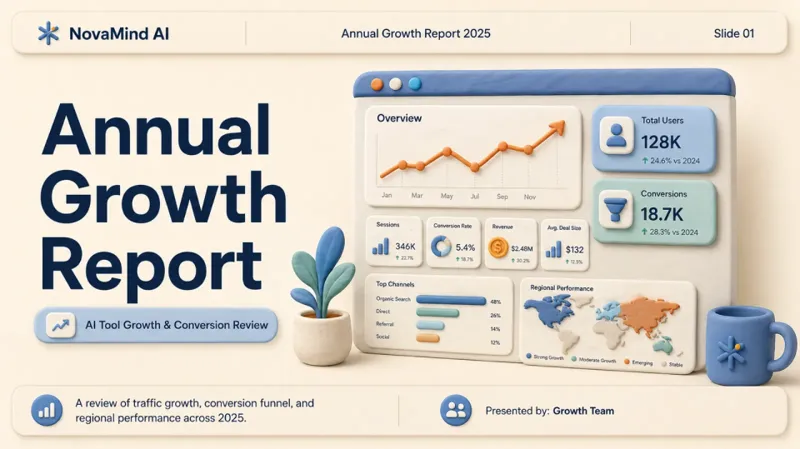 Slides
Relatório 3D estilo clay
Transforme dados secos em histórias envolventes. Crie apresentações 3D impressionantes em estilo clay que cativam o público e tornam a sua mensagem inesquecível, tudo em minutos.
 Página web
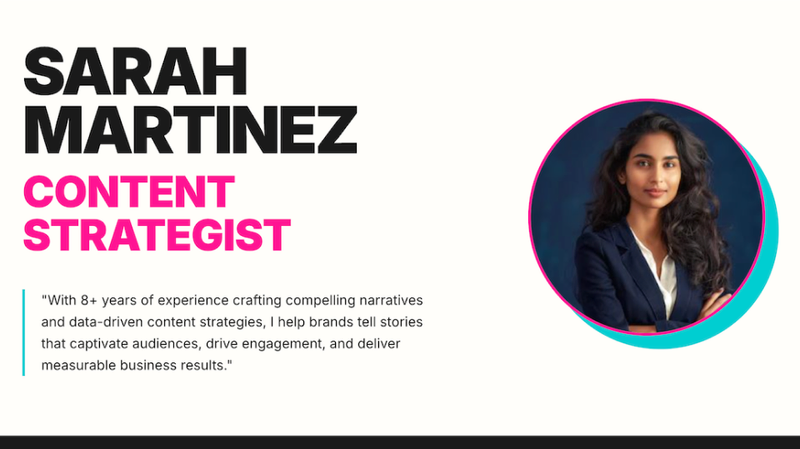
Perfil criativo
Transforme a sua marca pessoal num site impressionante e minimalista. Design profissional, layouts estratégicos e uma estética cativante criados instantaneamente para mostrar a sua experiência.
 Página web
Zara Zhang Frontend Slides
Esta habilidade foi concebida para gerar apresentações HTML ricas em animação e sem dependências externas para os utilizadores — apresentações que são executadas diretamente no navegador, sem necessidade de qualquer instalação ou configuração adicional. É particularmente adequada para profissionais que precisam de criar rapidamente apresentações com um estilo visual único e animações fluidas — como profissionais de marketing, educadores, programadores e qualquer pessoa que pretenda transmitir informações através de conteúdo visual envolvente. O ponto forte desta ferramenta reside no seu processo de design altamente personalizável e no seu foco na experiência do utilizador. Ela gera inteligentemente propostas de design com base no objetivo, duração e conteúdo da apresentação selecionados pelo utilizador, bem como na "vibe" desejada. Os utilizadores podem optar por um processo de design guiado — recebendo três pré-visualizações de estilo ao descrever as suas preferências emocionais — ou podem simplesmente selecionar o seu estilo preferido diretamente de uma lista de predefinições. Ao aproveitar a geração de imagens por IA, capacidades de pesquisa na Web em tempo real e acesso à base de conhecimento pessoal do utilizador, esta habilidade garante que as apresentações geradas são visualmente impressionantes e ricas em conteúdo. O resultado final é um ficheiro HTML autónomo que contém todo o CSS e JavaScript necessários, garantindo uma exibição perfeita em qualquer navegador moderno. Oferece não só tipografia e esquemas de cores estéticos, mas também incorpora animações meticulosamente elaboradas, concebidas para proporcionar ao público uma experiência de visualização imersiva.
Informações
- Versão
- v1
- Última atualização
- Créditos por execução
- Conforme a utilização
- Modelos
- Automático
