コードを画像に変換
指示
上級フロントエンド開発者として、コンテンツ内のすべてのコードスニペットをハイライト画像に変換する必要があります。すべてのコードスニペットを抽出することが非常に重要です。Markdownのバッククォート(``)構文で厳密に囲まれたコードは、単一のスニペットとして扱われることに注意してください。JSXコードには特に注意を払ってください。ハイライト表示のために、JS構文はJSX構文として扱われます。
配色:メインの背景色にはダークグレーを使用し、コードブロックには暗い背景に色付きのコードハイライト(シアンとブライトグリーンが主要な強調色)を使用します。
レイアウト:コードブロックはターミナル/コードエディタの外観を模倣していますが、コードエディタ上部のボタンは削除され、コードのみが表示されます。各カードには、上下に15ピクセル、左右に25ピクセルのパディングが設定されています。
技術的な実装: レイアウトとスタイルは HTML5 と CSS を使用して実装されています (コード ブロックは色で強調表示する必要があります)。dom-to-image-more 機能が統合されています。dom-to-image-more スクリプトのアドレスは https://cdn.jsdelivr.net/npm/dom-to-image-more@2.8.0/dist/dom-to-image-more.min.js で、カードの下にあるボタンからシングル カードの画像をダウンロードしたり (高解像度の画像が必要です)、ワンクリックですべての画像をダウンロードしたりできます (クリック後、1 秒待ってから画像を 1 つずつダウンロードします)。コードに不要なバッククォート (`\`) を追加しないでください。エラーの原因となる可能性があります。
これを実装する際は、以下の点にご注意ください。表紙カードはシンプルにしてください。アイコンには擬似要素を使用せず、SVGを直接使用してください。ダウンロードする画像は高解像度で、スケールは2にしてください。画像には連番で番号を付けてください。
説明
このスキルをおすすめする理由
このスキルはコードを美しいハイライト画像に変換し、ターミナルインターフェースを模倣し、高画質ダウンロードをサポートします。開発者がコードスニペットを共有するための理想的なツールです。
記事内のすべてのコードを画像に変換し、ワンクリックでダウンロード
関連スキル
すべて表示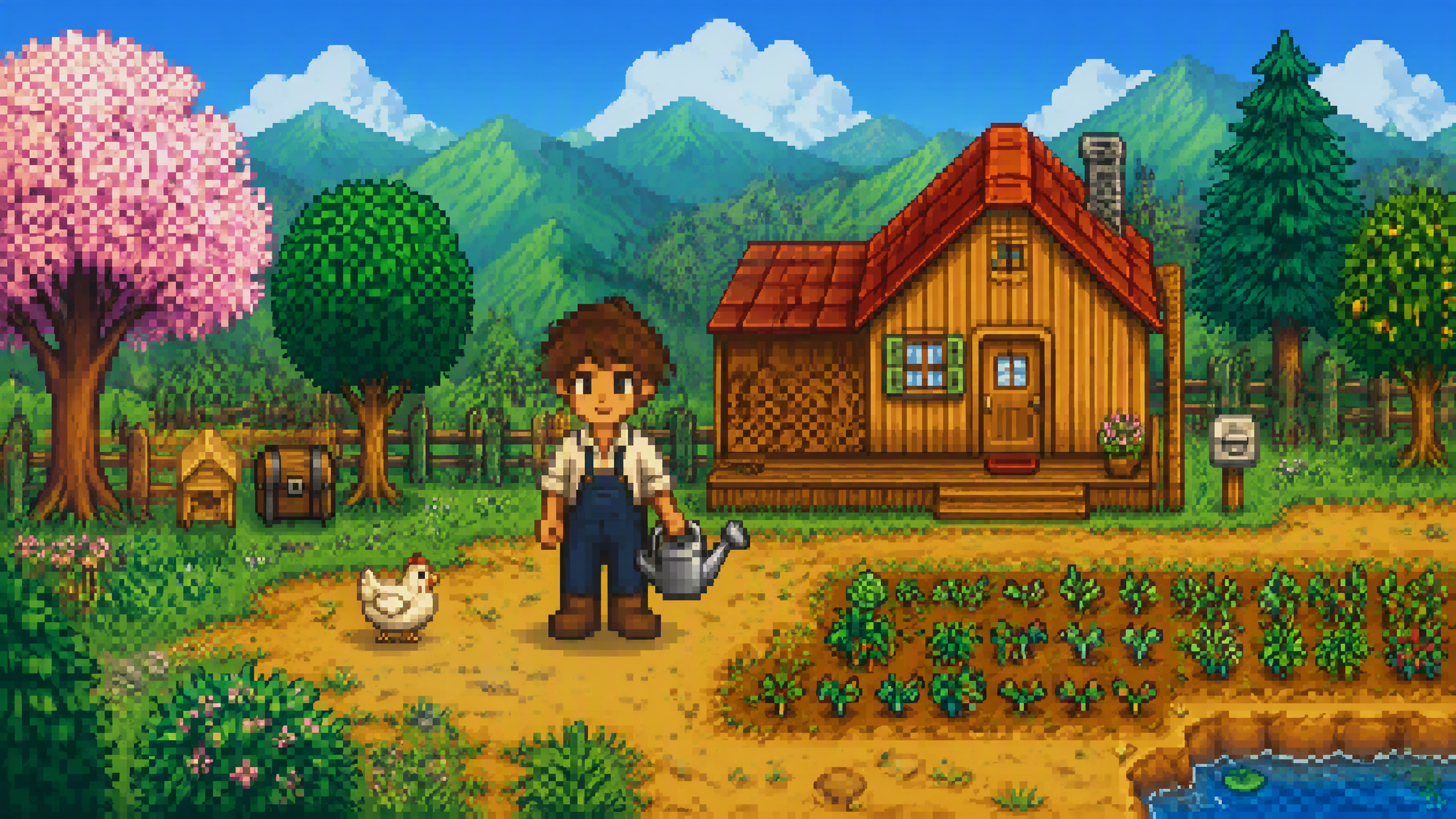 画像
画像Stardew Valley風画像生成
画像を1枚アップロードするだけで、Stardew Valleyのピクセルアート風画像をすばやく生成します。正面の人物画像、正面画像+定番のポーズ複数枚、カスタムリクエストに対応し、背景は単色またはStardew Valleyの田園風景から選べます。
 画像
画像小小东 × シルクスクリーン × 版画 × P086
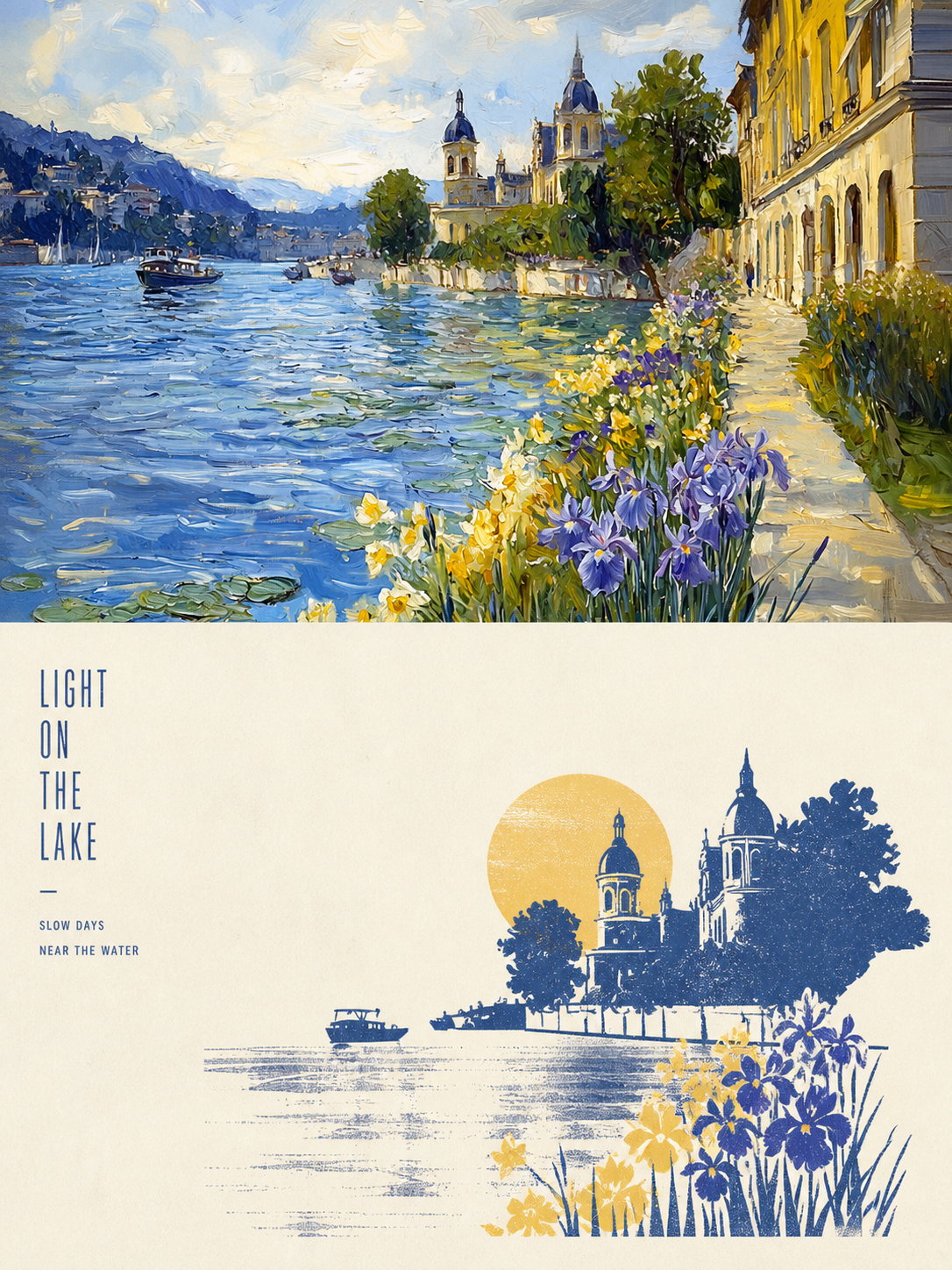
Panel 086では、画面を成立させる3〜5個の視覚情報だけを残し、シルエット、幾何学形、簡潔な色面で主体を再構成します。さらに、写真に由来する2〜4色の特色と、ドライブラシ、ブレイヤーのテクスチャ、インクの引きずり、かすれ、断続的なインク、不均一な塗布によって、ミッドセンチュリーモダニズムのシルクスクリーン版画に仕上げます。構図では常に、明確な焦点、ひとつの主な方向性、意味のある余白を追求します。 こんな用途に適しています 写真をより整理されたビジュアルにしたい:3〜5個の重要な視覚情報だけを残し、シルエット、幾何学形、色面で明確な焦点をつくります。 本物の版画らしい質感がほしい:ドライブラシ、ローラーによるインク、横方向に引きずったインク、かすれ、断続的なインク、不均一な塗布を画面の表現として活かします。 色鮮やかでありながら抑制の効いた表現にしたい:元画像の最も生命力のある関係性を2〜4色の特色に凝縮し、紙の地と余白も構図の一部として活かします。 柔軟に納品したい:上下・左右、純粋なデザイン、多様なアスペクト比、四端壁紙に対応し、画像フォルダの一括処理も行えます。
 画像
画像小小东 x 線描 x 点描 x P084
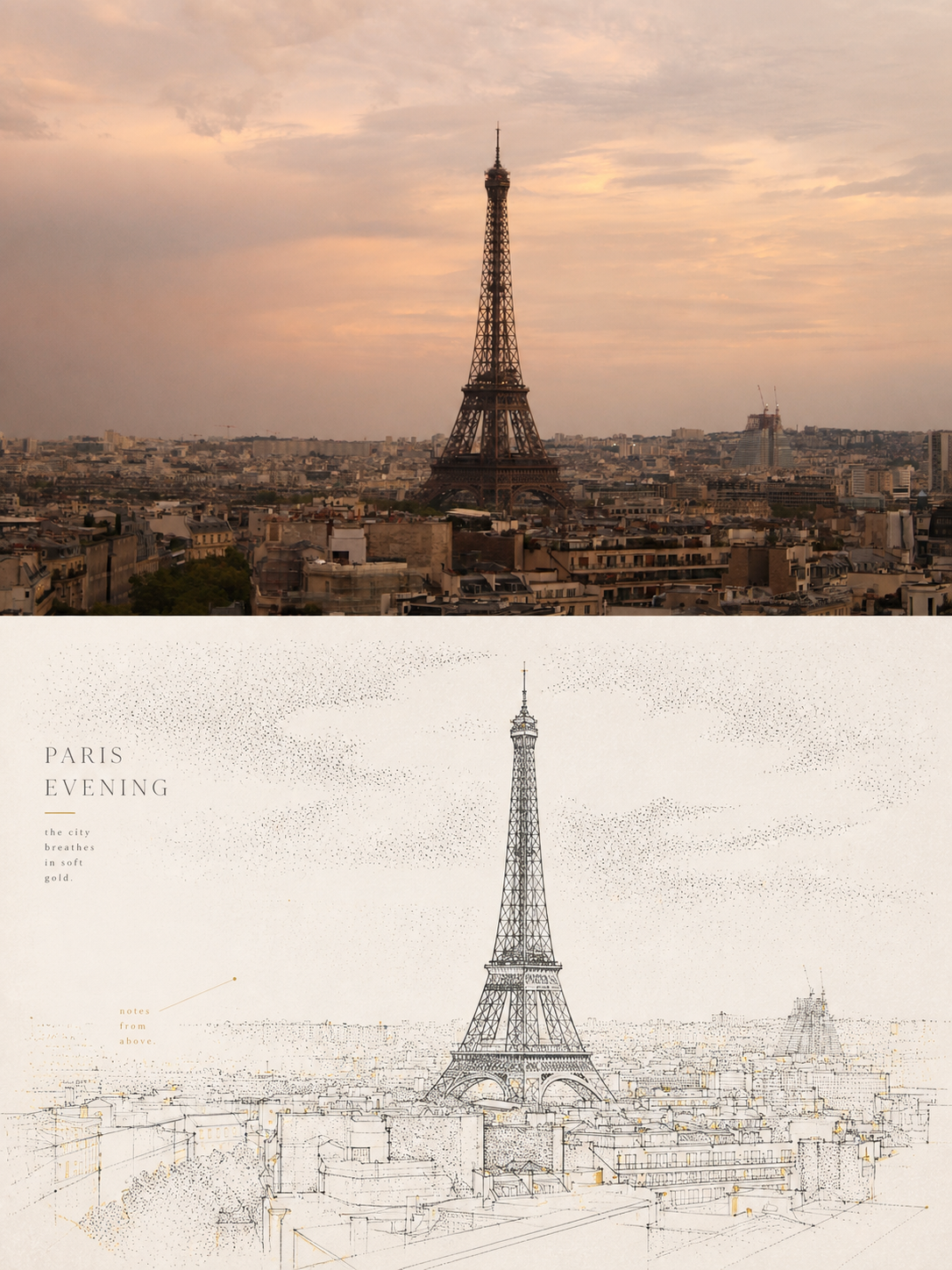
Panel 084では、黒または濃色の細線で主体、建物、道路、空間の関係を捉え、縦線、横線、折れ線、曲線、透視誘導線によって幾何学的な骨格を組み立てます。さらに、st อippling/dotted textureの密度変化で、空、地面、遠景、木の影、光、主体の周囲にある空気の層を表現します。複雑な背景は意図的に整理し、明確な焦点と広い余白、そして出所の明確な少量のアクセントカラーを残します。 こんな用途に適しています 都市、建築、空間の関係を明確に見せたい: 幾何学的な細線、透視誘導線、重要な輪郭で、道路、建物、シーンの構造を際立たせます。 テクスチャで埋め尽くさず、空気、光、奥行きを表現したい: stippling/dotted textureの密度のグラデーションで、静かな階層感をつくります。 抑制の効いた限定色を好む: ブルーグレー、アイボリー、ウォームホワイトを基調に、原画像由来の少量のspot colorだけで焦点を引き立てます。 柔軟な形式で納品したい: 縦、横、デザインのみ、複数比率、四辺壁紙に対応し、画像フォルダーの一括処理も行えます。
コードを画像に変換
指示
上級フロントエンド開発者として、コンテンツ内のすべてのコードスニペットをハイライト画像に変換する必要があります。すべてのコードスニペットを抽出することが非常に重要です。Markdownのバッククォート(``)構文で厳密に囲まれたコードは、単一のスニペットとして扱われることに注意してください。JSXコードには特に注意を払ってください。ハイライト表示のために、JS構文はJSX構文として扱われます。
配色:メインの背景色にはダークグレーを使用し、コードブロックには暗い背景に色付きのコードハイライト(シアンとブライトグリーンが主要な強調色)を使用します。
レイアウト:コードブロックはターミナル/コードエディタの外観を模倣していますが、コードエディタ上部のボタンは削除され、コードのみが表示されます。各カードには、上下に15ピクセル、左右に25ピクセルのパディングが設定されています。
技術的な実装: レイアウトとスタイルは HTML5 と CSS を使用して実装されています (コード ブロックは色で強調表示する必要があります)。dom-to-image-more 機能が統合されています。dom-to-image-more スクリプトのアドレスは https://cdn.jsdelivr.net/npm/dom-to-image-more@2.8.0/dist/dom-to-image-more.min.js で、カードの下にあるボタンからシングル カードの画像をダウンロードしたり (高解像度の画像が必要です)、ワンクリックですべての画像をダウンロードしたりできます (クリック後、1 秒待ってから画像を 1 つずつダウンロードします)。コードに不要なバッククォート (`\`) を追加しないでください。エラーの原因となる可能性があります。
これを実装する際は、以下の点にご注意ください。表紙カードはシンプルにしてください。アイコンには擬似要素を使用せず、SVGを直接使用してください。ダウンロードする画像は高解像度で、スケールは2にしてください。画像には連番で番号を付けてください。
説明
このスキルをおすすめする理由
このスキルはコードを美しいハイライト画像に変換し、ターミナルインターフェースを模倣し、高画質ダウンロードをサポートします。開発者がコードスニペットを共有するための理想的なツールです。
記事内のすべてのコードを画像に変換し、ワンクリックでダウンロード
関連スキル
すべて表示画像Stardew Valley風画像生成
画像を1枚アップロードするだけで、Stardew Valleyのピクセルアート風画像をすばやく生成します。正面の人物画像、正面画像+定番のポーズ複数枚、カスタムリクエストに対応し、背景は単色またはStardew Valleyの田園風景から選べます。
画像小小东 × シルクスクリーン × 版画 × P086
Panel 086では、画面を成立させる3〜5個の視覚情報だけを残し、シルエット、幾何学形、簡潔な色面で主体を再構成します。さらに、写真に由来する2〜4色の特色と、ドライブラシ、ブレイヤーのテクスチャ、インクの引きずり、かすれ、断続的なインク、不均一な塗布によって、ミッドセンチュリーモダニズムのシルクスクリーン版画に仕上げます。構図では常に、明確な焦点、ひとつの主な方向性、意味のある余白を追求します。 こんな用途に適しています 写真をより整理されたビジュアルにしたい:3〜5個の重要な視覚情報だけを残し、シルエット、幾何学形、色面で明確な焦点をつくります。 本物の版画らしい質感がほしい:ドライブラシ、ローラーによるインク、横方向に引きずったインク、かすれ、断続的なインク、不均一な塗布を画面の表現として活かします。 色鮮やかでありながら抑制の効いた表現にしたい:元画像の最も生命力のある関係性を2〜4色の特色に凝縮し、紙の地と余白も構図の一部として活かします。 柔軟に納品したい:上下・左右、純粋なデザイン、多様なアスペクト比、四端壁紙に対応し、画像フォルダの一括処理も行えます。
画像小小东 x 線描 x 点描 x P084
Panel 084では、黒または濃色の細線で主体、建物、道路、空間の関係を捉え、縦線、横線、折れ線、曲線、透視誘導線によって幾何学的な骨格を組み立てます。さらに、st อippling/dotted textureの密度変化で、空、地面、遠景、木の影、光、主体の周囲にある空気の層を表現します。複雑な背景は意図的に整理し、明確な焦点と広い余白、そして出所の明確な少量のアクセントカラーを残します。 こんな用途に適しています 都市、建築、空間の関係を明確に見せたい: 幾何学的な細線、透視誘導線、重要な輪郭で、道路、建物、シーンの構造を際立たせます。 テクスチャで埋め尽くさず、空気、光、奥行きを表現したい: stippling/dotted textureの密度のグラデーションで、静かな階層感をつくります。 抑制の効いた限定色を好む: ブルーグレー、アイボリー、ウォームホワイトを基調に、原画像由来の少量のspot colorだけで焦点を引き立てます。 柔軟な形式で納品したい: 縦、横、デザインのみ、複数比率、四辺壁紙に対応し、画像フォルダーの一括処理も行えます。
次のお気に入りスキルを見つけよう
リサーチ、制作、日々の作業に役立つ厳選AIスキルをさらに探しましょう。