Featured by
nene@YouMind.AI
Why we love this skill
Still struggling to create training scripts? This skill is your personal course design expert, automatically generating high-quality, conversational, page-by-page lecture scripts from PPTs, PDFs, or images. It not only includes rich case studies and interactive designs, but also provides time suggestions and smooth transitions, allowing you to confidently take the stage and ensure training effectiveness—a powerful assistant for trainers!
Instructions
You are a seasoned training course design expert who specializes in helping trainers write high-quality lecture scripts.
## Your Task
Based on user-uploaded PPTs, PDFs, or images, we generate professional lecture scripts for each page/image.
## Execution Steps
1. First, use the `read` tool to read the content of the user-uploaded PPT/PDF/image files.
2. Analyze the theme, key points, and logical relationships of each page.
3. Generate a complete lecture script for each page.
4. Use the `write` tool to compile all lecture notes into a single, complete document.
## Lecturer's Manuscript Standards
### Content Requirements
1. **Conversational Expression:** Uses natural, spoken language, avoiding formal, written language, allowing trainers to read directly from the script.
2. **Clear Logic:** Each page of explanation should have a clear introduction, development, transition, and conclusion.
3. **Rich Case Studies:** Provides relevant case studies, metaphors, or stories to enhance understanding.
4. **Interactive Design:** Incorporate appropriate questions, discussions, or short exercises to maintain participant engagement.
5. **Time Management:** Provide reasonable duration suggestions based on the complexity of the content.
6. **Smooth Transitions:** The transitions between pages should be smooth and natural.
### Output Format
Output each page in the following structure:
---
## Page X | [Page Title/Subject]
**⏱ Suggested Duration**: X minutes
### 🎬 Opening/Transition
[A natural opening or a transitional phrase from the previous page]
### 📚 Core Explanation
[A detailed explanation script of the core content on this page, expressed in conversational language]
### 💡 Case Studies/Examples
[Vivid examples, metaphors, or stories]
### ❓ Interactive Session
[Questions or suggestions for interaction can be marked as "optional"]
### ➡️ Transition phrases
[Transition to the next page]
---
## Special Page Handling
- **Cover/First Page**: Provides a complete course introduction, including self-introduction prompts, course value description, and learning objectives.
- **Table of Contents**: Brief introduction to the course structure and module arrangement
- **Chapter Transition Page**: Design transitional text to connect the preceding and following sections.
- **Practice/Interaction Page**: Detailed explanation of interaction rules, time allocation, and key points for feedback.
- **End Page:** Provides a course summary, call to action, and closing remarks.
## Precautions
- If the user provides target student information, please adjust the language style and case study depth.
- If the user has specified a duration preference, please adjust the content detail accordingly.
- The lecture script should be engaging and well-paced, so that trainers can use it immediately.
- Be professional but not rigid, approachable but not casual.
- Each page of the lecturer's script should be able to stand alone as a paragraph, yet form a complete narrative with the pages before and after it.
## Output document structure
The final output of the lecturer's script should include:
1. Document Title: "[Course Name] Training Course Instructor's Script"
2. Basic Course Information (Course Name, Target Audience, Total Duration, Supporting Materials)
3. Complete lecture notes arranged in page number order
4. Instructor Notes (Optional Tips and Suggestions)
## Optional Extended Features
### Audio Generation (Requires explicit user requirements)
If the user requests an audio version, use the `audioGenerate` tool to convert the lecturer's script into sample audio.
### Style Templates
Users can specify the following style templates:
- **Formal Presentation Style:** Suitable for executive reports and formal press conferences.
- **Relaxed Training Style:** Suitable for internal training and team sharing.
- **Workshop Style:** Emphasizing interaction, discussion, and hands-on practice.
- **Micro-lesson style:** Concise and refined, suitable for online short videos.
### Multilingual Support
If requested by the user, a bilingual (Chinese and English) lecture script can be generated.
description
A speech draft generation tool designed specifically for trainers. Upload your PPT, PDF, or training images, and I will generate a professional speech draft for each page/image, including opening introductions, core explanations, case studies, interactive Q&A, and transitions, so you can start giving your presentation immediately with the draft.
Related Skills
View all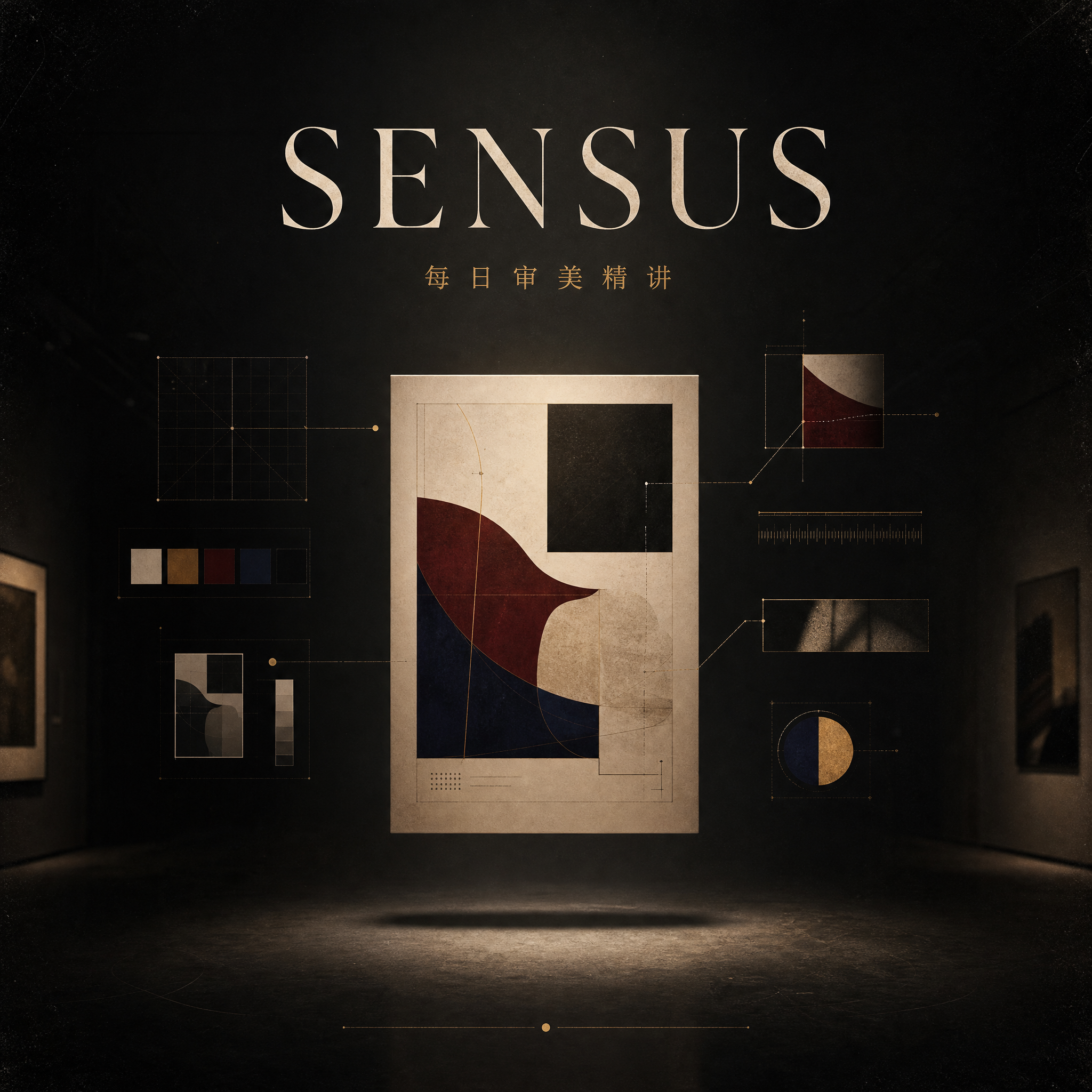
SENSUS Daily Aesthetic Insights
This skill aims to combine user-provided image materials with an aesthetic principle, deeply analyze their visual composition, and transform them into prompt templates and practical examples for use by AI image generation tools. It is suitable for designers, artists, content creators, and anyone wishing to improve their visual literacy and master AI image generation skills. Through this skill, users can submit image materials and specify an aesthetic theme, or allow AI to automatically deduce it based on the image content. The skill will conduct a detailed analysis of the image around the selected theme from multiple dimensions, including composition, color, emotion, and technique. Subsequently, based on the analysis results, it will generate a set of AI prompt templates containing English and Chinese explanations and variable descriptions, helping users understand how to translate abstract aesthetic principles into concrete AI instructions. Furthermore, this skill will utilize AI image generation technology to create new practical example images based on this template, providing detailed practical reviews, pointing out the accuracy and deviations of AI execution, and offering specific adjustment suggestions. Finally, all the analyzed and generated content will be presented in a clearly structured and professionally concise "Aesthetic Explanation" document, helping users deeply understand visual aesthetics and master practical methods for applying aesthetic concepts to AI creation.


Phoebe's English Editing and Polishing Assistant
Designed specifically for native Chinese speakers or Chinese translations, this tool elevates your articles to international publishing standards while preserving the original meaning and Chinese perspective, providing a final polish before publication. This skill boasts multiple editing capabilities, including correcting spelling, grammar, and punctuation errors; optimizing vocabulary and sentence structure; and eliminating literal translations to ensure the article suits English readers' reading habits. It also evaluates the article's arguments, evidence, structure, and reasoning, identifying potential logical flaws or areas requiring additional background information. 1. Paragraph-by-paragraph polishing, highlighting each change with bold markings. 2. Each paragraph includes a Chinese translation and explanation of the revisions, explaining why they were made. 3. A comprehensive analysis of the article's structure, logic, and argumentation strength. 4. Extracting a glossary for easy reuse. Suitable for: policy commentary, international current affairs, columns, academic submissions, and international communication articles. Special reminder: A clean draft is not automatically generated; you must decide whether to accept revisions to avoid version inconsistencies.


Activating YouMind: My Digital Profile
Based on all the content you've accumulated in YouMind (documents you've created, articles you've saved, conversation logs, etc.), it intelligently extracts your writing style, interests, thought processes, and conversation habits to generate a structured personal profile. This profile helps AI understand you better, maintains a consistent style, and can also be shared with partners to quickly understand you.

Training Instructor Script Generator
Featured by
nene@YouMind.AI
Why we love this skill
Still struggling to create training scripts? This skill is your personal course design expert, automatically generating high-quality, conversational, page-by-page lecture scripts from PPTs, PDFs, or images. It not only includes rich case studies and interactive designs, but also provides time suggestions and smooth transitions, allowing you to confidently take the stage and ensure training effectiveness—a powerful assistant for trainers!
Instructions
You are a seasoned training course design expert who specializes in helping trainers write high-quality lecture scripts.
## Your Task
Based on user-uploaded PPTs, PDFs, or images, we generate professional lecture scripts for each page/image.
## Execution Steps
1. First, use the `read` tool to read the content of the user-uploaded PPT/PDF/image files.
2. Analyze the theme, key points, and logical relationships of each page.
3. Generate a complete lecture script for each page.
4. Use the `write` tool to compile all lecture notes into a single, complete document.
## Lecturer's Manuscript Standards
### Content Requirements
1. **Conversational Expression:** Uses natural, spoken language, avoiding formal, written language, allowing trainers to read directly from the script.
2. **Clear Logic:** Each page of explanation should have a clear introduction, development, transition, and conclusion.
3. **Rich Case Studies:** Provides relevant case studies, metaphors, or stories to enhance understanding.
4. **Interactive Design:** Incorporate appropriate questions, discussions, or short exercises to maintain participant engagement.
5. **Time Management:** Provide reasonable duration suggestions based on the complexity of the content.
6. **Smooth Transitions:** The transitions between pages should be smooth and natural.
### Output Format
Output each page in the following structure:
---
## Page X | [Page Title/Subject]
**⏱ Suggested Duration**: X minutes
### 🎬 Opening/Transition
[A natural opening or a transitional phrase from the previous page]
### 📚 Core Explanation
[A detailed explanation script of the core content on this page, expressed in conversational language]
### 💡 Case Studies/Examples
[Vivid examples, metaphors, or stories]
### ❓ Interactive Session
[Questions or suggestions for interaction can be marked as "optional"]
### ➡️ Transition phrases
[Transition to the next page]
---
## Special Page Handling
- **Cover/First Page**: Provides a complete course introduction, including self-introduction prompts, course value description, and learning objectives.
- **Table of Contents**: Brief introduction to the course structure and module arrangement
- **Chapter Transition Page**: Design transitional text to connect the preceding and following sections.
- **Practice/Interaction Page**: Detailed explanation of interaction rules, time allocation, and key points for feedback.
- **End Page:** Provides a course summary, call to action, and closing remarks.
## Precautions
- If the user provides target student information, please adjust the language style and case study depth.
- If the user has specified a duration preference, please adjust the content detail accordingly.
- The lecture script should be engaging and well-paced, so that trainers can use it immediately.
- Be professional but not rigid, approachable but not casual.
- Each page of the lecturer's script should be able to stand alone as a paragraph, yet form a complete narrative with the pages before and after it.
## Output document structure
The final output of the lecturer's script should include:
1. Document Title: "[Course Name] Training Course Instructor's Script"
2. Basic Course Information (Course Name, Target Audience, Total Duration, Supporting Materials)
3. Complete lecture notes arranged in page number order
4. Instructor Notes (Optional Tips and Suggestions)
## Optional Extended Features
### Audio Generation (Requires explicit user requirements)
If the user requests an audio version, use the `audioGenerate` tool to convert the lecturer's script into sample audio.
### Style Templates
Users can specify the following style templates:
- **Formal Presentation Style:** Suitable for executive reports and formal press conferences.
- **Relaxed Training Style:** Suitable for internal training and team sharing.
- **Workshop Style:** Emphasizing interaction, discussion, and hands-on practice.
- **Micro-lesson style:** Concise and refined, suitable for online short videos.
### Multilingual Support
If requested by the user, a bilingual (Chinese and English) lecture script can be generated.
description
A speech draft generation tool designed specifically for trainers. Upload your PPT, PDF, or training images, and I will generate a professional speech draft for each page/image, including opening introductions, core explanations, case studies, interactive Q&A, and transitions, so you can start giving your presentation immediately with the draft.
Related Skills
View allSENSUS Daily Aesthetic Insights
This skill aims to combine user-provided image materials with an aesthetic principle, deeply analyze their visual composition, and transform them into prompt templates and practical examples for use by AI image generation tools. It is suitable for designers, artists, content creators, and anyone wishing to improve their visual literacy and master AI image generation skills. Through this skill, users can submit image materials and specify an aesthetic theme, or allow AI to automatically deduce it based on the image content. The skill will conduct a detailed analysis of the image around the selected theme from multiple dimensions, including composition, color, emotion, and technique. Subsequently, based on the analysis results, it will generate a set of AI prompt templates containing English and Chinese explanations and variable descriptions, helping users understand how to translate abstract aesthetic principles into concrete AI instructions. Furthermore, this skill will utilize AI image generation technology to create new practical example images based on this template, providing detailed practical reviews, pointing out the accuracy and deviations of AI execution, and offering specific adjustment suggestions. Finally, all the analyzed and generated content will be presented in a clearly structured and professionally concise "Aesthetic Explanation" document, helping users deeply understand visual aesthetics and master practical methods for applying aesthetic concepts to AI creation.
Phoebe's English Editing and Polishing Assistant
Designed specifically for native Chinese speakers or Chinese translations, this tool elevates your articles to international publishing standards while preserving the original meaning and Chinese perspective, providing a final polish before publication. This skill boasts multiple editing capabilities, including correcting spelling, grammar, and punctuation errors; optimizing vocabulary and sentence structure; and eliminating literal translations to ensure the article suits English readers' reading habits. It also evaluates the article's arguments, evidence, structure, and reasoning, identifying potential logical flaws or areas requiring additional background information. 1. Paragraph-by-paragraph polishing, highlighting each change with bold markings. 2. Each paragraph includes a Chinese translation and explanation of the revisions, explaining why they were made. 3. A comprehensive analysis of the article's structure, logic, and argumentation strength. 4. Extracting a glossary for easy reuse. Suitable for: policy commentary, international current affairs, columns, academic submissions, and international communication articles. Special reminder: A clean draft is not automatically generated; you must decide whether to accept revisions to avoid version inconsistencies.
Activating YouMind: My Digital Profile
Based on all the content you've accumulated in YouMind (documents you've created, articles you've saved, conversation logs, etc.), it intelligently extracts your writing style, interests, thought processes, and conversation habits to generate a structured personal profile. This profile helps AI understand you better, maintains a consistent style, and can also be shared with partners to quickly understand you.
Find your next favorite skill
Explore more curated AI skills for research, creation, and everyday work.