💡Annotated Reading
💡Annotated Reading
Showcase
Description
Usage suggestions: 1. Immersive reading: Whenever you find something inspiring or questionable in a document, highlight it and jot down your thoughts (Annotation). 2. Mark highlights: If an AI response impresses you, pick it. 3. One-click invocation: Run this command. The AI will weave all your scattered thoughts into a logically coherent network and guide you on what to do next.
Why we love this skill
This skill uses critical thinking to review articles, deeply interpret user annotations, and provide unique perspectives and professional knowledge expansion, making it an ideal tool for close reading analysis.
Related Skills
View all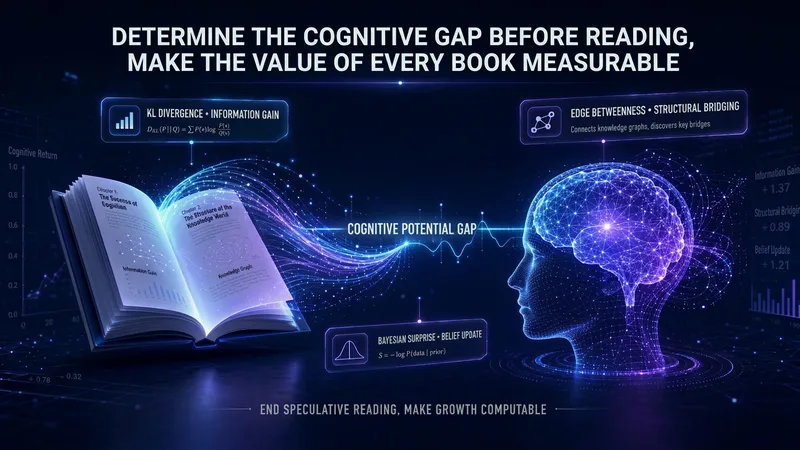
AI-Era Reading Method
Is a book worth reading for you? Don’t rely on other people’s ratings—look at what sparks when it meets your existing knowledge. AI scans the entire book first, marking chapters worth reading closely and those you can skip. After you finish, it quantifies how many new concepts you learned and which previous beliefs changed. It reads your Board memory, becoming more accurate with use. About “becoming more accurate with use”: This Skill reads your Board memory (MEMORY.md) as a matching baseline. New users don’t need to prepare anything in advance—the first time you use it, the Skill makes a rough estimate based on the areas of interest mentioned in your current conversation, then suggests at the end of the reading map that you save key information to memory. As you continue using it, your areas of interest, known concepts, and tracked topics naturally accumulate in MEMORY.md, gradually improving the accuracy of cross-matching and the three-blade forecast. The simplest way to build memory: after finishing each book, casually tell your AI assistant about the new companies, people, technologies, and core insights you learned, and have it append them to MEMORY.md. This habit itself is what Adler called “thematic reading”—knowledge forms a network through accumulation rather than remaining scattered fragments.
 Research
One-Page Research Paper
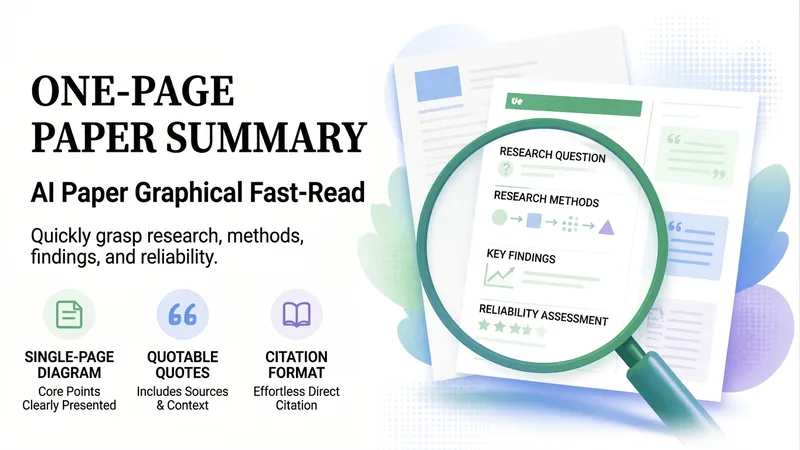
# One-Page Research Paper Upload a paper PDF or link to quickly understand what it studied, how it was done, what it found, and how reliable it is. All figures and citations are annotated with sources, and a one-page diagram is generated at the end. ## What You Get - **Quick Read**: One-sentence conclusion, research questions, methods, main findings, and author-stated limitations, each with a source - **Credibility Check**: First identifies the paper type (quantitative, qualitative, review, theoretical, technical), then checks with corresponding criteria: are samples sufficient, is correlation confused with causation, is comparison fair, can it be replicated - **Inconsistency Check**: Contradictory numbers between sections are pointed out, such as differences between the abstract and main text - **Quotable Sentences**: Verbatim excerpts with sources, indicating whether they fit the introduction, methods, or discussion - **Glossary and References**: Both GB/T 7714 and APA formats, missing fields are marked without fabrication - **Tailored Additions**: For writing literature reviews, finding methods, or preparing lab meeting reports (includes a 5-slide PPT outline and a 2-minute speech script) - **One-Page Diagram**: Research question → method → findings → limitations, all explained in a single chart ## Who It Is For Undergraduates, graduate students, researchers, and anyone who needs to quickly determine whether a paper is worth reading and citing. Supports both Chinese and English papers. ## Tips - Uploading a PDF works best; when providing a link, the PDF version is prioritized - State your purpose to make the content more targeted, such as "preparing a lab meeting presentation" or "writing a literature review" - All content comes strictly from the paper itself, and missing parts are stated honestly - Each run consumes about 100–200 credits (including 1 diagram generated)
 Research
Extract a Book's Value 2.0
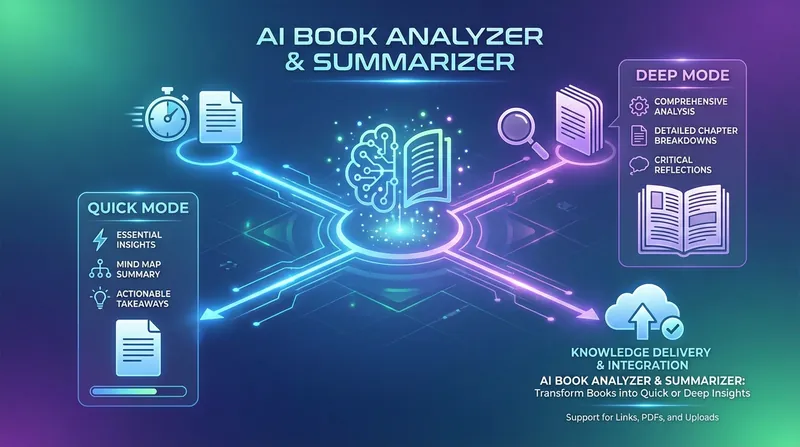
A deep-reading expert that helps you absorb knowledge efficiently, it focuses on transforming long books or documents into structured core-value reports. Whether you need to quickly grasp a book's main ideas or pursue systematic deep learning, it accurately analyzes the original content to extract key arguments, methodological frameworks, and inspiring actionable points. This skill offers two custom reading modes: Quick Mode generates concise summaries with mind-map structures, perfect for reviewing key points in a short time; Deep Mode provides detailed reading notes, including in-depth chapter analysis, core insight breakdowns, and notable quote excerpts, helping you build a complete personal knowledge base. It can process uploaded PDF or Word documents as well as directly parse web content, making sure no key details are missed. Beyond high-quality notes, it also turns book theory into immediately actionable recommendations for life or work. Whether you're doing academic research, exploring business, or pursuing personal growth, it becomes your most reliable partner for internalizing knowledge—ensuring every book's value is fully extracted.
Information
- Version
- v2
- Last updated
- Runtime credits
- Usage-based
- Models
- Auto
