
American Comic Art Generator
Turn text or photos into comic-style art
American Comic Art Generator
Turn text or photos into comic-style art
Showcase
Description
Transform written ideas, portrait photos, or ordinary images into illustrations with a distinctive American comic-book style. Create profile images, character posters, scene concept art, and comic-inspired visuals. From superhero action and character portraits to atmospheric city scenes, the skill preserves the subject’s defining features and visual focus while adding the energy of American comics. Choose a classic, modern, or cartoon American comic style, or provide a favorite comic artist or work as a visual reference. If you have no specific preference, the system selects a suitable comic sub-style based on the subject, action, and mood. The composition can be adapted for profile images, character illustrations, banners, or posters, with visual elements such as bold black linework, halftone textures, dramatic lighting, motion lines, and a comic-panel feel. For portrait photos, the skill aims to preserve facial features, recognizability, and the subject’s overall appearance. For ordinary images or illustrations, it redraws the core content in an American comic style while keeping the main subject intact. After generation, it also considers subject consistency, stylistic expression, and compositional balance, and provides the finished comic-style image along with a brief explanation of the style and composition.
Recommended by
Dancang
Why we love this skill
Transforms text, photos, or ordinary images into distinctive comic art while matching classic, modern, or cartoon styles and balancing likeness, composition, dynamic lighting, and professional visual impact.
Related Skills
View all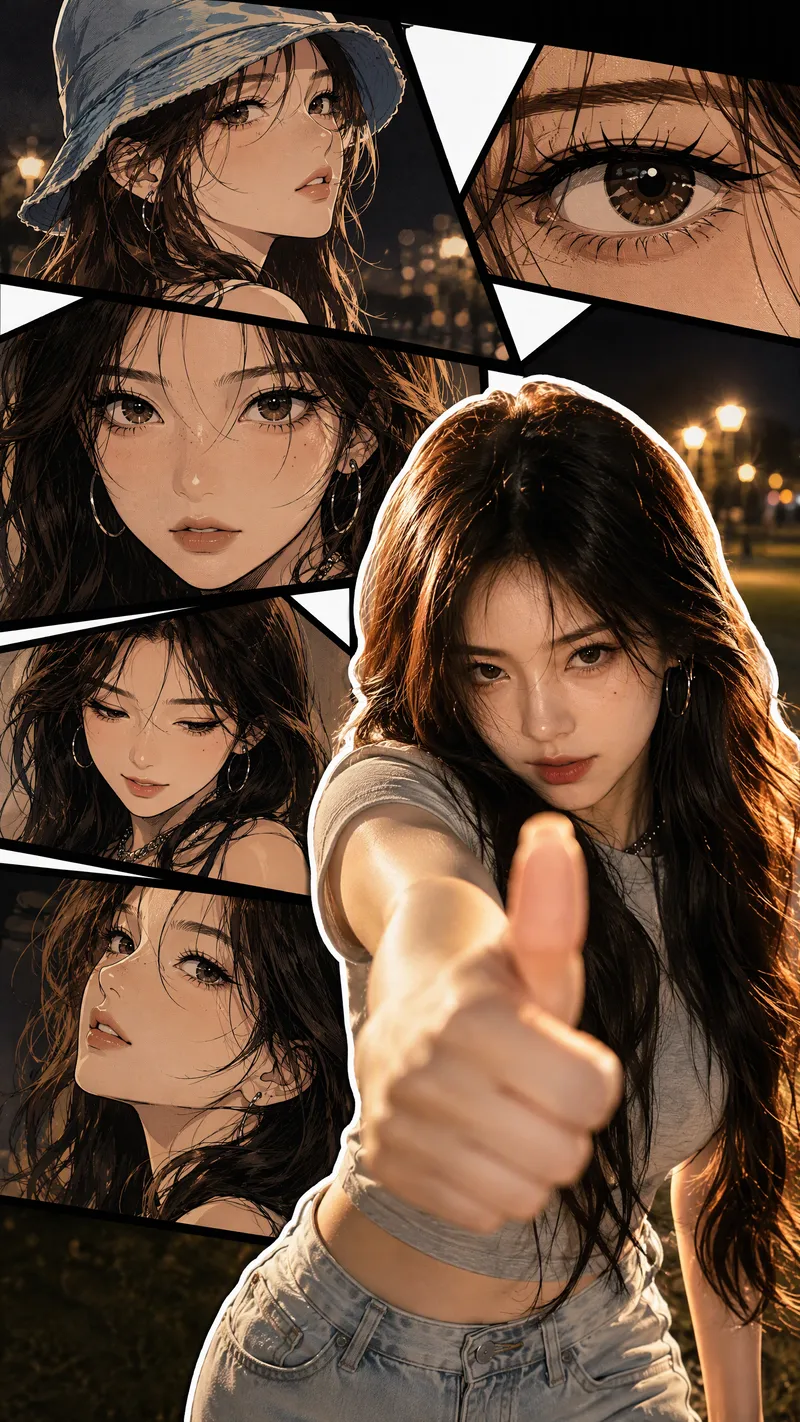 Image
Live-Action Manga Collage
Turn a portrait photo into a 9:16 vertical collage poster that combines photographic realism with comic-style storytelling. The lower right preserves the person’s real appearance and original pose, while multi-panel manga scenes featuring the same face surround it on the left and upper right. Facial features, hairstyle, clothing, accessories, and overall character remain consistent between the real-person image and the illustrations. The poster blends retro Korean manhwa and American comic styles, with color cel shading, sharp black linework, halftone shadows, and finely rendered hair. Bold white outlines, black panel divisions, white geometric paper strips, and layered shadows create a magazine-inspired live-action manga collage. The comic panels can explore emotional angles such as a side profile, a particular gaze, looking down, or a low-angle view. The background extends the mood of the photo into scenes such as nighttime bokeh, a seaside sunset, streetlights on a lawn, or warm indoor lighting. By default, the image is clean and contains no text, speech bubbles, watermarks, or interface elements. It prioritizes preserving the body orientation, gestures, and expression from the photo without replacing the person or changing the pose. You can also specify the background, clothing, accessories, number of panels, or text. If you do not have a photo, it can create a person based on your description of their gender, age, and overall character, using the same vertical collage composition.
 Image
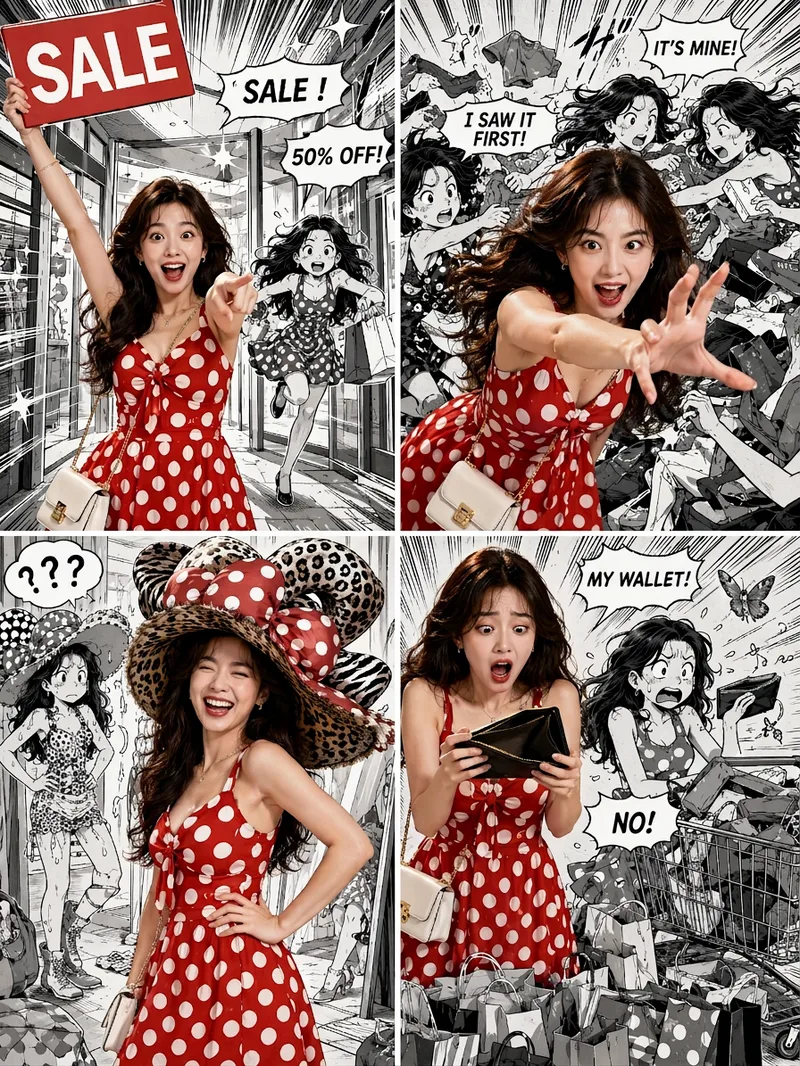
Viral Comic Selfie
Turn a photo of a person into a story-driven four-panel pop comic: preserve the character’s facial features, hairstyle, skin tone, body type, and overall presence, with the same protagonist appearing across four connected scenes. The finished image uses a 3:4 portrait 2×2 collage layout, with each panel in a separate 3:4 frame and divided by thin white borders, creating a striking contrast between “realistic, colorful character × black-and-white comic storyboard backgrounds.” You can upload one or more photos and specify a theme, plot, four-panel beats, style, or text for speech bubbles and signs. The Skill organizes connected scenes from opening to climax, turning point, and ending, and aims to render the specified text accurately. If you upload only photos without additional instructions, it creates a fitting four-panel story based on the environment, lighting, occasion, and the person’s presence in the photos. Without a photo, it can also generate a consistent, realistic protagonist. The final deliverable is always one four-panel collage image rather than separate finished images, accompanied by a description of the theme and scene beats. You can continue refining the story theme, four-panel pacing, or text in the image, or recreate an enlarged version of a specific panel while preserving the character’s appearance.
 Image
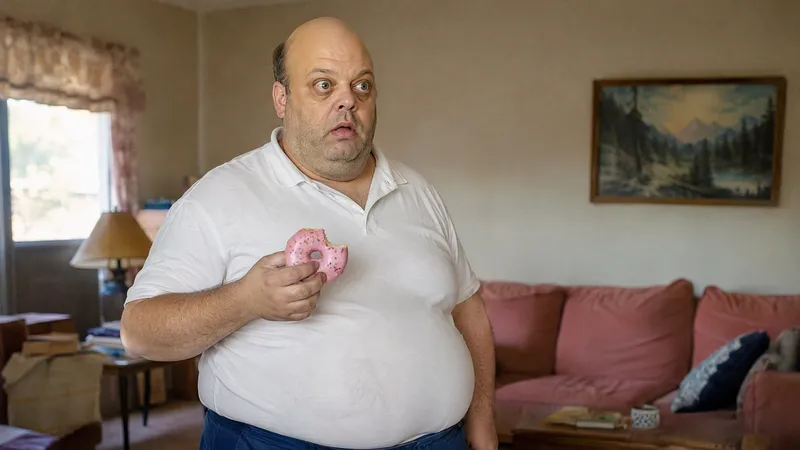
Anime Character to Real Life
Bring your favorite anime characters to life as if they actually exist in the real world! This is an AI image generation skill designed specifically for anime, manga, and cartoon characters. Upload a character image to transform 2D characters into realistic portraits featuring real skin, natural hair, authentic clothing textures, and cinematic photography quality. Core Features: • High-Fidelity Character Recognition: Analyzes signature hairstyles, facial features, face shapes, eyes, clothing, and accessories to preserve character recognition. • Realistic Human Texture: Renders natural skin textures, subtle blemishes, realistic lighting and shadows, and photographic depth of field. • True to Original Design: Preserves classic color schemes, clothing silhouettes, and key features. • Cinematic Snapshot Style: Creates natural-looking photos as if captured in real life. • Multi-Aspect Ratio Support: Set ratios such as 3:4, 9:16, 1:1, and 16:9 as needed. • Multi-Model Support: Adjusts prompts and generation strategies based on currently available YouMind image generation models. Use Cases: Anime character live-action transformation, cartoon character realism, AI creative avatars, character concept design, short video visual assets, and social media content creation. How to Use: Upload an image or enter a character name, describe the features and visual style you want to retain, and get started.
Information
- Version
- v4
- Last updated
- Runtime credits
- Usage-based
- Models
- Auto
