
Art Animation & Explainers
Recreate artistic explainer videos
Showcase
Description
Art and video animation: break down and recreate animations; use code to draw in 35 artistic styles and bring the artwork to life; explore 9 explainer animation grammars, including 8 that can render clips based on narration parameters; includes reference code for a complete narrated video and framing checks; people generate frames with AI.
Recommended by
淡苍
Why we love this skill
Turns art-history styles into reproducible, extensible motion methods—from designing a single frame and animating it with code to compositing characters, pacing transitions, voiceover grammar, and rigorous review.
Related Skills
View all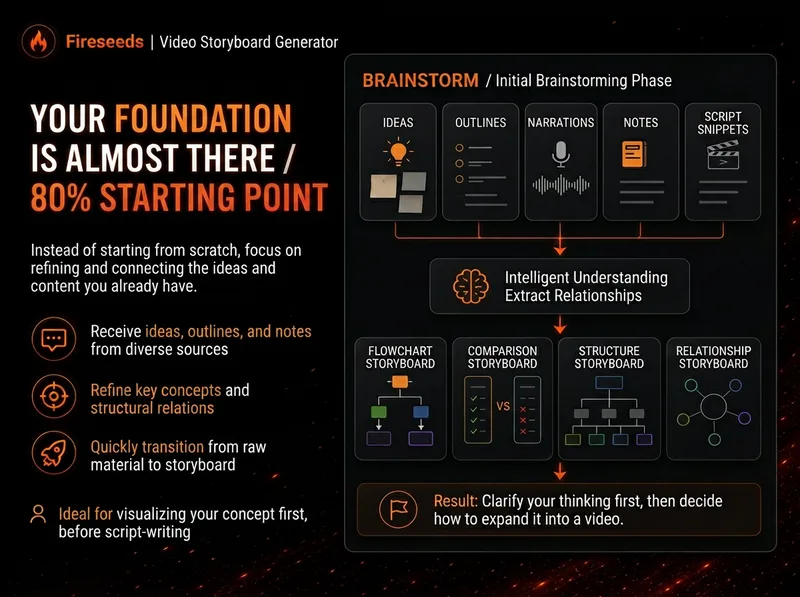 Video
VideoSpark | Video Diagram Maker
Many videos don’t lack content—the content is simply too abstract or dense. Viewers understand one sentence, then forget it by the next. “Spark | Video Diagram Maker” takes your ideas, brainstorms, outlines, scripts, transcripts, or articles and first breaks them down into concepts that are genuinely worth visualizing. It then determines whether they are best expressed as a process, comparison, architecture, hierarchy, cycle, branch, decision tree, or another diagram structure. It won’t draw just to hit a quota, or cram complex content into one cluttered infographic. Multiple diagrams maintain the same visual language, naming, and semantic color system, making them easy to insert into videos as an explanatory framework. Especially useful for: Explaining complex concepts Breaking down workflows Comparing two methods Showing system structures Clarifying cause-and-effect relationships Turning a long brainstorm into a set of visual nodes for a video The default output is a 16:9 static diagram. If the runtime environment cannot provide an editable Excalidraw source file, this will be stated clearly; static images will never be presented as .excalidraw files. Use cases Use case 1 | Turn a brainstorm into diagrams You only have a long stream of spoken ideas, without a complete script. The Skill identifies the points most worth drawing and organizes them into a set of diagrams with a clear presentation order. Use case 2 | Turn a script into visual nodes for a video You already have a complete script but don’t know where to add visuals. The Skill determines which sections are worth visualizing and selects suitable diagram types. Use case 3 | Explain complex concepts For example: how an AI Agent works, why a workflow matters more than a one-off demonstration, how a business model operates, or which layers make up a product architecture. Use case 4 | Break down a workflow or process For example: topic pool → research → Hook → script → production → review. Use case 5 | Make comparisons For example: no workflow vs. a workflow; traditional methods vs. AI methods; one-time success vs. stable, repeatable results.
 Video
VideoStylized Realistic Portrait
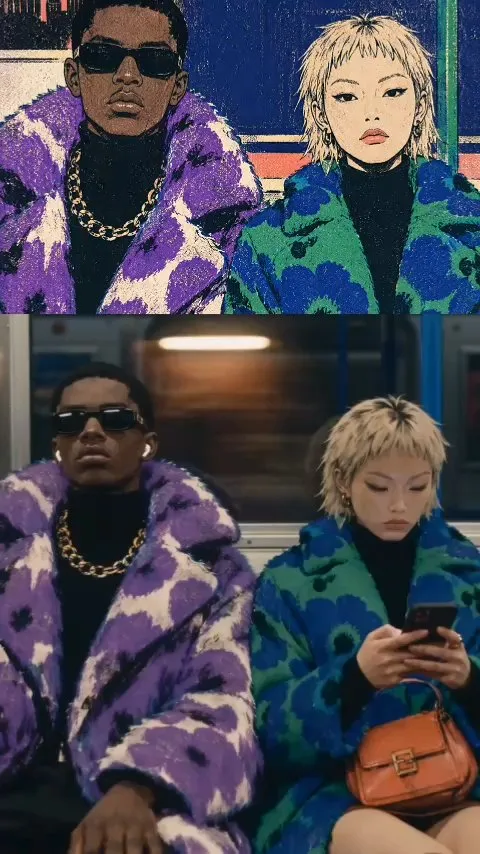
Encapsulates the complete workflow: 'your portrait → identity-preserving fashion editorial illustration → Seedance 2.5 realistic video'. It produces stylized image prompts that retain facial features (styling/viewpoint can vary while illustration quality stays consistent), realistic round-trip testing for validation, and an image-to-video approach that combines real face reference images with illustration anchors (viewpoint/style exactly matching the illustration, with equally realistic background characters) along with fine-tuning decisions. The final output is a realistic short film that 'looks like you'.
 Video
VideoStick Figure Silhouette Gen
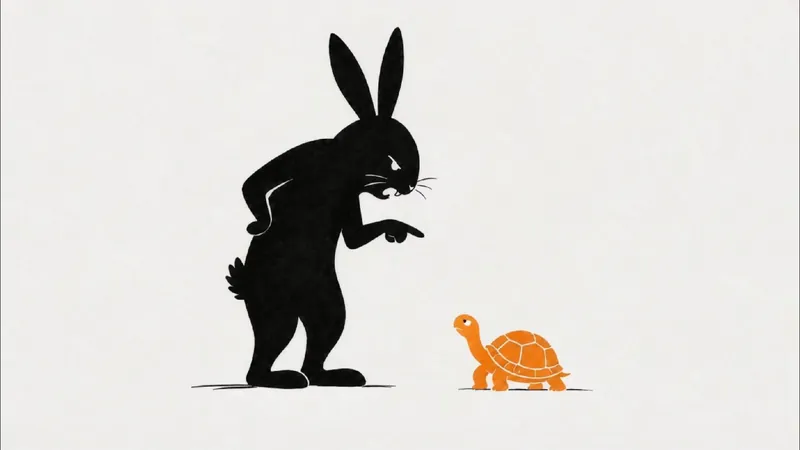
Want to present engaging stories like fables, historical anecdotes, or brand stories in a unique visual style? This skill helps you easily create landscape, minimalist stick figure silhouette short video clips. Just input a story theme, and it generates a complete production plan to make your story visually compelling. The skill provides a ~270-word, 45-second narration script for a smooth and expressive story delivery. It also designs 9 storyboard prompts for 16:9 landscape images, guiding AI to produce minimalist line art and silhouette styles with plenty of white space and clear visual focus, evoking a modern, minimal storybook illustration feel. Additionally, you get 9 Seedance 2.0 image-to-video prompts that perfectly match the storyboard, achieving line-by-line drawing and smooth fade-in effects like a whiteboard animation. Whether you're making short story videos, minimalist animations, or need storyboard and video prompts for line art, silhouette, or paper-cut styles, this tool has you covered. It transforms complex story themes into simple, expressive visual narratives that reach audiences in a fresh, artistic way—perfect for fables, fairy tales, anecdotes, or brand stories. You'll receive a complete voiceover script, storyboard cards, generated images and videos, plus detailed assembly tips to efficiently create your video.
Information
- Version
- v4
- Last updated
- Runtime credits
- Usage-based
- Models
- Auto
