Audio overview
Audio overview
Showcase
Description
Transform any long content—books, videos, papers—into a sub-3-minute audio summary. Get the core thesis and key insights instantly, saving hours while staying informed.
Recommended by
nene@YouMind
Why we love this skill
Transform any long-form content—from books and academic papers to videos and podcasts—into a concise, sub-3-minute audio summary. This skill expertly distills core theses, key insights, and actionable takeaways, making complex information digestible and accessible on the go. Perfect for busy professionals and curious minds.
Instructions
## What This Skill Does
Converts any long-form content into a **sub-3-minute audio summary** that captures:
- The core thesis or main argument
- Key insights and takeaways
- Most important evidence or examples
- Actionable conclusions (if applicable)
**Supported Input Types:**
- 📚 **Books** — Full texts, chapters, or book PDFs
- 📄 **Long Articles** — Longform journalism, essays, blog posts
- 🎓 **Academic Papers** — Research papers, theses, journals
- 🎥 **Long Videos** — YouTube lectures, documentaries, talks (>20 minutes)
- 🎙️ **Podcasts** — Episode transcripts or audio files (>20 minutes)
### Step 1: Receive & Analyze Content
When the user provides content:
1. **Identify the content type** (book/article/paper/video/podcast)
2. **Extract or access the full content**:
- For videos/podcasts: Extract transcript
- For PDFs/articles: Read full text
- For books: Identify if it's full book or specific chapter
3. **Note metadata**: Title, author, length, publication date
### Step 2: Distill Core Content
Perform deep analysis to extract the absolute essentials:
**Core Thesis (must)**
- What is the central argument or main message?
- What question is the author trying to answer?
**Key Insights (3-5 points maximum)**
- What are the most important ideas or discoveries?
- What changes the way we think about this topic?
- What's surprising, counterintuitive, or novel?
**Critical Evidence (1-2 examples maximum)**
- What's the strongest proof or most memorable example?
- Which case study or data point best illustrates the thesis?
**Actionable Takeaway (if applicable)**
- What should the listener do with this information?
- How does this change their thinking or behavior?
**Quality Filter:**
- Ruthlessly prioritize **signal over noise**
- Cut all tangents, side stories, and filler
- Focus on what's **memorable and useful**
- Aim for **clarity over comprehensiveness**
### Step 3: Generate Audio
Once the script is finalized:
1. **Select appropriate voice**:
- Default: Professional, clear, engaging narrator voice
- Match tone to content (authoritative for academic, warm for self-help, etc.)
2. **Set audio parameters**:
- Speed: 1.0 (natural pace, adjust only if script runs long)
- Emotion: Neutral to slightly positive (engaging but not overly enthusiastic)
- Language: Match the source content language
3. **Call audioGenerate tool** with:
- `title`: "[Content Title] — 3-Minute Overview"
- `text`: The complete script
- `voice`: Selected voice ID
- `mode`: "single"
---
## Output Format
**Deliverables:**
1. **Audio File** (Primary Output)
- 2:30-3:00 minutes in length
- Clear, professional narration
- Automatically playable in conversation
2. **Script** (Optional, if user requests)
- Full written transcript of the audio
- Formatted for readability
**After Generation:**
"Here's your 3-minute audio overview of [Content Title]!
🎧 **Listen now** to get the core insights in under 3 minutes.
**Covered in this overview:**
- [Key point 1]
- [Key point 2]
- [Key point 3]
Want the full script, or need me to adjust the tone/pace?"
---
## Adaptive Content Handling
### For Books
- If **full book**: Extract overarching thesis + most important chapters
- If **specific chapter**: Focus on that chapter's core argument
- Prioritize: Main thesis → Key frameworks → Most memorable examples
### For Academic Papers
- Focus on: Research question → Methodology (briefly) → Key findings → Implications
- Translate jargon into plain language
- Emphasize **what this means** not just **what they found**
### For Long Videos/Podcasts
- Extract transcript first
- Identify the main narrative arc or argument
- Cut all banter, ads, tangents, and repetition
- Focus on the **core content** the speaker is trying to convey
### For Long Articles
- Identify the central argument or story
- Extract the most compelling evidence or anecdotes
- Preserve the author's unique insights, cut the rest
---
## Quality Checklist
Before generating audio, verify:
✅ **Content Quality**
- [ ] Script captures the TRUE core message (not surface-level summary)
- [ ] Includes 3-5 key insights maximum (not overwhelming)
- [ ] Has at least one memorable example or evidence
- [ ] Ends with clear takeaway or conclusion
✅ **Audio Quality**
- [ ] Script is 450-480 words (3 minutes at 150 wpm)
- [ ] Language is conversational and clear
- [ ] No jargon or unexplained technical terms
- [ ] Natural pacing with varied sentence length
✅ **Listenability**
- [ ] Opening hooks attention immediately
- [ ] Flow is logical and easy to follow
- [ ] No confusing jumps or missing context
- [ ] Closing feels satisfying and complete
✅ **Accuracy**
- [ ] Represents the source material faithfully
- [ ] No misrepresentation of author's arguments
- [ ] Key facts and examples are correct
- [ ] Proper attribution to source
---
Related Skills
View all Research
Quick overview
Transform dense text into crystal-clear summaries. Get the gist of any content instantly, saving you precious reading time and boosting comprehension.
 Research
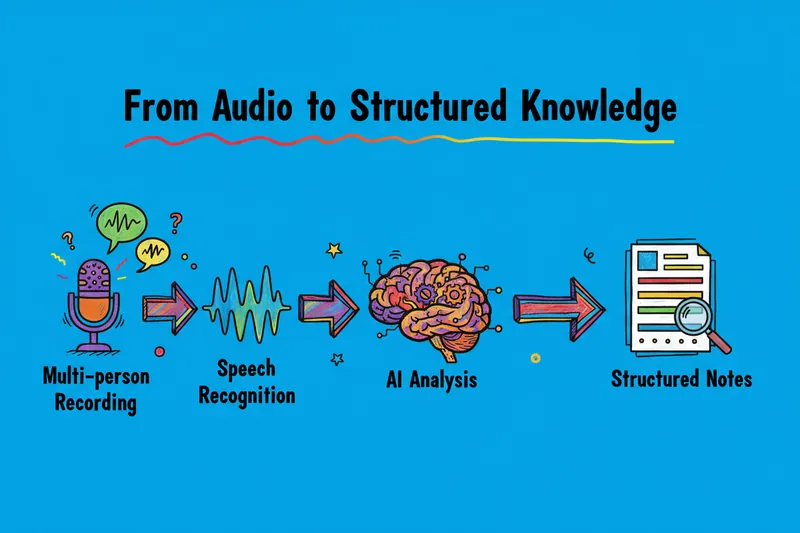
Summarize podcast & voice recording
Transform voice recording and podcast into concise, actionable summaries. Turn hours of audio into minutes of clear understanding.
 Research
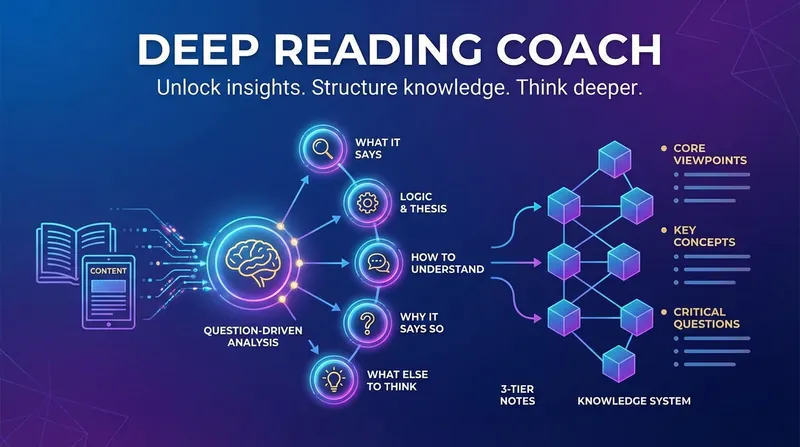
Deep Reading Coach
Transform fragmented content into structured insights using the "Question-Driven 5-Step Method" and "3-Tier Notes". Supports articles, papers, videos, podcasts, books, and more. Decode complex ideas with clarity and critical thinking.
Information
- Version
- v1
- Last updated
- Runtime credits
- Usage-based
- Models
- Auto
