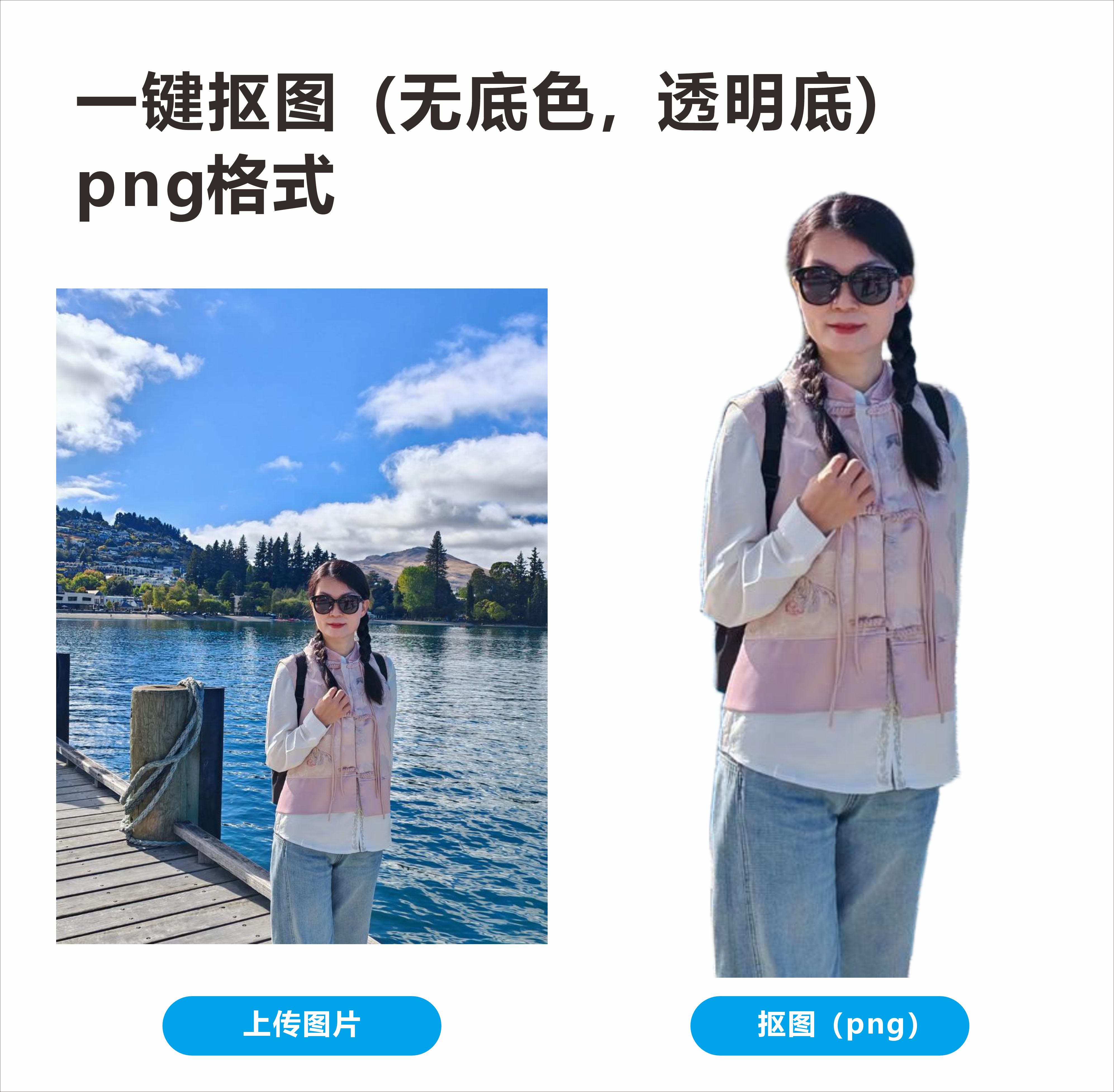
AI Background Remover
Instant cutout, pure transparent PNG output!
AI Background Remover
Instant cutout, pure transparent PNG output!
Showcase
Description
Simply upload an image to automatically identify the subject, precisely remove the background, and output a truly transparent PNG image. It is suitable for various scenarios such as people, products, food, animals, buildings, plants, and logos. Committed to removing only the background without altering the subject, it preserves the original colors, textures, contours, and details as much as possible, with fine processing for hair, fur, and complex edges. No need to write complex prompts, making image cutout simple and efficient.
Recommended by
Dancang
Why we love this skill
Effectively removes only the background without altering the subject, directly outputting a transparent PNG with a valid alpha channel. Preserves complex edges such as hair, fur, hollows, and translucent materials while checking for residue, misdeletions, and file formats before delivery, making it ideal for scenes where ready-to-use results are required.
Best for
Best for users who need to quickly create transparent background images for people, products, food, animals, buildings, plants, or logos.
How to use this Skill
Provide your input
Upload an image that needs background removal.
Run the Skill
The system automatically identifies and preserves the foreground subject, removes the background, refines complex edges, and maintains the original appearance of the subject as much as possible.
Review your result
Outputs a PNG image with a true transparent channel, preserving the original dimensions, subject details, and transparent areas.
Related Skills
View all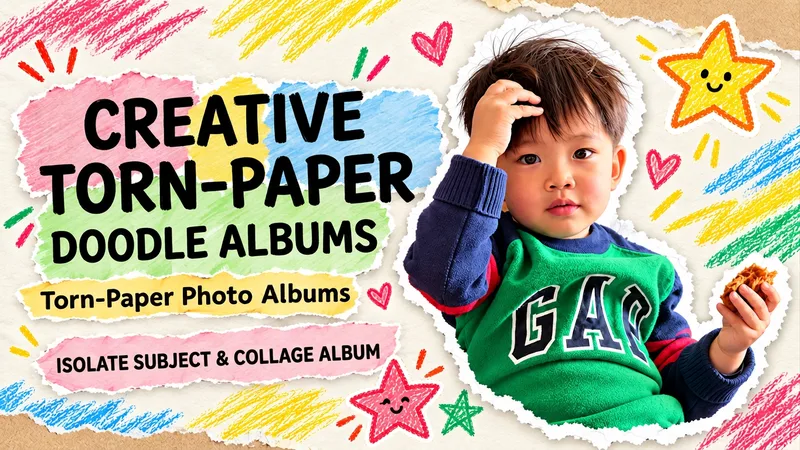 Image
ImageTorn Paper Dotted Photo Album
Upload a photo to turn people or pets into scrapbook stars, complete with torn paper edges, handwritten doodles, and vintage paper textures. Upload an original photo, and the subject (whether a person, pet, or main object) is automatically extracted with the original background removed. Group photos retain all individuals by default. Recognizable facial features, hairstyles, clothing, poses, and handheld items are kept, surrounded by natural white torn-paper furry edges, a cream-colored paper background, colored crayon stars, and handwritten short phrases. Generates a 3:4 vertical album image by default. Supports text-free versions, short Chinese phrases, fewer doodles, color adjustments, and landscape or portrait aspect ratios. Text-free means no added album text, though original clothing text is preserved. When parts of the body are obscured in the original photo, an appropriate half-body composition is used without inventing hidden limbs. Full-photo mode is available when explicitly requested. Great for everyday portraits, friend group photos, pet memories, and journal illustrations. Image editing may introduce subtle changes to faces or other details and does not guarantee 100% facial replication. The final image is checked against the original photo. This Skill is free to install. Image generation or editing quota consumption is subject to platform and model terms. Displayed examples show photo editing effects; complete image generation within YouMind has not been fully tested yet.
 Image
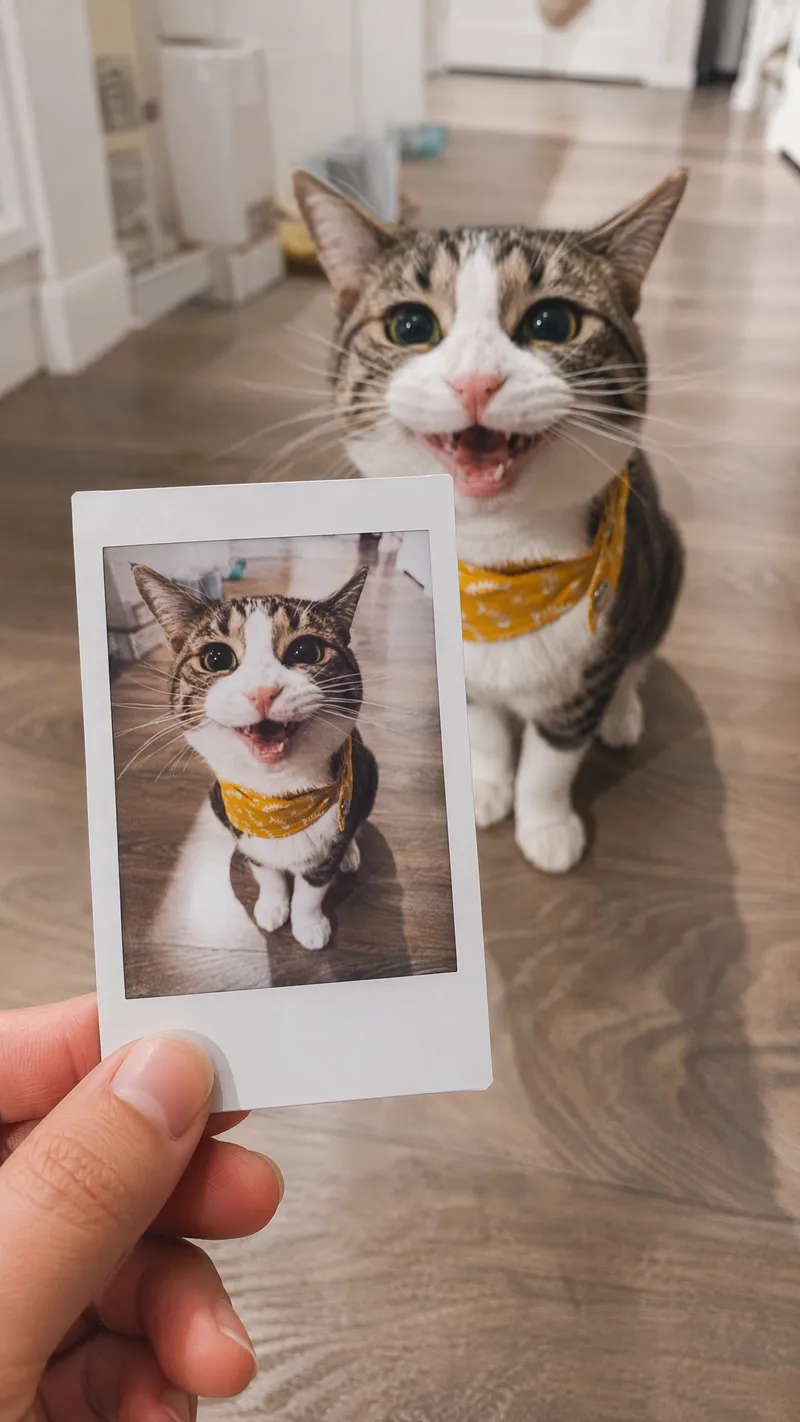
ImageSame-Scene Instant Photo
Turn an image or natural-language scene description into a realistic, natural-looking handheld instant photo: a hand holds a physical white-bordered instant print in the foreground, while the real scene from the same place and moment appears in the background, creating a coherent picture-within-picture effect. Whether the subject is a landscape, urban architecture, person, animal, car, product, or everyday object, the image preserves its key appearance and places it in a plausible real-world setting—not simply pasted into a frame. The results emphasize authentic photographic qualities, including natural perspective, paper texture, contact shadows, hand details, moderate depth of field, and the casual feel of a phone snapshot. Mountains, buildings, people, animals, and other subjects in the instant photo correspond to the background, allowing viewers to directly compare the image inside the print with the real scene outside it. Unnatural elements such as floating cards, digital collages, design lines, and excess text are avoided. The composition automatically adapts to landscape, portrait, or square formats based on the original image or your specified aspect ratio, while keeping the instant photo in your hand aligned with the final image. You can also use natural language to adjust the photo’s position, tilt, size, background clarity, lighting, and overall style. It’s suitable for travel photography, life documentation, and scene images with a convincing realistic illusion.
 Image
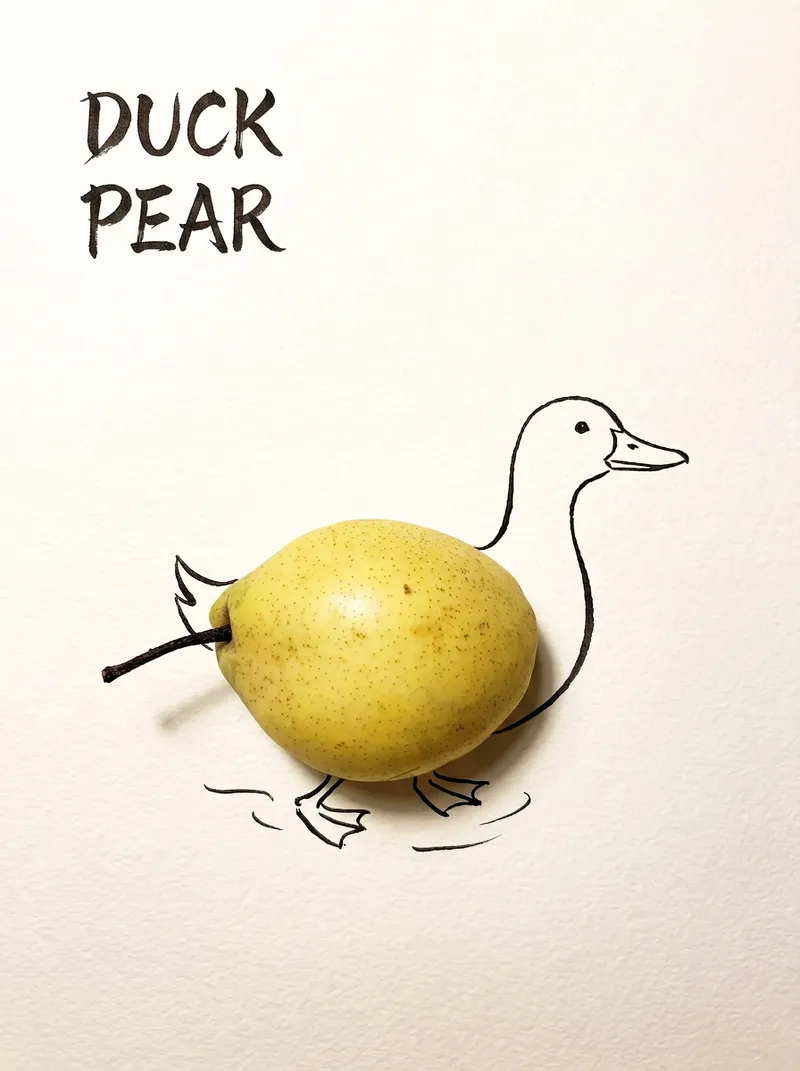
ImageBring Objects to Life
Best for: Xiaohongshu / Douyin creators Turn everyday objects into posters and create a consistent "bring-to-life series" with highly engaging content Food and lifestyle creators Turn ingredients into cover images that make your work more memorable Illustrators / designers Find inspiration quickly and test the "real object + line art" creative direction Teachers / parents Create materials for arts and crafts lessons, helping children make up stories with objects around them Businesses / brand operators Create creative hero images, holiday posters, and packaging inspiration for produce, fruit, and snacks Cultural creative brands, stationery shops, and coffee shops Design merchandise, postcards, stickers, and menu illustrations Everyday enthusiasts Photograph something nearby and share an "artwork" on social media Everything you photograph is hiding another character. "Bring Objects to Life" is a creative poster generator that combines real-object photography with minimalist line art. Just upload a photo of an object, and AI will automatically do three things: 🔍 Read the shape: Analyze the object's outline, curves, and texture to find what it most resembles ✏️ Add line art: Use dark ink pen lines to draw in a head, limbs, a human figure, ropes, and more, fitting the lines precisely to the object's edges 🖋 Turn the idea into a phrase: Create a 2–4-character Chinese pun title and arrange it in the empty space in an artistic typeface The finished image preserves the object's real colors and texture. The background is clean, warm-white watercolor paper, with at least 40% negative space. The result feels calm and refined: recognizable at a glance, then delightfully witty once you see the idea. The default format is a 3:4 vertical layout, suited to Xiaohongshu, Moments, and Douyin image posts. The aspect ratio, font, and title can all be customized.
Information
- Version
- v2
- Last updated
- Runtime credits
- Usage-based
- Models
- Auto
- Use cases
- Images & design
- What you get
- Image
