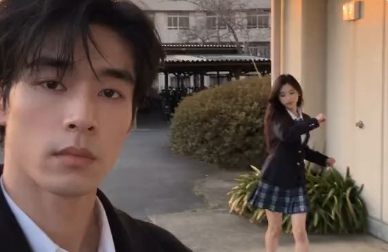
Brazil Dance Video Prompter
Generate character, scene, and video prompts
Brazil Dance Video Prompter
Generate character, scene, and video prompts
Showcase
Description
Access the clay model reference video on the homepage showcase. Upload the corresponding character and scene images along with the clay model video to create with one click.
Recommended by
Dancang
Why we love this skill
Featured because it first verifies characters, scenes, aspect ratios, and permissions, then maps the motion, positioning, and camera work of the white-model video into actionable prompts. It also clearly notes model limitations.
Best for
Content creators looking to convert partner dance reference videos into character, scene, and video generation prompts.
How to use this Skill
Provide your input
Provide text descriptions or reference images for two fictional or stylized characters and a scene, and confirm the aspect ratio, duration, music, and usage rights. A sample dance video is included and can be uploaded manually if needed.
Run the Skill
After selecting the character and scene materials, the tool maps the elements based on the reference video and generates video generation prompts.
Review your result
Receive an asset ID list, missing item notes, character and scene generation prompts, complete video prompts, negative constraints, and model or duration limits; does not directly generate images or videos.
Related Skills
View all
Claymation to Live-Action Short
Built with a claymation action reference clip as a motion template, users do not need to upload any materials. Simply describe the desired character and scene (and optionally attach a character photo to lock in the appearance). The skill uses the video reference mode of Seedance 2.0 to pass the built-in reference clip and generate a 7-second, 9:16 vertical silent short video: it faithfully adopts the referenced actions, composition, pacing, and camera movements, replacing the claymation with a fictional adult and the green screen with a realistic environment, complete with an itemized verification checklist upon delivery. If you want to change the action and camera work, you can also replace the built-in template with your own reference clip at any time. Ideal for camera movement template replication, claymation pre-visualization to live-action conversion, and batch testing of style-consistent short videos.
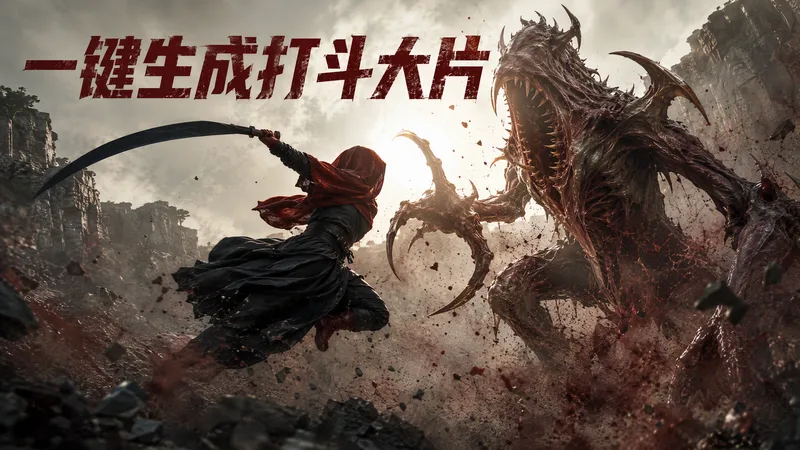
 Video
All-in-One Showcase Video
Ways to monetize: 1. Build an account and earn through product sales and brand deals (fashion creators and product recommendation accounts can use it to produce daily outfit changes and review clips. One person can maintain a steady output, then earn commissions and brand partnerships as the content grows.) 2. Take on client work for merchants (clothing stores, small brands, small-appliance sellers, and consumer electronics merchants all need product showcase videos and short ads. Upload their products, deliver finished videos, and charge per video, package, or month.) 3. Create videos for your own products (store owners can use it to make showcase videos for every new product, saving on model, photography, and editing costs and putting more budget toward advertising.) 4. Produce at scale to help teams work more efficiently (agencies and MCNs can integrate it into their production workflow so the same team can create more content across more products and accounts.) Put anything on a person for a one-shot showcase. Upload a person’s photo, then upload anything you want to feature: clothing, shoes and bags, accessories, perfume, hats, phones, earbuds, small appliances, sports equipment, food, and drinks. It automatically generates premium person-centered showcase images and turns them into a coherent, beat-synced short video with music. If no person photo is provided, it automatically designs a model. The default is 15 seconds in 9:16, while duration, aspect ratio, and style can all be customized. Who it’s for: fashion creators, e-commerce sellers and store owners, product-promotion short-video creators, brand content teams, and anyone who wants to turn their favorite products into polished showcase videos.
Information
- Version
- v4
- Last updated
- Runtime credits
- Usage-based
- Models
- Auto
- Use cases
- Images & designVideo & audio
- What you get
- PromptPlan
