Sticker Maker
Create publishable chat sticker packs
Sticker Maker
Create publishable chat sticker packs
Showcase
Description
Create stylistically unified chat sticker packs in YouMind for any character, animal, anthropomorphic object, food or drink, brand mascot, original character, or reference image. Choose from 6 style presets and 7 theme presets, preview 4 sample stickers to lock in the direction, generate the full set sticker by sticker, organize them into project groups, and receive an inventory list and publishing copy. Trigger keywords: make stickers, create stickers, sticker generator, sticker maker, WeChat stickers.
Recommended by
Dancang
Why we love this skill
Transforms a casual request into a rigorous, publishable chat sticker plan. It ensures character and style consistency through identity locking, 4-sample review, and individual quality checks, while avoiding common issues like image collages and overpromised delivery via action plans, project organization, and capability boundaries.
Best for
Content creators who need to make unified chat stickers for characters or brand mascots and organize publishing materials.
How to use this Skill
Provide your input
Provide a character, animal, anthropomorphic object, or reference image, along with your desired style, theme, and quantity.
Run the Skill
Generate and review 4 sample images first, confirm the direction, then create the full sticker set piece by piece and organize them into project groups.
Review your result
Receive style-consistent, standalone chat sticker source images, along with a sticker inventory and optional publishing copy; does not include transparent cutout or platform specification conversion.
Related Skills
View all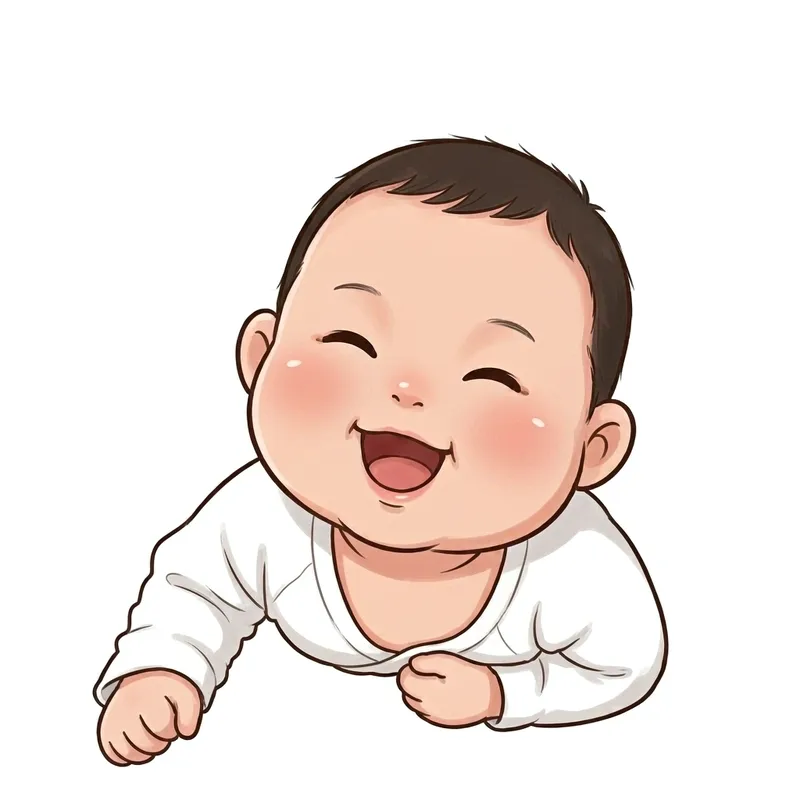 Image
ImageCustom Cartoon Sticker Set
Upload a real-life photo to generate an exclusive cartoon avatar and batch-create a complete sticker set (chibi, Korean, or hand-drawn style), with support for custom counts and consistent appearance. Use this when users say "make my sticker pack", "turn photo into stickers", "exclusive cartoon avatar", "how to make stickers from photos", "how many stickers can I make", or "I want my own sticker set". 1.0.0 - You receive not just a document, but a guided skill featuring "upload 1 photo to stably produce exclusive cartoon stickers" along with a ready-to-use prompt library. - Follow four steps: lock character -> set quantity -> generate images (including two fidelity rules: face-locking for emotions, pose modification for actions) -> remove background and import to WeChat; includes 5 art style prompt libraries (chibi, Korean, hand-drawn, 3D sticker, Japanese manga). - You finish with a SKILL.md file, a 20-sticker prompt library, and 6 tested sample images (including failure comparisons). Follow along to avoid the awkward "9 different faces in 9 stickers" issue.
 Image
ImagePet Emoji Grid Stickers
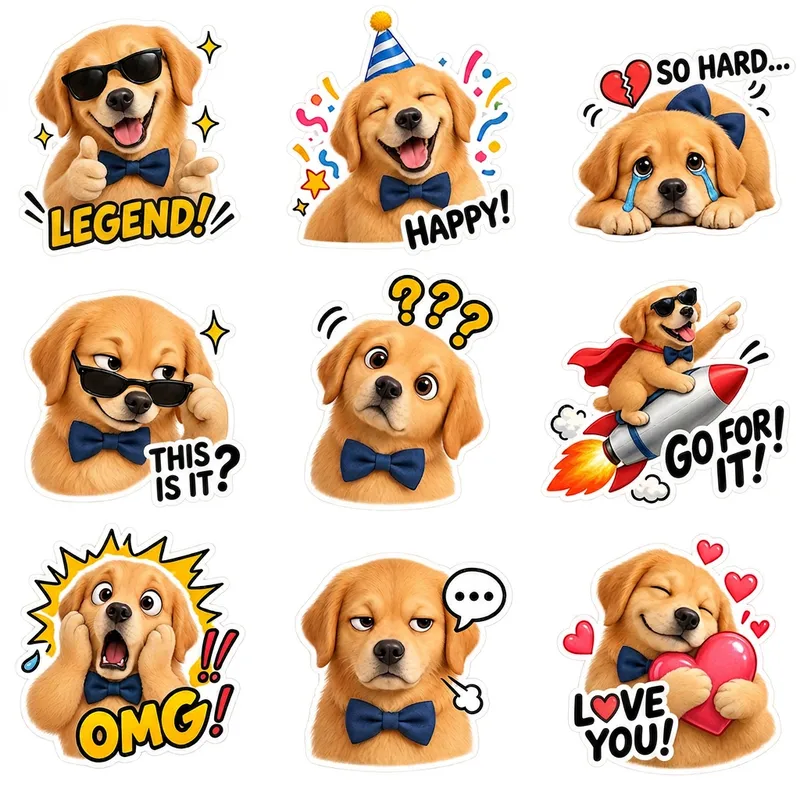
Turn an existing cute pet character into a coordinated set of ready-to-use emoji stickers on a transparent background. Simply provide a complete pet character profile or an existing character reference image, and generate 9 chibi-style pet stickers featuring emotions such as happiness, excitement, anger, sulking, affection, and spacing out. Each sticker has a clear expression, action, and pose, while preserving the character’s recognizable visual identity across different moods. By default, you’ll receive one 1:1 square PNG sheet containing 9 individual stickers arranged in a 3×3 grid. The final image retains a truly transparent background and Alpha channel, with no white, black, or green background. It also includes no dividing lines, grid borders, background color blocks, ground shadows, or emotion labels. The stickers are spaced generously for use in chat, social sharing, content illustrations, and pet merchandise design. The character’s species, fur color, face shape, body type, accessories, and overall art style follow the original design rather than being redesigned as a similar but different pet. For more flexible sending, layout, or further editing, you can also generate 9 separate transparent PNG stickers, each retaining a consistent visual style and white outline.
 Image
ImagePet Cartoon Character Sheet
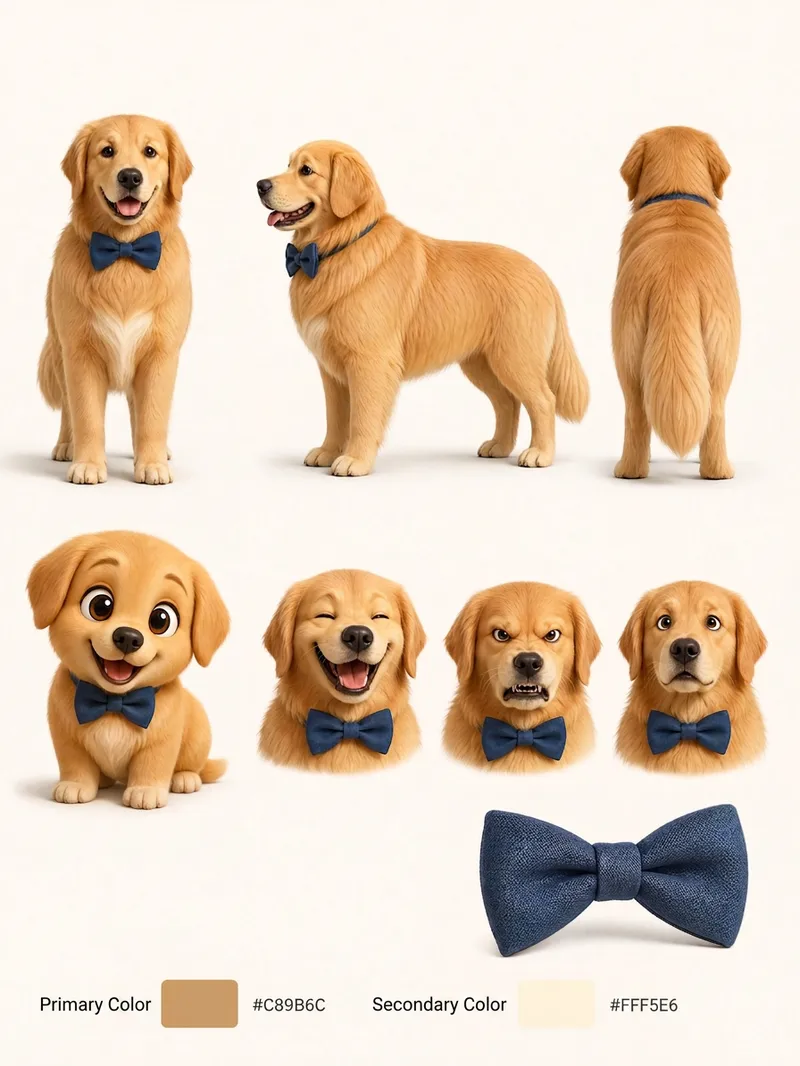
Turn an existing realistic depiction of your pet into a consistent, expandable cartoon character sheet. Use it as a stable visual reference for creating stickers, memes, comics, or animations. Before using this Skill, prepare a pet profile with realistic reference images, fur color, body type, distinctive features, accessories, and other details. The generated result will aim to preserve the character’s recognizability and maintain consistent details. The final result is a multi-view character sheet featuring front, side, and back views, a full-body chibi view, different emotional expressions, and signature accessories such as collars or tags. It also preserves the relationships between the primary and secondary colors. You can choose a 2D flat cartoon style, suitable for memes, stickers, and comics, or a 3D cartoon rendering style, suitable for animation, games, or 3D merchandise. If no style is specified, 2D is used by default. The generated cartoon character is also recorded in the pet profile, making it easier to maintain the same art style, fur colors, and accessory settings in future meme creation. This helps prevent character distortion or inconsistent styling from one creation to the next.
Information
- Version
- v7
- Last updated
- Runtime credits
- Usage-based
- Models
- Auto
- Use cases
- Writing & contentImages & designMarketing & growth
- What you get
- DocumentImageSocial post
- Visual styles
- RetroCartoonFlat
