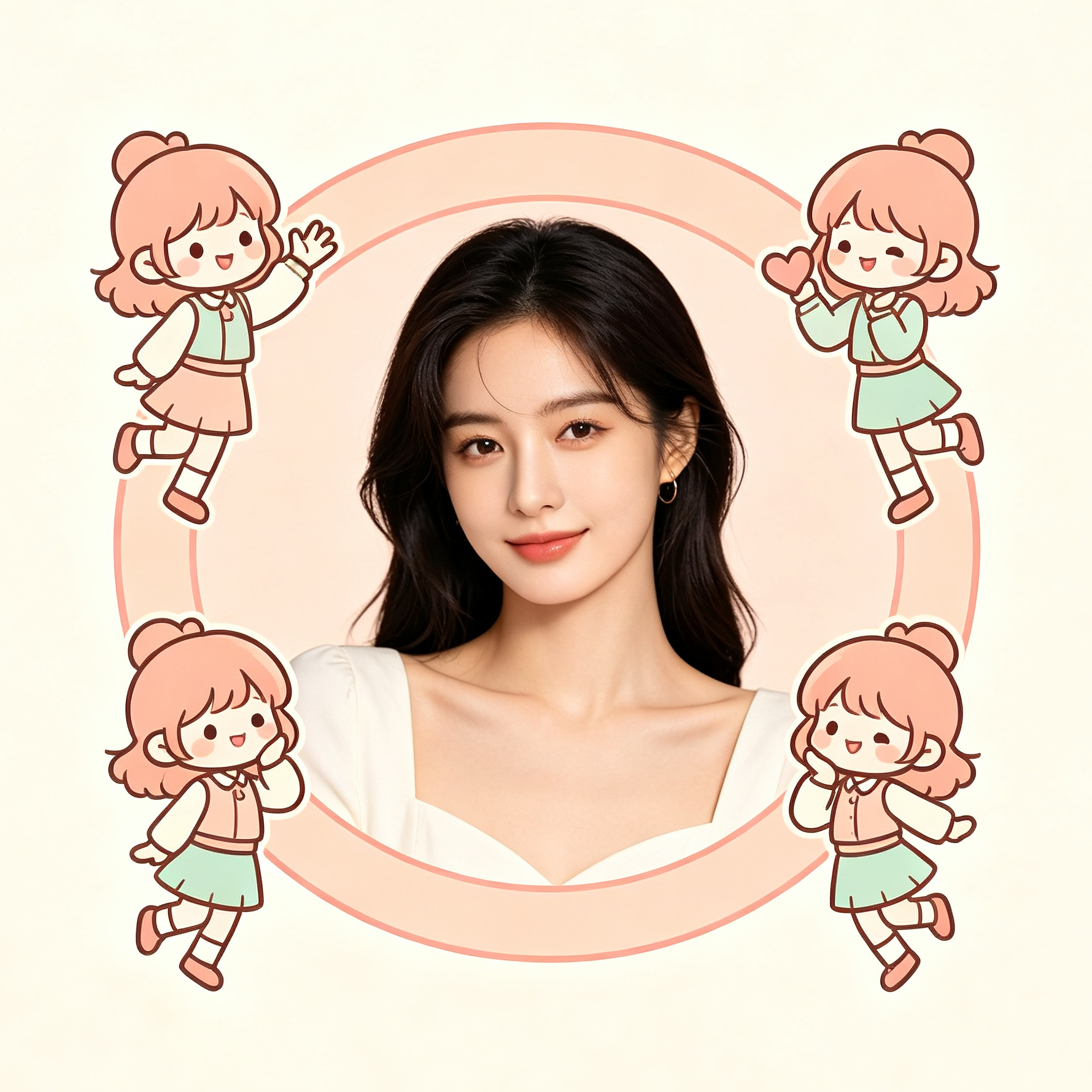
AI Chibi Avatar Generator
Real person + mini avatars with natural AI effects
AI Chibi Avatar Generator
Real person + mini avatars with natural AI effects
Showcase
Description
Upload a real-life photo to keep the original person's appearance, outfit, scene, and lighting intact without face swapping or excessive retouching. It generates multiple two-head-tall chibi mini-avatars with the same appearance and outfit in empty spaces. The avatars feature various poses and blend naturally with the original lighting to produce a niche, heartwarming atmosphere, making it great for profile pictures and social media posts. Supports both male and female presets.
Best for
Ideal for users who want to turn real-life photos into chibi avatar group pictures.
How to use this Skill
Provide your input
Upload a real-life photo and choose the female or male preset. Clear frontal or semi-profile portraits work best.
Run the Skill
After submitting the photo, the skill generates a result that keeps the real subject, outfit, scene, and lighting while adding multiple chibi mini-avatars in the empty space without blocking the main subject.
Review your result
Get a cozy, heartwarming image featuring the real person alongside multiple chibi avatars, perfect for profile pictures or social media posts.
Related Skills
View all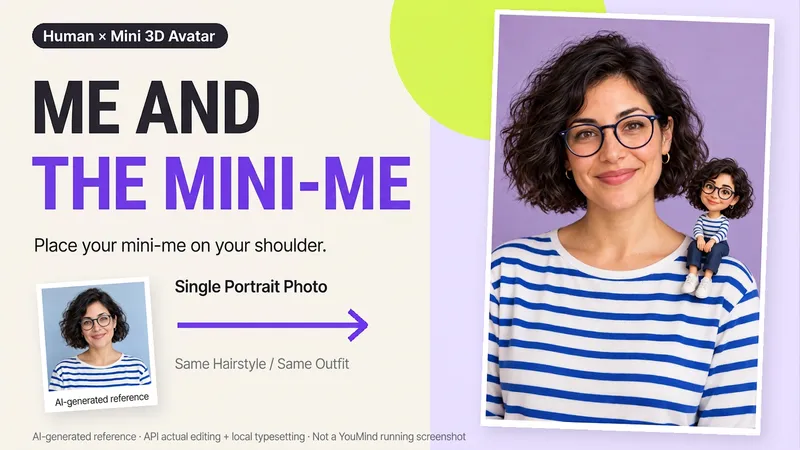 Image
Me and My Mini Me
What would it look like to have a tiny version of yourself sitting on your shoulder? Upload a clear photo of one person to create a creative portrait featuring the real person alongside a mini 3D double. One keeps the look of a photograph, while the other becomes a detailed little designer toy, with matching hair, glasses, and outfit so the two forms feel connected. What you can get: ① Shoulder companion: By default, the double sits on your shoulder, with you and your mini self looking at the camera together. ② Matching features: Focuses on visible details from the reference, including hairstyle, glasses, accessories, clothing colors, and patterns. ③ Clean final image: Defaults to a 2:3 vertical format, a soft studio background, and no text—one image to start. ④ Further adjustments: Ask to change the background or adjust the double’s size or pose, with priority given to continuing the version you already approved. Great for personal profiles, birthday keepsakes, and social sharing. The double is an artistic miniature version of the same person, not a real parent-and-child photo. You can also create fictional characters from text. The final image depends on the image tools and usage available on the current platform. Generative editing may change details of the person; exact preservation of the original photo, 100% likeness, and flawless hand structure are not guaranteed. If the tool is unavailable, this will be stated clearly and a complete prompt will be provided.
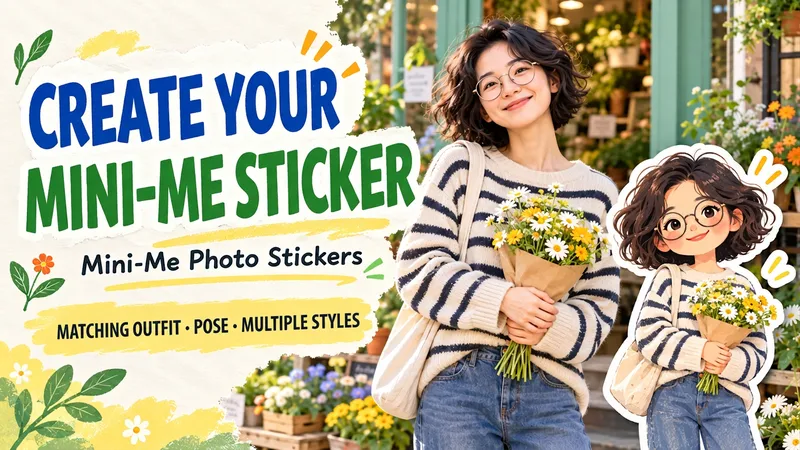
Photo Avatar Sticker
Upload a photo and add a miniature sticker of the person featuring the same outfit and pose, with pixel, paper, or clay styles available. Upload a portrait photo to turn your hairstyle, glasses, outfit, expression, and handheld items into an illustrated miniature avatar placed right next to your real photo. Great for travel memories, daily outfits, friend keepsakes, and profile pictures. Jump right in with three styles: • Pixel Arcade: Crisp pixels and retro color blocks to make everyday life look like a video game frame. • Paper Illustration: Layered paper and warm lines to turn photos into handmade stories. • Clay Doll: Matte textures and rounded details for a cute little miniature you. By default, each photo generates a "real photo plus avatar" image without added text, keeping the original photo's aspect ratio. You can adjust the avatar position, orientation, and short title, or request a standalone avatar sticker. If you don't have a photo, you can describe a fictional character for a demo. You can say: "Use this photo to make a pixel avatar, keep the clothes and camera, no text." or "Make a paper illustration, put the small avatar in the bottom left, and don't block my hand." The process checks visible features, clothing colors, poses, and props, then verifies avatar placement and material. Requires an environment with image generation or reference editing capabilities. Generative editing may alter original details, and similarity depends on the photo and model. Maintaining original pixels and separate transparent PNGs depends on the environment's compositing and transparency output.
 Image
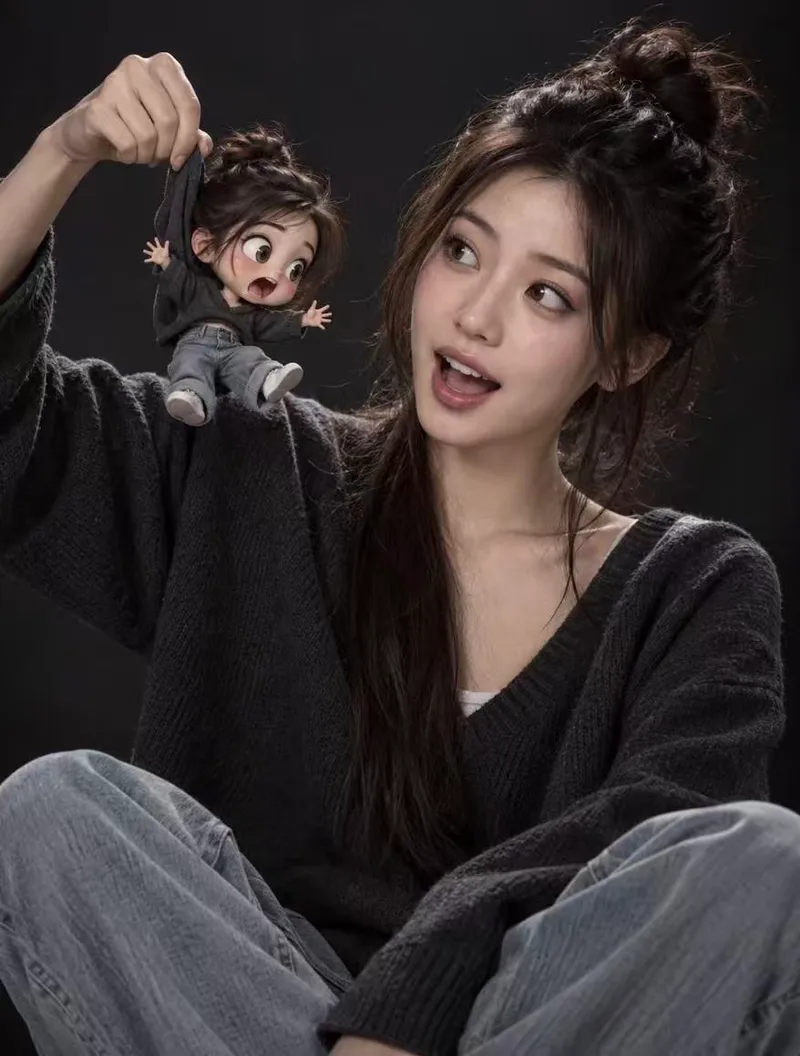
Mini Avatar Photo
Using your uploaded real photo as the sole base, the real person's features—face, expression, pose, clothing, background, and lighting—remain completely unchanged. A 3D-rendered chibi mini-me is added with physically plausible interactions, such as fabric deformation, limb swinging, contact shadows, and proper occlusion, creating a striking contrast between real and cartoon textures. By default, the mini avatar is styled with fluffy space buns, a dark gray V-neck sweater, light blue jeans, a 3-4 head-body ratio, large round eyes, a matte plastic figurine finish, Pixar-style rendering, and soft studio lighting. The default interaction shows a hand holding the mini avatar's hoodie collar with its limbs dangling. You can also customize it to rest on your shoulder, stand in your palm, or peek out from a pocket. The skill uses top-tier image generation models with your original photo as a reference, making it perfect for profile pictures, social media posts, pet-style mini avatars, and IP character photo-ops.
Information
- Version
- v2
- Last updated
- Runtime credits
- Usage-based
- Models
- Auto
- Use cases
- Images & designLifestyle & entertainment
- What you get
- Image
- Visual styles
- 3DPlayfulPhotorealistic
