Cinematic Product Video
Cinematic Product Video
Showcase
Description
Based on real product pages and materials, create cinematic product promotional videos or single-shot motion effects. Supports template-based, autonomous, and collaborative creation, delivering editable results according to environmental capabilities.
Recommended by
Dancang
Why we love this skill
Transforms real product interfaces into narrative, rhythmic cinematic promotional videos that balance directorial aesthetics with engineering rigor. It ensures verifiable features, item-by-item shot mapping, and transparent material rights, progressing flexibly through creative modes to deliver verifiable final cuts and project files.
Best for
Ideal for product teams, marketers, and content creators looking to showcase real product features, brand visuals, or launch experiences.
How to use this Skill
Provide your input
Provide a product URL, frontend project, page screenshot, or recording, and specify whether you want a promotional video or single-shot motion effect, target platform, and necessary brand and material requirements.
Run the Skill
Plan shots, subtitles, motion effects, and audio based on the real product interface, then produce and review the final video according to the chosen creation method.
Review your result
Receive a cinematic product video or single-shot motion effect; when supported by the environment and requested, editable project files along with storyboards and visual guidelines can also be provided.
Related Skills
View all Video
Viral E-Commerce Video Studio
Turn a single product image into a high-converting promotional video plan designed for immediate buyer engagement. Following the optimal 15–20 second high-retention pacing, it breaks the video down into four acts: capturing attention within the first 3 seconds through pain points or visual hooks, highlighting textures and craftsmanship with macro close-ups, showing real-life immersive use with before-and-after contrasts, and driving sales with product displays and limited-time offers. Each scene includes bilingual image generation prompts (maintaining consistent product appearance, color, and logo), camera and physical motion instructions (such as rapid zooms, panning, lighting sweeps, and sliding water droplets), along with a voiceover script, subtitle timeline, tone and emphasis notes, BGM beat suggestions, and compliance filtering to automatically avoid restricted promotional terms. Target Audience - E-commerce sellers and manufacturers: Create main product and detail page videos for proprietary items. - Live-streaming hosts and operations: Batch-produce short video assets before broadcasts. - Agency teams, MCNs, and ad optimizers: Test multiple creatives a day to quickly find high-ROAS winners. - Cross-border and independent site sellers: Generate English voiceover versions for TikTok and Reels. - Local businesses (dining, beauty, home): Promote new arrivals and special events. - Freelance editors and videographers: Deliver commercial scripts quickly and double efficiency.
 Write
High-End Ad AI Prompt Gen
This skill helps users create a set of AI short video prompts with a 'high-end advertising feel,' focusing on moving the audience through atmosphere and emotion rather than directly showcasing product specifications. It is well-suited for marketing professionals, advertising creatives, and brand managers who want to enhance brand image through unique visual storytelling. Users only need to provide simple product information, such as the product type and brand name. The skill automatically analyzes the product's tone and generates a series of customized prompts. It can set a visual system that matches the product's character, including the main color palette, the protagonist's image, and product appearance descriptions. Additionally, the skill carefully designs 12 storyboard scenes to ensure emotional progression between shots, ultimately forming a complete story arc. The entire process outputs two detailed sets of prompts: one for generating storyboard posters and another for generating videos. These prompts precisely describe details such as lighting, airiness, camera language, and materials, emphasizing cinematic visual effects and realistic photographic texture, ultimately helping users obtain a professional blueprint for AI short video creation.
Make Everyday Video Cinematic
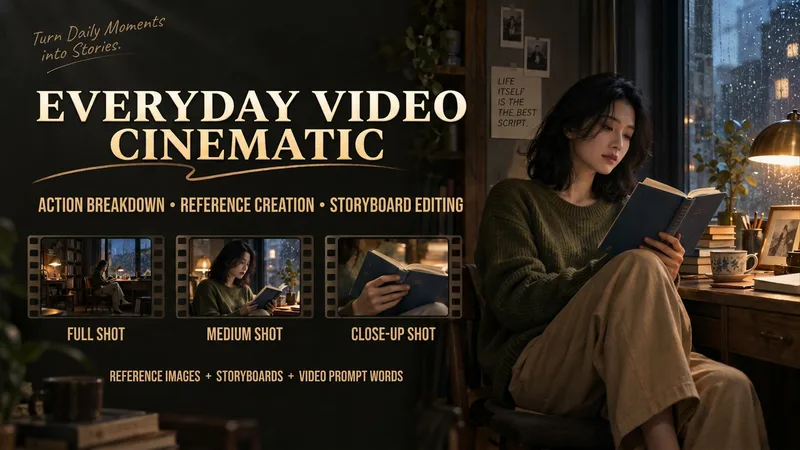
Provide everyday footage, ordered keyframes, or action descriptions, and tell it the mood you want. The basic deliverables are an event chain, cinematic storyboard, reference-material mapping, platform-neutral video-generation prompts, and review notes. Reading the original video, creating reference images, and generating the finished video continue according to the tools supported in the current environment. This version has not yet been fully tested with complete tasks in YouMind. The Skill first separates confirmed visual information, user-provided details, and unknown elements. It organizes the people, settings, and key objects, then redesigns the shots, pacing, lighting, and color. When it cannot read the footage, it guides you to provide keyframes and action descriptions. It focuses on checking whether people change appearance, whether extra props appear, whether action cause and effect is altered, and whether positions still connect after a cut. It is suited to everyday creators who want to give life moments, pet stories, and small shop stories a stronger narrative feel. When the environment supports image generation, it directly creates and checks reference images. When it supports a video-generation tool with the relevant reference inputs, it can continue to generate and review a short clip. Without the corresponding tools, it clearly delivers the completed plan and materials for external generation. Actual image and video generation capabilities, available parameters, and resource usage depend on the current environment.
Information
- Version
- v2
- Last updated
- Runtime credits
- Usage-based
- Models
- Auto
- Use cases
- Images & designMarketing & growth
- What you get
- VideoBriefCode
- Visual styles
- Cinematic
