City Observer Poster
Turn a character and city into a visual city portrait
City Observer Poster
Turn a character and city into a visual city portrait
Showcase
Description
Upload any character image and name a city to create a collectible City Observer poster. This is not a tourism promo—it’s a visual note on the city’s mood. The Skill preserves the character’s recognizable features, translates them into a unified flat illustration style, and places them in everyday city scenes. The three-step process (character analysis → city concept card → image generation) lets you confirm each step. A consistent visual system: vertical 3:4 format, oversized English title, blue-cyan line art, risograph print texture, and limited-color editorial layout. Create 10 cities and you’ll have a cohesive 10-poster city atlas. Minimum input: one image + a city name.
Recommended by
nene@YouMind
Why we love this skill
Blends a character’s distinctive traits with everyday city life, turning co-created details into collectible posters with oversized typography and retro screen-print texture.
Related Skills
View all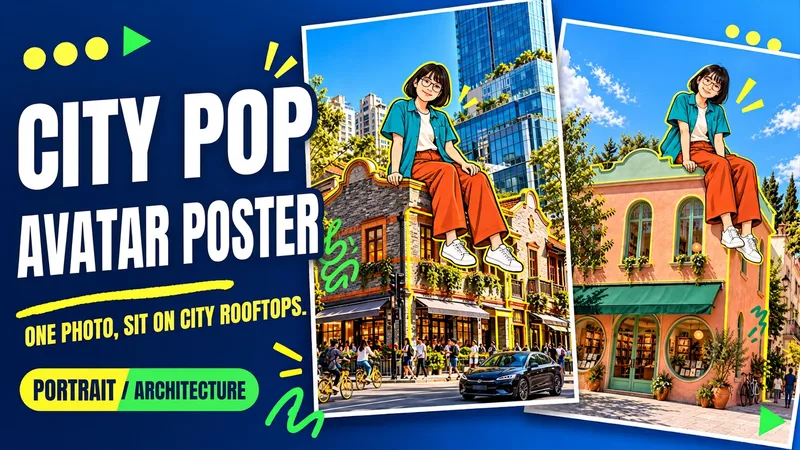 Image
ImageUrban Pop Double
Upload a photo of yourself and provide a city, landmark, or building image to create a personalized Urban Pop poster. In a realistic street scene, a giant cartoon double that preserves cues from your hairstyle, glasses, and outfit sits on a rooftop. Bright yellow architectural outlines, bold city lettering, and colorful graffiti give travel and everyday photos a trendier visual expression. Choose from three starting options: a person photo plus a city name; a person photo plus a landmark name; or a person photo plus a building image. Without a city name, you can also create an untitled poster centered on the building you provide. The default format is 3:4 portrait, with options to change the aspect ratio, title, props, and pose. After generation, check the person’s features, the building’s appearance, the sitting support, and the text, then revise any issues. Requires an image generation or editing environment that supports reference images. The person is reinterpreted as a cartoon, and the pose is reconstructed, so photo-level identity consistency is not guaranteed. Display materials feature original AI-generated fictional people and buildings; city examples are AI-generated photography-style street scenes. Availability and usage costs depend on the actual platform.
 Image
ImageViral City Shadow Worlds
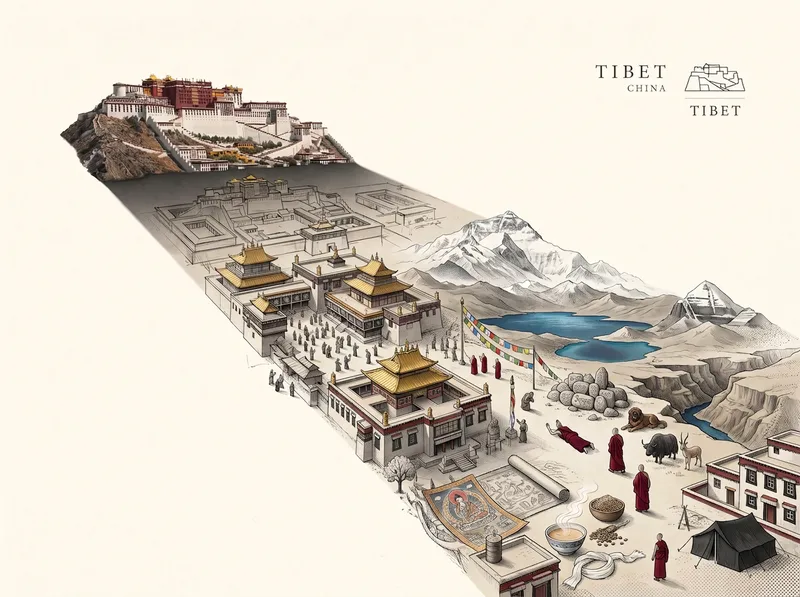
Great for building an audience. Enter a city name, and it will automatically match the city’s most recognizable landmark and cultural color palette to create a vertical surreal editorial illustration poster themed “THE WORLD INSIDE A SHADOW.” The image features a realistic landmark casting an unusually long shadow. Hidden inside the shadow is a miniature parallel world made up of the city’s landmarks, streetscapes, culture, and everyday details, transitioning seamlessly between realistic textures, ink lines, paper-cut relief, and engraving-like finishes. The city and country names appear in English in a small serif font in the upper-right corner. Ideal for city-themed art posters, cultural promotion, and creative visuals.
 Image
ImageCity Culture Poster Maker
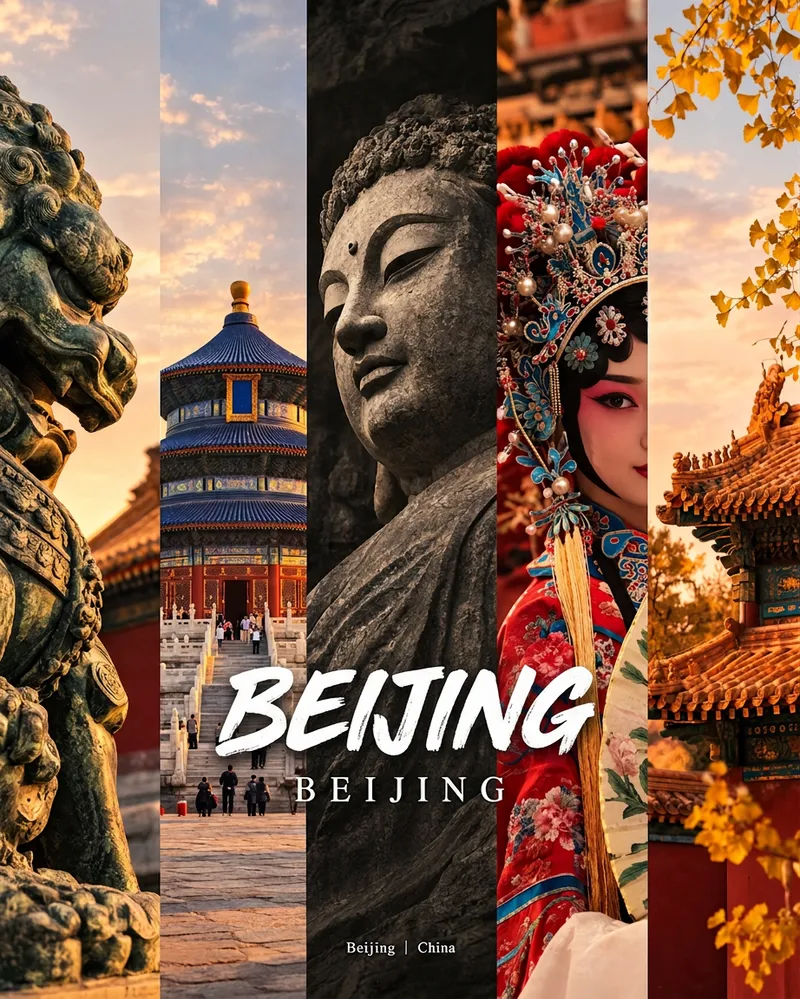
Enter a place name to instantly create a polished city identity poster in a five-panel vertical-strip format. The design seamlessly combines five equal-width vertical strips: close-ups of cultural artifacts and nature on the outer panels, an architectural landmark in the second panel, local customs and cultural life in the fourth, and the city’s most soulful cultural symbol in the center. The overall look uses warm golden-hour light and cinematic color grading. The center panel is darkened and desaturated to create a "warm—cool—warm" visual rhythm. A large white calligraphic place name, its English serif name, and the small text "Administrative Region | Country" are layered below the center panel. Two ways to use it: · Upload 5 photos you took yourself and enter a place name: the system automatically sorts them by content, crops them vertically, applies consistent color grading, and combines them into a poster in the same style · Enter only a place name: the system automatically selects 5 of the area’s most representative real-world elements and faithfully generates the poster Ideal for travel blogger covers, city tourism promotion, Xiaohongshu/Instagram carousel cover images, city identity cards, and album covers.
Information
- Version
- v5
- Last updated
- Runtime credits
- Usage-based
- Models
- Auto
