Viral City Shadow Worlds
Enter a city to create a surreal poster
Viral City Shadow Worlds
Enter a city to create a surreal poster
Showcase
Description
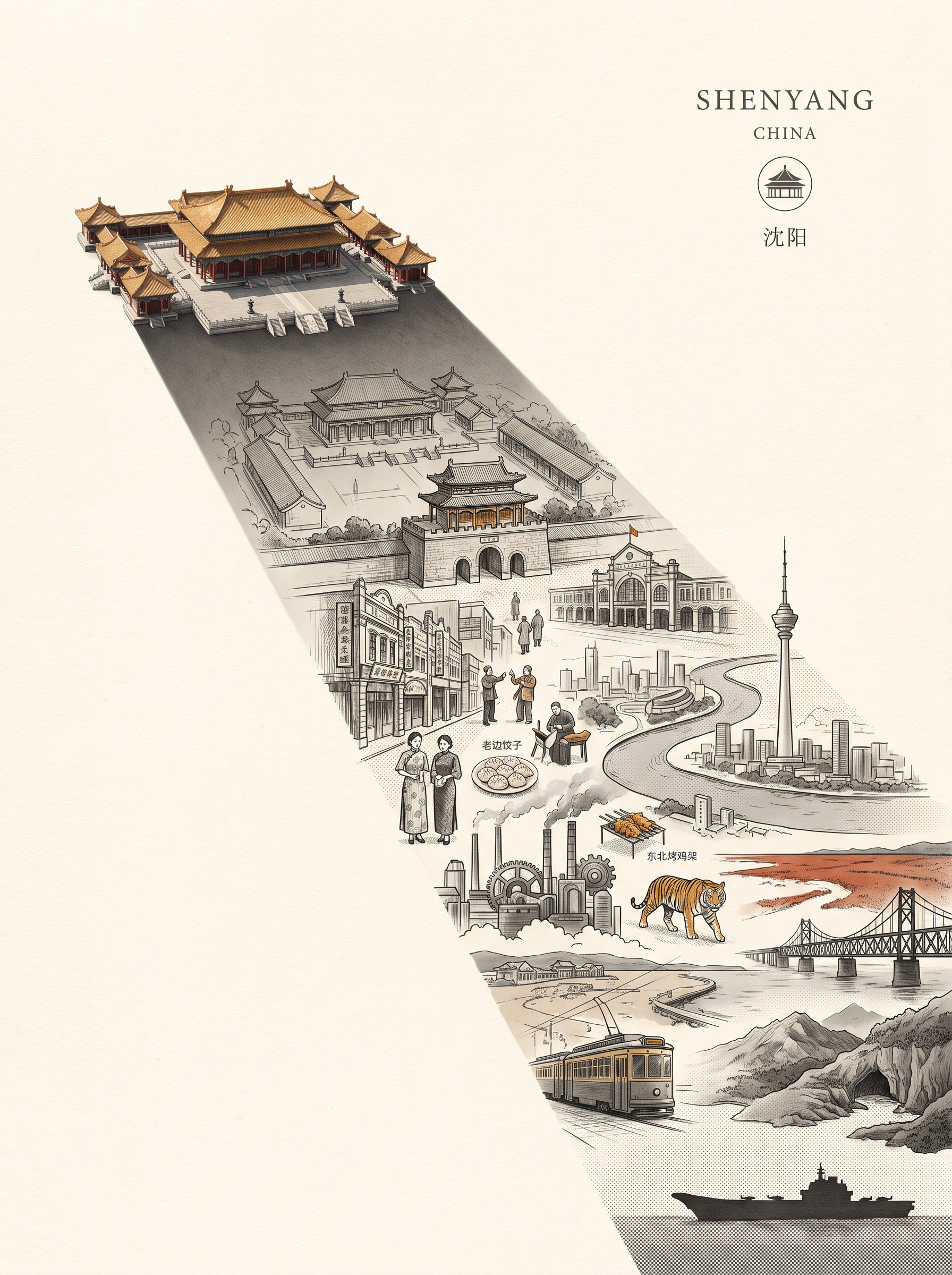
Great for building an audience. Enter a city name, and it will automatically match the city’s most recognizable landmark and cultural color palette to create a vertical surreal editorial illustration poster themed “THE WORLD INSIDE A SHADOW.” The image features a realistic landmark casting an unusually long shadow. Hidden inside the shadow is a miniature parallel world made up of the city’s landmarks, streetscapes, culture, and everyday details, transitioning seamlessly between realistic textures, ink lines, paper-cut relief, and engraving-like finishes. The city and country names appear in English in a small serif font in the upper-right corner. Ideal for city-themed art posters, cultural promotion, and creative visuals.
Recommended by
Dancang
Why we love this skill
Turns a city landmark into a gateway to a parallel universe, hiding streets, culture, and everyday details inside a minimal realistic shadow. Restrained colors and layered textures create a museum-quality surreal poster.
Related Skills
View all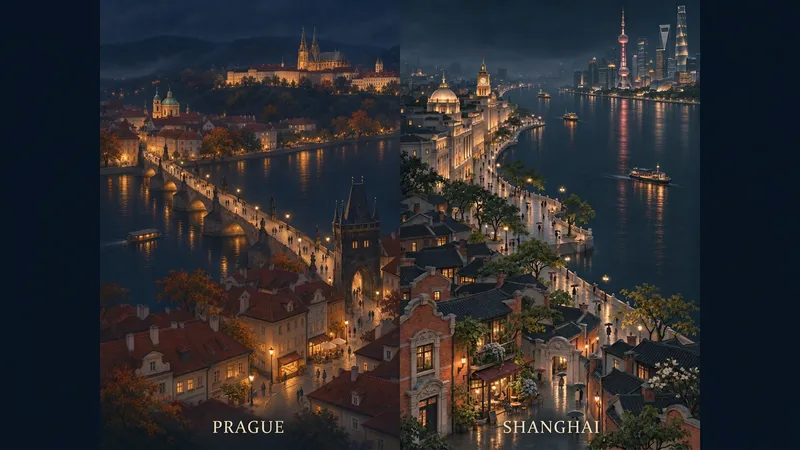 Image
City Aerial Night Poster
Transform a city's landmarks, streets, and lights into a vertical cityscape woven with deep blue night tones and warm golden lights. Enter a city name to start, or upload a city photo and specify the landmarks and scene relationships you want to preserve. The artwork features a quiet cinematic feel and a delicate miniature city atmosphere, arranging buildings, roads, pedestrians, and night lighting according to each city, with understated bilingual city name subtitles at the bottom. It generates a default 2:3 vertical piece, perfect for city imagery, travel mementos, and series visual creations. Photo inputs undergo AI reconstruction, preserving key landmarks and spatial relationships as much as possible. Generated results are not equivalent to an exact record of a real city. If strict city name accuracy is required, use authentic fonts for post-processing layout and verification.
 Image
City Culture Poster Maker
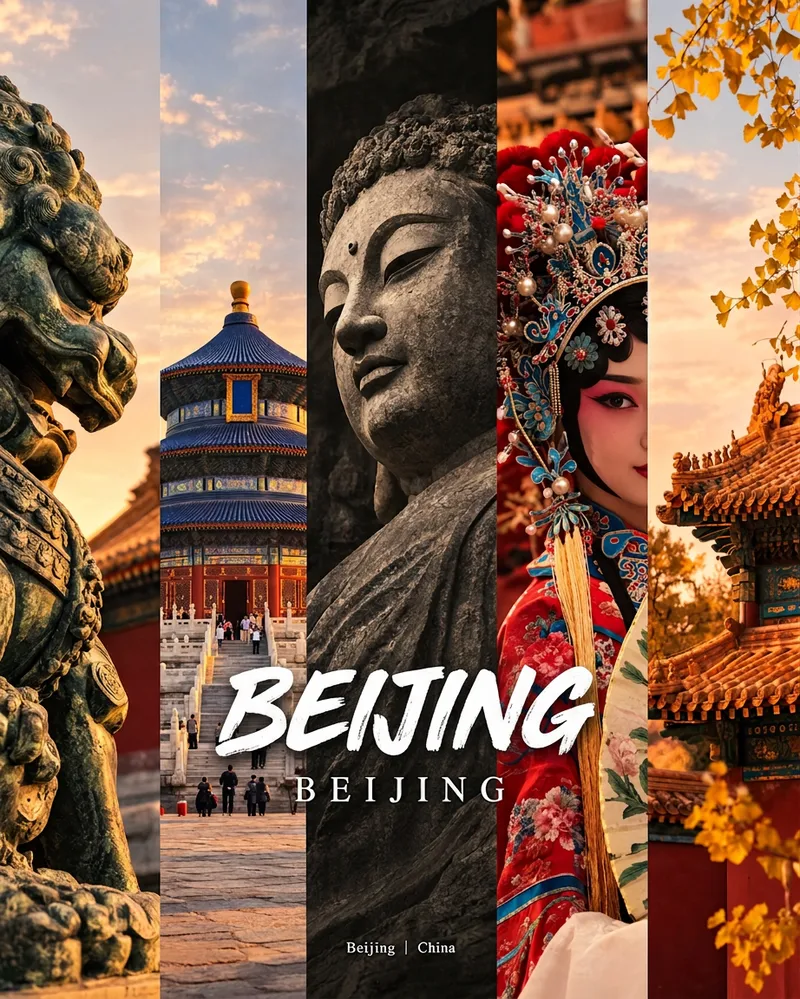
Enter a place name to instantly create a polished city identity poster in a five-panel vertical-strip format. The design seamlessly combines five equal-width vertical strips: close-ups of cultural artifacts and nature on the outer panels, an architectural landmark in the second panel, local customs and cultural life in the fourth, and the city’s most soulful cultural symbol in the center. The overall look uses warm golden-hour light and cinematic color grading. The center panel is darkened and desaturated to create a "warm—cool—warm" visual rhythm. A large white calligraphic place name, its English serif name, and the small text "Administrative Region | Country" are layered below the center panel. Two ways to use it: · Upload 5 photos you took yourself and enter a place name: the system automatically sorts them by content, crops them vertically, applies consistent color grading, and combines them into a poster in the same style · Enter only a place name: the system automatically selects 5 of the area’s most representative real-world elements and faithfully generates the poster Ideal for travel blogger covers, city tourism promotion, Xiaohongshu/Instagram carousel cover images, city identity cards, and album covers.
 Image
Ink City Poster Generator
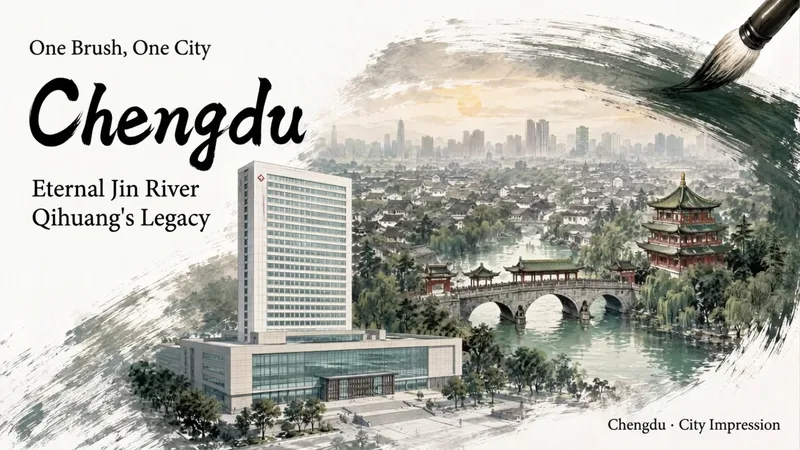
Enter a city name to create a miniature city poster with a strong sense of place and polished design, suitable for conference backdrops, city promotions, and event visuals. Traditional Chinese painting brushwork wraps realistic city scenes, organizing landmark buildings, waterways, neighborhoods, and skylines into three layers of depth: foreground landmarks, midground city, and distant outlines. Clear negative space is reserved for titles and brand copy, allowing the city image and text information to blend naturally. Create posters for conferences or city-related events. You can specify landmarks, a main title, subtitle, brand copy, and details such as the meeting name, date, time, and location. Choose a brush effect—ink brush, pen, pencil, or charcoal—and pair it with ink black, stone green, ochre, cobalt blue, cinnabar red, smoke gray, or a custom color. You can also adjust the presentation from expressive to balanced to realistic. Landscape, portrait, and square formats are supported. Meeting fields display only the information actually provided, with no placeholder content added. During generation, the city’s buildings are first checked for their names, locations, forms, and sources. The composition is then planned and the poster is generated. Delivery also includes an architectural reference table and itemized review results, with a focus on landmark attribution, building forms, spatial relationships, Chinese text, brushwork texture, layout spacing, and parameter consistency—helping you create a city visual more suitable for formal presentation.
Information
- Version
- v3
- Last updated
- Runtime credits
- Usage-based
- Models
- Auto
