
Competitor Price Monitor
Turn competitor prices into a comparison table
Competitor Price Monitor
Turn competitor prices into a comparison table
Showcase
Description
Want to know whether your pricing is too high or too low? Start by getting a clear view of competitor prices. 【Competitor Price Monitor】 organizes pricing information from several competitors—including prices in screenshots, prices on linked pages, and promotional prices—into a comparison table. It aligns regular prices, promotional prices, final prices, unit prices by size, and gifts item by item. It also provides one pricing recommendation: should you match the market, raise your price, or compete through gifts?
Best for
Best for sellers or operators who need to use collected competitor pricing data to develop pricing and promotion strategies.
How to use this Skill
Provide your input
Provide your product name, size, and price, plus pricing, size, sale price, or gift information for at least two competitors. You can include screenshot text or prices from product pages.
Run the Skill
Organize the information, normalize unit prices, align regular, sale, and final prices with gift details, and compare price positioning and gaps.
Review your result
Get a price comparison table, price-band positioning, three pricing insights, and clear advice on matching, holding, or competing through a different value dimension.
Related Skills
View all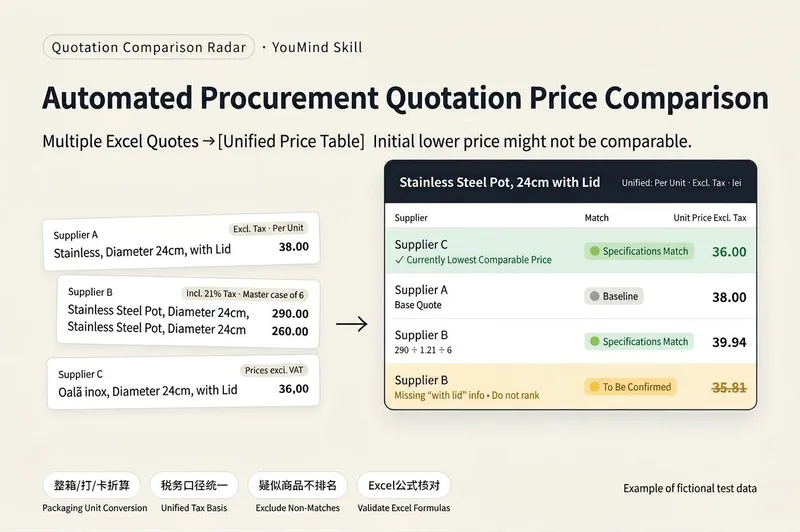 Research
Automated Quote Comparison
# Automated Quote Comparison | Quote Comparison Radar **Compare multiple supplier quotes in one table: only matching specifications are ranked, suspected matches require confirmation, and unit prices are calculated with Excel formulas.** ## Still comparing supplier quotes manually? If you run a wholesale business, stock a store, or handle purchasing, you may often encounter these issues: - Supplier A quotes by the case, supplier B by the dozen, and supplier C by the individual item. - Some prices include tax while others do not, making direct comparisons error-prone. - The same product may have different names and may mix Chinese, foreign-language text, and different decimal formats. - Products that look identical may differ in capacity, dimensions, material, or model. - Quote sheets may contain dozens or even hundreds of rows. Organizing them manually takes time and makes it easy to miss lines. **Quote Comparison Radar organizes multiple supplier Excel quotes into one standardized comparison table that you can check row by row.** The focus is not just on comparing prices, but first determining whether the product specifications are comparable. ## Core features **① Three-level product specification matching** 🟢 Matching specifications: Key specifications meet the requirements and can be included in the price comparison. 🟡 Needs confirmation: Key information is missing or the specifications require further confirmation. The item is temporarily excluded from the lowest-price ranking. 🔴 Conflicting specifications: Key attributes such as dimensions, capacity, or material are clearly different. The item is excluded from the lowest-price ranking for that product. This prevents a lower-priced product with different specifications from being treated as the best quote. **② Automatic packaging quantity conversion** Supports cases, dozens, cards, and multi-level packaging, such as “20 packs × 10 pieces.” Automatically organizes package quantities and pricing units while distinguishing product specifications from minimum order quantities, so quotes for different quantities are not compared directly. **③ Standardized tax-inclusive and tax-exclusive prices** When tax information is clearly provided in the quote, tax-inclusive prices are converted to tax-exclusive prices for a consistent comparison basis. Foreign-currency quotes are marked separately. Exchange rates are not converted automatically, and these quotes are not included in the lowest-price ranking. **④ Tiered pricing support** Tiered prices for different purchase quantities are listed separately. By default, only the starting quantity tier is used for comparison. **⑤ Excel formula calculations for row-by-row checking** Unit prices in the output are calculated with Excel formulas rather than estimated directly by AI. Each row retains the source file and original product number, making it easier to verify product descriptions, package quantities, tax rates, and prices. **⑥ Missing-row prevention and batch processing for large files** At the beginning, the Skill reports the number of rows identified in each file. After output is complete, it performs an item-by-item check and attempts to restore any missing rows. When there are more than 40 rows, the output is automatically split into batches. Reply “Continue” to get the next batch; row numbers remain continuous. **⑦ Supplementary confirmation for suspected products** For example, reply: “B-04 is transparent.” The Skill updates the corresponding entry based on the additional information, so you do not need to reorganize all quotes from scratch. ## How to use **Step 1: Upload at least two supplier Excel quote sheets.** Files are sorted by filename, and the first file becomes the reference supplier. To specify the reference supplier, add `1_` to the beginning of its filename. **Step 2: Wait for product matching and the comparison table.** If the quote contains more than 40 rows, reply “Continue” as prompted until the entire output is complete. **Step 3: Copy the results to Excel.** Paste each batch into Excel cell A1 in order so Excel can calculate the formula results. **Step 4: Filter for the lowest quotes.** Filter for 「参与排名=是」, group by product, and sort 「未税单价」 from low to high to find the currently lowest comparable quote for each group. **Step 5: Manually verify and confirm suspected products.** Add specification information for 🟡 entries, then ask the Skill to update the corresponding rows. ## Internal test results The final version was tested using self-created fictional quote data: - 4 suppliers and 156 quote rows in total. - The test included case packaging, tax-inclusive quotes, multiple worksheets, Romanian product names, comma decimals, euro quotes, tiered pricing, and entries without prices. - The final version output all 156 rows. - 0 incorrectly matched items entered the lowest-price ranking. - The lowest-price conclusions for all 50 product groups were correct. - After the output was pasted into Excel, no formula errors occurred during testing. These are **test results using fictional internal data**. They are not a real customer case and do not indicate that all real quote sheets will achieve the same accuracy. ## Limitations and notes - Currently supports only Excel quote sheets, not PDFs, images, or WeChat text. - Compares product unit prices only; shipping costs, minimum order quantities, and payment terms are not included in the price comparison. - 🟢 means the provided key specifications match. It does not guarantee the same brand, model, or completely identical product. - Foreign-currency quotes are not automatically converted using exchange rates. - If Excel uses commas as decimal separators, such as `12,50`, mention this when uploading. - Entries missing required tax rates, pricing units, or packaging information must be confirmed before they can be used for a valid comparison. - The Skill does not directly provide a final purchasing decision. You need to filter, sort, and verify the lowest quotes in Excel. - Before purchasing, manually verify key product specifications and supplier quotes. ## Price and credit usage **Launch price: 1,980 credits.** In an internal test with quotes from 4 suppliers and approximately 150 rows, the run used about 224 credits. Actual credit usage depends on the number of files, number of product rows, batch output, and the number of follow-up confirmations. 224 credits is not a fixed fee. ## Who is it for? - Retail store owners who frequently purchase from multiple suppliers - Wholesalers and small trading companies - People responsible for product purchasing and supplier quote requests - Business operators who need to organize multiple Excel quote sheets **Confirm that specifications are comparable before comparing prices.** A price that looks cheaper may not be directly comparable.
Brand Deal Pricing Coach
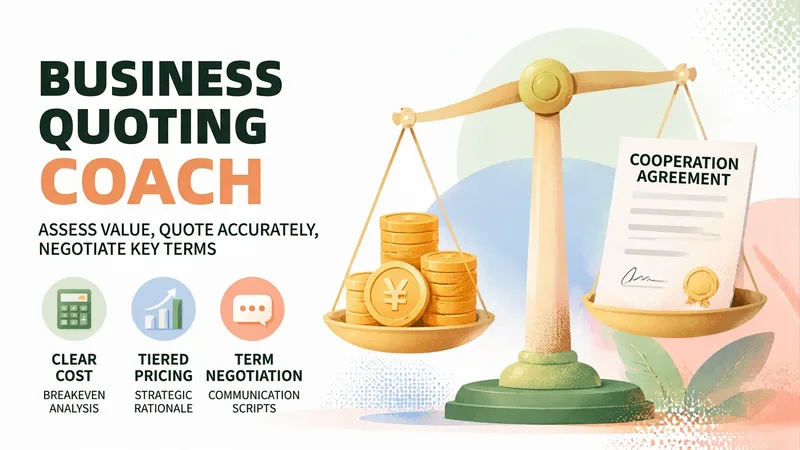
The hardest part of taking a brand deal isn't finding one—it's knowing what the deal is worth. You spend three days negotiating, then the client says, “That’s the entire budget.” You don’t know whether it’s a firm limit or a negotiation tactic. Quote too high and you may lose the deal; quote too low and you may finish the work after staying up late, only to realize you lost money. This skill brings in the knowledgeable friend who knows the business. Share the basic details of the deal—who the client is, the format, how many deliverables and revision rounds are required, and what price they offered. It will first ask for key missing information, then provide a Brand Deal Pricing Evaluation Report: ✨ Core capabilities 1. Break-even price calculation: Time costs + hard costs + taxes and commissions + revision and payment-term risks, so you can first determine “below what price am I losing money?” 2. Three pricing tiers: Floor price / target price / ideal price, with the reasoning behind each tier and the amount tied to every add-on and discount item 3. Contract checklist: Payment, advance payment, revision limits, licensing scope and duration, exclusivity period, and the right to publish the work as a case study—beginners often lose out more on terms than on price 4. Negotiation scripts: For the initial quote, “the budget is limited,” “let’s test the results first,” exclusivity requests, requests for free trial work, and more. Each scenario includes a ready-to-copy version with tone and risks noted 5. One-page quote letter: Once you reach an agreement, generate a quote letter you can send directly to the client with one click 6. Pricing archive: Remember your past deal prices and minimum hourly rate, becoming more accurate the more you use it 🛡️ Three firm principles · No invented market figures: All amounts come only from the anchors and cost calculations you provide. Estimated ranges are clearly marked as “not the market average” · No sugarcoating: If the price is below your costs, it will tell you directly, “Taking this deal means losing money,” and calculate where the loss comes from · No deciding for you: It provides analysis and supporting reasons; the decision remains yours 📱 Who it’s for Bloggers, creators, and up creators handling brand partnerships, platform deals, or sponsored content; public-account writers; Xiaohongshu and Douyin creators; as well as designers, writers, and podcast hosts taking on projects. 💡 How to use it Simply describe your deal. You can also use /报价 /还价 /条款 /出函 /复盘 /档案 for precise access. Getting one quote right can mean a difference of hundreds or even thousands.
Competitor Analysis Card Generator
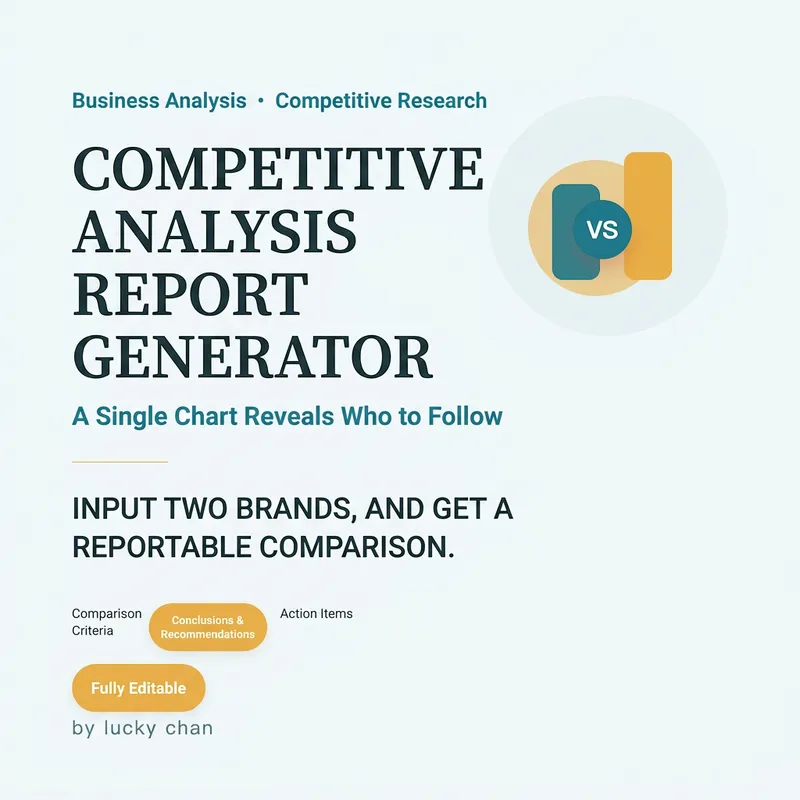
Still making comparison tables manually before a presentation? Drop in two brands or products to instantly generate a competitor card ready for your Slides. Smartly filters key dimensions (features, pricing, reputation, growth) into a single comparison table so strengths and weaknesses are clear at a glance. **Target Audience**: Product managers, operations professionals, startup founders, marketers, and investors who need to evaluate options or analyze competitors without building tables from scratch. **Deliverables**: Choose from editable HTML, one-click PNG long image export, or print/PDF save; includes a concise overview card and a detailed delivery card.
Information
- Version
- v2
- Last updated
- Runtime credits
- Usage-based
- Models
- Auto
- Use cases
- Research & analysisE-commerce & salesBusiness & strategy
- What you get
- ReportPlanData
